
🚀 Quick Verdict / Top Pick
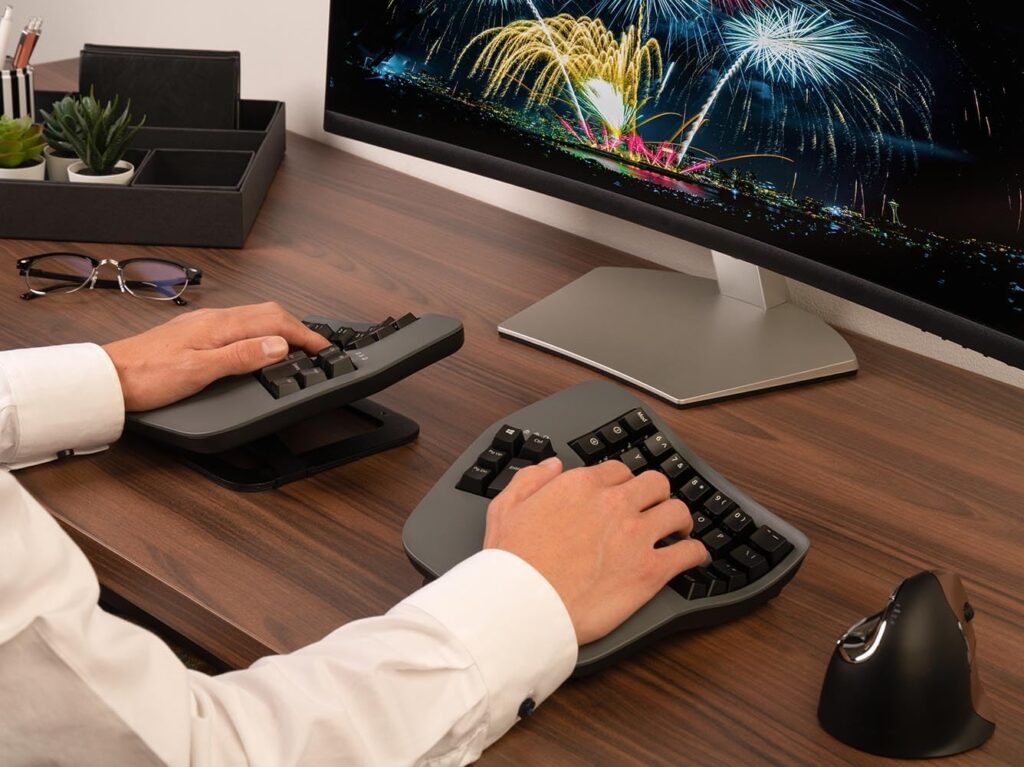
Kinesis Advantage360 Professional

Its open-source ZMK firmware offers limitless customization that serious developers demand, setting a professional standard the others can’t match.
In the world of professional development, your keyboard isn’t just an input device; it’s the primary interface for your craft. Long hours of coding can lead to discomfort and repetitive strain injuries (RSI). This is why finding the best split keyboard for programming is a critical investment in both your health and productivity for 2025. These specialized keyboards promote a more natural hand and wrist posture, reducing physical strain. Our market analysis focuses on the features that matter most to programmers: deep customizability, high-quality mechanical switches, and true ergonomic design.
Comparison at a Glance
| Product | Programmability | Switch Type | Best For |
|---|---|---|---|
| Kinesis Advantage360 Professional | ZMK Firmware (Open-Source) | Gateron Brown (Tactile) | Power Users & Total Customization |
| RK ROYAL KLUDGE RKS70 | Vendor Software | Feker Brown/Red (Hot-swappable) | Budget-Conscious & Wireless Flexibility |
| Kinesis Advantage360 (Standard) | SmartSet Engine (Onboard) | Gateron Brown (Tactile) | Plug-and-Play Ergonomics |
Detailed 2025 Reviews
1. Kinesis Advantage360 Professional Split Ergonomic Keyboard
Pros
- Powerful ZMK firmware for limitless customization
- Truly wireless design with Bluetooth connectivity
Cons
- Significant financial investment
- Steep learning curve for both layout and firmware
The Breakdown: Market research indicates the Advantage360 Professional is the pinnacle of ergonomic keyboards for developers. Its signature concave keywells and ortholinear layout are engineered to minimize finger travel and strain. The key differentiator is its open-source ZMK firmware, which allows for complete control over every key, layer, and macro via a GitHub-based workflow that programmers will find familiar.
Key Specs:
- Switches: Gateron Brown Mechanical (Tactile, Quiet)
- Layout: 76-Key Contoured Split
- Programmability: ZMK Firmware via GitHub
- Connectivity: Bluetooth LE 5.1 (Connects up to 5 devices)
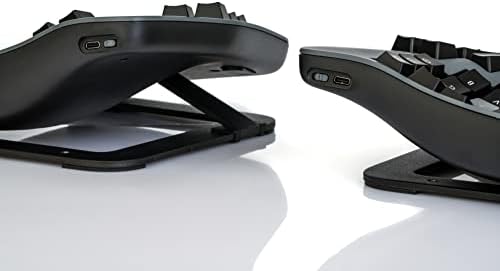
- Tenting: 3 adjustable levels (Low, Medium, High)
The Community Verdict: Users consistently report a significant reduction in RSI symptoms and wrist pain after adapting to the keyboard. The consensus is that while the initial learning period is challenging, the long-term payoff in comfort and custom workflow efficiency is unparalleled. The build quality is frequently praised as being worth the premium price.
Dealbreaker: Skip this if you require a simple plug-and-play solution or are not prepared to invest time in learning a new layout and firmware configuration process.
2. RK ROYAL KLUDGE RKS70 Ergonomic Split Keyboard

Pros
- Exceptional value for a split mechanical keyboard
- Tri-mode connectivity (BT, 2.4Ghz, USB-C)
Cons
- Proprietary software is less powerful than ZMK/QMK
- Build materials are less premium than Kinesis
The Breakdown: The RK RKS70 disrupts the market by offering a feature-packed split ergonomic experience at a highly competitive price point. It adopts a more traditional flat, split 75% layout, which is easier to adapt to than contoured keywells. Its biggest selling points are the versatile tri-mode connectivity and hot-swappable switches, allowing users to easily change switch types without soldering.
Key Specs:
- Switches: Feker Brown/Red (Hot-swappable)
- Layout: 70-Key Split 75%
- Programmability: RK Software
- Connectivity: Bluetooth, 2.4GHz Wireless, USB-C
- Tenting: Magnetic feet for adjustable angle
The Community Verdict: The consensus is that the RKS70 provides incredible value. Users appreciate the freedom of its wireless options and the ability to experiment with different switches. While power users note the limitations of the software compared to open-source alternatives, most agree it’s more than sufficient for basic remapping and macros.
Dealbreaker: Skip this if you require the advanced ergonomic support of contoured keywells or need the deep programmability offered by ZMK/QMK firmware.
3. Kinesis Advantage360 Split Ergonomic Keyboard (Standard)
Pros
- Proven Kinesis ergonomic design
- Powerful onboard programming (no software needed)
Cons
- Less flexible than the ZMK Professional model
- Wired link required between the two halves
The Breakdown: This model offers the exact same physical hardware and legendary ergonomic shape as its ‘Professional’ sibling at a more accessible price. The main difference lies in the firmware; it uses Kinesis’s proprietary SmartSet Engine for programming directly on the keyboard, no software required. While the two keyboard halves connect via Bluetooth to your computer, they must be linked to each other with a cable.
Key Specs:
- Switches: Gateron Brown Mechanical (Tactile, Quiet)
- Layout: 76-Key Contoured Split
- Programmability: SmartSet Engine (Onboard)
- Connectivity: Bluetooth LE 5.1 (Wired link between halves)
- Tenting: 3 adjustable levels (Low, Medium, High)
The Community Verdict: Owners report that this is the perfect middle ground. They get the game-changing comfort of the contoured keywells without the intimidating setup of the ZMK model. The SmartSet Engine is consistently described as powerful and intuitive for on-the-fly remapping and macros.
Dealbreaker: Skip this if you desire a truly wireless experience between both keyboard halves or need the near-infinite layering and community support of ZMK firmware.
How to Choose the Best Split Keyboard for Programming
Choosing the right split keyboard involves more than just picking the most expensive model. For programming, consider these critical factors:
Programmability: ZMK vs. SmartSet vs. Vendor Software
This is arguably the most important factor for a developer. Open-source firmware like ZMK (Kinesis Pro) offers ultimate power and flexibility but requires a technical setup. Onboard engines like SmartSet (Kinesis Standard) are powerful and don’t require software installation, making them great for work environments with restricted PCs. Standard vendor software (RK RKS70) is the most user-friendly but often the most limited in features.
Ergonomic Shape: Flat vs. Contoured Keywells
A flat split keyboard (RK RKS70) has a lower learning curve and feels more familiar. A contoured keywell keyboard (Kinesis models) is designed to minimize finger and wrist movement, which can provide superior long-term comfort but requires a significant adaptation period. Market research indicates that users who successfully adapt to keywells rarely go back.
Mechanical Switches: Finding Your Feel
The keyboards reviewed here primarily use Gateron or Feker Brown switches. These are ‘tactile’ switches, meaning they provide a small bump you can feel on actuation without an audible click. This is widely considered an excellent middle ground for both typing and gaming, and it’s quiet enough for an office environment.
Frequently Asked Questions
1. Is a split keyboard really better for programming?
Market consensus strongly suggests yes. By allowing you to position each half at shoulder width, they reduce ulnar deviation (outward bending of the wrists) and internal shoulder rotation. This more natural posture can significantly decrease the risk of RSI and improve comfort during long coding sessions.
2. How long does it take to get used to a split keyboard?
Users consistently report an adjustment period of 2 to 4 weeks. Expect an initial drop in typing speed and accuracy. However, after this period, many report matching or exceeding their previous speeds, with the added benefit of improved comfort.
3. What is an ortholinear layout?
Unlike traditional staggered keyboards, ortholinear layouts arrange keys in a straight grid. This design aims to reduce finger travel and enforce proper touch-typing habits, as your fingers move straight up and down rather than at an angle. The Kinesis models feature a modified ortholinear layout within their contoured wells.




