
🚀 Quick Verdict / Top Pick
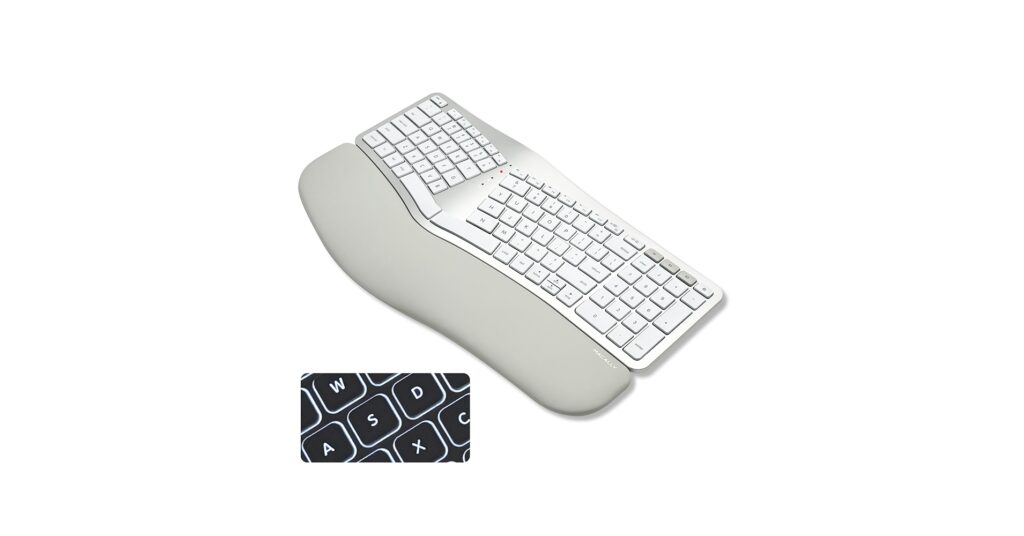
Macally Bluetooth Ergonomic Keyboard

It earns the top spot for its unwavering focus on the Mac ecosystem, providing a native macOS layout and frustration-free Bluetooth pairing that other multi-platform keyboards can’t match.
Finding the right wireless split keyboard for Mac is no longer a niche pursuit—it’s an essential upgrade for anyone serious about comfort and productivity. In 2026, the market is filled with options designed to reduce strain and streamline your workflow. After extensive market research, we’ve analyzed the top contenders to help you find the perfect ergonomic match for your Apple setup, focusing on the critical factors: connectivity, ergonomic design, and a seamless macOS experience.
Comparison at a Glance: 2026’s Top Picks
| Product | Connectivity | Ergonomic Design | Best For |
|---|---|---|---|
| Macally Bluetooth Ergonomic | Bluetooth (3 Devices) | Fixed Split, Cushioned Rest | Mac Purists |
| Logitech Ergo K860 | Bluetooth + USB Dongle | Curved Frame, Negative Tilt | Overall Performance |
| ProtoArc Compact Backlit | Bluetooth + USB Dongle | Fixed Split, TKL Layout | Minimalist Setups |
| Nulea Wireless Ergonomic | Bluetooth + USB Dongle | True Split, Adjustable Tenting | Maximum Adjustability |
| ProtoArc Full-Size Backlit | Bluetooth + USB Dongle | Fixed Split, Full-Size w/ Numpad | Data Entry & Finance |
Detailed Reviews
1. Macally Bluetooth Ergonomic Keyboard
Pros
- True macOS key layout (Cmd, Option)
- Simple, reliable multi-device Bluetooth
Cons
- Lacks advanced tenting/tilt options
- Basic scissor-switch keys
The Breakdown
Market research indicates the Macally keyboard is built from the ground up for Apple users. Its primary advantage is its native macOS layout, which eliminates the need for remapping keys or guessing icons. The simple, split design and integrated wrist rest provide immediate ergonomic benefits for those new to split keyboards.
Key Specs
- Connectivity: Bluetooth (Up to 3 devices)
- Ergonomic Design: Fixed split, integrated cushioned wrist rest
- Key Type: Scissor-switch
- Battery: Rechargeable via USB-C
The Community Verdict
Users consistently praise its ‘it just works’ functionality with MacBooks and iMacs, highlighting the effortless setup. The consensus is that while the ergonomics are a significant step up from a standard keyboard, it’s less customizable than more expensive models. It’s seen as a reliable daily driver.
Dealbreaker
Skip this if you require advanced ergonomic features like adjustable tenting or need to frequently switch to a Windows PC.
2. Logitech Ergo K860 Wireless Ergonomic Keyboard
Pros
- Exceptional build quality and wrist support
- Dual Bluetooth/USB receiver connectivity
Cons
- Premium price point
- Not a true two-piece split keyboard
The Breakdown
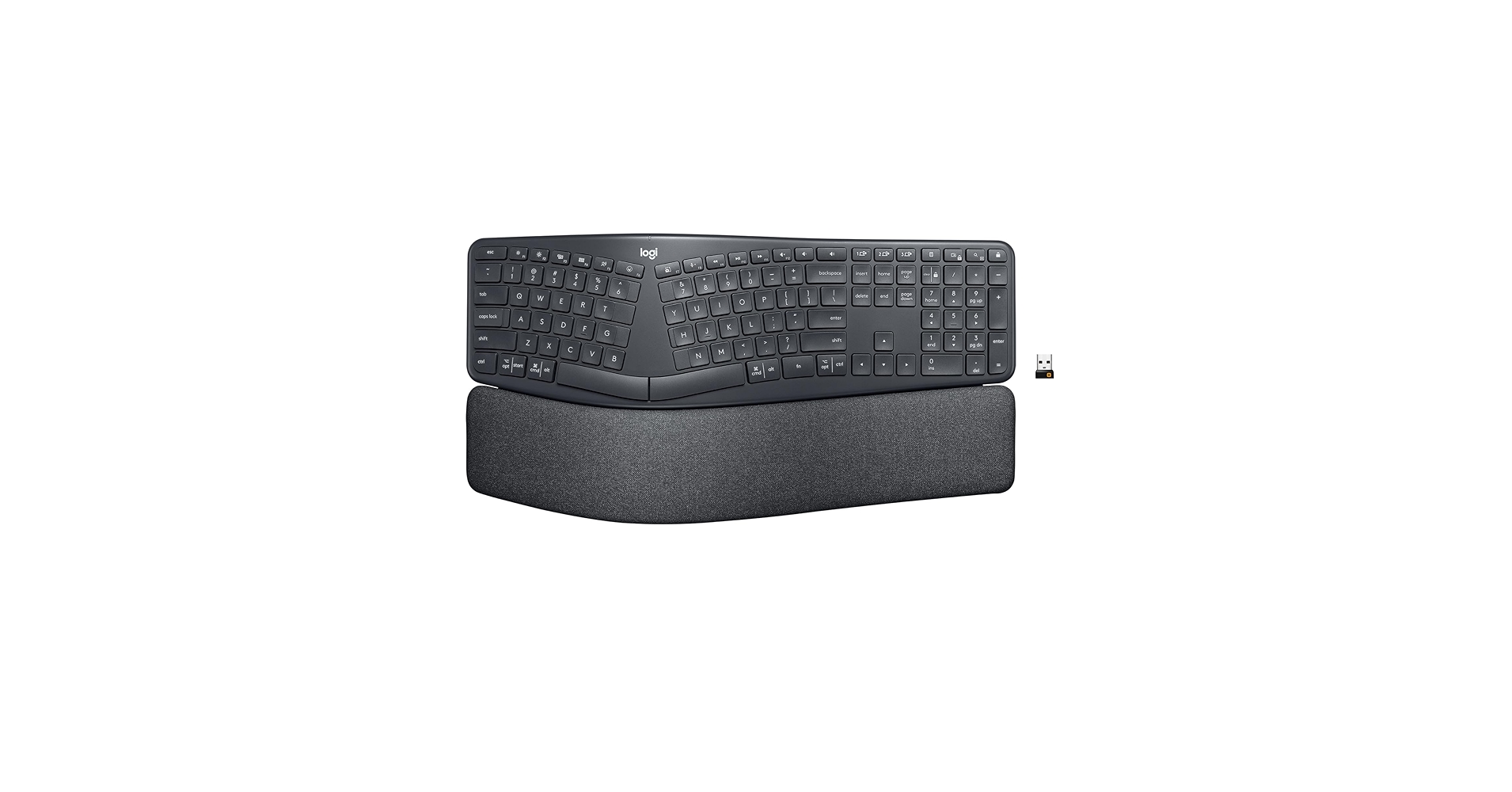
The Logitech Ergo K860 is widely regarded as a benchmark in the ergonomic space. Its curved, one-piece split design promotes a more natural hand and wrist posture, while the pillowed wrist rest provides superior support. The dual connectivity and compatibility with Logi Options+ software make it a powerhouse for multi-device workflows.
Key Specs
- Connectivity: Bluetooth, Logi Bolt USB Receiver (Up to 3 devices)
- Ergonomic Design: Curved/split frame, adjustable negative tilt, integrated fabric wrist rest
- Key Type: Scissor-switch (Perfect Stroke keys)
- Battery: 2x AAA (up to 24 months)
The Community Verdict
Owners consistently report a significant reduction in wrist pain and praise the satisfying, quiet typing experience. The main critique from ergonomic purists is that the one-piece design doesn’t allow for shoulder-width separation of the keyboard halves. However, for most users, the comfort is unparalleled.
Dealbreaker
Skip this if you are on a strict budget or require a fully separable two-piece keyboard for maximum shoulder rotation.
3. ProtoArc Backlit Bluetooth Ergonomic Keyboard (Compact)
Pros
- Compact, space-saving TKL layout
- White backlighting for low-light work
Cons
- Build materials feel less premium
- Backlight significantly impacts battery life
The Breakdown
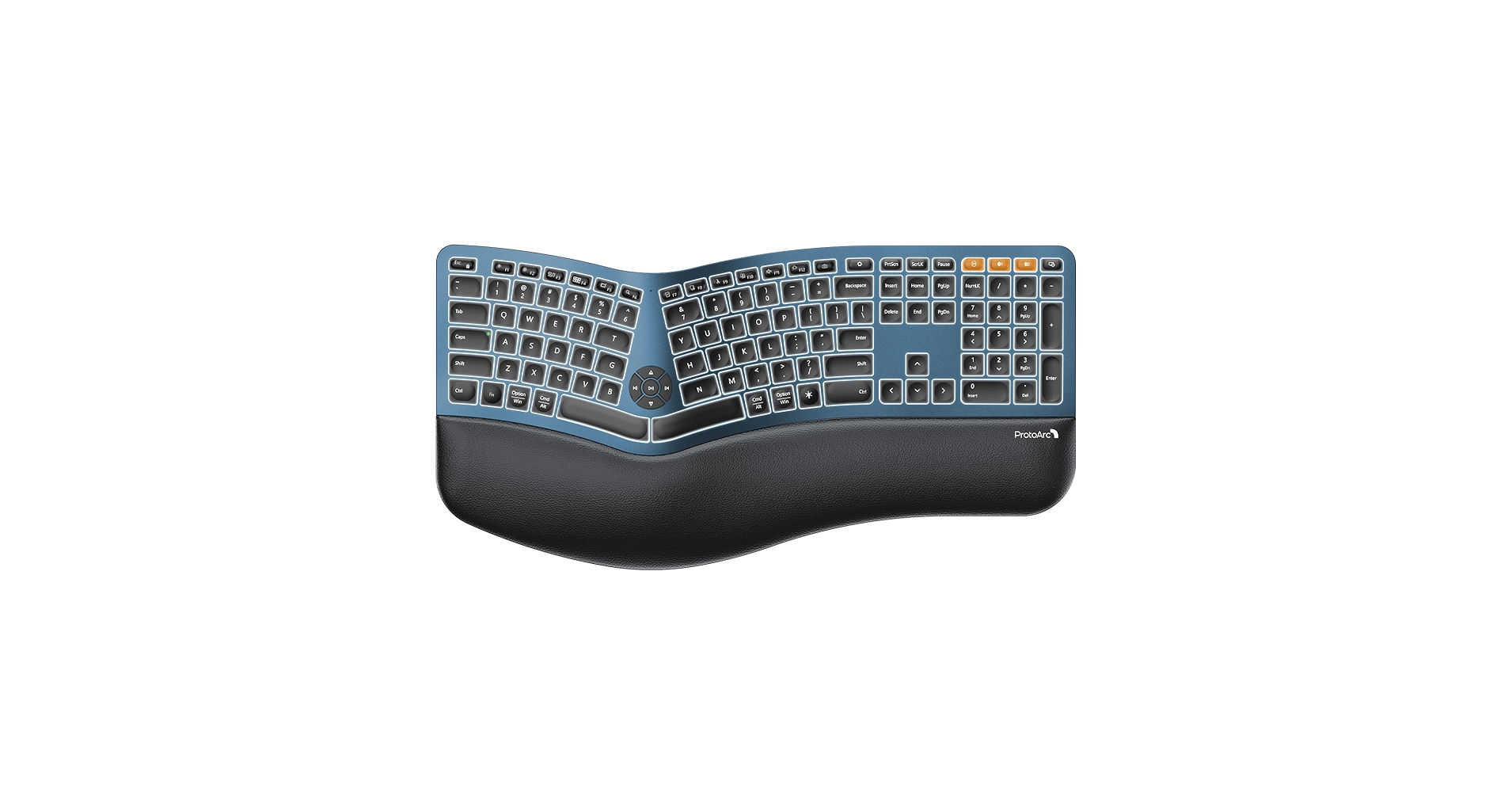
ProtoArc carves out a niche with this compact model, offering a split ergonomic layout without the bulky number pad. This makes it ideal for smaller desks or for those who frequently travel with their MacBook. The inclusion of backlighting is a rare and welcome feature in the ergonomic keyboard category.
Key Specs
- Connectivity: Bluetooth, 2.4GHz USB Dongle (Up to 3 devices)
- Ergonomic Design: Fixed split, integrated wrist rest, Tenkeyless (TKL) layout
- Key Type: Scissor-switch
- Features: White backlighting
The Community Verdict
User feedback points to high satisfaction with the form factor and the utility of backlighting. The consensus is that it’s a strong contender for laptop-centric users. However, some reports mention that the wrist rest is firm and the overall build doesn’t feel as robust as top-tier brands.
Dealbreaker
Skip this if you are a heavy number pad user or prioritize premium-feeling materials over portability and backlighting.
4. Nulea Wireless Ergonomic Keyboard
Pros
- Adjustable tenting for customized wrist angle
- Excellent feature set for the price
Cons
- Lesser-known brand with uncertain longevity
- Key feel is reported as average
The Breakdown
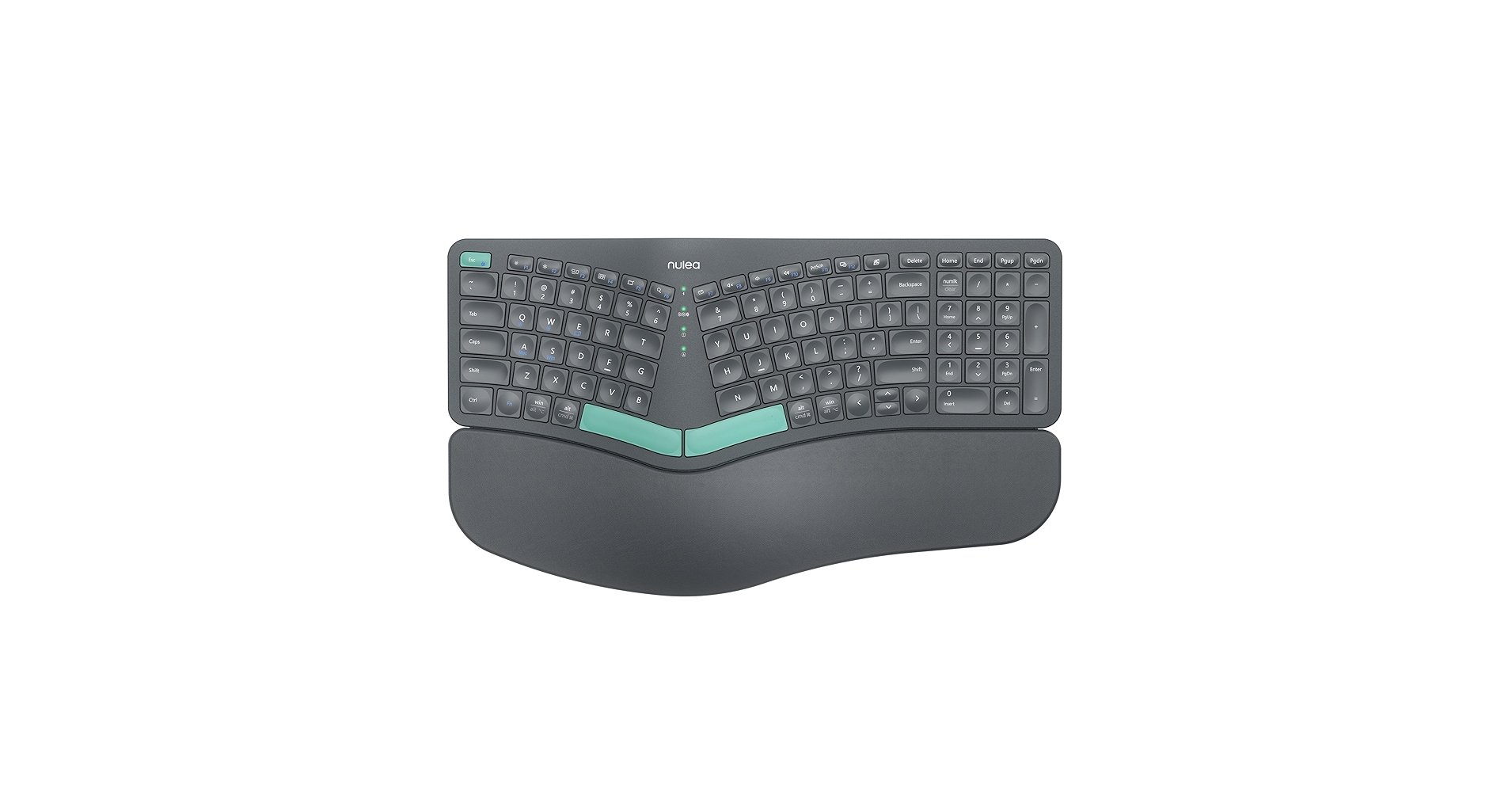
Nulea’s entry stands out by offering features typically reserved for much more expensive keyboards, most notably the adjustable tenting. This allows users to find a more natural handshake-like posture for their wrists. Combined with a true split design and solid connectivity options, it represents a significant value proposition.
Key Specs
- Connectivity: Bluetooth, 2.4GHz USB Dongle
- Ergonomic Design: True split, adjustable tenting legs, magnetic wrist rest
- Key Type: Membrane/Scissor-switch
- Battery: Rechargeable via USB-C
The Community Verdict
The general consensus is that the Nulea keyboard provides an impressive level of ergonomic adjustment for its price point. Many users find the tenting feature transformative for their comfort. A minority of reviews mention potential inconsistencies in build quality or wireless connection stability over time.
Dealbreaker
Skip this if you prioritize brand reputation and proven long-term reliability over cutting-edge features at a low cost.
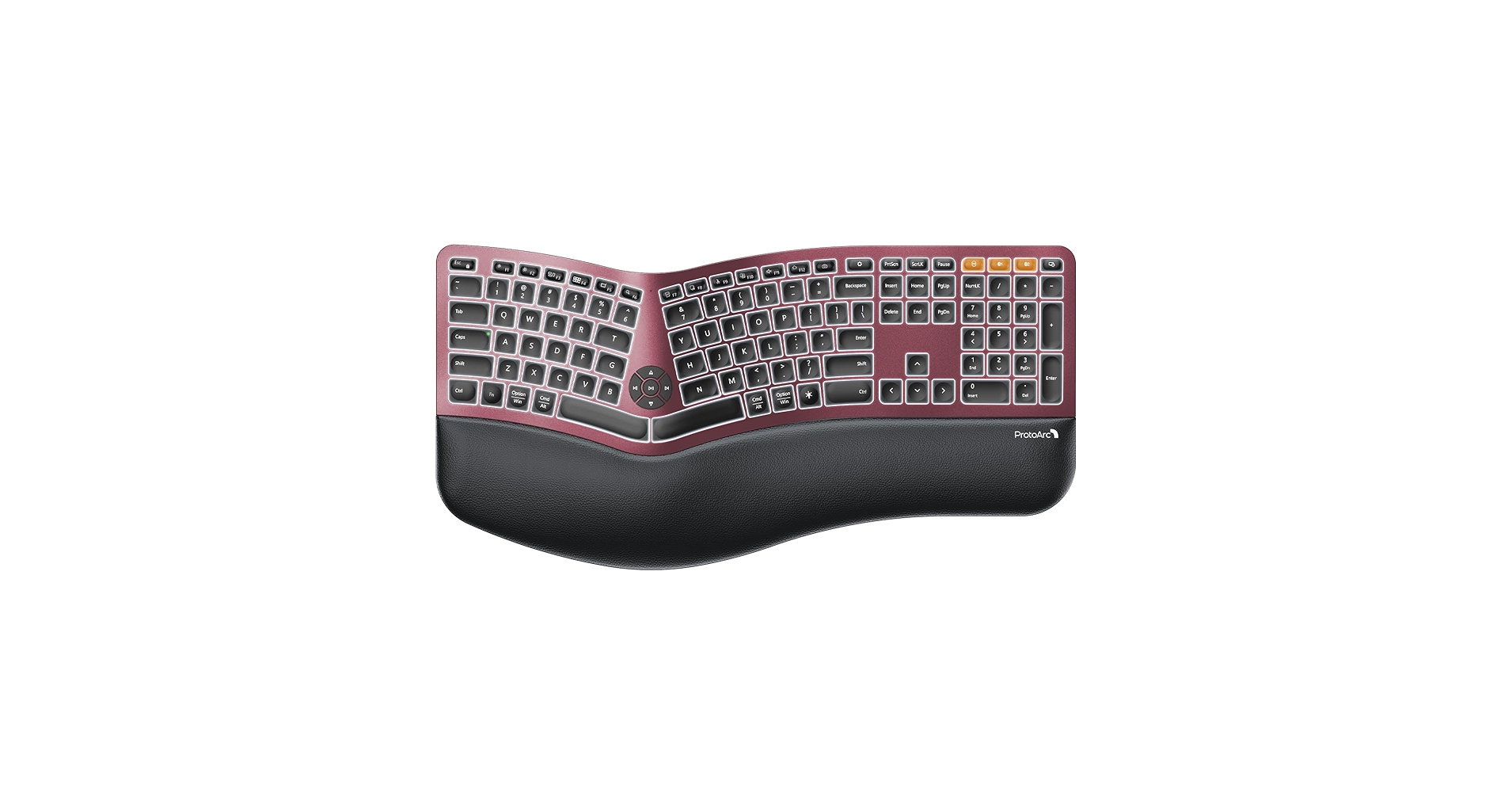
5. ProtoArc Backlit Bluetooth Ergonomic Keyboard (Full-Size)
Pros
- Full-size layout with ergonomic numpad
- Backlit keys are a rare feature in this class
Cons
- Very large desk footprint
- Shares build quality concerns with the compact model
The Breakdown
This full-size ProtoArc model serves a clear purpose: to provide ergonomic comfort and backlighting for users who cannot live without a number pad. It mirrors the feature set of its smaller sibling, including versatile connectivity and adjustable lighting. It’s a solid choice for accountants, developers, or data analysts working in varied lighting conditions.
Key Specs
- Connectivity: Bluetooth, 2.4GHz USB Dongle (Up to 3 devices)
- Ergonomic Design: Fixed split, integrated wrist rest, Full-size layout
- Key Type: Scissor-switch
- Features: White backlighting
The Community Verdict
Positive sentiment often comes from users in finance or data entry who appreciate an ergonomic keyboard that doesn’t compromise on layout. The large size is a common point of contention, as is the battery drain when using the backlight. Overall, it’s considered a successful blend of features for a specific user type.
Dealbreaker
Skip this if you have a small desk or prefer a more minimalist aesthetic; this keyboard commands a lot of space.
Buying Guide: How to Choose Your Mac Split Keyboard
Choosing the right wireless split keyboard for your Mac involves more than just picking the first one you see. Consider these key factors to ensure it fits your needs.
1. Ergonomic Design: Split, Curve, or Tenting?
Not all ergonomic keyboards are the same. A fixed split (like the Logitech or Macally) is a single board with a gap in the middle. A true split (like the Nulea) is two separate pieces you can position freely. Tenting refers to raising the inner edge of the keyboard, which can reduce forearm pronation. Decide if you want a gentle introduction or maximum adjustability.
2. Mac Compatibility and Layout
For a seamless experience, look for a keyboard with dedicated macOS keys (Command, Option) and a function row that controls Mac features like Mission Control and screen brightness. While most keyboards work, a native layout prevents the need for software tweaks and muscle memory adjustments.
3. Connectivity: Bluetooth vs. Dongle
Reliable wireless connectivity is non-negotiable. Bluetooth is essential for connecting to MacBooks and iPads without using a port. A 2.4GHz USB dongle can offer a more stable connection for a desktop iMac. The best options, like the Logitech and ProtoArc models, offer both, plus the ability to switch between multiple paired devices with a single keypress.
Frequently Asked Questions (FAQ)
1. Will a split keyboard really help with wrist pain?
Market consensus and user reports strongly suggest that split keyboards can significantly reduce wrist and shoulder strain. By allowing a more natural ‘open’ posture for your arms and wrists, they prevent the inward twisting (pronation) that standard keyboards force, which is a common cause of repetitive strain injury (RSI).
2. Can I use these keyboards with my iPad or Windows PC?
Yes. All the keyboards on this list feature multi-device Bluetooth or dual-mode connectivity. This means you can pair them with your Mac, iPad, and often a Windows PC, and switch between them easily, making them versatile tools for a multi-device setup.
3. How long does it take to get used to a split keyboard?
The adjustment period varies, but most users report feeling comfortable within a few days to a week. The initial challenge is re-learning key positions for touch-typists who may have used the ‘wrong’ hand for certain keys (like ‘B’ or ‘Y’). The long-term comfort benefits are widely reported to be worth the short learning curve.




