
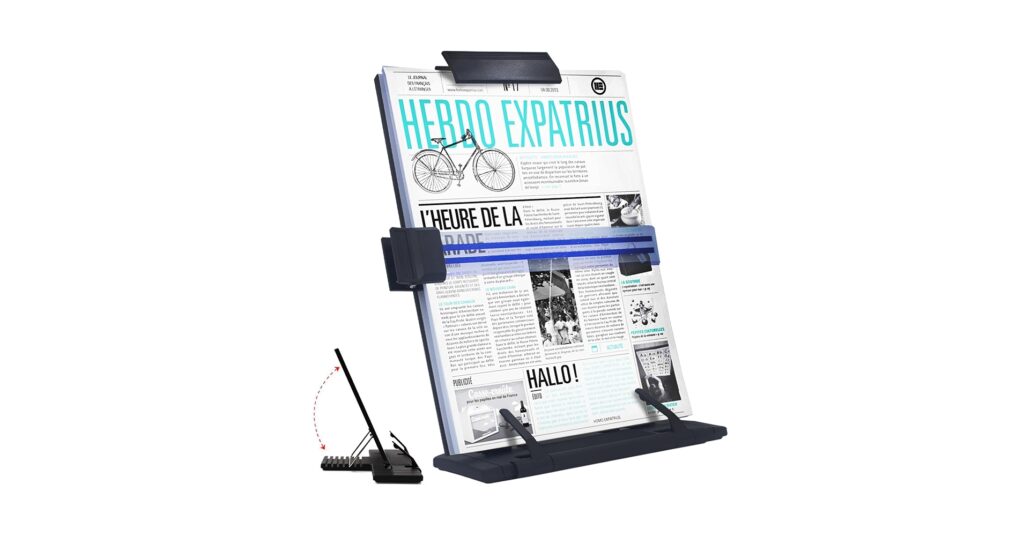
Staring down at papers flat on your desk while you type is a recipe for neck strain and lost focus. The right document holder for typing elevates your source material to eye level, creating a seamless, ergonomic workflow between page and screen. In the world of high-tech, minimalist desk setups, this deceptively simple tool is a non-negotiable for anyone serious about productivity and long-term comfort. We’ve analyzed the market to identify the top contenders for 2026 that promise to streamline your tasks and protect your posture.
🚀 Quick Verdict / Top Pick
MemoScape Adjustable In-Line Document Holder
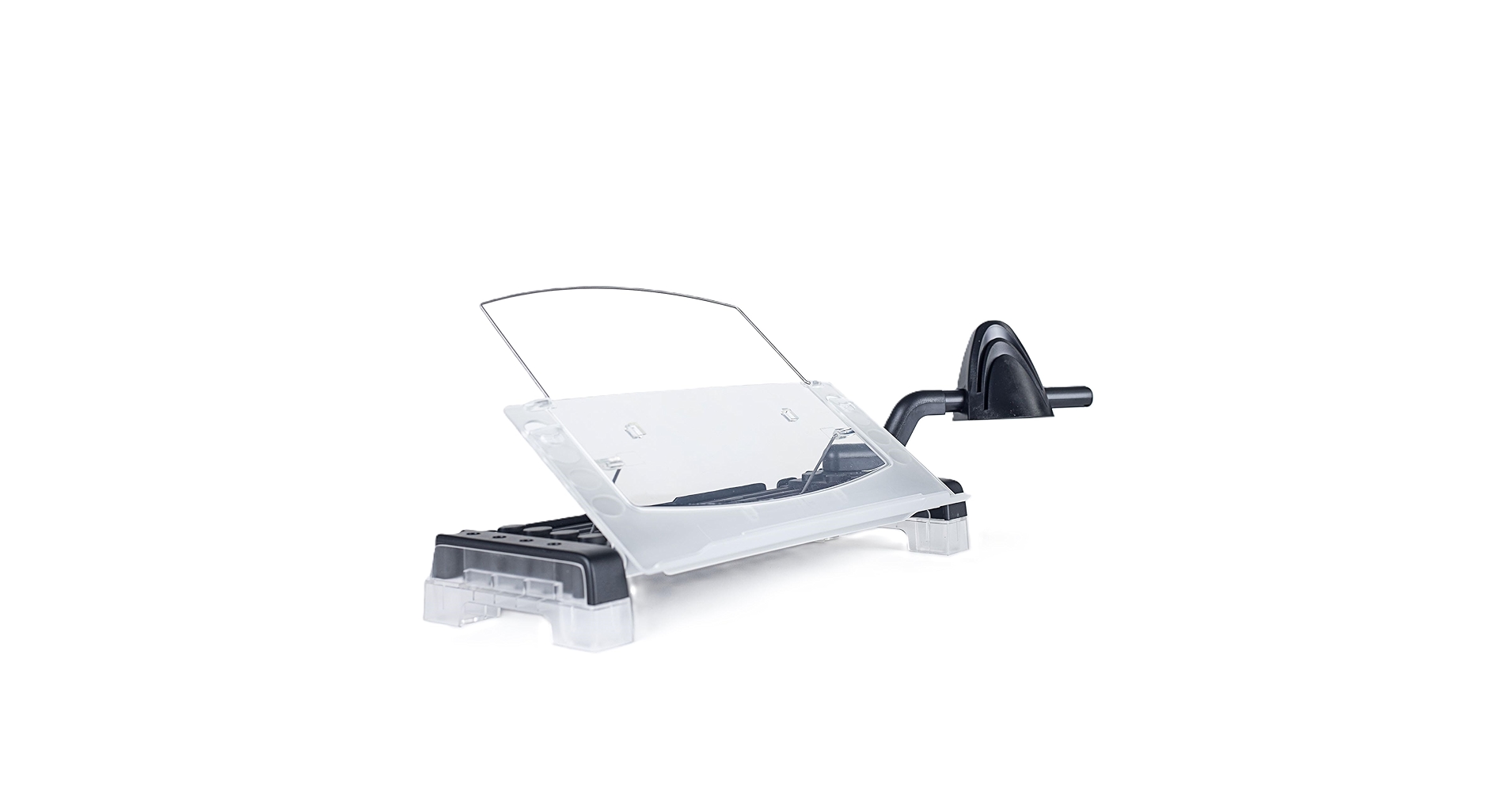
The MemoScape wins for its superior in-line ergonomic design, which eliminates side-to-side neck movement entirely by placing documents directly between your keyboard and monitor.
2026 Document Holder Comparison
| Product | Adjustability | Capacity | Best For |
|---|---|---|---|
| MemoScape In-Line Holder | Height & Angle | ~300 Sheets | Ultimate Ergonomics |
| Barelove Document Stand | 7 Angle Settings | ~150 Sheets | Portability & Value |
| A+ Homework Copy Holder | Multiple Angles | ~100 Sheets / Books | Simplicity & Book Reading |
Detailed Product Reviews 2026
1. MemoScape Adjustable In-Line Document Holder
Pros
- In-line placement minimizes neck twisting
- Highly adjustable for both height and angle
- Extremely sturdy with a weighted base
Cons
- Takes up significant desk depth
- Higher price point
The Breakdown: This model represents the peak of ergonomic design for document holders. By sitting directly in your line of sight, it transforms the typing experience from a constant head-turning motion into a simple glance down. The build quality is robust, designed for daily, intensive use in a professional environment.
Key Specs:
- Placement: In-Line (Between Keyboard & Monitor)
- Adjustability: Height & Angle Tilt
- Capacity: Up to 300 sheets
- Material: Heavy-duty plastic with weighted base
The Community Verdict: Users consistently report a significant reduction in neck and shoulder pain after switching to this in-line style. The consensus is that while the footprint is large, the ergonomic benefits for anyone spending more than an hour a day on transcription are undeniable. Some users note that it can interfere with larger, oversized keyboards.
Dealbreaker: Skip this if you have a very shallow desk or prefer a completely clear space between your keyboard and monitor.
2. Barelove Document Holder Paper Stand
Pros
- Excellent value for the price
- Folds flat for easy storage and travel
- 7 angle adjustments offer good flexibility
Cons
- Can feel less stable with heavy books
- Plastic line guide may not be durable
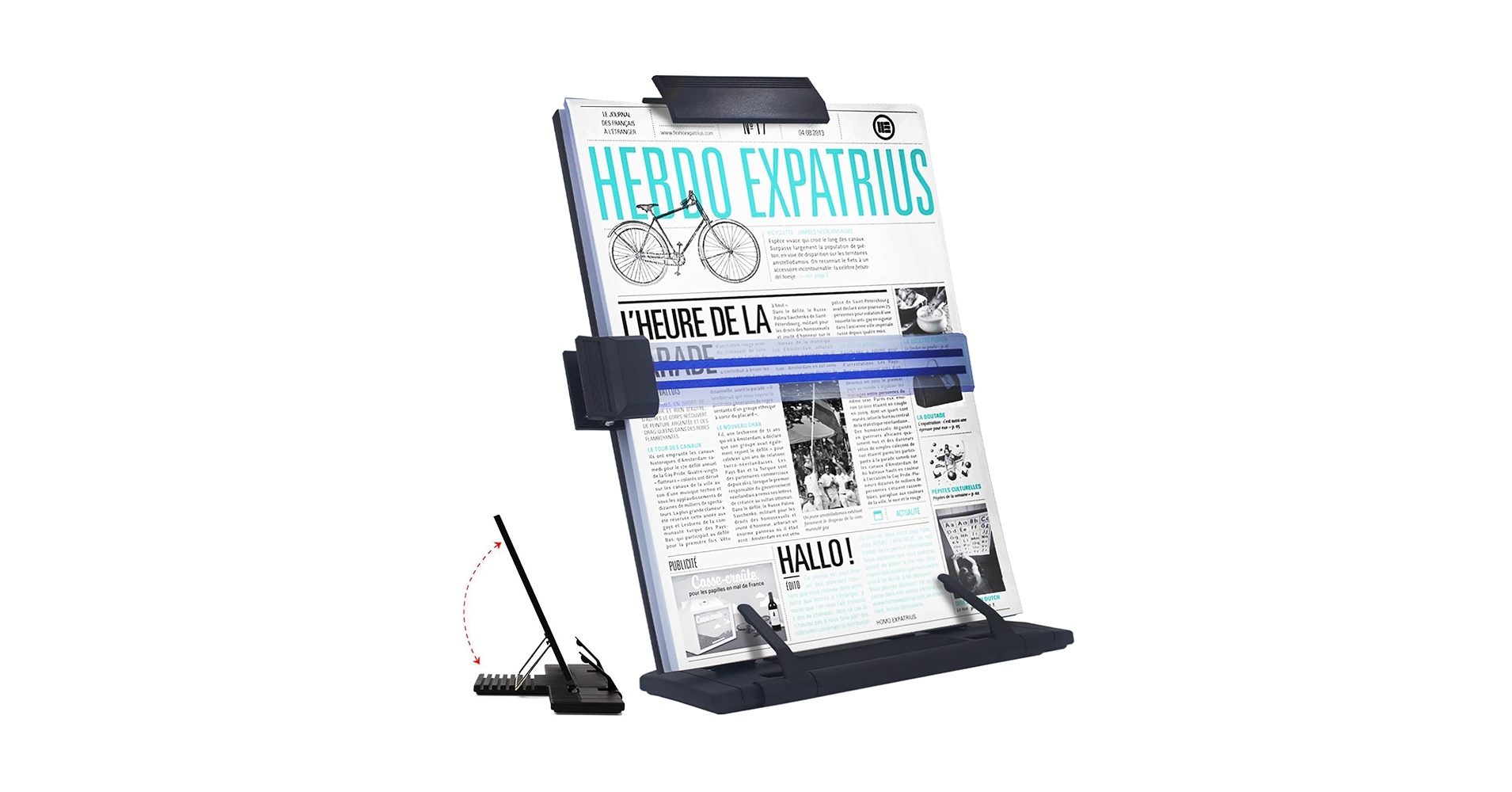
The Breakdown: The Barelove stand is the quintessential freestanding document holder that gets the job done without fuss. Its metal construction is surprisingly sturdy for its weight, and the ability to fold it completely flat makes it a great companion for hybrid work. The seven notched adjustments provide a good range of viewing angles for different lighting and seating positions.
Key Specs:
- Placement: Freestanding (Side of Monitor)
- Adjustability: 7 Fixed Angle Settings
- Capacity: ~150 sheets
- Material: Metal with plastic components
The Community Verdict: Market research indicates this is one of the most popular models due to its balance of price and function. Owners appreciate its simplicity and portability. The most common critique is that the base isn’t wide enough to support very thick, heavy textbooks without some risk of tipping.
Dealbreaker: Skip this if you primarily work with large, heavy reference books or need precise height adjustment to match your monitor.
3. A+ Homework Copy Holder
Pros
- Extremely lightweight and portable
- Page holder clips are effective for books
- No-frills, minimalist design
Cons
- Lower sheet capacity than competitors
- Can be unstable on uneven surfaces
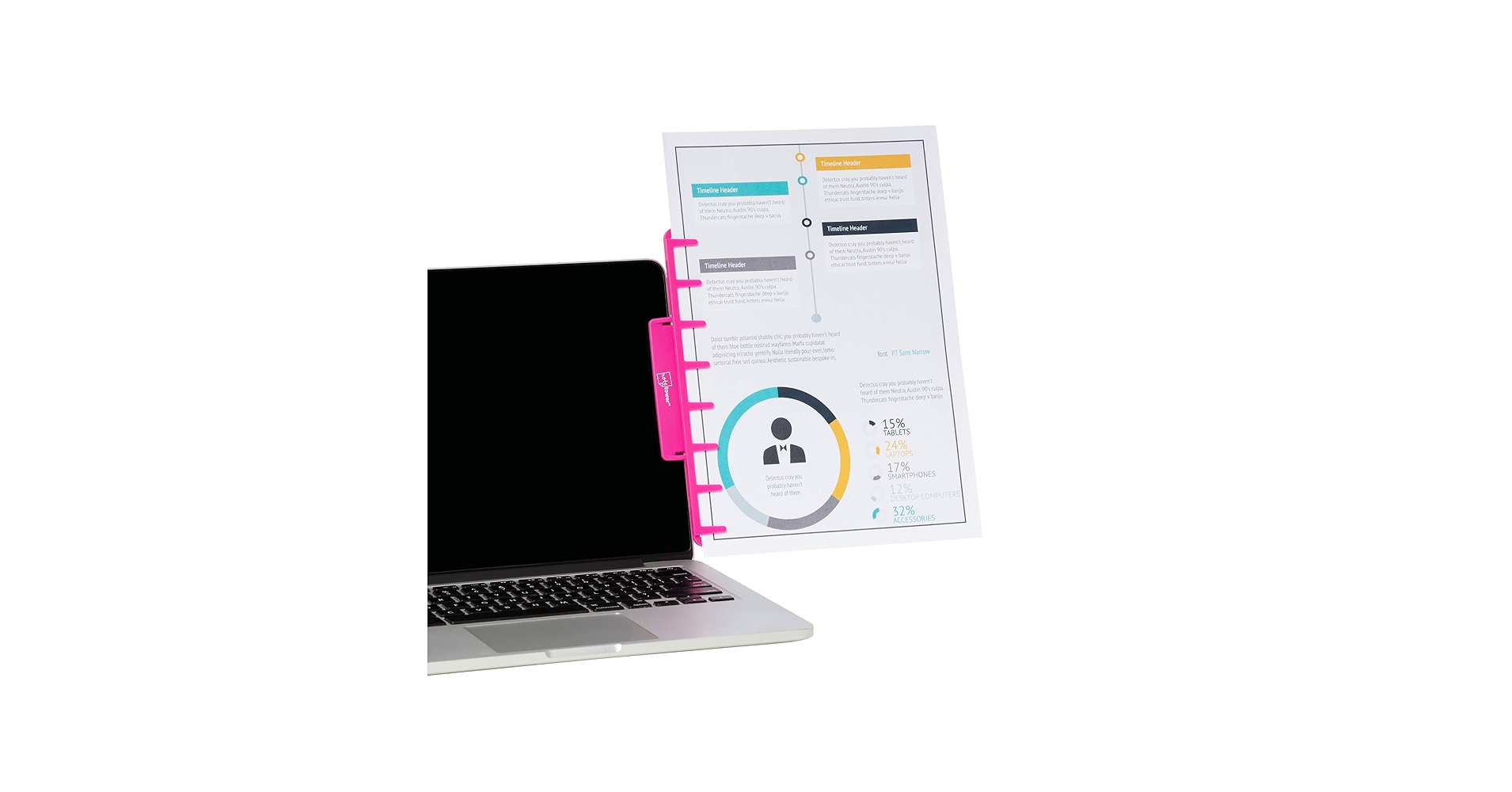
The Breakdown: This stand strips the document holder concept down to its bare essentials. It’s an easel, plain and simple. While it lacks advanced features like a line guide or extensive height adjustment, its strength lies in its ability to securely hold a book open, making it a favorite for students and researchers.
Key Specs:
- Placement: Freestanding (Side of Monitor)
- Adjustability: Multiple Angle Settings
- Capacity: ~100 sheets or 1 standard textbook
- Material: Metal
The Community Verdict: The consensus is that this is an excellent book stand but a mediocre document holder for large stacks of loose paper. Users love its simplicity for reading and reference. Some find the page clips stiff, but most agree it provides great value for its specific use case.
Dealbreaker: Skip this if you need to manage a large volume of loose A4 or letter-sized papers, as it lacks a deep ledge and a line guide.
Buying Guide: How to Choose a Document Holder for Typing
Selecting the right document holder is about more than just holding paper. It’s an investment in your ergonomic health and productivity. Here’s what to consider:
1. Placement: In-Line vs. Freestanding
This is the most critical decision. An in-line holder sits between your keyboard and monitor. This is the gold standard for ergonomics as it keeps your head, neck, and shoulders aligned, eliminating twisting. A freestanding holder sits to the side of your monitor. This is more flexible, portable, and better for desks with limited depth, but requires you to constantly turn your head.
2. Adjustability and Your Desk Setup
Your goal is to get the document as close to your monitor’s height and angle as possible. If you use a desk shelf riser for an ultrawide monitor, you’ll need a holder with significant height adjustment to match. Angle adjustment is also key to reducing glare from overhead lighting. A complete ergonomic audit of your space, from your chair’s lumbar support pillow for office chair to your keyboard position, will help you determine the level of adjustability you need.
3. Capacity and Document Type
Are you transcribing a 200-page manuscript or referencing a single sheet of notes? Check the holder’s capacity, typically measured in sheets of paper. If you work with heavy books, look for a model with a deep ledge and sturdy page clips. This attention to detail in your setup is as important as choosing the right keyboard; for instance, many users find that a tenting kit for a split keyboard and a document holder work in tandem to create the ultimate pain-free workstation.
Frequently Asked Questions
Are document holders actually good for ergonomics?
Yes. By elevating documents to eye-level, they significantly reduce the forward and downward tilt of the head, which is a primary cause of neck and shoulder strain, often referred to as ‘tech neck’. An in-line model provides the maximum benefit by also eliminating lateral neck twisting.
Where is the best place to put a document holder?
The ideal ergonomic position is directly between your keyboard and your monitor. This creates a single focal plane, minimizing eye and neck movement. If this isn’t possible due to desk constraints, place it as close to the side of your monitor as you can, on your dominant eye’s side.
Can I use a document holder for a heavy textbook?
Some models can, but you must check for two features: a sturdy, weighted base to prevent tipping and a deep front ledge to support the book’s thickness. Models marketed as ‘book stands’ or those with strong page clips are generally better suited for this task than those designed only for loose paper.




