

Finding the perfect split mechanical keyboard with arrow keys in 2026 involves a crucial trade-off: compact design versus dedicated navigation. As keyboards become more minimalist, many high-end split models integrate arrow keys into a function layer to save space. This guide navigates that landscape, helping you find the right balance between ergonomic freedom, tactile mechanical feedback, and efficient navigation. We’ve analyzed the market to identify the top contenders, from true mechanical powerhouses to budget-friendly ergonomic alternatives, ensuring you make an informed choice for your desk setup.
🚀 Quick Verdict / Top Pick
BAROCCOMiSTEL MiSTEL MD600 Alpha BT RGB
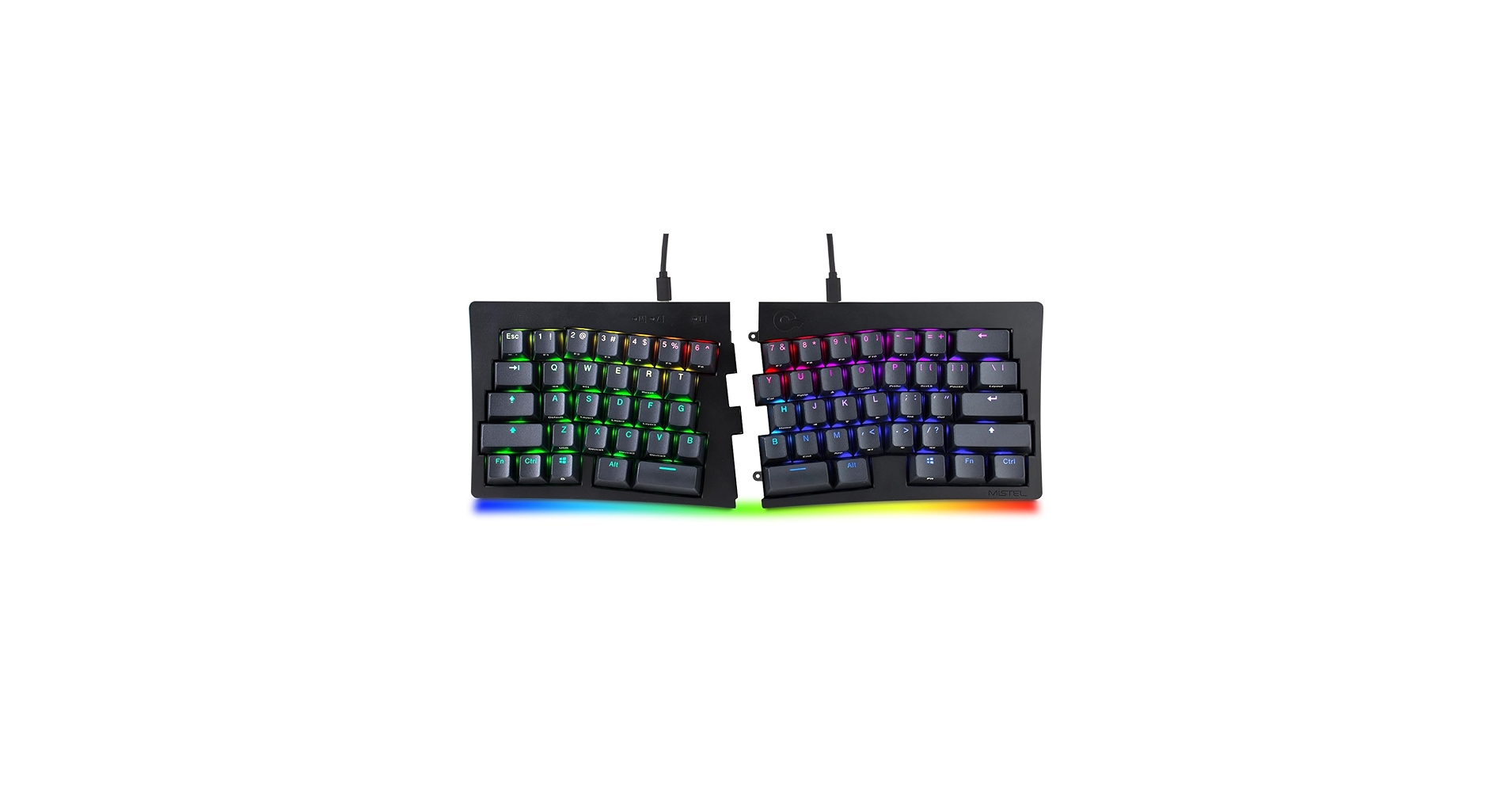
It stands out as the premium choice for its superb build quality, wireless freedom, and true mechanical feel, making it the best overall option for enthusiasts willing to master layered arrow keys.
Comparison of 2026’s Top Models
| Product | Arrow Key Implementation | Switch Type | Best For |
|---|---|---|---|
| BAROCCOMiSTEL MD600 Alpha BT | Layered (Fn Key) | Mechanical (Cherry MX) | Wireless Enthusiasts |
| Arteck Split Ergonomic Keyboard | Dedicated | Membrane | Budget Ergonomics |
| Mistel MD600RGB v3 | Layered (Fn Key) | Mechanical (Cherry MX) | Programmers & Purists |
| BTXETUEL Mini 4-Key Keyboard | Dedicated (Standalone) | Mechanical | Niche Supplement |
Detailed Product Reviews
1. BAROCCOMiSTEL MiSTEL MD600 Alpha BT RGB
Pros
- Exceptional build quality with PBT keycaps
- Reliable Bluetooth connectivity
Cons
- No dedicated arrow keys
- Premium price point
The Breakdown: The MD600 Alpha BT represents the pinnacle of the 60% split keyboard market. It combines robust construction with the freedom of Bluetooth, making for a clean and versatile desk setup. Its programmability allows for deep customization, though the primary hurdle is its reliance on a function layer to access arrow keys and the F-row.
Key Specs:
- Switches: Cherry MX (Various options available)
- Arrow Keys: Layered (Fn + I, J, K, L)
- Connectivity: Bluetooth 5.0, USB-C
- Keycaps: PBT Double-Shot
The Community Verdict: Users consistently praise the keyboard’s solid feel and reliable wireless performance. The learning curve for the layered keys is a frequent topic, but most who persist find it becomes second nature. Consensus is that this is a true enthusiast-grade product.
Dealbreaker: Skip this if you require physical, dedicated arrow keys for your workflow and are unwilling to adapt to using a function modifier key.
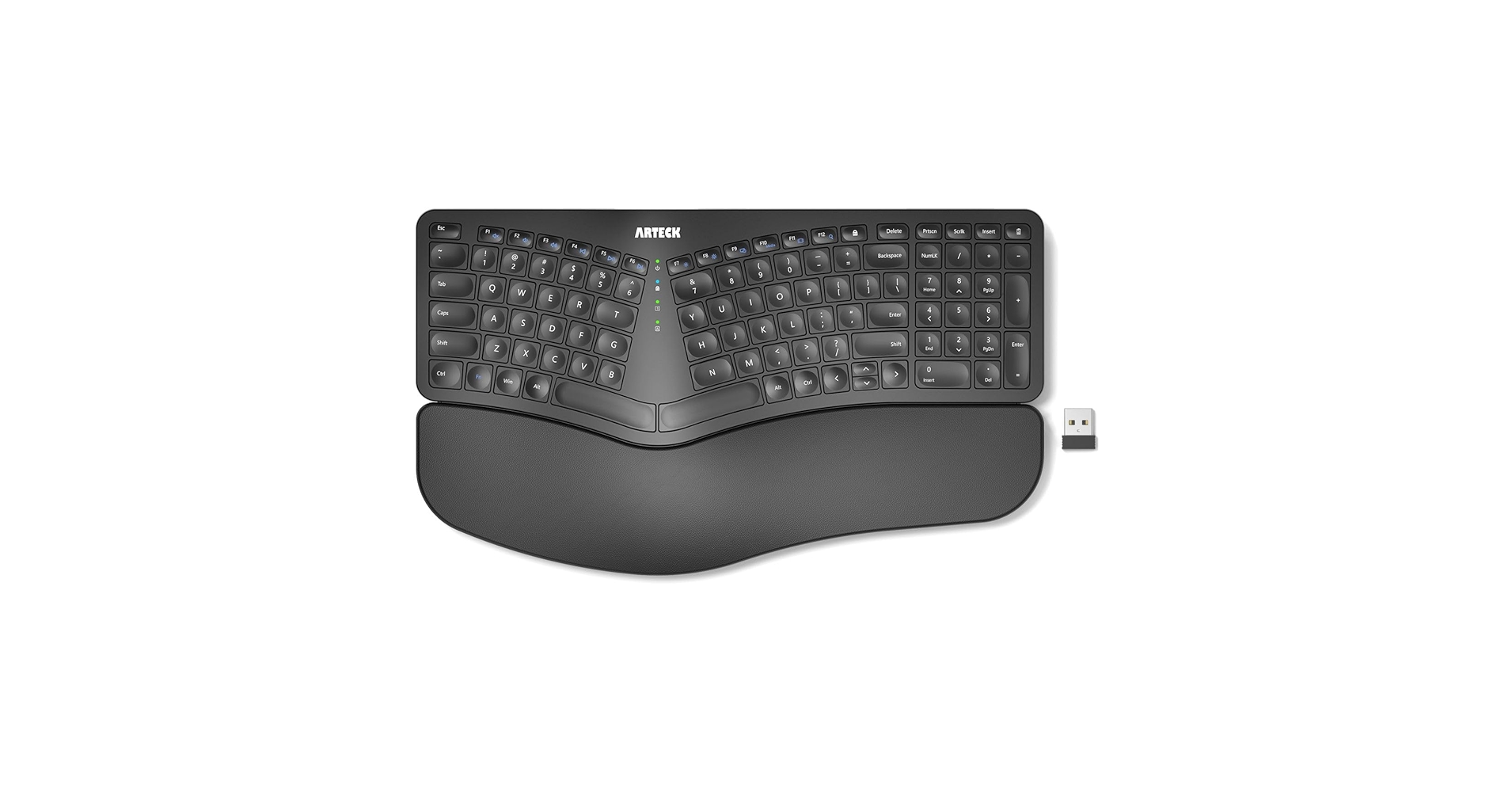
2. Arteck Split Ergonomic Keyboard with Cushioned Wrist Rest
Pros
- Excellent value for money
- Fully split design with dedicated arrow keys
Cons
- Not a mechanical keyboard (membrane switches)
- Build quality is basic and lightweight
The Breakdown: The Arteck keyboard is the answer for those who want the ergonomic benefits of a split design and the familiarity of dedicated arrow keys without the high cost of mechanical models. Its cushioned wrist rest provides immediate comfort for long typing sessions. However, it uses membrane switches, which lack the tactile feedback and durability of their mechanical counterparts.
Key Specs:
- Switches: Membrane
- Arrow Keys: Dedicated Cluster
- Connectivity: 2.4GHz Wireless USB Dongle
- Features: Integrated cushioned wrist rest
The Community Verdict: Market research indicates this is a popular choice for office environments where ergonomics are a priority and budget is a concern. Users frequently report a significant reduction in wrist strain. The primary criticism is the mushy typing feel compared to mechanical keyboards.
Dealbreaker: Skip this if the crisp, tactile feedback of a mechanical switch is a non-negotiable feature for you.
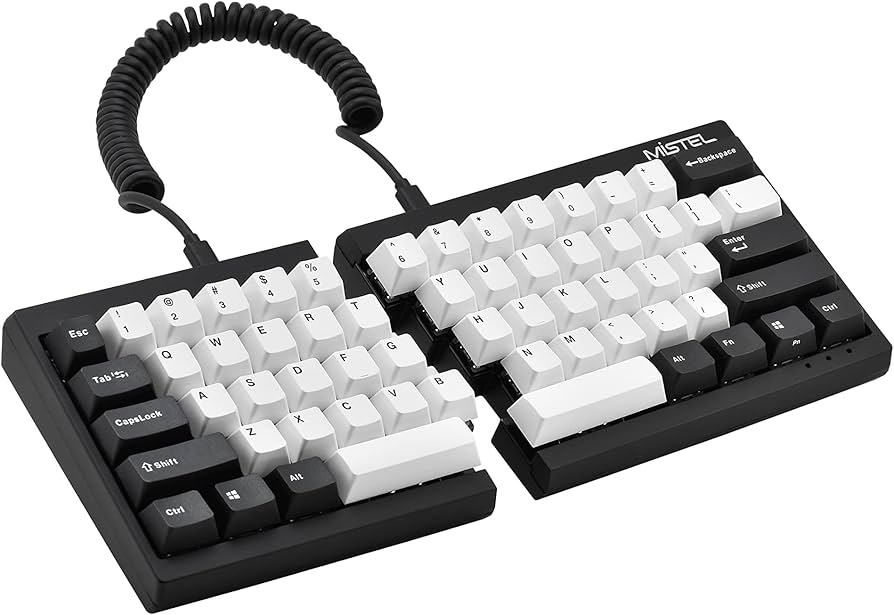
3. Mistel MD600RGB v3 60% Split Mechanical Keyboard
Pros
- Rock-solid build quality for longevity
- Zero-latency wired connection
Cons
- Wired connection only
- Layered arrow keys require adaptation
The Breakdown: The MD600RGB v3 is the cabled sibling to the Alpha BT, offering the same fantastic build and typing experience without the wireless components. This makes it a slightly more affordable, no-fuss option for a permanent desk setup. Its robust programmability and reliable connection are its main selling points.
Key Specs:
- Switches: Cherry MX (Various options available)
- Arrow Keys: Layered (Programmable)
- Connectivity: USB-C
- Keycaps: PBT Double-Shot
The Community Verdict: This model is highly regarded in programming and typing communities for its durability and customization. Owners report that once the custom layers are set up, workflow can become incredibly efficient. The lack of wireless is seen as a positive by those who prioritize a stable, lag-free connection.
Dealbreaker: Skip this if a clutter-free, wireless desk setup is your primary goal.
4. BTXETUEL Mini 4-Key Keyboard WASD Arrow Key

Pros
- Adds dedicated mechanical keys to any setup
- Extremely compact and portable
Cons
- Not a keyboard; it’s a macropad accessory
- Very niche use case
The Breakdown: This isn’t a keyboard, but a solution to the arrow key problem. This 4-key macropad allows you to have dedicated, mechanical arrow keys that you can place anywhere on your desk. It’s a clever supplement for users who love their minimalist keyboard but miss having a physical navigation cluster.
Key Specs:
- Switches: Mechanical (Often Outemu)
- Arrow Keys: Dedicated (Standalone)
- Connectivity: USB-C
- Features: Programmable, Hot-swappable switches
The Community Verdict: Reports from users show it’s a popular tool for rhythm gamers, digital artists (for brush size, etc.), and developers who map it to specific commands. It’s seen as a high-quality, versatile gadget. The main point of confusion is for buyers who mistake it for a full keyboard.
Dealbreaker: Skip this if you are looking for an all-in-one keyboard solution.
Buying Guide: Choosing Your Split Keyboard in 2026
Navigating the world of split mechanical keyboards requires understanding a few key features that dramatically impact usability.
Arrow Keys: Dedicated vs. Layered
This is the most significant factor for your search. Dedicated arrow keys are physically present in their own cluster, like on the Arteck. Layered arrow keys, common on 60% boards like the Mistel models, require you to hold a function key (e.g., ‘Fn’) while pressing other keys (like I, J, K, L) to activate them. While this takes getting used to, it allows for a more compact and symmetrical keyboard design, keeping your hands closer to the home row.
Switch Type & Keycaps
The core of the ‘mechanical’ experience is the switch. Brands like Cherry MX offer various feels (linear, tactile, clicky). In contrast, membrane keyboards like the Arteck have a softer, quieter press. The keycaps also matter; understanding the difference between ABS vs PBT keycaps can help you choose a more durable and premium-feeling board. PBT, found on the Mistel keyboards, resists shine and feels more textured.
Ergonomics and Use Case
Why do you need a split keyboard? If it’s for reducing wrist strain during long coding sessions, a highly programmable board might be ideal. You can find more tailored recommendations in our guide to the best split keyboard for programming, which often prioritizes features like custom layers and build quality. For general office use, a simpler, more affordable ergonomic design may be all you need.
Frequently Asked Questions
1. Why are dedicated arrow keys rare on high-end split mechanical keyboards?
Many high-end split keyboards prioritize a minimalist, symmetrical design (like a 60% layout) to minimize hand movement and save desk space. Including a dedicated arrow cluster adds width and complexity, so manufacturers opt for programmable layers to maintain the compact form factor that enthusiasts prefer.
2. Is it hard to get used to layered arrow keys?
There is a learning curve, but market consensus suggests it takes most users one to two weeks to build muscle memory. Many find it more efficient in the long run, as their hands never have to leave the home row position to navigate text. The ability to program the function key to a more accessible spot (like Caps Lock) can also ease the transition.
3. Are split keyboards good for gaming?
Yes, they can be excellent for gaming. The split design allows you to position the left half (with WASD keys) at a comfortable angle for your wrist, while placing the right half out of the way to create more space for your mouse. For games that also require arrow keys, a keyboard with layered arrows or a supplementary macropad like the BTXETUEL can be an effective combination.




