
In the pursuit of a serene and productive workspace, visual clutter is the primary adversary. Tangled cords and bulky power strips can instantly disrupt a clean aesthetic. A high-quality minimalist cable organizer is not just a utility; it’s a design statement, transforming cable chaos into deliberate order. This guide evaluates the top solutions for 2026, focusing on materials, capacity, and pure, uncluttered design to help you reclaim your desk’s minimalist potential.
🚀 Quick Verdict / Top Pick
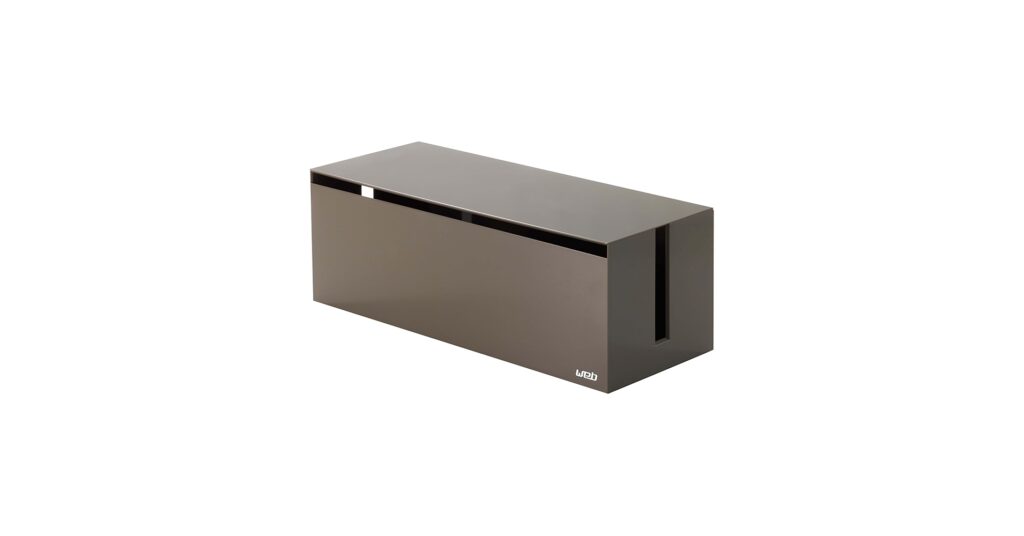
Yamazaki Home Cable Management Box

Its premium steel construction and uncompromising Japanese minimalist design offer a superior aesthetic and durability that plastic alternatives simply cannot match.
Minimalist Cable Organizer Comparison
| Product | Material | Dimensions | Best For |
|---|---|---|---|
| Yamazaki Home Cable Box | Steel | 15.7″ x 5.9″ x 5.7″ | Ultimate Aesthetics |
| GLUIT Adhesive Organizer | Silicone | Varies (Clips) | Desktop Cable Routing |
| FABROK Cable Box | ABS Plastic | 16″ x 6.14″ x 5.31″ | Budget Functionality |
| HomeBliss Large Cable Box | ABS Plastic | 15.9″ x 6.1″ x 5.3″ | Subtle, Curved Design |
| Wood Cord Hider Box | Wood & ABS Plastic | 16″ x 6.5″ x 5.5″ | Warm Modern Aesthetic |
Detailed Product Reviews 2026
1. Yamazaki Home Cable Management Box
Pros
- Exceptional steel construction feels premium
- Clean, sharp lines fit high-end tech setups
Cons
- Premium price point
- Lid is not wood, but a resin composite
The Breakdown: The Yamazaki Home box is the benchmark for aesthetic cable management. Its powder-coated steel body is cool to the touch, substantial, and perfectly formed. The design prioritizes clean lines and a monolithic presence, effectively making it a piece of decor rather than just a utility box.
Key Specs:
- Material: Steel Body, Resin Lid
- Dimensions: 15.7 x 5.9 x 5.7 inches
- Capacity/Access: Large interior for most power strips; side and top access slots.
The Community Verdict: Users consistently praise the build quality and visual appeal, often stating it’s the only cable box they’re happy to leave in plain sight. Some note the lid, while durable and well-matched, is not real wood, which can be a surprise given the price. The consensus is that it’s an investment piece for a meticulously curated desk.
Dealbreaker: Skip this if you’re on a tight budget or need to hide an exceptionally oversized power adapter, as the interior is spacious but not cavernous.
2. GLUIT Adhesive Desktop Cable Organizer
Pros
- Excellent for routing specific cables (mouse, keyboard, phone)
- Flexible silicone material is easy to use
Cons
- Does not hide power bricks or excess cable length
- Adhesive may weaken over time or damage certain surfaces
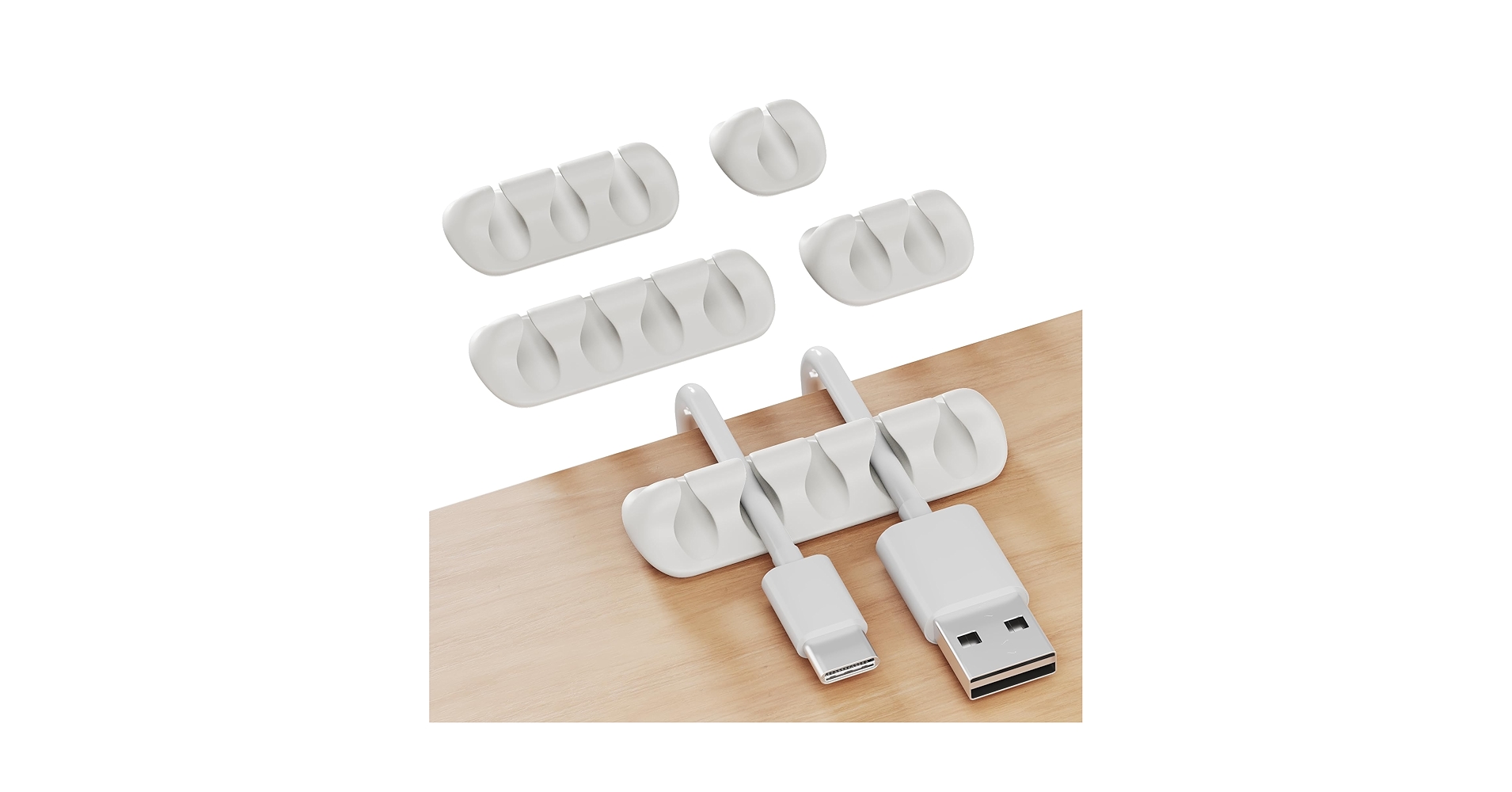
The Breakdown: The GLUIT organizers are not boxes, but rather a set of adhesive silicone clips. They excel at a different task: taming the cables that live on top of your desk. They adhere to the edge or surface of a desk, providing channels to keep your charging, mouse, and keyboard cables from falling or tangling.
Key Specs:
- Material: Silicone
- Dimensions: Varies per clip (e.g., 3-slot, 5-slot)
- Capacity/Access: Holds 1-7 individual cables depending on the clip chosen.
The Community Verdict: Market research indicates these are highly effective for their intended purpose. Users report the silicone is soft enough not to damage cables but firm enough to hold them securely. The primary point of contention is the adhesive’s longevity and its compatibility with sensitive wood or painted surfaces.
Dealbreaker: Skip this if your main problem is a messy power strip under your desk; this is a surface-level solution only.
3. FABROK Cable Management Box with 10 Cable Ties

Pros
- Affordable and highly functional
- Includes reusable cable ties for a complete solution
Cons
- Basic plastic construction lacks a premium feel
- Design is generic and less of a statement piece
The Breakdown: The FABROK box represents the utilitarian end of the spectrum. It’s a straightforward, large-capacity box made from ABS plastic, designed to do one thing well: hide a mess. The inclusion of cable ties is a thoughtful touch, providing everything you need to start organizing right away.
Key Specs:
- Material: ABS Plastic
- Dimensions: 16 x 6.14 x 5.31 inches
- Capacity/Access: Generous space with wide slots on either end.
The Community Verdict: This product receives positive feedback for its value and effectiveness. Users appreciate its large size and the simple, snap-on lid. The main criticism is purely aesthetic; it looks like a plastic box and doesn’t elevate a desk’s design in the way that wood or steel options do.
Dealbreaker: Skip this if the visual design of your desk accessories is your top priority.
4. HomeBliss Large Cable Management Box-Stylish
Pros
- Subtle curved design is softer than hard-edged boxes
- Large capacity fits most standard power strips
Cons
- Still fundamentally a plastic box
- Lid can feel less secure than competitors
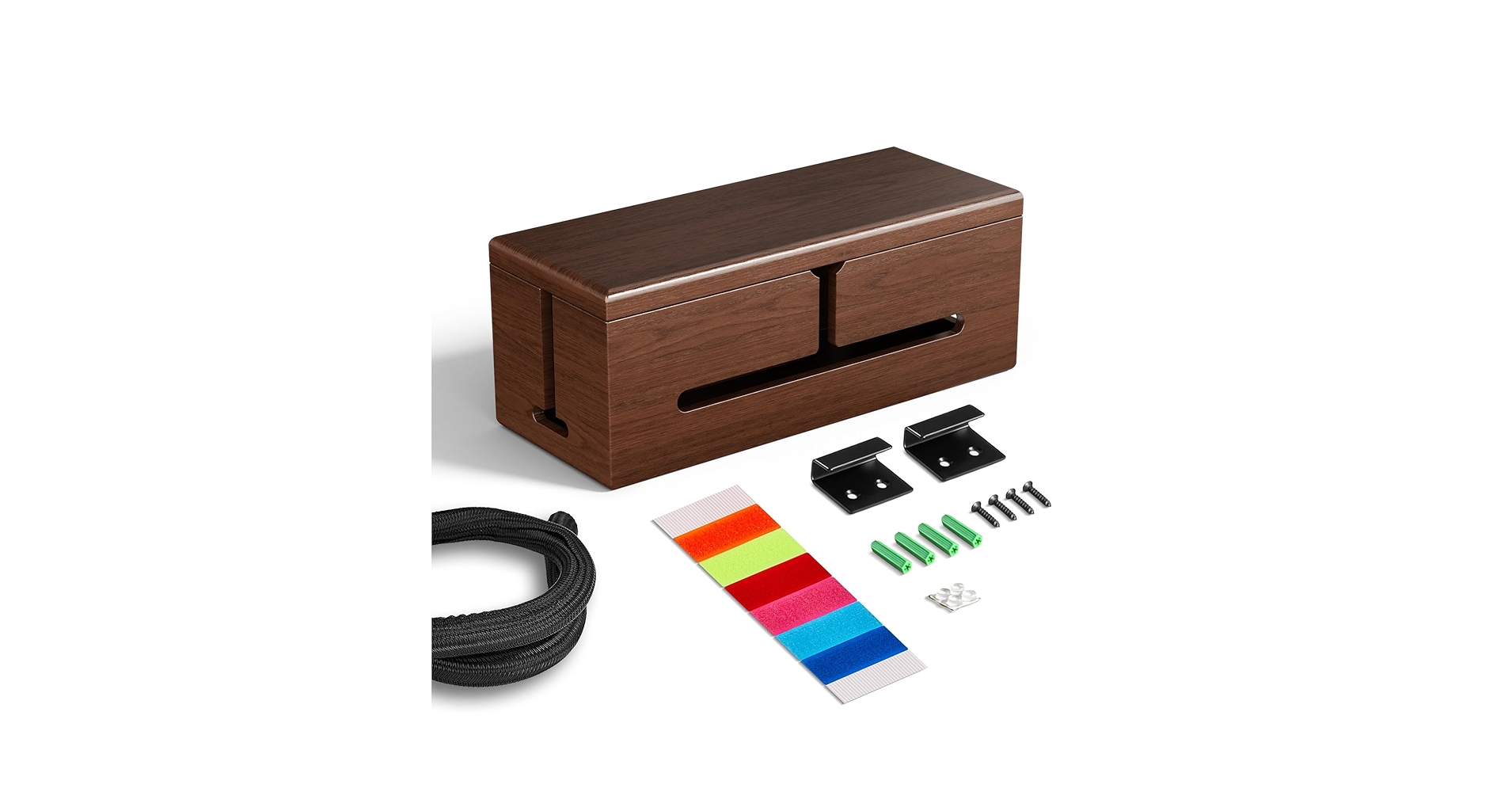
The Breakdown: The HomeBliss box attempts to bridge the gap between pure utility and high design. It uses a common plastic construction but incorporates softer, curved edges to make it less obtrusive. It’s a safe, middle-of-the-road choice for those who want something better than basic but aren’t ready to invest in premium materials.
Key Specs:
- Material: ABS Plastic
- Dimensions: 15.9 x 6.1 x 5.3 inches
- Capacity/Access: Large interior with dual side slots for easy cable routing.
The Community Verdict: Feedback often centers on its effectiveness and slightly elevated look compared to more industrial-looking boxes. Some owners report that the lid doesn’t fit as snugly as they would like, which can be a minor annoyance. Overall, it’s considered a solid performer in the plastic box category.
Dealbreaker: Skip this if you need a box with a very secure, tight-fitting lid for a high-traffic area.
5. Large Cable Management Box, Wood Cord Hider Box
Pros
- Attractive wood lid offers a great aesthetic
- Very large interior accommodates bulky adapters
Cons
- Body is still plastic, not wood
- Wood finish and grain can vary
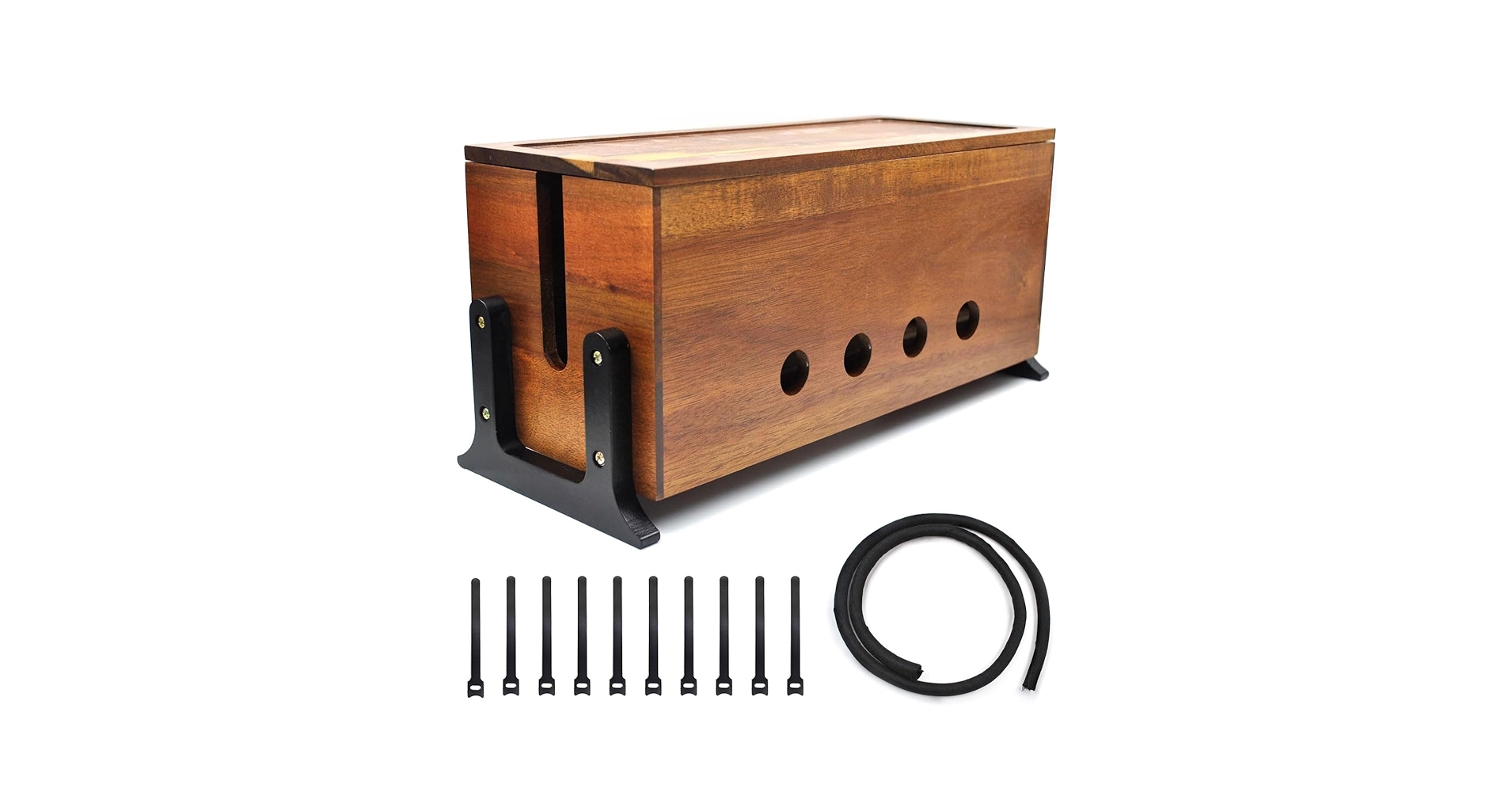
The Breakdown: This popular design combines a clean plastic body (often in black or white) with a genuine wood or bamboo lid. This hybrid approach delivers a warm, organic accent that complements many modern and Scandinavian-inspired desk setups. It offers a significant visual upgrade from all-plastic models at a more accessible price than all-steel options.
Key Specs:
- Material: ABS Plastic Body, Wood/Bamboo Lid
- Dimensions: 16 x 6.5 x 5.5 inches
- Capacity/Access: Extra-large capacity with three access points (two sides, one rear).
The Community Verdict: This style of box is a crowd-pleaser. Owners love the aesthetic contrast between the wood and the plastic base. It’s frequently cited as looking more expensive than it is. The only common negative feedback relates to inconsistencies in the wood grain or color of the lid, which is typical for natural materials.
Dealbreaker: Skip this if you expect a solid wood box; the aesthetic is driven entirely by the lid while the body remains functional plastic.
Buying Guide: How to Choose a Minimalist Cable Organizer in 2026
Choosing the right organizer is about more than just hiding cables; it’s about complementing your entire workspace. Here are the key factors to consider:
1. Type: Box vs. Clips
First, identify your primary problem. Is it a chaotic power strip on the floor? You need a Cable Box. Is it your phone and keyboard cables slithering off your desk? You need adhesive Cable Clips like the GLUIT model. They serve two very different functions in achieving a clean setup.
2. Material & Aesthetic
This is the core of the “minimalist” and “aesthetic” intent. Plastic is functional and affordable. Steel, like the Yamazaki, offers an industrial, high-end, and durable feel. Wood lids provide a softer, more organic touch that can warm up a tech-heavy space. Consider the other materials on your desk—your monitor stand, keyboard case, and lamp—and choose a material that creates a cohesive look.
3. Size & Capacity
Measure twice, buy once. Before you choose a box, measure your power strip, especially if it has several bulky transformer plugs. Check the internal dimensions of the cable box to ensure a comfortable fit. Good ventilation is also key, so don’t choose a box that will be crammed to its absolute limit, as power adapters generate heat.
A clean desk is a holistic goal. Once your cables are managed, you may find other areas to improve. For total workspace comfort, pairing your new clutter-free setup with an orthopedic keyboard for wrist pain can make a world of difference in your daily routine. Likewise, for advanced users, perfecting the ergonomics with a tenting kit for a split keyboard is the next logical step after mastering your cable situation.
Frequently Asked Questions
1. Do cable management boxes cause overheating?
Most well-designed boxes feature ventilation slots. While power adapters do generate heat, a properly sized box with adequate airflow should not cause overheating issues. Avoid cramming a box full and ensure it isn’t covered by blankets or other items.
2. How do I choose the right size box?
Measure the length, width, and height of your power strip, including any large plugs. Compare these measurements to the *internal* dimensions listed by the manufacturer, adding at least an inch of clearance on all sides for cables and airflow.
3. Are wood or plastic boxes better?
It’s a matter of aesthetics versus practicality. Plastic is typically more durable, easier to clean, and more affordable. Boxes with wood elements are chosen for their visual appeal and ability to blend with home decor, but may be more susceptible to scratches and are often paired with a plastic base.




