

In any minimalist or high-tech setup, convenient port access is non-negotiable. Reaching behind a tower or fumbling with a laptop dock ruins the workflow. That’s why finding the right usb hub with long cable for desktop use is critical. It brings your connections to you, declutters your space, and keeps your peripherals streamlined. After extensive market research into user feedback and product specifications, we’ve curated the definitive list for 2026, focusing on what matters most: cable length, port variety, and reliable performance.
🚀 Quick Verdict / Top Pick
ABFCRTTW 7-Port USB 3.0 Hub (4ft)
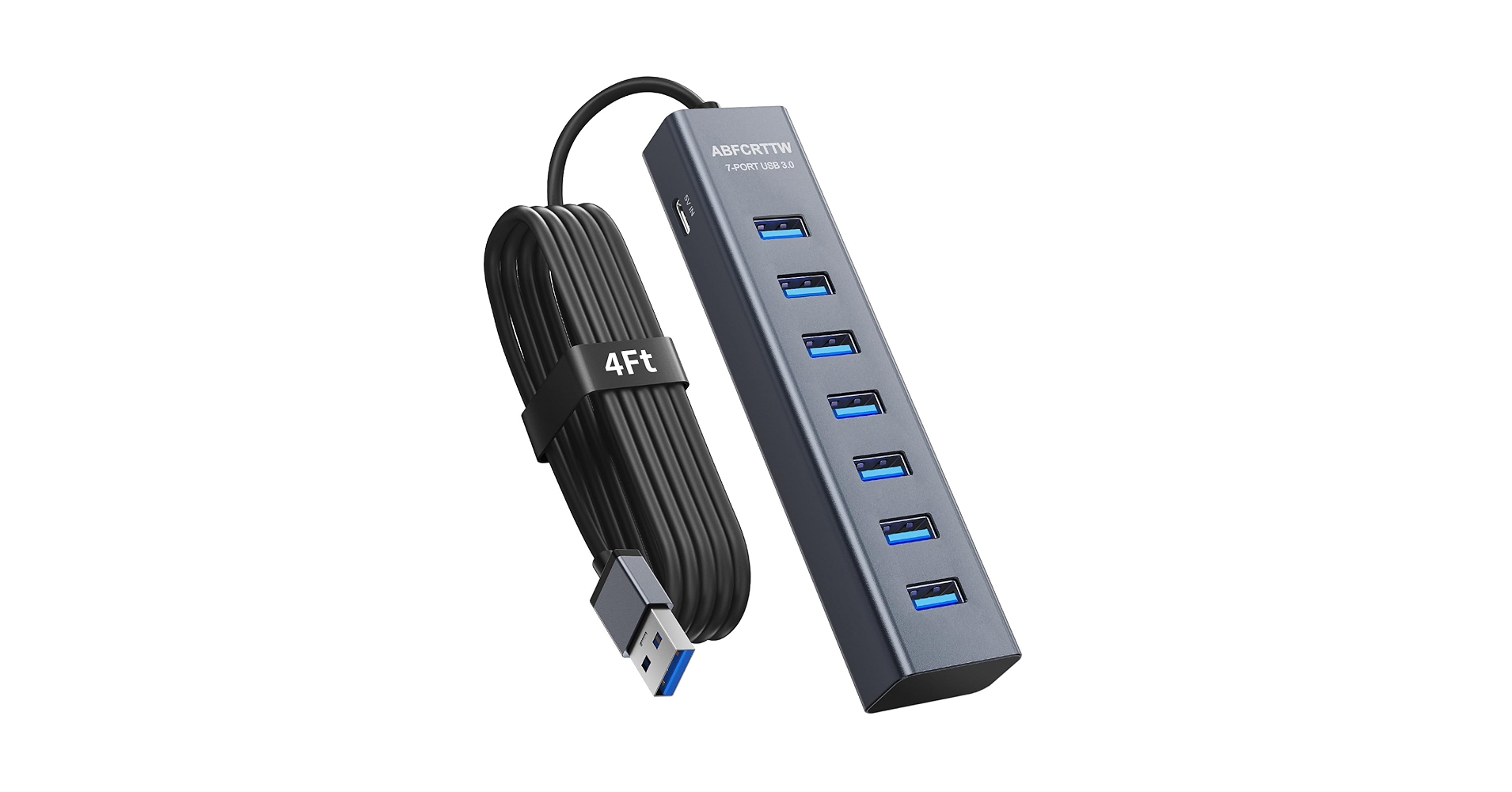
This hub hits the sweet spot with a generous 4-foot cable, seven reliable USB-A ports, and individual power switches, making it the most versatile and practical choice for most desktop setups.
2026 Long-Cable USB Hub Comparison
| Product | Cable Length | Port Configuration | Best For |
|---|---|---|---|
| ABFCRTTW 7-Port Hub | 4 ft / 1.2m | 7x USB-A 3.0 | Overall Desktop Use |
| Multi-Port 7-Port Hub | 4 ft / 1.2m | 4x USB-A 3.0, 3x USB-C | Modern & Future-Proof Setups |
| Aceele 4-Port Hub | 4 ft / 1.2m | 4x USB-A 3.0 | Minimalist & Travel Setups |
| ONFINIO 7-Port Hub | 3.3 ft / 1m | 7x USB-A 3.0 | Individual Port Control |
| IVETTO 7-Port Hub | 3.3 ft / 1m | 7x USB-A 3.0 | Budget-Conscious Users |
Best USB Hub with Long Cable: Reviews
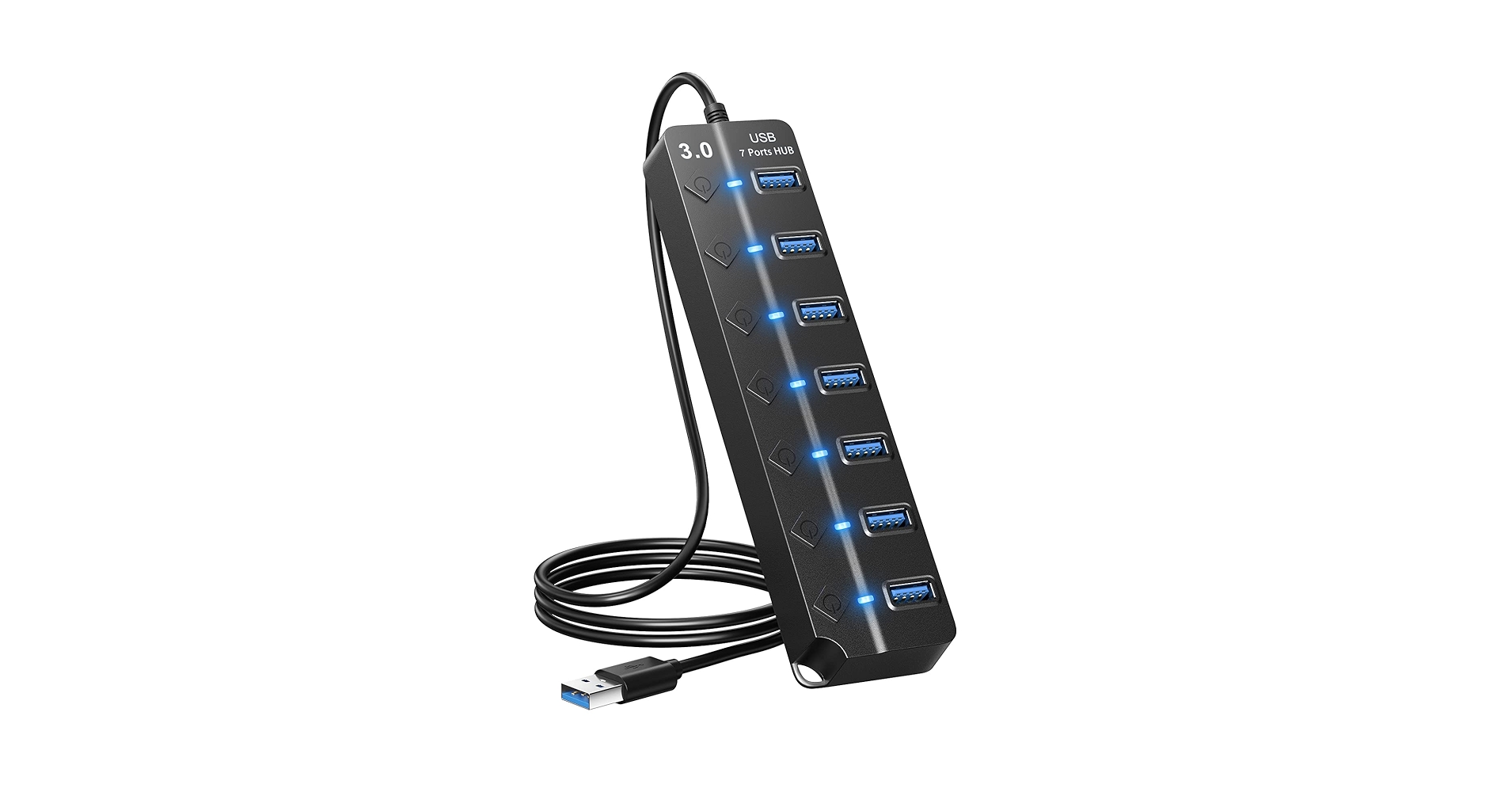
1. ONFINIO 7-Port USB 3.0 Hub
Pros
- Individual power switches with LED indicators
- Solid build quality reported by users
- Includes optional AC power adapter for high-draw devices
Cons
- 3.3ft cable may be short for some under-desk tower setups
- Bulky AC adapter can take up outlet space
The Breakdown
The ONFINIO hub is a favorite for those who value control. Its main selling point is the set of seven individual power switches, allowing you to disable devices like webcams or external drives without unplugging them. Market research indicates stable 5Gbps transfer speeds and a durable aluminum casing that feels premium. While the 3.3ft cable is adequate for many, it’s the shortest on our ‘long cable’ list.
Key Specs
- Cable Length: 3.3 ft / 1m
- Port Configuration: 7x USB-A 3.0
- Power Type: Bus-powered with optional 5V/3A AC adapter (included)
- Features: Individual power switches, LED indicators
The Community Verdict
Users consistently praise the satisfying click and utility of the individual power buttons. The consensus is that it’s a reliable data hub, though some note the blue LEDs are quite bright in a dark room. It’s often recommended for setups with many peripherals that don’t need to be active simultaneously.
Dealbreaker?
Skip this if your PC tower is on the floor more than three feet away from your desk’s edge; the cable won’t provide enough slack.
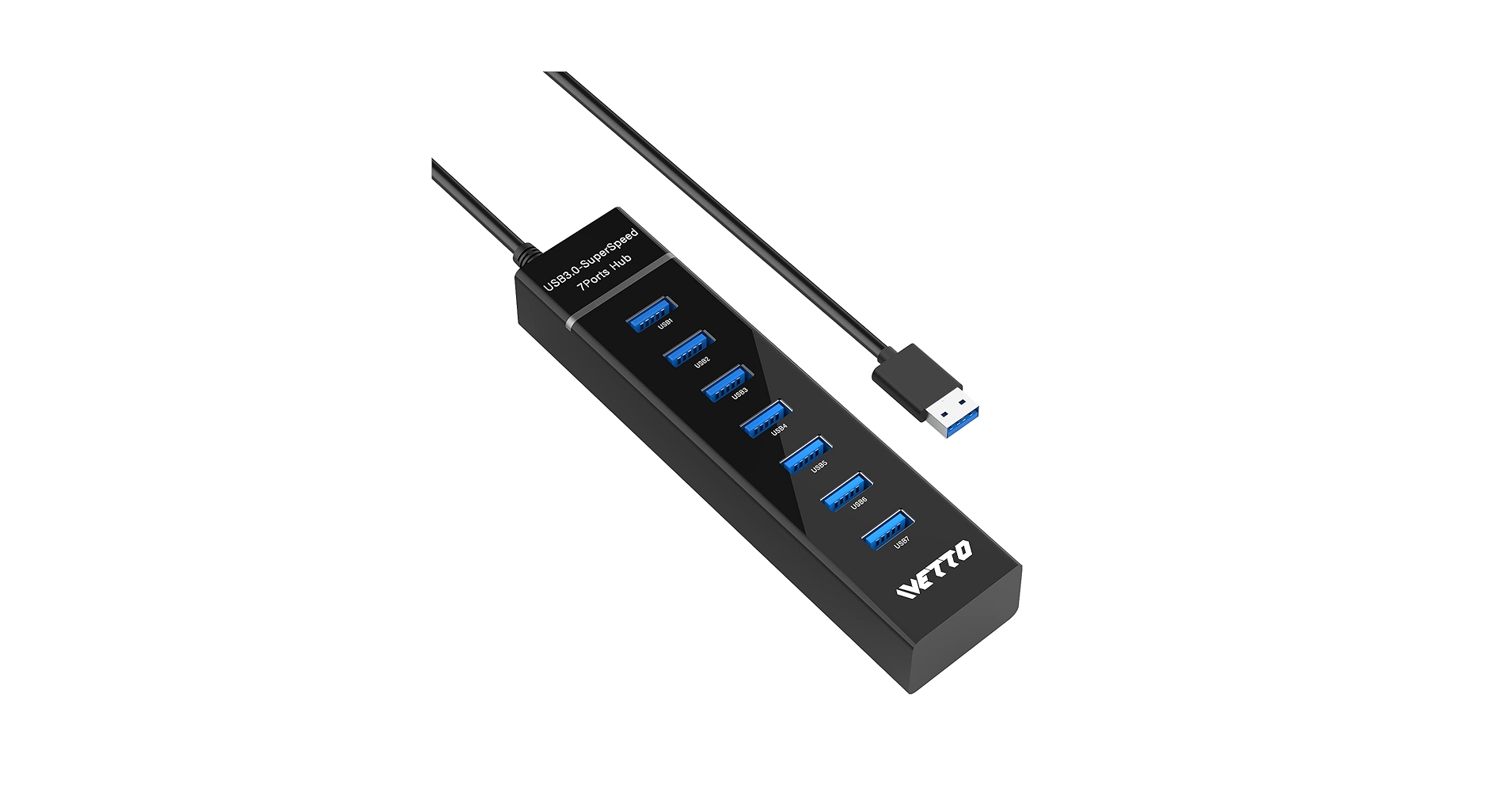
2. IVETTO 7-Port USB 3.0 Hub
Pros
- Great value for a 7-port powered hub
- Individual switches offer good peripheral management
- Slim, low-profile design
Cons
- Plastic construction feels less robust than metal alternatives
- Power adapter is required for stable operation of all ports
The Breakdown
The IVETTO hub offers functionality very similar to the ONFINIO but generally at a more competitive price point. It provides seven switched USB-A 3.0 ports and a 3.3ft cable, making it a solid workhorse for most desks. The primary trade-off is in the materials, as it opts for a lightweight plastic shell over aluminum.
Key Specs
- Cable Length: 3.3 ft / 1m
- Port Configuration: 7x USB-A 3.0
- Power Type: AC adapter powered (included)
- Features: Individual power switches, slim profile
The Community Verdict
Owners report it’s a ‘set it and forget it’ device that works as advertised, especially for connecting keyboards, mice, and flash drives. Some users mention that high-power devices like external HDDs can be finicky if all ports are in use. The general consensus is that it’s a fantastic value proposition for expanding connectivity.
Dealbreaker?
Skip this if you need a hub with premium, heavy-duty construction or if you plan to frequently plug/unplug very high-power devices.
3. ABFCRTTW 7-Port USB 3.0 Hub (4ft) – TOP PICK
Pros
- Generous 4-foot cable is ideal for under-desk PCs
- 7 ports with individual power switches and LEDs
- Sturdy aluminum construction
Cons
- Lacks USB-C ports for newer devices
- Requires the included power adapter for full functionality
The Breakdown
The ABFCRTTW hub is our top pick because it perfectly addresses the core need of its target keyword. The 4-foot cable provides ample length to route from a floor-standing PC to the desktop with room to spare. Combined with seven individually switched USB-A ports and a solid metal body, it offers the best combination of features, build quality, and convenience for a typical high-tech desk.
Key Specs
- Cable Length: 4 ft / 1.2m
- Port Configuration: 7x USB-A 3.0
- Power Type: AC adapter powered (10W adapter included)
- Features: Individual power switches, aluminum alloy body
The Community Verdict
Feedback overwhelmingly centers on the convenience of the long cable, which many users cite as the primary reason for their purchase. The stability of the connection and the robust feel of the unit are also common points of praise. It’s widely regarded as a reliable solution to desktop port management problems.
Dealbreaker?
Skip this if your workflow is heavily reliant on modern USB-C peripherals; you’ll need adapters or a different hub.
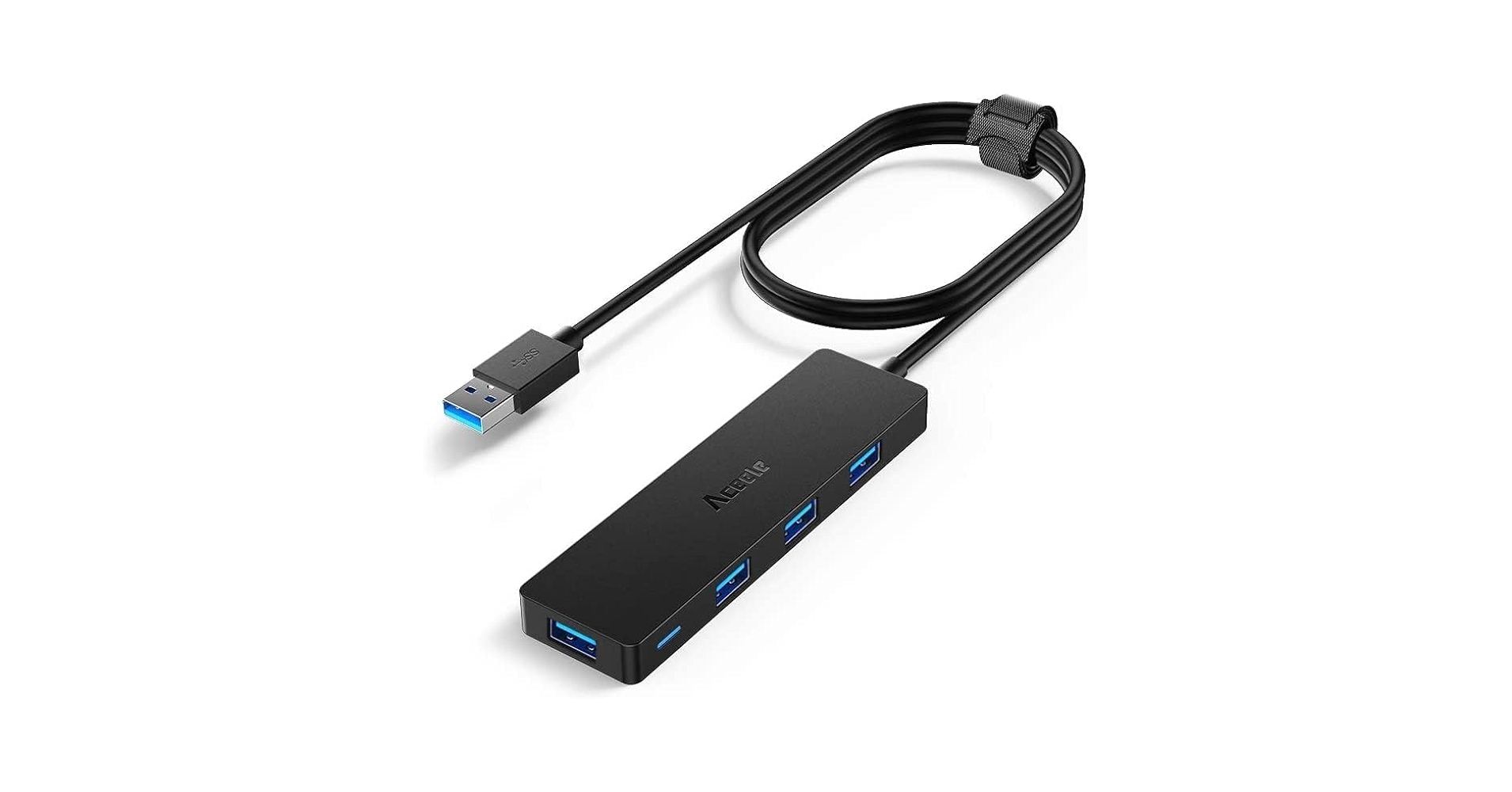
4. Aceele 4-Port USB 3.0 Hub (4ft)
Pros
- Long 4-foot cable for flexible placement
- Extremely compact and lightweight design
- Simple plug-and-play operation (bus-powered)
Cons
- Only four ports may not be enough for power users
- No external power option limits its ability to charge devices
The Breakdown
The Aceele hub is the embodiment of ‘less is more’. It provides the same 4-foot cable as our top pick but in a much smaller, four-port package that requires no external power adapter. This makes it an exceptionally clean solution for adding a few essential ports for a mouse, keyboard, and flash drive. Its simplicity and portability are its greatest strengths.
Key Specs
- Cable Length: 4 ft / 1.2m
- Port Configuration: 4x USB-A 3.0
- Power Type: Bus-powered (from host computer)
- Features: Braided cable, compact design
The Community Verdict
This hub is highly rated by laptop users and those with All-in-One PCs who need to bring inconveniently placed ports to the forefront. Users love the braided cable and the fact that it ‘just works’ without another power brick to manage. The main criticism comes from those who try to connect too many power-hungry devices at once.
Dealbreaker?
Skip this if you need to connect external hard drives, high-power webcams, or charge devices; a powered hub is a necessity for that.
5. Multi-Port 7-Port USB 3.0 Hub (4ft, 4A+3C)

Pros
- Excellent mix of 4 USB-A and 3 USB-C ports
- Long 4-foot cable reaches any desktop setup
- Powered for stable performance across all ports
Cons
- USB-C ports are for data only, no video output (DisplayPort Alt Mode)
- Higher price point than USB-A only models
The Breakdown
This hub is the perfect bridge between the present and the future of peripherals. It acknowledges that while many devices still use USB-A, the transition to USB-C is well underway. By providing three dedicated USB-C data ports alongside four USB-A ports and a 4-foot cable, it offers unmatched versatility for a modern tech enthusiast’s desk.
Key Specs
- Cable Length: 4 ft / 1.2m
- Port Configuration: 4x USB-A 3.0, 3x USB-C 3.0 (Data)
- Power Type: AC adapter powered (12V/2A included)
- Features: Mixed port configuration, sturdy build
The Community Verdict
User reviews are overwhelmingly positive, with many highlighting the convenience of not needing dongles for their newer gadgets. The performance is consistently reported as stable, even with all ports occupied. It’s often called the ‘ultimate’ desktop hub for those with a mix of old and new tech.
Dealbreaker?
Skip this if you need a hub to connect an external monitor via USB-C; these are data-only ports and do not support video signals.
Buying Guide: How to Choose a USB Hub with a Long Cable
Choosing the right hub can transform your desk from a mess of cables into a streamlined command center. Here are the critical factors to consider:
1. Cable Length is King
The entire point of searching for this specific product is the cable. Measure the distance from your computer’s USB port to where you want the hub to sit on your desk. Always add at least a foot of slack for flexibility. A 4-foot (1.2m) cable is the gold standard for reaching a floor-standing PC tower comfortably.
2. Port Configuration (A vs. C)
Take inventory of your peripherals. Do you use mostly traditional USB-A devices (mice, keyboards, flash drives)? Or are you investing in newer USB-C gadgets? A hub with a mix of both, like our #5 pick, offers the most future-proofing, but an all-A hub is often more affordable if that’s all you need.
3. Power: Bus-Powered vs. AC Adapter
A bus-powered hub (like the Aceele) draws power directly from the computer. It’s great for low-power devices like a mouse or keyboard. An AC-powered hub has its own wall adapter, providing dedicated, stable power to each port. This is essential if you plan to connect external hard drives, charge phones, or use multiple devices simultaneously. For a desktop setup, a powered hub is almost always the better choice.
4. Integrating Into Your Setup
A great hub is only part of the equation for a clean desk. Once you have the hub placed, managing the extra peripheral wires is the next step. A simple solution like a J Channel Cable Raceway can hide all those cables neatly under your desk. This focus on ergonomics should also extend to your posture; pairing a clean setup with a laptop stand for eye level ensures your screen is positioned correctly to prevent neck strain.
Frequently Asked Questions
Q: Do I really need a powered USB hub?
A: If you’re only connecting a keyboard and mouse, probably not. But if you plan to use more than 2-3 devices, or if any of those devices are external hard drives, webcams, or audio interfaces, a powered hub is crucial. It prevents devices from disconnecting randomly due to insufficient power from the host computer.
Q: Will a USB 3.0 hub slow down my devices?
A: No. A quality USB 3.0 hub is designed to handle a total bandwidth of 5Gbps, shared among the connected devices. For typical peripherals like mice, keyboards, and even SSDs, you are unlikely to notice any performance degradation. Heavy, simultaneous data transfers between multiple drives could saturate the bandwidth, but this is rare in normal use.
Q: Can I use a long USB extension cable with a regular hub?
A: While you can, it’s not recommended. Passive USB 3.0 cables longer than 3 meters (about 9.8 feet) can suffer from signal degradation, leading to connection drops and slower speeds. Hubs with integrated long cables are engineered to maintain signal integrity over that specific length, making them a much more reliable solution.
Read More on TechForDesk
- Best Under Desk Laptop Mount with Cable Tray for 2026
- The 5 Best Weighted Cable Holder for Desk Setups in 2026
- The 5 Best Neoprene Cable Sleeve with Zipper Models of 2026
- The 5 Best J Channel Cable Raceway White Options for a Minimalist Desk in 2026
- The Best Minimalist Cable Organizer for an Aesthetic Desk in 2026




