
That persistent ache in your shoulders, the stiffness in your neck—it’s the unwelcome signature of modern desk work. Staring down at a monitor for hours forces your body into an unnatural posture. The solution is often simpler than you think: elevating your screen to eye level. Finding the best monitor riser for neck pain isn’t just about adding a shelf to your desk; it’s a critical investment in your long-term health and daily comfort. This guide breaks down the top ergonomic contenders for 2026, focusing on the features that provide real relief.
🚀 Quick Verdict / Top Pick
BONTEC 2 Pack 3 Height Adjustable Monitor Stand
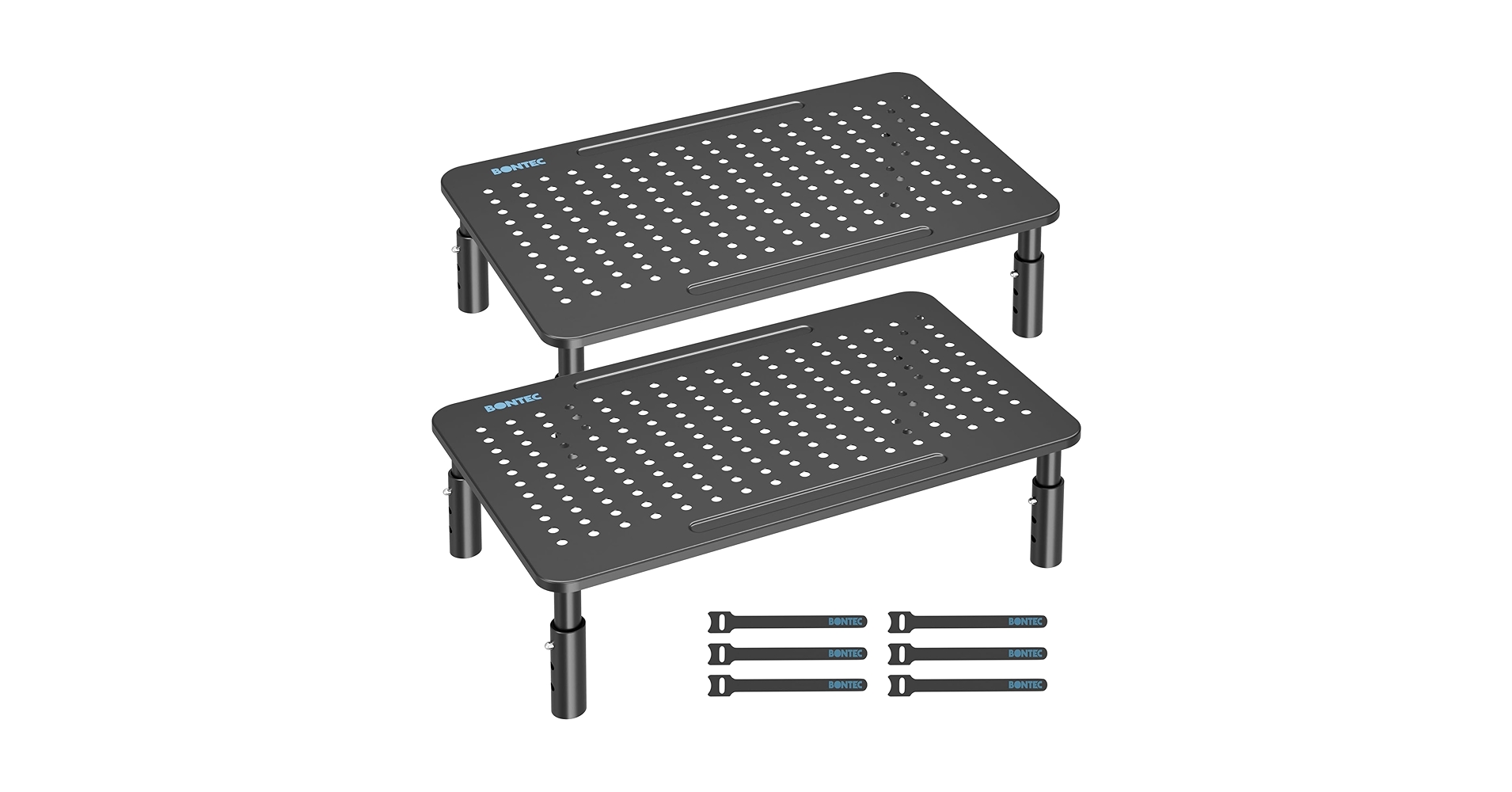
Offering unparalleled value and direct ergonomic benefit, this no-frills two-pack provides essential height adjustment that outperforms more complex models for the core task of relieving neck strain.
Monitor Riser Comparison – 2026
| Product | Adjustability | Material / Build | Best For |
|---|---|---|---|
| BONTEC 2 Pack 3 Height Adjustable | 3 Levels (10/12/14cm) | ABS Plastic | Dual Monitor Value |
| Doowiit Monitor Stand with Drawer | Fixed Height (2 Tiers) | MDF Wood | Organization & Storage |
| Artswish Dual Monitor Riser | Fixed Height (Adjustable Width) | Particle Board | Power Users & Large Desks |
| ROYUMI Corner Monitor Stand | Fixed Height (2 Tiers) | Wood | Corner Desk Setups |
| BONTEC 2 Pack Adjustable Riser | 2 Levels (9.5/12.5cm) | Perforated Metal | Laptops & Ventilation |
Detailed Product Reviews
1. BONTEC 2 Pack 3 Height Adjustable Monitor Stand
Pros
- Excellent value with two stands included
- Three height levels for precise ergonomic tuning
Cons
- Basic ABS plastic construction
- No additional storage features
The Breakdown: This BONTEC package prioritizes function over form, and it excels. Market research indicates that the simple, press-fit leg system is surprisingly sturdy for its lightweight build. The core benefit is its direct approach to solving neck pain: find the right height, lock it in, and you’re set.
Key Specs:
- Material: High-impact ABS Plastic
- Dimensions: 37cm x 23.5cm per stand
- Height Settings: 10cm, 12cm, 14cm
- Weight Capacity: 10kg (22 lbs) per stand
The Community Verdict: Users consistently praise the straightforward assembly and the immediate ergonomic improvement. The primary consensus is that for the price, the stability and adjustability are unmatched. Some users note the plastic aesthetic feels less premium than wood or metal alternatives.
Dealbreaker: Skip this if you need integrated storage or a premium, single-piece aesthetic for your desk.
2. Doowiit Monitor Stand with drawer, 2-Tier

Pros
- Integrated drawer and shelves for storage
- Adds a touch of warmth with its wood finish
Cons
- Height is not adjustable
- Assembly is required and can be tedious
The Breakdown: The Doowiit stand combines ergonomic elevation with desktop organization. Its two-tier design creates ample space to tuck away keyboards, notebooks, and other clutter. While it raises the monitor to a comfortable height for many, its lack of adjustability is a key trade-off for its storage capabilities.
Key Specs:
- Material: MDF Wood
- Dimensions: 42cm x 23cm x 14cm
- Height Settings: Fixed
- Features: Top shelf, lower shelf, slide-out drawer
The Community Verdict: Owners report that the stand significantly tidies up their workspace, which they love. The fixed height is a common point of discussion; it works perfectly for some, but not for all. The consensus is that the build quality is solid for the price point, though the MDF material is not premium hardwood.
Dealbreaker: Skip this if your ergonomic needs demand precise, adjustable height settings.
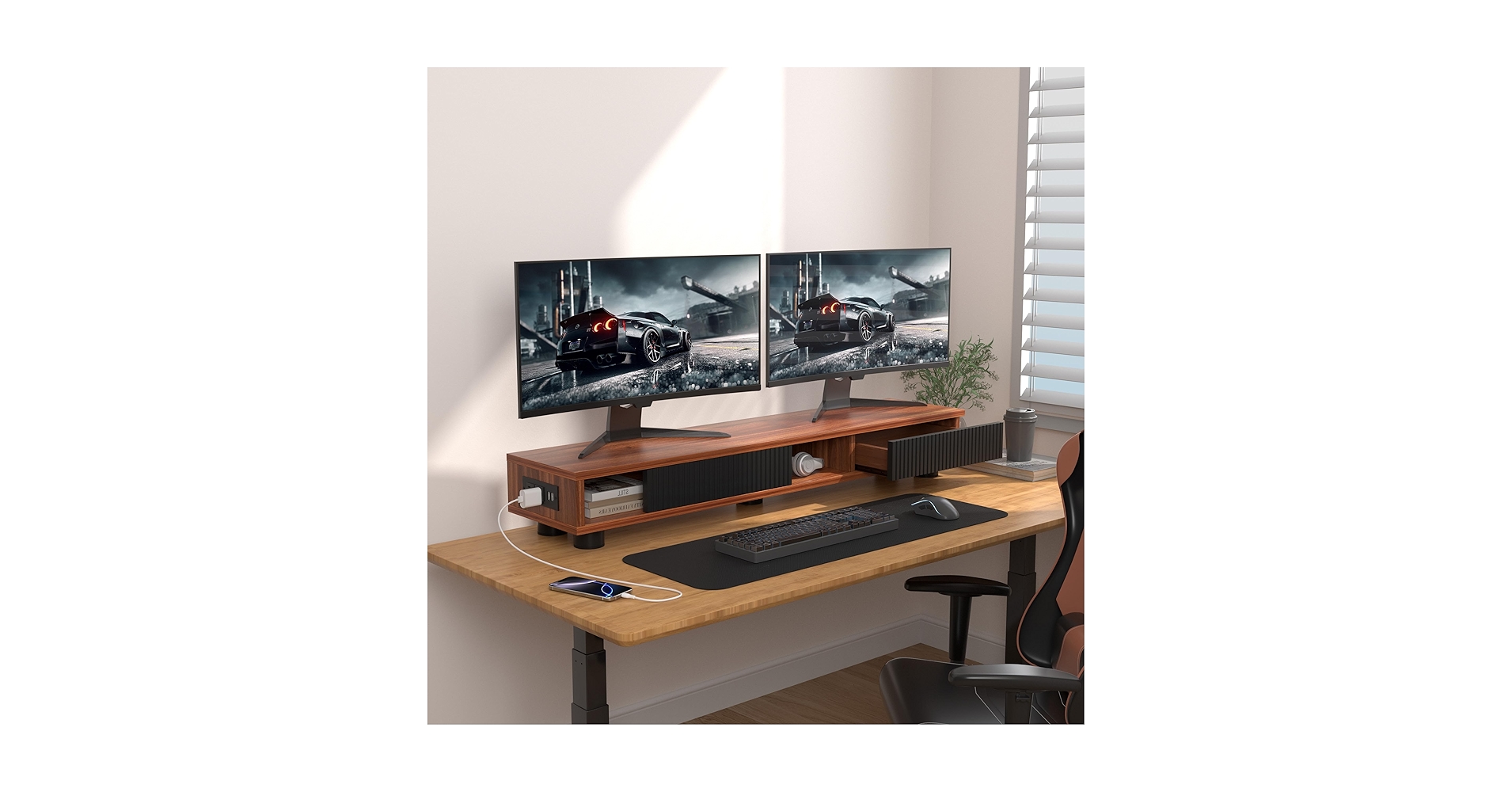
3. Artswish Dual Monitor Riser with Power Outlet, 42″
Pros
- Expansive 42-inch width for two large monitors
- Built-in AC outlets and USB charging ports
Cons
- Fixed height offers no ergonomic customization
- Takes up a significant amount of desk real estate
The Breakdown: The Artswish riser is less a stand and more a complete desk shelf system. It’s designed to unify a large setup, providing a single, wide platform and bringing power directly to your desktop. This is an organizational powerhouse that also provides a basic ergonomic lift.
Key Specs:
- Material: Particle Board & Metal Frame
- Dimensions: 106cm (42″) x 23.5cm x 9cm
- Height Settings: Fixed
- Features: 2 AC Outlets, 2 USB-A Ports
The Community Verdict: Users with extensive setups rave about the convenience of the built-in power and the clean look it creates. The wide, single surface is highly valued for its stability across two monitors. The main critique is the non-adjustable height, which, like the Doowiit, is a one-size-fits-most solution.
Dealbreaker: Skip this if you have a small desk or only use a single, small monitor.
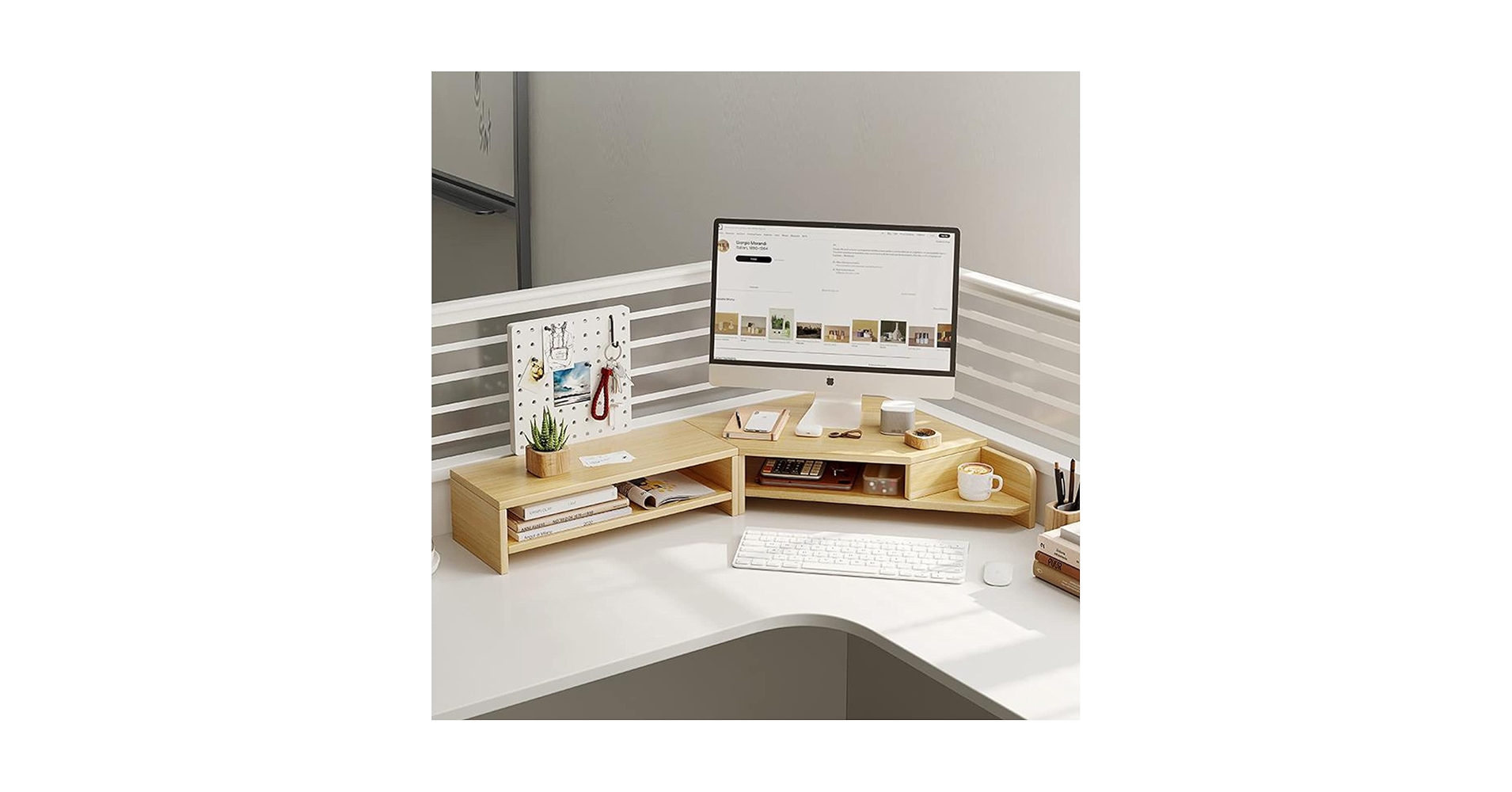
4. ROYUMI Double Layer Wooden Corner Monitor Stand
Pros
- Unique design fits perfectly into 90-degree corners
- Two tiers of shelving maximize vertical storage
Cons
- Not suitable for standard rectangular desks
- Fixed height might not be ideal for all users
The Breakdown: The ROYUMI stand is a specialized tool for a common problem: wasted corner space. Its clever design transforms an awkward area into a functional, ergonomic hub for your monitor. The double-layer shelving provides useful storage for speakers, hard drives, or office supplies.
Key Specs:
- Material: Wood
- Dimensions: Fits standard 90-degree corners
- Height Settings: Fixed
- Features: Two-tier corner shelving
The Community Verdict: Market research indicates this is a game-changer for those with corner workstations, with many reporting it feels like a custom-built solution. The quality of the wood is generally considered good for the price. The only consistent drawback mentioned is the lack of height adjustment, a recurring theme for storage-focused stands.
Dealbreaker: Skip this if you don’t have a corner desk setup; it simply won’t fit properly.
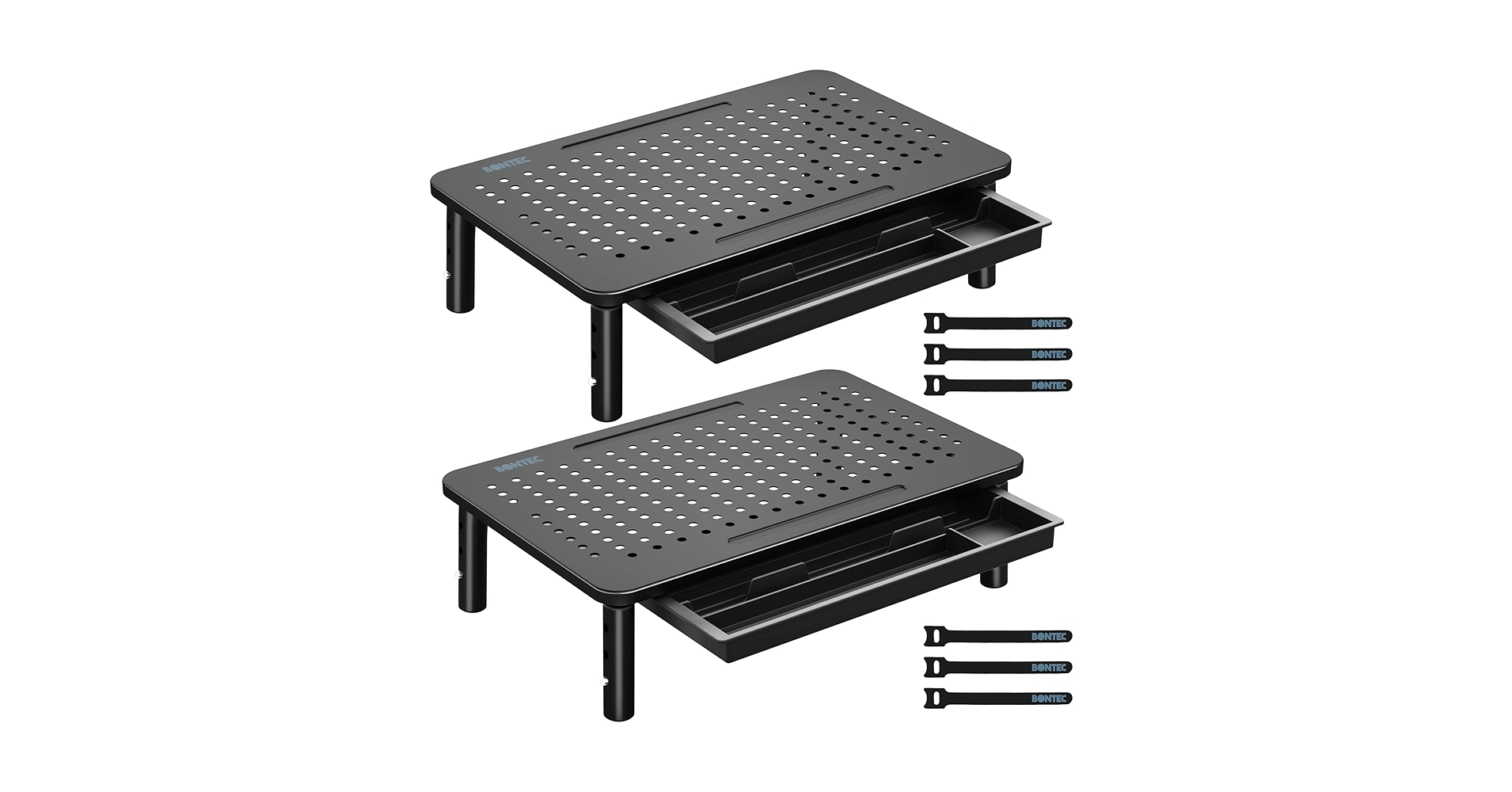
5. BONTEC 2 Pack Adjustable Monitor Stand Riser
Pros
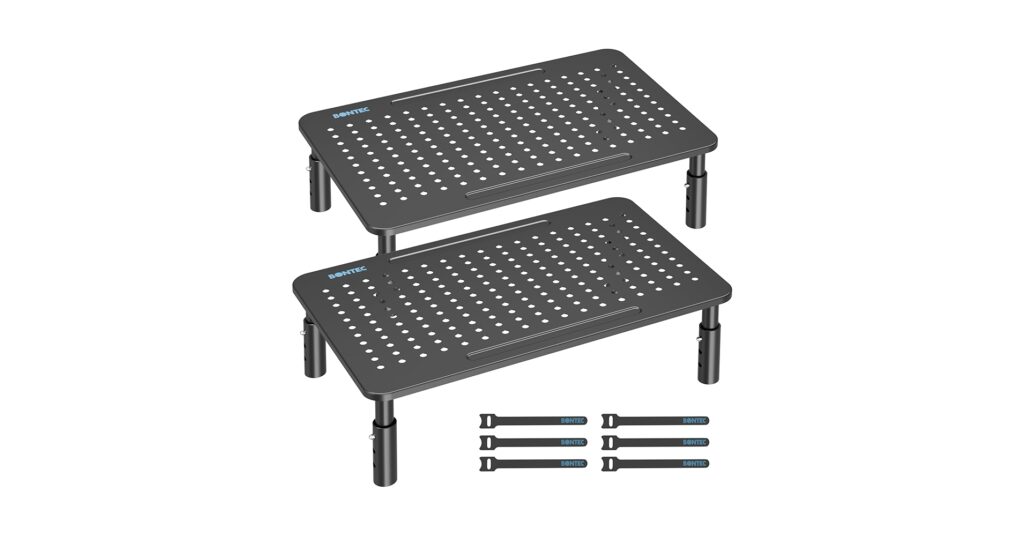
- Perforated metal platform aids in heat dissipation
- Robust build quality with a high weight capacity
Cons
- Only two height settings
- Industrial aesthetic may not suit all desks
The Breakdown: This second BONTEC offering swaps plastic for powder-coated steel, targeting durability and device cooling. The perforated top surface is ideal for preventing laptops or high-performance monitors from overheating. While it offers fewer height increments than its plastic cousin, its metal construction provides a more stable and premium-feeling base.
Key Specs:
- Material: Perforated Steel
- Dimensions: 37cm x 23.5cm per stand
- Height Settings: 9.5cm, 12.5cm
- Weight Capacity: 20kg (44 lbs) per stand
The Community Verdict: Owners consistently report a feeling of security and stability, trusting these stands with heavy all-in-one PCs and large monitors. The ventilation is a frequently cited bonus for laptop users. Some wish for a third height setting for more granular control.
Dealbreaker: Skip this if you need more than two height options or prefer a wood/plastic aesthetic.
Buying Guide: How to Choose a Monitor Riser for Neck Pain
Choosing the right monitor riser is a crucial step towards an ergonomic setup. Here are the key factors to consider:
1. Adjustability is King
The entire goal is to position the top of your monitor screen at or slightly below your eye level. A fixed-height stand is a gamble—it might be perfect, or it might be slightly off. An adjustable stand like the BONTEC 2-packs guarantees you can dial in the perfect height for your body and chair, which is the most critical factor for eliminating neck pain.
2. Material and Stability
Your monitor is an expensive piece of equipment. Ensure the riser you choose can safely support its weight. Metal stands offer the highest capacity, followed by wood/MDF, and then plastic. A wobbly monitor is distracting and defeats the purpose of a stable, focused workstation.
3. Desk Space and Features
Consider your desk’s layout. Do you need a wide stand for two monitors, or a specialized corner unit? Added features like drawers or USB ports can be great, but they often come at the cost of adjustability. Many of these risers also offer excellent organizational features to help you declutter. To take it a step further, consider a dedicated minimalist cable organizer to manage wires and create a truly clean environment.
4. Holistic Ergonomics
Beyond just raising your monitor, a truly ergonomic workspace considers all touchpoints. Aligning your monitor correctly prevents hunching, but what about your wrists? Pairing your riser with an ergonomic wrist rest for your mouse can prevent strain from accumulating in your forearms, creating a more comfortable setup overall.
Frequently Asked Questions
1. How high should my monitor be to prevent neck pain?
When you are sitting upright in your chair, the top edge of your monitor’s screen should be at or just below your eye level. Your eyes should gaze slightly downward at about a 10-15 degree angle to view the center of the screen. This posture keeps your neck in a neutral position.
2. Can I just use a stack of books instead of a monitor riser?
While a stack of books can work in a pinch, it’s not an ideal long-term solution. Books can be unstable, offer no ventilation, and lack the precise, incremental height adjustments of a proper stand. A dedicated riser also provides usable storage space underneath, which books do not.
3. Are monitor risers better than adjustable monitor arms?
It depends on your needs and budget. Monitor arms offer superior flexibility, allowing you to adjust height, depth, and tilt on the fly. However, they are more expensive and require clamping or drilling into your desk. Monitor risers are a simpler, more affordable, and non-permanent solution that effectively solves the primary issue of screen height for most users.
Read More on TechForDesk
- Best Under Desk Laptop Mount with Cable Tray for 2026
- The 5 Best Weighted Cable Holder for Desk Setups in 2026
- The 5 Best Neoprene Cable Sleeve with Zipper Models of 2026
- The 5 Best J Channel Cable Raceway White Options for a Minimalist Desk in 2026
- The Best Minimalist Cable Organizer for an Aesthetic Desk in 2026




