
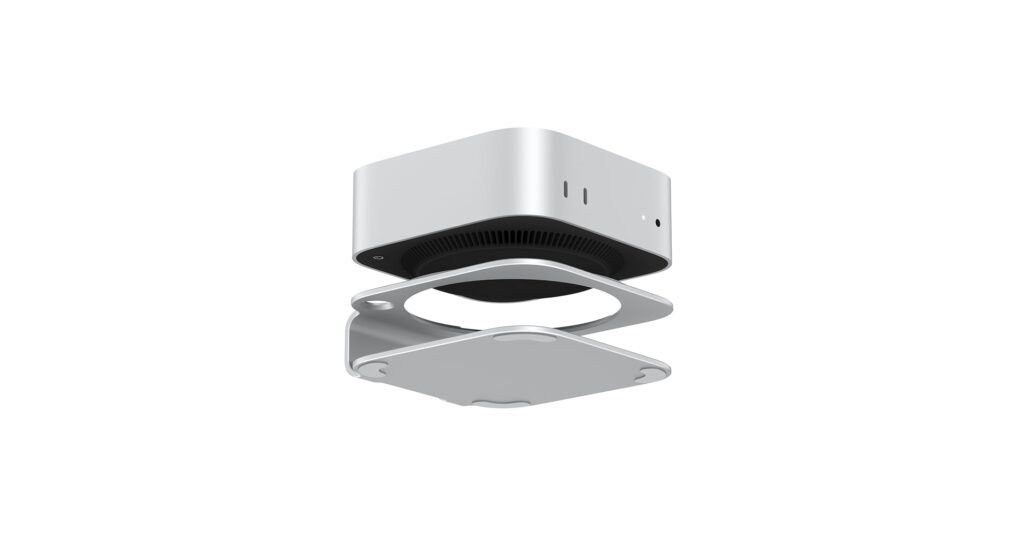
The Apple Mac mini is the heart of many minimalist desk setups, offering incredible power in a compact form. But even a small device can create clutter with its footprint and cables. Finding the best desk shelf for mac mini is the key to reclaiming your workspace, improving airflow, and creating a truly organized, high-tech environment. Whether you want to discreetly tuck it away or elevate it with added functionality, our 2026 guide breaks down the top options on the market, from sleek aluminum docks to space-saving under-desk mounts.
🚀 Quick Verdict / Top Pick
AKKYAJAURE Mac mini M4 Dock Stand
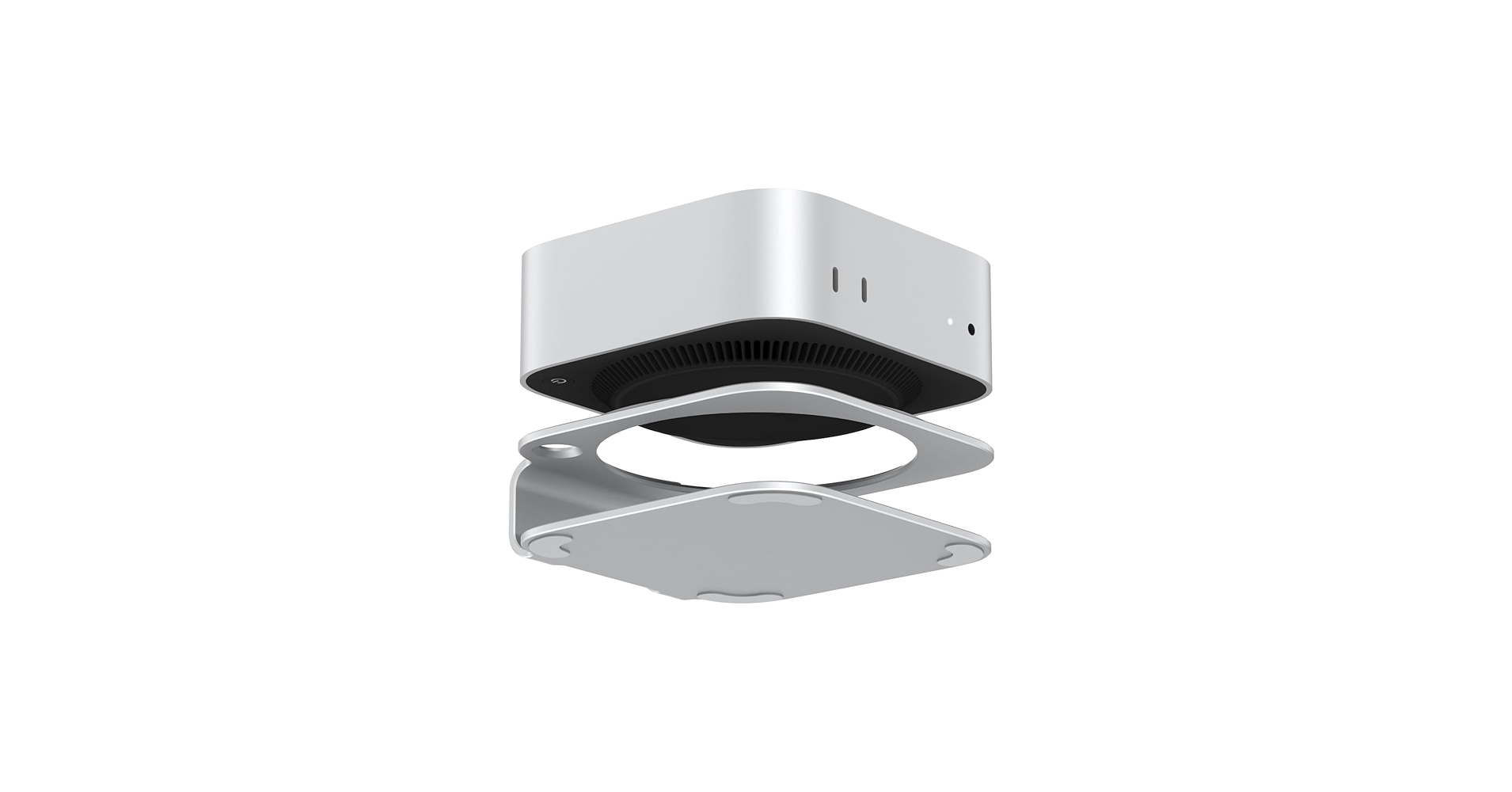
This stand wins for its all-in-one design, integrating a high-speed SSD enclosure and a multi-port USB hub directly into a sleek, color-matched aluminum base.
Mac Mini Desk Shelf Comparison for 2026
| Product | Mounting Type | Material | Best For |
|---|---|---|---|
| AKKYAJAURE Mac mini M4 Dock Stand | On-Desk Dock | Aluminum | Maximum Functionality |
| Bylitco Desktop Stand | On-Desk Stand | Aluminum | Simplicity & Airflow |
| IFCASE Under Desk Mount | Under-Desk Mount | Metal | Ultimate Space Saving |
| Mount-It! Under Desk Mount | Under-Desk Mount | Steel | Heavy-Duty Mounting |
| Mac Mini M4 Stand (Wooden) | On-Desk Vertical Stand | Wood | Aesthetics & Small Footprint |
Detailed Product Reviews
1. AKKYAJAURE Mac mini M4 Dock Stand
Pros
- Integrates SSD enclosure and USB hub
- Sleek aluminum build matches Mac mini
Cons
- Premium price point
- Adds another cable to the setup (for the hub)
The Breakdown: The AKKYAJAURE stand is more than a shelf; it’s a productivity hub. Market research indicates this type of all-in-one dock is becoming the standard for serious Mac mini users. It provides front-facing ports for easy access and a hidden M.2 NVMe/SATA SSD slot underneath, solving two common Mac mini limitations in one elegant package.
Key Specs:
- Mounting Type: On-Desk Dock
- Material: Aluminum
- Added Features: M.2 SSD Enclosure (NVMe/SATA), 2x USB-A 3.2, 1x USB-C 3.2, SD/TF Card Readers
- Compatibility: Mac mini M-series chips
The Community Verdict: Users consistently praise the seamless integration and the convenience of front-access ports. Some reports mention the hub can run warm when an SSD is installed and under heavy load, but this is typical for such devices. The consensus is that the build quality perfectly matches Apple’s aesthetic.
Dealbreaker: Skip this if you already have a high-end external dock or hub and simply need to elevate your Mac mini.
2. Bylitco Desktop Stand for Mac Mini
Pros
- Excellent ventilation design
- Affordable and simple
Cons
- No additional features
- Design is very basic
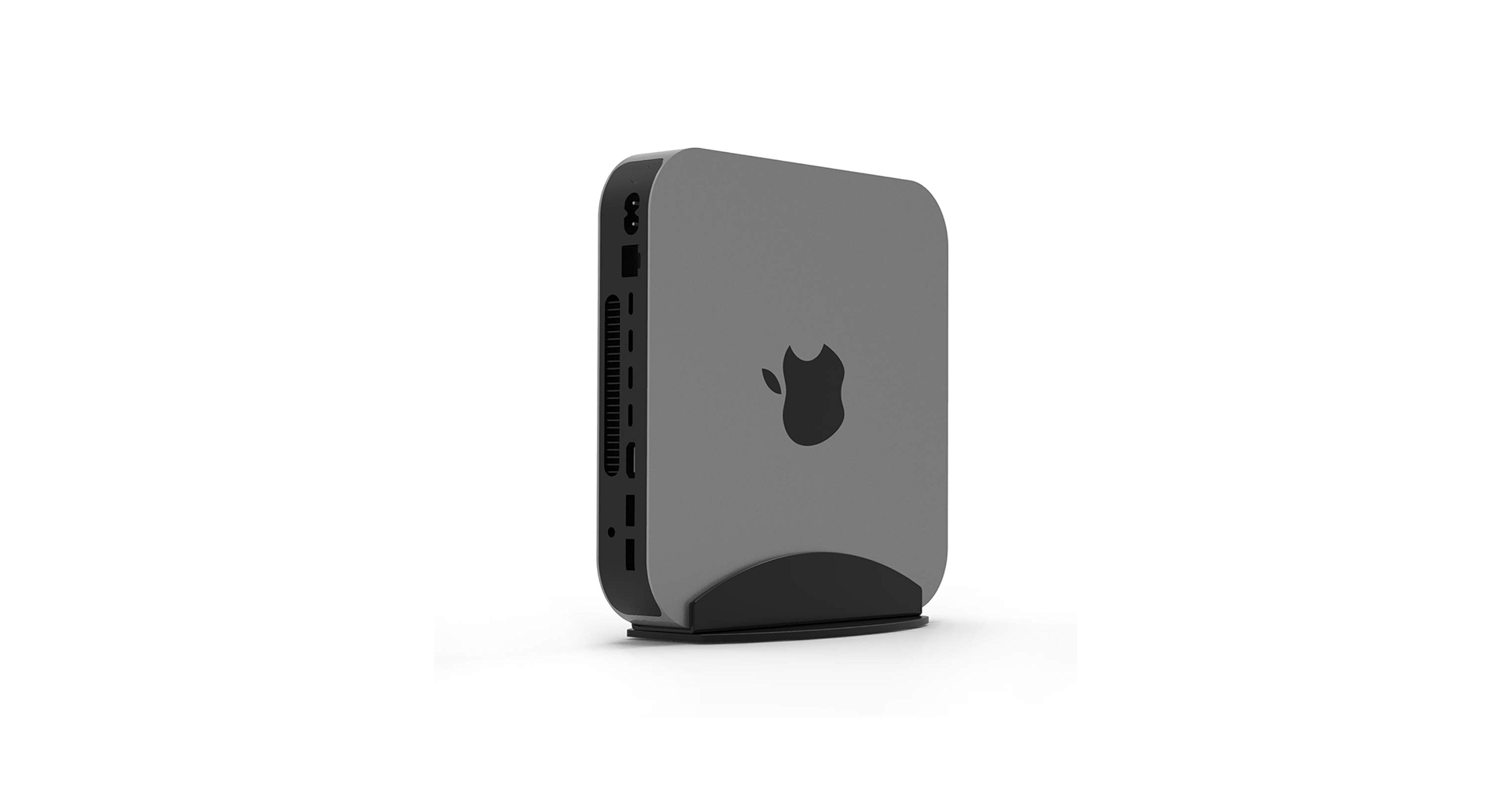
The Breakdown: The Bylitco stand is a no-frills solution that does one thing well: it gets your Mac mini off the desk. This elevation significantly improves air circulation, which is crucial for maintaining performance during intensive tasks. Its perforated aluminum design is functional and aligns with the Mac’s industrial aesthetic.
Key Specs:
- Mounting Type: On-Desk Stand
- Material: Aluminum
- Added Features: Airflow vents
- Compatibility: Mac mini (2010-2023, M1/M2)
The Community Verdict: Owners report a noticeable decrease in fan noise under load, attributing it to the improved cooling. It’s praised for its sturdy, one-piece construction and perfect fit. The primary critique is that it’s just a stand—no cable management or extra ports.
Dealbreaker: Skip this if you need port expansion or a way to hide your Mac mini entirely.
3. IFCASE Under Desk Laptop Mount
Pros
- Completely frees up desk surface area
- Sturdy metal construction
Cons
- Requires drilling/installation
- Makes ports harder to access
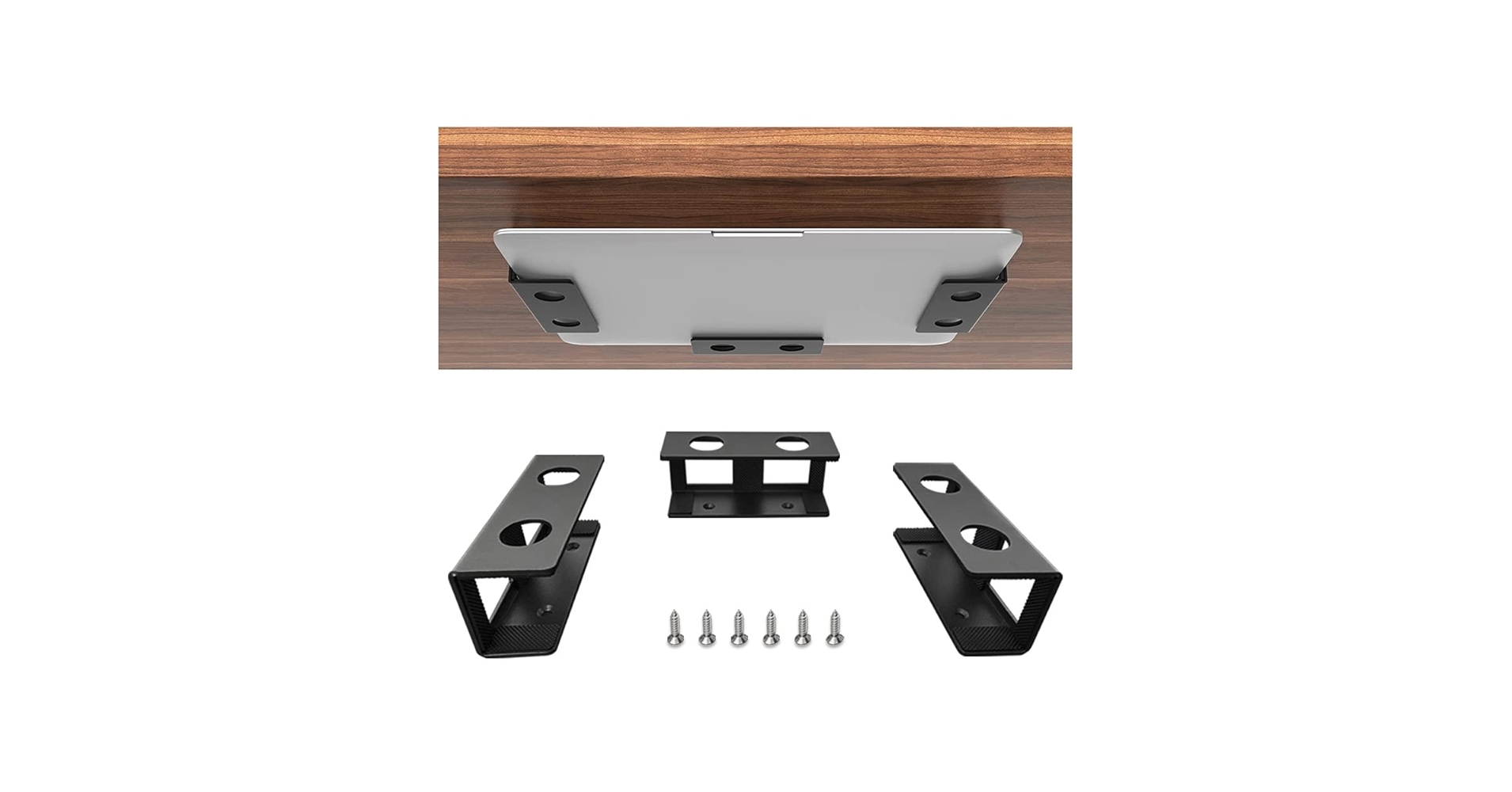
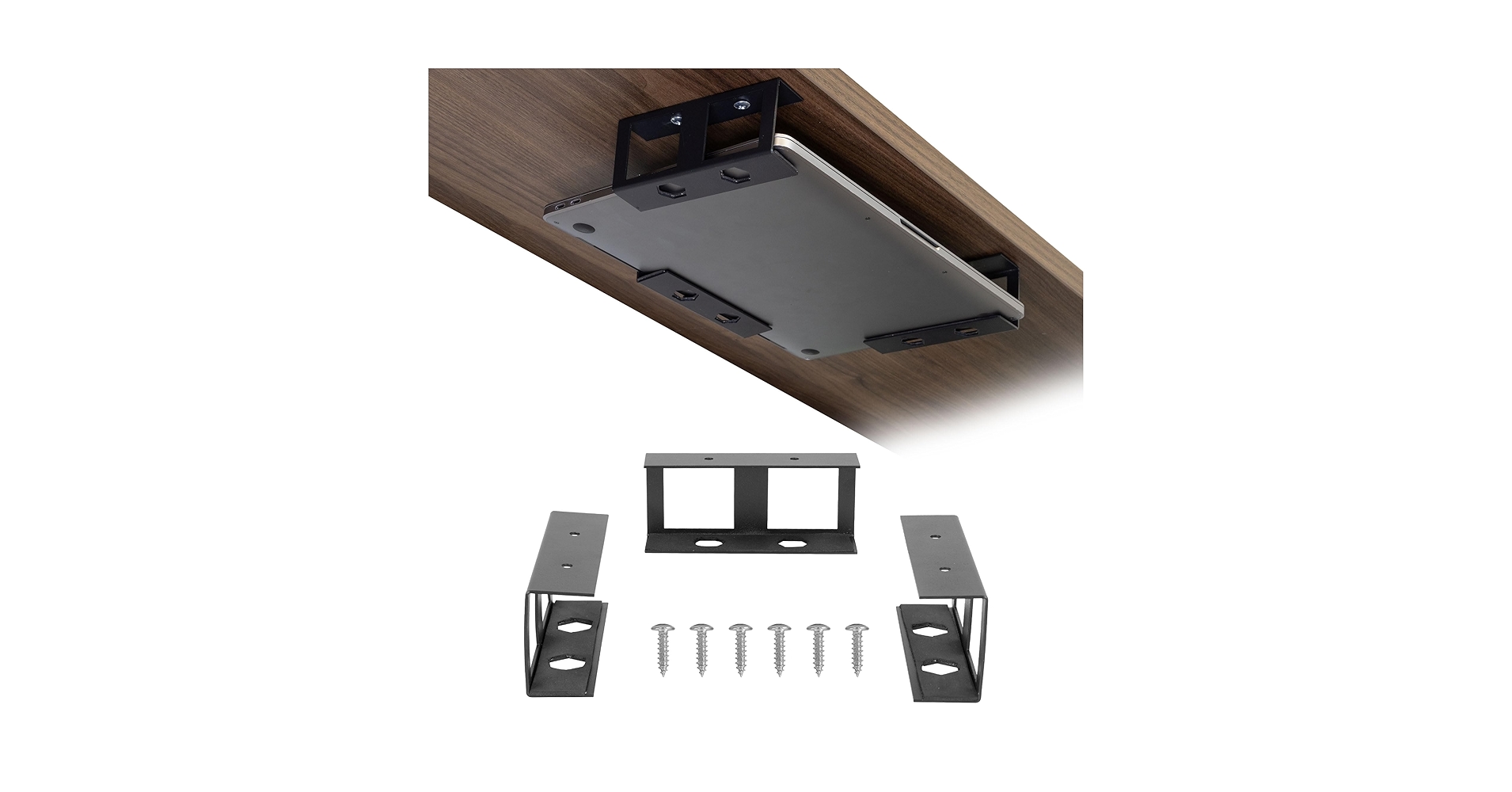
The Breakdown: The IFCASE mount takes organization to the next level by removing the Mac mini from your desk entirely. It’s a simple, robust metal bracket designed to be screwed into the underside of your desk or a wall. This is the ultimate solution for achieving a ‘floating’ monitor setup with no visible computer.
Key Specs:
- Mounting Type: Under-Desk Mount
- Material: Metal
- Added Features: Includes mounting hardware
- Compatibility: Universal fit for devices up to 1.5 inches thick
The Community Verdict: Users report that the installation is straightforward and the mount feels very secure once in place. The open design allows for good airflow, preventing overheating. The main drawback cited is the inconvenience of accessing the rear ports for plugging in new peripherals.
Dealbreaker: Skip this if you are not comfortable drilling into your desk or if you frequently need to access the Mac mini’s ports.
4. Mount-It! Under Desk Laptop Mount Holder
Pros
- Heavy-duty steel construction
- Adjustable width for a snug fit
Cons
- Installation can be slightly more involved
- Industrial design may not appeal to all
The Breakdown: Similar in concept to the IFCASE, the Mount-It! bracket is built with a focus on strength and adjustability. Market research shows its solid steel frame and adjustable width provide peace of mind for users concerned about security. This is an industrial-grade solution for a consumer problem, ensuring your Mac mini stays put.
Key Specs:
- Mounting Type: Under-Desk Mount
- Material: Heavy-Duty Steel
- Added Features: Adjustable width, internal padding
- Compatibility: Devices from 0.5″ to 2.1″ thick
The Community Verdict: Positive feedback centers on the robust, tank-like build quality. Users appreciate the protective padding inside the bracket that prevents scratches on the Mac mini’s chassis. Some find the visual design less refined than other options, but all agree it is exceptionally secure.
Dealbreaker: Skip this if you prefer a more minimalist or lightweight mounting bracket and don’t need the extra-heavy-duty build.
5. Mac Mini M4 Stand Accessories – Wooden Desk
Pros
- Beautiful real wood aesthetic
- Vertical orientation saves desk space
Cons
- Vertical mounting might obstruct some cooling
- Ports are oriented sideways
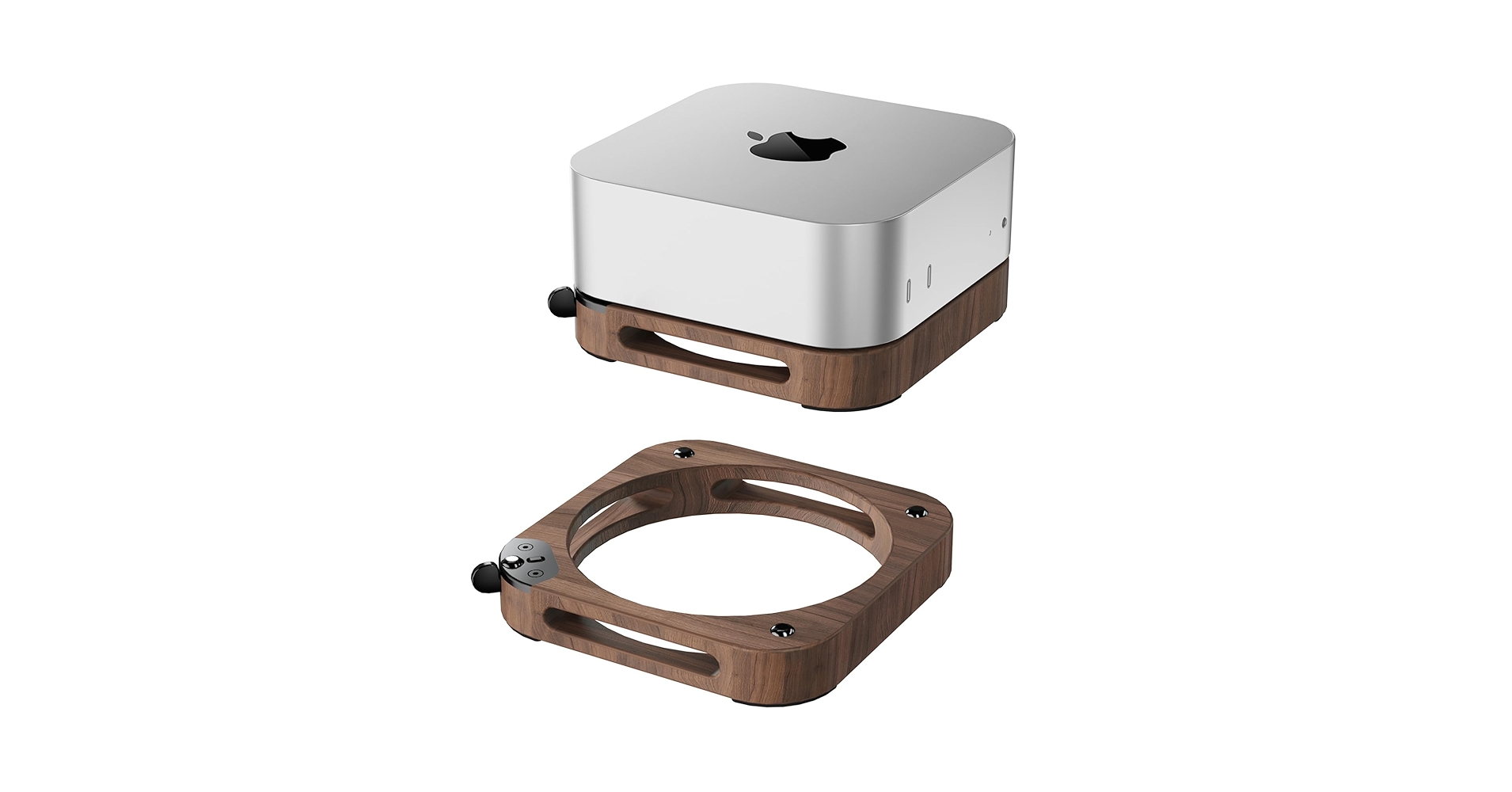
The Breakdown: This stand breaks the mold of aluminum and steel, offering a crafted wooden holder for your Mac mini. It reorients the device vertically, drastically reducing its footprint on your desk. This is an aesthetic choice that blends technology with natural materials for a warmer, more organic desk setup.
Key Specs:
- Mounting Type: On-Desk Vertical Stand
- Material: Wood (Specific type may vary)
- Added Features: Felt-lined interior to prevent scratches
- Compatibility: Mac mini M-series chips
The Community Verdict: Users are overwhelmingly positive about the look and feel, stating it adds a unique, premium touch to their workspace. The fit is reported to be snug and secure. A few users have debated the thermal implications of the vertical orientation, but the consensus is that for most workloads, it does not pose a problem.
Dealbreaker: Skip this if you’re concerned about optimal airflow for sustained heavy rendering or compiling tasks.
Buying Guide: How to Choose the Best Desk Shelf for Your Mac Mini
Selecting the right stand or mount comes down to three factors: desk space, functionality, and aesthetics.
1. Mounting Style: On-Desk vs. Under-Desk
On-Desk Stands are great for easy access and adding a bit of height. They are simple to set up and often improve airflow. Under-Desk Mounts are the ultimate space-savers, creating a super-clean, minimalist look. However, they require permanent installation and make accessing ports more difficult.
2. Added Functionality: Do You Need a Hub?
Models like the AKKYAJAURE integrate USB hubs and SSD enclosures, which is fantastic for consolidating devices. This can be a game-changer for organization. However, if you experience issues like your ethernet not working through usb hub, it can be a sign that a dedicated, standalone hub is a better choice. For those who need more distance, a separate usb hub with long cable for desktop might be a more reliable option than an all-in-one unit.
3. Material and Cable Management
Most stands are aluminum to match the Mac mini, but options in steel offer more strength, and wood provides a unique aesthetic. Once your Mac mini is mounted, the final step is taming the cables. Investing in a simple weighted cable holder for desk can keep your power, display, and peripheral cords neatly in place and prevent them from falling behind your desk.
Frequently Asked Questions (FAQ)
Do Mac mini stands affect performance or cooling?
Most stands, especially those designed for horizontal placement with vents, actually improve cooling by increasing airflow around the chassis. Vertical stands are generally fine for everyday use, but for continuous, heavy CPU/GPU tasks, a horizontal stand that maximizes air exposure to the bottom intake is theoretically better.
Can I mount a Mac mini vertically?
Yes. The Mac mini has no moving parts like a spinning hard drive, so it can be operated in any orientation without issue. The main consideration is ensuring the air intake (on the bottom) and exhaust (on the back) are not blocked.
Is an under-desk mount difficult to install?
Typically, no. Most mounts come with the necessary screws and a simple four-point installation process. It usually requires a drill or a powered screwdriver. The most important step is measuring beforehand to ensure you have enough clearance for the Mac mini and its cables.
Read More on TechForDesk
- The 5 Best Clamp On Desk Shelf For Monitors in 2026
- The 5 Best Portable Monitor Riser for Laptops in 2026 (Travel Edition)
- The 5 Best Monitor Stand for College Dorm Desks (2026 Budget Picks)
- The 5 Best Monitor Riser for Neck Pain in 2026: An Ergonomic Guide
- The Best Cable Raceway for Baseboards in 2026: An Aesthetic Guide




