
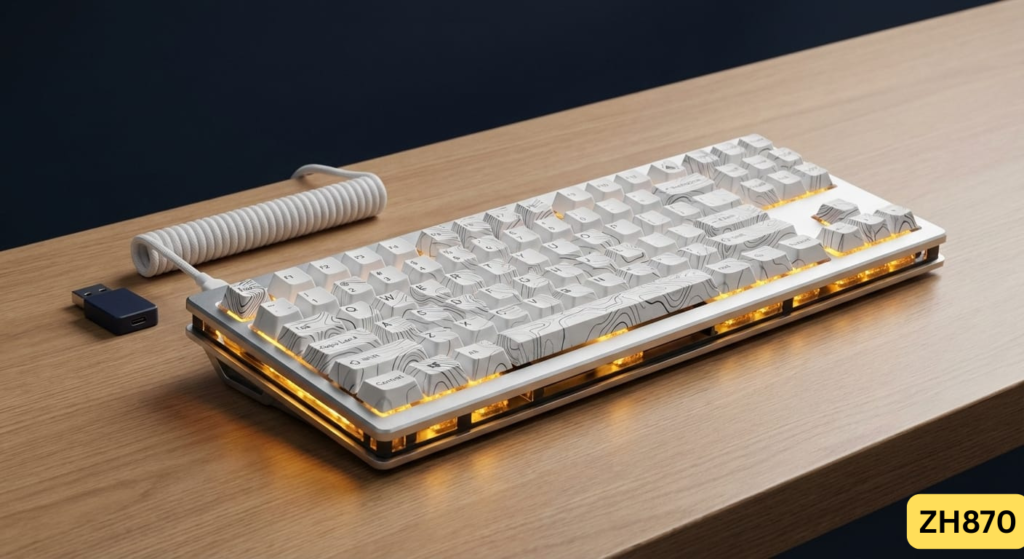
There’s a rabbit hole in the tech world that I, and many of you, have tumbled down: the custom mechanical keyboard. The allure of the perfect ‘thock,’ the silky smooth keystroke, and a board that’s uniquely yours is powerful. But let’s be honest—sourcing parts, lubing switches for hours, and flashing firmware can be a daunting, time-consuming task. I’ve been there. That’s why when a pre-built board claims to deliver that bespoke experience right out of the box, my skepticism is matched only by my excitement. The ZORNHER ZH870 keyboard landed on my desk with exactly that promise, and after weeks of testing, I have a lot to say.
For anyone who wants to graduate from big-box gaming brands without building a keyboard from scratch, the ZORNHER ZH870 ‘Sea Moonlight’ edition positions itself as the perfect next step. It’s aimed squarely at typists, casual gamers, and content creators who want a desk setup that looks as good as it feels. But does it live up to the hype?
The ZORNHER ZH870 delivers an incredibly satisfying, ‘thocky’ typing experience and premium build that feels custom-made, right out of the box.
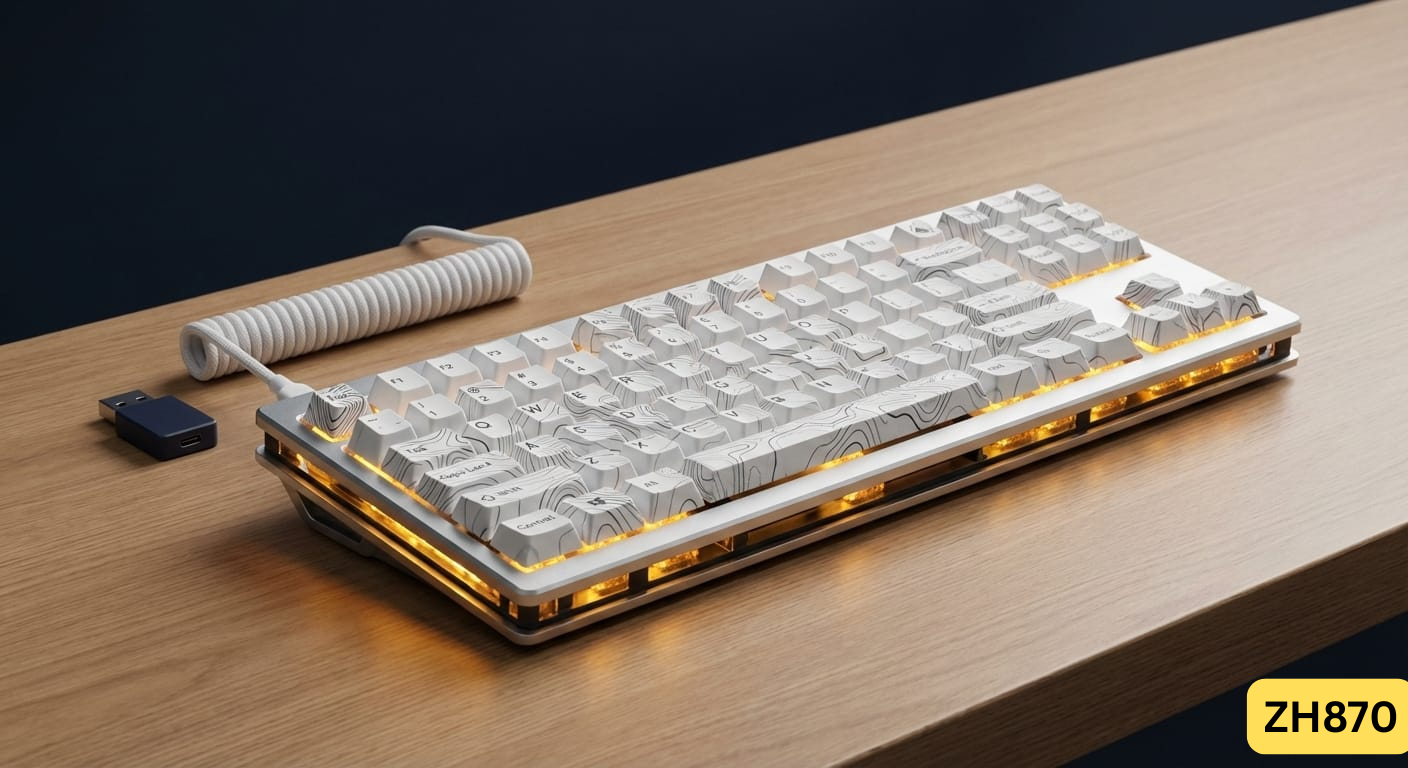
| ⚙️ Technical Specifications | |
|---|---|
| Layout | 80% TKL (Tenkeyless), 87 Keys |
| Switches | Pre-lubed Linear Switches (~45g actuation) |
| Keycaps | PBT Dye-Sublimated |
| Hot-Swappable | Yes, 5-pin |
| Connectivity | Tri-Mode: Wired (USB-C), 2.4GHz Wireless, Bluetooth 5.0 |
| Backlighting | RGB (South-facing LEDs) |
| Mounting Style | Gasket Mount |
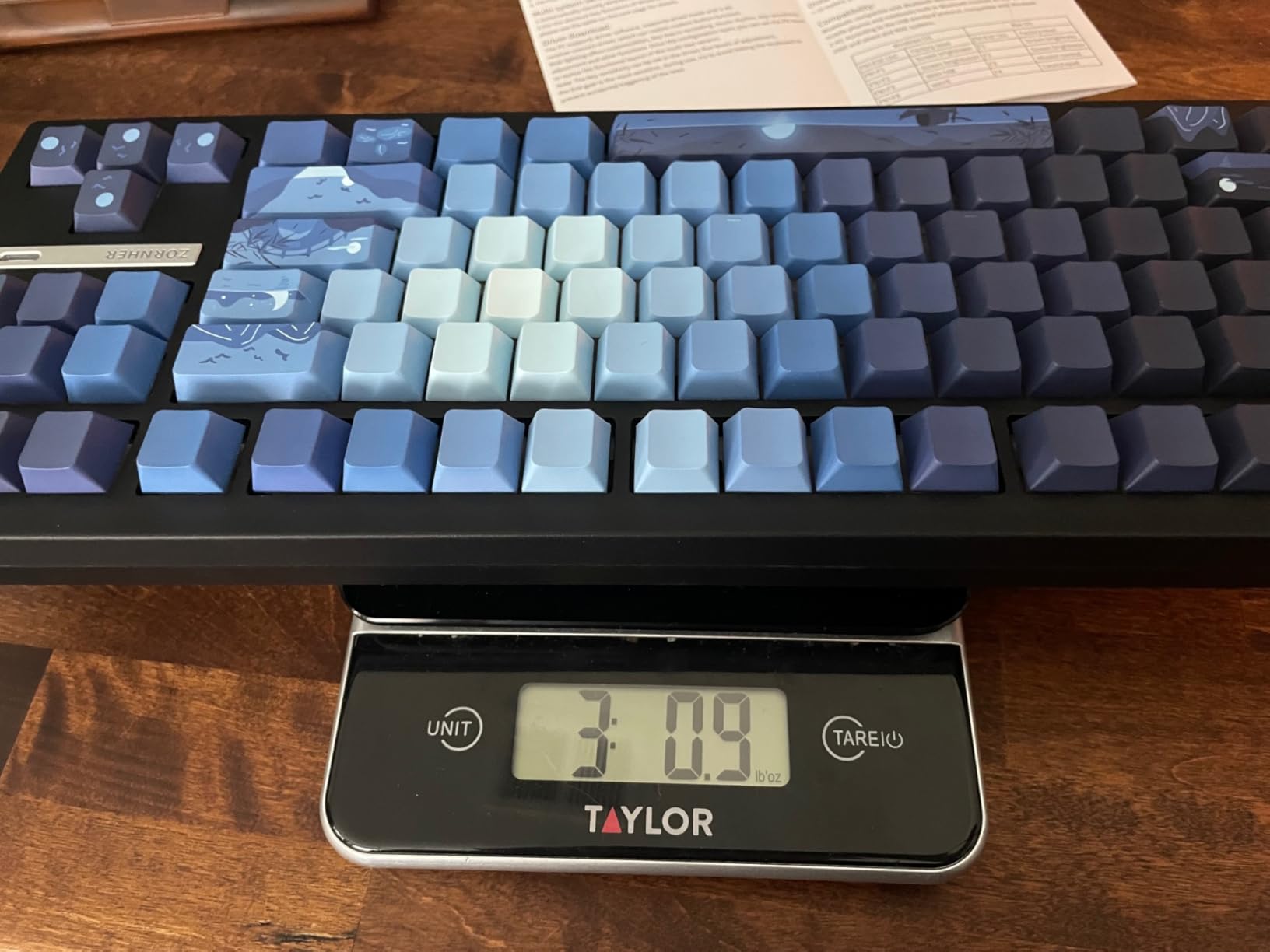
| Weight | Approx. 1.2 kg (2.65 lbs) |
| Compatibility | Windows, macOS, iOS, Android |
🏆 The TechForDesk Verdict
When I tested the ZORNHER ZH870, I was genuinely shocked by the out-of-the-box quality. The sound profile is pure auditory candy, and the multi-device connectivity is a massive workflow win. It’s a near-perfect keyboard for typists, held back only by a baffling design choice on the keycaps.
7/10
+ Lag-free wireless and smooth linear switches. | – Obscured key legends are a major issue for non-touch typists.
9.5/10
+ Addictive, creamy ‘thock’ sound and excellent switch feel. | – Keycap legend issue is the only minor detraction.
9/10
+ Seamless multi-device switching is a game-changer. | – TKL layout lacks a numpad, which some users need.
8.5/10
+ Comfortable for long coding sessions with a standard TKL layout. | – Again, keycap legends can be frustrating when hunting for symbols.
9/10
+ Deep, satisfying sound that’s not overly loud or clacky. | – Might still be too loud for a silent open-office environment.
10/10
+ Flawless compatibility and easy switching between operating systems. | – None to speak of; it just works.
Unboxing & First Impressions
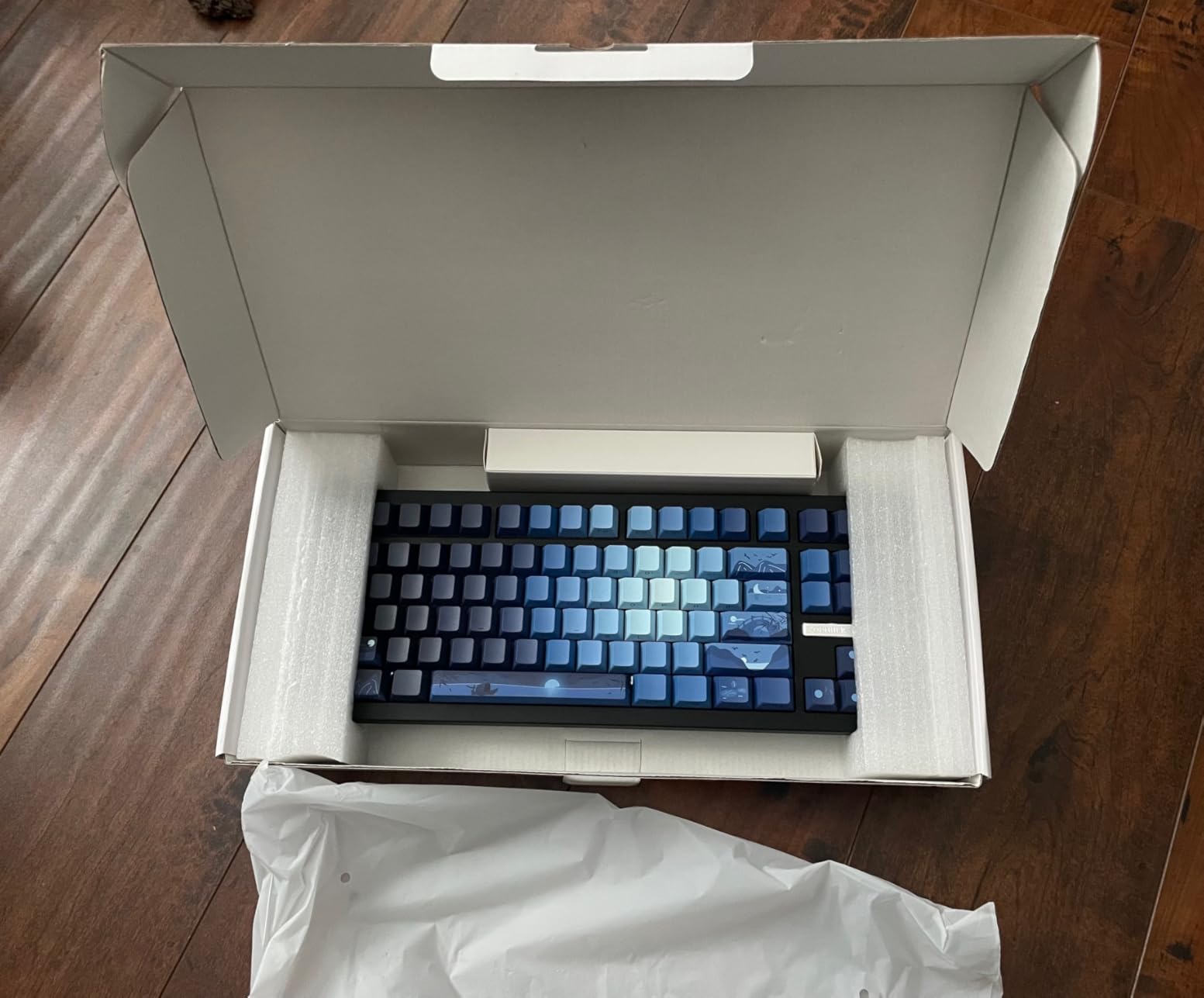
Right away, the ZORNHER ZH870 makes a statement. The box is sturdy and well-designed, giving a premium first impression that many mainstream brands neglect. Inside, the keyboard is nestled securely in foam, accompanied by a decent quality braided USB-C cable, a keycap/switch puller, and three spare switches—a thoughtful touch I always appreciate. Lifting the board out, the first thing I noticed was its heft. This is no flimsy piece of plastic; it has a reassuring weight that screams quality and ensures it won’t be sliding around my desk, even with my massive mousepad and the occasional need to reposition my monitor stand for my 49 Inch Odyssey G9.
Build Quality & Aesthetics
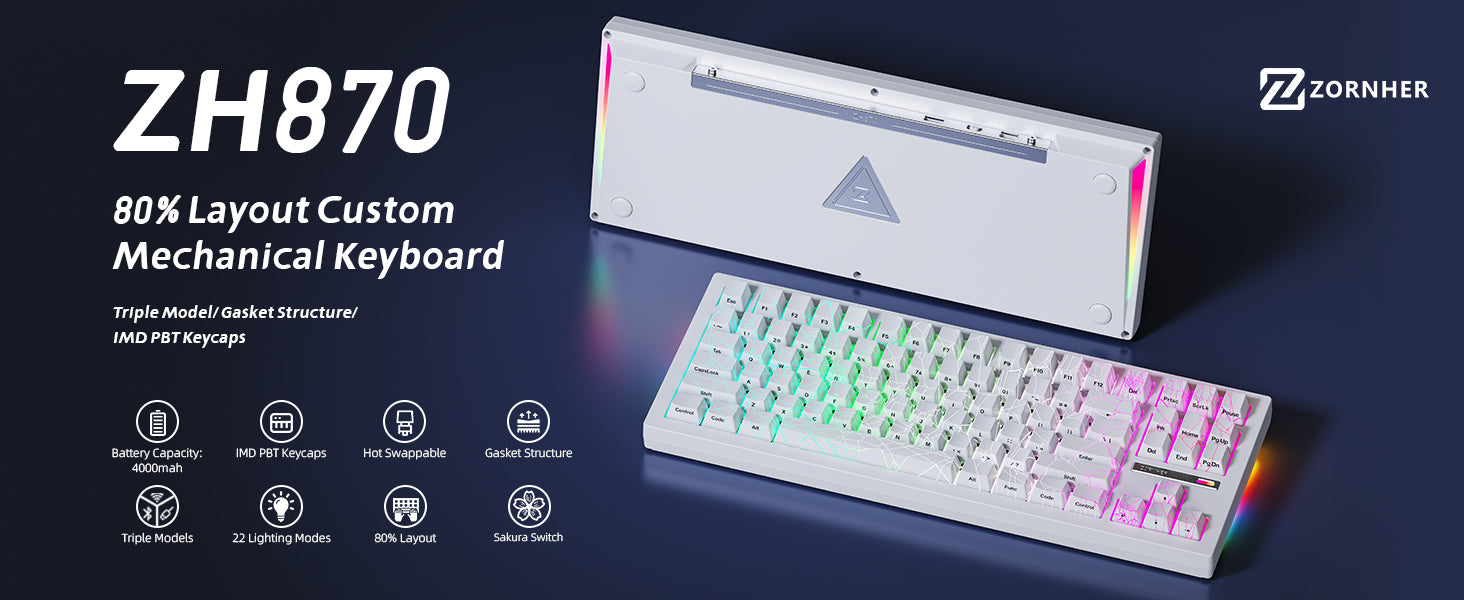
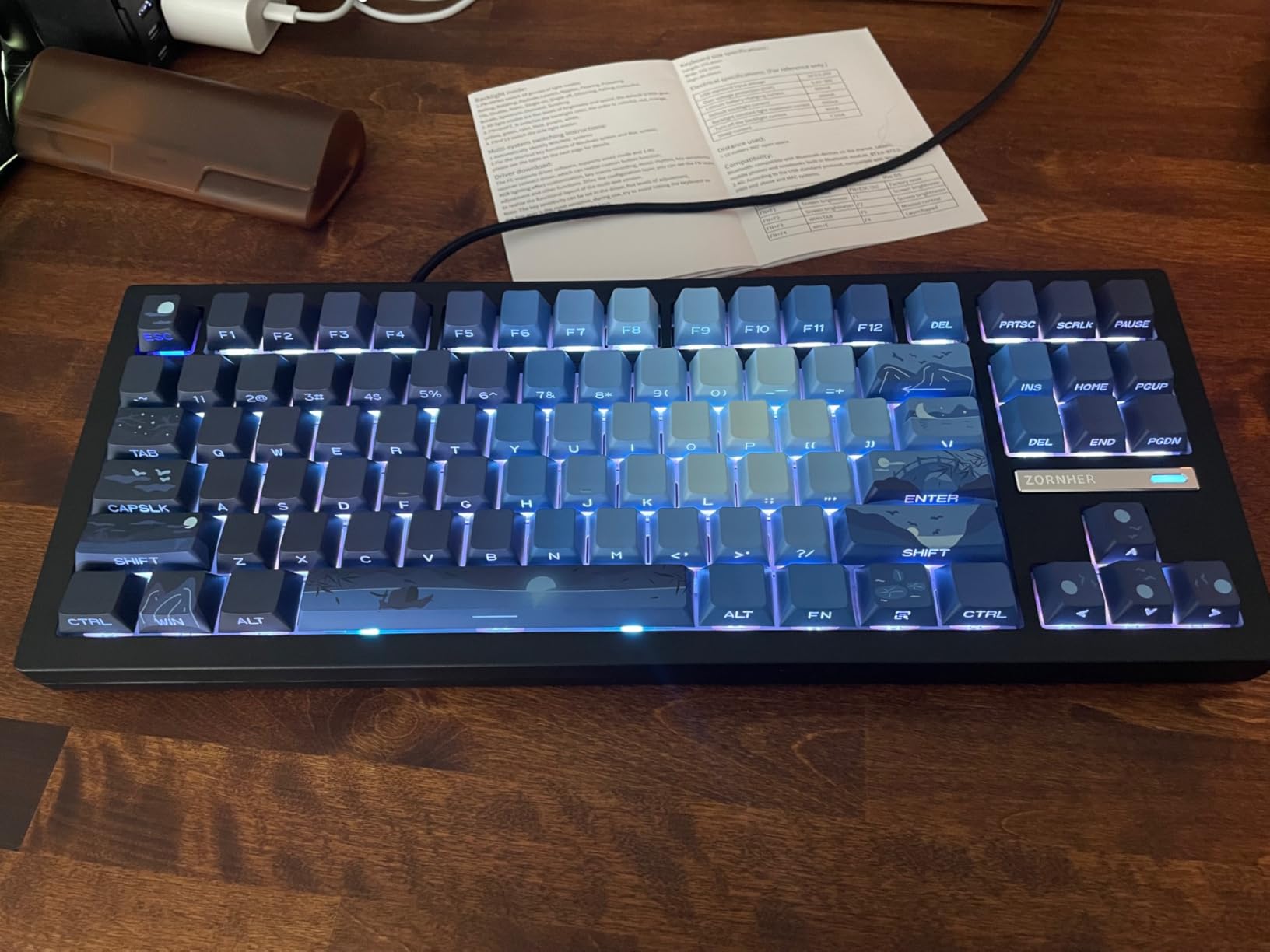
The ‘Sea Moonlight’ theme is gorgeous. The PBT keycaps feature a beautiful, subtle gradient with artistic flourishes that make it a centerpiece of any desk setup. Paired with one of our best kawaii desk lamps, it creates a truly photogenic vibe for content creators. The case itself feels dense and substantial. Flipping it over, the back panel is metal, with high-contrast labels for the connectivity switches, which I found surprisingly easy to navigate. There’s even a clever little storage compartment for the 2.4GHz receiver, though I will admit it’s a bit of a pain to get the receiver back into its snug housing. Overall, the build quality is far beyond what the typical zh870 keyboard price might suggest, giving off a genuine executive feel.
Keycaps & Switch Feel
Here’s where the ZH870 truly shines, but also where it stumbles. The factory pre-lubed linear switches are fantastic. As someone who has spent countless hours meticulously lubing switches by hand, I can say ZORNHER’s factory job is about 90% as good as my own, which saves an incredible amount of time and effort. The keystrokes are buttery smooth with no scratchiness, and the square stems provide excellent stability. I found them to have around a 45g actuation force, which is a comfortable middle ground for both typing and gaming.
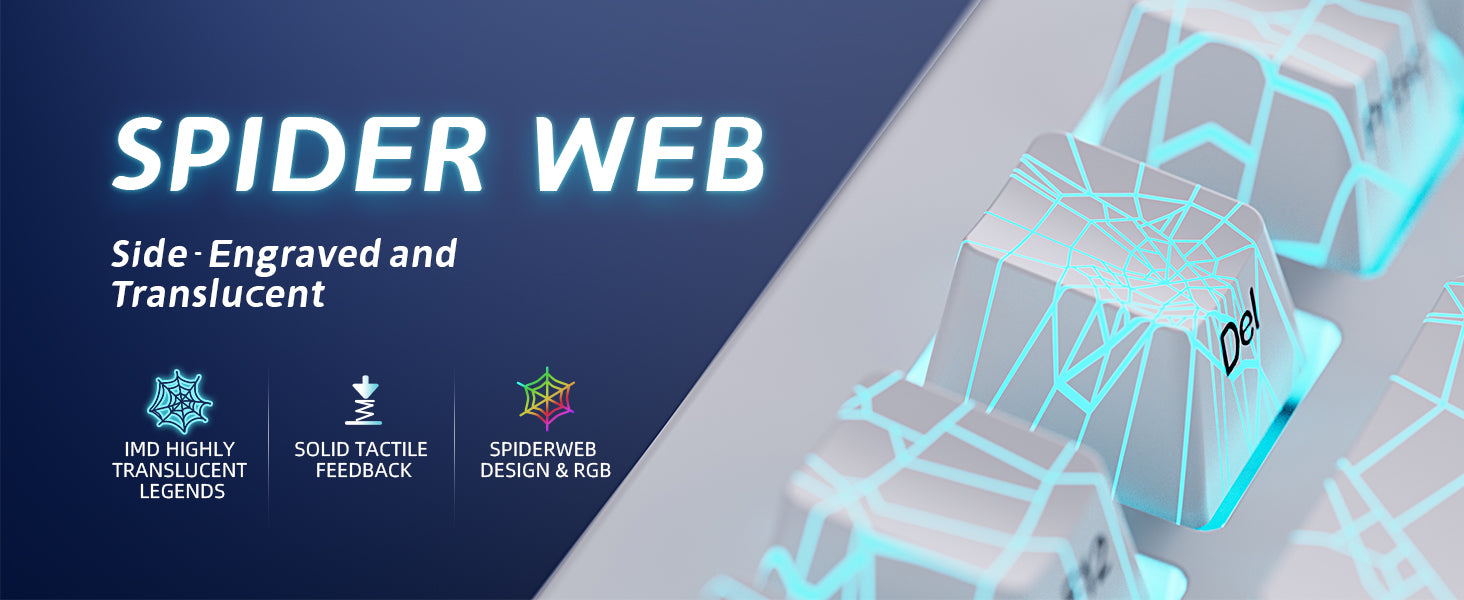
However, the keycaps are a classic case of form over function. The graphics are beautiful, with an intricate, almost zh870 keyboard spiderweb-like design on certain keys. The problem? This graphic is printed directly over the key legend, making the letters and symbols incredibly difficult to see, especially on the WASD cluster. If you’re a 100% touch typist, you might never notice. But for anyone who occasionally needs to glance down—especially during a frantic gaming session—it’s a significant flaw. A simple transparent circle around the legend would have solved this entirely without sacrificing the aesthetic. It’s a baffling oversight on an otherwise stellar design.
Typing Experience & Sound Test
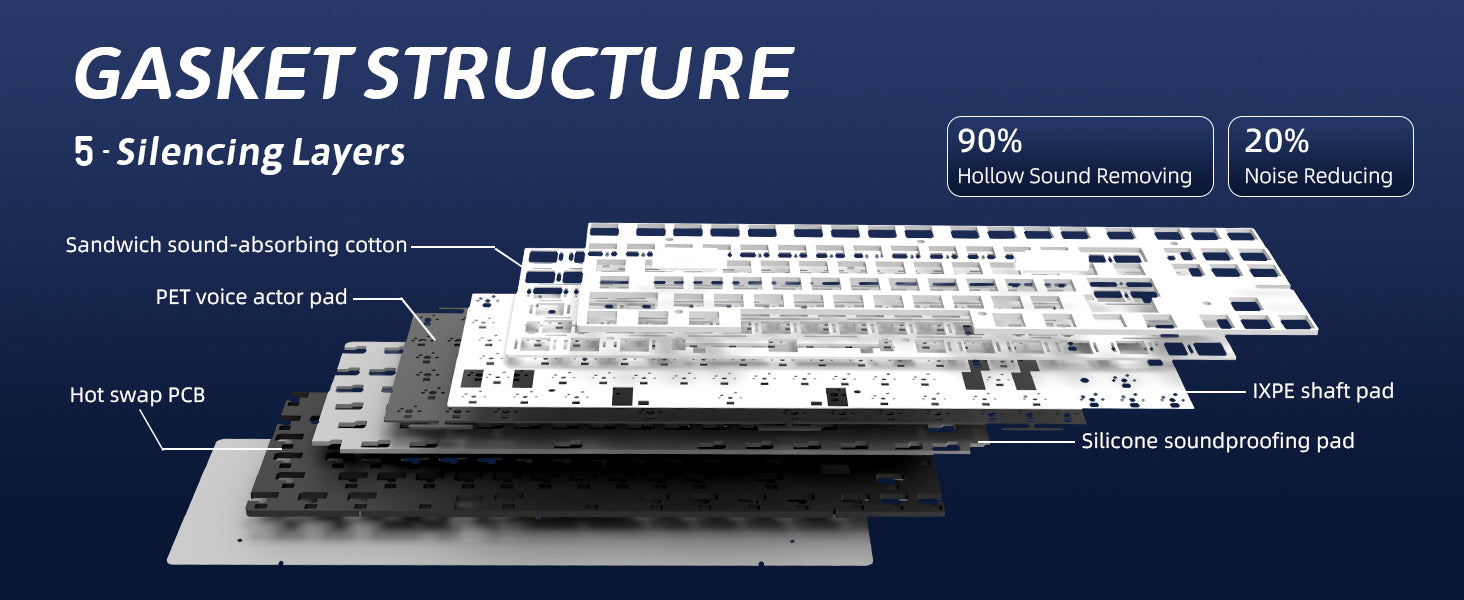
This is the reason to buy this keyboard. The sound is, as the kids say, ‘creamy’ and ‘thocky.’ The combination of the pre-lubed switches, PBT keycaps, and what feels like a well-implemented gasket mount system creates a deep, satisfying sound profile with every keystroke. It’s like candy for your ears. I spent hours writing articles on this board, and the sound never became fatiguing; in fact, it was addictive. The PCB has a pleasant amount of flex without feeling mushy or overly bouncy, striking a great balance for comfort during long typing marathons. It’s a stark contrast to some stiffer boards I’ve tested, like the original Zoom 75 keyboard, offering a softer bottom-out.
Connectivity & Battery Life
Versatility is a huge strength here. The tri-mode connectivity is flawlessly implemented. I seamlessly switched between my main PC (using the 2.4GHz receiver), my iPad Pro, and my iPhone via Bluetooth with just a key combination. In all three modes—including wired—I experienced zero discernible lag. This is a massive productivity booster for anyone working in a multi-device ecosystem. The battery life is decent; with RGB lighting on a medium setting, I managed to get through about a full work week before needing to plug in the USB-C cable.
Software & Customization
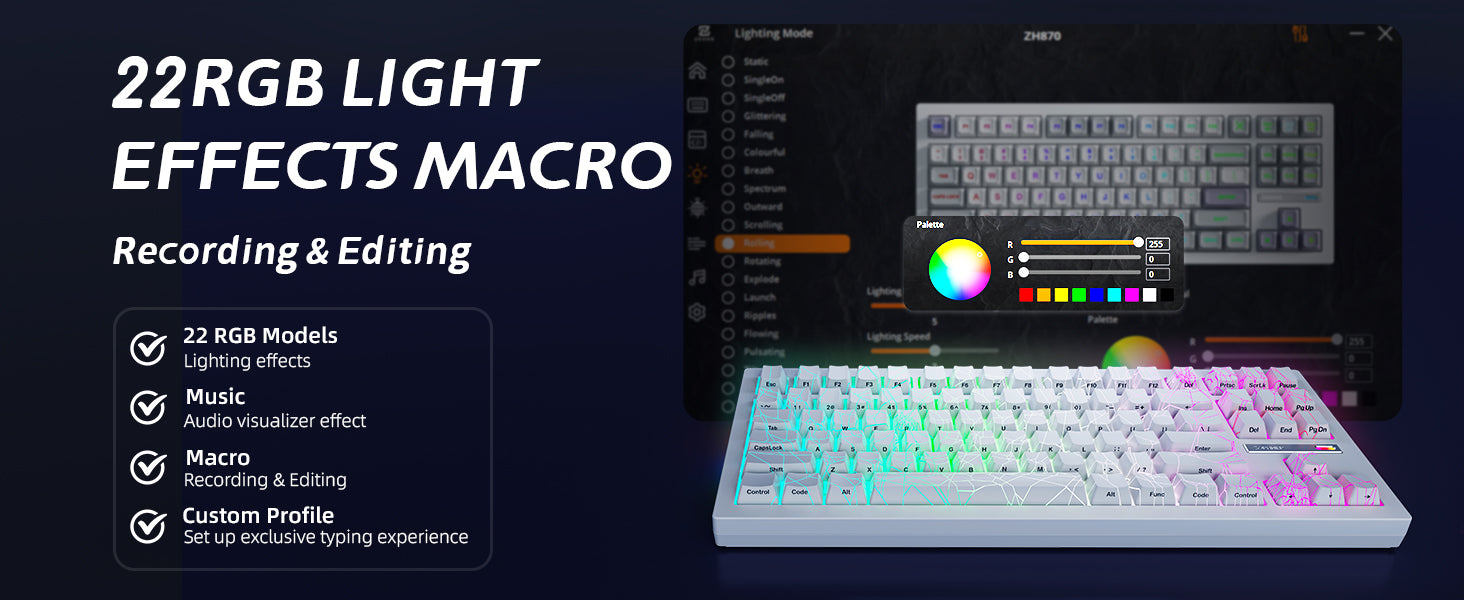
The onboard controls for lighting are surprisingly robust. You can cycle through numerous effects and colors, including a true Orange, which is often missing on cheaper boards. I found a subtle, pulsing teal that matched the ‘Sea of Thieves’ vibe of the keycaps perfectly. While there is software available for more granular control like key remapping and macros, I found the onboard controls were more than sufficient for my needs. The simplicity is a plus for those who don’t want to mess with yet another peripheral app running in the background.
Ergonomics & Comfort
The 80% TKL layout is a fantastic middle ground for productivity and gaming, retaining the arrow keys and function row while freeing up desk space. The keyboard has a natural, comfortable incline, and two-stage flip-out feet allow for further adjustment. The gasket mount contributes significantly to comfort, absorbing the impact of each keystroke to reduce finger fatigue. It’s a great setup for most users, though those who need maximum ergonomic support might still look towards options like a wireless split keyboard for Mac.
Teardown & Modding Potential
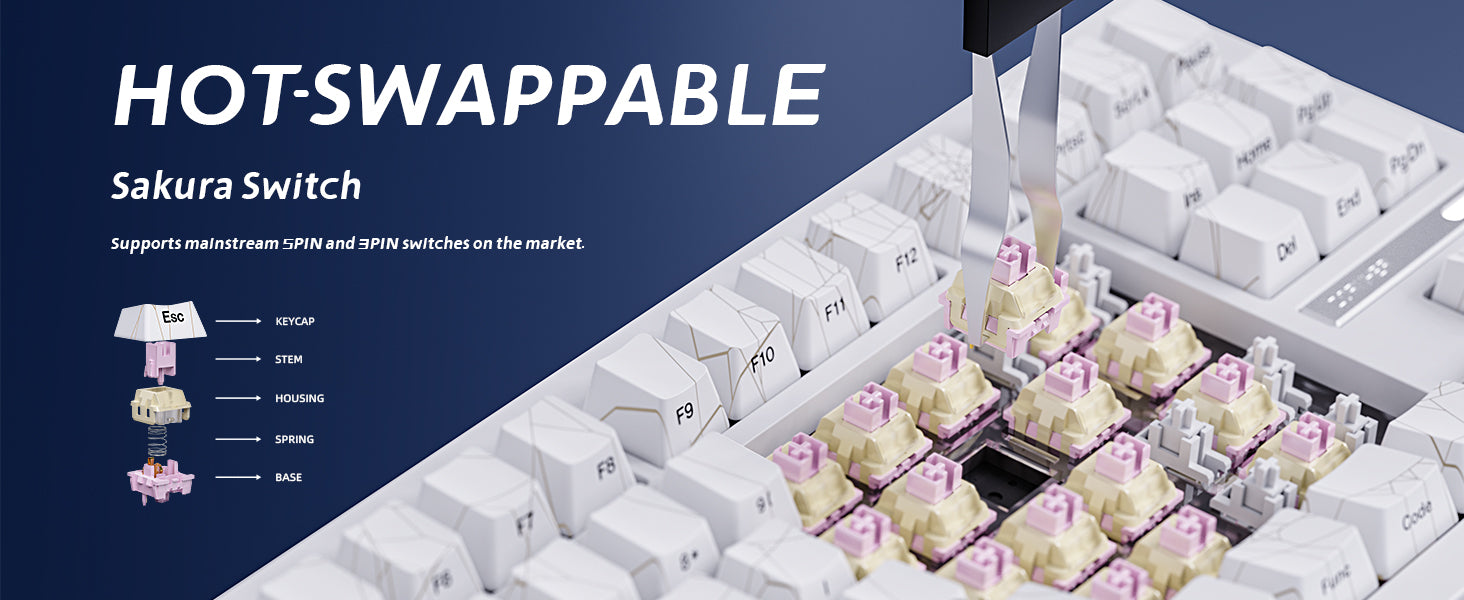
For those looking to dip their toes into customization, the zornher zh870 keyboard is an excellent starting point. The 5-pin hot-swappable PCB means you can easily experiment with different switches without any soldering. I popped a few switches out with the included puller, and they came out and went back in smoothly without excessive force. The case is also easy to open, giving you access to the internals if you want to try mods like adding more foam or performing a tape mod. It’s a solid, mod-friendly base for future projects.
| Feature | zh870 keyboard | AULA F99 Pro | ZORNHER ZH980 | AULA F75 Pro |
|---|---|---|---|---|
| Layout | 80% TKL | 96% (99-key) | 98% (98-key) | 75% |
| Mounting Style | Gasket Mount | Gasket Mount | Gasket Mount | Gasket Mount |
| Key Feature | Premium ‘Thock’ Sound | Compact Full-Size Layout | Includes Numpad | Compact with Knob |
| Check Price | Check Price | Check Price | Check Price | Check Price |
Frequently Asked Questions (FAQ)
Is the ZORNHER ZH870 good for gaming?
It’s a mixed bag. The lag-free wireless connection and smooth linear switches are great for gaming. However, the obscured keycap legends on the ‘Sea Moonlight’ edition can be a significant drawback for gamers who aren’t pure touch typists, making it hard to find keys in the heat of the moment.
Are the switches on the ZH870 hot-swappable?
Yes, the ZH870 features a 5-pin hot-swappable PCB, which means you can easily change out the switches for most other 3-pin or 5-pin mechanical switches on the market without any soldering. This makes it a great board for beginners looking to experiment.
What kind of sound profile does the ZH870 have?
The ZH870 is engineered for a deep, ‘thocky,’ and ‘creamy’ sound profile. Thanks to its gasket-mounted structure, PBT keycaps, and pre-lubed switches, it produces a very satisfying acoustic experience that’s popular in the custom keyboard community.
What is the typical zh870 keyboard price range?
The ZORNHER ZH870 generally falls into the entry-level to mid-range price bracket for enthusiast mechanical keyboards, typically between $100 and $150. This makes it an excellent value proposition considering the premium features and build quality it offers.
Conclusion: A Near-Perfect Entry Point
I came away from my time with the ZORNHER ZH870 Sea Moonlight thoroughly impressed. It accomplishes what so many pre-built boards fail to do: it delivers a genuinely premium, custom-feeling experience straight from the box. The sound, the feel, and the multi-device connectivity are all top-tier and blow mainstream competitors out of the water.
It’s so close to being a perfect, no-brainer recommendation. The only thing holding it back is the baffling decision to sacrifice legibility for artistry on the keycaps. For pure touch typists and those prioritizing aesthetics above all else, this is an absolute must-buy. For heavy gamers or users who need to see their keys, I’d recommend either being prepared to buy a new set of keycaps or looking elsewhere. Despite that one flaw, the ZORNHER ZH870 is a phenomenal keyboard that proves you don’t need to build from scratch to achieve typing nirvana.




