
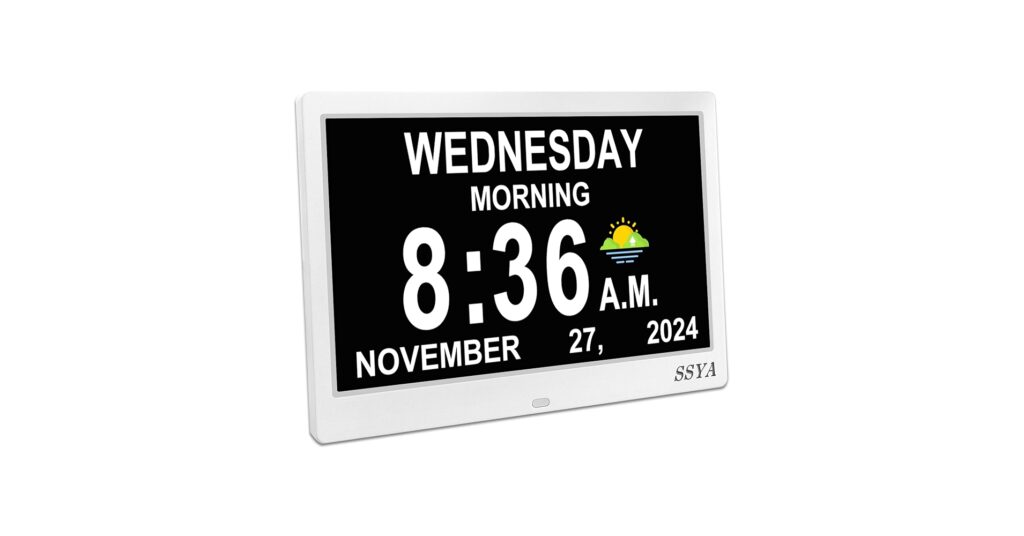
Finding the right alarm clock for elderly individuals is about more than just telling time; it’s about providing clarity, routine, and independence. In 2026, the best clocks prioritize readability and simplicity, often with features designed for those experiencing memory loss or visual impairment. After extensive market research, we’ve compiled a list of the top options that excel in accessibility and ease of use, ensuring your loved ones have a reliable tool to help them navigate their day with confidence.
🚀 Quick Verdict / Top Pick
SSYA Dementia Clock for Seniors
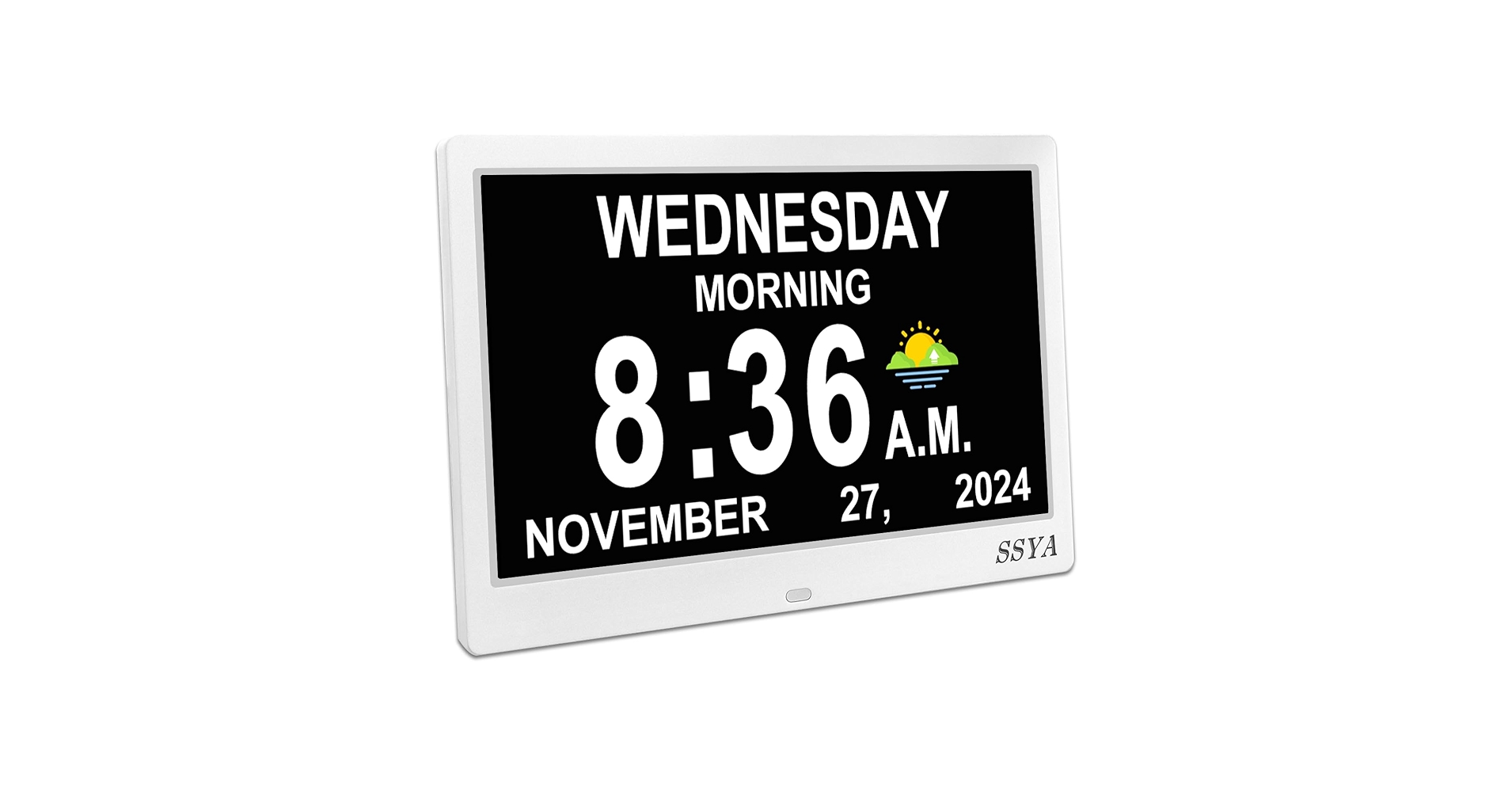
The SSYA clock earns our top spot by delivering all the essential dementia-friendly features—including a high-contrast display and multiple alarms—in a user-friendly package at a competitive price point.
Comparison Table
| Product | Display Size | Display Readout | Best For |
|---|---|---|---|
| SSYA Dementia Clock | 8 Inch | Time, Period of Day, Full Day, Date | Overall Value |
| American Lifetime New 2026 | 8 Inch | Time, Period of Day, Full Day, Date | Premium Build & Reliability |
| MRCHYDZ 7 Inch Clock | 7 Inch | Time, Day, Date | Compact Spaces |
| WallarGe Auto Set Wall Clock | 14 Inch | Time, Temp, Date | Battery-Powered Wall Mounting |
| TIXINPO 7″ Digital Alarm Clock | 7 Inch | Time, Period of Day, Full Day, Date | Budget-Friendly Desk Use |
Detailed Product Reviews 2026
1. SSYA Dementia Clock for Seniors
Pros
- Clear, high-contrast text and numbers
- Multiple medication and daily alarms
Cons
- User interface for setup can be tricky
- Requires AC power (no battery-only operation)
The Breakdown: This clock provides a full-information display, spelling out the day, date, and period of day (e.g., ‘Before Dawn’, ‘Morning’) without abbreviations. Its primary function is to reduce confusion and anxiety by presenting essential information clearly. The inclusion of customizable alarms for medication or appointments makes it a practical daily aid.
Key Specs:
- Display Size: 8 inches
- Display Readout: Full Day, Date, Time, Period of Day
- Power Source: AC Adapter (Included)
- Features: Auto-dimming, 8 alarm options, multiple color modes
The Community Verdict: Users consistently praise the bright and exceptionally clear display, calling it an ideal large digital clock for seniors. Many families report it has significantly helped relatives with dementia maintain a sense of routine. The main critique is aimed at the setup process, which some find less intuitive than desired, often requiring help from a more tech-savvy person.
Dealbreaker: Skip this if you need a clock that can operate on batteries during a power outage; this model relies on its AC adapter to function, though it retains settings when unplugged.
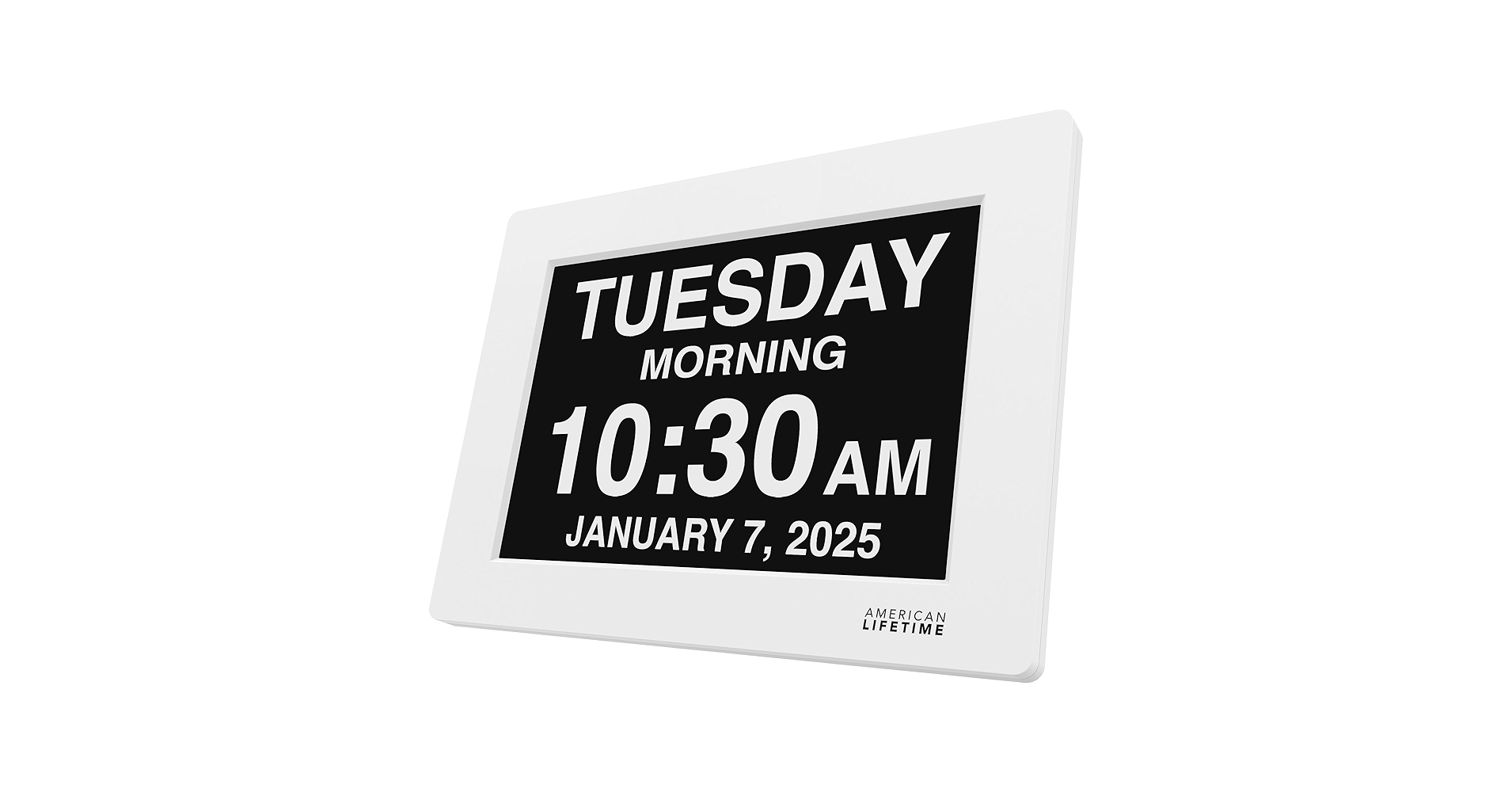
2. American Lifetime New 2026 Dementia Clock Large
Pros
- Industry-standard for reliability and clarity
- Battery backup saves time and settings
Cons
- Often priced higher than competitors
- Alarm tones can be harsh for some users
The Breakdown: American Lifetime is a benchmark in this category, known for its high-resolution, glare-free screen. The 2026 model continues this legacy, offering a robust feature set focused on accessibility. Its key selling point is reliability, both in build quality and the inclusion of a battery backup that maintains settings during power interruptions.
Key Specs:
- Display Size: 8 inches
- Display Readout: Full Day, Date, Time, Period of Day
- Power Source: AC Adapter (with internal battery backup for settings)
- Features: High-resolution screen, multi-function alarms, US-based customer support
The Community Verdict: Market research indicates this model is often recommended by caregivers due to its proven track record. Owners report the display is exceptionally easy to read from any angle, making it an effective tool for reducing daily confusion. Some users mention that while the alarms are loud and clear, the tones themselves can be startling.
Dealbreaker: Skip this if you are on a tight budget, as similar features can be found in more affordable models from lesser-known brands.
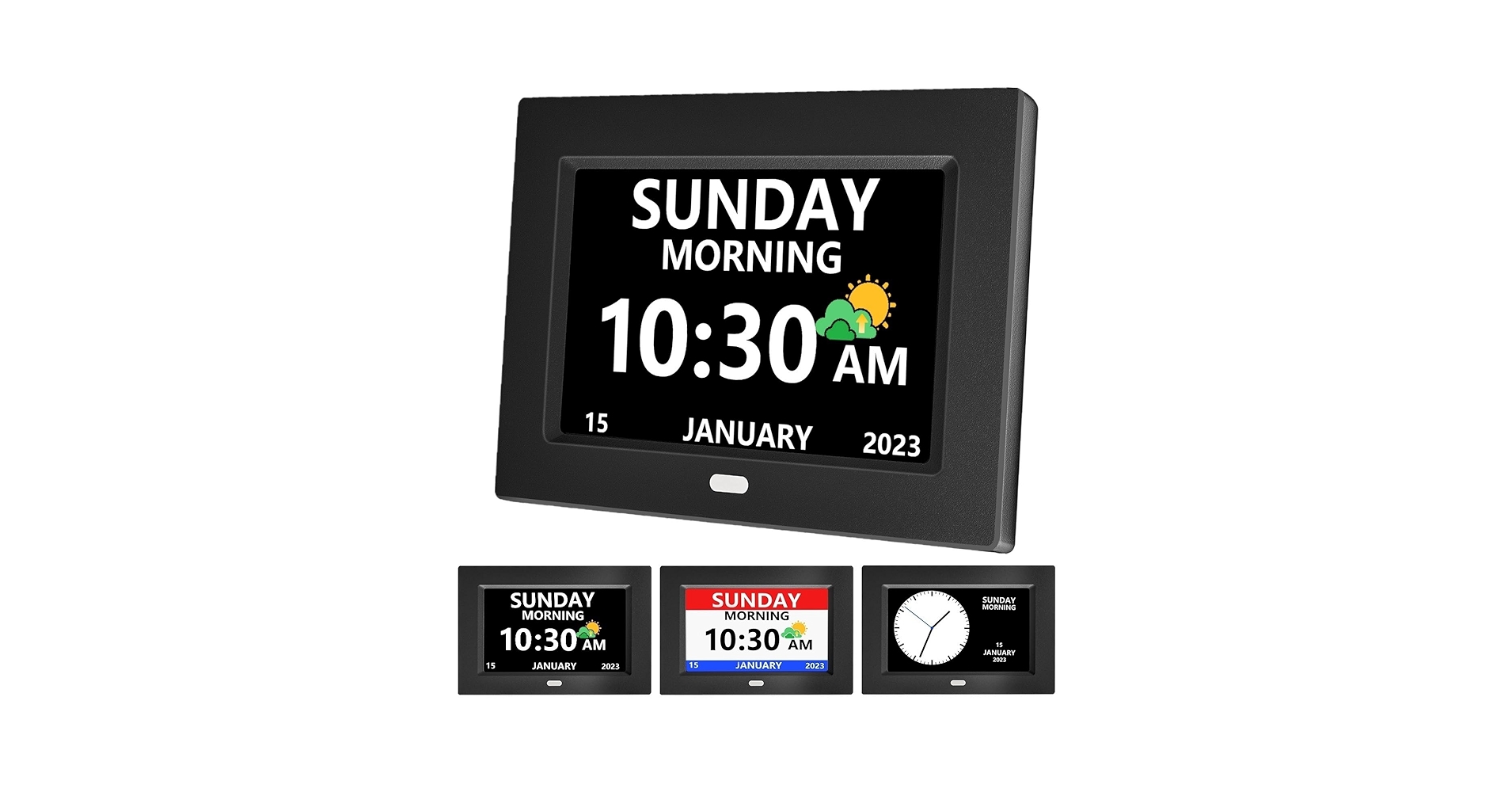
3. MRCHYDZ 7 Inch Clock with Day and Date for Elderly
Pros
- Compact 7-inch size fits anywhere
- Straightforward, no-frills interface
Cons
- Smaller text may be difficult for severe vision impairment
- Fewer customization options than larger models
The Breakdown: The MRCHYDZ clock delivers the essential day/date/time information in a more compact form factor. Its 7-inch screen is still highly legible but takes up less real estate than the 8-inch standard. This makes it an excellent choice for users who need clarity without sacrificing space on their bedside table.
Key Specs:
- Display Size: 7 inches
- Display Readout: Time, Day, Date
- Power Source: AC Adapter
- Features: Auto-dimming, simple alarm functions
The Community Verdict: Consensus is that this is a great ‘plug-and-play’ solution. Buyers appreciate its simplicity and how the smaller size makes it a versatile large digital clock for seniors‘ rooms or even kitchens. Some note that the viewing angles are slightly more limited compared to premium 8-inch models.
Dealbreaker: Skip this if the user has profound visual impairment, as the slightly smaller text on the 7-inch screen could be a barrier to readability from a distance.
4. WallarGe Auto Set Digital Wall Clock Battery Operated

Pros
- Completely wireless battery operation
- Huge, easy-to-read numbers
Cons
- Lacks ‘period of day’ dementia-friendly text
- LCD screen is not backlit
The Breakdown: The WallarGe clock is a different breed, focusing on maximum visibility from across a room. Its battery-powered, auto-setting design means it’s virtually zero-maintenance once set up. While not a dedicated ‘dementia clock,’ its massive digits make it a superior choice for those whose primary challenge is vision, not cognitive orientation.
Key Specs:
- Display Size: 14 inches (overall frame size)
- Display Readout: Time, Day, Date, Indoor Temperature
- Power Source: 3 x AA Batteries (Not Included)
- Features: Auto-sets time via WWVB signal, Daylight Saving Time adjustment
The Community Verdict: This clock is highly regarded for its ‘set it and forget it’ functionality. Users love the convenience of battery power, allowing them to hang it anywhere. The primary drawback mentioned is the lack of a backlight, making it unreadable in the dark.
Dealbreaker: Skip this if the user needs to see the time at night or requires the full, non-abbreviated day and ‘period of day’ text for orientation.
5. TIXINPO 7″ Digital Alarm Clock for Seniors, Dementia
Pros
- Includes ‘period of day’ text on a 7-inch screen
- Very competitive pricing
Cons
- Build materials feel less premium
- Power cord is reportedly short
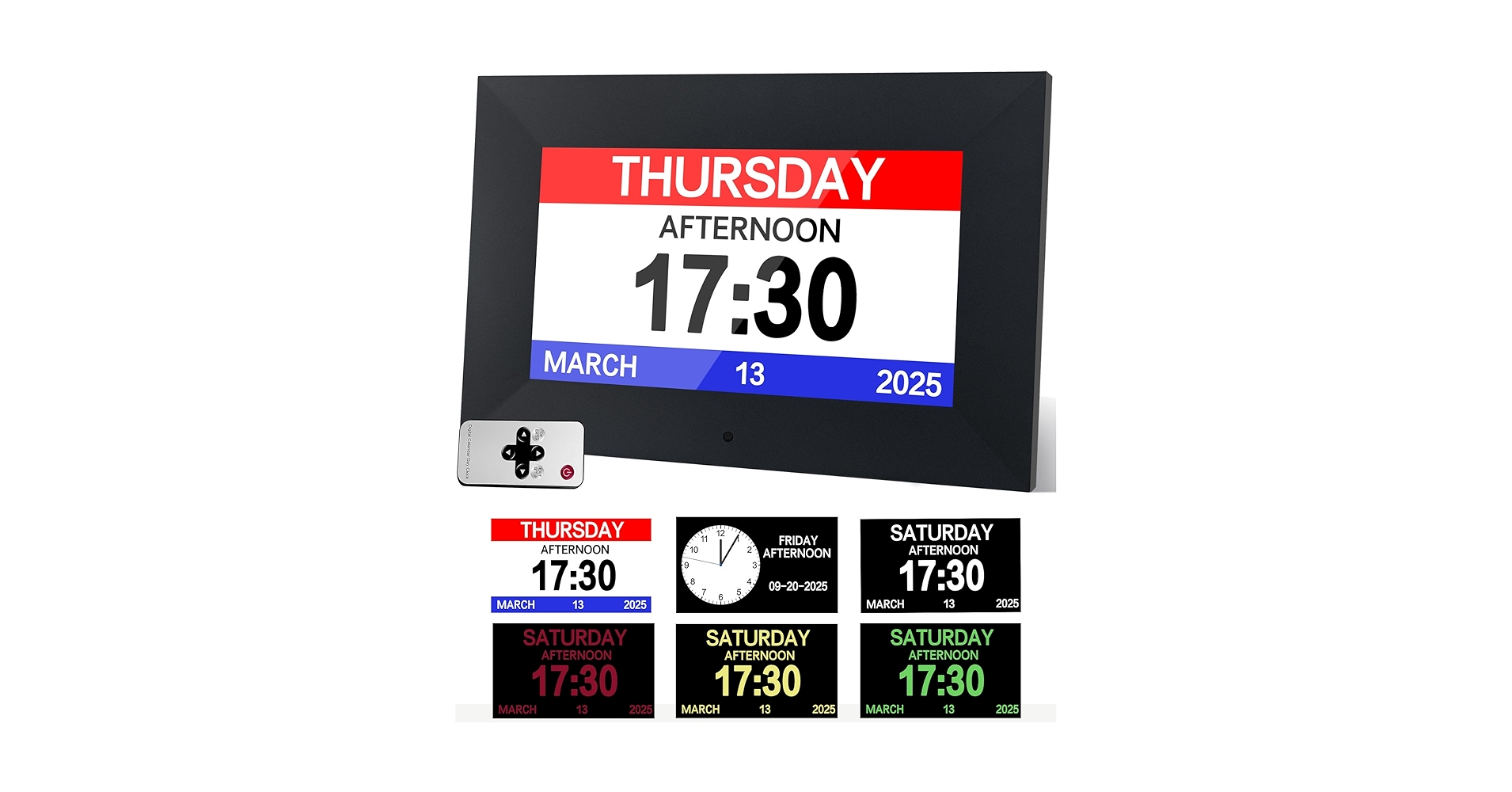
The Breakdown: The TIXINPO clock successfully packs the full feature set of a larger dementia clock into a 7-inch frame. It offers the crucial, non-abbreviated text and ‘period of day’ display that aids in cognitive orientation. It stands out as a strong budget alternative to the 8-inch models for those with limited space or funds.
Key Specs:
- Display Size: 7 inches
- Display Readout: Full Day, Date, Time, Period of Day
- Power Source: AC Adapter
- Features: Auto-dimming, multiple alarms, photo frame mode
The Community Verdict: Reviewers often express surprise at the quality of the display and features for the price. The functionality is widely confirmed to be on par with more expensive units. The most common complaint centers around the short length of the included power cable, which can limit placement options.
Dealbreaker: Skip this if you need to place the clock far from a wall outlet, as you will likely need to purchase a separate, longer power cord.
Buying Guide: How to Choose an Alarm Clock for an Elderly Person
Selecting the right clock goes beyond just finding one with big numbers. It’s about matching features to specific needs. Here’s what to consider:
1. Display Clarity & Information
The single most important feature. Look for a high-contrast screen (e.g., white text on a black background) that is free from glare. For users with dementia or memory loss, a clock that spells out the full day of the week, month, and date without abbreviations is crucial. The addition of the ‘period of day’ (like ‘Morning’, ‘Afternoon’, ‘Evening’) can be incredibly helpful for orientation.
2. Simplicity of Use
Avoid clocks with complicated menus or multi-function buttons. The ideal clock should be easy to set up and then require no further interaction. Features like auto-dimming at night and automatic DST adjustments contribute to a ‘set-and-forget’ experience, reducing potential frustration for the user.
3. Power Source and Placement
Most high-clarity LED desk clocks require constant AC power. Consider where the clock will be placed and ensure an outlet is available. When setting up these clocks for desk or bedside use, managing the power cord is important for safety and neatness; a tool like a Desk Clamp Power Strip With Usb C can make power accessible without creating a trip hazard. If placement is far from an outlet, a battery-operated model like the WallarGe is the better choice, though you will sacrifice the backlit display.
4. Creating a Comfortable Environment
The clock is one part of a larger supportive environment. Ensuring overall comfort is key to well-being. This can extend to ergonomic considerations in the room, such as providing an Extra Thick Anti Fatigue Mat For Back Pain in areas where a person may stand for periods, like in front of a sink or a dresser.
Frequently Asked Questions (FAQ)
What makes a clock ‘dementia-friendly’?
A ‘dementia-friendly’ clock minimizes confusion by presenting information as clearly and simply as possible. This typically means it displays the full, unabbreviated day of the week and date, includes the period of the day (Morning, Afternoon, Evening, Night), and has a high-contrast, non-glare screen. It avoids complex buttons and extraneous information like weather icons or moon phases.
Can these clocks run on just batteries?
Most of the high-visibility, backlit LED clocks on our list require AC power to operate the screen. Some, like the American Lifetime, have an internal battery backup that saves settings during a power outage but does not keep the screen on. For true battery-only operation, you’ll need to choose an LCD model like the WallarGe wall clock, which is not backlit.
How do you set up an alarm clock for an elderly person?
Simplicity is key. First, set the correct time and date. Then, program only the essential alarms, such as for waking up or taking medication, and use a clear, simple label if possible. Turn off any unused alarms to avoid confusion. Finally, place the clock in their direct line of sight from their bed or favorite chair and ensure the power cord is safely secured.




