
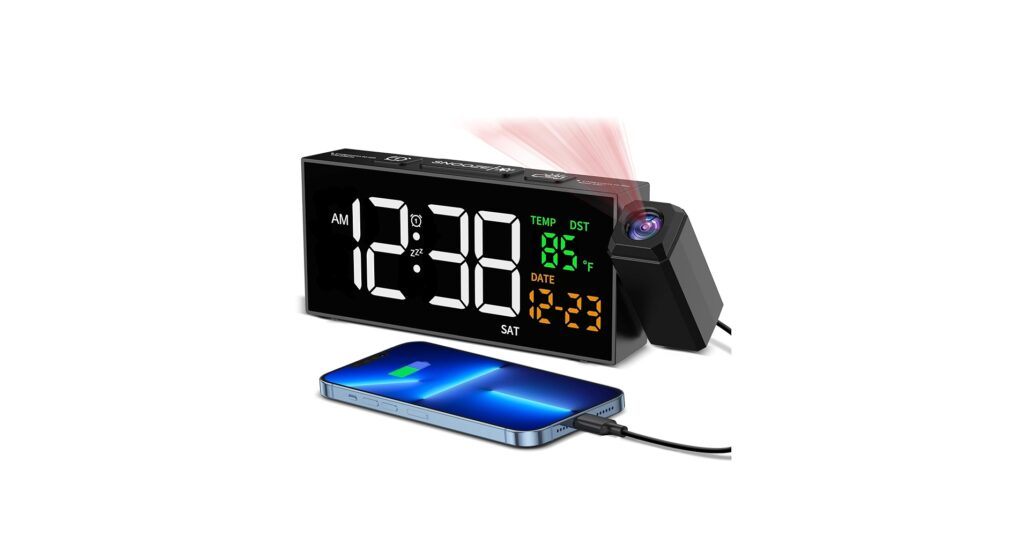
In a world of minimalist desks and smart homes, fumbling for your phone in the dark to check the time feels archaic. A projection clock with temperature offers a seamless, futuristic solution, casting the essential information you need directly onto your ceiling or wall. No bright screens to blind you, just a subtle, convenient glow. After extensive market research and analysis of user feedback, we’ve identified the top models for 2026 that blend functionality, design, and reliability.
🚀 Quick Verdict / Top Pick
Netzu Projection Clock for Bedroom Ceiling
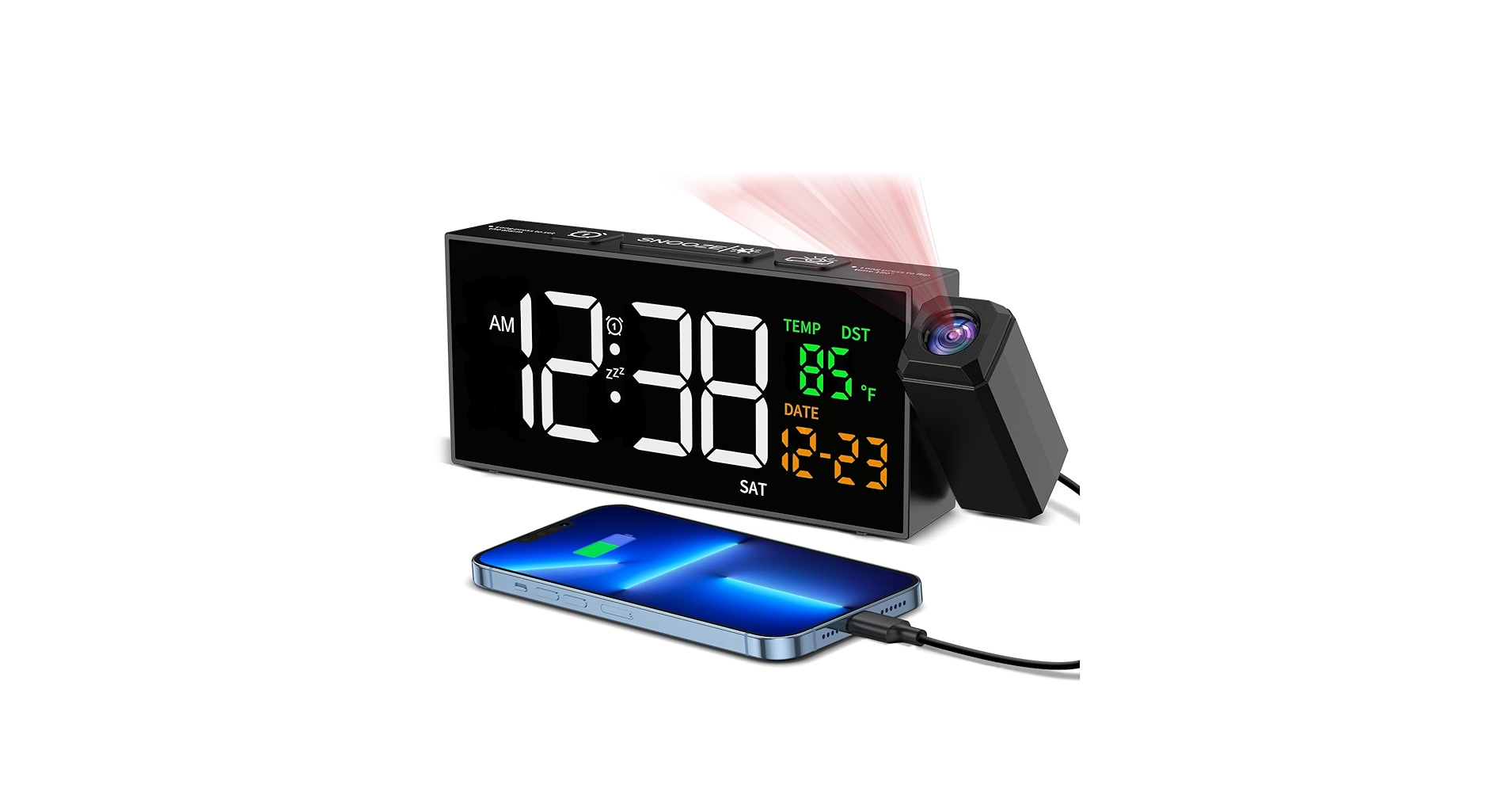
The Netzu strikes the perfect balance of a crystal-clear, adjustable projection, a clean non-cluttered display, and reliable temperature readings, making it the top choice for most modern desks.
Projection Clock Comparison
| Product | Projection Features | Screen & Brightness | Best For |
|---|---|---|---|
| Netzu Projection Clock | 180° Flip, Focus Wheel | 4-Level Dimmer + Auto | Overall Performance |
| Newentor Atomic Clock | 180° Flip, 3 Brightness Levels | 5-Level Dimmer, Color Display | Data Enthusiasts |
| SMARTRO SC31B | 180° Flip, Adjustable Angle | 4-Level Dimmer | Budget-Conscious Buyers |
| DR.PREPARE Projection Clock | 180° Flip, Clearest Red Projection | 3-Level Dimmer + Off | Maximum Projection Brightness |
| La Crosse Technology 616-1412 | Fixed Angle, Intensity Control | Auto-Dimming Backlight | Set-and-Forget Reliability |
Detailed Reviews for 2026
1. Netzu Projection Clock for Bedroom Ceiling
Pros
- Extremely clear and crisp projection
- Intuitive auto-dimming screen
- Minimalist design fits any decor
Cons
- Lacks an outdoor temperature sensor
- Alarm sound is reportedly generic
The Breakdown: The Netzu clock stands out for its execution of the core features. The projection is consistently reported as one of the sharpest on the market, with a simple focus wheel and a 180-degree flip button that works flawlessly. Its screen is large but not overwhelming, offering multiple brightness levels including a smart auto-dimming mode that adjusts to ambient light.
Key Specs:
- Projection: 180° Flip, Focus Control, Red LED
- Display: 7.3″ LED Screen, 4 Brightness Levels + Auto-Dim
- Power: AC Adapter (required for projection), Battery Backup
- Extra Features: USB-A Charging Port, Dual Alarms, Snooze
The Community Verdict: Users consistently praise the Netzu for its ‘just works’ reliability and high-end feel. The main selling point is the projection clarity, which remains sharp even on high ceilings. The primary critique is the lack of an outdoor sensor, which means the temperature and clock display is limited to indoor readings.
Dealbreaker: Skip this if you absolutely require outdoor temperature readings or advanced weather forecasting features.
2. Newentor Atomic Projection Alarm Clock
Pros
- Includes wireless outdoor sensor
- Atomic clock feature ensures perfect accuracy
- Colorful, information-rich display
Cons
- Main display can feel cluttered
- Projection brightness could be stronger
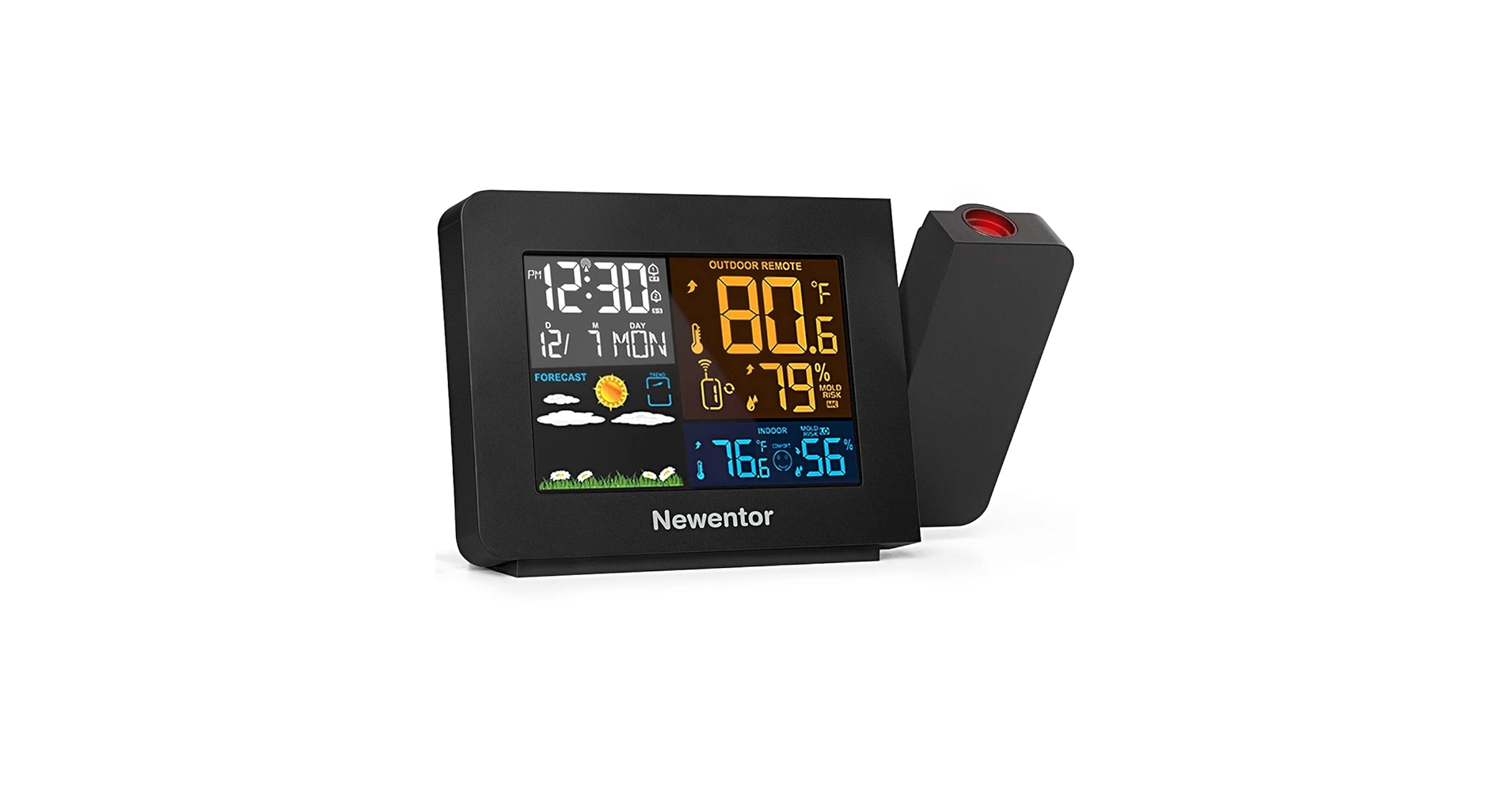
The Breakdown: The Newentor is less of a simple clock and more of a mini weather station. Its main draw is the included wireless sensor that transmits outdoor temperature and humidity data back to the main unit. The atomic clock functionality, which syncs with the WWVB signal, means you never have to set the time yourself.
Key Specs:
- Projection: 180° Flip, 3 Brightness Levels, Red LED
- Display: Color LCD, 5 Brightness Levels
- Power: AC Adapter, Battery Backup
- Extra Features: Atomic Clock (WWVB), Outdoor Sensor, USB Port
The Community Verdict: Owners who value accuracy love the Newentor. The ‘set it and forget it’ nature of the atomic clock and the utility of the outdoor sensor are major pluses. Some users find the main screen a bit busy with information, and the consensus is that the projection, while clear, isn’t as punchy as single-function models; the accuracy of the clocks temperature readings, however, is highly rated.
Dealbreaker: Skip this if you prefer a minimalist display and have no need for outdoor weather data.
3. SMARTRO SC31B Digital Projection Alarm Clock
Pros
- Excellent value for the price
- Simple, straightforward user interface
- Displays both indoor temp and humidity
Cons
- Build quality feels less premium
- Projection lacks a focus adjustment
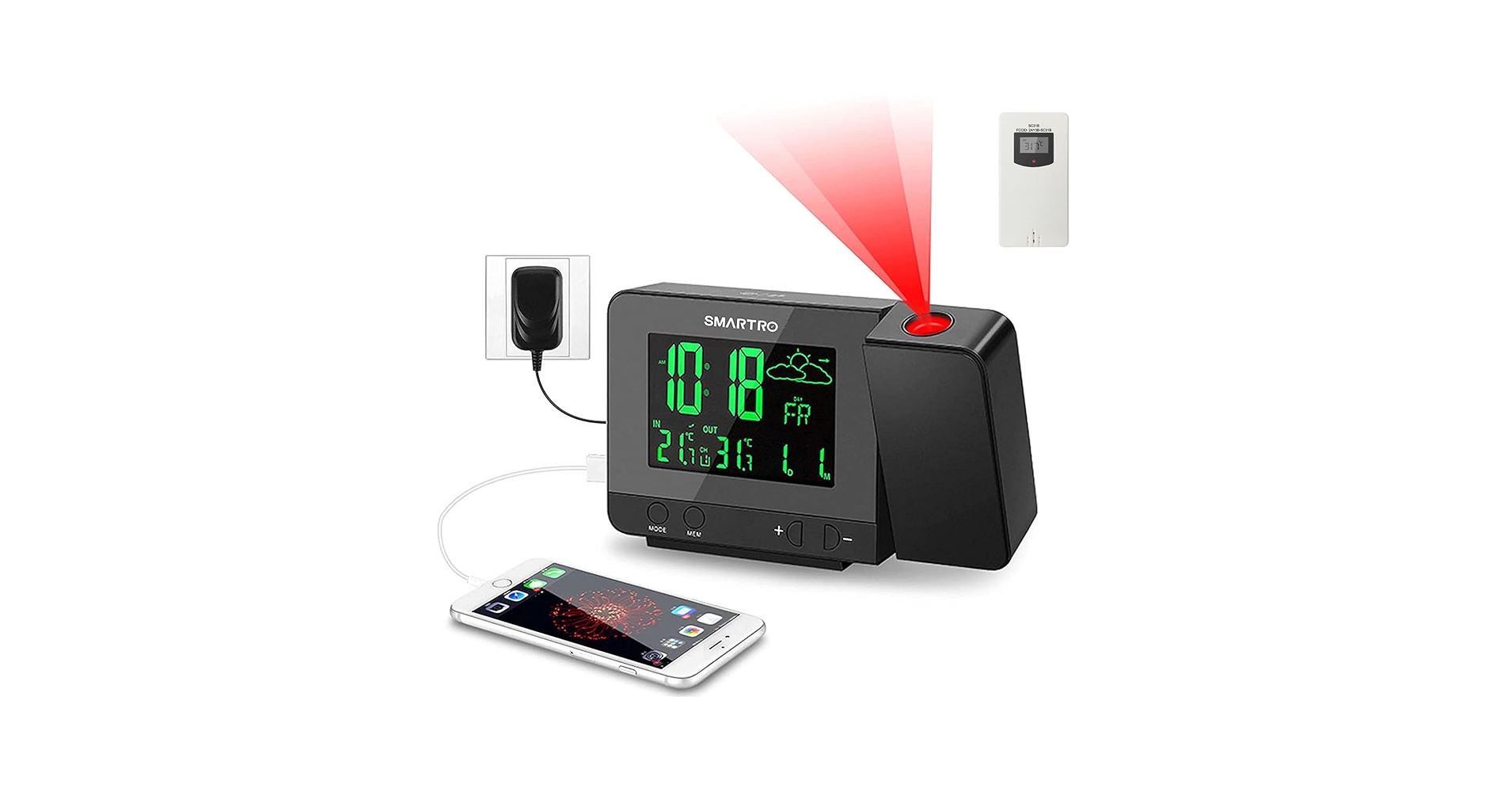
The Breakdown: The SMARTRO SC31B has been a popular choice for years because it delivers on the promise of a projection clock without unnecessary complications. It projects the time clearly, the screen is easy to read, and it includes indoor temperature and humidity. There are no bells and whistles here, but the core functionality is solid and dependable.
Key Specs:
- Projection: 180° Flip, 90° Angle Adjust, Red LED
- Display: 3.5″ LCD, 4 Brightness Levels
- Power: AC Adapter, Battery Backup
- Extra Features: USB Charging Port, Indoor Temp/Humidity
The Community Verdict: This is the go-to recommendation for those wanting to try a projection clock without a significant investment. Users report it’s easy to set up and the screen dimmer works well. The most common complaint is the lack of a focus wheel for the projection, which can result in a slightly soft image at longer distances; still, the combination of temperature and clock features is a great value.
Dealbreaker: Skip this if you need the absolute sharpest projection or a more premium, modern design.
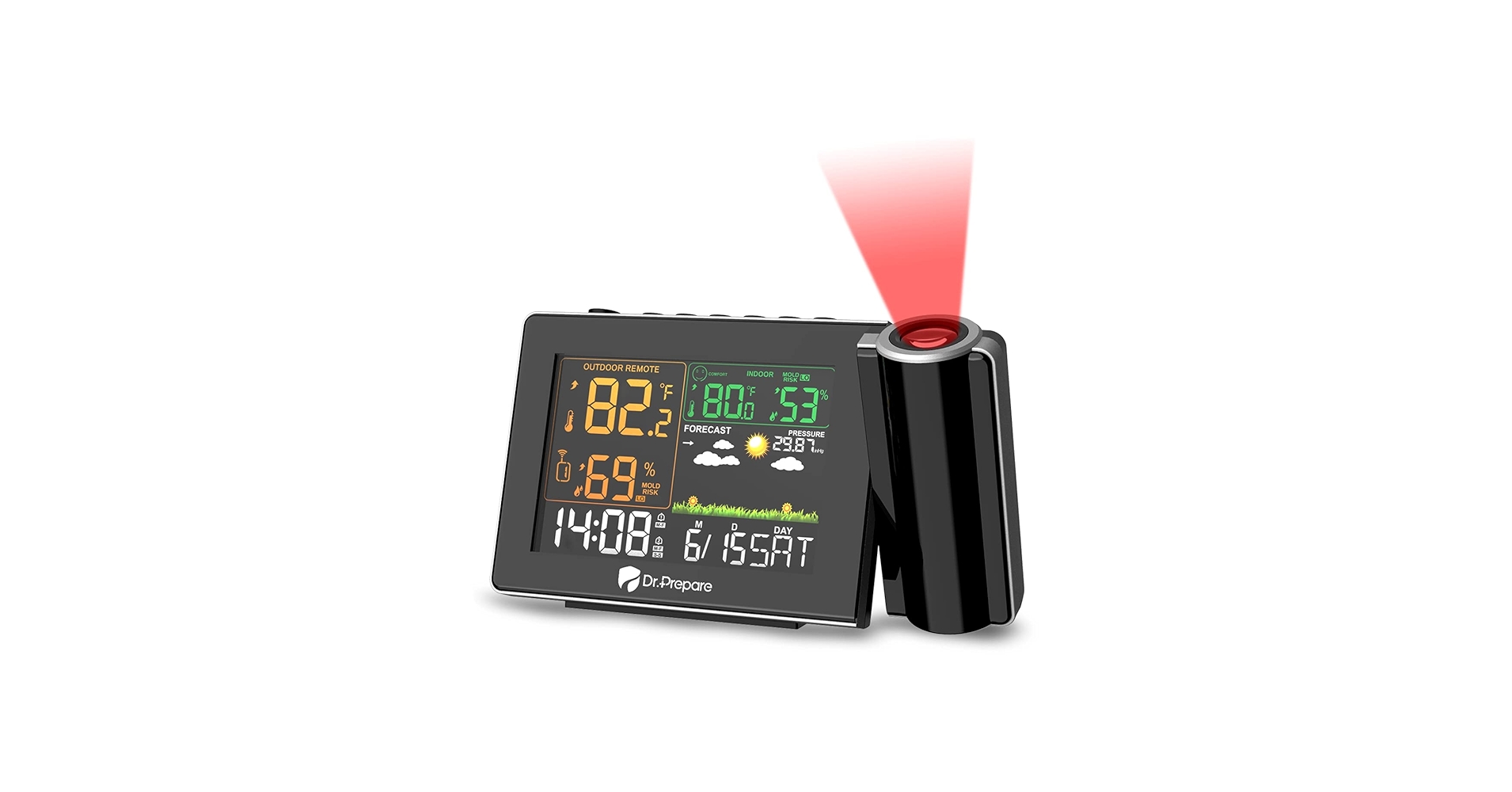
4. DR.PREPARE Projection Alarm Clock
Pros
- Exceptionally bright and clear projection
- Long projection distance (up to 16 ft)
- Simple, button-based interface
Cons
- Design is utilitarian and plasticky
- Screen is smaller than competitors
The Breakdown: DR.PREPARE prioritizes function over form, and the star of the show is the projector itself. Market research indicates this model consistently produces one of the brightest and most legible time projections available. It’s designed for pure utility, allowing for clear viewing in conditions where other clocks might struggle.
Key Specs:
- Projection: 180° Flip, Super-Bright Red LED
- Display: 3.2″ LCD, 3 Brightness Levels + Off
- Power: AC Adapter, Battery Backup
- Extra Features: USB Charging Port, Indoor Temperature
The Community Verdict: Users with large bedrooms or very high ceilings rave about this clock’s performance. The brightness of the projection is its key selling point. However, many also note that the overall design feels dated and the plastic construction is unremarkable. The clocks temperature display is accurate but basic.
Dealbreaker: Skip this if desk aesthetics are a high priority for you; this clock is built for performance, not looks.
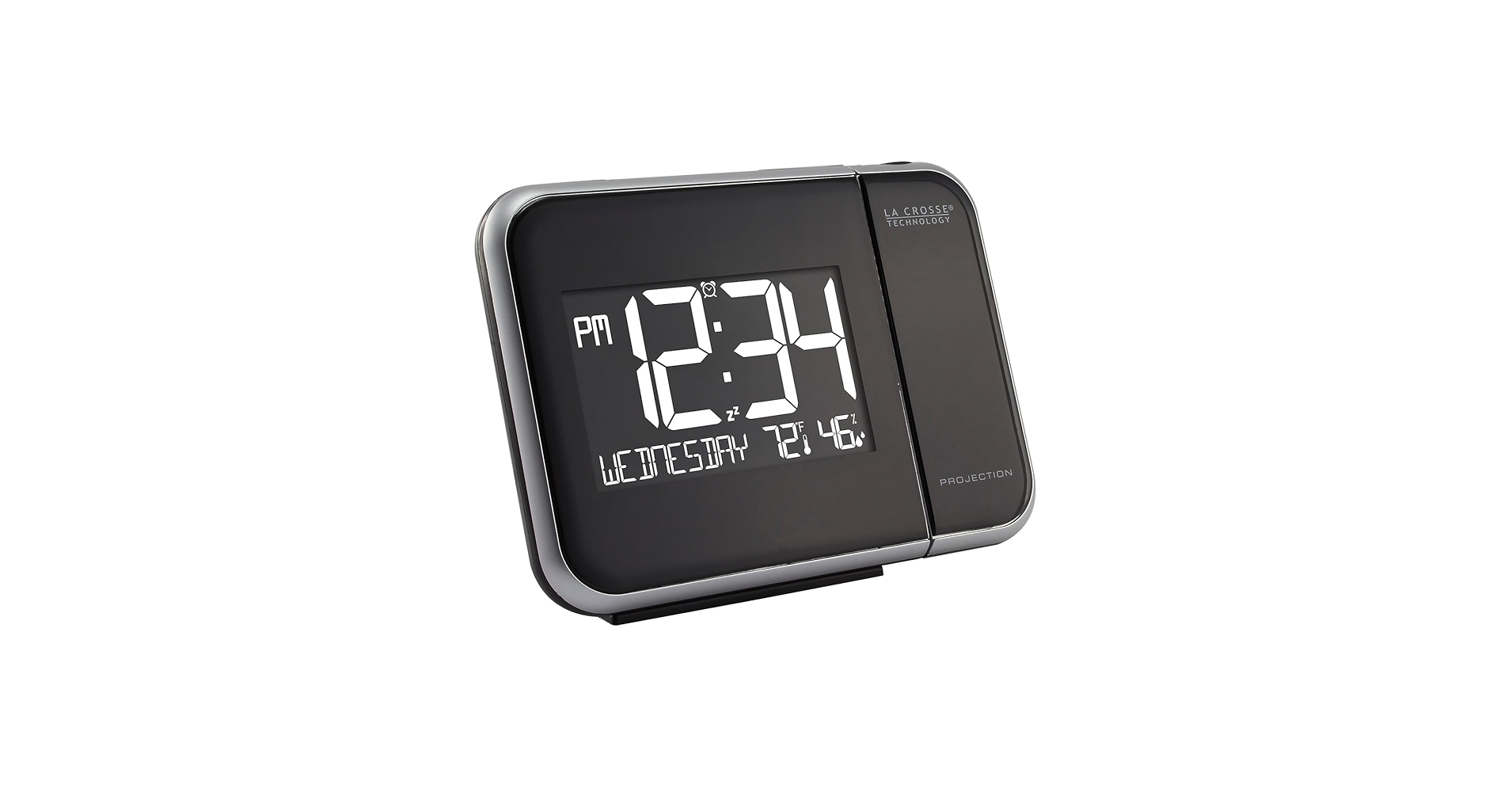
5. La Crosse Technology 616-1412 Projection Alarm
Pros
- Highly trusted brand for accuracy
- Atomic time and date are ultra-reliable
- Unique arm-style projector
Cons
- Projection arm has limited rotation
- Design is somewhat dated
The Breakdown: La Crosse Technology is a titan in the world of consumer weather and time instruments. This clock reflects that heritage, with a focus on atomic accuracy for the time and reliable sensors for indoor temperature. The projector is mounted on a rotating arm, which offers a different kind of adjustability than the internal digital flip on other models.
Key Specs:
- Projection: Rotating Arm, Intensity Control, Red LED
- Display: LCD with Auto-Dimming Backlight
- Power: AC Adapter, Battery Backup
- Extra Features: Atomic Time/Date (WWVB), USB Charging Port
The Community Verdict: Reliability is the key theme in user feedback. Owners trust the La Crosse name and report that the clock and temperature readings are spot-on. The main point of contention is the physical projection arm, which some find less versatile than the 180° digital flip feature common on newer models.
Dealbreaker: Skip this if you need to project the time directly behind the clock, as the arm’s rotation is limited.
Buying Guide: Choosing the Right Projection Clock
When selecting from the many modern desk clocks available, here are the key factors to consider:
Projection Clarity and Features: The core function. Look for models with adjustable brightness and, crucially, a focus control if you have high ceilings. A 180° ‘flip’ button is a standard, must-have feature that lets you orient the time correctly regardless of where the clock is facing.
Screen Brightness and Information: The main clock face shouldn’t be a distraction. An essential feature is a multi-level dimmer, with an ‘auto-dim’ function being a significant bonus. Decide if you want a minimalist display (time and temp) or a data-rich one (humidity, date, outdoor temp). While a traditional wall clock with temperature is a classic choice, these projection models offer a more modern, less obtrusive way to get the same information.
Desk Setup and Power: These modern clocks for desk setups almost always require AC power for constant projection, so plan for an outlet. Many include a USB charging port, which is a great bonus, but if you need more connectivity, a dedicated USB hub with a long cable is a must-have. A cluttered desk can be a productivity killer, so consider how the clock fits with other tools like a monitor riser with a drawer to keep your space clean.
Extra Features: Do you need atomic clock accuracy? Do you want to know the temperature outside? Features like an included outdoor sensor or WWVB radio signal syncing add cost and complexity, but are invaluable for those who want them. Creating the perfect minimalist desk setup is about curating every piece, from your clock to the tactile feel of the best stock sounding mechanical keyboard.
Frequently Asked Questions (FAQ)
Q1: Can the projection stay on all night?
Yes, but only when the clock is plugged into a wall outlet using its AC adapter. When running on battery power alone, the projection is typically activated for only a few seconds at a time by pressing a button to conserve power.
Q2: How accurate is the temperature reading on these desk clocks?
For indoor temperature, they are generally quite accurate, usually within 1-2 degrees. Accuracy can be affected by placing the clock in direct sunlight or near a heat source like a computer vent. For models with outdoor sensors, accuracy depends on proper placement of the sensor out of direct sun and rain.
Q3: Do I really need an atomic clock feature?
It’s a ‘nice to have’ feature, not a ‘need to have’. It automatically syncs the clock to the national time standard, so it’s always perfectly accurate and adjusts for daylight saving time automatically. If you don’t mind manually setting a clock twice a year, you can save money by skipping this feature.




