
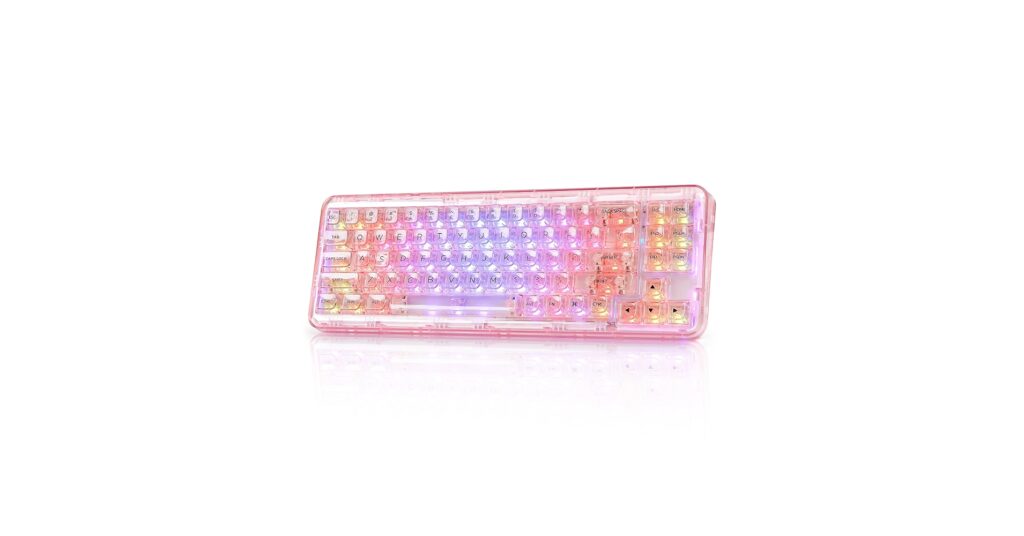
The pursuit of a minimalist, high-tech desk aesthetic has led to a surge in demand for components that blend form and function seamlessly. The ultimate statement piece is the see through keyboard. Whether you’re aiming for a completely invisible look or want to showcase the intricate mechanics beneath your fingertips, a transparent keyboard setup elevates any workspace. This guide breaks down the best options on the market, from fully-featured mechanical keyboards to clever accessories that achieve the transparent effect.
🚀 Quick Verdict / Top Pick
YUNZII X71 Wireless Hot Swappable Transparent
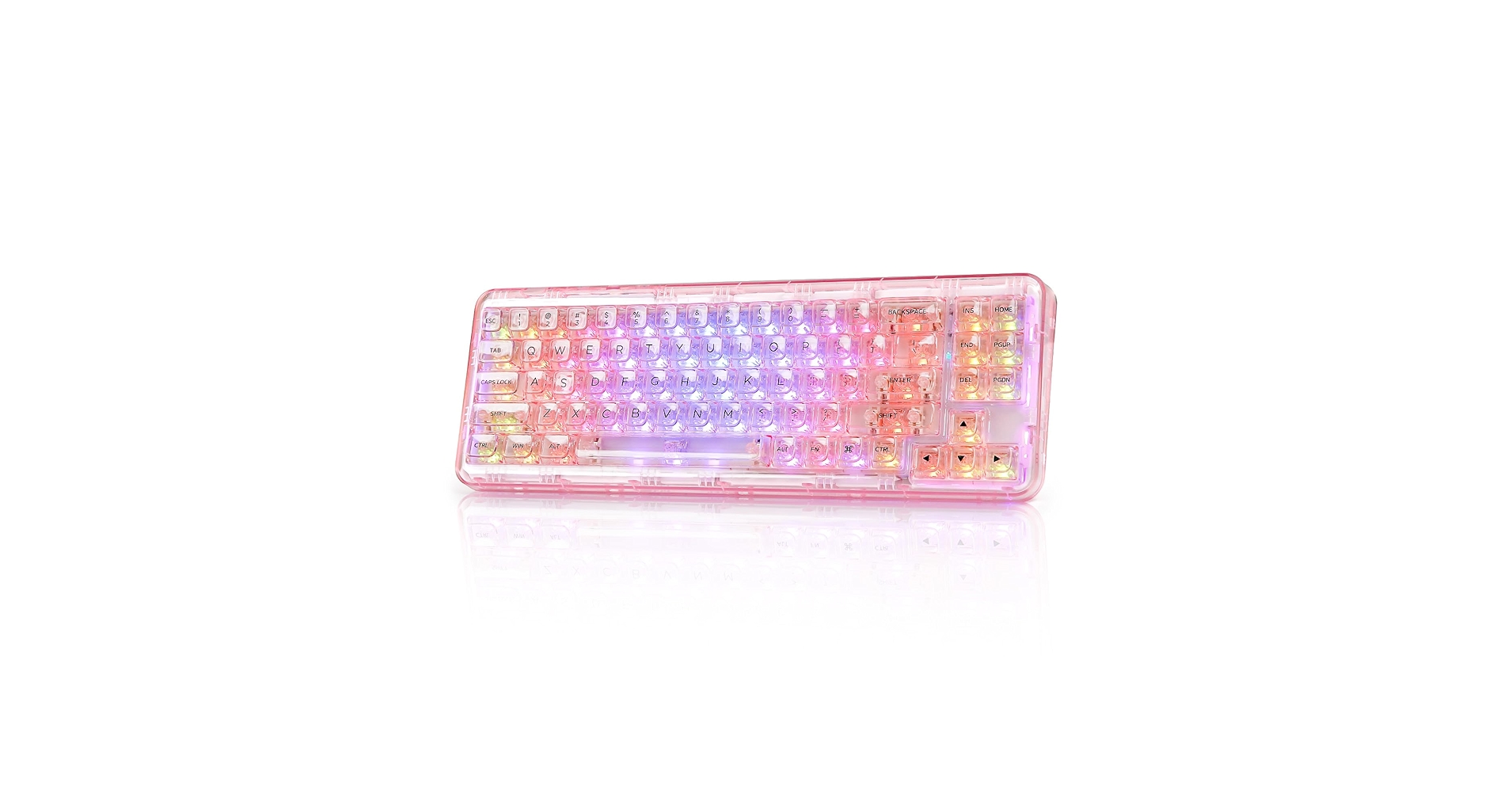
The YUNZII X71 is our top pick as it’s the only product on this list that delivers a complete, high-quality, and fully transparent mechanical keyboard experience right out of the box.
Comparison at a Glance: Top Transparent Keyboard Options
| Product | Product Type | Compatibility / Connectivity | Best For |
|---|---|---|---|
| YUNZII X71 Wireless Transparent | Mechanical Keyboard | Wireless/BT/USB-C | Enthusiasts wanting a premium build |
| Wireless Transparent Keyboard & Mouse | Keyboard & Mouse Combo | Wireless (2.4GHz Dongle) | Budget-conscious all-in-one setups |
Detailed Product Reviews
1. YUNZII X71 Wireless Hot Swappable Transparent
Pros
- Fully transparent case, keycaps, and switches
- Hot-swappable for easy switch customization
- Tri-mode connectivity (BT, 2.4Ghz, USB-C)
Cons
- Premium price point
- Compact 71-key layout lacks a numpad
The Breakdown: The YUNZII X71 is the definitive answer for anyone searching for a high-quality transparent mechanical keyboard. Its entire construction, from the gasket-mounted polycarbonate case to the crystal-clear keycaps and switches, is designed to showcase its inner workings. The hot-swappable PCB is a major plus, allowing users to tailor the typing feel without soldering.
Key Specs:
- Product Type: Mechanical Keyboard
- Layout: 71-Key (68%)
- Connectivity: Bluetooth 5.0, 2.4GHz Wireless, USB-C Wired
- Switches: YUNZII Crystal Linear (Hot-Swappable)
- Key Features: Gasket Mount, South-facing RGB, Polycarbonate Case
The Community Verdict: Users consistently praise the YUNZII X71 for its stunning aesthetics and satisfying out-of-the-box typing experience. The sound profile is often described as ‘creamy’ and pleasant, a notable achievement for a full plastic build. Some owners use it as a transparent gaming keyboard and report solid performance, though competitive gamers might prefer a lower-latency wired connection.
Dealbreaker: Skip this if you need a full-size keyboard with a number pad for data entry or productivity tasks.
2. Wireless Transparent Keyboard and Mouse Combo
Pros
- Includes both keyboard and mouse
- Simple plug-and-play via single USB dongle
Cons
- Basic membrane typing feel
- Build quality feels lightweight and plasticky
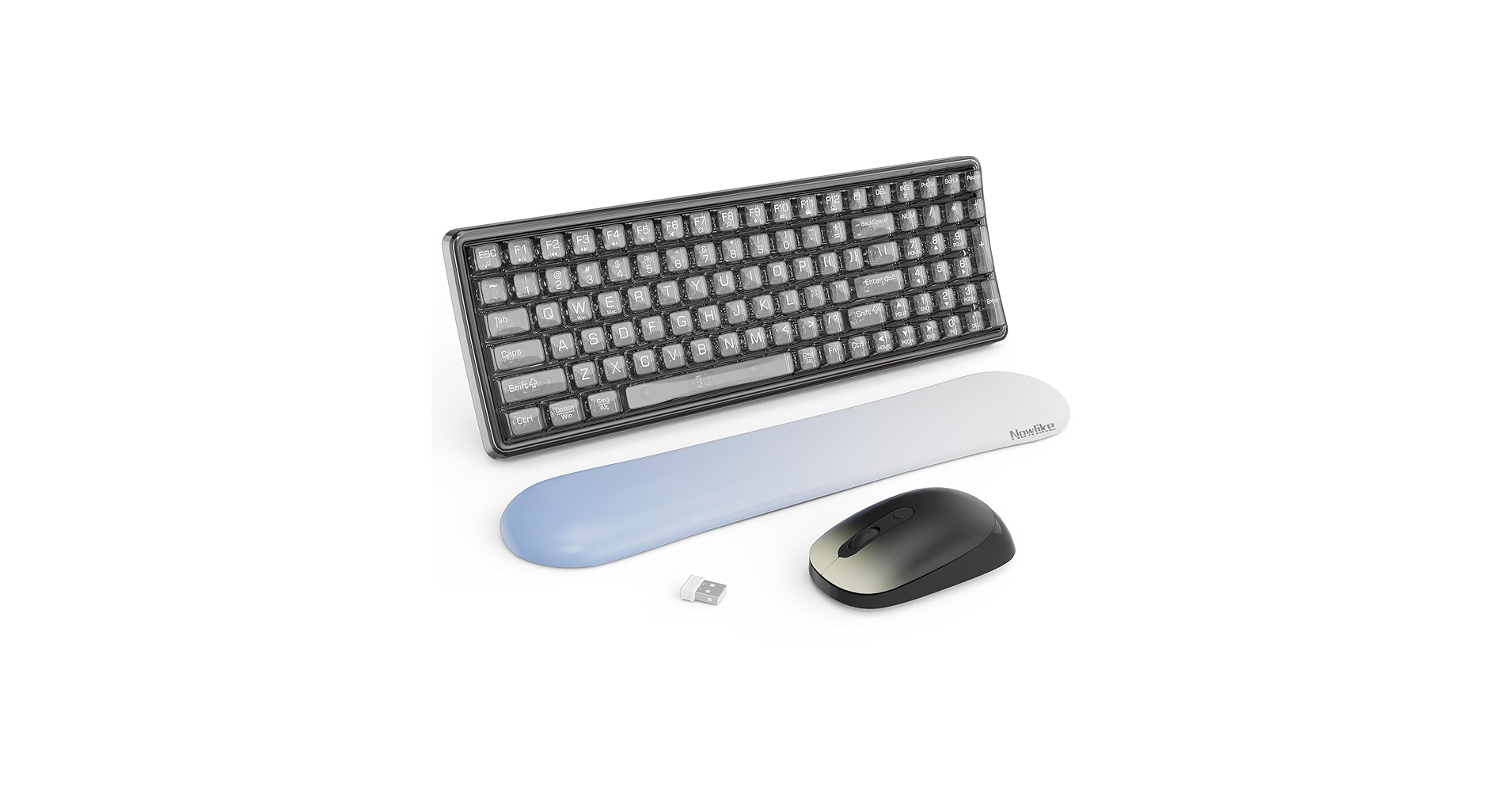
The Breakdown: This combo offers a complete desktop setup with a striking transparent look for a very low price. Both the full-size keyboard and the mouse feature clear plastic casings, running off a single 2.4GHz dongle. It’s a novelty item that prioritizes visual flair over performance and tactile feel.
Key Specs:
- Product Type: Keyboard & Mouse Combo
- Switch Type: Membrane
- Connectivity: 2.4GHz Wireless (Single USB Receiver)
- Key Features: Includes a matching transparent mouse, full-size layout
The Community Verdict: Users report that this combo is a conversation starter and looks great on a desk, especially for the price. The functionality is basic but reliable for everyday office work and web browsing. Heavy typists and gamers, however, are consistently underwhelmed by the spongy membrane keys and basic mouse sensor.
Dealbreaker: Skip this if you need the responsive, tactile feel of a mechanical keyboard or a high-performance mouse.
Buying Guide: How to Choose the Right Transparent Keyboard Setup
Achieving a ‘keyboard transparent‘ look can be done in several ways, each catering to different needs and budgets. The world of transparent keyboards isn’t one-size-fits-all. Here’s what to consider:
1. The All-in-One vs. The Accessory
First, decide if you want a complete, pre-built transparent keyboard or an accessory to modify your current setup. A product like the YUNZII X71 is a dedicated piece of hardware built from the ground up to be transparent. In contrast, keycaps and covers are modifications. If you’re invested in the feel of a high-end board like the Qk100 keyboard, simply adding transparent keycaps might be a better route than buying a whole new, lesser-quality board.
2. Purpose: Aesthetics vs. Protection
What is your primary goal? If it’s pure aesthetics for a clean desk, a full acrylic keyboard or crystal keycaps are your best bet. A transparent keyboard pairs exceptionally well with a glass desk, and using clear cable clips can complete the ‘invisible’ aesthetic. If your goal is protection against spills and dust, a simple silicone or TPU cover is the most logical and cost-effective choice. This is especially true if you are concerned about accidents; while not as robust as a dedicated waterproof keyboard, a cover provides significant spill resistance.
3. Typing Feel: Mechanical vs. Membrane
Do not overlook the typing experience. A fully transparent mechanical keyboard offers a superior tactile and auditory experience compared to a transparent membrane combo. Covers will inherently dampen the feel of any keyboard they are placed on. If you type extensively, investing in a quality mechanical option will be far more comfortable in the long run.
Frequently Asked Questions (FAQ)
Q: Are transparent keyboards durable?
A: Durability depends on the material. High-quality polycarbonate or acrylic cases, like that on the YUNZII X71, are very sturdy. Cheaper, all-in-one combos may use more brittle plastic. Transparent keycaps are typically made from ABS, which can develop a shine over time but is generally durable for normal use.
Q: Is a transparent gaming keyboard good for competitive play?
A: A keyboard’s transparency has no direct impact on its gaming performance. What matters are the switches, latency, and build quality. A high-quality transparent mechanical keyboard with low-latency wired connectivity and fast switches is perfectly suitable for competitive gaming.
Q: How do you clean a see through keyboard?
A: Transparent keyboards show dust and fingerprints more easily. Use a microfiber cloth for regular dusting. For deeper cleaning, compressed air can blow out debris from under the keys. Keycaps can be removed and washed in warm, soapy water, but ensure they are completely dry before reattaching.




