
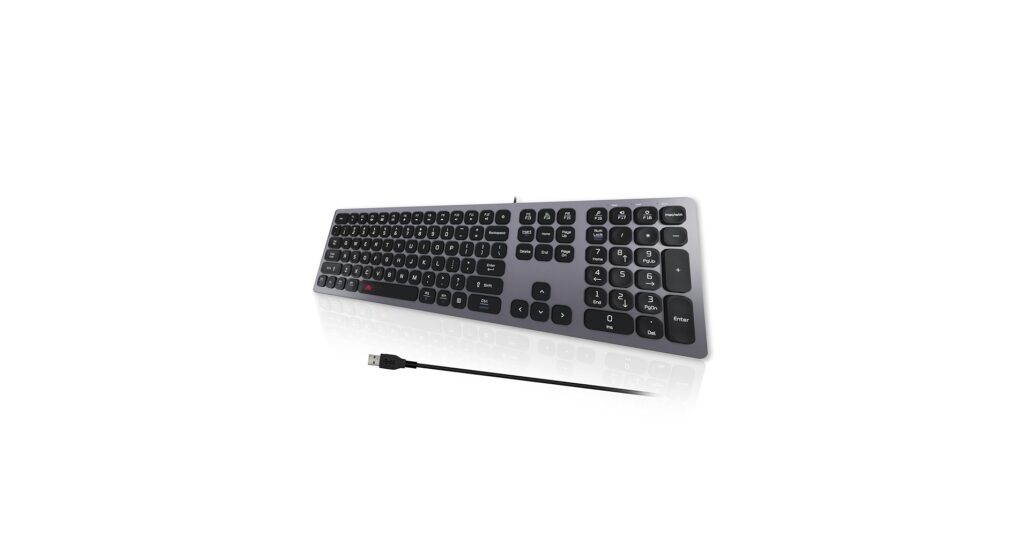
Finding the best chiclet keyboard for your setup is about more than just aesthetics; it’s about achieving a quiet, comfortable, and efficient typing experience. Popularized by laptops, chiclet keyboards—with their low-profile, island-style keys—offer a clean, minimalist look and a snappy, responsive feel. We’ve analyzed the market to identify the top contenders that deliver on performance, design, and value, whether you’re a Mac user, a Windows power user, or someone building the ultimate minimalist desk.
🚀 Quick Verdict / Top Pick
HP Wireless Keyboard and Mouse Combo
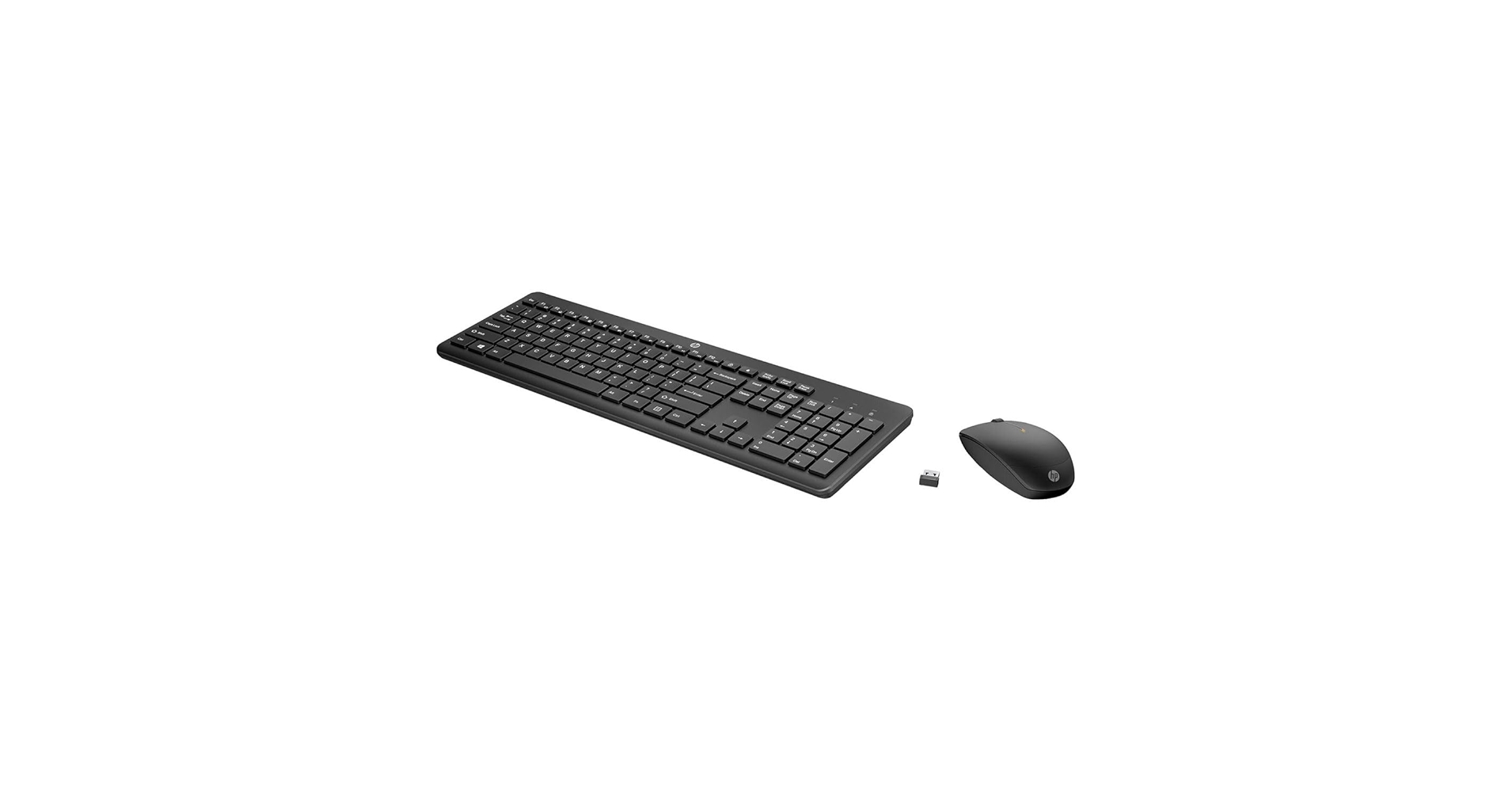
This combo from HP wins for its blend of brand reliability, wireless freedom, and all-in-one value, making it the most versatile and clutter-free option for the modern professional.
Best Chiclet Keyboards: Comparison
| Product | Connectivity | Key Profile & Noise | Best For |
|---|---|---|---|
| POWZAN Quiet Mac Wired Keyboard | USB-A Wired | Scissor-Switch / Quiet | Dedicated Mac Users |
| HP Wireless Keyboard and Mouse Combo | 2.4GHz Wireless (Dongle) | Membrane / Low Noise | Overall Value & Clutter-Free Setups |
| Virfour Wired Keyboard | USB-A Wired | Membrane / Quiet | Budget-Conscious Users |
| HP 150 Wired Keyboard | USB-A Wired | Membrane / Low Noise | Brand Reliability on a Budget |
| Computer Keyboard Wired, Rainbow LED | USB-A Wired | Membrane / Quiet | Users Wanting Backlighting |
Detailed Reviews
1. POWZAN Quiet Mac Wired Keyboard
Pros
- Full Mac layout with function keys
- Quiet scissor-switch mechanism
- Slim, low-profile aluminum body
Cons
- Wired only (USB-A)
- No backlighting
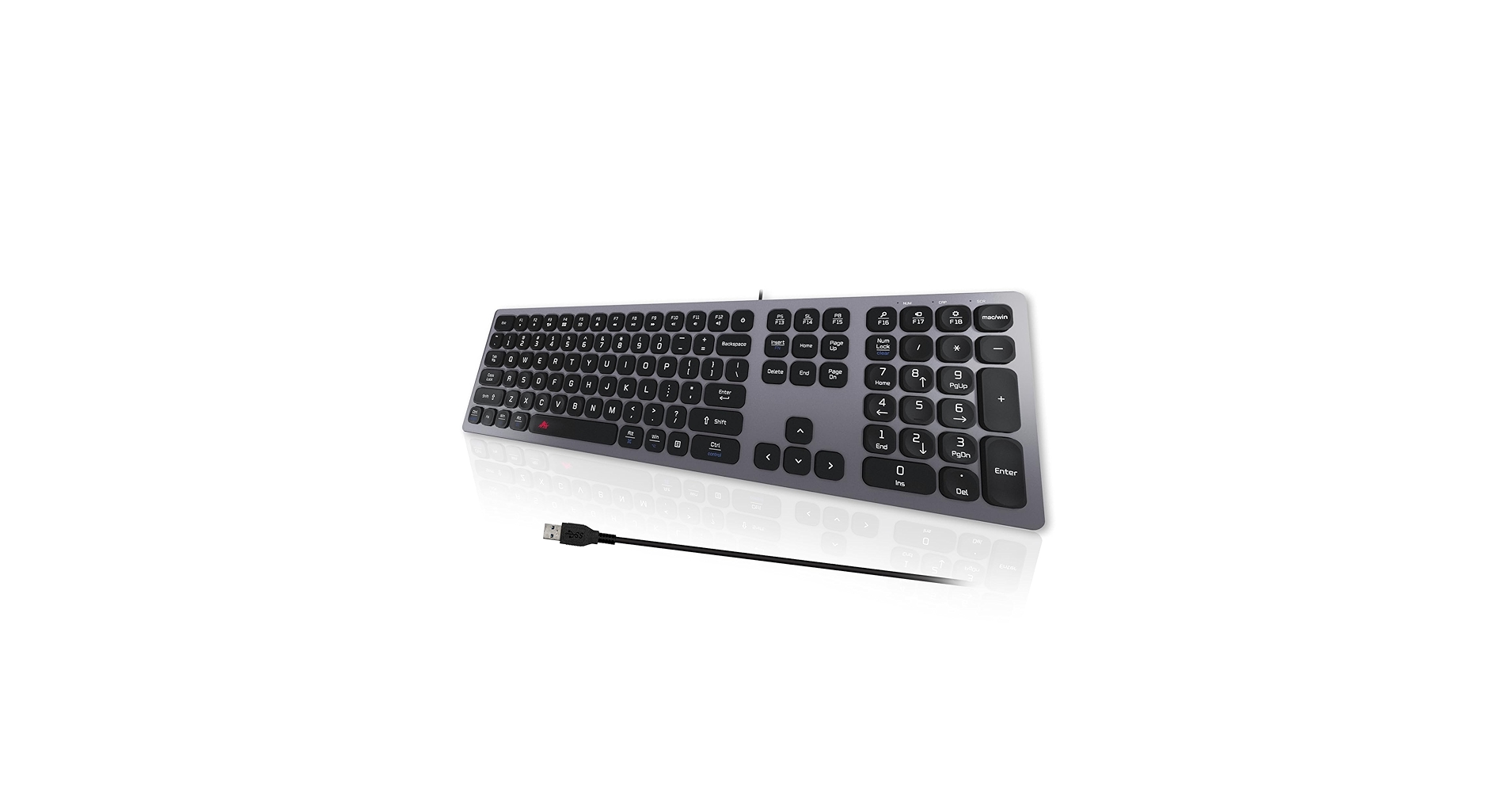
The Breakdown: Market research indicates the POWZAN keyboard is a strong contender for Mac users seeking a familiar typing experience. Its scissor-switch keys are designed to mimic the feel of Apple’s native keyboards, providing a short, tactile, and quiet stroke. The aluminum frame adds a touch of premium feel that belies its budget-friendly price point.
Key Specs:
- Connectivity: Wired (USB-A)
- Compatibility: macOS
- Switches: Scissor-switch
- Features: Full Mac layout, numeric keypad
The Community Verdict: Users consistently report that the typing is comfortable and quiet, making it ideal for office environments. The main praise is directed at its Mac-specific function keys, which work out of the box without any remapping. Some negative feedback mentions the non-detachable USB cable as a minor inconvenience for portability.
Dealbreaker: Skip this if you need Windows compatibility or the flexibility of a wireless connection.
2. HP Wireless Keyboard and Mouse Combo
Pros
- Includes both keyboard and mouse
- Reliable 2.4GHz wireless connection
- Long battery life
Cons
- Requires a USB-A dongle (no Bluetooth)
- Basic plastic construction
The Breakdown: This HP combo is the quintessential modern office peripheral set. It provides a full-size chiclet keyboard and an ergonomic mouse that connect via a single USB dongle, simplifying setup and saving ports. The keys offer a soft, low-noise typing experience suitable for shared workspaces.
Key Specs:
- Connectivity: 2.4GHz Wireless (USB-A Dongle)
- Compatibility: Windows, macOS
- Switches: Membrane
- Features: Includes mouse, full-size layout, LED indicators
The Community Verdict: The consensus is that this is a dependable workhorse. Owners praise the plug-and-play simplicity and the stability of the wireless connection. The fact that it’s a wireless chiclet style keyboard and mouse combo for a low price is its biggest selling point. Some users note the mouse is basic but perfectly functional for everyday tasks.
Dealbreaker: Skip this if you need Bluetooth connectivity or backlit keys for working in low light.
3. Virfour Wired Keyboard, Quiet Keyboard
Pros
- Extremely budget-friendly
- Lightweight and portable
- Dedicated multimedia hotkeys
Cons
- Feels less durable than premium options
- Typing feel can be slightly mushy
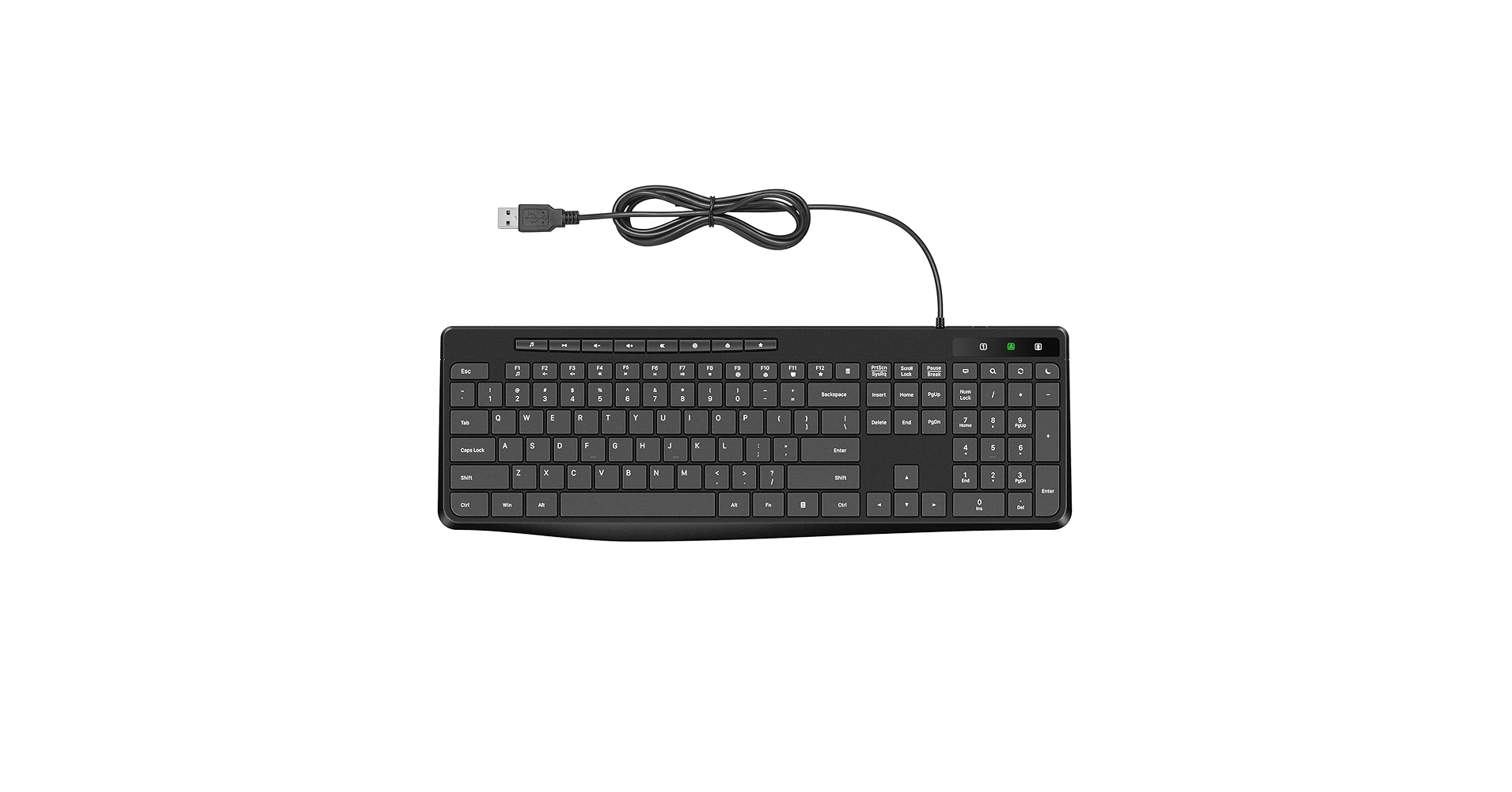
The Breakdown: The Virfour keyboard is the definition of a functional, budget-oriented peripheral. It offers a standard full-size layout with the added convenience of multimedia keys for controlling music and volume. It’s a plug-and-play solution that requires zero setup, making it a great backup or primary keyboard for a simple workstation.
Key Specs:
- Connectivity: Wired (USB-A)
- Compatibility: Windows, macOS, Linux
- Switches: Membrane
- Features: Multimedia keys, spill-resistant design
The Community Verdict: Owners appreciate the value proposition, highlighting its quiet operation and functional design for the price. It’s often purchased as a replacement for stock keyboards or for secondary computers. The primary criticism revolves around the build quality, which some users find to be flimsy compared to more expensive models.
Dealbreaker: Skip this if you are a heavy typist who needs a more robust and durable build.
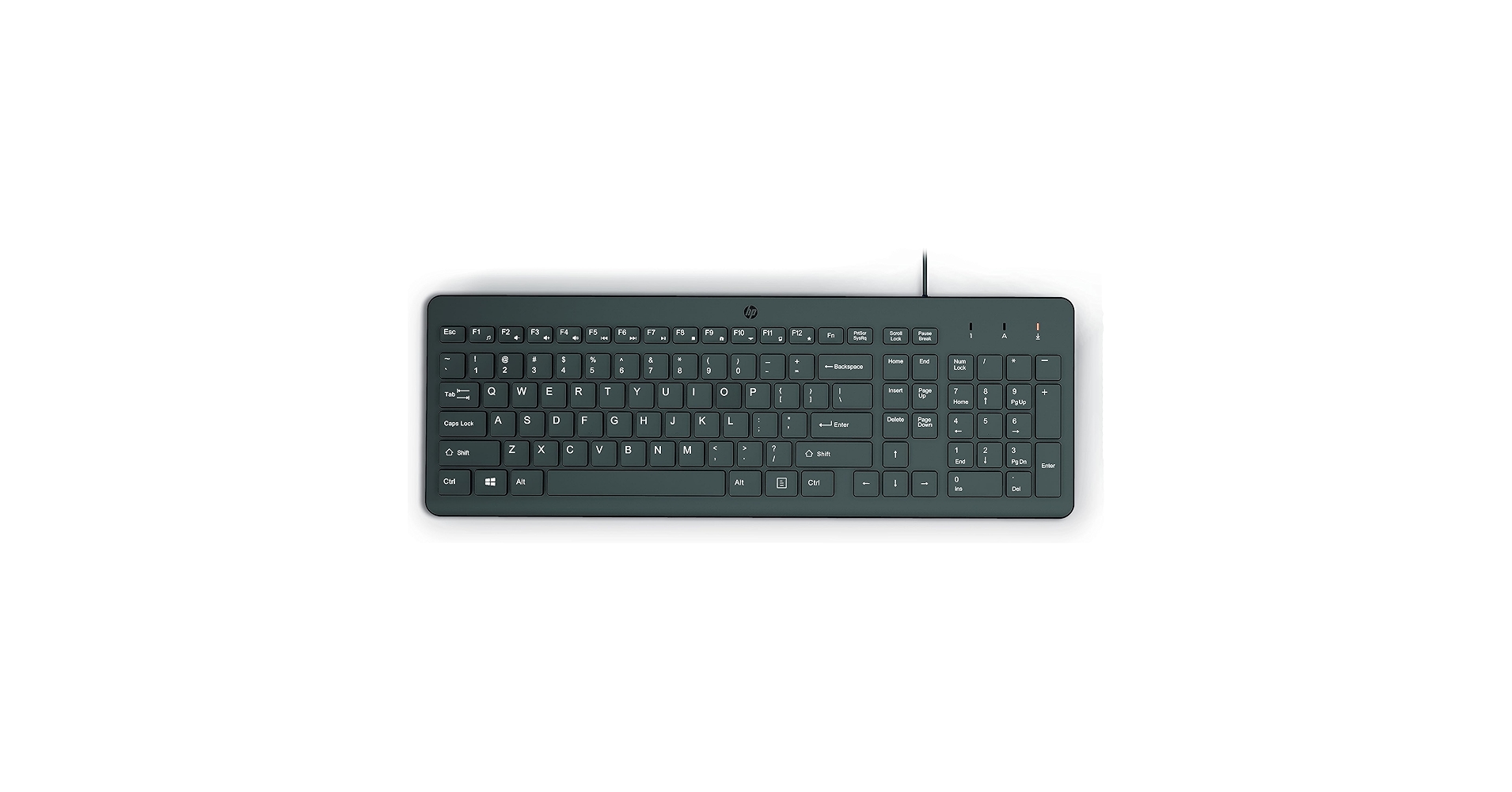
4. HP 150 Wired Keyboard
Pros
- Solid build quality for the price
- Comfortable, low-noise typing
- Includes numeric keypad
Cons
- No extra features like multimedia keys
- Very basic design
The Breakdown: The HP 150 is a step up in build quality from generic budget options while remaining highly affordable. It’s a straightforward, full-sized wired keyboard designed for reliability and comfortable typing. This is often the go-to choice for IT departments and offices needing a dependable, standardized keyboard.
Key Specs:
- Connectivity: Wired (USB-A)
- Compatibility: Windows
- Switches: Membrane
- Features: Full-size layout, adjustable legs
The Community Verdict: Market consensus points to the HP 150 as a ‘safe bet’. Users report that it feels sturdier than its price suggests and provides a pleasant typing experience. It is often lauded as the best chiclet style keyboard for those who want a simple, branded, and reliable input device without any complex features.
Dealbreaker: Skip this if you need multimedia shortcuts or a more stylish design for your desk.
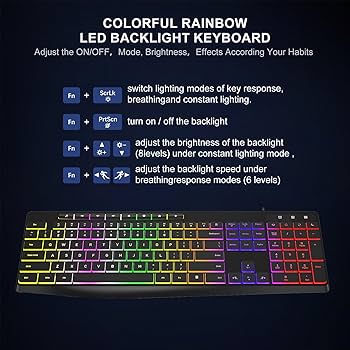
5. Computer Keyboard Wired, 7-Color Rainbow LED
Pros
- Multi-zone rainbow backlighting
- Affordable for a backlit model
- Quiet membrane keys
Cons
- ‘Gamer’ aesthetic may not suit professional setups
- Lighting is not per-key RGB
The Breakdown: This keyboard bridges the gap between office-focused chiclet models and entry-level gaming keyboards. It provides the quiet, membrane-based chiclet key feel but adds 7-color rainbow LED backlighting for visibility in the dark and visual flair. It’s a wired model that offers a unique aesthetic in the chiclet category.
Key Specs:
- Connectivity: Wired (USB-A)
- Compatibility: Windows, macOS
- Switches: Membrane
- Features: 7-color rainbow LED backlighting, multimedia shortcuts
The Community Verdict: Users are generally surprised by the feature set at this price point, especially the backlighting. The typing is reported to be quiet and soft, as expected from a chiclet design. The main critique is that the rainbow lighting effect is zoned, not individually customizable, which is standard for this price tier.
Dealbreaker: Skip this if you need a minimalist, non-illuminated keyboard for a professional office setting.
Buying Guide: How to Choose a Chiclet Keyboard
Chiclet keyboards are defined by their flat, separated keys, offering a typing experience that’s often quieter and requires less force than traditional or mechanical keyboards. When searching for a good chiclet keyboard, consider these key factors:
1. Connectivity: Wired vs. Wireless
Your first choice is between the reliability of a wired USB connection and the clean, flexible setup of a wireless one. Wired keyboards are plug-and-play and never need charging. Wireless models, typically using a 2.4GHz USB dongle or Bluetooth, reduce cable clutter but require batteries or recharging.
2. Key Mechanism: Scissor-Switch vs. Membrane
Most chiclet keyboards use a rubber dome membrane, which is quiet and inexpensive. More premium models use scissor switches under the keycaps, providing more stability and a slightly more tactile, crisp feedback. The consensus is that scissor-switches offer a superior typing feel, but standard membranes are perfectly adequate for most users.
3. Features and Layout
Do you need a numeric keypad (full-size) or prefer a more compact layout (tenkeyless)? Are dedicated multimedia keys important for your workflow? Do you need backlighting for late-night work? Answering these helps narrow your options. When building an aesthetic, you might even consider a specific white and black keyboard to match your minimalist setup. While chiclet keyboards offer a sleek profile, those craving a more customizable, tactile experience might explore options that use a mechanical keyboard case and custom switches.
Frequently Asked Questions (FAQ)
Q: What does chiclet keyboard means?
A: The term ‘chiclet keyboard’ refers to a style of keyboard with keys that are square or rectangular with rounded corners, resembling Chiclets gum. They are low-profile and have space between each key, which can help reduce typing errors compared to traditional keyboards with no key separation.
Q: What’s the difference: illuminated chiclet keyboard vs backlit keyboard?
A: These terms are often used interchangeably and mean the same thing. Both refer to a keyboard where the letters on the keys (legends) or the area around the keys are lit from behind, usually by LEDs. This makes the keys visible in low-light conditions. ‘Backlit’ is the more common technical term, while ‘illuminated’ is a descriptive synonym.
Q: Are chiclet keyboards good for typing?
A: Yes, many people find chiclet keyboards excellent for typing. Their short key travel and quick actuation can lead to faster typing speeds with less finger fatigue. However, the preference is subjective; some users prefer the longer travel and distinct feedback of mechanical keyboards.




