
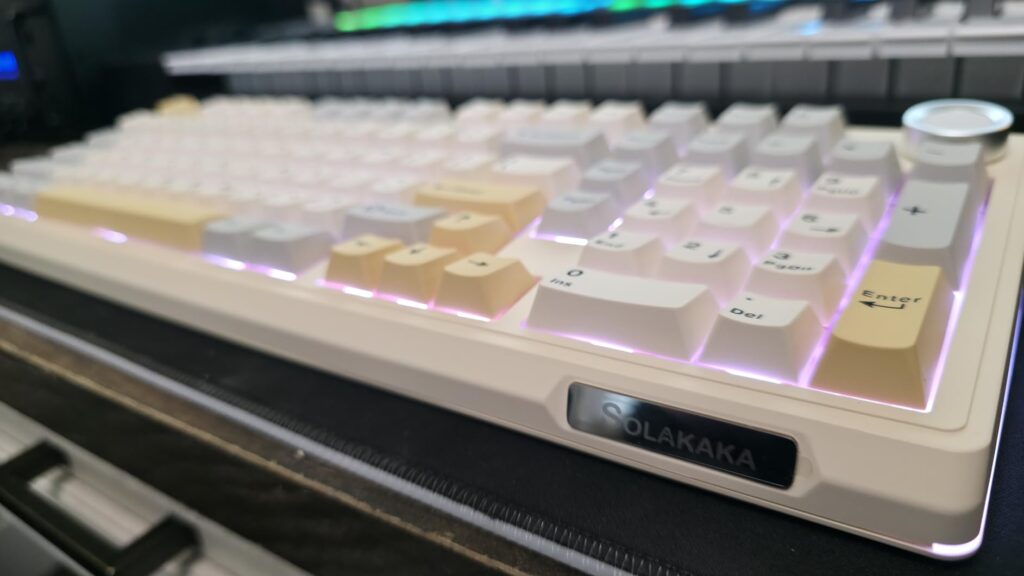
For the better part of a decade, my desk has been a rotating showcase of the biggest names in peripherals. Corsair, Razer, Logitech, you name it, I’ve probably typed on it. I got comfortable, maybe even complacent, assuming that true quality only came with a mainstream logo and a hefty price tag. Then, the SOLAKAKA KI99 Pro landed on my desk, and I have to admit, it completely shattered my assumptions. Finding a wireless mechanical keyboard that feels premium without a shocking price tag has always been the holy grail for desk setup enthusiasts, and I think I may have finally found it.
The Solakaka KI99 Pro is a surprisingly premium wireless mechanical keyboard that delivers a ‘creamy’ typing experience and robust build quality at a fraction of the cost of its big-name rivals.
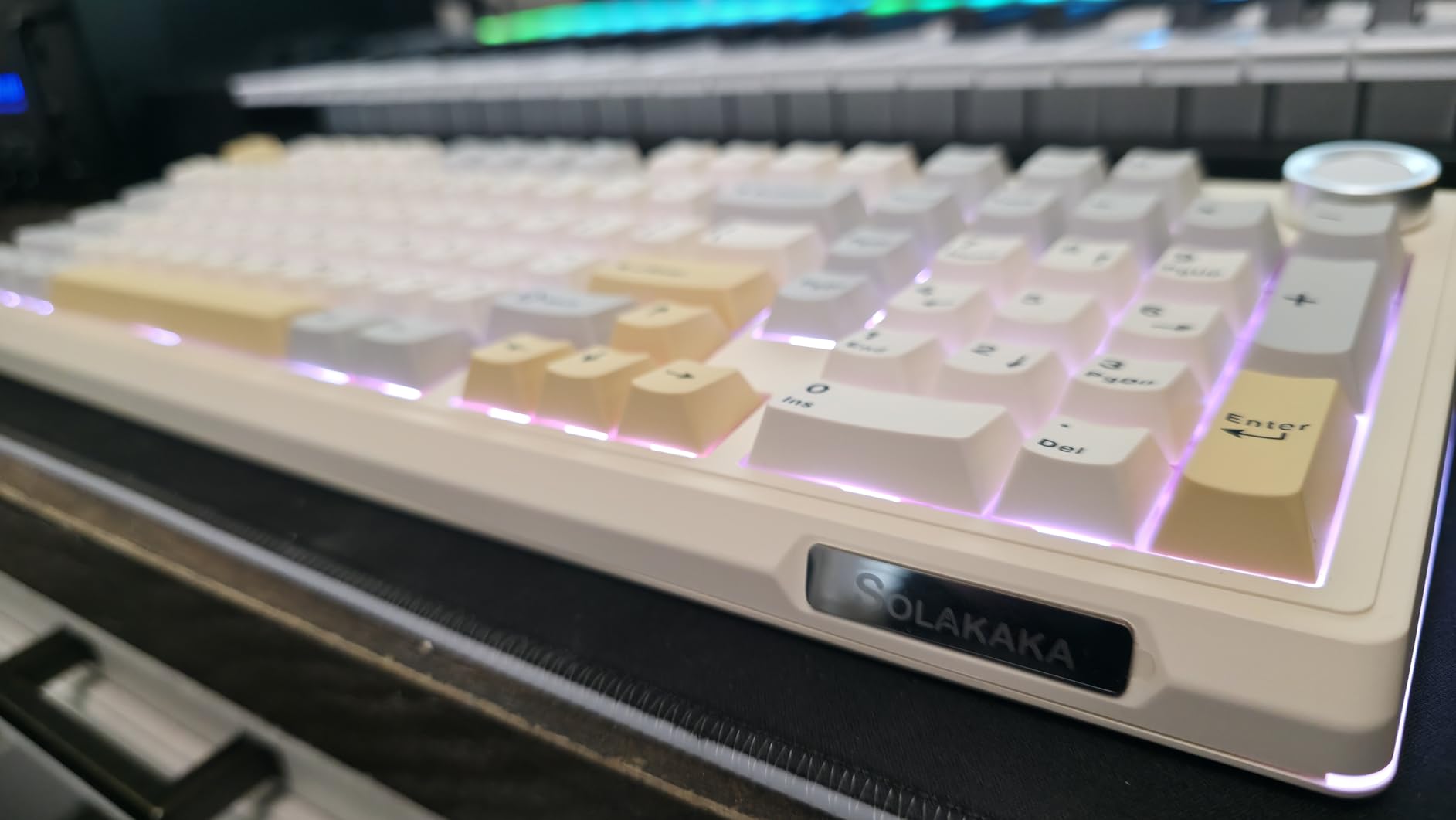
| ⚙️ Technical Specifications | |
|---|---|
| Layout | 96% / 99-Key + Knob |
| Mounting Style | Gasket Mount |
| Switches | Solakaka Creamy V3 Pro (Pre-lubed, Linear) |
| Hot-Swappable | Yes (5-pin & 3-pin compatible) |
| Keycaps | PBT Double-Shot |
| Connectivity | USB-C, 2.4GHz Wireless, Bluetooth 5.1 |
| Battery | 10,000mAh |
| Lighting | South-facing RGB |
| Compatibility | Windows / macOS (Hardware Switch) |
🏆 The TechForDesk Verdict
After weeks of using the SOLAKAKA KI99 Pro as my daily driver, I’m genuinely impressed. It offers a typing experience and build quality that I’d expect from a keyboard costing twice as much, delivering an incredible value proposition for anyone looking to upgrade their setup.
8/10
+ Smooth switches and solid response for casual gaming. | – Observed minor lag on 2.4GHz, not ideal for competitive esports.
9/10
+ Exceptionally creamy and satisfying keystrokes. | – Some may find the key layout unconventional.
9/10
+ Compact yet functional layout with a numpad. | – High profile may necessitate a wrist rest for long sessions.
8/10
+ Tactile feedback is great for accuracy. | – Non-standard ‘Delete’ and ‘End’ key placement could disrupt workflow.
9/10
+ Gasket mount and foam create a deep, pleasing sound. | – Not silent, but far from obnoxious.
10/10
+ Dedicated hardware switch for seamless OS swapping. | – None. It just works.
Unboxing & First Impressions
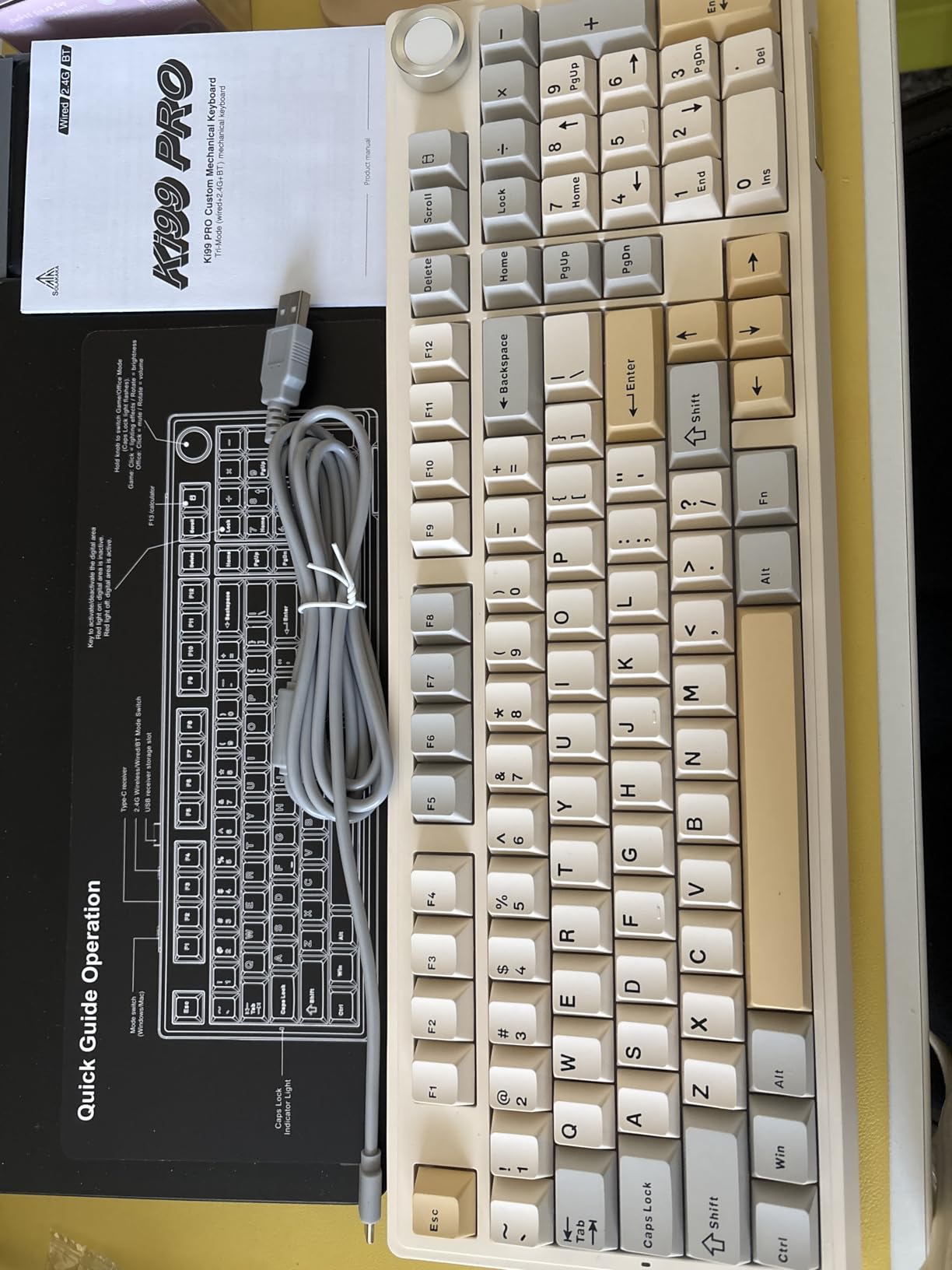
The first thing I noticed when I lifted the SOLAKAKA KI99 Pro out of its box was the weight. This thing is heavy, but in a good way. There’s zero deck flex, and the dense, solid construction immediately communicates a sense of quality that I frankly didn’t expect at this price point. It feels more like a premium, custom-built keyboard than an off-the-shelf product. Included in the box are a braided USB-C cable and a combination keycap/switch puller—everything you need to get started.
Build Quality & Aesthetics
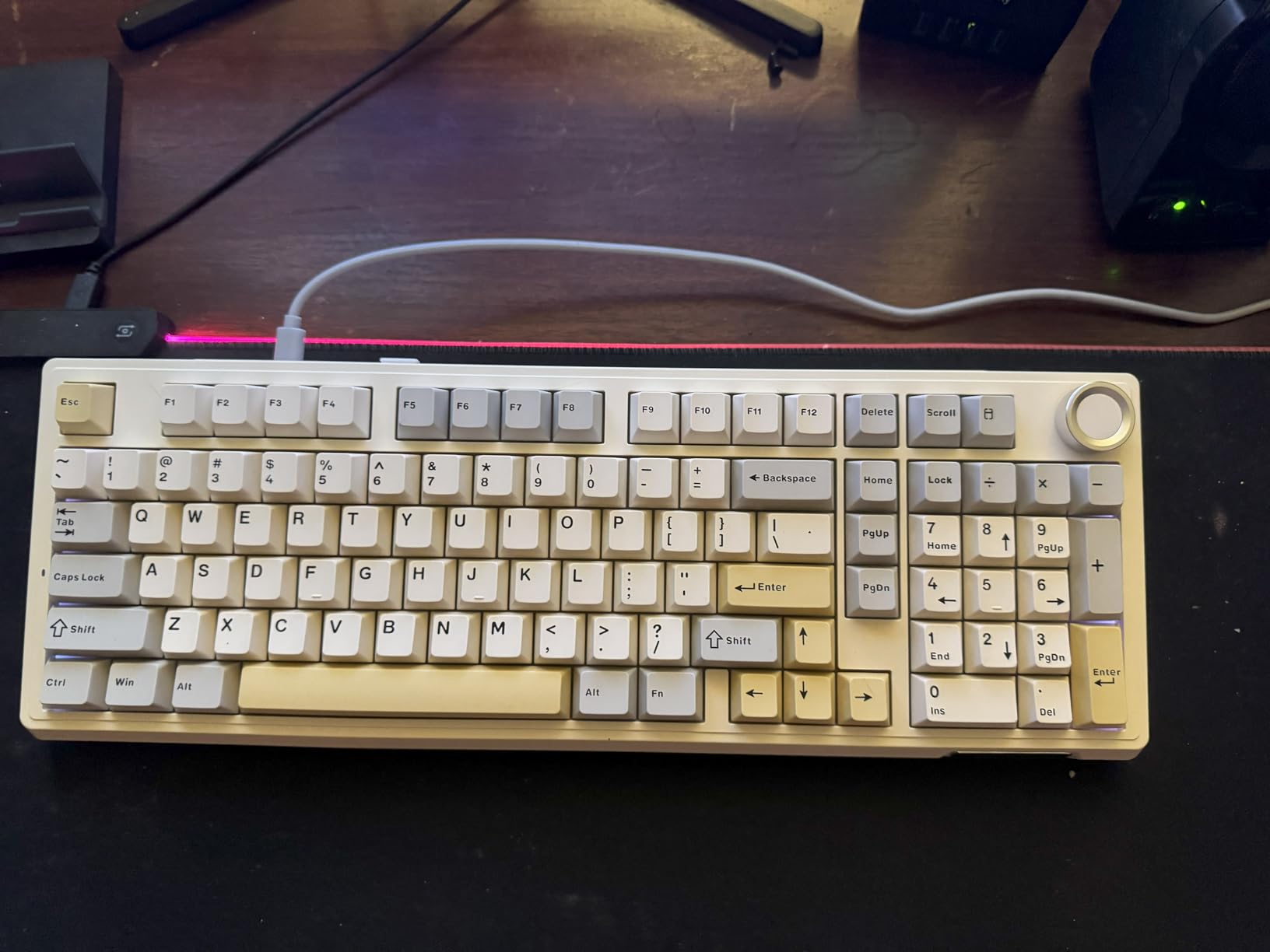
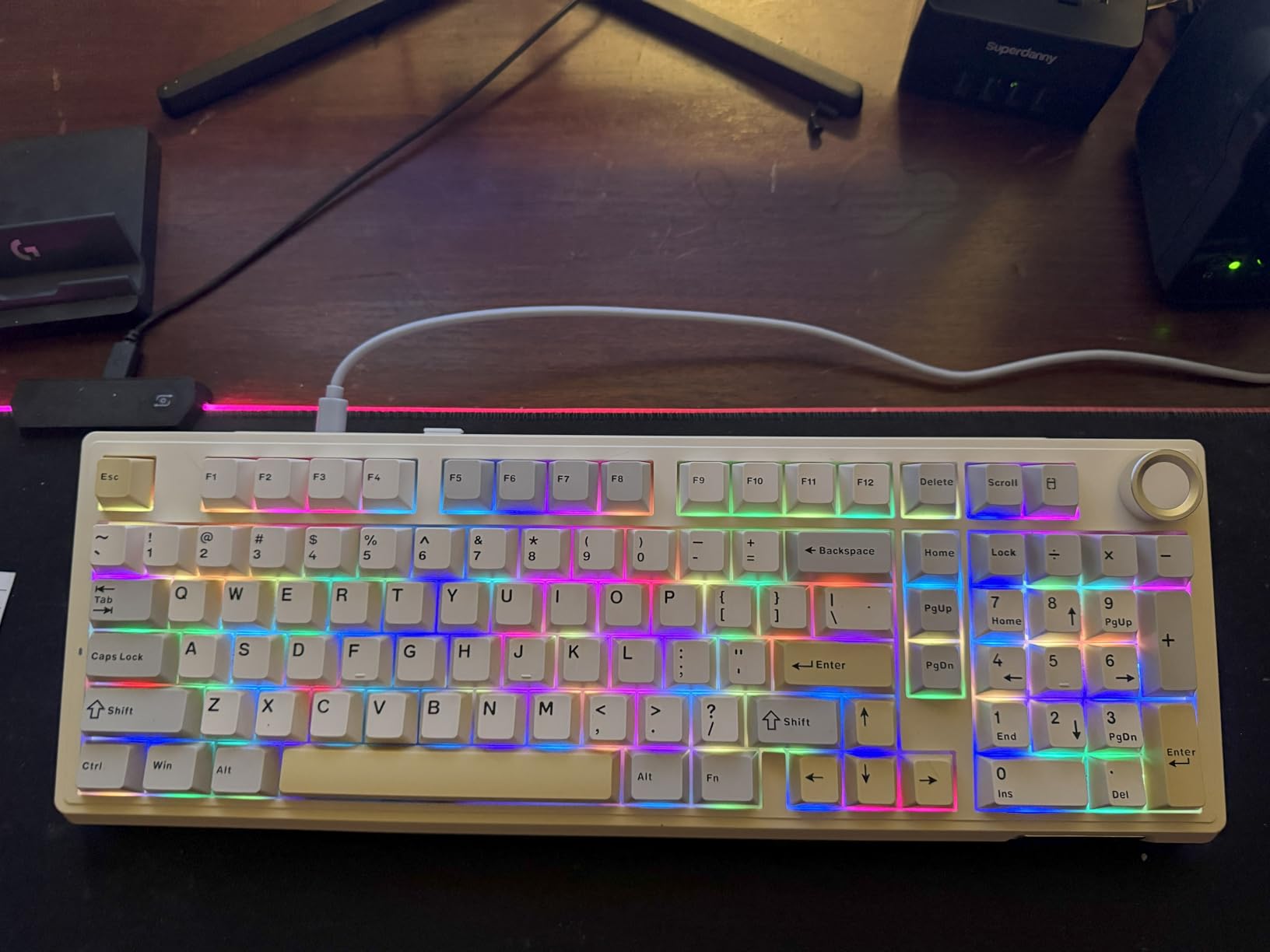
Getting bargain-priced electronics often comes with a big question mark on quality, but I was pleasantly surprised here. The chassis is a thick, durable plastic that feels incredibly robust. I opted for the white colorway, which has a clean, minimalist look that fits perfectly with a modern desk setup. The star of the show, aesthetically, is the metal multi-function knob in the top right corner. By default, it controls volume, but a quick press cycles it through RGB modes, letting you change colors and brightness on the fly without ever needing to open a piece of software. That’s a huge plus in my book.
Keycaps & Switch Feel
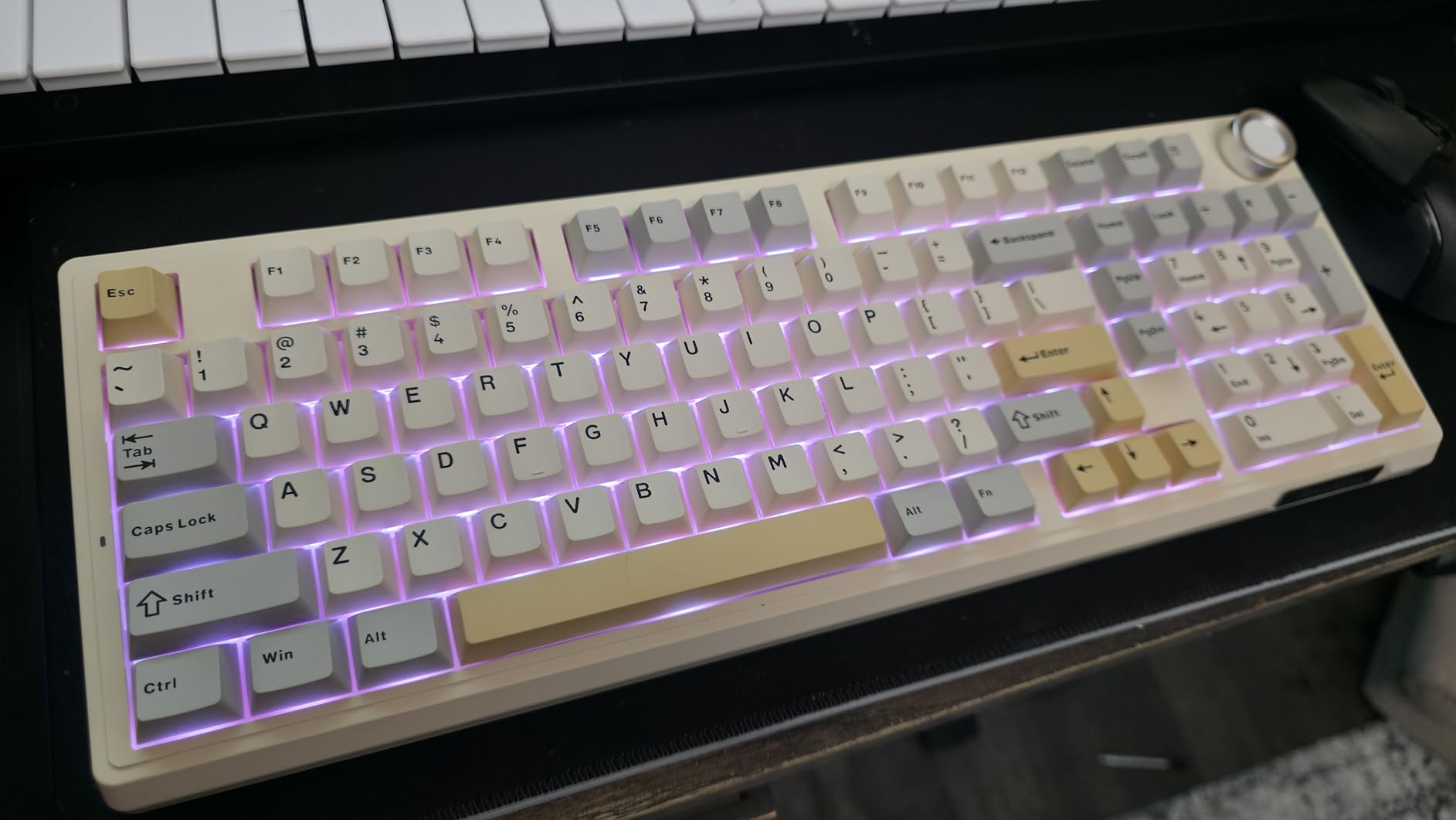
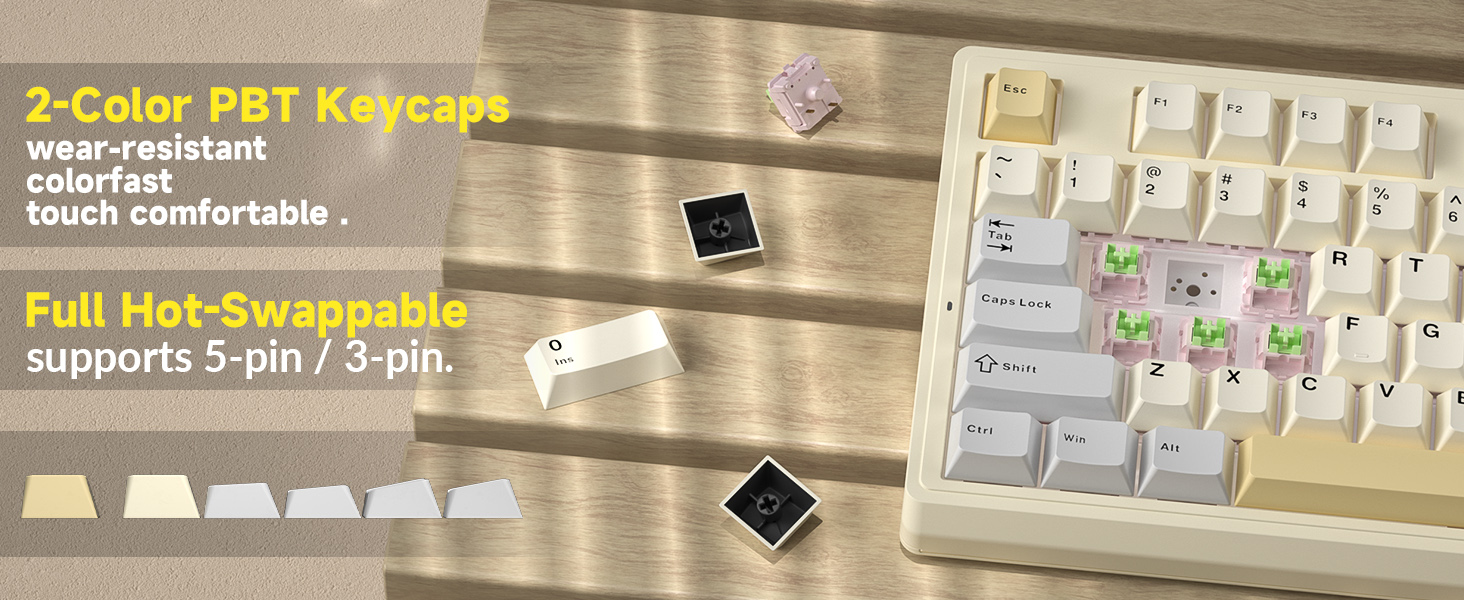
This is where the KI99 Pro truly shines. It comes equipped with SOLAKAKA’s own pre-lubed Creamy V3 Pro switches. The name is no exaggeration—they are incredibly smooth. There’s a satisfying, soft clack on each press and return, without the scratchiness you find on many stock keyboards. The feeling is best described as buttery or, well, creamy. Paired with thick PBT double-shot keycaps, which resist shine and feel great under the fingertips, the entire assembly feels cohesive and premium.
Typing Experience & Sound Test
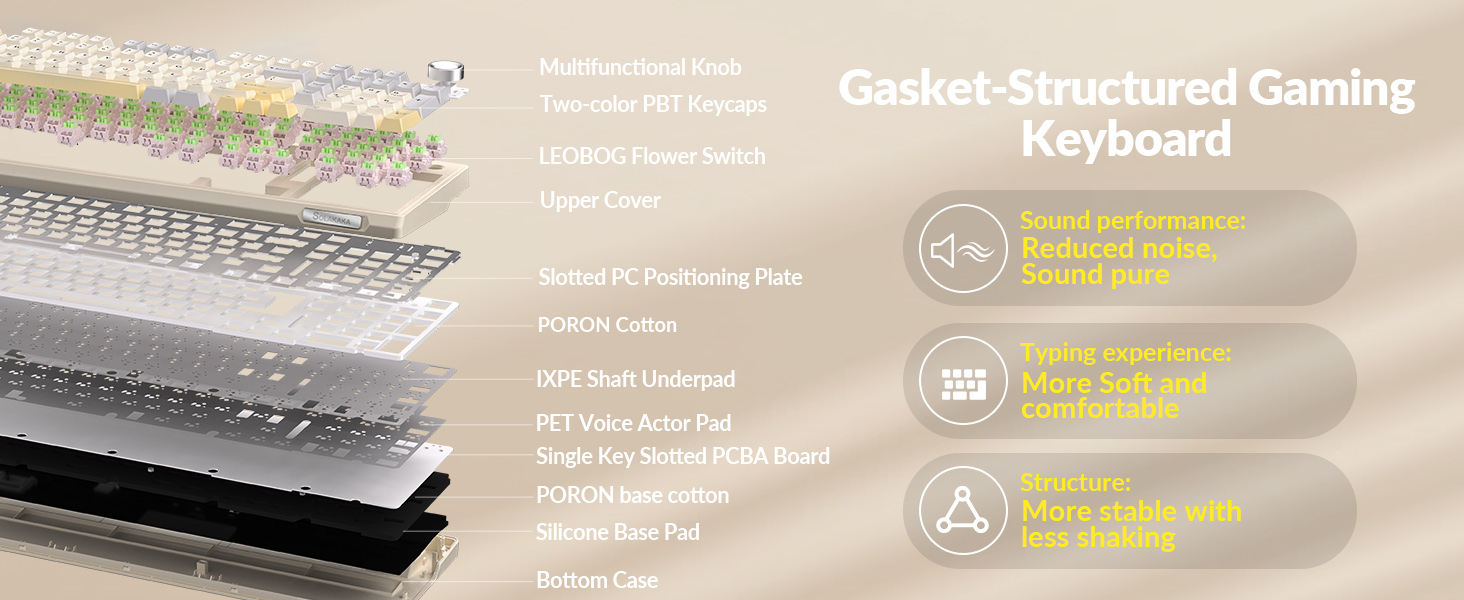
From the first sentence on a typing test, I was hooked. The combination of the gasket-mounted plate, multiple layers of sound-dampening foam, and those creamy switches creates a sublime typing experience. The sound profile is a deep, muted “thock” rather than a high-pitched “clack,” which is incredibly satisfying and office-friendly. I ran a few tests on Typeracer and consistently felt fast and accurate. The sound is just as pleasing as the feel, making long typing sessions a genuine joy. This keyboard is an absolute dream for anyone who spends their day writing.
Connectivity & Battery Life
Versatility is a major strength here. On the back, you’ll find physical switches to toggle between PC and Mac layouts, and another to select between wired (USB-C), 2.4GHz wireless, and Bluetooth. It’s incredibly easy to use. The battery is a monstrous 10,000mAh—about double what you’d find in a high-end smartphone. I’ve been using it wirelessly for weeks and have only had to charge it once. My only caveat is that during my 2.4GHz testing, I experienced a few rare instances of lag or skipped characters. I’m not sure if it was local interference, but since I primarily use Bluetooth (which has been flawless), it wasn’t a dealbreaker for me. However, it’s something for hardcore gamers to consider.

Software & Customization
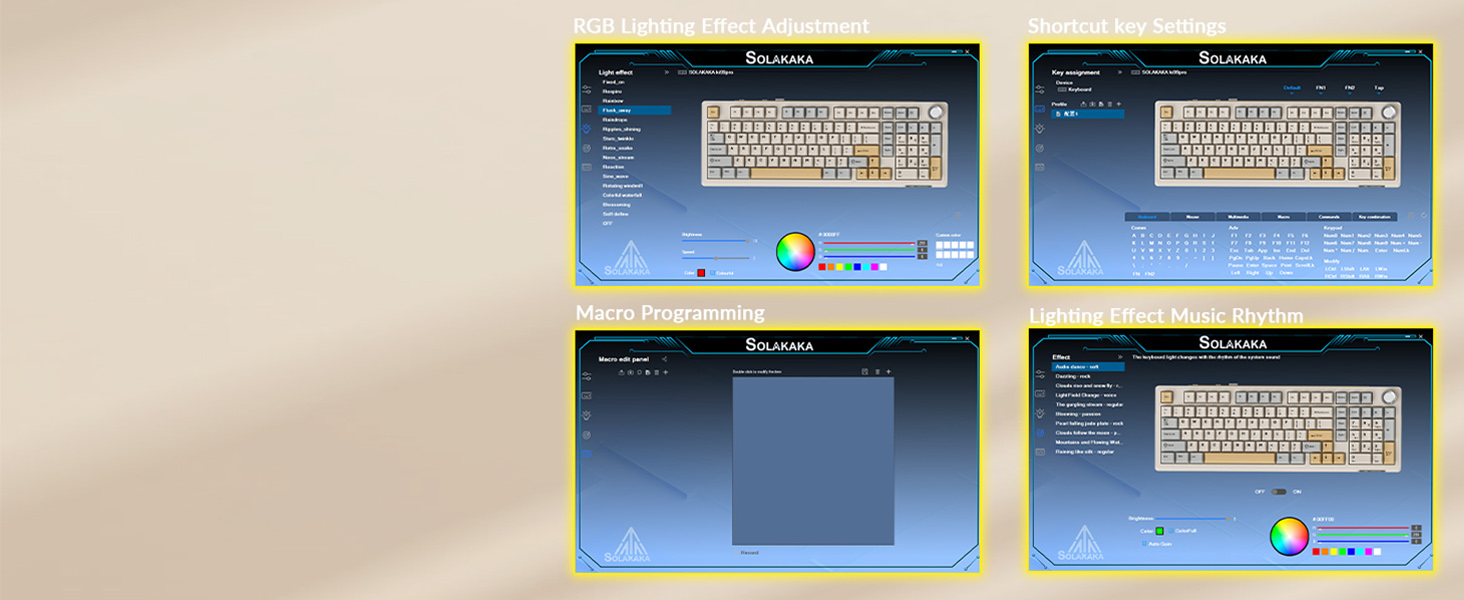
While you can control the essentials like RGB lighting directly from the keyboard, SOLAKAKA does offer companion software for those who want to dive deeper. I found it took only a few seconds to install and was refreshingly straightforward. You can re-map keys, create complex macros, and fine-tune the RGB lighting with more granular control. It’s simple, lightweight, and gets the job done without being bloated—a welcome change from some of the resource-heavy software suites I’m used to.
Ergonomics & Comfort
One thing to note is that the KI99 Pro has a fixed, fairly high profile with a noticeable upward angle. This is a matter of personal preference, and many typists prefer it. However, coming from a lower-profile board, I noticed my wrists getting tired a bit faster initially. The solution was simple: I paired it with a wrist cushion, and it became perfectly comfortable for all-day use. If you’re sensitive to keyboard height, investing in a good ergonomic wrist rest is a small price to pay for the typing experience this board delivers.
Teardown & Modding Potential
For the enthusiasts out there, the KI99 Pro is a fantastic platform. The PCB is fully hot-swappable and compatible with both 3-pin and 5-pin switches. This means you can easily swap out the stock Creamy switches for your favorite linears, tactiles, or clickies without any soldering. The case is easy to open, giving you access to the foam and plate, making it a great entry point for anyone curious about keyboard modding. It’s a board that can grow with you as your preferences evolve.
| Feature | SOLAKAKA KI99 | RK ROYAL KLUDGE R98 Pro | AULA F99 Pro | EPOMAKER TH98 Pro |
|---|---|---|---|---|
| Layout | 99-Key + Knob | 98-Key + TFT Screen | 99-Key | 98-Key + Screen |
| Battery Size | 10,000mAh | 3,750mAh | 8,000mAh | 4,000mAh |
| Key Feature | Massive Battery & Media Knob | Customizable TFT Screen | Strong Value & Large Battery | Programmable Smart Knob/Screen |
| Check Price | Check Price | Check Price | Check Price | Check Price |
Frequently Asked Questions (FAQ)
What is the overall Solakaka KI99 review consensus?
Based on my extensive testing, the SOLAKAKA KI99 Pro offers an outstanding value. Its strengths are its premium typing feel, solid build quality, and massive battery life, making it a strong competitor against keyboards that cost significantly more. Minor caveats like potential 2.4GHz interference and an unconventional key layout for some navigation keys don’t detract from its excellent overall performance.
Is the Solakaka KI99 Pro good for beginners?
Absolutely. It provides a high-end, custom keyboard feel right out of the box with no modding required. Features like hot-swappable switches also make it a fantastic and affordable entry point for those who might want to experiment with different switch types later on.
When was the Solakaka KI99 release date?
The SOLAKAKA KI99 Pro keyboard (model KI99PRO) first became available around late April to June 2025.
Does the Solakaka KI99 Pro work with a Mac?
Yes, and it works brilliantly. There is a physical switch on the back of the keyboard to instantly toggle between Windows and macOS layouts, which remaps keys like Alt/Cmd accordingly. It’s one of the most seamless Mac/PC experiences I’ve had on a third-party keyboard.
Final Thoughts: A New Mainstay on My Desk
I can’t believe it took me this long to look outside the Corsair/Razer realm, but I’m so happy I found the SOLAKAKA KI99 Pro. It’s a testament to how far the keyboard market has come. You no longer need to spend a fortune to get a durable, feature-packed, and genuinely delightful typing experience. Whether you’re a casual gamer, a productivity powerhouse, or a content creator looking for a photogenic and functional centerpiece for your setup, this keyboard is a phenomenal choice. It has earned its place as my primary keyboard, and it gets my highest recommendation.




