
The search for the perfect black and yellow keyboard often stems from two desires: a bold, high-contrast aesthetic that makes a statement, and the practical need for enhanced visibility. This color combination isn’t just visually striking; it’s one of the most legible, reducing eye strain and making typing more accessible for everyone. Whether you’re curating a minimalist, high-tech workspace or simply need keys that are easier to see, we’ve analyzed the market’s top contenders to find the best yellow and black keyboard for your desk.
🚀 Quick Verdict / Top Pick
Adesso AKB-132UY Luminous 4X Large Print
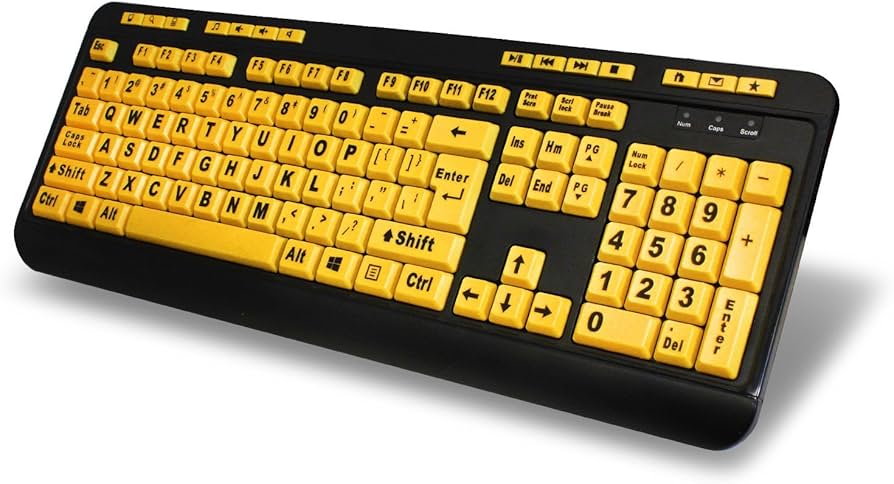
The Adesso AKB-132UY stands out with its bright backlighting, offering superior visibility in any lighting condition, a feature the other dedicated keyboards on this list lack.
Black and Yellow Keyboard Comparison
| Product | Type | Print Size | Backlighting | Best For |
|---|---|---|---|---|
| Adesso AKB-132UY | Full Keyboard | 4X Large | Yes (Yellow) | Overall Visibility |
| BOOGIIO Large Print | Full Keyboard | Large | No | No-Frills Functionality |
| Logickeyboard ‘Slimline’ | Full Keyboard | Large | No | Sleek, Low-Profile Design |
| XDL-POWER Large Print | Full Keyboard | Large | No | Affordable Functionality |
Detailed Product Reviews
1. Adesso AKB-132UY – Luminous 4 X Large Print
Pros
- Bright yellow backlighting for low-light use
- Extra-large 4X print is incredibly easy to read
- Dedicated hotkeys for internet and multimedia
Cons
- Membrane keys lack mechanical feedback
- Design is functional rather than overtly stylish
The Breakdown: The Adesso AKB-132UY is a purpose-built tool for visibility. Its main selling point is the vibrant, single-color backlit keyboard yellow illumination that makes each key pop in dim environments. The 4X large print ensures the high contrast keys are legible from a quick glance, reducing search time and typing errors.
Key Specs:
- Type: Full Keyboard (Wired)
- Print Size: 4X Large
- Backlighting: Yes (Yellow)
- Key Switch: Membrane
The Community Verdict: User feedback consistently praises this model as a game-changer for anyone visually impaired. The brightness of the backlight combined with the large font is the most cited benefit. It’s often recommended as a top-tier large print keyboard for visually impaired individuals who work in varied lighting.
Dealbreaker: If you’re a heavy typist or gamer seeking tactile, clicky feedback, the soft membrane switches might feel unsatisfying and slow.
2. BOOGIIO Large Print Computer Keyboard
Pros
- Clear, bold large print letters
- Durable and spill-resistant design
- Plug-and-play USB connection
Cons
- No backlighting
- Basic plastic construction
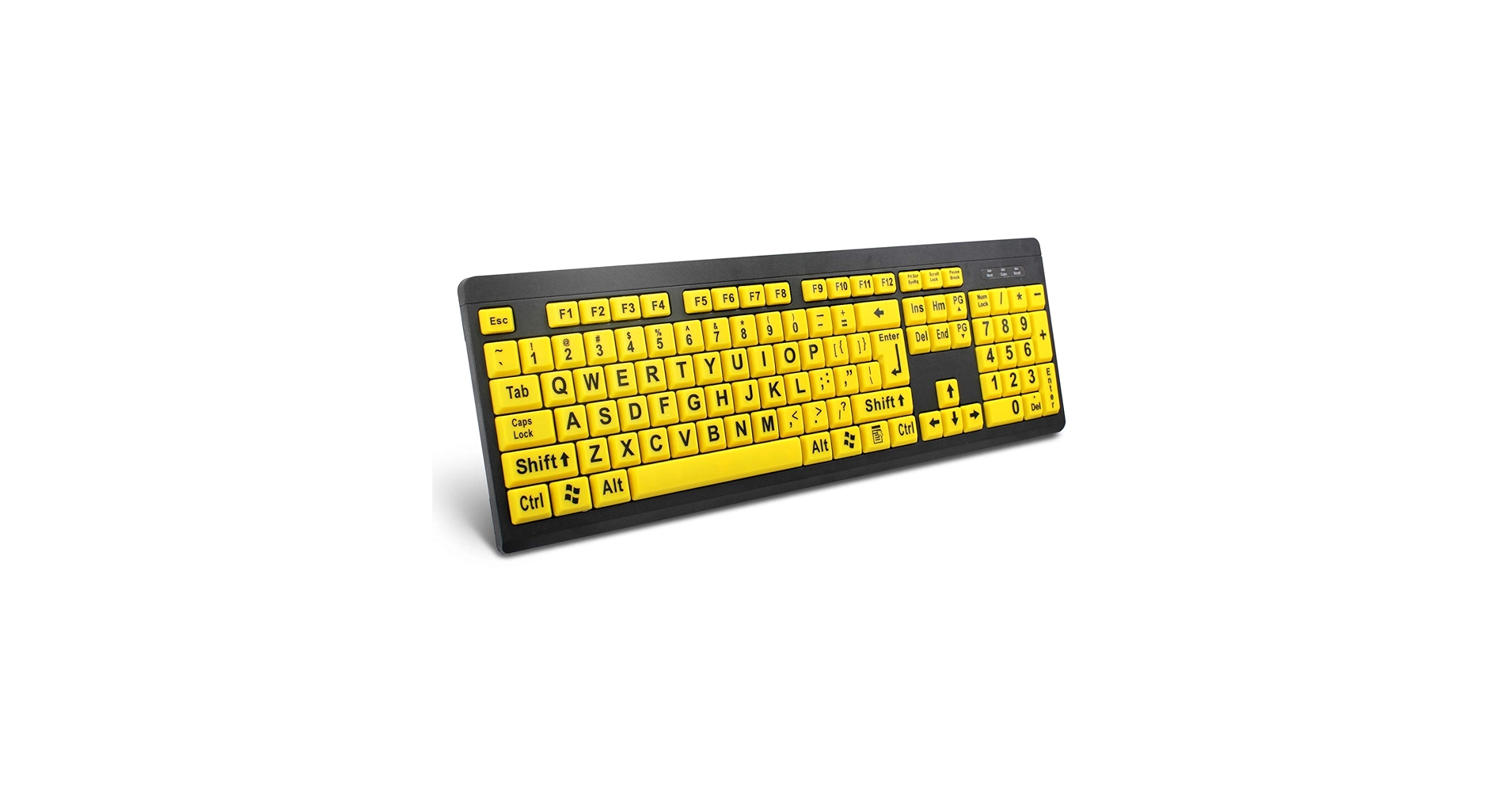
The Breakdown: The BOOGIIO keyboard is a workhorse focused on one thing: legibility in well-lit spaces. The characters are bold and sharp, providing excellent contrast that makes the letters easy to see. Market research suggests its spill resistant keyboard design, featuring drainage holes, adds a layer of durability and peace of mind for everyday use.
Key Specs:
- Type: Full Keyboard (Wired)
- Print Size: Large
- Backlighting: No
- Key Switch: Membrane
The Community Verdict: It’s widely regarded as a solid, budget-friendly option for seniors, children, or anyone who struggles with standard keyboards. Users appreciate its straightforward, driver-free setup and the immediate improvement in typing accuracy. The lack of bells and whistles is seen as a positive for its target audience.
Dealbreaker: Its utility plummets in dim or dark rooms, as there is no internal light source to illuminate the high-contrast keys.
3. Logickeyboard ‘Slimline’ with Large Print • Black
Pros
- Sleek, slimline design
- Soft, quiet scissor-switch keys
- Two built-in USB 2.0 ports for peripherals
Cons
- Higher price point than competitors
- No backlighting for the cost
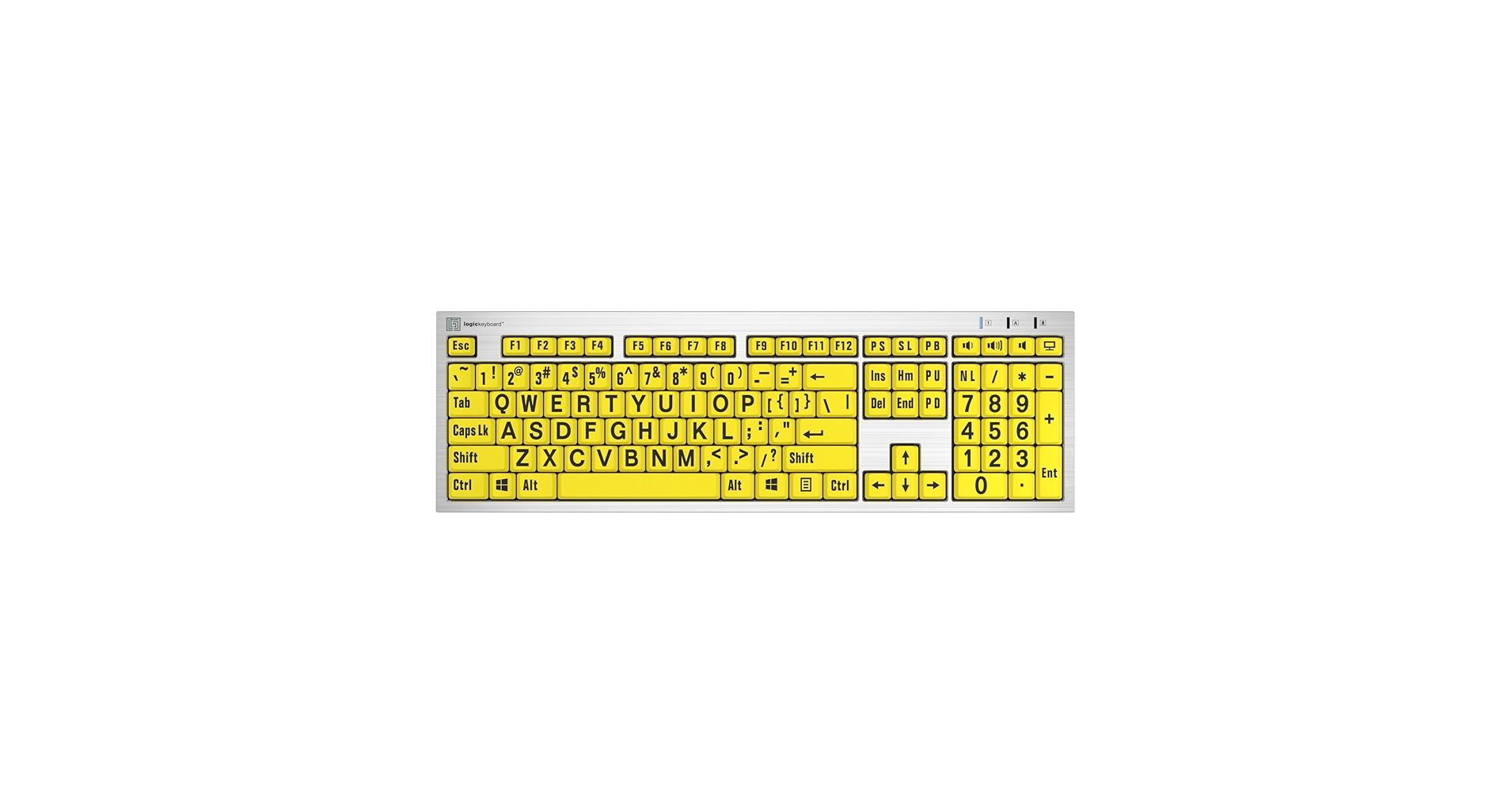
The Breakdown: The Logickeyboard ‘Slimline’ brings a more refined design to the large-print category. It features low-profile, scissor-switch keys similar to many modern laptops, offering a quiet and short-travel typing experience. The inclusion of two USB ports is a convenient bonus for connecting a mouse or USB stick directly to the keyboard.
Key Specs:
- Type: Full Keyboard (Wired)
- Print Size: Large
- Backlighting: No
- Key Switch: Scissor-Switch
The Community Verdict: This keyboard is favored by those who need large print but dislike the bulky, chunky design of typical accessibility keyboards. It’s often praised for its build quality and comfortable typing feel. It strikes a balance between professional high contrast keys and a design that fits a modern desk setup.
Dealbreaker: The premium price may be hard to justify for some, especially given its lack of backlighting compared to the top-pick Adesso model.
4. XDL-POWER Large Print Computer Keyboard
Pros
- Very competitive price point
- Standard full-size layout with number pad
- Letters are designed to resist wear
Cons
- Typing feel is reportedly soft or ‘mushy’
- Build quality is lighter than other options
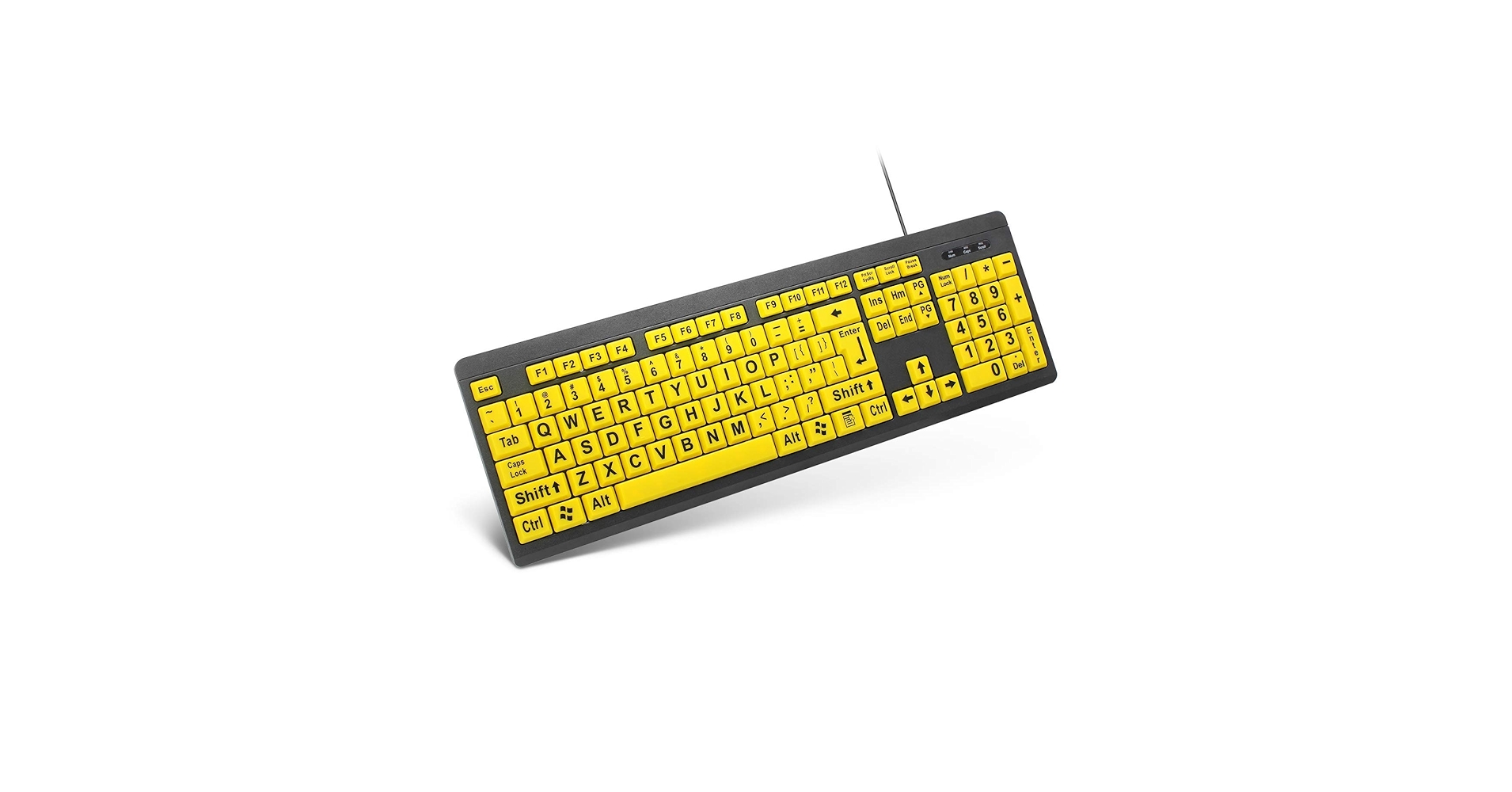
The Breakdown: The XDL-POWER keyboard is a direct competitor to the BOOGIIO, aiming squarely at the budget-friendly segment of the market. It provides all the essentials: large print, a full-size layout, and a simple USB connection. It delivers on its promise of providing easy to see letters without any complicated features or setup.
Key Specs:
- Type: Full Keyboard (Wired)
- Print Size: Large
- Backlighting: No
- Key Switch: Membrane
The Community Verdict: This is a keyboard that gets the job done for a low price. It’s often purchased for public computer labs, libraries, or as a secondary keyboard. Reviewers note that while it doesn’t feel premium, its core function as a large print keyboard for visually impaired users is perfectly adequate for the cost.
Dealbreaker: The lightweight construction and soft key response will likely disappoint anyone looking for a durable, primary keyboard for all-day typing.
Buying Guide: Choosing the Right Black and Yellow Keyboard
Selecting a yellow and black keyboard goes beyond just color. It’s about matching the tool to your specific needs, whether they are driven by keyboard aesthetics or pure functionality. Here’s what to consider.
Visibility vs. Style
First, identify your primary motivation. Are you building specific desk setup ideas around a bold, high-contrast look? Or is your main goal to find a high visibility keyboard to reduce eye strain? The products on this list lean heavily toward the functional, but the Logickeyboard ‘Slimline’ offers a better blend of both. For pure function, especially in low light, a backlit option like the Adesso is unmatched.
Keyboard vs. Stickers
If you already own a premium keyboard you love—perhaps an ergonomic keyboard with touchpad—you don’t have to replace it. The key-top stickers are an incredibly affordable way to get the high-contrast benefit without sacrificing the hardware you’re accustomed to. However, for a cleaner, more permanent solution, a dedicated large-print keyboard is the superior choice.
Desk Integration
Consider how the keyboard will fit into your overall workspace. A chunky, functional keyboard might look out of place on a sleek, minimalist desk. Conversely, a slimline model might not have the robust feel you want for a heavy-duty workstation. Thinking about your desk material, like in our guide on wood desks with keyboard trays, can also influence whether a classic black or a more modern design fits best.
Frequently Asked Questions
1. Why are some keyboards black and yellow?
The black and yellow color scheme provides one of the highest levels of visual contrast, making it extremely easy for the human eye to distinguish characters. This design principle is borrowed from road signs and safety equipment. It is particularly beneficial for individuals with low vision, macular degeneration, or other visual impairments, and is also helpful for children learning to type or anyone who wants to reduce eye fatigue.
2. Are large print keyboards good for gaming?
Generally, no. The keyboards featured in this guide use membrane or scissor switches, which lack the speed, tactile feedback, and durability of the mechanical switches preferred for gaming. While you certainly can game on them, they are not optimized for the rapid, precise keystrokes required in competitive gaming.
3. How do you clean a yellow and black keyboard?
First, unplug the keyboard. You can turn it upside down and gently shake it to dislodge loose debris. For surface cleaning, use a microfiber cloth lightly dampened with isopropyl alcohol or a dedicated electronics cleaning solution to wipe down the keys and frame. Avoid spraying liquid directly onto the keyboard, as it can damage the internal components.




