
Switching to an ergonomic keyboard can feel like a major investment, but relieving wrist strain shouldn’t break the bank. The market for a good, cheap split keyboard has grown significantly, offering comfort and better posture at accessible price points. Whether you’re dealing with RSI symptoms or proactively improving your desk setup, a split design allows your wrists and forearms to rest in a more natural position, reducing tension over long work sessions. We’ve researched the market to find the top budget-friendly options that deliver real ergonomic benefits without the premium cost.
🚀 Quick Verdict / Top Pick
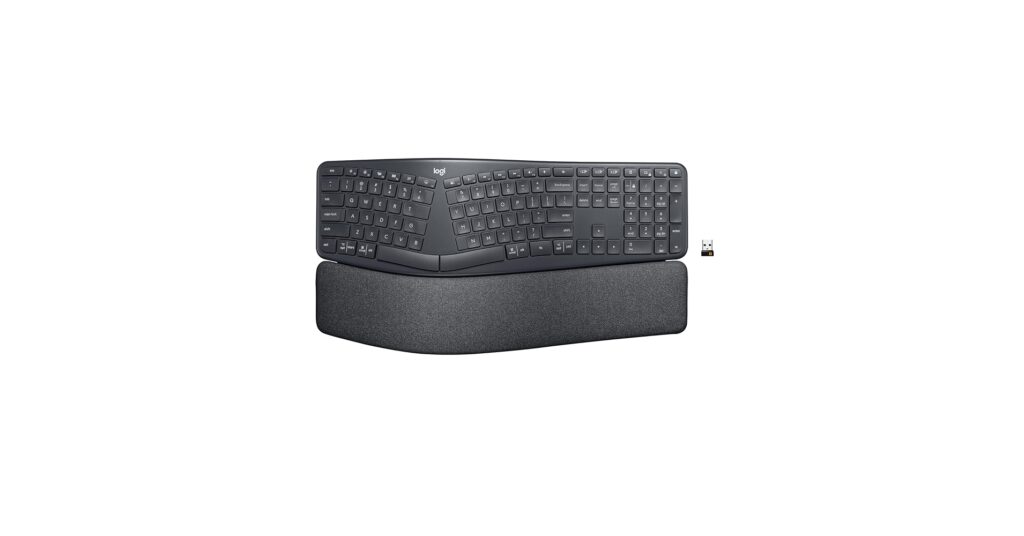
Logitech Ergo K860 Wireless Ergonomic Keyboard
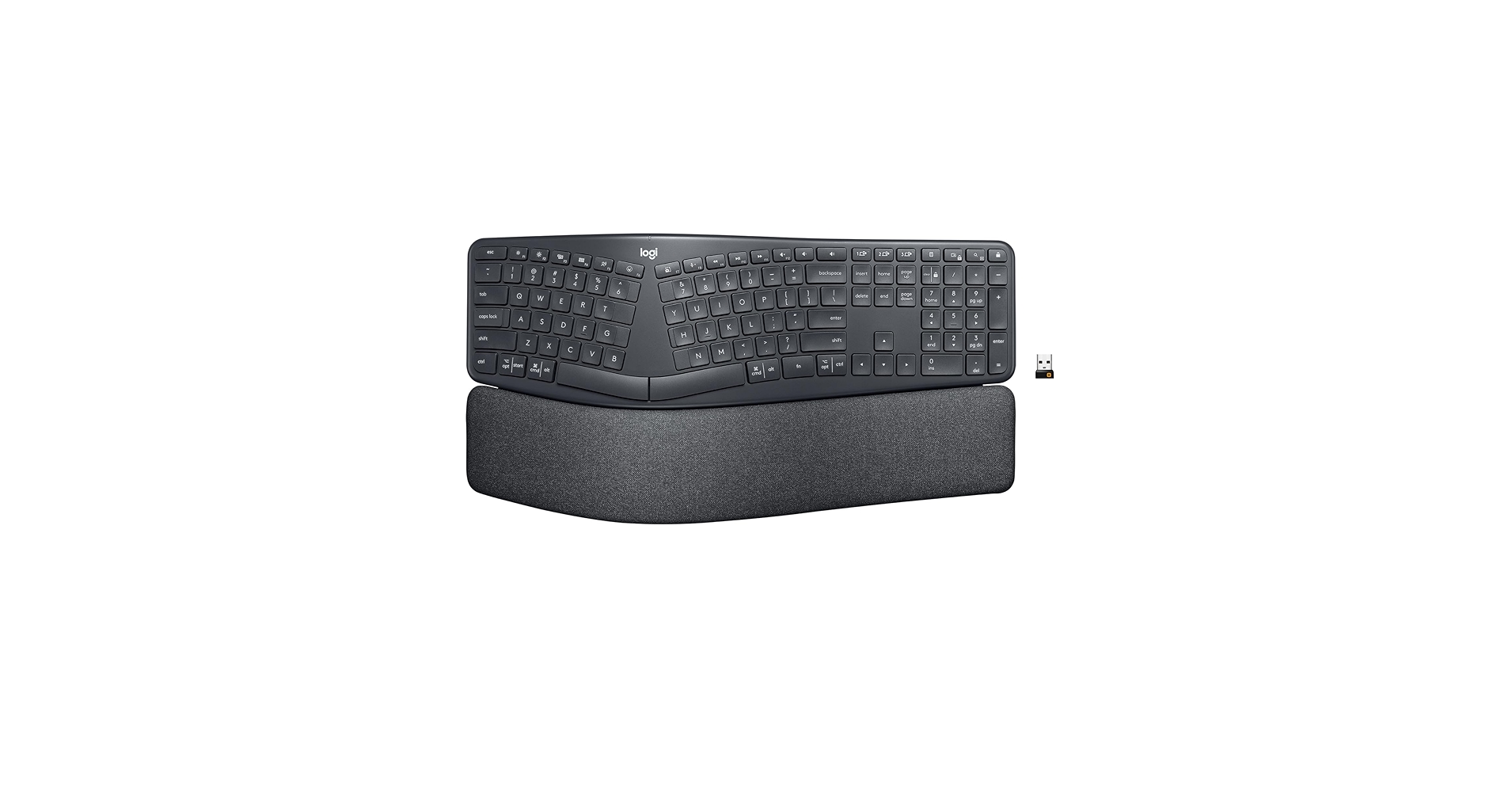
It masterfully blends premium ergonomic features, a familiar layout, and wireless convenience at a price point that makes it the most accessible and effective option for most users.
Budget Split Keyboard Comparison
| Product | Layout | Connectivity | Switch Type | Best For |
|---|---|---|---|---|
| Logitech Ergo K860 | Fixed Split | Wireless | Membrane | Overall Ergonomics |
| iClever Ergonomic Foldable Keyboard | Foldable Split | Wireless | Scissor | Ultimate Portability |
| YMDK Split Keyboard Corne V4.1 | True Split | Wired | Mechanical (Hot-swap) | DIY Customization |
| EPOMAKER Split65 QMK/VIA | True Split | Wireless | Mechanical (Hot-swap) | Wireless Mechanical Fans |
| X9 Wired Ergonomic Keyboard | Fixed Split | Wired | Membrane | The Ultra-Budget Pick |
Detailed Product Reviews
1. Logitech Ergo K860 Wireless Ergonomic Keyboard
Pros
- Exceptional padded wrist rest
- Seamless multi-device connectivity
- Gentle learning curve
Cons
- Non-mechanical membrane keys
- Large, non-portable footprint
The Breakdown: The Logitech K860 is the gold standard for accessible ergonomics. Its curved, fixed-split design and negative tilt promote a natural typing posture immediately. This is a thoughtfully designed keyboard with a split spacebar, which helps reduce awkward thumb movements during long typing sessions.
Key Specs:
- Layout: Fixed Split
- Connectivity: Wireless (Bluetooth / USB Receiver)
- Switch Type: Membrane
The Community Verdict: Market research indicates users overwhelmingly praise the K860 for its out-of-the-box comfort and the quality of the integrated wrist rest. The ability to switch between three devices is a frequently highlighted feature for those with multi-computer setups. The general consensus is that it provides immediate relief for wrist discomfort.
Dealbreaker: For keyboard purists, the membrane switches are a notable drawback, lacking the tactile feedback of mechanical keys. Its large size also makes it unsuitable for smaller desks or travel.
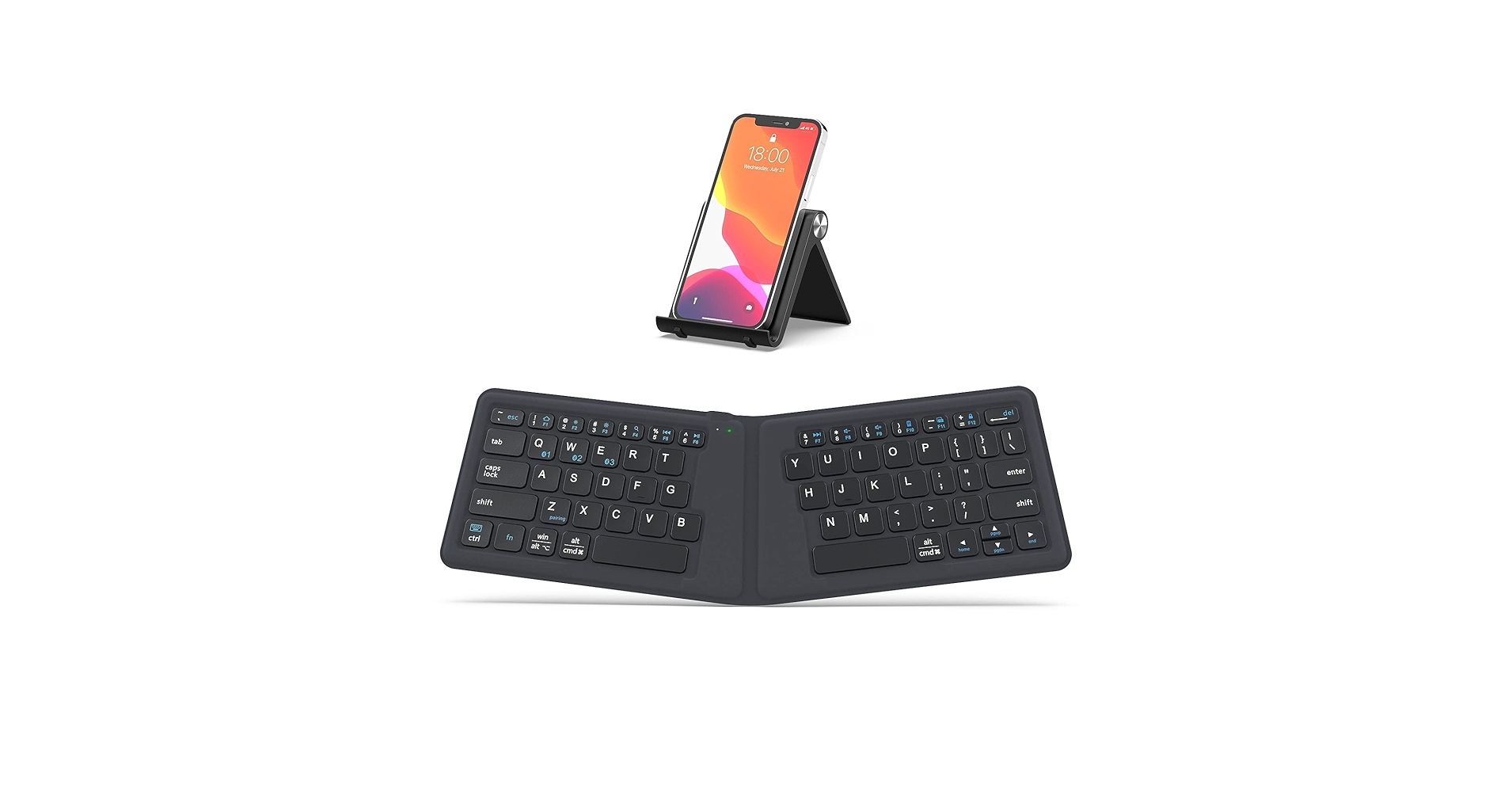
2. iClever Ergonomic Foldable Keyboard, BK06 Split
Pros
- Extremely compact and lightweight
- Tri-folding design with magnetic closure
- Decent scissor-switch typing feel
Cons
- Keys can feel cramped for larger hands
- Build quality raises durability concerns
The Breakdown: The iClever BK06 is a marvel of portability, offering a split ergonomic layout that folds up to fit in a jacket pocket. It’s designed for tablets and laptops, providing a much-needed ergonomic boost for mobile work. The V-shape encourages a natural wrist angle, a feature rarely seen in such a compact form factor.
Key Specs:
- Layout: Foldable Split
- Connectivity: Wireless (Bluetooth)
- Switch Type: Scissor
The Community Verdict: User feedback consistently highlights its convenience for travel. Many are surprised by the satisfying typing experience from its scissor switches, often comparing it favorably to high-end laptop keyboards. It’s widely regarded as the best solution for maintaining ergonomic posture away from the main desk.
Dealbreaker: The primary compromise is its size. The compact layout and smaller keys can lead to a higher error rate for touch typists initially. Furthermore, the hinges and lightweight plastic construction are points of concern for long-term, heavy use.
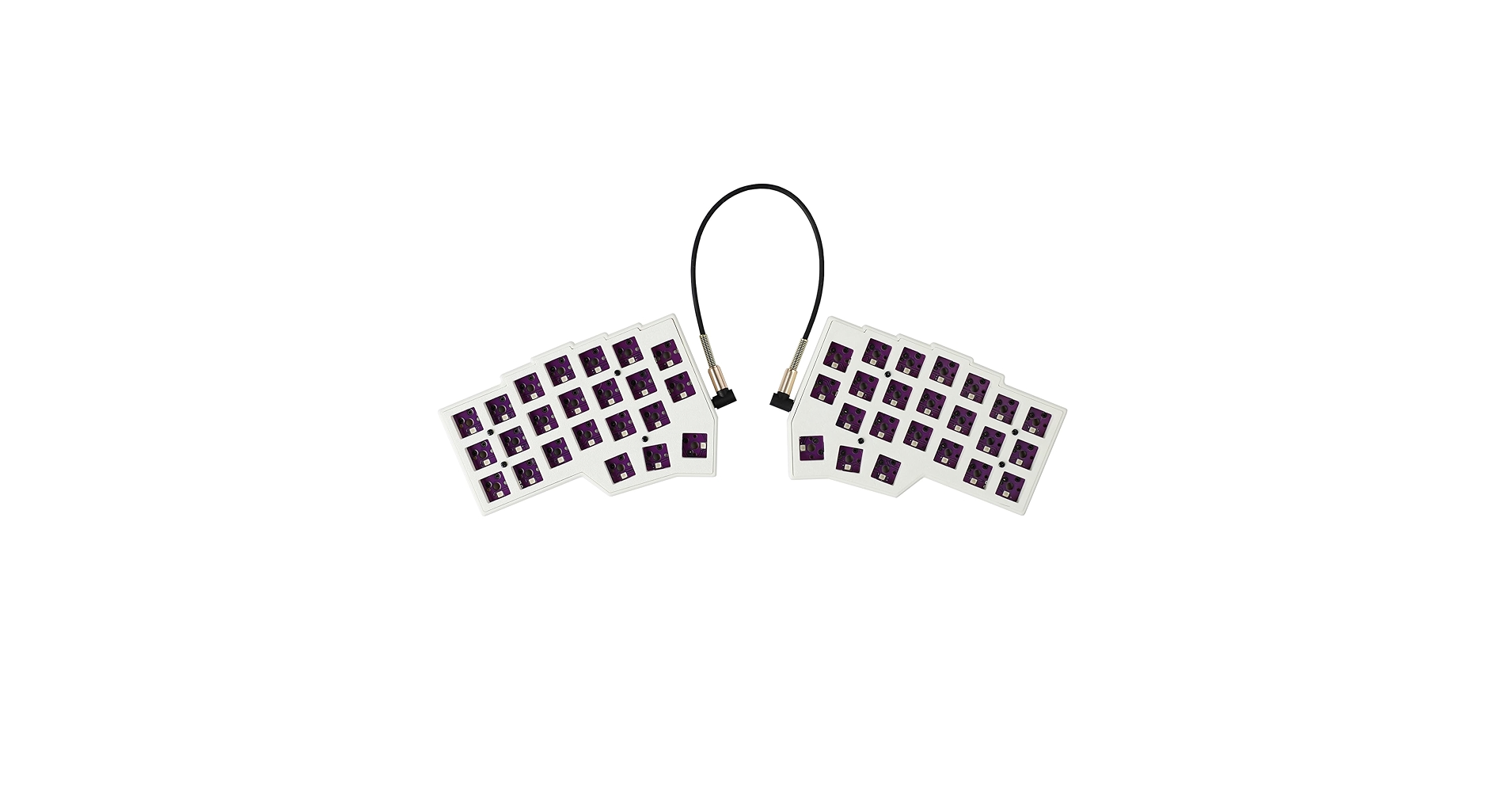
3. YMDK Split Keyboard Corne V4.1 46 Keys Ergonomic
Pros
- Fully programmable with QMK/VIA
- Hot-swappable switch sockets
- Maximum shoulder-width separation
Cons
- Significant learning curve (ortholinear)
- Requires user assembly (switches/caps)
The Breakdown: The YMDK Corne represents the entry point into the world of truly custom ergonomic keyboards. This is a true-split keyboard, meaning the two halves are completely separate, allowing for perfect shoulder-width alignment. Its small, 40% ortholinear layout is designed for maximum efficiency, minimizing finger travel by using layers for numbers and symbols.
Key Specs:
- Layout: True Split (40% Ortholinear)
- Connectivity: Wired (USB-C)
- Switch Type: Mechanical (Hot-swap)
The Community Verdict: This keyboard is highly regarded in the DIY community for its affordability and features. Users who invest the time to learn the layout and customize their keymaps report significant gains in typing speed and comfort. The hot-swap sockets are a major selling point, allowing for easy experimentation with different mechanical switches.
Dealbreaker: This is not a plug-and-play device. It requires purchasing and installing switches and keycaps separately, and the ortholinear layout combined with heavy layer usage presents a very steep learning curve for the average user.
4. EPOMAKER Split65 QMK/VIA Programmable Keyboard, Wireless

Pros
- Wireless (2.4GHz/Bluetooth) & Wired
- True-split design, ready out of the box
- Hot-swappable and fully programmable
Cons
- Higher price for a ‘cheap’ list
- Basic plastic case construction
The Breakdown: The EPOMAKER Split65 bridges the gap between mainstream ergonomic keyboards and niche DIY kits. It offers the highly sought-after true-split layout for maximum comfort, but comes fully assembled and ready to use. With tri-mode connectivity and hot-swap switches, it packs enthusiast-grade features into a user-friendly package.
Key Specs:
- Layout: True Split (65%)
- Connectivity: Wireless (2.4GHz / Bluetooth) & Wired
- Switch Type: Mechanical (Hot-swap)
The Community Verdict: Reviews often praise the Split65 for making the true-split mechanical format more accessible. The reliable wireless performance is a key feature for users aiming for a clean desk setup. Its programmability via QMK/VIA is a huge plus for power users who want to remap keys without complex coding.
Dealbreaker: While feature-rich, it sits at the upper end of the ‘cheap’ category. The all-plastic construction might feel underwhelming to those accustomed to the heft of aluminum custom keyboards, though this is a necessary trade-off for the price point.
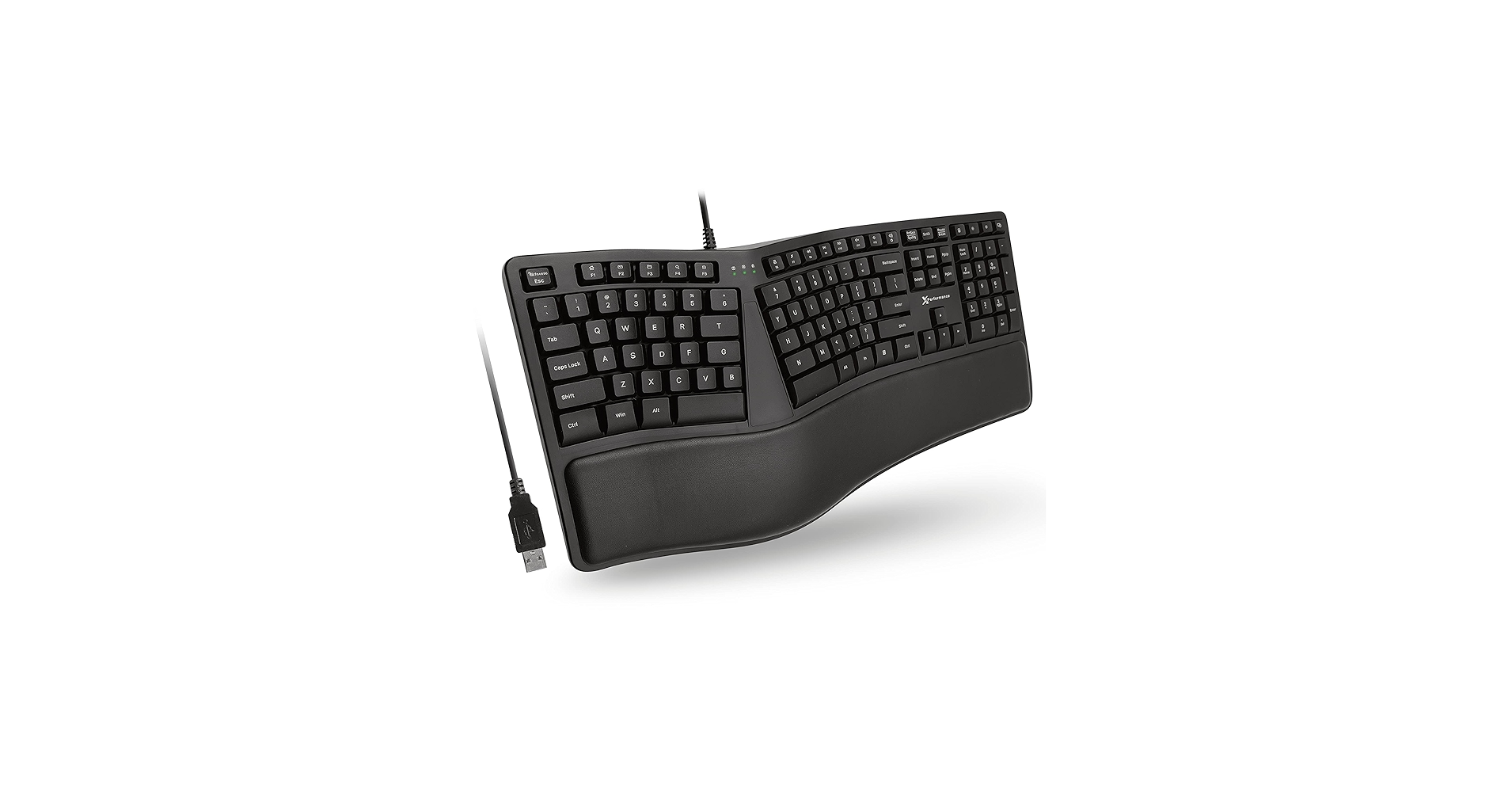
5. X9 Wired Ergonomic Keyboard with Cushioned Wrist
Pros
- Extremely affordable price point
- Integrated wrist support
- Simple, plug-and-play operation
Cons
- Mushy and indistinct membrane keys
- Basic build quality and materials
The Breakdown: The X9 Ergonomic Keyboard is the essence of a no-frills, budget-focused solution. It provides the fundamental ergonomic shape—a fixed split with a gentle curve—to position your hands more comfortably than a standard keyboard. For a minimal investment, it delivers the core benefit of a split design without any complex features.
Key Specs:
- Layout: Fixed Split
- Connectivity: Wired
- Switch Type: Membrane
The Community Verdict: The consensus is that the X9 is a solid entry-level choice for those testing the waters of ergonomic keyboards. Users appreciate that it provides noticeable comfort improvement over traditional flat keyboards for a very low price. It’s often recommended as a ‘starter’ ergo board before committing to a more expensive model.
Dealbreaker: The typing experience is its biggest weakness. The membrane keys are described as soft and mushy, which can be unsatisfying for fast or heavy typists. The overall build is lightweight and feels inexpensive, which is expected at this price but still a factor to consider.
Buying Guide: How to Choose a Cheap Split Keyboard
Finding the right cheap split keyboard involves balancing ergonomic features with your budget. Here’s what to consider:
Fixed vs. True Split: A ‘fixed’ split keyboard (like the Logitech K860) is a single-piece unit with a permanent angle and gap. It’s easier to adapt to but offers less customization. A ‘true’ split keyboard (like the EPOMAKER Split65) consists of two independent halves, allowing you to position them at shoulder width for maximum comfort. This drastically reduces shoulder and chest tension but can have a steeper learning curve.
Layout and Tenting: Beyond the split, consider the key layout. Most options here use a traditional staggered layout, but enthusiast boards like the Corne use an ortholinear (grid) layout. Some advanced models also offer ‘tenting’, which raises the inner edges of the keyboard halves. These more advanced, vertical layout split keyboards provide the most neutral wrist posture possible, but are often found on more expensive models.
Switch Type: Membrane keys are standard in budget options; they are quiet but can feel ‘mushy’. Mechanical keys offer superior tactile feedback and durability. If you’re curious about the different feels, exploring something like a brown mechanical keyboard switch is a great starting point for a satisfying middle-ground between typing and gaming.
The Whole Desk Matters: Remember, your keyboard is just one part of an ergonomic system. Ensure your chair height is correct and your monitor is at eye level. Using a deep monitor stand for large base monitors can help achieve the proper viewing distance and height, complementing the improvements from your new keyboard.
Frequently Asked Questions (FAQ)
Q1: Why are split keyboards better for ergonomics?
Split keyboards allow your wrists to remain straight while typing, aligning with your forearms. This ‘neutral’ posture reduces strain on the tendons and nerves in your wrist (like the carpal tunnel), preventing common repetitive strain injuries (RSI).
Q2: Do I need a mechanical split keyboard?
Not necessarily. While many enthusiasts prefer the tactile feedback and durability of mechanical switches, a well-designed membrane split keyboard like the Logitech K860 provides excellent ergonomic benefits. The most important factor is the split layout, not the switch type.
Q3: What are the benefits of vertical layout split keyboards?
Vertical layout, or ‘tented’, split keyboards angle the two halves upwards in the middle, like a tent. This rotates your forearms into a more natural ‘handshake’ position, further reducing pronation and stress on your forearm muscles. It is generally considered the pinnacle of keyboard ergonomics.
Q4: How long does it take to get used to a split keyboard?
For a fixed-split keyboard with a standard layout, the adjustment period is typically a few days to a week. For a true-split or ortholinear keyboard, it can take two to four weeks to regain your previous typing speed and accuracy as your muscle memory adapts.




