
In a world of minimalist desks and smart TV media centers, clutter is the enemy. A full-sized keyboard and mouse can feel like overkill. That’s where the mini wireless keyboard mouse combo comes in—a compact, all-in-one solution for navigating your digital world from the couch, a cramped desk, or on the go. Whether you’re controlling a presentation, searching for a movie, or just need a portable typing solution, we’ve analyzed the market to find the best options that blend functionality with a minimal footprint.
🚀 Quick Verdict / Top Pick
(Upgrade) Rii i4 Mini Bluetooth Keyboard
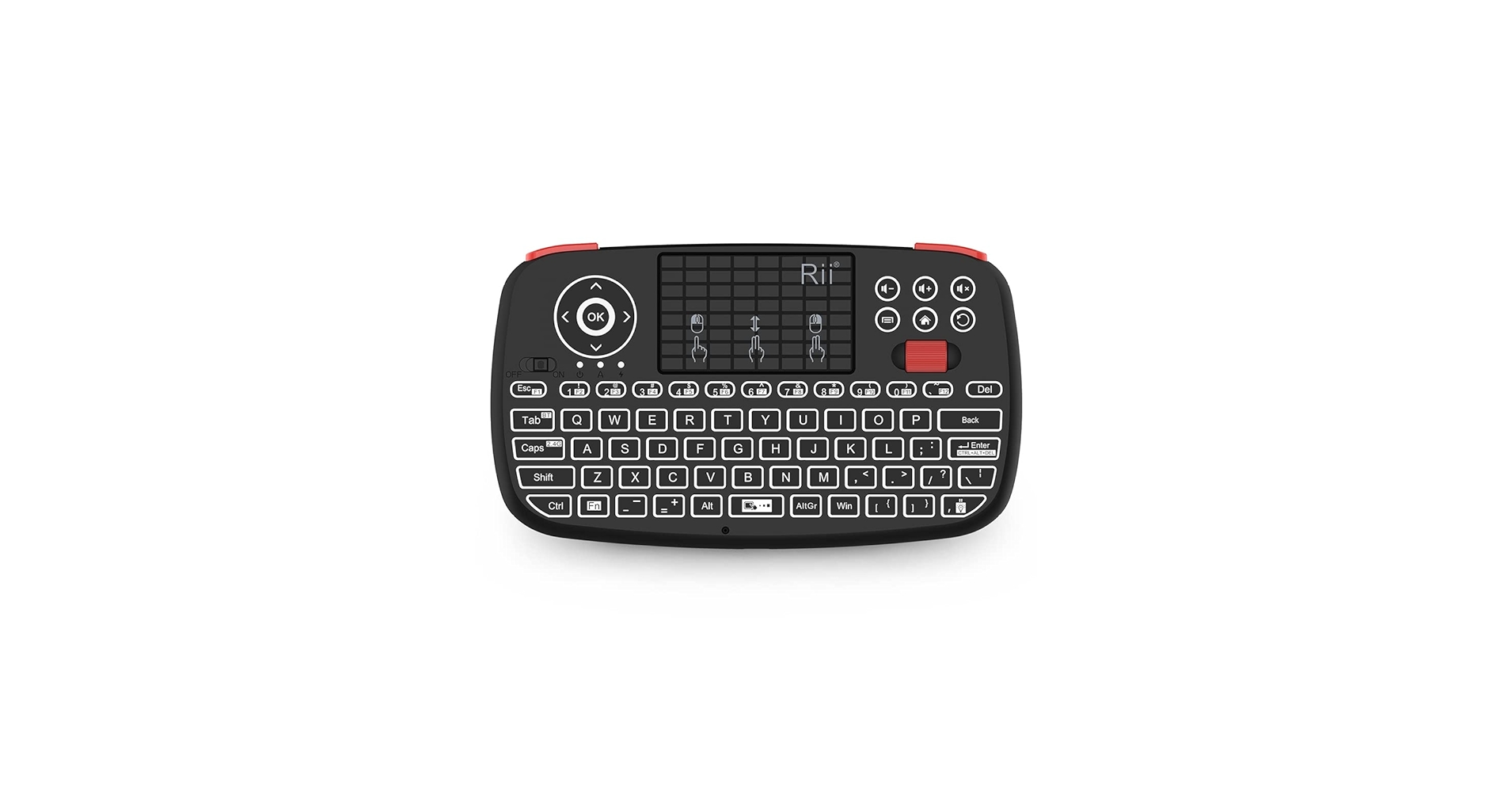
The Rii i4 wins for its unmatched versatility, offering both Bluetooth and 2.4GHz connectivity to control nearly any device you own.
Mini Wireless Keyboard Mouse: Comparison
| Product | Connectivity | Control Type | Best For |
|---|---|---|---|
| Mini Wireless Keyboard 2.4GHz Controller | 2.4GHz USB Dongle | Integrated Touchpad | Budget-Friendly Media Control |
| (Upgrade) Rii i4 Mini Bluetooth Keyboard | Bluetooth & 2.4GHz | Integrated Touchpad | Maximum Device Compatibility |
| REIIE H9+ Mini Keyboard (Backlit) | 2.4GHz USB Dongle | Integrated Touchpad | Home Theater Use in the Dark |
| TECKNET Wireless Keyboard and Mouse Combo | 2.4GHz USB Dongle | Separate Mouse | Compact Desktop Setups |
| Perixx PERIDUO-713 Wireless Mini Combo | 2.4GHz USB Dongle | Separate Mouse | Extremely Limited Desk Space |
Detailed Product Reviews
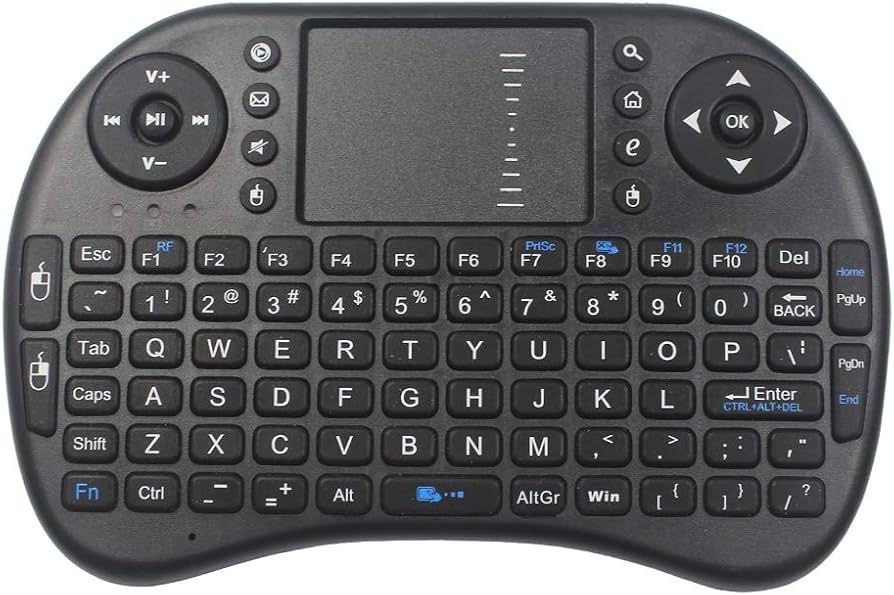
1. Mini Wireless Keyboard – 2.4GHz Controller
Pros
- Highly affordable
- Plug-and-play simplicity
Cons
- 2.4GHz dongle only (no Bluetooth)
- Feels plasticky
The Breakdown: This is the archetypal handheld keyboard, offering basic control in a familiar form factor. Its primary strength is its simplicity; just plug in the USB dongle, and it works. This makes it an excellent choice for a dedicated smart tv keyboard where you won’t be switching between devices.
Key Specs:
- Connectivity: 2.4GHz USB Dongle
- Control Type: Integrated Touchpad
- Power: Rechargeable Li-ion Battery
- Backlight: No
The Community Verdict: Users praise its straightforward setup and responsive touchpad for the price. It’s widely seen as a significant upgrade over standard TV remotes for searching content. However, some users report occasional signal drops if the dongle is obstructed.
Dealbreaker: The lack of Bluetooth means it won’t connect to tablets, phones, or certain streaming devices that lack a USB-A port. It’s a one-trick pony, but it does that trick well.
2. (Upgrade) Rii i4 Mini Bluetooth Keyboard
Pros
- Dual-mode Bluetooth & 2.4GHz
- Physical scroll wheel is a game-changer
Cons
- Higher price point
- Key layout can feel slightly cramped
The Breakdown: The Rii i4 is the gold standard for versatile mini keyboards. Its dual-mode connectivity is its killer feature, allowing you to switch between a dongle-connected PC and a Bluetooth tablet with a keypress. The addition of a physical scroll wheel and basic backlit keys elevates the user experience significantly over cheaper models.
Key Specs:
- Connectivity: Bluetooth 4.0 & 2.4GHz USB Dongle
- Control Type: Integrated Touchpad with Scroll Wheel
- Power: Rechargeable Li-ion Battery
- Backlight: Yes (White)
The Community Verdict: The market consensus is overwhelmingly positive, with users citing the reliable dual-mode switching and the excellent scroll wheel functionality as major plusses. It’s considered the go-to rechargeable mini keyboard for those who value features over rock-bottom pricing. A few users mention the Bluetooth pairing can be finicky on the first try.
Dealbreaker: The cost is a notable step up from basic 2.4GHz-only models, which might be overkill if you only plan to use it with a single device.
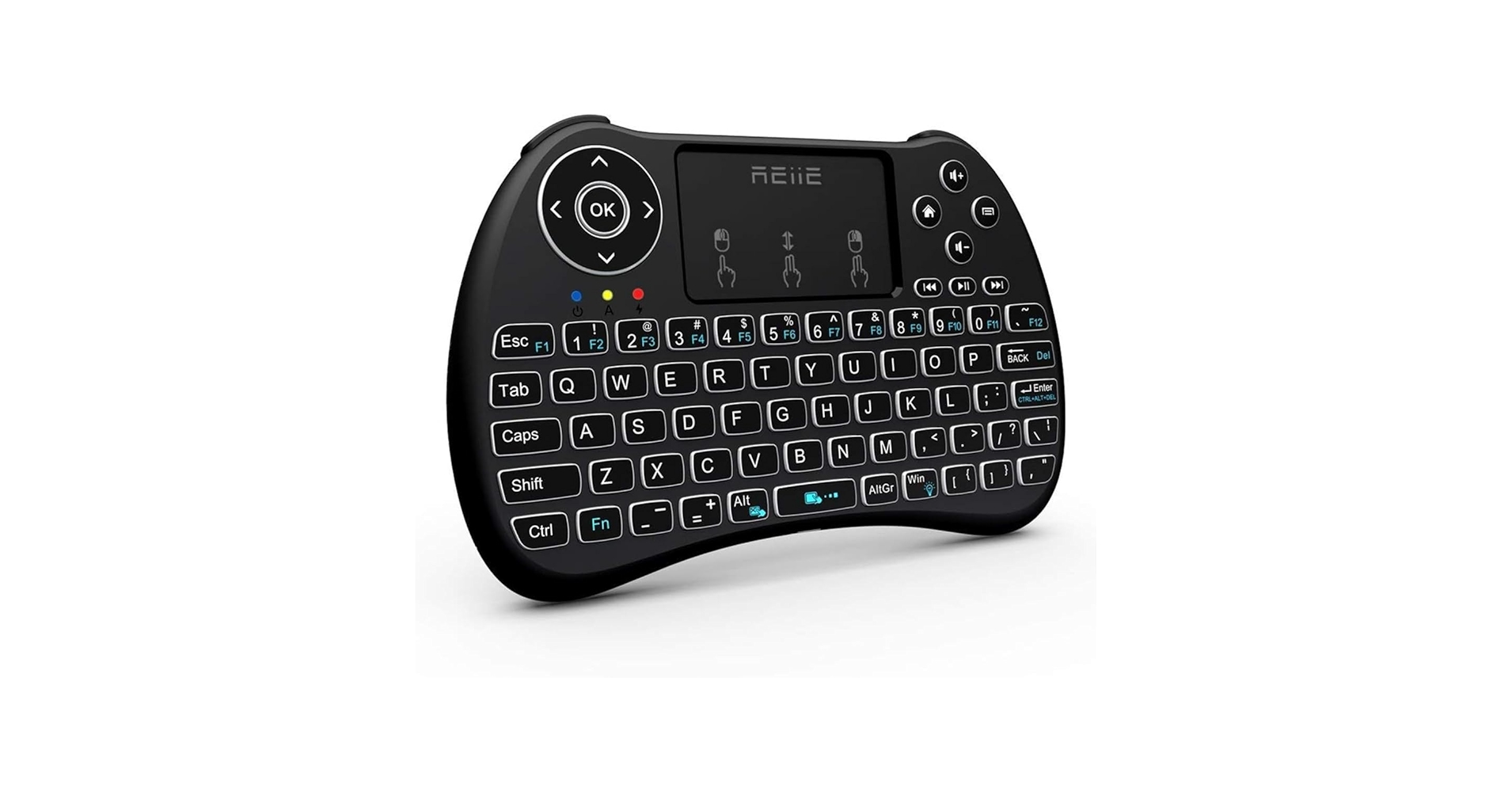
3. (Backlit Version) REIIE H9+ Mini Keyboard, 2.4GHz
Pros
- Bright, multi-color backlight
- Good tactile feedback on keys
Cons
- 2.4GHz only, no Bluetooth
- Touchpad can be overly sensitive
The Breakdown: The REIIE H9+ focuses on one thing and does it well: visibility. The multi-color backlit keys are bright and easy to read, making it perfect for navigating menus in a dark home theater. While it’s a simple small wireless keyboard with touchpad, its ergonomic shape and clicky keys make it comfortable to hold and use.
Key Specs:
- Connectivity: 2.4GHz USB Dongle
- Control Type: Integrated Touchpad
- Power: Rechargeable Li-ion Battery
- Backlight: Yes (RGB)
The Community Verdict: This model is a favorite among Kodi and Plex users for its excellent backlight. Many users prefer its shape over flatter models for one-handed use. The most common complaint relates to touchpad sensitivity, with some users finding it takes time to get used to.
Dealbreaker: Like other 2.4GHz-only models, the lack of Bluetooth limits its use with modern tablets and phones. Some users also report minor connectivity issues if the dongle is placed behind a thick media cabinet.
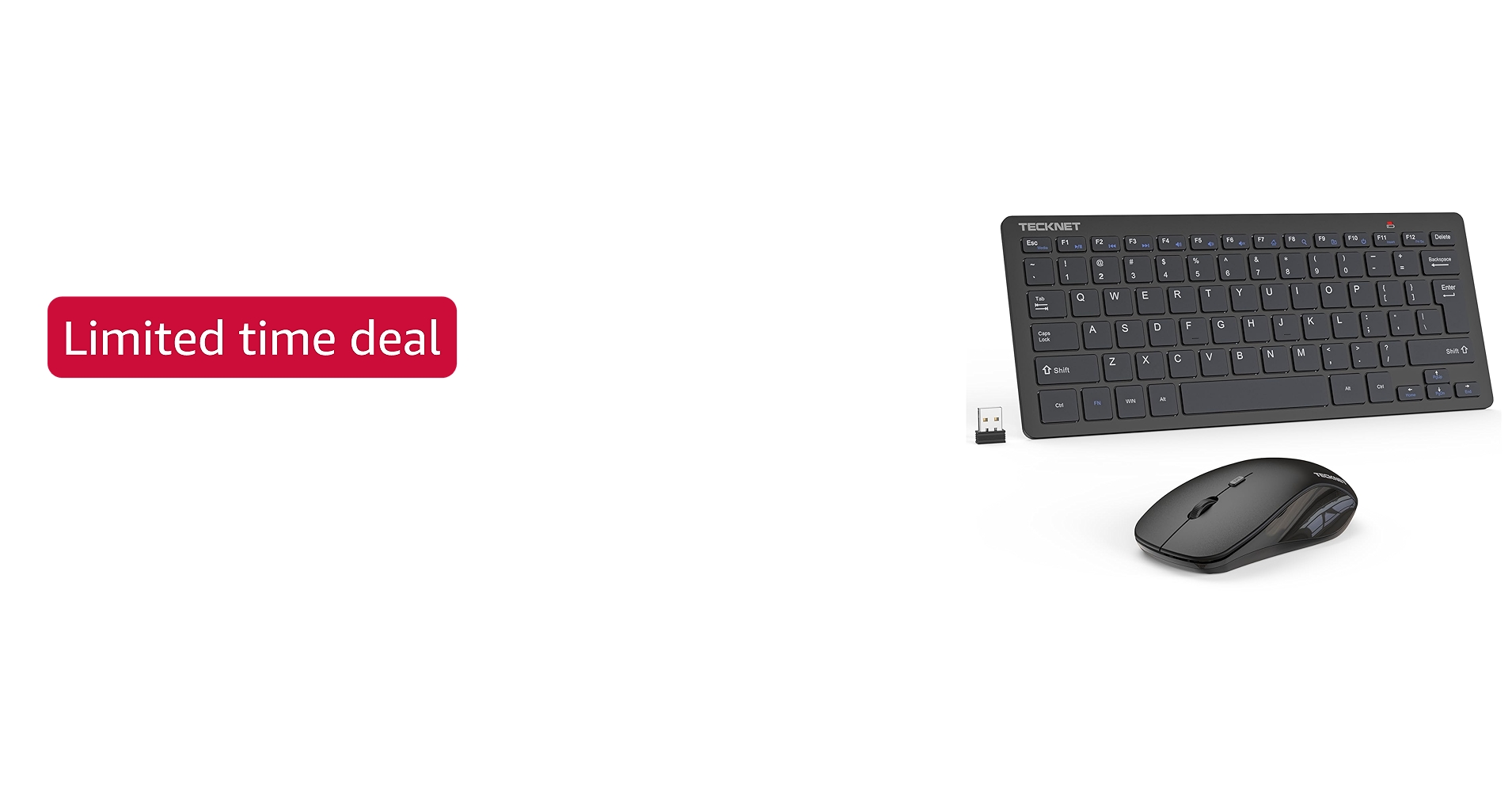
4. TECKNET Wireless Keyboard and Mouse Combo
Pros
- Comfortable, familiar typing
- Single dongle for both devices
Cons
- Not a single-unit device
- Requires AA/AAA batteries
The Breakdown: Shifting gears from handhelds, the TECKNET combo is for those who want a miniature version of a classic desktop setup. The keyboard offers a surprisingly pleasant typing feel for its size, avoiding the thumb-typing fatigue of handhelds. It’s an ideal keyboard and mouse combo for pc setups where space is at a premium.
Key Specs:
- Connectivity: 2.4GHz USB Dongle
- Control Type: Separate Mouse
- Power: AAA/AA Batteries (not included)
- Backlight: No
The Community Verdict: Market research indicates this is a popular choice for office hot-desking, home labs, or as a travel setup for laptop users who dislike trackpads. The single-dongle operation is a key selling point. The main critique is the reliance on disposable batteries rather than being a rechargeable mini keyboard.
Dealbreaker: It’s two separate pieces, which defeats the purpose for anyone seeking a one-handed, couch-friendly remote.
5. Perixx PERIDUO-713 Wireless Mini Keyboard and Mouse Combo
Pros
- Extremely compact footprint
- Chiclet keys are quiet
Cons
- Mouse is very small
- Not ideal for long typing sessions
The Breakdown: The Perixx PERIDUO-713 takes the compact desktop concept to its extreme. It’s noticeably smaller than the TECKNET, making it one of the tiniest traditional-style combos available. This is not for everyone, but for specific use cases like a server rack cart or a point-of-sale system, its tiny size is its greatest asset.
Key Specs:
- Connectivity: 2.4GHz USB Dongle
- Control Type: Separate Mouse
- Power: AAA Batteries
- Backlight: No
The Community Verdict: Reports confirm it’s a reliable, space-saving solution. Users are often surprised by just how small it is in person. The most frequent criticism is directed at the mouse, which can be too small for average-to-large hands to use comfortably for extended periods.
Dealbreaker: The ultra-compact size means compromises on ergonomics. This is not a substitute for a full-day typing keyboard and will likely cause strain if used as such.
Buying Guide: How to Choose a Mini Wireless Keyboard Mouse
Finding the right mini combo depends entirely on your primary use case. Here’s what to consider.
Form Factor: Handheld vs. Desktop
First, decide if you need an all-in-one handheld unit (like the Rii or REIIE) or a miniaturized desktop set (like the TECKNET or Perixx). Handhelds are superior for media centers and presentations where you’re standing or on a couch. Desktop sets are better for any situation where you have even a small flat surface and need to do more prolonged typing.
Connectivity: 2.4GHz vs. Bluetooth
Understanding 2.4GHz vs Bluetooth is crucial. A 2.4GHz connection uses a dedicated USB dongle for a simple, stable connection, ideal for PCs and most media players. Bluetooth connects wirelessly without a dongle, making it perfect for tablets, smartphones, and some modern laptops. A dual-mode device like the Rii i4 offers the best of both worlds, providing maximum flexibility.
Ergonomics and Portability
By their nature, ‘mini’ devices compromise on ergonomics. If you plan to type extensively, a separate keyboard and mouse combo is almost always more comfortable. For those prioritizing comfort in a small footprint, exploring a dedicated compact ergonomic keyboard might be the next logical step. For true on-the-go use, consider the device’s durability and whether you’ll need a protective wireless keyboard case to protect it in a bag.
Frequently Asked Questions (FAQ)
Q: How to connect a mini wireless keyboard?
A: For 2.4GHz models, simply plug the included USB dongle into your device. It should be recognized automatically. For Bluetooth models, put the keyboard in pairing mode (usually via a button combination) and select it from the Bluetooth menu on your PC, tablet, or TV.
Q: What is the best mini wireless keyboard for an Android TV box?
A: Any of the handheld models with a 2.4GHz dongle (like the REIIE H9+ or the basic model) are excellent choices. They are plug-and-play with most Android boxes and make searching for content much easier than with a standard remote. A backlit model is highly recommended for living room use.
Q: Can I use a mini keyboard with a PS5 or Xbox?
A: Yes, most 2.4GHz USB models will work with consoles like the PS5 and Xbox for text input in menus, messaging, and browsing. However, they are generally not supported for gameplay itself, which still requires a standard controller.




