
That tangled mess of wires under your desk isn’t just an eyesore—it’s a dust magnet and a tripping hazard. A simple yet elegant solution is a dedicated box of cables organizer. These enclosures are designed to hide bulky power strips, chargers, and excess cord length, transforming your workspace from chaotic to clean. Based on extensive market research, we’ve analyzed the top options available, focusing on design, capacity, and overall value to help you find the perfect fit for your setup.
🚀 Quick Verdict / Top Pick
2 Pack Large Cable Management Box – Wooden

This set wins for its exceptional value, providing two different-sized boxes and a complete accessory kit to tackle any cable mess right out of the box.
| Product | Dimensions (Largest Box) | Material | Best For |
|---|---|---|---|
| 2 Pack Large Cable Management Box – Wooden | 16.0″ x 6.2″ x 5.3″ | Plastic with Wood-Style Lid | Complete Desk & TV Setups |
| D-Line Cable Management Box | 16.5″ x 6.5″ x 5.25″ | ABS Plastic | Minimalist Setups |
| Cable Management Box by Baskiss | 12″ x 5″ x 4.5″ | Plastic with Wood Lid | Smaller Power Strips |
| SC SM 6Port Fiber Box | Varies (Wall Mount) | Metal/Plastic Enclosure | Professional Network Installs |
2 Pack Large Cable Management Box – Wooden
Pros
- Excellent value with two sizes included
- Comes with a full accessory kit (ties, clips, sleeve)
- Stylish wood-style lid blends with home decor
- Child and pet-friendly locking lid design
Cons
- Plastic construction may feel less premium than solid wood
- The wooden lid is a veneer, not solid wood
The Breakdown: This all-in-one set is designed for immediate impact. The inclusion of two differently sized boxes, along with cable ties, clips, and a fabric sleeve, means you have a versatile toolkit to tackle cord clutter anywhere. The boxes are made from fire-retardant plastic and feature a minimalist design with a wood-style top that adds a touch of warmth to your tech setup.
Key Specs:
- Large Box Dimensions: 16.0 x 6.2 x 5.3 Inches
- Medium Box Dimensions: 12.6 x 5.4 x 5.0 Inches
- Material: Impact-resistant ABS Plastic, Wooden Style Lid
- Accessories: Cable Ties, Stick-on Cable Clips, Fabric Sleeve
The Community Verdict: Users frequently praise this set for providing everything needed for a comprehensive under-desk cable management project. Online discussions highlight the value of getting two boxes and all the necessary accessories in one go, avoiding multiple purchases. The aesthetic is a common positive point, with many noting how the wooden-style lid helps it blend in better than purely plastic alternatives.
Dealbreaker: If you are seeking a box made from genuine, solid wood for a premium feel, the plastic body and veneer lid of this set might not meet your expectations.
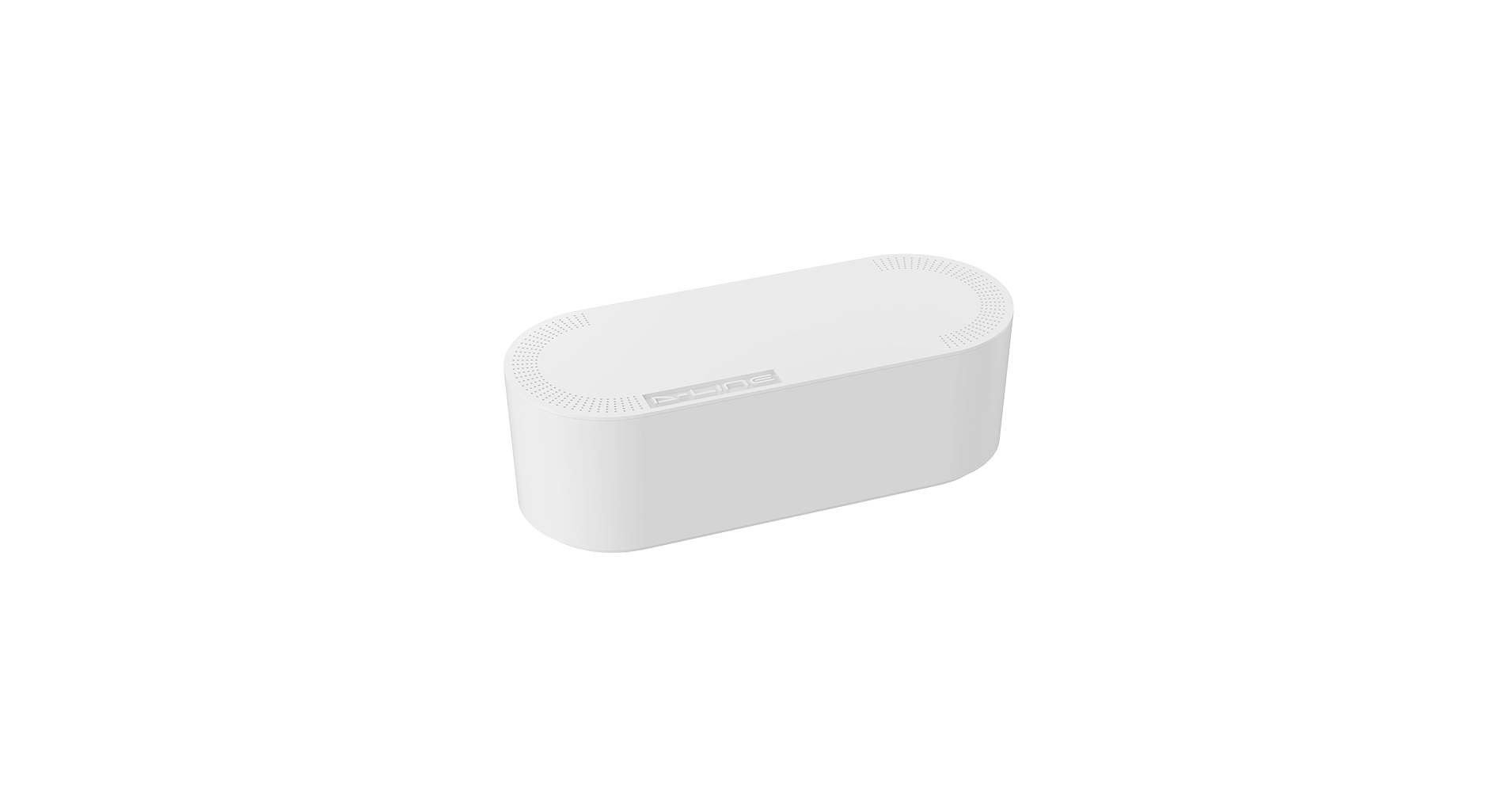
D-Line Cable Management Box, Power Strip Holder
Pros
- Sleek, curved design blends with modern tech
- Made from electrically-safe ABS material
- Three rear entry/exit points for flexible routing
- Popular and trusted brand in cable management
Cons
- No accessories included
- Can be a tight fit for power strips with bulky plugs
The Breakdown: The D-Line box is a classic in the cable organization space. Its focus is on doing one thing well: hiding a power strip and its associated cable clutter in a simple, attractive enclosure. The curved edges give it a softer look than many boxy competitors, helping it blend in behind TVs or next to computer equipment.
Key Specs:
- Dimensions: 16.5 x 6.5 x 5.25 inches
- Material: ABS Plastic
- Access Points: Three rear slots
- Colors: Available in black or white
The Community Verdict: Market research shows the D-Line box is a go-to for those who already have their own cable ties and sleeves. Users in forums often recommend it as a solid foundation for a cable management project, frequently pairing it with under-desk trays or cable raceways. Its reputation for a clean look and sturdy build is consistently high.
Dealbreaker: If you’re starting from scratch and want an all-inclusive kit, the lack of included accessories means you’ll need to purchase ties, clips, or sleeves separately.
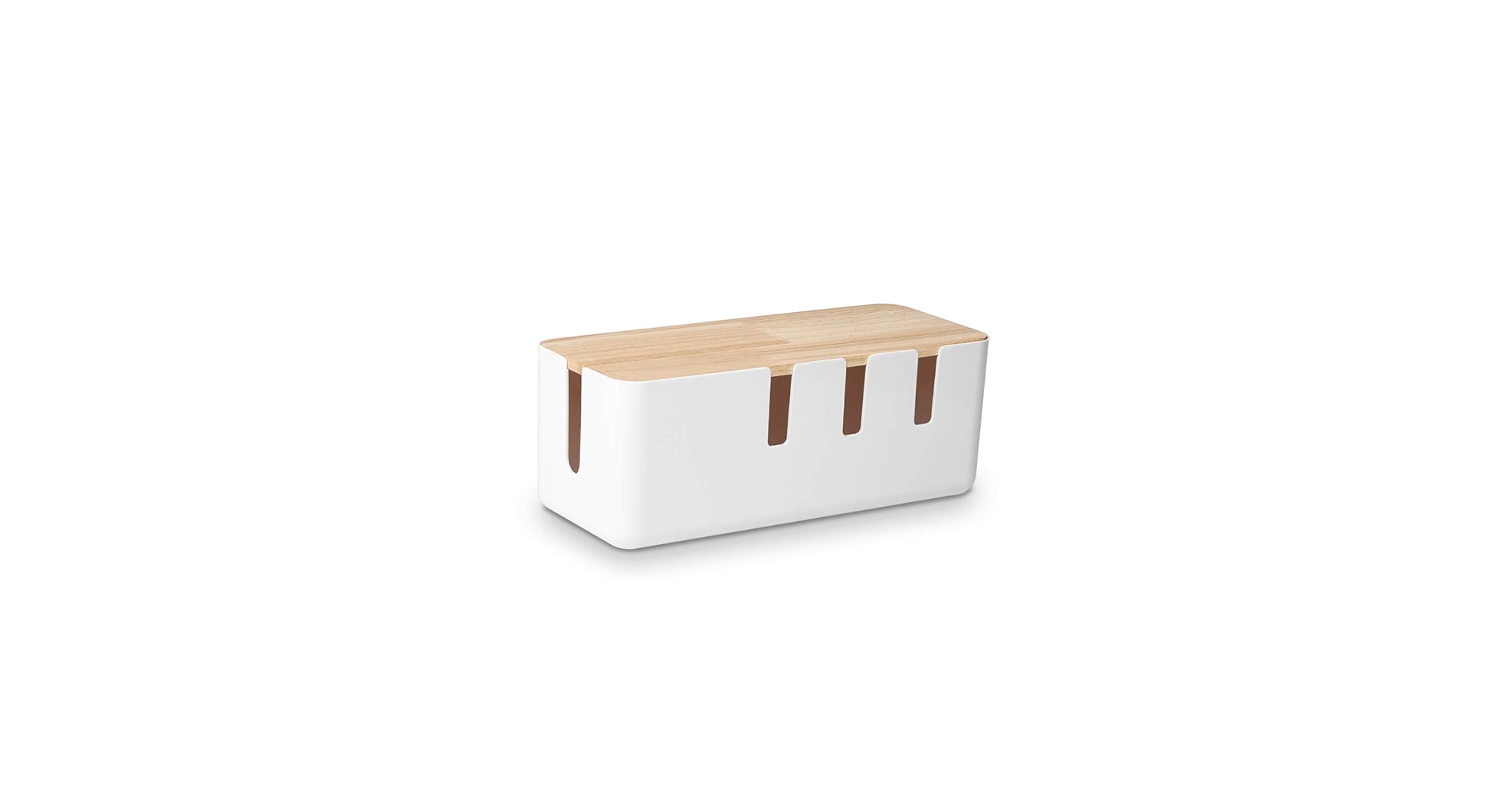
Cable Management Box by Baskiss
Pros
- Compact size fits well in tight spaces
- Attractive wood lid for a modern look
- Simple and effective design
- Affordable single-unit option
Cons
- Too small for many larger power strips or bulky adapters
- Lid sits on top, not a locking design
The Breakdown: The Baskiss cable box offers a similar aesthetic to our top pick but in a smaller, more focused package. It’s a no-fuss solution for hiding a standard-sized power strip from a desk, TV, or computer. The clean lines and wood lid make it a popular choice for those who prioritize form as much as function.
Key Specs:
- Dimensions: 12 x 5 x 4.5 inches
- Material: Plastic with Wood Lid
- Access Points: Two side slots
- Weight: 15.5 ounces
The Community Verdict: This box is frequently mentioned in reviews as a simple, good-looking cord organizer for standard needs. Buyers are generally happy with its ability to hide cords for a computer or USB hub system. The main point of contention is size; users stress the importance of measuring your power strip before buying, as it won’t accommodate oversized units.
Dealbreaker: If you use a large power strip with multiple bulky AC adapters (like for laptops or monitors), this box will likely be too small to contain everything.
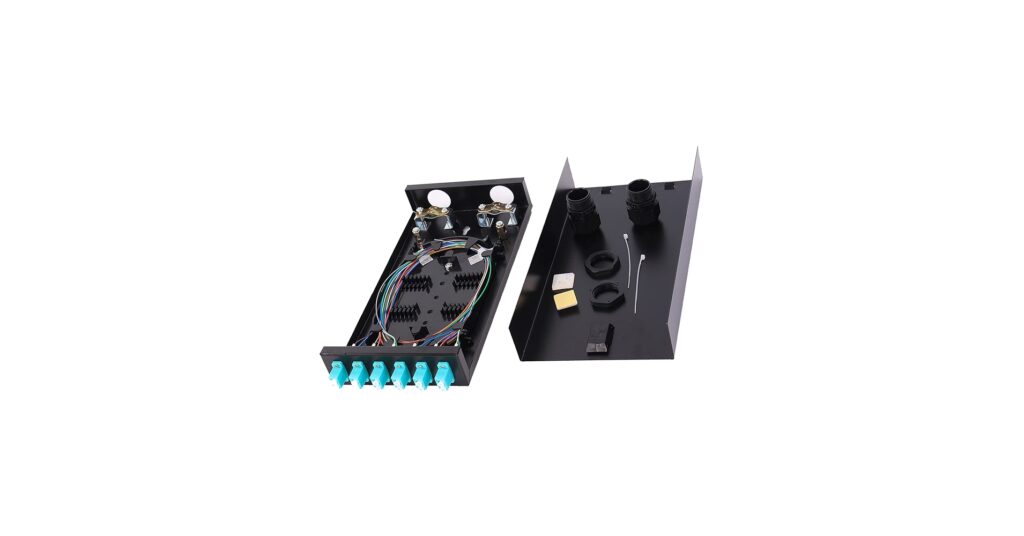
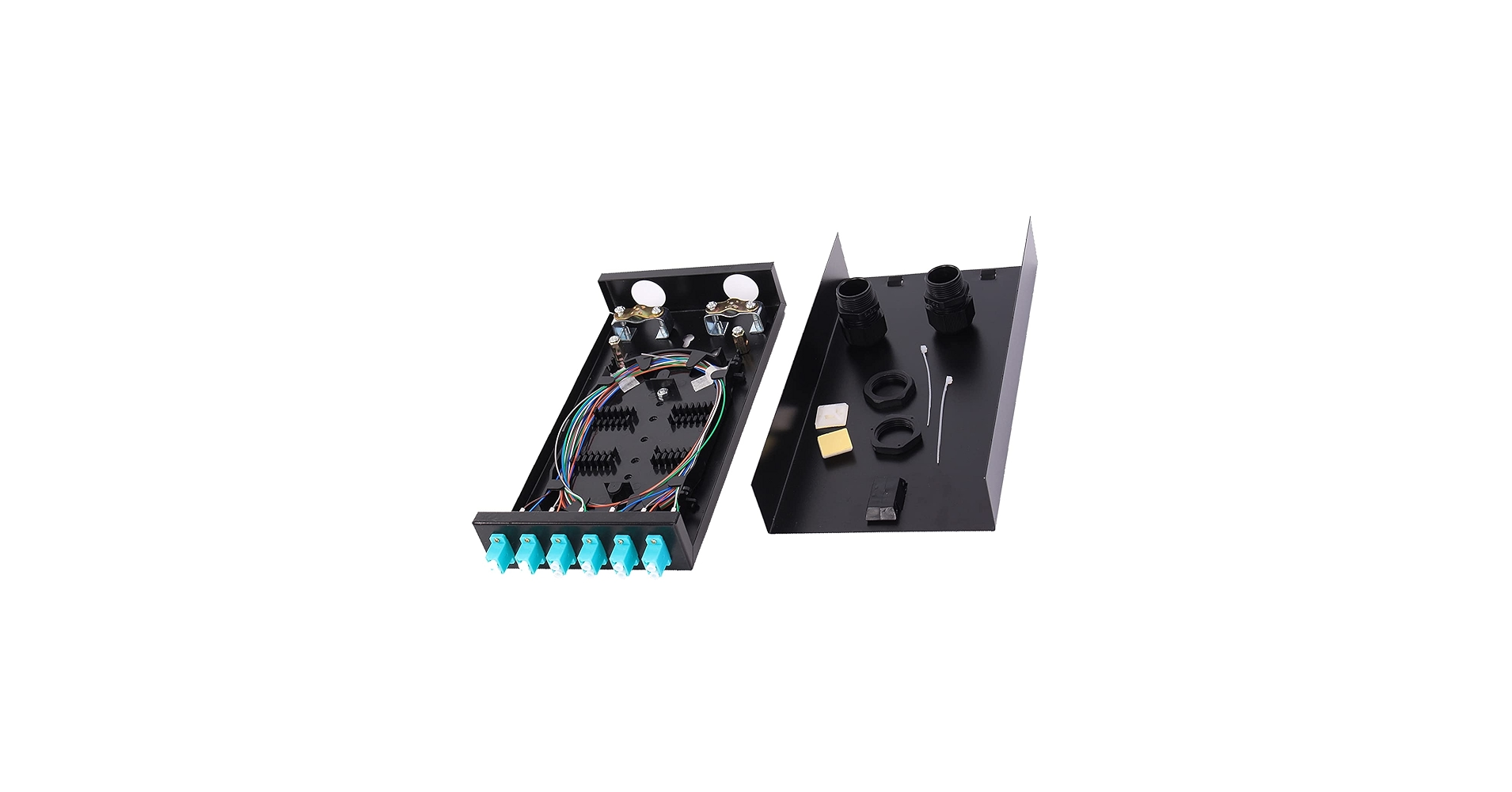
SC SM 6Port Box +Cables Wall Mount Fiber
Pros
- Compact enclosure for fiber termination
- Includes connectors for professional use (SC/UPC)
- Wall-mountable design for network closets
- High-quality build for a niche application
Cons
- NOT for standard consumer cable organization
- Requires specialized knowledge of fiber optics to use
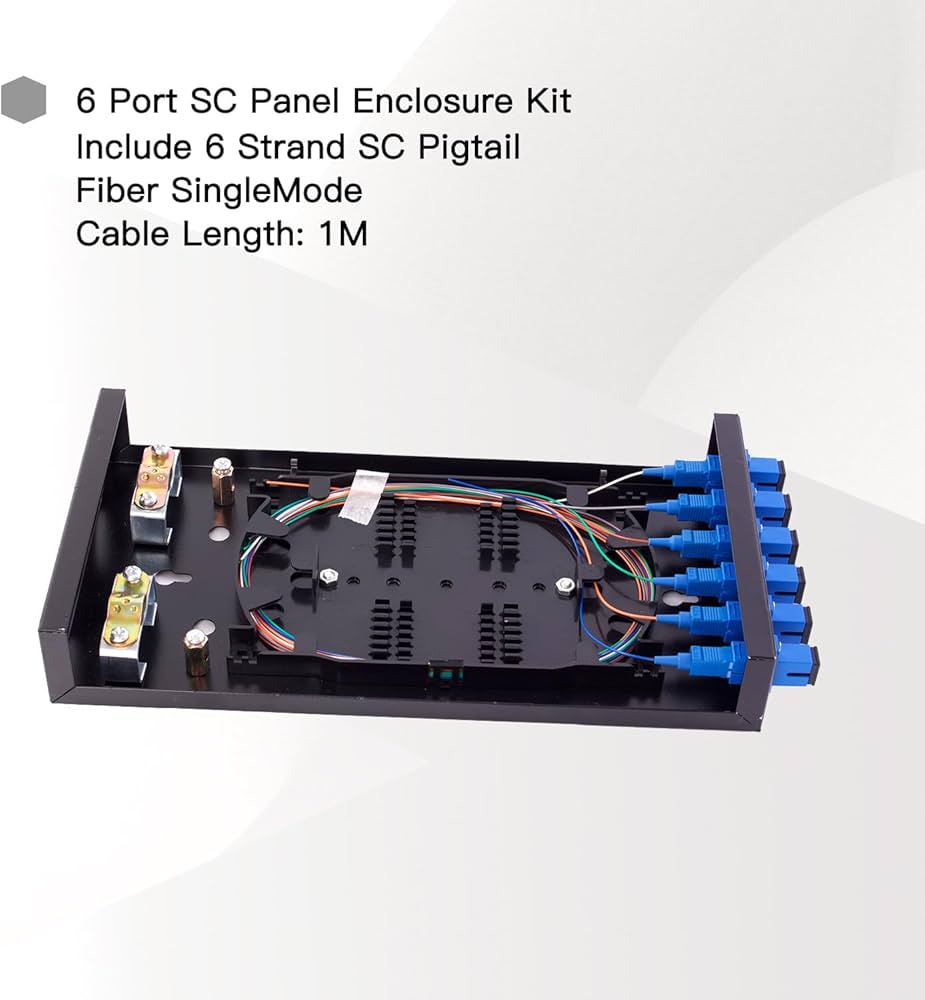
The Breakdown: It’s crucial to understand that this is not a box for hiding your desk’s power cords. This is a specialized piece of networking hardware—a fiber optic termination box. It’s designed to be mounted on a wall in a network closet or IDF to safely house and connect delicate single-mode fiber optic strands.
Key Specs:
- Ports: 6 Port SC-UPC Singlemode
- Application: Fiber interconnectivity and termination
- Mounting: Wall Mountable
- Includes: Splicing Module, LGX Panel
The Community Verdict: Discussions on technical forums like Reddit’s r/networking confirm this product’s purpose. Conversations revolve around quotes for running 12 or 24 strands of single-mode fiber and terminating them in wall-mounted enclosures exactly like this one. It’s a standard component for professional network infrastructure, not home office cord concealment.
Dealbreaker: If you are looking for a simple box to hide a power strip, this is the wrong product entirely. It serves a highly technical and completely different purpose.
SC SM 6Port Box +Cables Wall Mount Fiber (Alt. Listing)
Pros
- Professional-grade networking hardware
- Designed for secure fiber optic connections
- Durable construction for long-term installs
Cons
- Entirely unsuitable for consumer cable management
- Identical in function to other technical listings
The Breakdown: Similar to the product above, this is another listing for a fiber optic termination box. It’s built for housing and connecting fiber optic pigtails and couplers within a secure, wall-mounted enclosure. For its intended purpose in a commercial or advanced networking environment, it is a necessary and standard piece of equipment.
Key Specs:
- Application: Fiber Optic Termination
- Connectors: Typically SC, ST, or LC (check listing)
- Mounting: Wall Mount
- Use Case: Commercial Networking, Data Centers
The Community Verdict: The consensus remains the same: this is for professionals. Technical reviews and supplier websites confirm its role in structuring optical fiber networks. It is not a consumer electronics accessory.
Dealbreaker: This is a special-purpose tool for a specific trade. Buying this to hide your lamp cord would be like buying a scalpel to slice bread.
Buying Guide: How to Choose the Right Box of Cables Organizer
Finding the perfect box of cables organizer boils down to a few key factors. Before you buy, consider the following to ensure you get a solution that truly cleans up your space.
1. Size and Capacity
This is the most critical factor. Before you do anything else, measure the power strip you intend to hide, including any bulky plugs that stick out. Check the internal dimensions of the cable box to ensure a comfortable fit. A box that’s too small is useless, while one that’s excessively large can defeat the purpose of a minimalist setup.
2. Material and Aesthetics
Since this box will be visible, how it looks matters. Most are made from durable ABS plastic, often with fire-retardant properties. For a warmer, more integrated look, consider a wooden cable management box or one with wood accents. Choose a color (typically black, white, or a combination) that complements your desk and other gear.
3. Ventilation and Access
Power adapters generate heat. A good cable management box must have adequate ventilation to allow for airflow and prevent overheating. Also, check the number and placement of the openings for the cable box wire. Multiple slots on the sides or back provide more flexibility for routing your cables cleanly.
4. Extra Features
Some organizer boxes are just that—a box. Others come as part of a complete kit with velcro ties, adhesive clips, and cable sleeves. These kits offer great value and provide all the tools you need for a comprehensive organization project. For more granular control, you might also look into the best cable clips for thick cables to complement your setup.
Frequently Asked Questions (FAQ)
What is a cable management box?
A cable management box is a simple enclosure designed to house a power strip, along with its connected plugs and excess cable length. Its purpose is to conceal this clutter, creating a cleaner, more organized, and safer space by reducing trip hazards and dust collection.
Can a box of cables overheat?
While possible, it’s unlikely with properly designed boxes. Reputable products are made from fire-retardant materials and include ventilation slots to allow heat from power adapters to dissipate. However, you should never completely seal a power strip in an airtight container or overload the strip beyond its rated capacity.
How do I choose the right size box?
Measure your largest power strip first. Then, plug in your bulkiest adapters (like those for laptops or monitors) and measure the total length, width, and height. Choose a cable management box with internal dimensions that are slightly larger than these measurements to ensure everything fits without straining the cords.




