
Finding the perfect mechanical keyboard can feel like an endless quest. You’re searching for that ideal balance of satisfying feel, acoustic perfection, and a design that doesn’t overwhelm your desk. My own journey recently led me to the EPOMAKER TH87, and I have to say, I’m genuinely impressed. After a friend let me try his full-sized EPOMAKER Galaxy 100, I was hooked on the brand’s signature typing feel but knew I needed a more compact layout. The ten-keyless (TKL) format of the TH87 immediately caught my eye, promising that same premium experience in a smaller footprint. While some online reports mention potential durability issues, my hands-on experience has been so positive that I’ve been willing to take the chance—and I’ll explain exactly why. For its features and feel, the Epomaker th87 price point makes it a very compelling option in a crowded market.
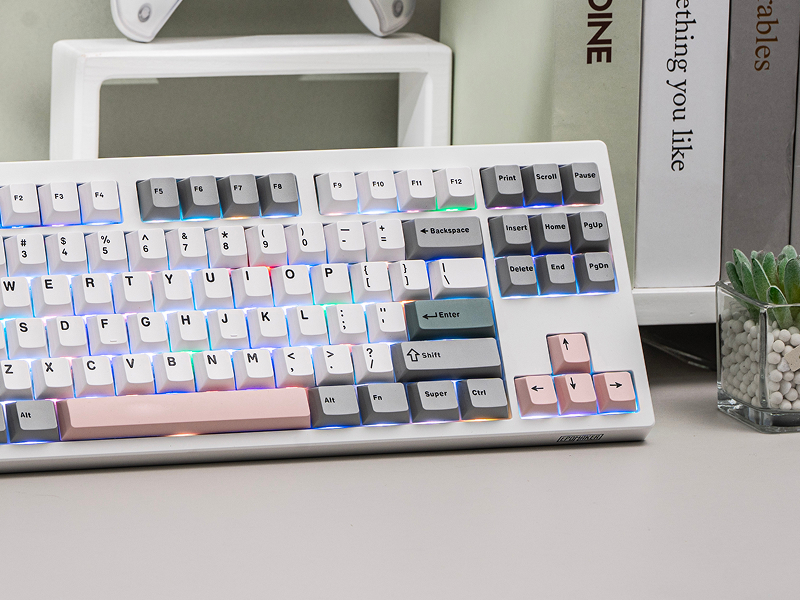
The EPOMAKER TH87 delivers a premium, gasket-mount typing feel and vibrant RGB in a versatile TKL layout that challenges keyboards twice its price.
| ⚙️ Technical Specifications | |
|---|---|
| Layout | 80% TKL (87 Keys) |
| Mounting Style | Gasket Mount |
| Connectivity | USB-C, Bluetooth 5.0, 2.4GHz Wireless |
| Battery Capacity | 4000mAh |
| Keycaps | Double-shot PBT, Cherry Profile |
| Switches | Hot-swappable (3/5-pin compatible) |
| Backlighting | South-facing RGB + Side Strips |
| Case Material | ABS Plastic |
🏆 The TechForDesk Verdict
From the moment I unboxed the TH87, I felt it could easily compete with my more expensive name-brand keyboards. The combination of its satisfyingly deep sound, solid build, and versatile connectivity makes it an incredible value for both work and play.
8/10
+ Responsive wireless and great tactile feel. | – Non-shine-through keycaps are difficult to see in the dark.
9/10
+ Exceptional “thocky” sound and comfortable gasket mount. | – Stock stabilizers could be slightly better, but are great for the price.
9/10
+ TKL layout saves valuable desk space. | – Side RGB strips might be too flashy for a conservative office.
8/10
+ Retains function row and navigation cluster. | – Opaque keycaps can make finding symbols tricky in dim lighting.
9/10
+ Deep, satisfying sound profile without high-pitched clicks. | – Still a mechanical keyboard, so not silent for quiet environments.
10/10
+ Easily switches between operating systems and devices. | – No dedicated physical switch for OS mode, relies on key combos.
Unboxing & First Impressions
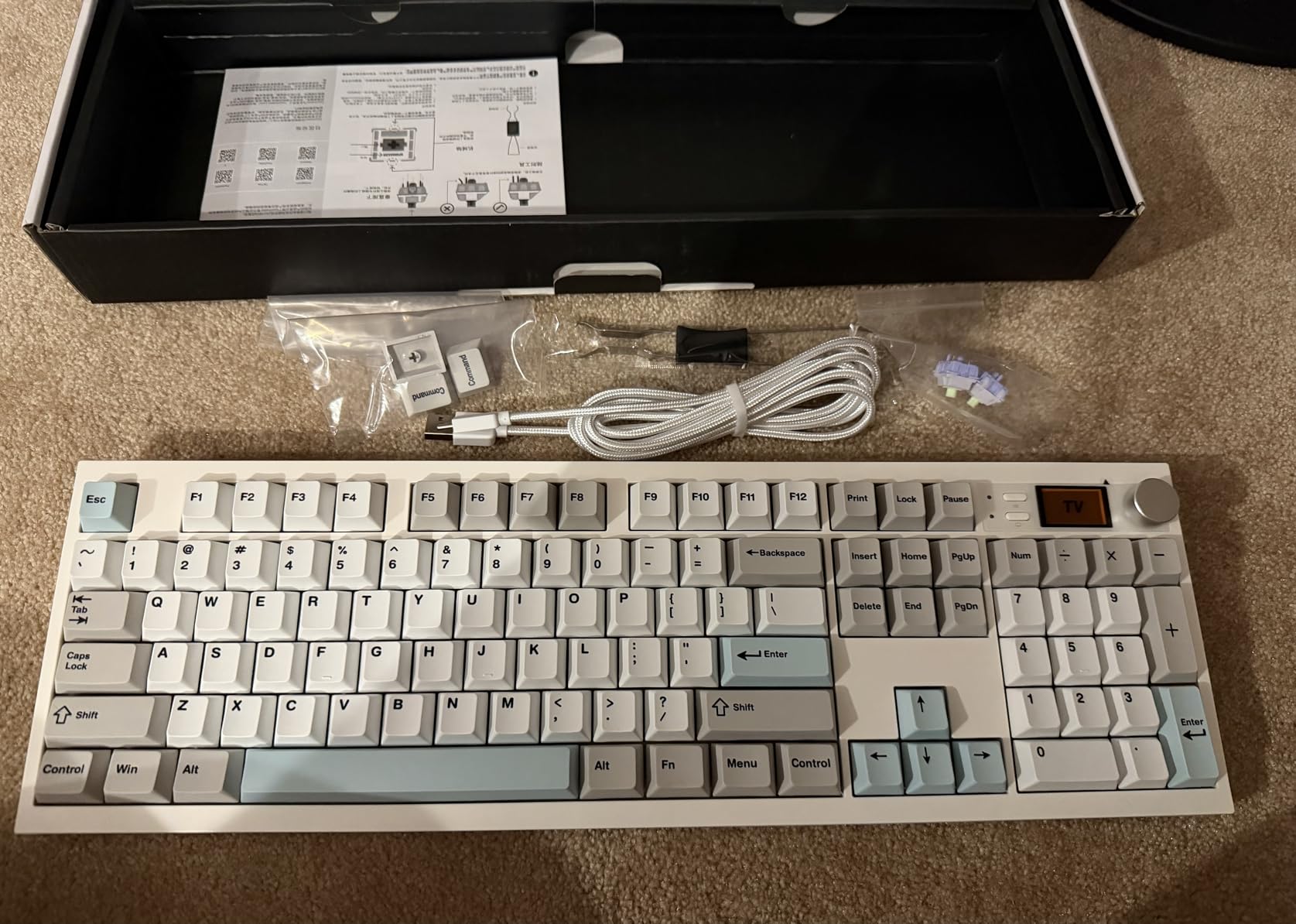
Right out of the box, the first thing I noticed was the heft. The EPOMAKER TH87 feels substantial and solid, with none of the cheap, plasticky flex you might find in other keyboards in this price bracket. It gives an immediate impression of quality that honestly rivals boards I’ve used that cost significantly more. The packaging is straightforward, including the keyboard, a braided USB-C cable, a 2.4GHz dongle, and a combination keycap/switch puller. I was up and running on Bluetooth within minutes—no fuss, no hassle.
Build Quality & Aesthetics
The keyboard’s case is made of a thick ABS plastic that exhibits zero creak or flex. It sits firmly on my desk, thanks to its weight and solid rubber feet. Aesthetically, it strikes a great balance. The design is clean enough for a professional setting, but the RGB elements give it that gamer flair. My favorite touch is the RGB light strips that run along the sides of the case. It feels like a little bit of fun showing off, casting a nice underglow on my desk mat that looks fantastic, especially when the keyboard is elevated on my Clear Acrylic Monitor Riser.
Keycaps & Switch Feel
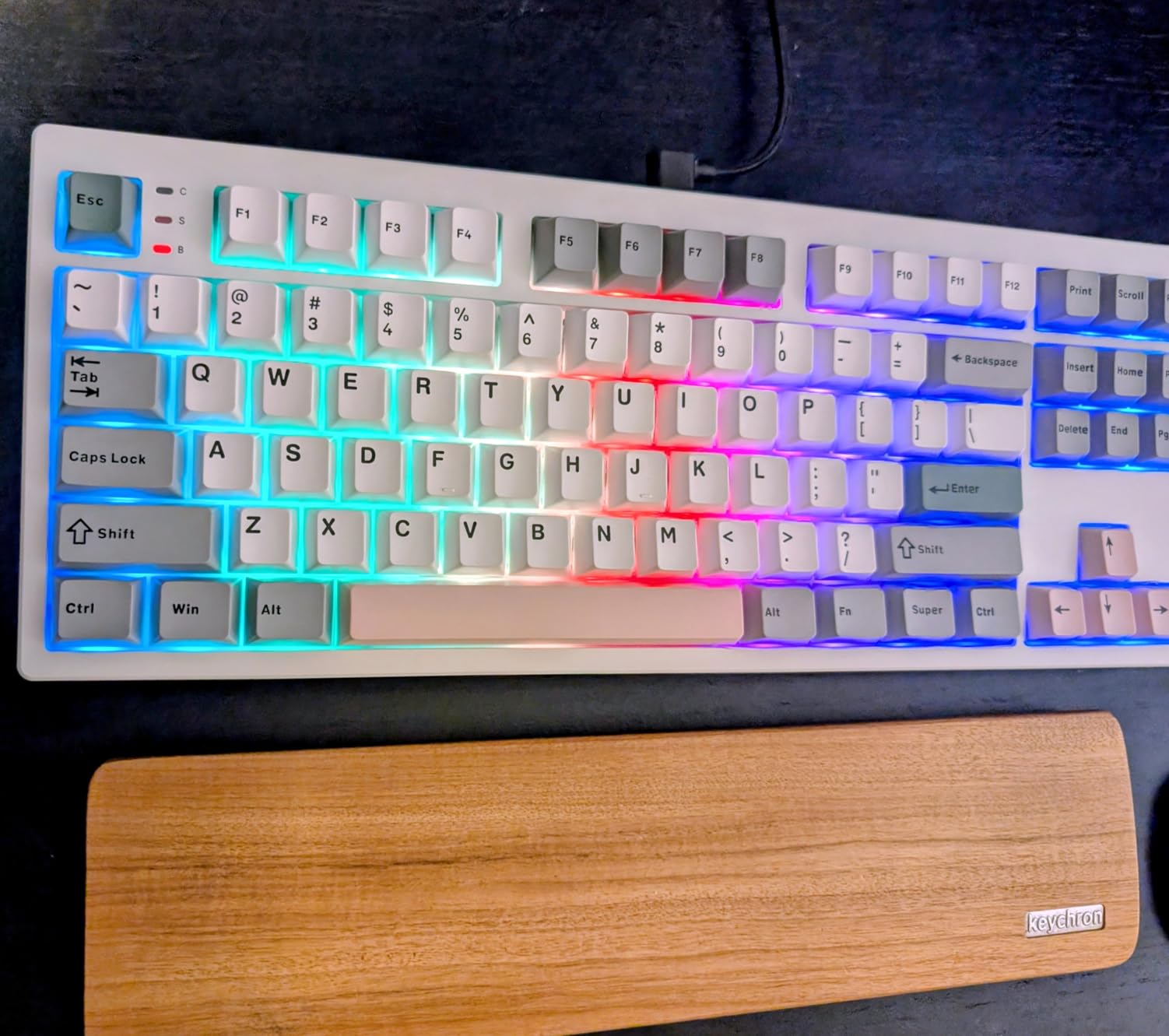
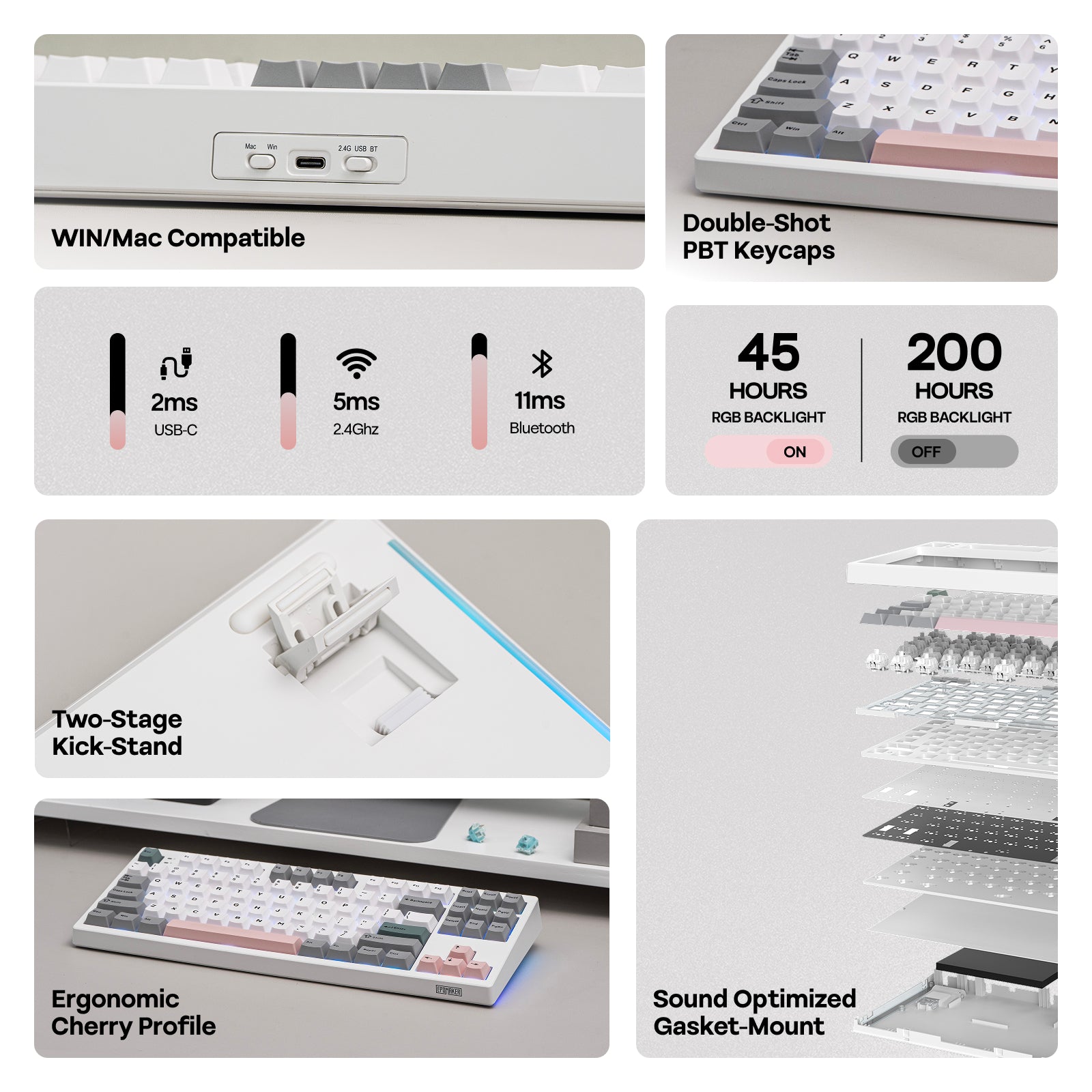
EPOMAKER equipped the TH87 with thick, double-shot PBT keycaps in a comfortable Cherry profile. They feel great under the fingertips and resist the shine that ABS keycaps develop over time. However, this is where I encountered my single biggest issue with the keyboard: the legends are not shine-through. In a dark room, the vibrant RGB backlighting illuminates the outline of the keycaps beautifully, but the letters and symbols themselves remain dark. For touch typists, this is a non-issue, but during an intense gaming session when you need to quickly glance down to find a specific key, it can be a real problem. It’s a significant design choice that, for me, holds the keyboard back from perfection.
Typing Experience & Sound Test
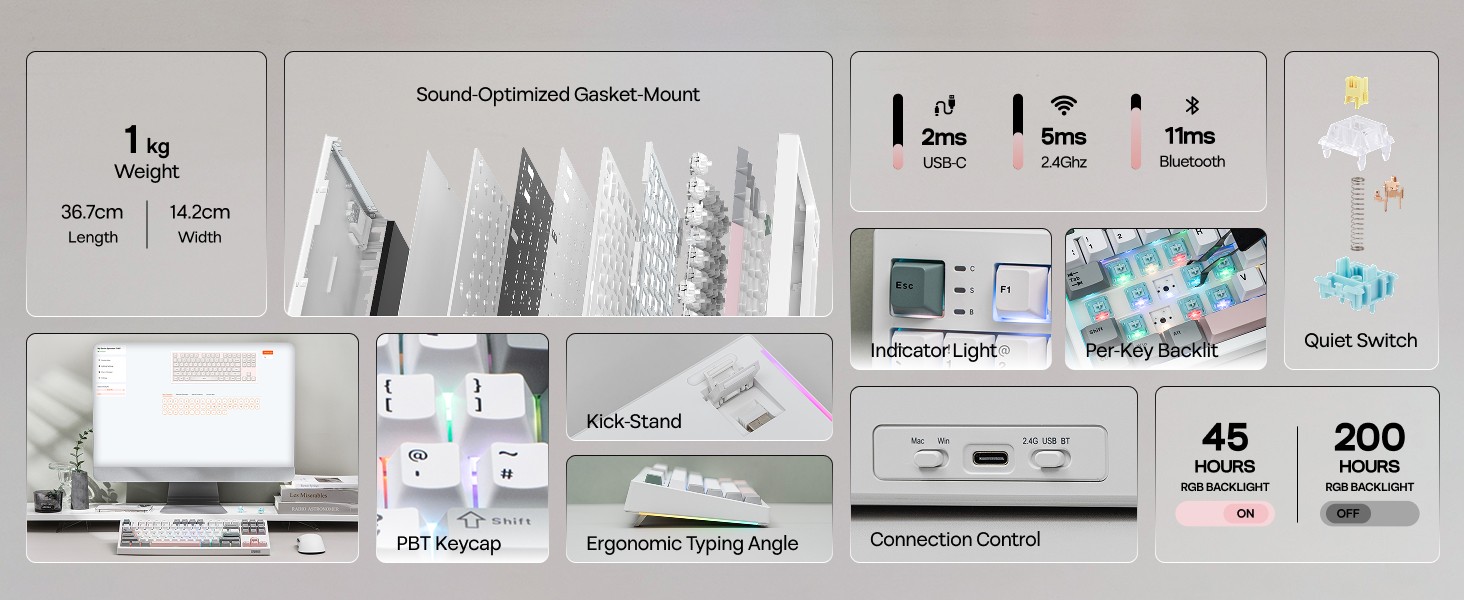
This is where the TH87 truly sings. The gasket-mounted structure, combined with multiple layers of internal foam, produces an incredibly pleasant typing experience. The sound is a deep, muted “thock” rather than the sharp, high-pitched “clack” of many other mechanical keyboards. It’s satisfying and rich without being obnoxious, making it great for long typing sessions or late-night gaming without disturbing others. I find myself just typing for the sake of it because the sound and feel are so enjoyable. It’s an acoustic profile you’d typically expect from a much more expensive, custom-built keyboard.
Connectivity & Battery Life
Versatility is a huge strength here. The tri-mode connectivity (wired USB-C, 2.4GHz wireless, and Bluetooth 5.0) is flawless. I primarily used the 2.4GHz dongle for gaming and experienced no noticeable latency. Bluetooth was equally reliable for connecting to my laptop and tablet, with easy switching between devices. The 4000mAh battery provides solid longevity. With RGB on, I could comfortably get through several days of heavy use before needing a charge. Turning the lights off would extend that significantly. Keeping the setup clean is easy, especially when using a Minimalist Cable Organizer for the charging cable.
Software & Customization
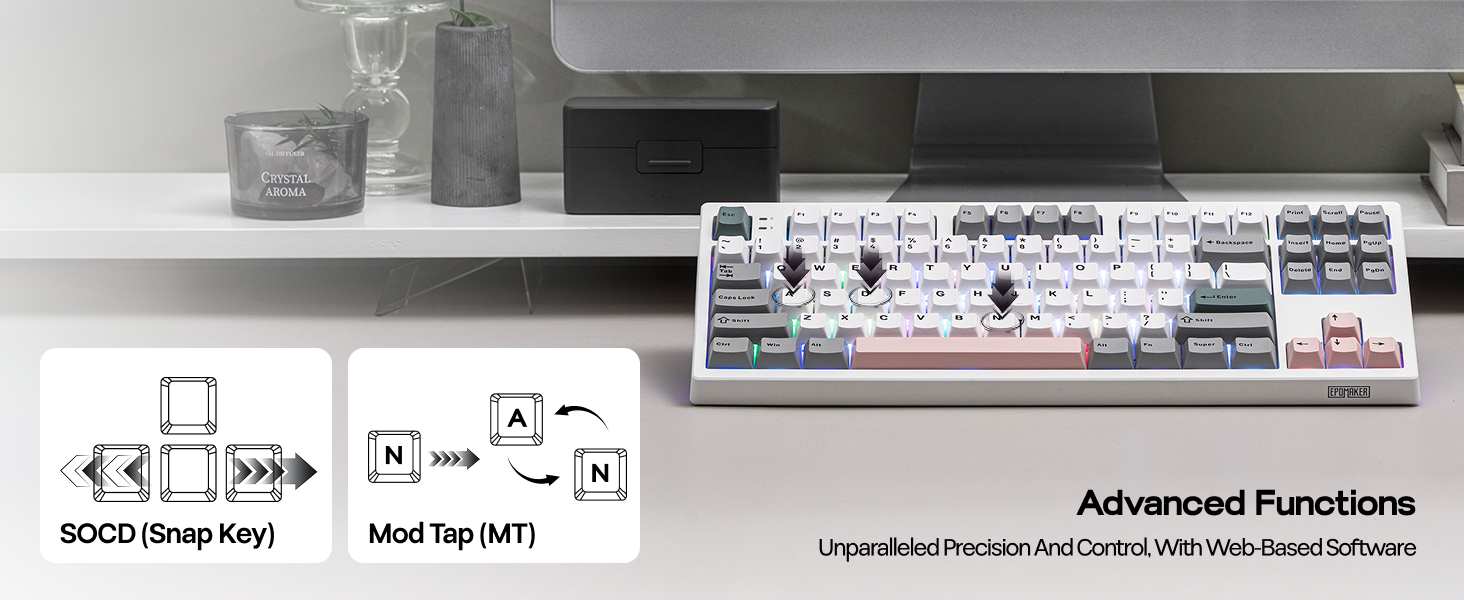
The companion software allows for a decent level of customization. You can remap keys, create macros, and fine-tune the extensive RGB lighting effects. While the software isn’t as polished as offerings from major brands like Corsair or Razer, it’s functional and gets the job done. For most users, the onboard keyboard shortcuts for controlling lighting and media will be more than sufficient, but the power to reconfigure the layout is there for those who want it.
Ergonomics & Comfort
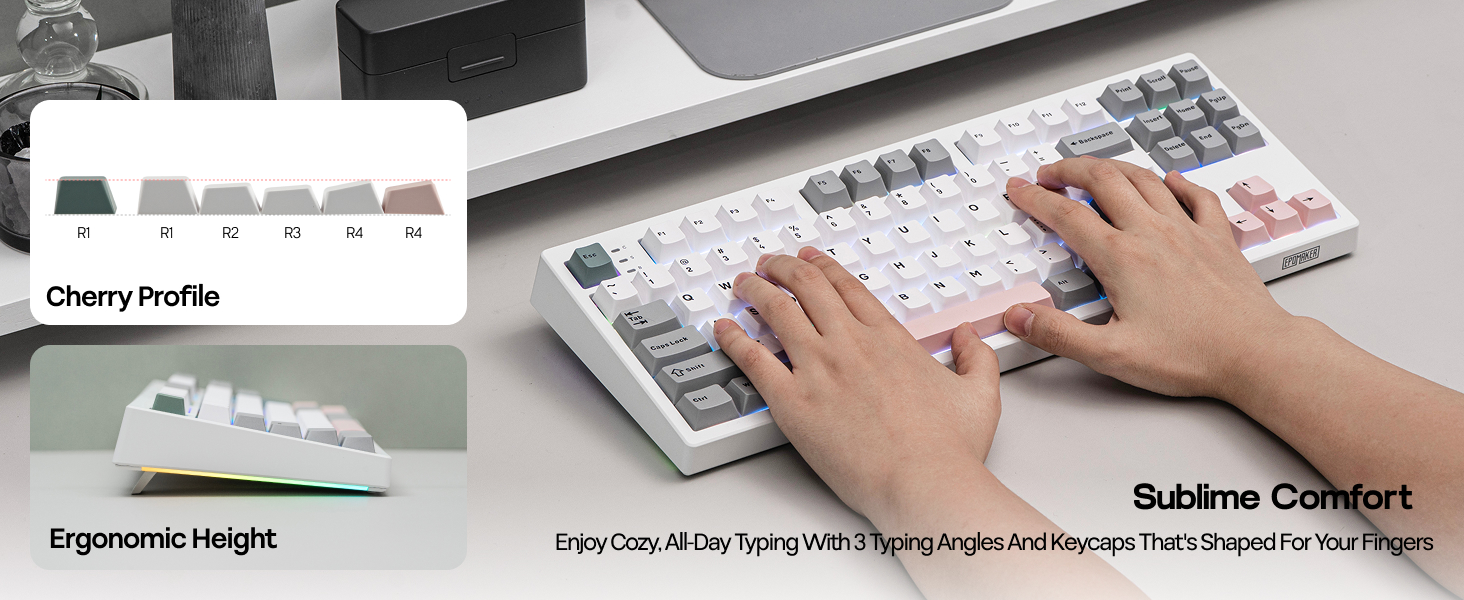
The TKL layout is, in my opinion, the sweet spot for a versatile desk setup. It ditches the number pad, freeing up a significant amount of space for your mouse, which is a huge benefit for gamers who use low DPI settings. This extra real estate is perfect for keeping your desk functional and uncluttered. The keyboard also features two-stage adjustable feet, allowing you to find a comfortable typing angle. The standard Cherry profile keycaps feel familiar and comfortable for extended periods of use.
Teardown & Modding Potential
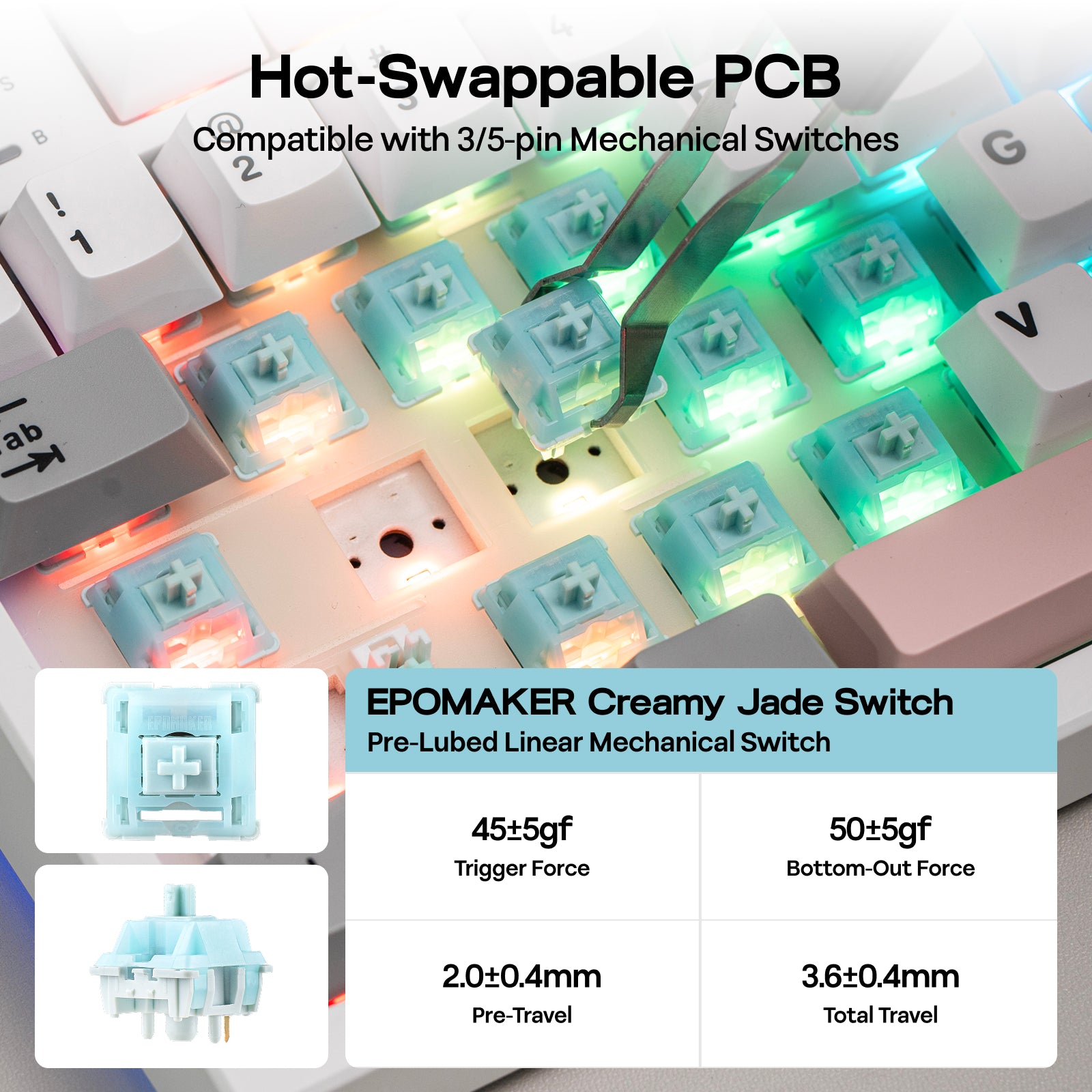
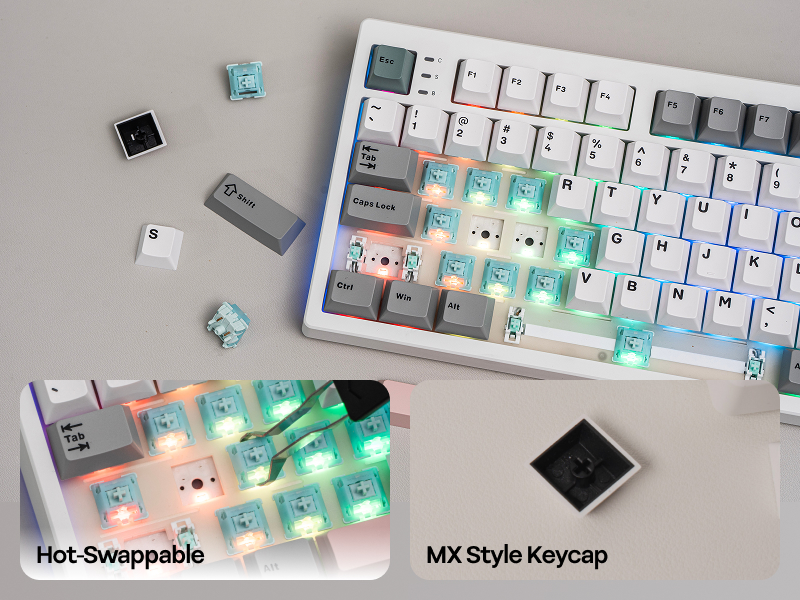
For enthusiasts, the TH87 is an excellent platform for modification. The hot-swappable PCB supports both 3-pin and 5-pin switches, making it incredibly easy to try out new switch types without any soldering. I haven’t taken mine apart yet, but the gasket-mount construction and inclusion of foam from the factory mean that much of the foundational work for a great-sounding board is already done. You could easily elevate it further with different switches, lubed stabilizers, or custom keycaps.
| Feature | EPOMAKER TH87 | EPOMAKER TH99 | YUNZII B75 PRO | DAREU EK60 |
|---|---|---|---|---|
| Layout | 80% TKL | 96% (with Numpad) | 75% Compact | 60% Ultra-Compact |
| Mounting Style | Gasket Mount | Gasket Mount | Gasket Mount | Tray Mount |
| Key Feature | Side RGB Strips | Full Numpad | Volume Knob | Extreme Portability |
| Check Price | Check Price | Check Price | Check Price | Check Price |
Frequently Asked Questions
- What’s the final verdict in this Epomaker TH87 review?
- My final verdict is overwhelmingly positive. The EPOMAKER TH87 offers a premium typing feel, excellent acoustics, and robust build quality that you’d expect from a much more expensive keyboard. Its only significant flaw is the non-shine-through keycaps, which can be a deal-breaker for those who game or work in the dark.
- Is the EPOMAKER TH87 good for gaming?
- Yes, it’s very good for gaming. The responsive 2.4GHz wireless connection is reliable, and the TKL layout provides ample mouse room. The satisfying switch feel is great for gaming, but as mentioned, the dark keycap legends can be a hindrance in low-light environments.
- When was the Epomaker TH87 release date?
- The Epomaker TH87 was released as part of their expanding line of feature-rich mechanical keyboards, becoming available to the public after its initial announcement and rollout on their platform.
- Can you use the EPOMAKER TH87 with a Mac?
- Absolutely. The keyboard is fully compatible with both Windows and macOS. You can easily switch between modes using a simple key combination (FN+A for Windows, FN+S for Mac), and it includes alternate keycaps for Mac-specific modifier keys like Command and Option.
Conclusion: A Premium Feel Without the Premium Price
The EPOMAKER TH87 is a standout keyboard that genuinely punches above its weight. It brings enthusiast-level features like a gasket-mounted design and a deep, thocky sound profile to a very accessible price point. The build quality is stellar, the connectivity is versatile, and the aesthetics are on point for both gaming and productivity setups. While the non-shine-through keycaps are a notable drawback that prevented me from giving it a perfect score, it’s a flaw I can overlook given how exceptional the rest of the package is. In fact, I was so impressed with my initial experience that I bought a second one. If you can live with the keycaps or plan to replace them anyway, the EPOMAKER TH87 is an absolutely fantastic choice that I can wholeheartedly recommend.




