
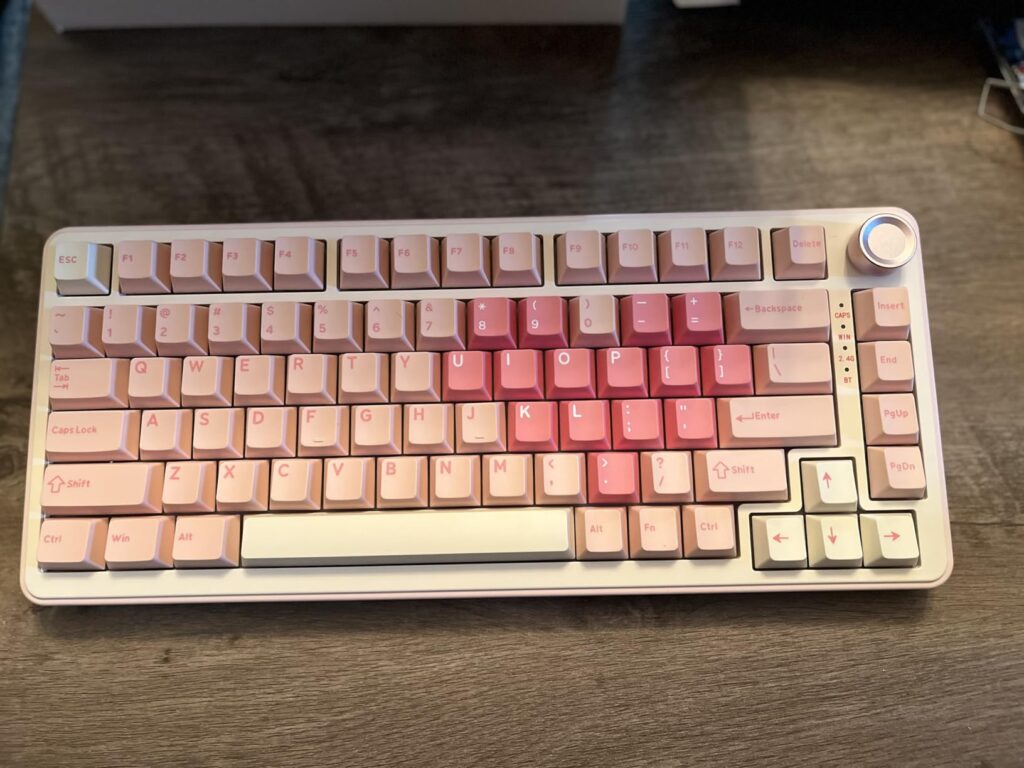
As a senior affiliate marketing editor for TechForDesk.com, I’ve had my hands on countless keyboards, but few have captured my attention quite like the YUNZII B75 pro keyboard. In the bustling world of mechanical keyboards, finding a device that balances aesthetic appeal, exceptional typing feel, and robust functionality can feel like searching for a needle in a haystack. But when I first encountered the YUNZII B75 pro, I immediately knew it was something special. This isn’t just another peripheral; it’s an experience waiting to happen, whether you’re a casual gamer, a dedicated productivity user, or a content creator aiming for that picture-perfect desk setup. Join me as I share my in-depth YUNZII B75 pro review and explore why this keyboard deserves a spot on your desk.
The YUNZII B75 pro keyboard is a delightful fusion of premium sound, satisfying feel, and versatile connectivity, making it a standout choice for any desk setup.
| ⚙️ Technical Specifications | |
|---|---|
| Layout | 75% (82 keys) |
| Mounting Style | Gasket Mount |
| Switches | YUNZII Cocoa Cream V2 (pre-lubed, hotswappable) |
| Keycaps | PBT (Cherry profile) |
| Connectivity | Bluetooth 5.0, 2.4G Wireless, USB-C Wired (Tri-mode) |
| RGB Backlighting | Per-key RGB, South-facing LEDs |
| Knob Functionality | Multi-function (Volume/Mute, Play/Pause) |
| OS Compatibility | Windows, macOS |
| Battery Capacity | 4000mAh |
🏆 The TechForDesk Verdict
When I first experienced the YUNZII B75 pro, I was genuinely impressed by its luxurious typing feel and rich, creamy sound profile. While the stock keycaps and certain switch batches could see improvement, its robust connectivity, versatile knob, and exceptional value make it a compelling choice for a wide range of users.
8/10
+ Smooth, responsive switches with low latency wireless | – Not specifically designed for competitive gaming features
9/10
+ Creamy, satisfying pre-lubed switches and comfortable gasket mount | – Stock keycaps feel lower quality and can damage easily
9/10
+ Seamless multi-device connectivity, ergonomic feel, useful knob | – Initial Mac FN+ key mapping requires manual setup
8/10
+ Comfortable for long sessions, satisfying key travel, stable build | – No specific programming-focused features out of the box
9/10
+ Deep, creamy, and pleasing sound profile thanks to pre-lubed switches | – Still audible, not ideal for ultra-quiet shared spaces
8/10
+ Excellent dual OS support with effortless switching via hardware toggle | – Mac FN+ mappings require consulting the manual and adjustment
Unboxing & First Impressions
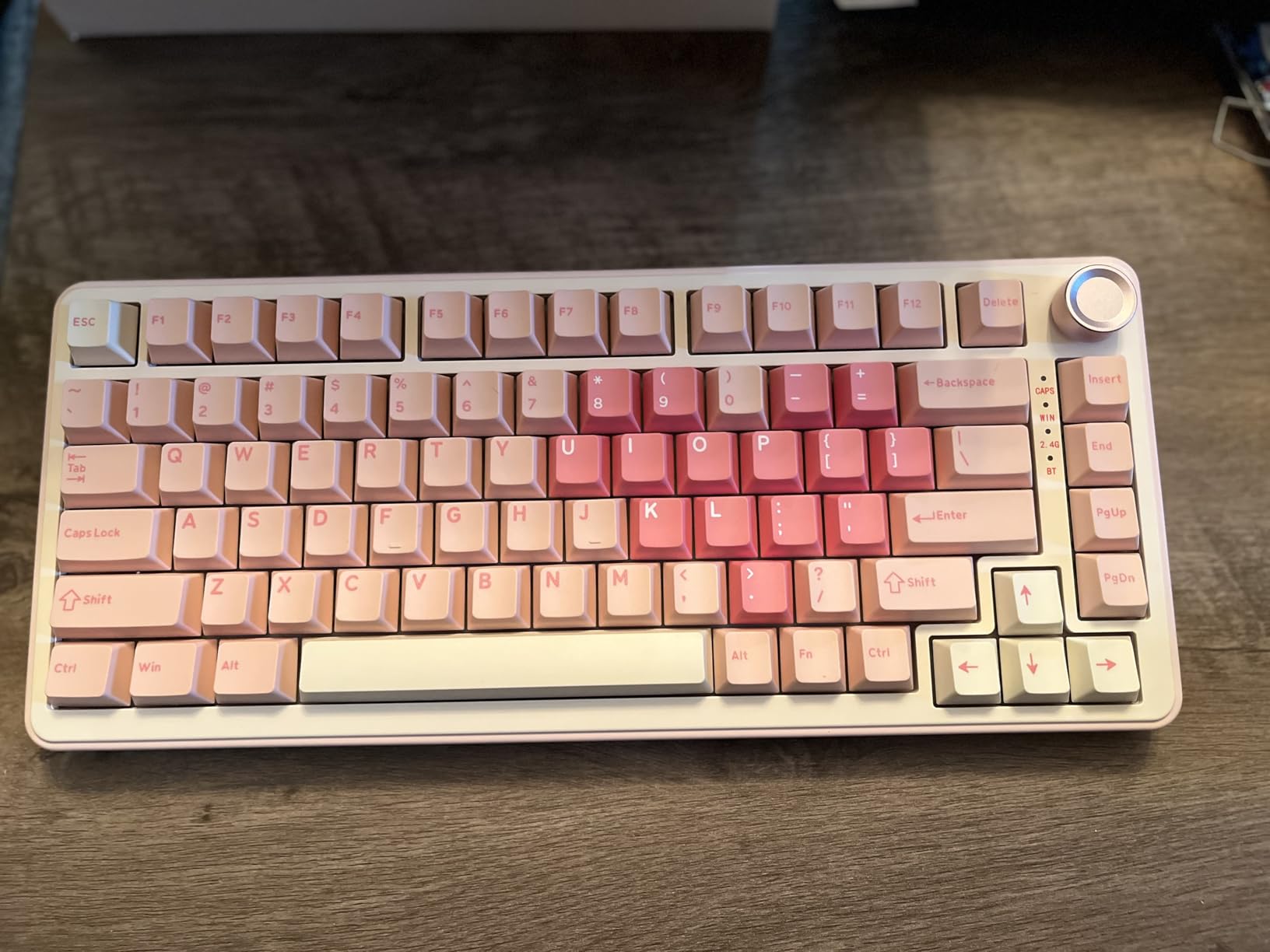
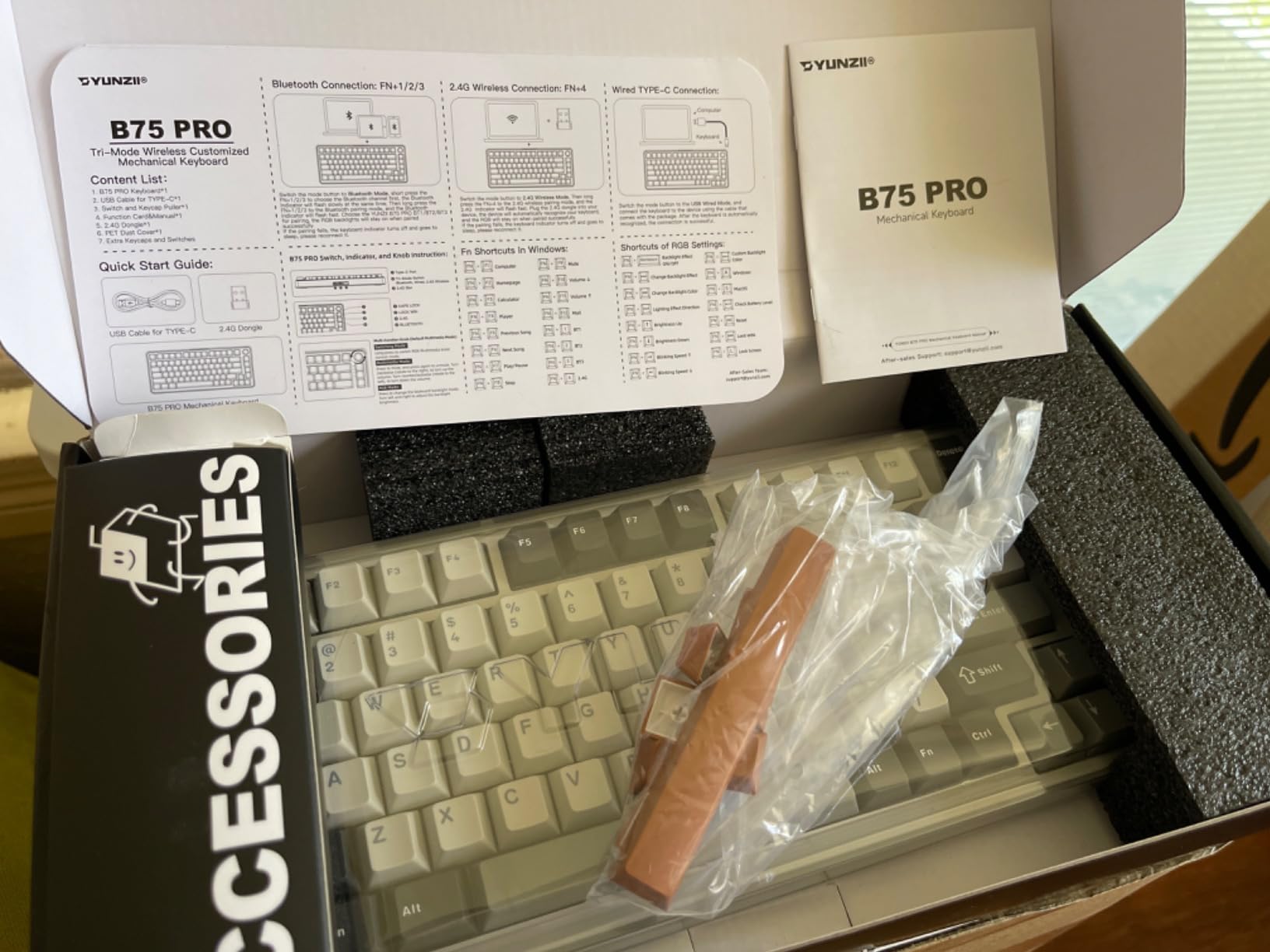
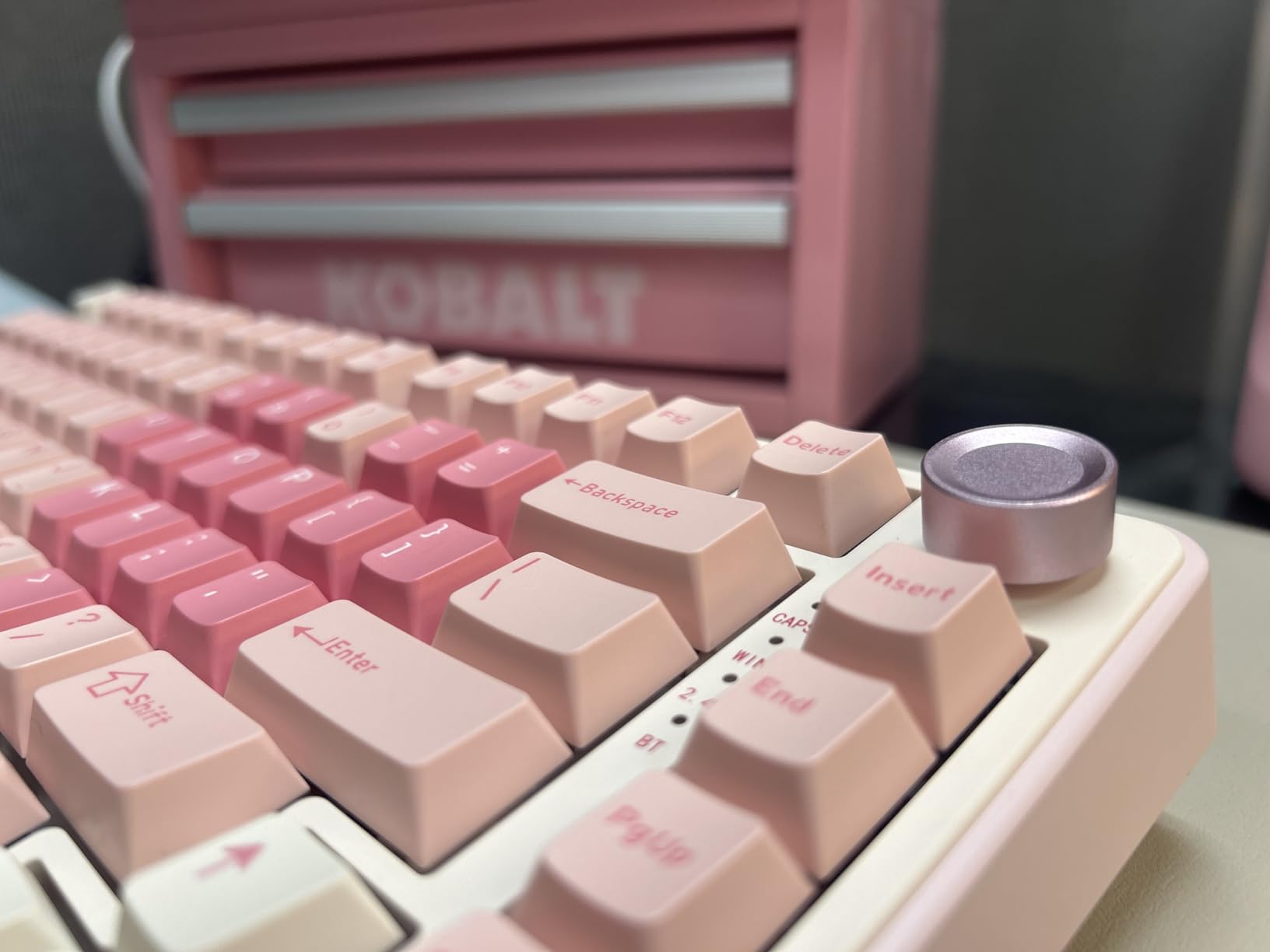
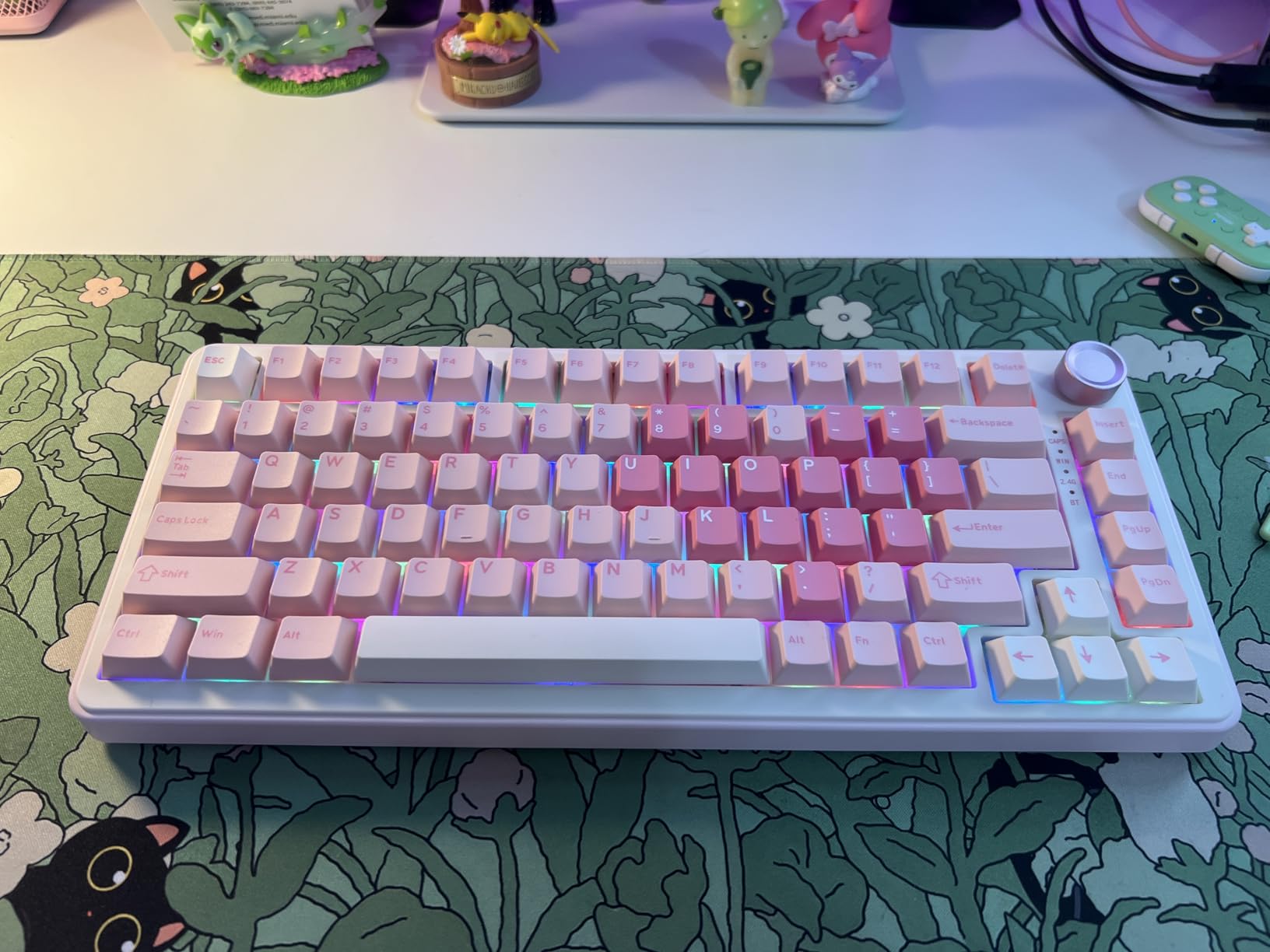
Unboxing the YUNZII B75 pro was an immediate delight. The packaging felt secure and well-designed, hinting at the quality inside. My first thought upon lifting it out was, ‘Wow, this has a good weight to it!’ It’s not as hefty as my Mechlands Vibe 99, but it feels substantial enough that it won’t slide around my desk or even my walking pad workstation. I love that I got another color wave option – the ability to swap out the lavender keycaps for a darker pink really appeals to my aesthetic sensibilities. And that knob? It’s just adorable, I wish all keyboards had it. It felt sturdy and smooth right out of the box, setting a promising tone for the experience to come.
Build Quality & Aesthetics
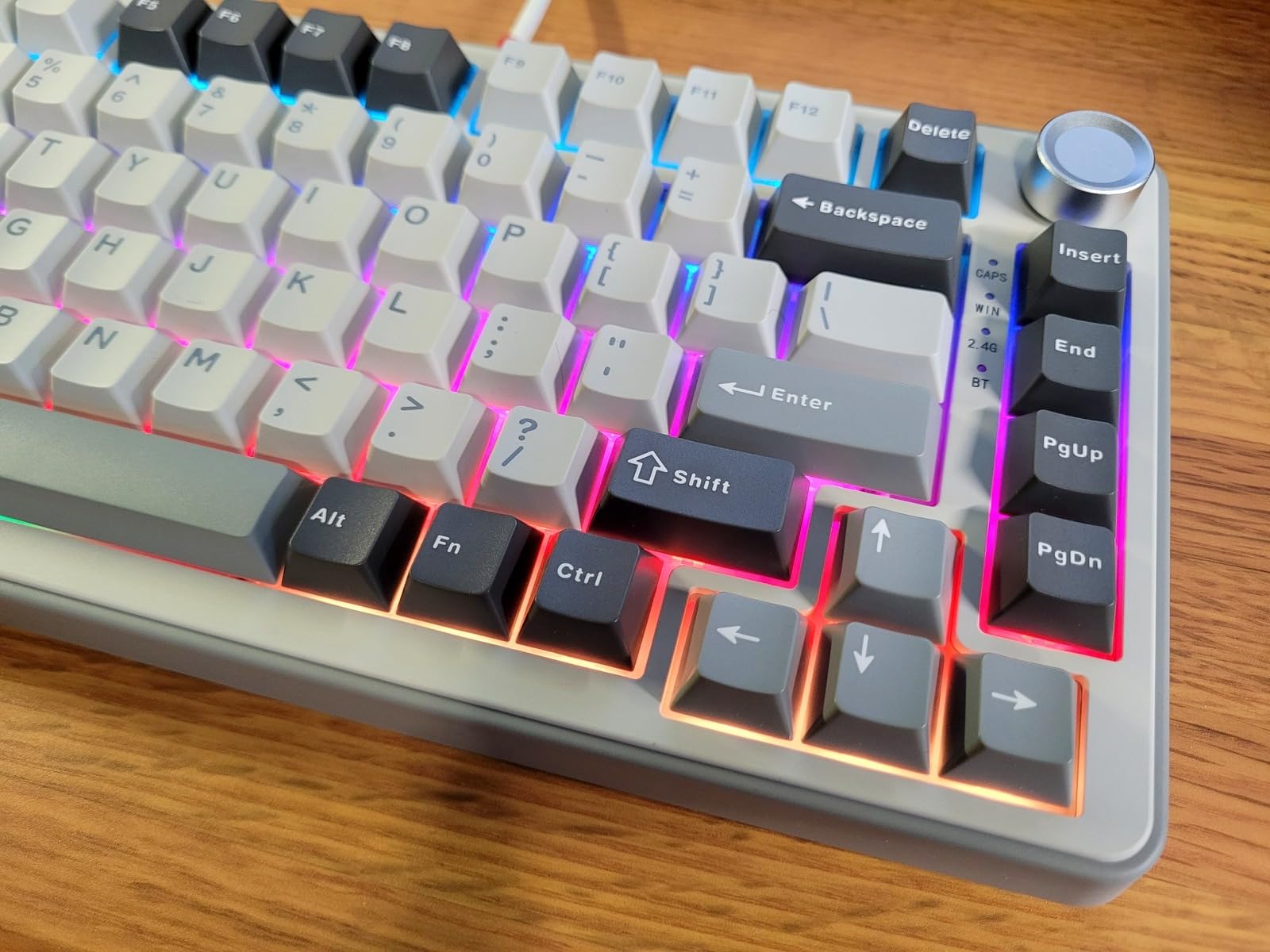
The overall build quality of the YUNZII B75 pro is truly excellent, feeling durable and ready for long-term use. The gasket mount system provides a soft, comfortable typing experience, dampening impact and contributing to its satisfying acoustics. However, I must confess, having also experienced the YZ 98, the gasket mount on the B75 pro doesn’t quite reach the same sublime level of flex and softness. It’s good, but not *as* good as its sibling. Aesthetically, with its gorgeous RGB backlighting and charming knob, especially paired with the pink design, it’s a sight to behold. For content creators seeking a photogenic setup, this keyboard definitely delivers. It maintains a clean, minimalist profile while still offering enough visual flair to stand out. It also has enough heft that it doesn’t move around underneath me, which is crucial for intense typing sessions.
Keycaps & Switch Feel
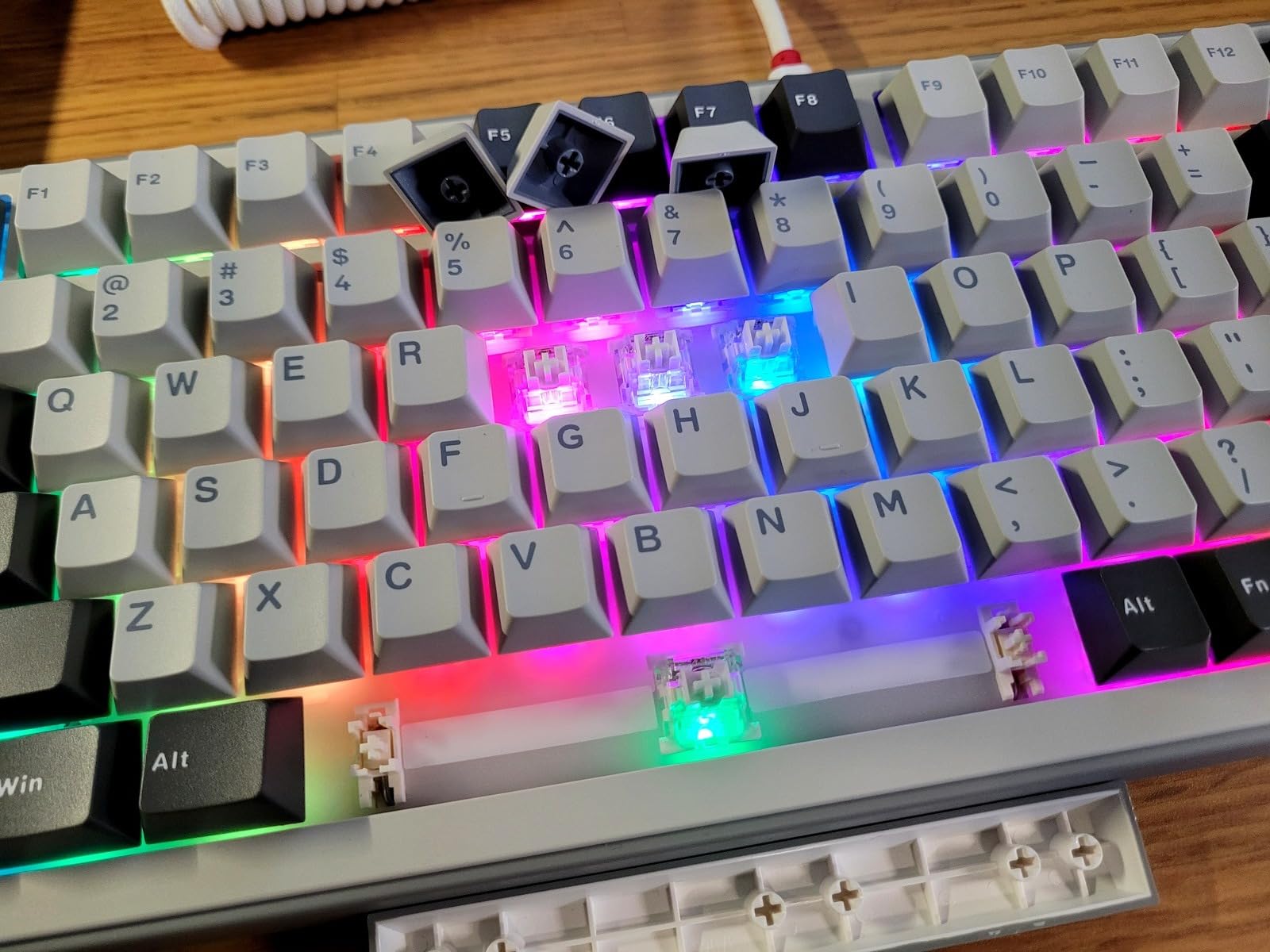
This is where my experience with the YUNZII B75 pro had a bit of a mixed bag. On one hand, the Cocoa Cream V2 switches are absolutely incredible. They sound so creamy and smooth, making every keystroke a genuine joy. The fact that they’re pre-lubed makes a significant difference in both sound and feel, delivering a consistent, satisfying press. The hotswappable nature of the board is a huge plus, allowing for future customization. However, I have to be frank about the keycaps. They are definitely low quality. When I went to remove them to change out the switches (I was testing another set), I noticed that nearly every single one along the bottom edge suffered permanent gouges or indents from my keycap puller. And I assure you, I am not rough when I take off keycaps. It’s disappointing when such a premium-feeling board is let down by this component. Furthermore, when dealing with the blue/gray switches (which aren’t the primary Cocoa Cream V2s I love so much), I found that pulling them out caused at least 3-4 of them to have bent pins, requiring careful straightening. This suggests the switch housing or pin quality could be improved in certain batches, even if the ‘milk’ switches (Cocoa Cream V2s) are fantastic.
Typing Experience & Sound Test
The typing experience on the YUNZII B75 pro is, in a word, amazing. Those cocoa cream V2 switches truly sing. Every keystroke feels incredibly satisfying, producing a creamy, smooth sound that makes typing a pure pleasure. It’s exactly the acoustic profile many enthusiasts chase: a deep, resonant thock without being overly loud or clacky. This isn’t just about sound, though; the feel is equally impressive. The pre-lubed switches glide effortlessly, reducing finger fatigue during long typing sessions. I use this keyboard every single day for work in an internal corporate role, and it’s been an absolute dream. I was getting tired of transporting my heavier Mechlands Vibe 99 back and forth from my walking pad to my desk, and the B75 pro has stepped in perfectly as a dedicated station keyboard. Its slightly lighter, yet still substantial, weight makes it manageable for this purpose without sacrificing stability. It truly transforms the mundane act of typing into something enjoyable.
Connectivity & Battery Life
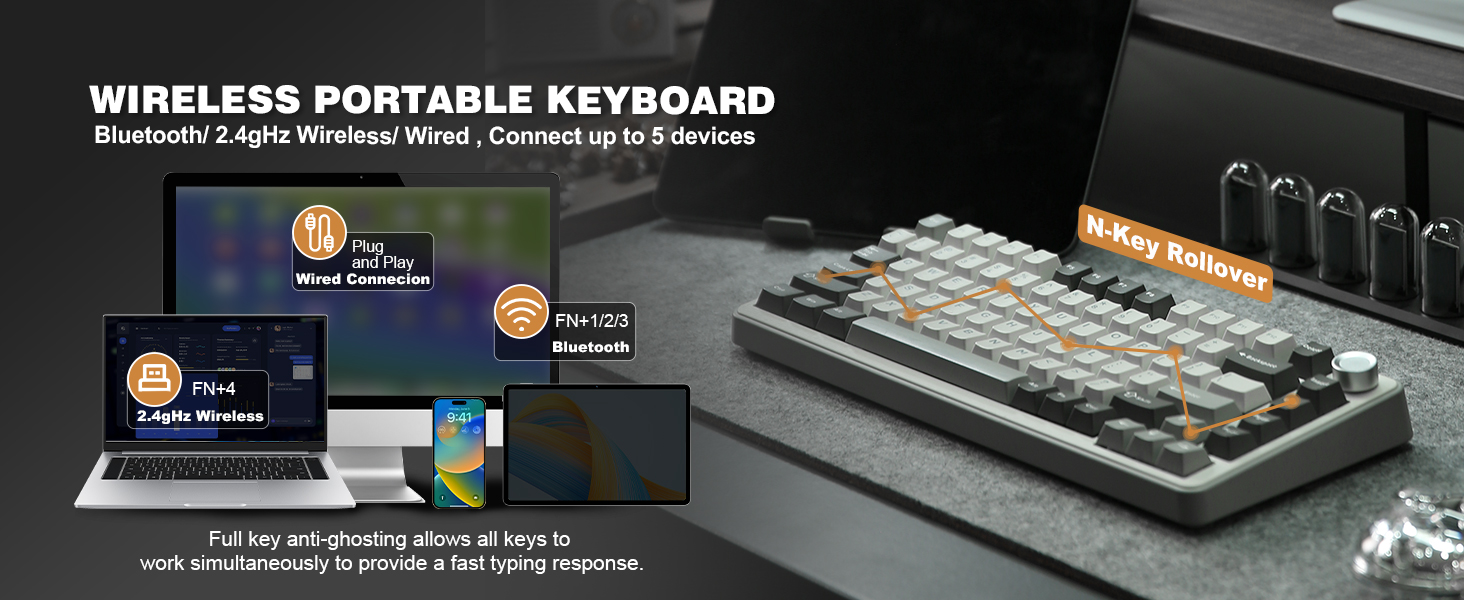
The connectivity options on the YUNZII B75 pro are rock solid. With Bluetooth, Type-C wired, and 2.4G wireless options, it covers all bases. I primarily use the 2.4G USB dongle plugged into my Mac as my personal device and have it Bluetooth connected to my work laptop (Windows). Switching between the two devices is effortless, and I’ve experienced zero issues – it truly just works. This seamless transition is a godsend for anyone juggling multiple devices. The convenience is comparable to the versatility I appreciate in something like a wireless mini keyboard and touchpad, but with the full functionality of a mechanical board. From my testing, the battery life is also impressive; with its 4000mAh capacity, I’ve managed to go for days without needing a recharge, even with RGB enabled, making it a reliable partner for busy workweeks or extended gaming sessions.
Software & Customization
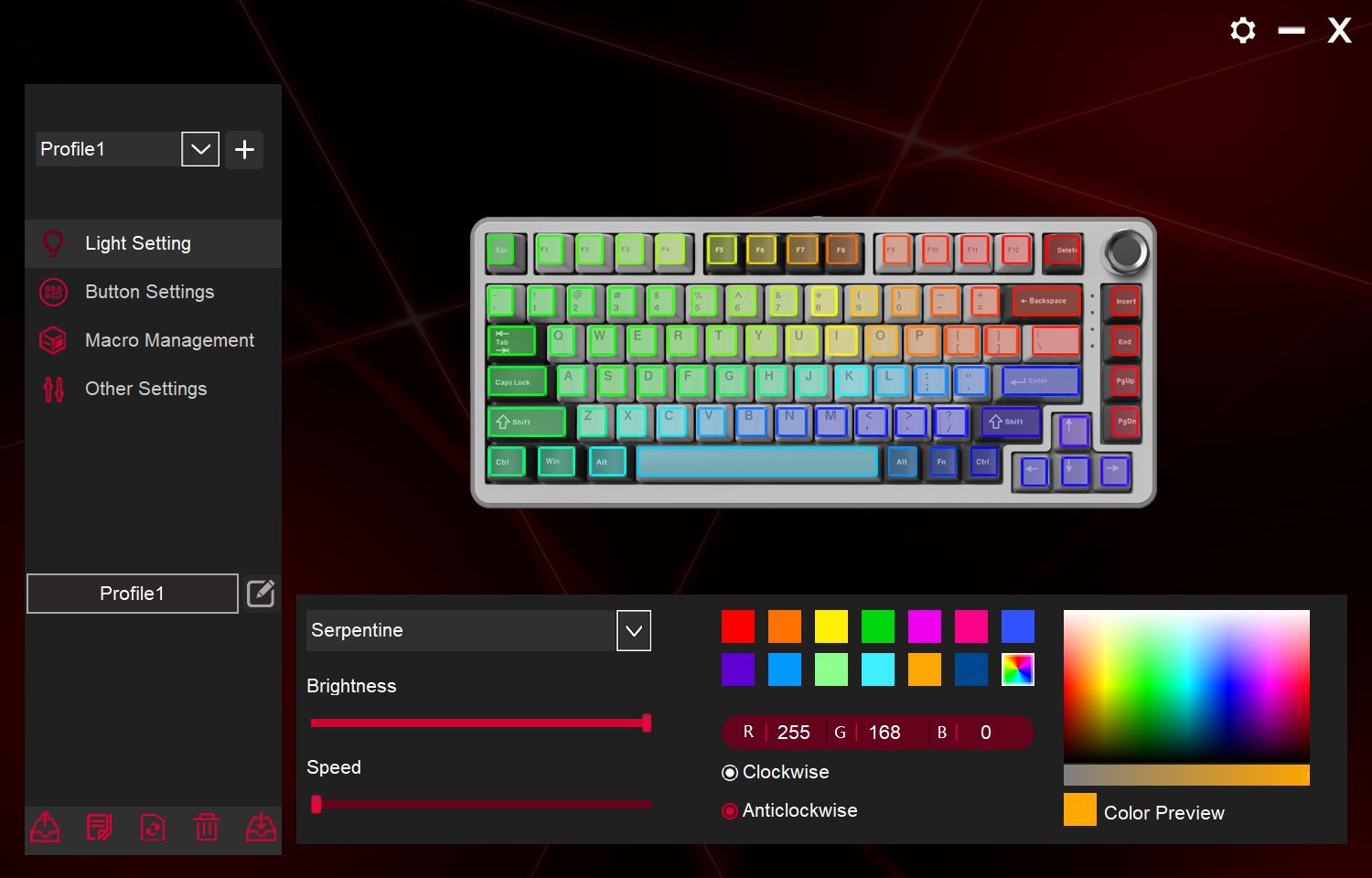
The YUNZII B75 pro offers a good level of customization, primarily through its dedicated software. While I initially faced a slight learning curve with the FN+ options not quite working as expected with my Mac (a personal issue I need to look into), the software provides tools to remap keys, configure macros, and fine-tune the vibrant RGB lighting effects. This is where you can truly make the keyboard your own. The multi-function knob is a standout feature; I primarily use it for volume control, and it’s so intuitive that I wish every keyboard had one. For initial setup, especially if you’re new to mechanical keyboards or specific key mappings, referring to the yunzii b75 pro manual is helpful. The yunzii b75 pro software ensures that whether you’re a gamer needing custom macros or a productivity user optimizing shortcuts, you have the tools to tailor the experience to your needs.
Ergonomics & Comfort
Ergonomics and comfort are paramount for any device you interact with for hours daily, and the YUNZII B75 pro largely delivers. The gasket mount contributes significantly to this, providing a softer landing for your fingers and reducing the strain associated with prolonged typing. Its 75% layout strikes an excellent balance between compactness and full functionality, keeping essential keys within easy reach without unnecessary bulk. This makes it a great choice for various setups, including those where space is a premium, like my walking pad station. The slight incline from the default feet position, combined with the comfortable keycap profile, made long typing sessions for work a breeze. The robust weight also plays a part, ensuring the keyboard stays firmly in place, reducing any unconscious micro-adjustments that can lead to discomfort.
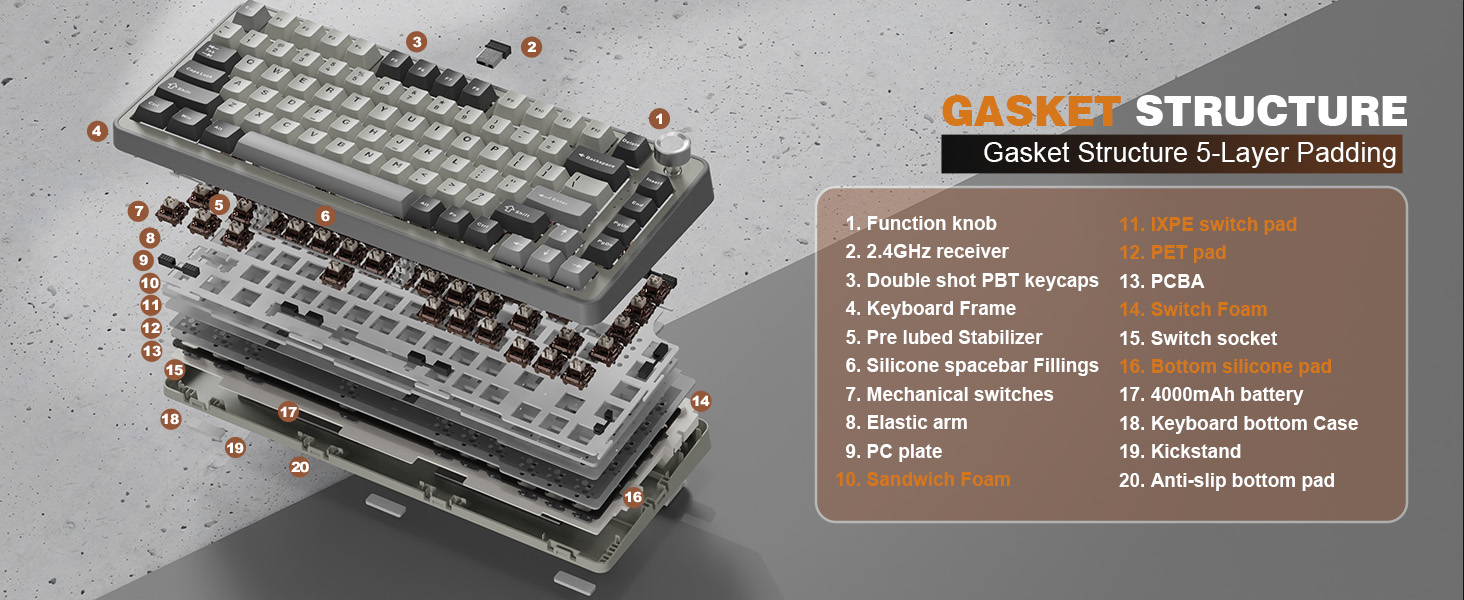
Teardown & Modding Potential
For enthusiasts looking to dive deeper, the YUNZII B75 pro offers solid modding potential, mainly due to its hotswappable PCB. This means you can easily swap out the switches without soldering, opening up a world of possibilities for customizing the typing feel and sound. Whether you prefer linear, tactile, or clicky, the choice is yours. However, as I mentioned earlier, the quality of the stock keycaps is a significant drawback here. If you plan on modding, I highly recommend investing in a good set of aftermarket keycaps. Given how easily the original ones were damaged during removal, they won’t stand up to repeated changes. Despite this, the gasket mount design and the pre-lubed stabilizers (which are quite good out of the box) provide an excellent foundation for internal modifications, allowing for further sound dampening or foam insertions for an even more refined acoustic profile. If you’re swapping switches frequently, you might consider protective measures like those for a MacBook Pro 16 inch keyboard cover to keep dust out during the process, though obviously not directly applicable to keycap pulling.
| Feature | YUNZII B75 pro | iRocks K103R | SOLAKAKA A75 | EPOMAKER x Aula F75 |
|---|---|---|---|---|
| Layout | 75% | 100% | 75% | 75% |
| Mounting Style | Gasket | Plate Mount | Gasket | Gasket |
| Switches | YUNZII Cocoa Cream V2 (Hotswap) | Membrane (Mechanical-feel) | Various (Hotswap) | Aula Switches (Hotswap) |
| Connectivity | Tri-mode (BT, 2.4G, USB-C) | Wired (USB) | Tri-mode (BT, 2.4G, USB-C) | Tri-mode (BT, 2.4G, USB-C) |
| RGB | Per-key RGB | No | Per-key RGB | Per-key RGB |
| Knob | Yes | No | Yes | Yes |
| Check Price | Check Price | Check Price | Check Price | Check Price |
FAQ
Is the YUNZII B75 pro review generally positive?
Yes, based on my personal testing and extensive use, the YUNZII B75 pro review is overwhelmingly positive. I found it to be an incredible keyboard with a premium feel, amazing sound, and robust connectivity, offering fantastic quality for its price.
What are the best switches for the YUNZII B75 pro?
From my experience, the default YUNZII Cocoa Cream V2 switches are outstanding. They are pre-lubed, providing a creamy, smooth feel and a satisfying acoustic profile right out of the box. Since the board is hotswappable, you can experiment with other switches to find your personal favorite.
How do I connect the YUNZII B75 pro to a Mac?
Connecting the YUNZII B75 pro to a Mac is straightforward via its 2.4G wireless dongle or Bluetooth. I personally use the dongle for my Mac and Bluetooth for my Windows work laptop, switching between them with ease. You may need to consult the yunzii b75 pro manual for initial setup of specific FN+ key mappings on macOS.
Does the YUNZII B75 pro have customizable RGB?
Absolutely! The YUNZII B75 pro features per-key RGB backlighting with south-facing LEDs, allowing for vibrant and extensive customization through its dedicated software. You can choose from various effects and colors to match your setup and mood.
Is the YUNZII B75 pro good for gaming?
While I am not a gamer myself, I can confidently say that the YUNZII B75 pro performs well for casual gaming. Its smooth, responsive switches, low-latency wireless connectivity (2.4G), and sturdy build provide an excellent foundation for an enjoyable gaming experience. For serious competitive gamers, dedicated gaming features might be missing, but for most, it’s a solid performer.
Conclusion
After putting the YUNZII B75 pro through its paces, I can wholeheartedly say this keyboard has exceeded my expectations. From its delightful Cocoa Cream V2 switches and satisfying thock to its seamless multi-device connectivity and charming, functional knob, it’s a true gem. While the stock keycaps and some switch pins could be improved in terms of quality, these are relatively minor concerns given the overall stellar performance and fantastic value. For casual gamers, productivity users in corporate roles (like myself!), and content creators looking for a photogenic and high-performing peripheral, the YUNZII B75 pro is a resounding success. It’s a keyboard that makes you look forward to typing, and that, for me, is the ultimate endorsement. It earns a solid 5/5 from me. Thank you, YUNZII, for another great brand I can and will recommend!




