
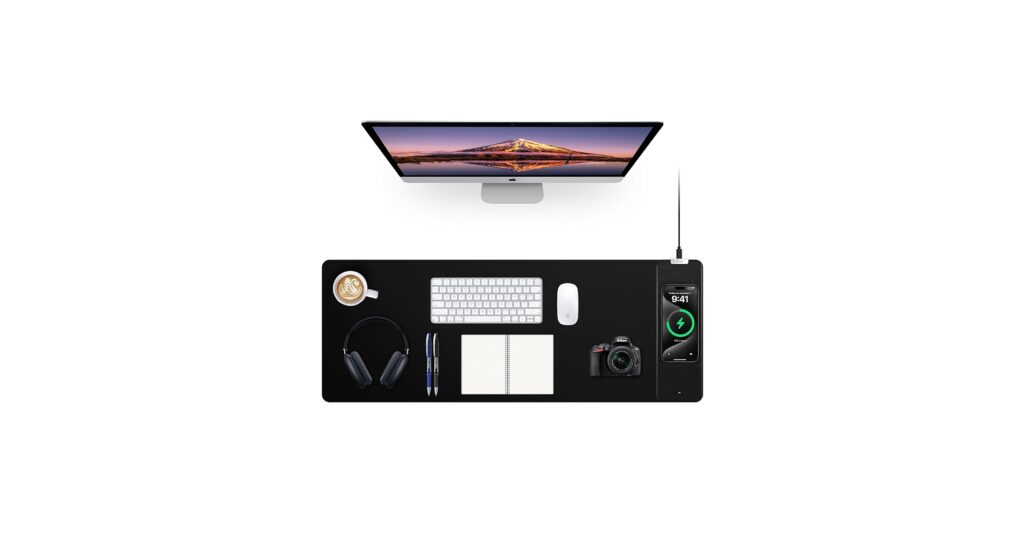
🚀 Quick Verdict / Top Pick
RGB Gaming Mouse Pad with Foldable Magnetic Stand
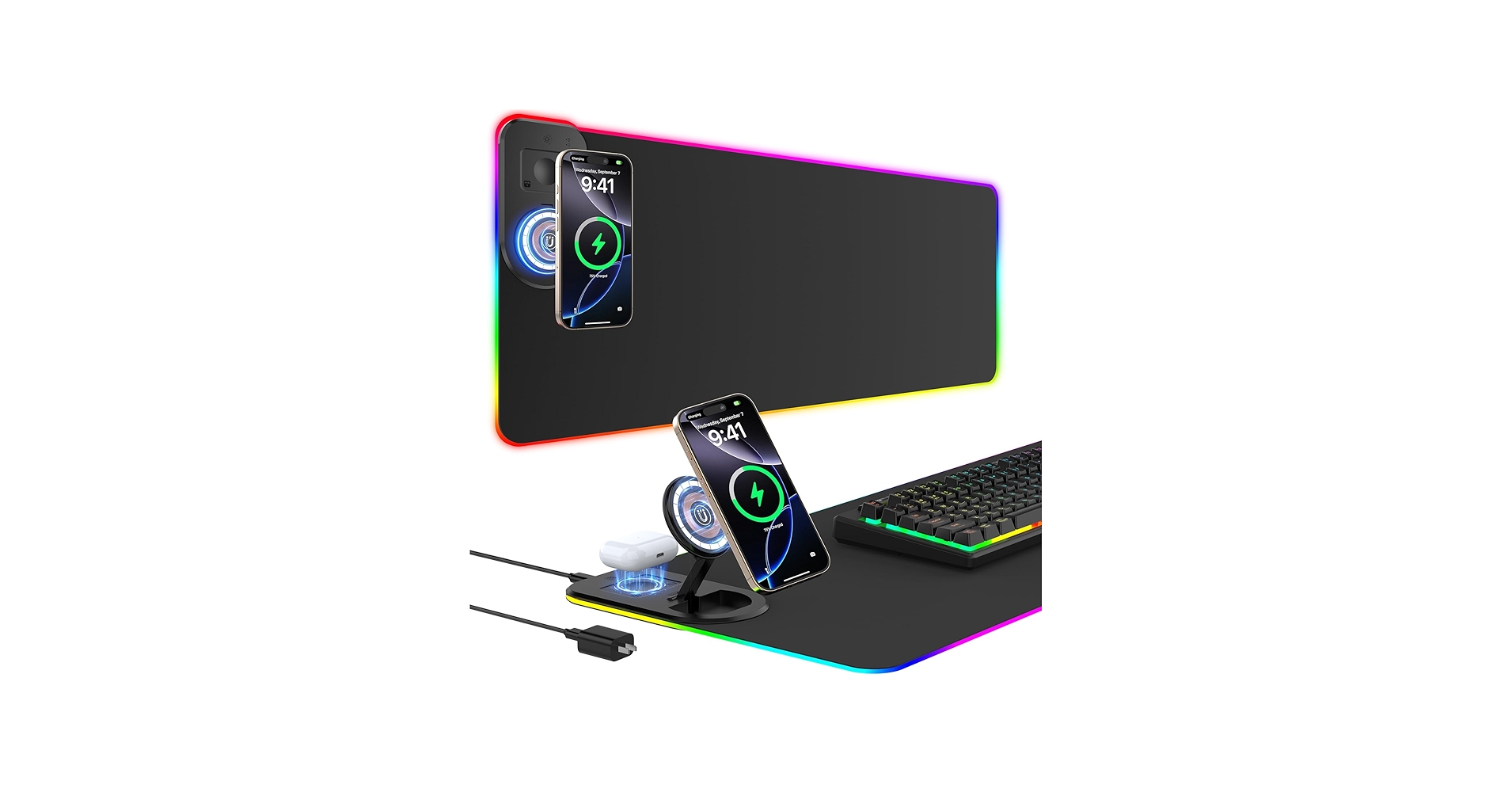
It excels by including a 20W PD adapter out of the box and offering a unique magnetic stand, providing superior charging speed and functionality that others lack.
The modern desk is a battleground against cable clutter. Between your keyboard, mouse, monitor, and phone, wires can quickly create a tangled mess that disrupts focus and aesthetics. A wireless charging desk mat is the minimalist’s answer to this chaos, consolidating your mouse pad, keyboard mat, and phone charger into a single, sleek surface. This guide reviews the top options on the market, helping you find the perfect organizational tool to streamline your workspace and keep your devices powered up.
| Product | Charging Speed | Dimensions | Best For |
|---|---|---|---|
| RGB Gaming Mouse Pad with Magnetic Stand | 15W (20W Adapter Included) | 800x350mm | All-in-One Power Users |
| Mouse Pad with Phone Holder & RGB | 15W (Adapter Not Included) | 800x400mm | RGB-Focused Setups |
| Mouse Pad with Wireless Charging, Black | 10W (Adapter Not Included) | 800x300mm | Minimalist Workspaces |
| Large Desk Mat RGB Gaming | 10W (Adapter Not Included) | 800x300mm | Budget RGB Gamers |
| KPON Invisible Wireless Charger | 10W | 40mm Charging Distance | Ultimate Minimalism |
Detailed Product Reviews
RGB Gaming Mouse Pad with Foldable Magnetic Stand
Pros
- 20W PD power adapter is included
- Magnetic stand holds phone for easy viewing
- Simultaneous charging for phone & earbuds
- 15 dynamic RGB lighting modes
Cons
- Magnetic stand is only for compatible phones (iPhone 12+)
- More features may be complex for some users
The Breakdown: This mat addresses the biggest pain point of its competitors: the missing power adapter. It provides everything you need for fast charging, including a unique magnetic stand that props your phone up for notifications or media viewing. The ability to charge two devices at once on this expansive, vibrant RGB surface makes it the best charging desk mat for power users.
Key Specs:
- Charging: 15W Qi, 20W PD Adapter Included
- Dimensions: 800 x 350 x 4mm
- Features: Magnetic Stand, Dual Charging Zone, 15 RGB Modes, Braided Cable
- Material: Anti-slip rubber base, water-resistant cloth surface
The Community Verdict: User feedback often highlights the frustration of needing to buy a separate power brick for other pads. The inclusion of a 20W PD adapter here is a significant win. Online discussions frequently praise multi-device charging solutions, and this mat’s ability to power a phone and earbuds simultaneously is a commonly requested feature that it delivers well.
Dealbreaker: While other Qi phones can charge flat, the magnetic stand’s main benefit is exclusive to iPhone 12 and newer models, which might be a drawback for Android users who want the elevated viewing angle.
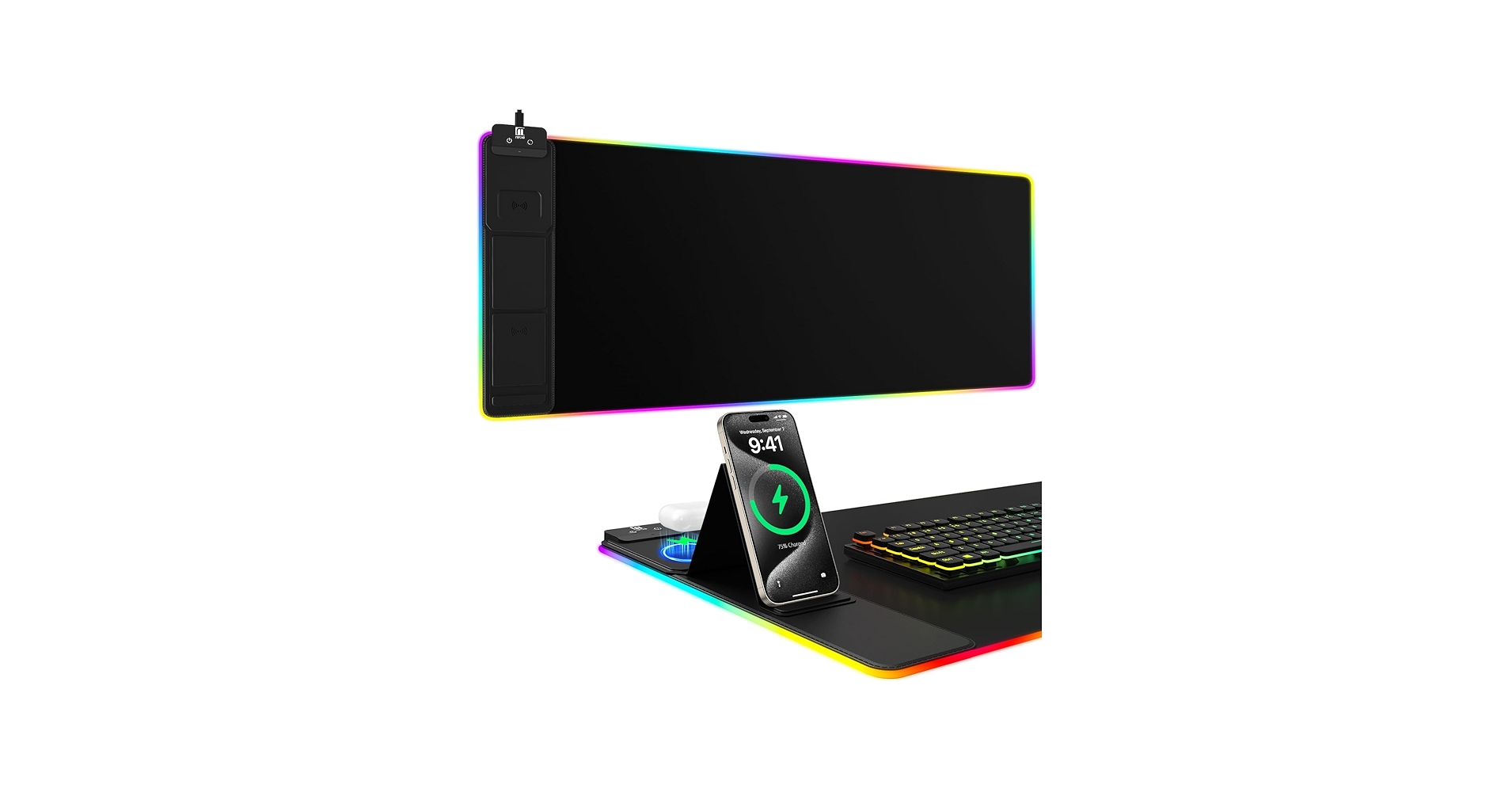
Mouse Pad with Phone Holder, Wireless Charging Desk Mat, RGB
Pros
- Fast 15W wireless charging capability
- Vivid RGB with 11 lighting modes
- Large surface area fits keyboard and mouse
- Integrated phone holder is a nice touch
Cons
- Power adapter for 15W charging is not included
- Phone holder is a simple notch, not a stand
The Breakdown: This desk mat combines a high-performance gaming surface with the convenience of 15W fast charging. Its expansive size and brilliant RGB lighting make it a centerpiece for any gaming or modern office setup. The micro-weave cloth is optimized for precise mouse tracking, ensuring you don’t sacrifice performance for convenience.
Key Specs:
- Charging: 15W Qi (Requires 9V 3A adapter, not included)
- Dimensions: 800 x 400 x 4mm
- Features: 11 RGB Modes, Phone Holder Slot, Power-off Memory
- Material: Micro-weave cloth, non-slip rubber base, stitched edges
The Community Verdict: Tech communities on Reddit often express a desire for seamless charging integration, with users wanting to simply drop their phone on the desk to charge. This mat fulfills that vision. The combination of RGB and wireless charging is a frequently requested feature, seen as a logical evolution of the modern gaming mousepad.
Dealbreaker: To unlock the advertised 15W fast charging, you must supply your own powerful adapter. Without it, you’ll be limited to slower charging speeds, which undermines one of its key selling points.
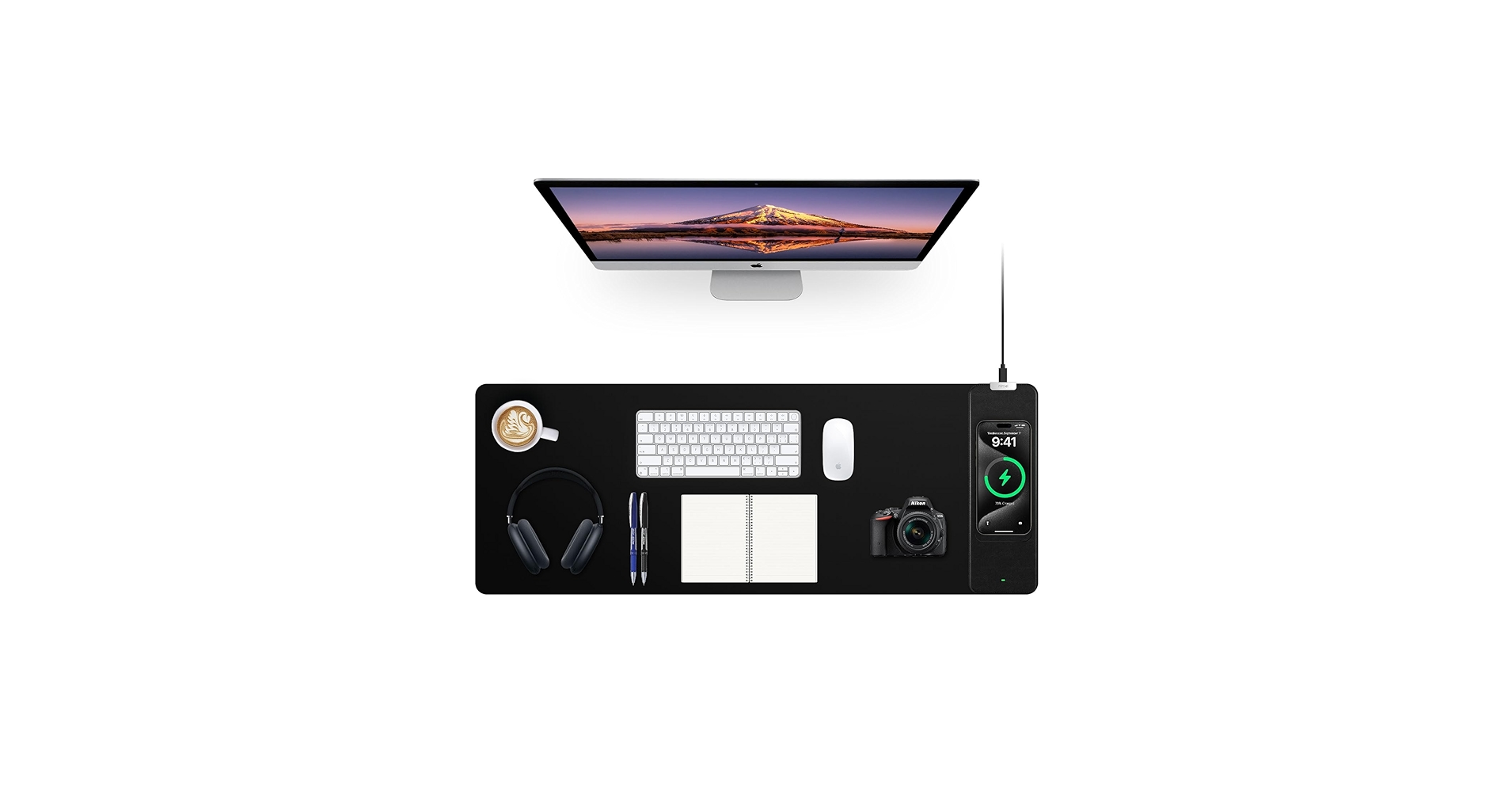
Mouse Pad with Wireless Charging, Black Mousepad Long Desk
Pros
- Sleek, understated design
- Waterproof and easy-to-clean surface
- Standard 10W charging is reliable
- Excellent non-slip rubber base
Cons
- 10W charging is slower than newer standards
- Power adapter not included
The Breakdown: This is the quintessential workhorse of wireless charging desk mats. It forgoes flashy RGB for a clean, professional aesthetic, focusing on core functionality. The smooth, waterproof surface is perfect for both mouse tracking and protecting your desk, making it a highly practical upgrade for any home or office, much like the popular *Alti wireless charging desk mat* it often gets compared to.
Key Specs:
- Charging: 10W Qi (Adapter not included)
- Dimensions: 800 x 300 x 3mm
- Features: Waterproof Surface, Plug and Play
- Material: Smooth cloth, non-skid rubber base
The Community Verdict: Many users in forums are looking for a simple, elegant solution like the *journey desk mat* or the *Alti desk mat*. This product aligns with that sentiment, offering the core charging feature without the gamer-centric extras. The consensus is that for a clean, organized workspace, a simple black *journey computer mat* like this is often the best choice.
Dealbreaker: The 10W charging speed, while perfectly fine for overnight or passive all-day charging, will feel slow to anyone accustomed to 15W+ fast chargers.
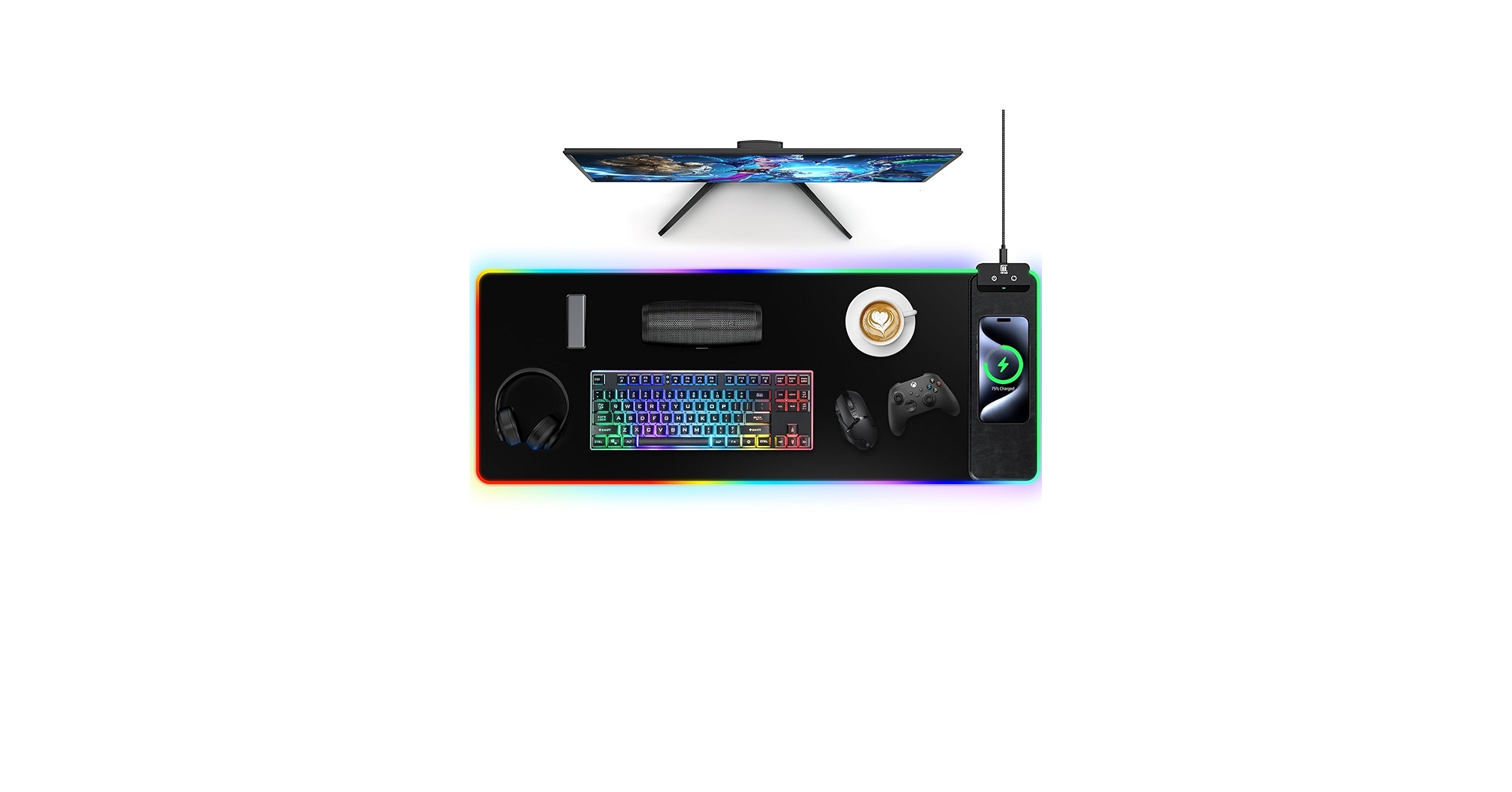
Mouse Pad with Wireless Charging, Large Desk Mat RGB Gaming
Pros
- Affordable entry into RGB + charging
- 10 distinct lighting modes
- Durable stitched edges
Cons
- Slower 10W charging
- Power adapter is not included
- RGB lighting may not be as bright as premium options
The Breakdown: This mat offers a balanced combination of features for those who want both RGB lighting and wireless charging without a hefty price tag. It provides a large, smooth surface for gaming and 10 lighting modes to customize your setup’s vibe. While it uses the standard 10W charging, it’s a solid, functional piece that elevates a desk’s look and feel.
Key Specs:
- Charging: 10W Qi (Adapter not included)
- Dimensions: 800 x 300 x 4mm
- Features: 10 RGB Modes, Power-off Memory, Waterproof
- Material: Nano-textured cloth, non-slip rubber base
The Community Verdict: The gaming community consistently discusses the desire for more peripheral integration. As one Reddit user pondered, if companies can make Qi charging mice, adding a charger to the mat is a logical next step. This product is a direct answer to that demand, even if it doesn’t offer the fastest speeds, making it a great choice for a first *journey keyboard mat* with charging capabilities.
Dealbreaker: This is a jack-of-all-trades, master of none. The charging isn’t the fastest and the RGB isn’t the most advanced, making it a potential compromise for users seeking the best-in-class performance in either category.
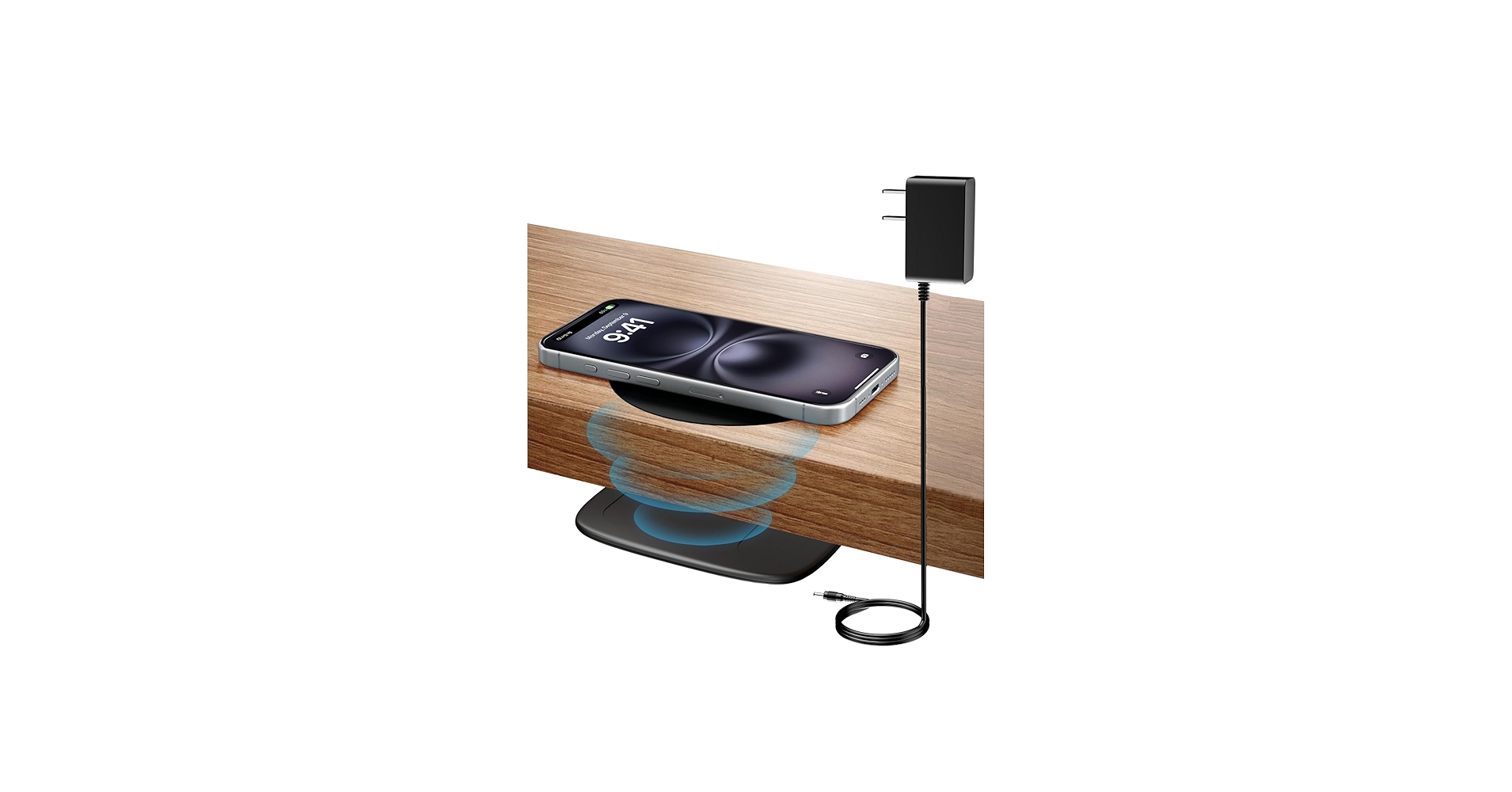
KPON Invisible Wireless Charger, 40MM Hidden Desk Charger
Pros
- Completely invisible, mounts under the desk
- Charges through thick surfaces up to 40mm
- Keeps your desk surface 100% clear
- No need to replace your existing desk mat
Cons
- Requires installation (adhesive or screws)
- Finding the exact charging spot can take practice
The Breakdown: This product flips the script entirely. Instead of being a mat with a charger, it’s a charger that works through your existing desk and mat. By mounting it underneath your desk, you achieve the ultimate clean look, turning a section of your desk into a magical charging zone without any visible hardware.
Key Specs:
- Charging: 10W through-surface charging
- Dimensions: Under-desk unit, charges through 15-40mm thickness
- Features: Long-distance charging, includes positioning sticker
- Material: Plastic housing
The Community Verdict: This technology is what many minimalist enthusiasts have been waiting for. Instead of a dedicated *journey charging mat*, this allows any surface to become a charger. It’s considered the endgame for those who want a completely uncluttered and wire-free desktop aesthetic, turning a simple desk into a smart surface.
Dealbreaker: It requires a semi-permanent installation and is not suitable for desks made of metal. Some users may also find it less convenient than a clearly marked charging zone on a mat.
Best laptop charging mat
While most desk mats focus on phones and accessories, some innovative products are designed for true portability. These laptop sleeves cleverly integrate wireless charging and can unfold into a functional desk mat. They are the perfect solution for the hybrid worker or digital nomad who needs an organized, powered-up workspace anywhere.
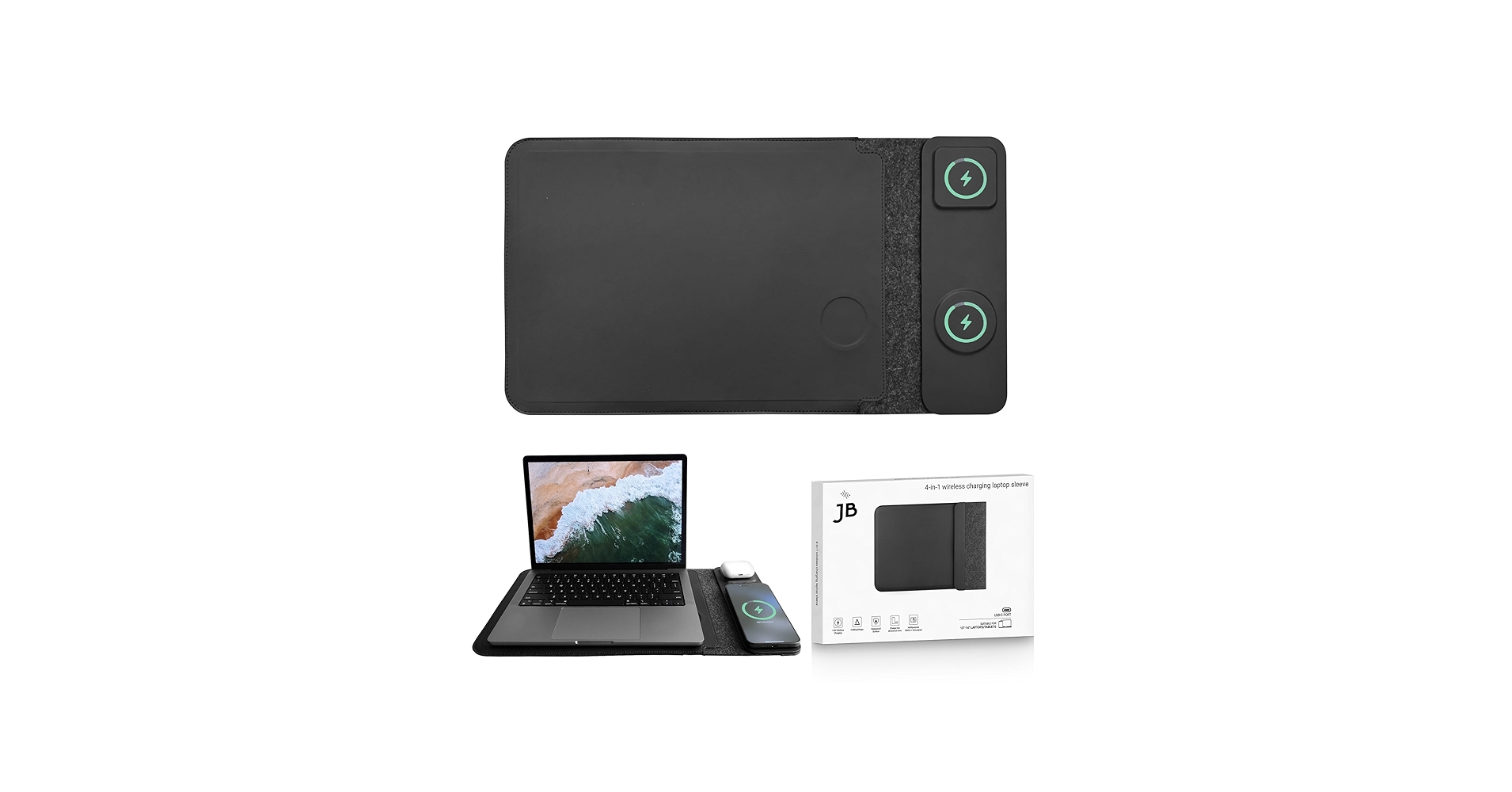
4-in-1 Laptop Sleeve with Wireless Charging – 13/14 inch – Updated
Cons: Limited to 13/14 inch laptops
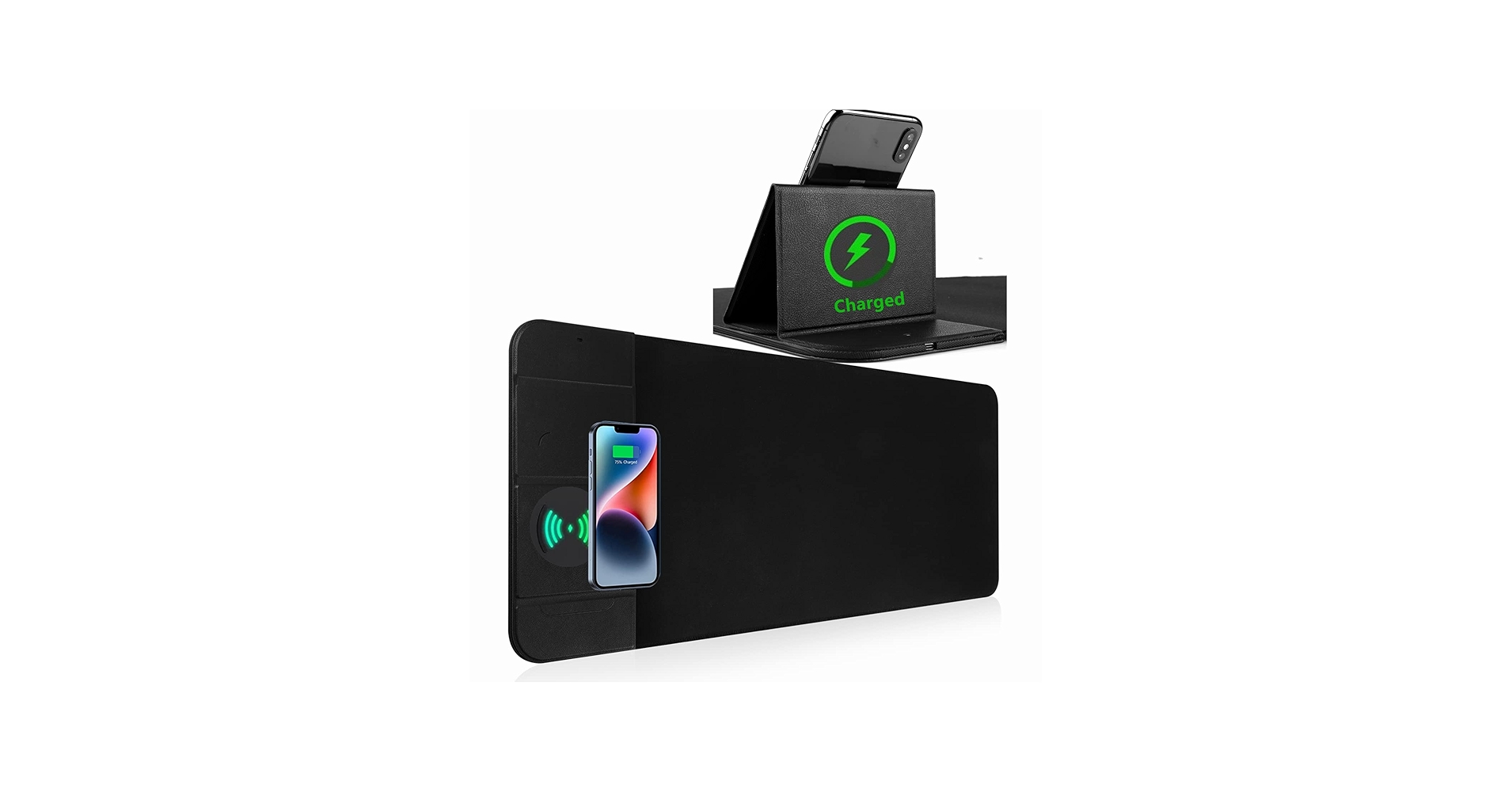
Wireless Charging Mouse Pad with Phone Holder
Cons: Adapter sold separately
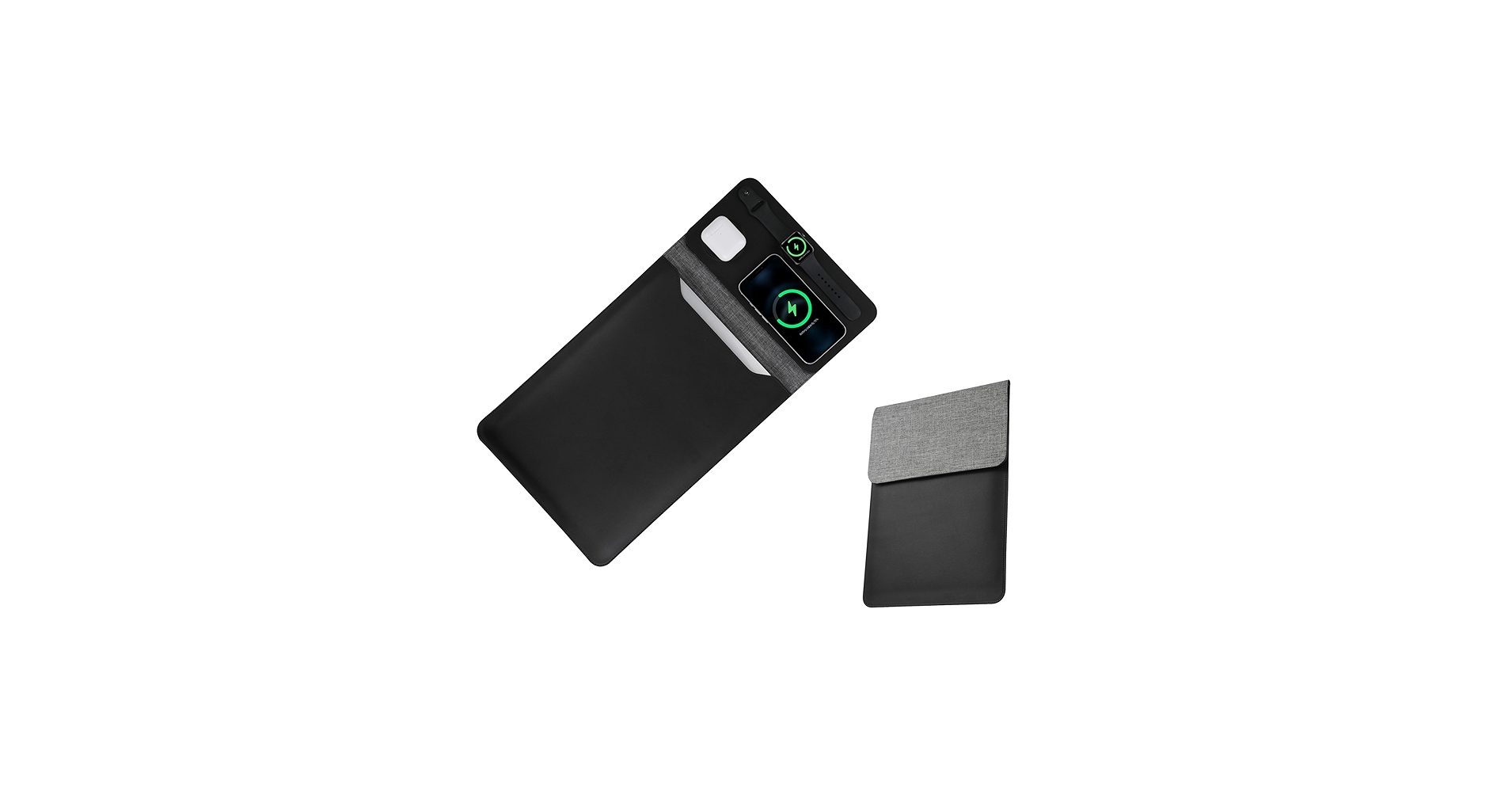
5-in-1 Laptop Sleeve with Wireless Charging for iPad MacBook Pro
Cons: Magnetic charging primarily for Apple ecosystem
Best wireless laptop charging mat
The concept of a wireless laptop charging mat is about ultimate convenience and portability. These products serve as protective sleeves during transit and unfold into a complete workstation surface. With integrated chargers for your phone and accessories, they turn any coffee shop table or co-working space into your personal, organized, and powered-up desk.
4-in-1 Laptop Sleeve with Wireless Charging – 13/14 inch – Updated
Cons: Limited to 13/14 inch laptops
Wireless Charging Mouse Pad with Phone Holder
Cons: Adapter sold separately
5-in-1 Laptop Sleeve with Wireless Charging for iPad MacBook Pro
Cons: Magnetic charging primarily for Apple ecosystem
Buying Guide: How to Choose a Wireless Charging Desk Mat
Finding the right charging desk mat involves more than just picking a color. Consider these key factors to ensure your purchase enhances your workspace and meets your tech needs.
Charging Speed and Compatibility
Look for the wattage (W). Standard Qi charging is 5W, while 7.5W is common for iPhones, and up to 15W is available for many Android devices. A 10W or 15W desk pad with wireless charger will power up your devices noticeably faster. Crucially, check if a power adapter is included. To achieve maximum speed, you’ll often need a specific Quick Charge or Power Delivery adapter, which is frequently sold separately. Ensuring you have the best wireless charger technology is key.
Size and Surface Material
Measure your desk space. Most of these mats are ‘extended,’ typically around 800mm wide, designed to fit a full-size keyboard and mouse. For material, gamers should prioritize a smooth, micro-weave cloth surface for precise mouse tracking. For general office use, a waterproof or easy-to-clean surface is a practical benefit. A non-slip rubber base is non-negotiable for keeping the charging desk pad firmly in place.
Aesthetics and Extra Features
Do you want a minimalist setup or a vibrant gaming battlestation? A simple black mat offers a professional look, while mats with RGB lighting provide customization. Consider extra features like a built-in phone stand or dedicated charging zones for earbuds. The right phone charging desk mat should not only be functional but also complement your overall desk setup, much like a good monitor stand with a USB-C hub can centralize your connections.
Frequently Asked Questions (FAQ)
Q1: Do wireless charging desk mats require a specific power adapter?
A: Yes, most do for optimal performance. While they can be powered by any USB port, to achieve fast charging (10W or 15W), you typically need a power adapter that supports Quick Charge (QC) 2.0/3.0 or Power Delivery (PD). Many mats do not include this adapter, so check the product details before purchasing.
Q2: Will the charger work through my phone case?
A: Generally, yes. Most Qi wireless chargers can transmit power through non-metal cases up to 5mm thick. However, cases with metal plates, magnets (unless MagSafe compatible), or credit card holders will interfere with charging and should be removed.
Q3: Can I charge my wireless mouse or smartwatch on these mats?
A: It depends. These mats use the universal Qi charging standard, which is primarily for smartphones and earbuds. Most wireless gaming mice (like Logitech’s Powerplay series) use proprietary charging technology and are not compatible. Some smartwatches use Qi, but many (like the Apple Watch) use a specific magnetic charger and will not work on a flat Qi pad.




