
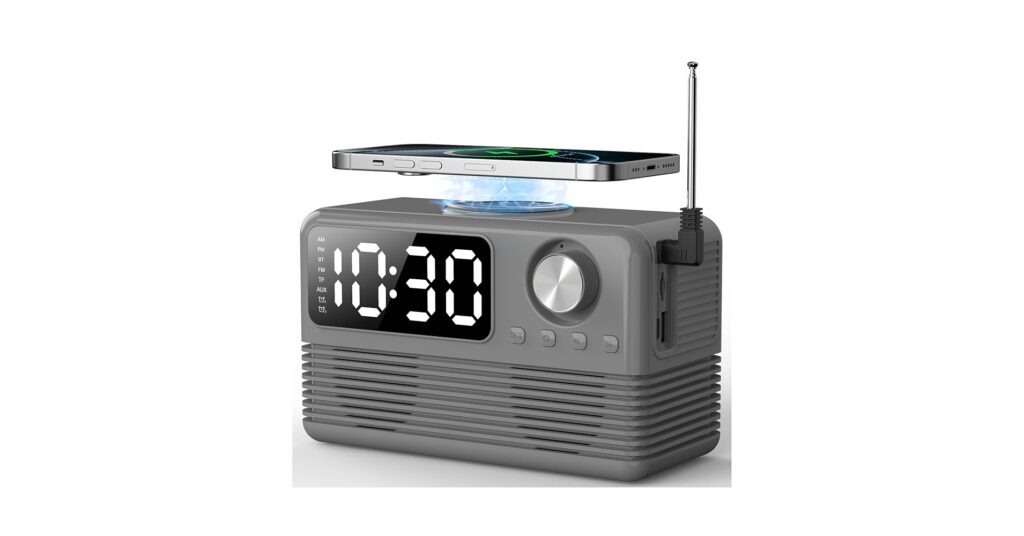
The pursuit of a streamlined, efficient desk or nightstand is more critical than ever. The single-function gadget is a relic. Enter the modern alarm clock with wireless charging, a device designed to declutter your space, simplify your charging routine, and wake you up on time. Combining a clock, a Qi charging pad, and often Bluetooth speakers or extra ports, these multifunctional devices are essential for any tech-savvy minimalist. After extensive market research and analysis of user feedback, we’ve curated the top models that deliver on both form and function.
🚀 Quick Verdict / Top Pick
FlyShow 15W Fast Wireless Charger with Bluetooth
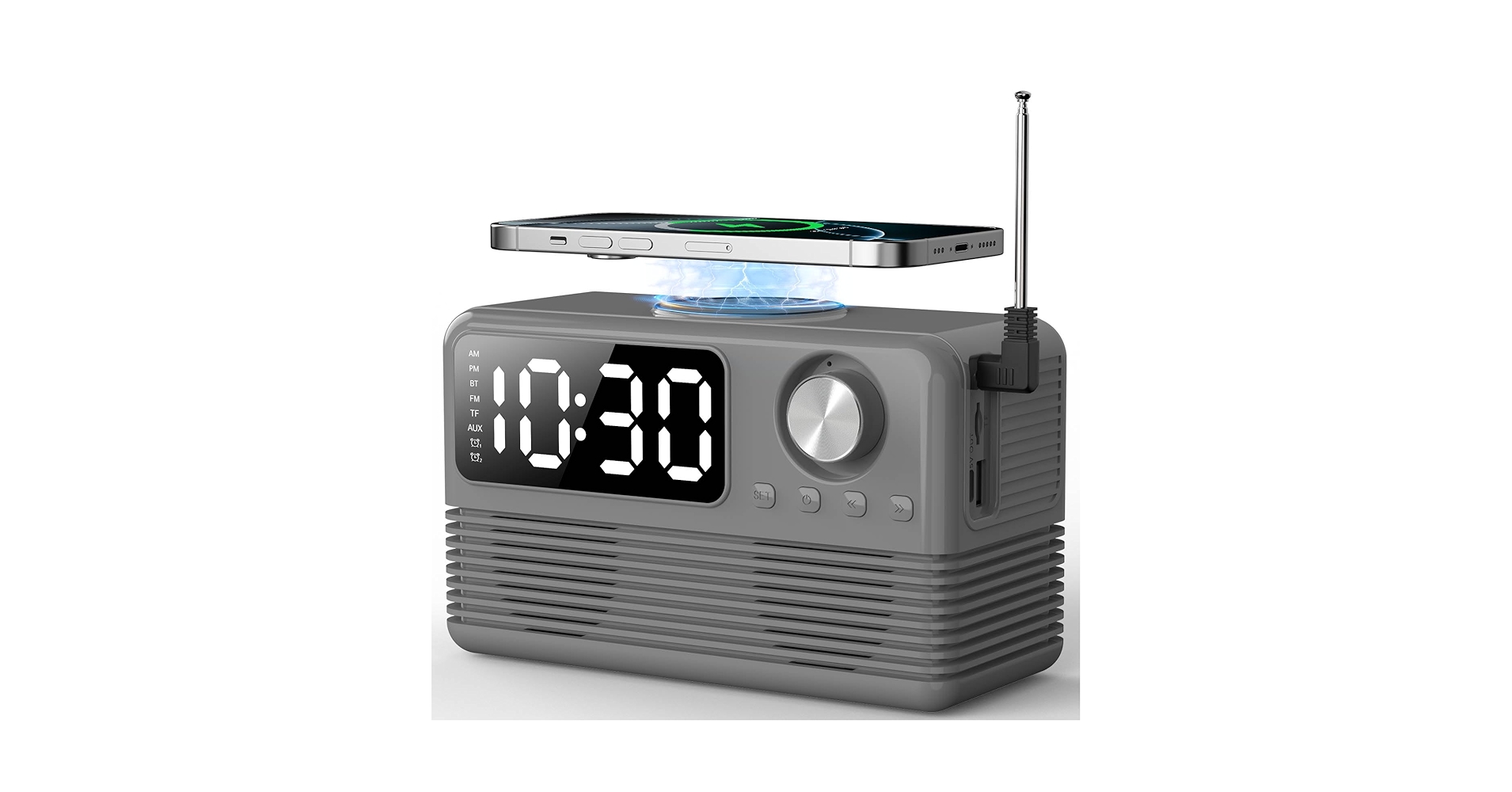
The FlyShow stands out with its class-leading 15W fast charging and integrated Bluetooth speaker, offering a complete audio and power solution that outpaces competitors in pure tech specs.
Alarm Clock & Wireless Charger Comparison
| Product | Charging Power (Watts) | Key Features | Best For |
|---|---|---|---|
| FlyShow 15W Fast Wireless Charger | 15W Qi Wireless | Bluetooth Speaker, Dimmable LED | Tech Enthusiasts |
| Timex Wireless Charging Alarm Clock | 5W Qi Wireless | FM Radio, USB-A Port, Dual Alarm | Traditional Simplicity |
| uscce Alarm Clock Bluetooth | 15W Qi Wireless | FM Radio, Bluetooth, TF Card Slot | Feature-Packed Value |
| CubieTrio – Magnetic Wireless Charging | 10W Magnetic/Qi | 2x USB-A Ports, 2x AC Outlets | Ultimate Power Hub |
| DreamSky Wooden Digital Alarm Clock | 10W Qi Wireless | Wood Aesthetic, 3 Alarms, Sound Control | Style-Conscious Users |
Detailed Reviews
1. FlyShow 15W Fast Wireless Charger with Bluetooth
Pros
- Class-leading 15W fast wireless charging
- Integrated Bluetooth speaker for music/podcasts
Cons
- Speaker quality is good, not audiophile-grade
- Modern design may not fit all decor styles
The Breakdown: The FlyShow model is built for performance and modern functionality. It prioritizes speed with its 15W pad, significantly cutting down overnight charging times for compatible devices. The addition of a Bluetooth speaker transforms it from a simple utility into an entertainment hub for your desk or bedside.
Key Specs:
- Charging: 15W/10W/7.5W/5W Qi-compatible
- Connectivity: Bluetooth 5.1
- Display: LED with 4 brightness levels
- Dimensions: 6.5″ x 4.2″ x 1.5″
The Community Verdict: Users consistently praise the charging speed and the convenience of having a single device for audio and power. Some owners note that the initial setup for alarms and Bluetooth can be slightly unintuitive, but it’s a minor learning curve. The general consensus is that this is an excellent, feature-rich alarm clock with qi charging capabilities.
Dealbreaker: Skip this if you need physical USB ports for charging non-wireless devices like a smartwatch or e-reader.
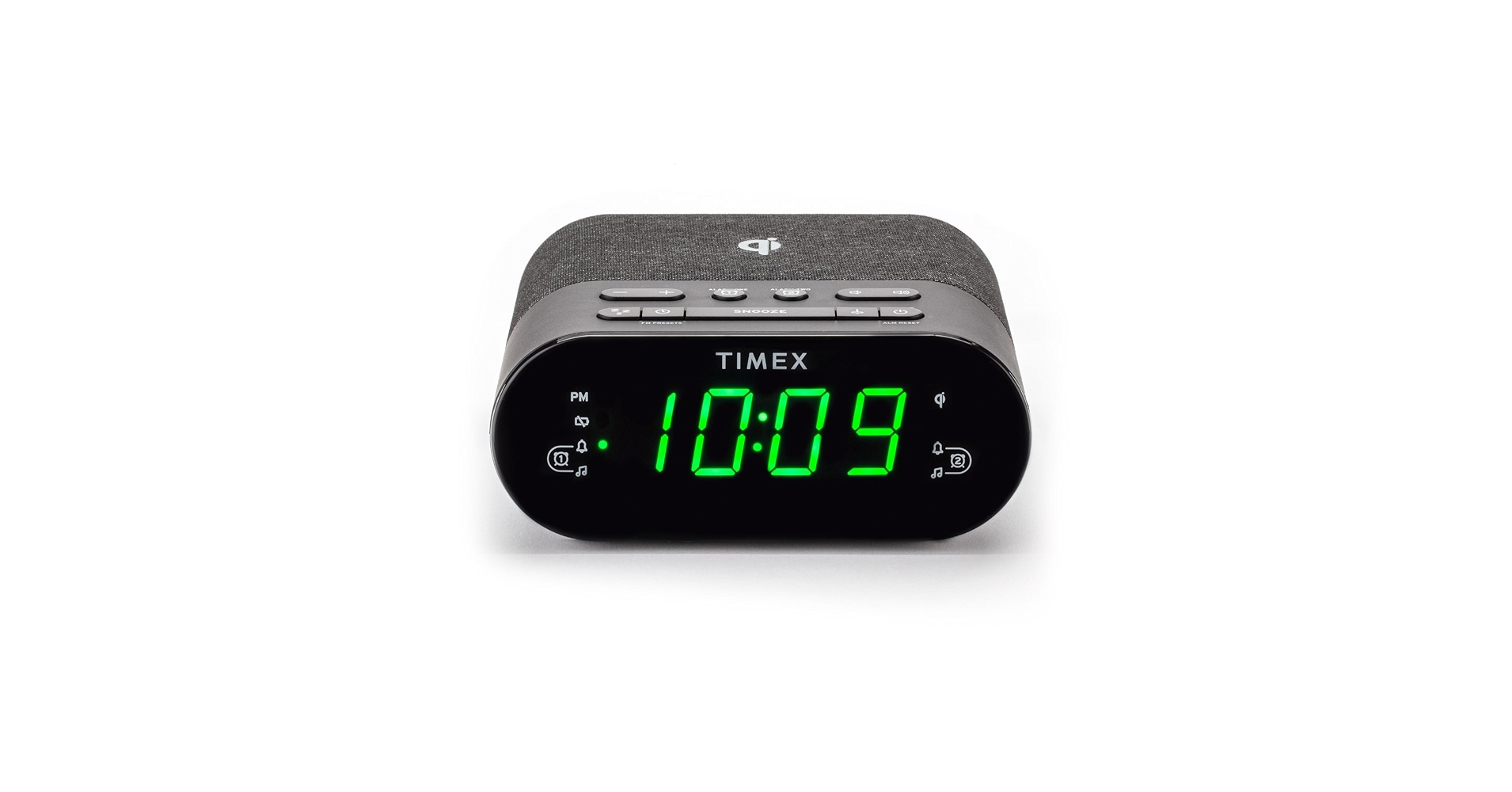
2. Timex Wireless Charging Alarm Clock Radio
Pros
- Simple, no-fuss operation
- Includes both FM Radio and a USB-A charging port
Cons
- Slow 5W wireless charging speed
- Design feels dated compared to newer models
The Breakdown: Timex brings its legacy of reliability to the charging alarm clock space. This device doesn’t try to be flashy; it focuses on core features like an easy-to-read display, dual alarms, and the classic FM radio. The inclusion of a 1A USB-A port is a practical touch for charging secondary devices.
Key Specs:
- Charging: 5W Qi Wireless, 1x USB-A (5V/1A)
- Connectivity: FM Radio
- Display: Large LCD with dimmer
- Dimensions: 7.3″ x 5.7″ x 3.6″
The Community Verdict: Owners appreciate the simplicity and the large, clear display. The slow 5W charging is a frequent point of criticism, with many noting it’s best for overnight trickle charging rather than a quick power boost. The build quality and straightforward button layout receive consistent positive marks for this digital clock wireless charger.
Dealbreaker: Skip this if you have a modern flagship phone and want to take advantage of fast wireless charging.
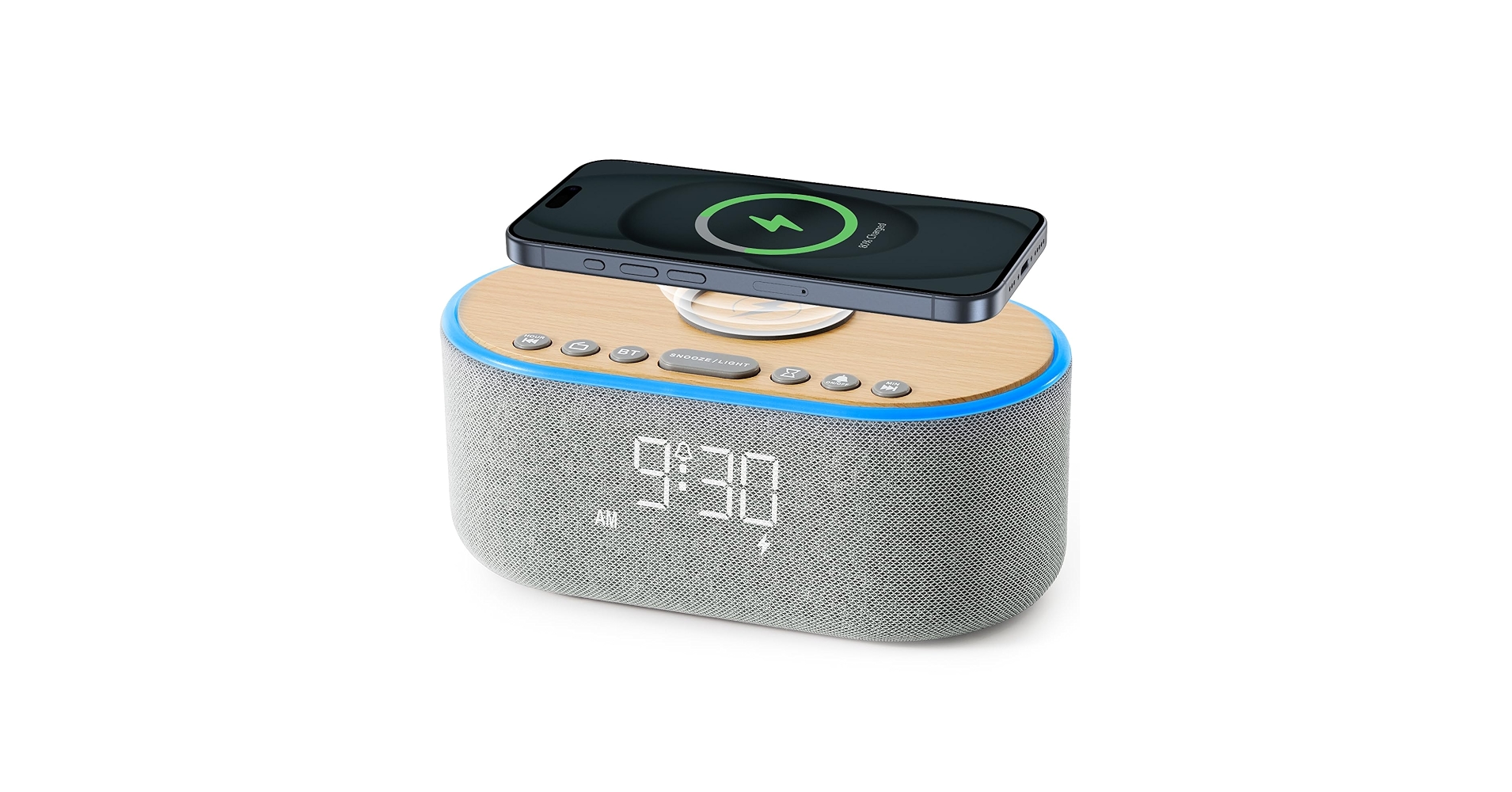
3. uscce Alarm Clock Bluetooth FM Radio
Pros
- Fast 15W wireless charging
- Packed with features: Bluetooth, FM, TF Card
Cons
- Lesser-known brand raises longevity questions
- Build materials feel less premium than others
The Breakdown: The uscce model is a kitchen-sink approach to the alarm clock charger, offering nearly every feature imaginable at a competitive price. With 15W alarm clock qi wireless charging, Bluetooth audio, an FM radio, and even a TF card slot for MP3 playback, it’s a true jack-of-all-trades. The design is compact and modern, with a large, mirrored display.
Key Specs:
- Charging: 15W Qi Wireless
- Connectivity: Bluetooth, FM Radio, TF Card Slot
- Display: Mirrored LED with 3 brightness levels
- Dimensions: 5.5″ x 3.5″ x 2.7″
The Community Verdict: Market research shows that buyers are frequently surprised by the number of features for the price. The fast charging works as advertised, and the display is sharp. Some user reports mention the speaker volume and sound quality are average, and the plastic construction, while solid, doesn’t feel as premium as wooden or fabric-covered alternatives.
Dealbreaker: Skip this if you prefer products from established, well-known electronics brands.
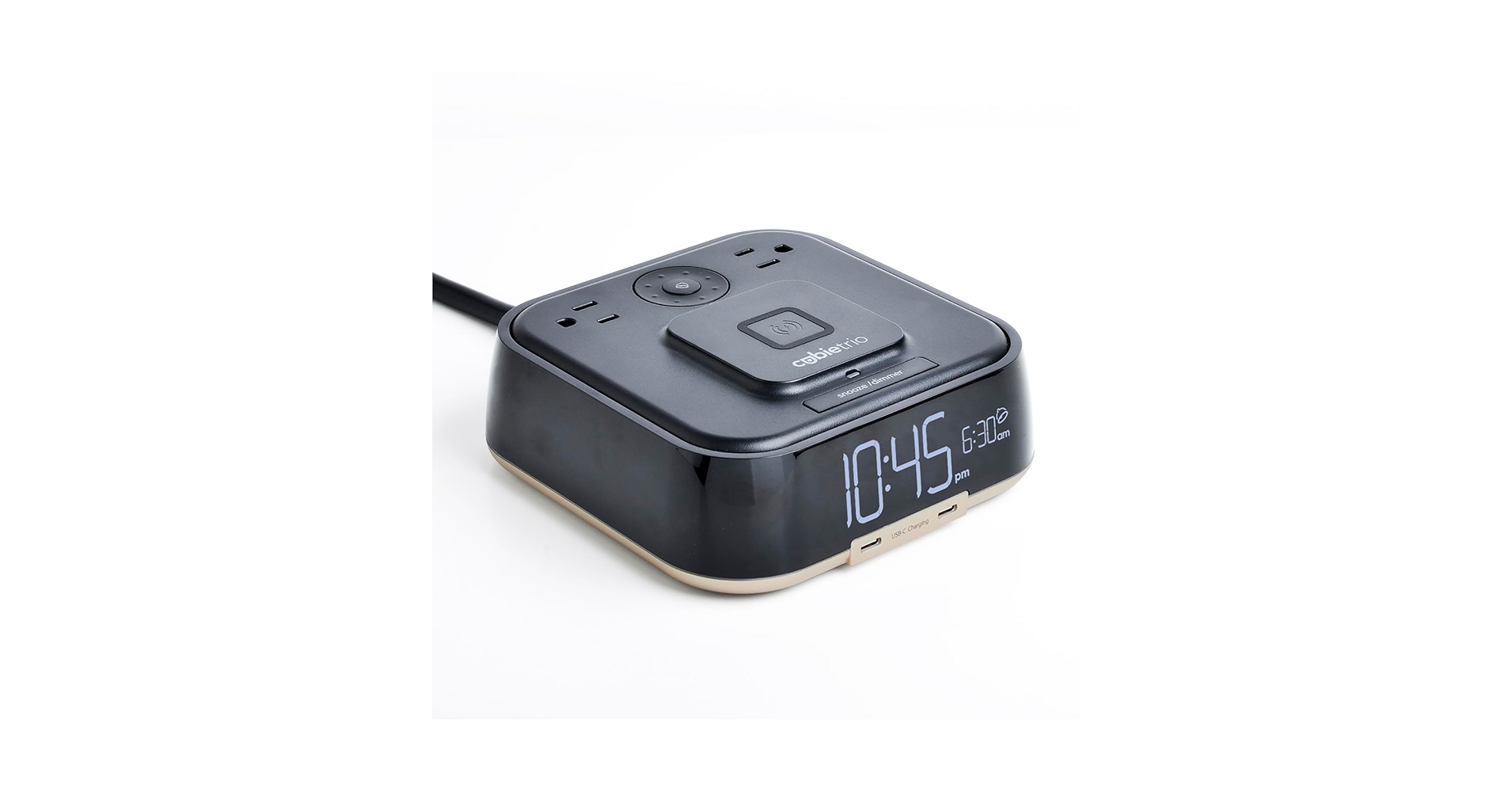
4. CubieTrio – Magnetic Wireless Charging Alarm Clock
Pros
- Unmatched power options: 2 AC outlets, 2 USB-A ports
- Magnetic wireless charging pad for secure alignment
Cons
- Bulky, utilitarian design
- Lacks extra features like radio or Bluetooth
The Breakdown: The CubieTrio isn’t just an alarm clock; it’s a complete power station. Its killer feature is the inclusion of two tamper-resistant AC outlets, allowing you to plug in a laptop, lamp, or any other device right on your nightstand. It complements this with two USB-A ports and a 10W magnetic wireless charging pad that works perfectly with MagSafe-compatible iPhones and other Qi devices.
Key Specs:
- Charging: 10W Magnetic/Qi Wireless, 2x USB-A, 2x AC Outlets
- Connectivity: None (Power-focused)
- Display: LED with dimmer
- Dimensions: 5.9″ x 5.9″ x 2.7″
The Community Verdict: The consensus is that this is the most practical and useful device in the category for those with multiple gadgets. It’s a staple in hotels for a reason. Users love the all-in-one charging capability, but some minimalist-focused buyers find the design to be too bulky and industrial for a curated desk setup.
Dealbreaker: Skip this if you’re looking for a sleek, minimalist design or need audio features like a speaker or radio.
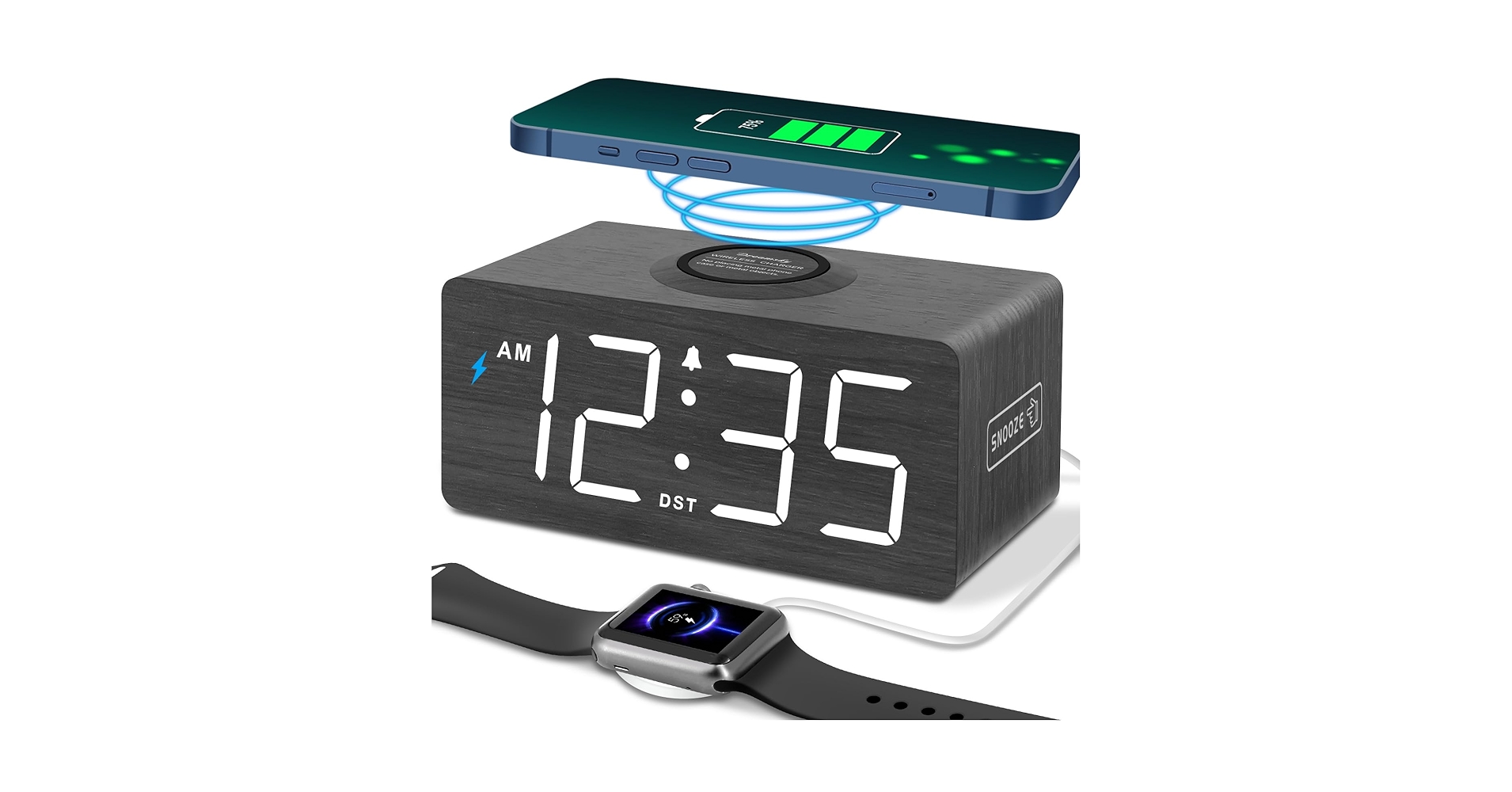
5. DreamSky Wooden Digital Alarm Clock with Wireless Charging
Pros
- Elegant wood grain finish
- Multiple alarms and adjustable brightness
Cons
- No extra USB ports or audio features
- Some users find even the dimmest setting too bright
The Breakdown: The DreamSky clock is all about aesthetics. It hides its technology within a minimalist wooden block, with the LED display shining through the veneer for a clean, futuristic look. It offers a solid 10W wireless charging pad on top and focuses on core clock functions like multiple alarms and a fully adjustable dimmer.
Key Specs:
- Charging: 10W Qi Wireless
- Connectivity: None
- Display: LED with 5 brightness levels + display off
- Dimensions: 5.9″ x 2.8″ x 2.8″
The Community Verdict: This clock receives high praise for its design, with many owners stating it elevates the look of their desk or nightstand. The ‘sound control’ feature, where the display turns off and reactivates with a clap or tap, is a polarizing feature—some love it for total darkness, while others find it gimmicky. A minority of users report that the LED display, even at its lowest setting, can be slightly too bright for sensitive sleepers.
Dealbreaker: Skip this if you need any extra features like Bluetooth audio or USB charging ports.
Buying Guide: How to Choose the Right Clock and Wireless Charger
Selecting the perfect alarm clock with charging station goes beyond just telling time. It’s about consolidating your tech into one efficient hub. These clocks for desk spaces or nightstands should match your needs and your aesthetic.
1. Charging Speed (Watts): This is paramount. A basic 5W charger will power up your phone overnight, but it won’t be fast. A 10W or 15W charger will provide a much quicker boost, essential if you’re topping up your phone before heading out. Always check that your phone supports these higher speeds to take full advantage of a fast charging station alarm clock.
2. Multifunctionality & Connectivity: What else do you need your clock and charging station to do? If you listen to podcasts while you work, a model with a built-in Bluetooth speaker is a huge space-saver. If you still have devices that need a cable, like a Kindle or headphones, look for a model with extra USB-A or USB-C ports. The most powerful options, like the CubieTrio, even include full AC outlets.
3. Display & Brightness Control: The best digital clock wireless charger is one you can’t see at night. Look for models with multiple dimming levels, or even the ability to turn the display off completely while keeping the alarm and charging functions active. A display that’s too bright is one of the most common complaints in user reviews for these products.
An efficient clock and wireless charger can be the centerpiece of a clean setup. Pairing it with a desk shelf with cable management tray can completely hide unsightly wires. And if your chosen clock lacks enough ports for all your gear, complementing it with a dedicated usb hub with long cable for desktop is a smart, minimalist-approved solution.
Frequently Asked Questions (FAQ)
Q1: Do alarm clocks with wireless charging work with a phone case?
A: Yes, in most cases. The majority of Qi wireless chargers are designed to work through plastic, rubber, or TPU cases up to 5mm thick. However, they will not work with metal cases, magnetic mounts, PopSockets, or cases with credit cards in the back, as these interfere with the charging signal.
Q2: Can I turn off the display on these clocks at night?
A: It depends on the model. Many modern wireless charging clocks, like the DreamSky Wooden Clock, offer multiple brightness levels, including a ‘display off’ mode. This is a critical feature for light-sensitive sleepers. Always check the product specifications for dimmer or display control options if this is important to you.
Q3: What’s the difference between Qi charging and MagSafe in these clocks?
A: Qi is the universal standard for wireless charging that most devices use. MagSafe is Apple’s proprietary system which adds magnets to the Qi standard for perfect alignment and a secure connection. A MagSafe-compatible clock (like the CubieTrio) will magnetically hold a compatible iPhone in place, but it will still charge any other Qi-enabled device (like an Android phone) just like a normal wireless charger.




