

🚀 Quick Verdict / Top Pick
DrunkDeer A75 Rapid Trigger Mechanical Keyboard
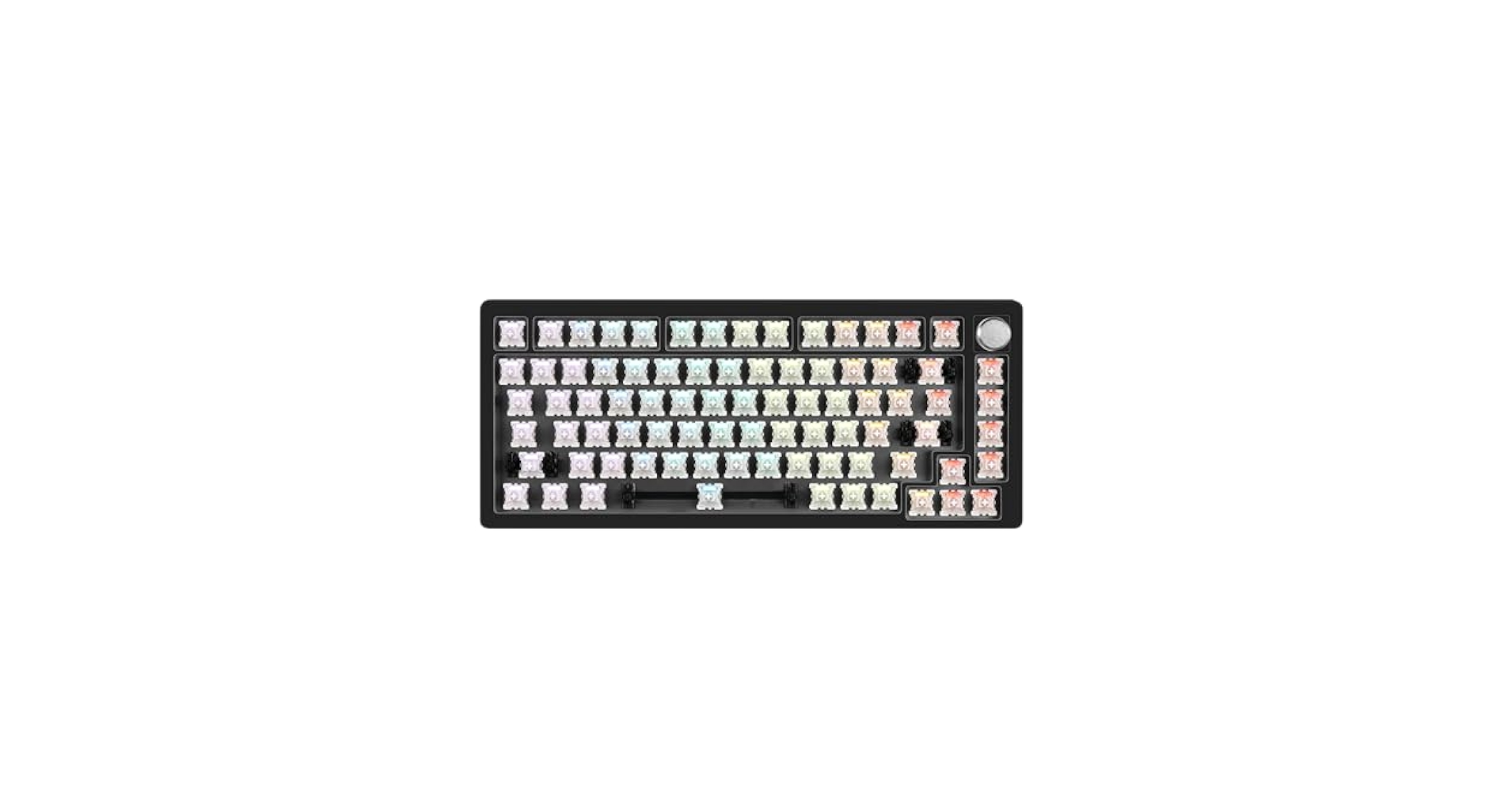
The DrunkDeer A75 leads the pack for CS2 players with its revolutionary rapid trigger magnetic switches, offering unparalleled response times and customizable actuation vital for competitive play.
Welcome to TechForDesk.com’s definitive guide to finding the best keyboard for CS2. As Counter-Strike 2 continues to dominate the esports scene, having the right gear can make all the difference between a clutch play and a missed opportunity. For competitive gamers, keyboard performance is paramount, with factors like switch type, actuation speed, and latency dictating critical in-game reactions. We’ve rigorously analyzed the market to bring you a selection of top contenders, from innovative rapid trigger designs to tried-and-true mechanical powerhouses, ensuring you find the ultimate edge on the server.
| Product | Switch Type | Connectivity | Best For |
|---|---|---|---|
| DrunkDeer A75 Rapid Trigger Mechanical Keyboard | Magnetic/Hall Effect | Wired | Competitive CS2, rapid input |
| Aula WIN60 HE – 60% Mechanical Gaming Keyboard | Hall Effect | Tri-Mode (Wired Focus) | Esports pros, ultimate speed |
| EPOMAKER x Aula F75 Gasket Mechanical Keyboard | Gateron Pro Linear | Tri-Mode | Enthusiast gamers, customizability |
| AULA F99 Wireless Mechanical Keyboard | Gateron Mechanical | Tri-Mode | Versatile gamers, productivity & play |
| Logitech MK270 Wireless Keyboard and Mouse | Membrane | 2.4GHz Wireless | Casual users, budget-conscious (Not for CS2) |
Detailed Reviews
DrunkDeer A75 Rapid Trigger Mechanical Keyboard
Pros
- Rapid Trigger magnetic switches for unparalleled responsiveness.
- Highly customizable actuation points (0.1mm-3.8mm).
- Solid 75% form factor, ideal for gaming setups.
Cons
- Wired-only connectivity.
- Magnetic switch feel may not appeal to all users.
The Breakdown
The DrunkDeer A75 is engineered for peak competitive performance, featuring innovative rapid trigger magnetic switches. This 75% keyboard allows for instant actuation and de-actuation based on key travel, giving CS2 players an undeniable advantage in movement and precision.
Key Specs
- Switches: Gateron KS-20 Magnetic Hall Effect
- Connectivity: Wired USB-C
- Form Factor: 75%
- Special Features: Rapid Trigger, Adjustable Actuation (0.1mm-3.8mm)
- Keycaps: PBT
The Community Verdict
Market research indicates this board is a favorite among competitive gamers, with users reporting significant improvements in micro-movements and flick shots due to rapid trigger. It’s often cited when discussing what makes the best keyboards for cs2, offering a genuine edge for those who demand it.
Dealbreaker
Skip this if you need wireless connectivity or prefer a more traditional mechanical switch feel for general typing.
Aula WIN60 HE – 60% Mechanical Gaming Keyboard

Pros
- Hall Effect switches with rapid trigger for lightning-fast responses.
- Compact 60% form factor frees up significant desk space for mouse movement.
- Durable build quality ideal for competitive play.
Cons
- 60% layout requires adapting to function layers for missing keys.
- Software for customization can be less intuitive than competitors.
The Breakdown
The Aula WIN60 HE packs bleeding-edge Hall Effect technology into a compact 60% form factor, making it ideal for esports professionals and minimalists. Its rapid trigger capabilities ensure lightning-fast responses, crucial for precise movements and actions in CS2.
Key Specs
- Switches: Hall Effect (Rapid Trigger)
- Connectivity: Wired USB-C (Tri-Mode often available, but wired for lowest latency)
- Form Factor: 60%
- Special Features: Rapid Trigger, Adjustable Actuation
- Keycaps: PBT
The Community Verdict
Consensus is that the WIN60 HE stands shoulder-to-shoulder with other top-tier cs2 pro keyboards due to its compact size, freeing up mouse space, and its exceptional rapid trigger performance. Players appreciate the raw speed and build quality. Some users wish for a dedicated software for macro customization, though.
Dealbreaker
Skip this if you require dedicated arrow keys, a number pad, or function row, or if you prioritize wireless freedom over absolute lowest latency.
EPOMAKER x Aula F75 Gasket Mechanical Keyboard

Pros
- Gasket mount design provides a pleasant typing feel and sound.
- Hot-swappable Gateron Pro switches for customization.
- Tri-mode connectivity offers flexibility for various setups.
Cons
- Lacks rapid trigger for ultimate competitive advantage.
- May be overkill for those solely focused on raw gaming performance.
The Breakdown
This collaboration brings an enthusiast-grade mechanical keyboard with a desirable 75% layout and gasket mounting. It focuses on typing feel and sound, offering a premium experience with hot-swappable Gateron Pro switches and customizable RGB.
Key Specs
- Switches: Gateron Pro Mechanical (Hot-swappable)
- Connectivity: Tri-Mode (2.4G/BT5.0/USB-C)
- Form Factor: 75%
- Special Features: Gasket Mount, PBT Keycaps, VIA/QMK compatibility
The Community Verdict
Owners rave about its luxurious build quality, thocky sound profile, and smooth switches, making it a joy for both typing and general gaming. Many consider it among the best keyboards cs2 for a balanced, high-quality experience, though it doesn’t feature rapid trigger.
Dealbreaker
Skip this if raw, competitive edge from features like rapid trigger is your single highest priority, or if you prefer a full-size board.
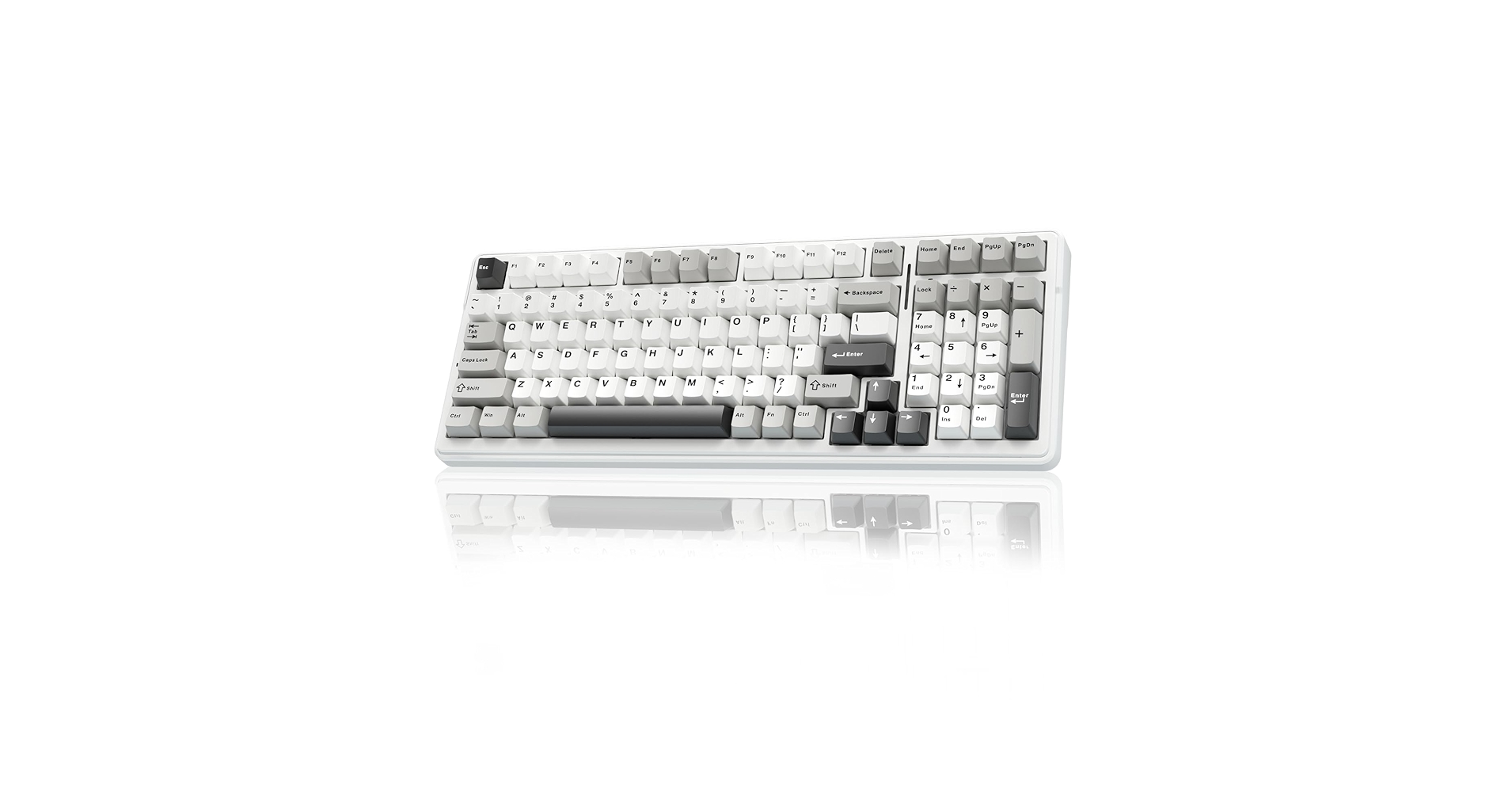
AULA F99 Wireless Mechanical Keyboard, Tri-Mode
Pros
- Tri-mode connectivity (2.4G/BT/Wired) for excellent versatility.
- Responsive Gateron mechanical switches.
- Compact 96% layout balances functionality with space saving.
Cons
- Lacks advanced rapid trigger features for pro CS2 play.
- Wireless latency, though good, isn’t as low as wired magnetic switches.
The Breakdown
The AULA F99 offers a compelling blend of mechanical feedback and wireless versatility. Its compact full-size layout balances functionality with desk space, while robust Gateron switches provide a satisfying typing and gaming experience for a wide range of users.
Key Specs
- Switches: Gateron Mechanical (Hot-swappable)
- Connectivity: Tri-Mode (2.4G/BT5.0/USB-C)
- Form Factor: 96%
- Special Features: Gasket Mounted, PBT Keycaps
The Community Verdict
Users consistently praise its smooth switches and comfortable typing experience, noting its value as a mid-range mechanical option. While responsive for gaming, some hardcore cs2 pro keyboards users might crave more specialized features like rapid trigger for an absolute edge.
Dealbreaker
Skip this if your priority is the absolute lowest latency, magnetic switch-level rapid input, or a true 60% minimalist setup.
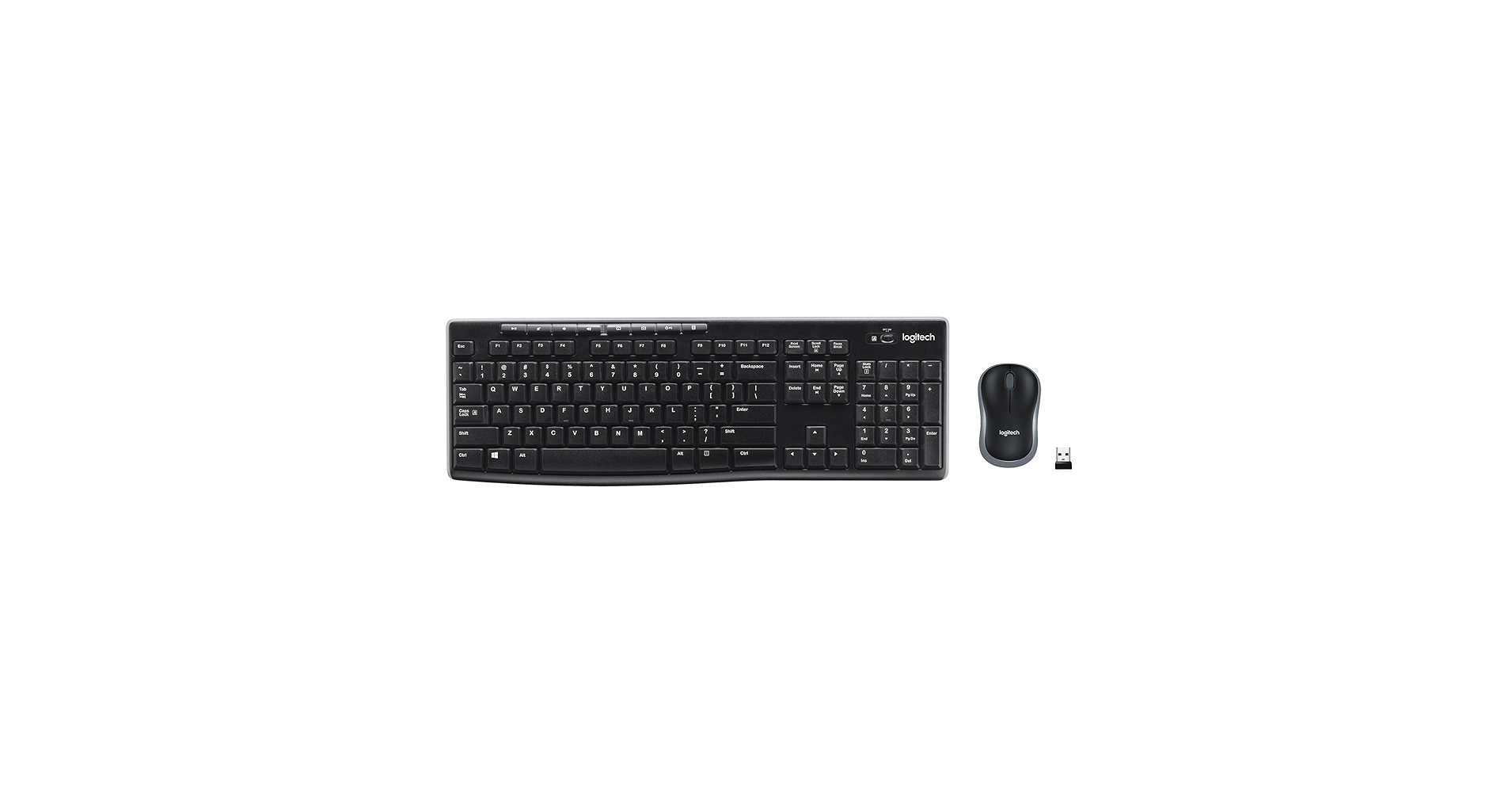
Logitech MK270 Wireless Keyboard and Mouse
Pros
- Extremely affordable keyboard and mouse combo.
- Reliable 2.4GHz wireless connection for general use.
- Long battery life for extended casual use.
Cons
- Membrane switches are unsuitable for gaming.
- No advanced gaming features or customization.
The Breakdown
An affordable and reliable wireless keyboard and mouse combo designed for everyday computing tasks. Its full-size layout and long battery life make it a practical choice for home or office use, prioritizing convenience over performance.
Key Specs
- Switches: Membrane
- Connectivity: 2.4GHz Wireless (dongle)
- Form Factor: Full-size (104 keys)
- Special Features: Spill-resistant design
The Community Verdict
Owners consistently report its ease of setup and robust wireless connection for general tasks. However, its membrane switches are unanimously deemed unsuitable for fast-paced gaming, lacking the precision and responsiveness required for competitive titles.
Dealbreaker
Skip this if you’re looking for any serious gaming performance, especially for a game like CS2.
Buying Guide: How to Choose the Ultimate CS2 Keyboard
Choosing the best keyboards cs2 isn’t just about flashy RGB; it’s about competitive advantage. For cs2 pro keyboards, several factors come into play. Firstly, switch type is paramount. While traditional mechanical switches are great, magnetic or Hall Effect switches with rapid trigger technology (like those found in the DrunkDeer A75 or Aula WIN60 HE) offer unparalleled responsiveness, allowing for instant key resets and micro-adjustments critical for CS2 movement. Secondly, connectivity matters. Wired connections generally provide the lowest latency, which is non-negotiable for competitive play. However, modern 2.4GHz wireless technologies are increasingly robust, making options like the AULA F99 viable for many.
Consider your form factor next. A 60% keyboard like the Aula WIN60 HE provides maximum mouse space, a favorite among esports pros, but requires adapting to function layers. A 75% board (like the EPOMAKER F75 or DrunkDeer A75) offers a good balance, retaining arrow keys and some function keys. Full-size boards, while great for productivity, might be too cumbersome for competitive CS2.
Beyond performance, consider desk ergonomics and aesthetics. If you’re building a minimalist high-tech setup, pairing your new keyboard with a sleek best desk shelf for Mac Mini or a versatile portable monitor stand for travel can complete your battlestation. And for an immersive audio experience, ensuring your desk setup accommodates desk shelf for studio monitors audio is a smart move. Lastly, don’t overlook build quality; durable PBT keycaps and a sturdy chassis will withstand intense gaming sessions for years to come.
Frequently Asked Questions (FAQ)
- Q: Why are rapid trigger keyboards considered the best for CS2?
- A: Rapid trigger technology allows keys to actuate and de-actuate based on customizable travel distance rather than a fixed point. This means you can stop moving and immediately change direction with extreme precision, offering a significant advantage in micro-movements crucial for CS2.
- Q: What “Switch Type” should I prioritize for competitive CS2 play?
- A: For competitive CS2, magnetic (Hall Effect) switches are increasingly favored due to their ability to support rapid trigger functionality and adjustable actuation points. Linear mechanical switches (like Gateron Reds) are also excellent for their smooth, consistent feel, but lack the rapid trigger advantage.
- Q: Do any pro CS2 players use specific keyboards that influence the “best keyboards for cs2” discussion?
- A: While professional players have diverse preferences, many are gravitating towards keyboards with magnetic switches and rapid trigger technology. The trend among niko cs2 keyboard discussions and other top players leans towards minimalist 60% or 75% boards with the lowest possible latency and customizable actuation, prioritizing competitive edge above all else.
- Q: Is a wireless keyboard suitable for CS2?
- A: While wired connections historically offered lower latency, modern 2.4GHz wireless technologies have improved dramatically, making them viable for many gamers. However, for the absolute lowest latency and most consistent performance required at the highest levels of CS2, a wired connection is still generally preferred by esports professionals.




