
A pristine white desk is the centerpiece of a modern, minimalist workspace. But nothing ruins that clean aesthetic faster than a tangled mess of black cables. Finding the right cable management kit for white desk isn’t just about hiding wires; it’s about preserving a calm, focused environment. In this 2026 guide, we break down the top solutions that blend seamlessly with your setup, from comprehensive kits that tackle every wire to elegant vertebrae that are perfect for standing desks. Let’s reclaim your desk from the cable clutter.
🚀 Quick Verdict / Top Pick
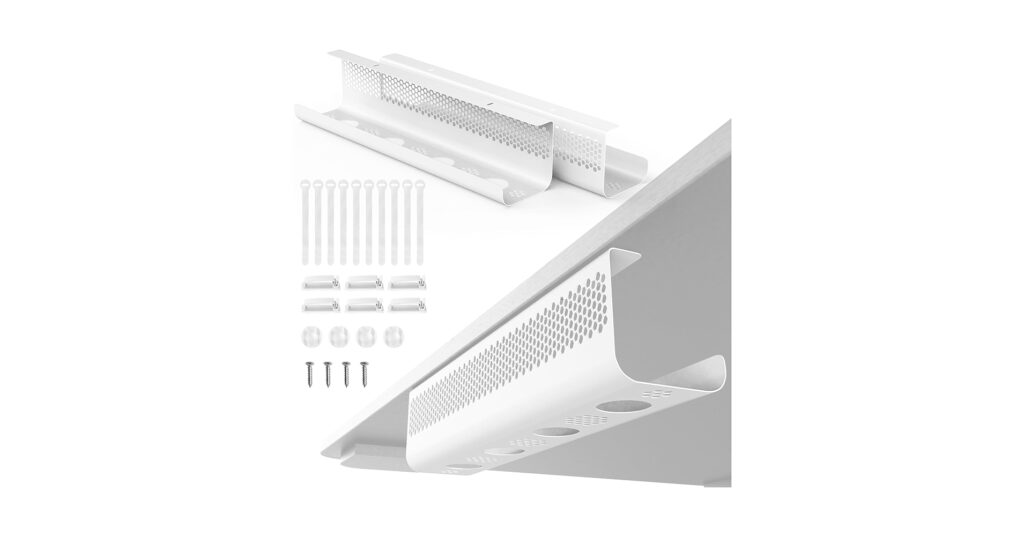
KHAMAL Cable Management Under Desk 26PCS
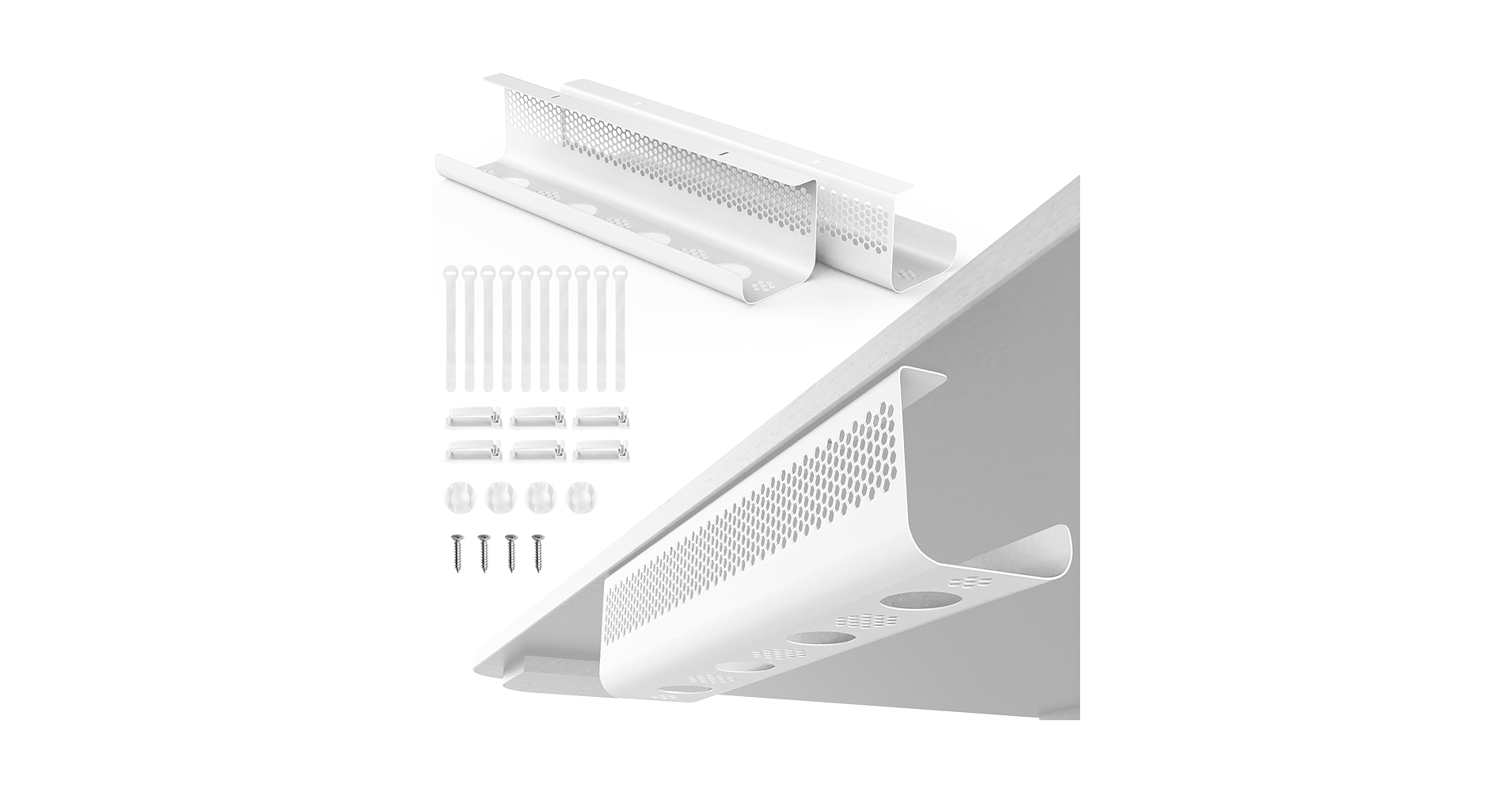
It offers the most comprehensive and color-matched solution for a typical white desk setup, balancing versatility with a clean aesthetic straight out of the box.
| Product | Installation Method | Aesthetic Match | Best For |
|---|---|---|---|
| KHAMAL 26PCS Kit | Adhesive & Screw-in | Pure White | All-Round Tidy Setups |
| VIVO Vertebrae Kit | Screw-in | White, Black, Gray | Standing Desks |
| VIVO No Drill Vertebrae | Clamp-on | White, Black, Gray | Renters & Glass Desks |
| N NOROCME 192 PCS Kit | Adhesive | White & Black | Maximum Customization |
| Stand Up Desk Store Tray | Screw-in | White, Black, Gray | Hiding Power Bricks |
Detailed 2026 Reviews
1. KHAMAL Cable Management Under Desk 26PCS
Pros
- Comprehensive 26-piece set
- Includes sleeves, ties, and adhesive clips
- Strong pure white color match
Cons
- Adhesive may weaken on textured surfaces
- Can be overkill for very simple setups
The Breakdown: The KHAMAL kit is a near-perfect starter pack for anyone serious about cleaning up their white desk. It provides a variety of tools, including a J-channel raceway, cable sleeves, and assorted clips. This versatility means you can tackle everything from the thick power cord bundle to the single mouse cable with one purchase.
Key Specs:
- Installation Method: Adhesive & Screw-in
- Aesthetic Match: Pure White
- Component Count: 26 Pieces
- Material: Plastic
The Community Verdict: Users consistently report that this kit offers exceptional value for the price, with enough components to manage even complex multi-monitor setups. The consensus is that the pure white color blends almost invisibly under most white desks. A few owners mention the adhesive works best when the surface is thoroughly cleaned with alcohol first.
Dealbreaker: Skip this if you only need to manage one or two main cables and prefer a single, monolithic solution over a component-based kit.
2. VIVO Under Desk Vertebrae Cable Management Kit
Pros
- Essential for sit-stand desks
- Modular, interlocking design
- Weighted base adds stability
Cons
- Requires drilling for installation
- Only manages the vertical cable run
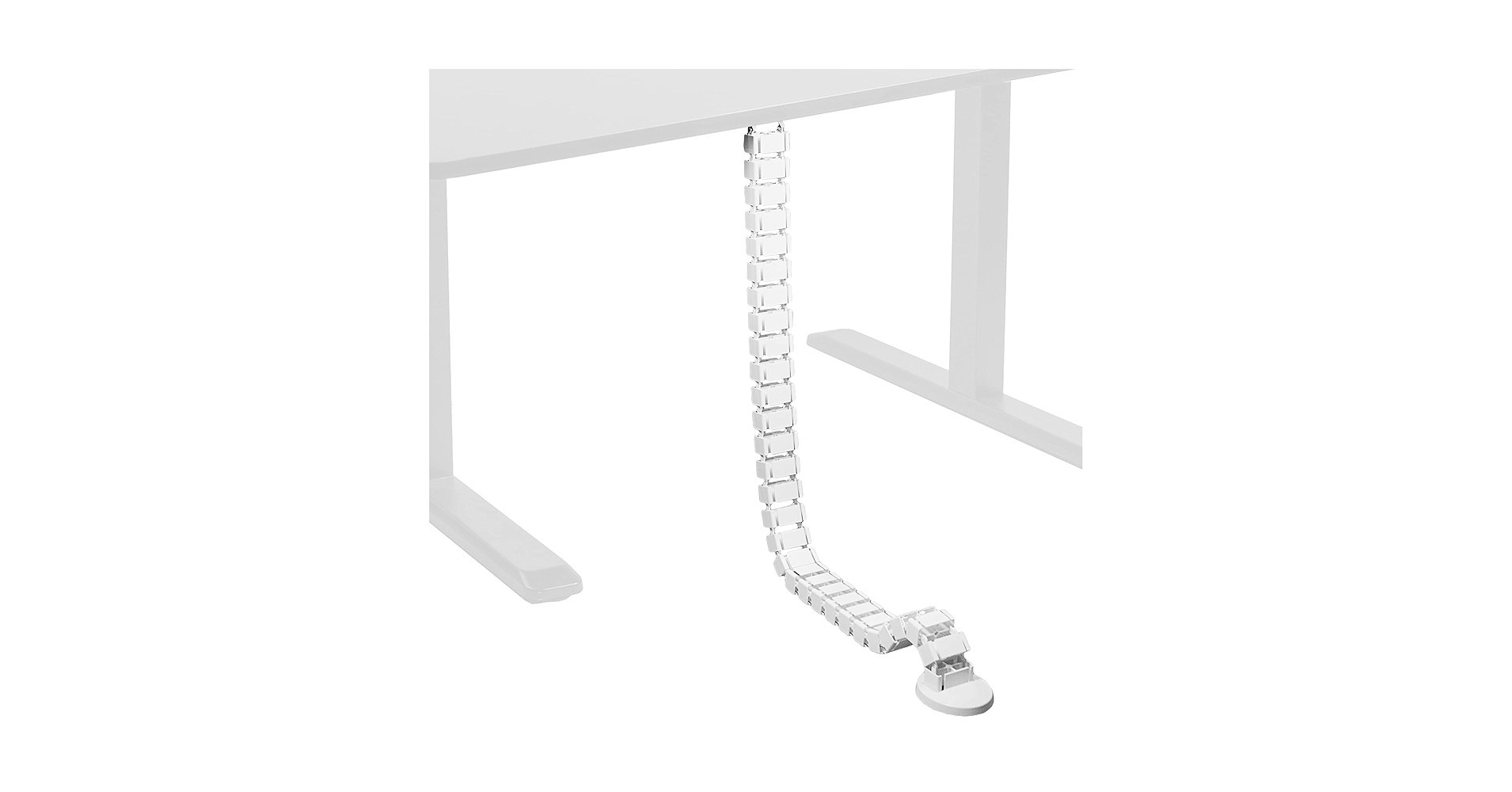
The Breakdown: The VIVO Vertebrae is less of a ‘kit’ and more of a specialized tool. Its primary function is to create a single, flexible channel for cables running from the underside of a desk to the floor. This is non-negotiable for height-adjustable desks, as it prevents cables from being stretched or snagged during movement.
Key Specs:
- Installation Method: Screw-in
- Aesthetic Match: Available in White, Black, or Gray
- Component Count: 1 Spine with modular links
- Material: Plastic with weighted metal base
The Community Verdict: Market research indicates this is the gold standard for standing desk users. Owners praise its simple effectiveness and the clean, futuristic look it adds to a setup. Some users note that it’s best paired with an under-desk tray to gather cables before they enter the spine.
Dealbreaker: Skip this if you have a fixed-height desk, as its core feature—flexibility—will be completely unused.
3. VIVO No Drill Clamp-on Desk Vertebrae Cable
Pros
- Completely no-drill installation
- Protects expensive or rented desk surfaces
- Same flexibility as the standard model
Cons
- Clamp may not fit unusually thick desks
- Slightly more expensive than the screw-in version
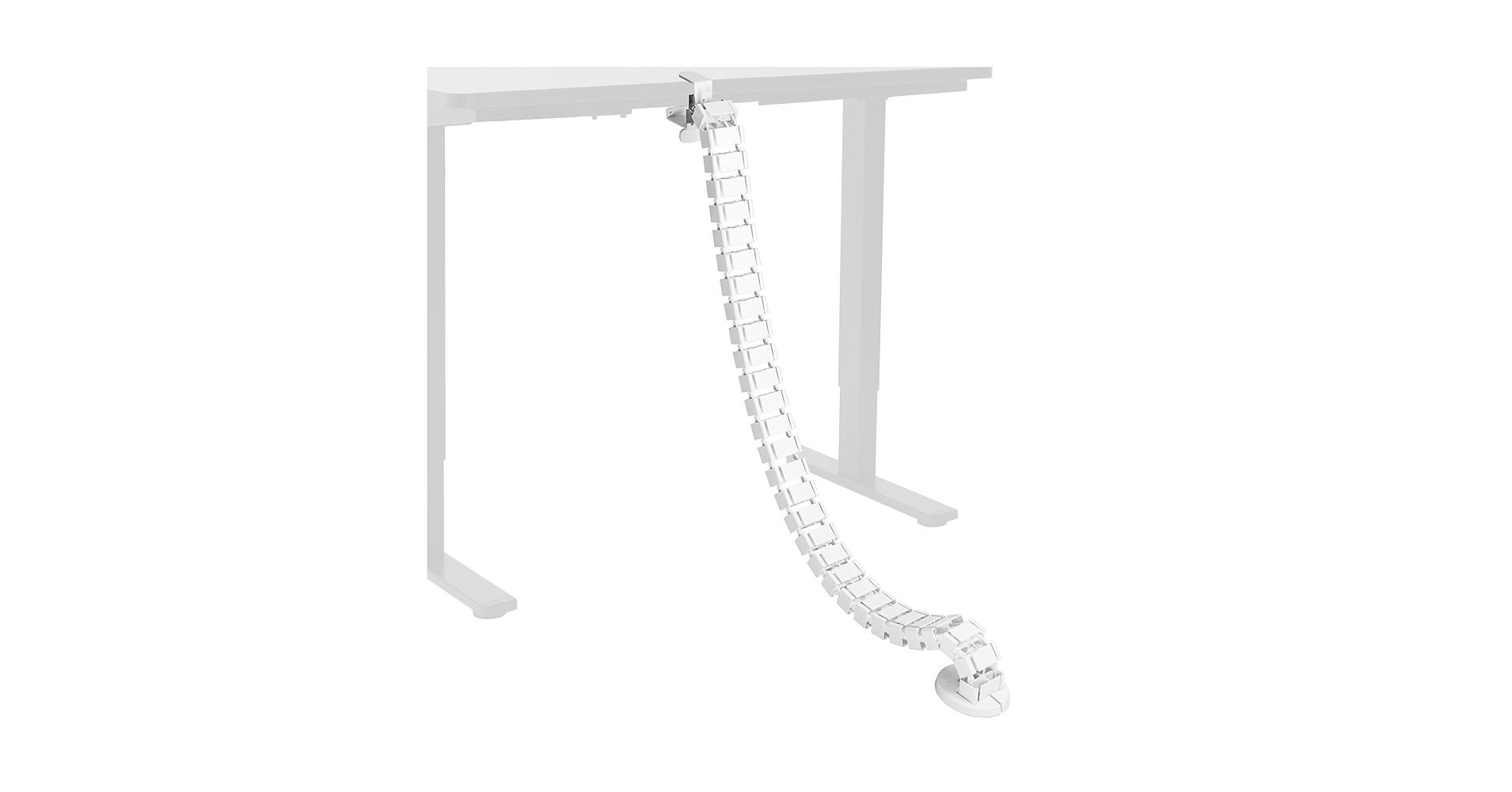
The Breakdown: This VIVO model takes the excellent functionality of their standard vertebrae and adds the single most-requested feature: a no-drill clamp. This makes it the ultimate solution for anyone who can’t or won’t drill into their desk. It’s perfect for glass desks, antique furniture, or simply for those who want a non-permanent, damage-free installation.
Key Specs:
- Installation Method: Clamp-on (No-Drill)
- Aesthetic Match: Available in White, Black, or Gray
- Component Count: 1 Spine with clamp
- Material: Plastic with metal clamp
The Community Verdict: Users who were hesitant to drill into their expensive standing desks consistently praise this as the perfect alternative. The clamp is reported to be surprisingly strong and secure on a variety of desk thicknesses. The main point of feedback is to double-check your desk’s edge and thickness to ensure a proper fit before buying.
Dealbreaker: Skip this if your desk has a thick, beveled edge or a support beam right at the edge that would interfere with the clamp.
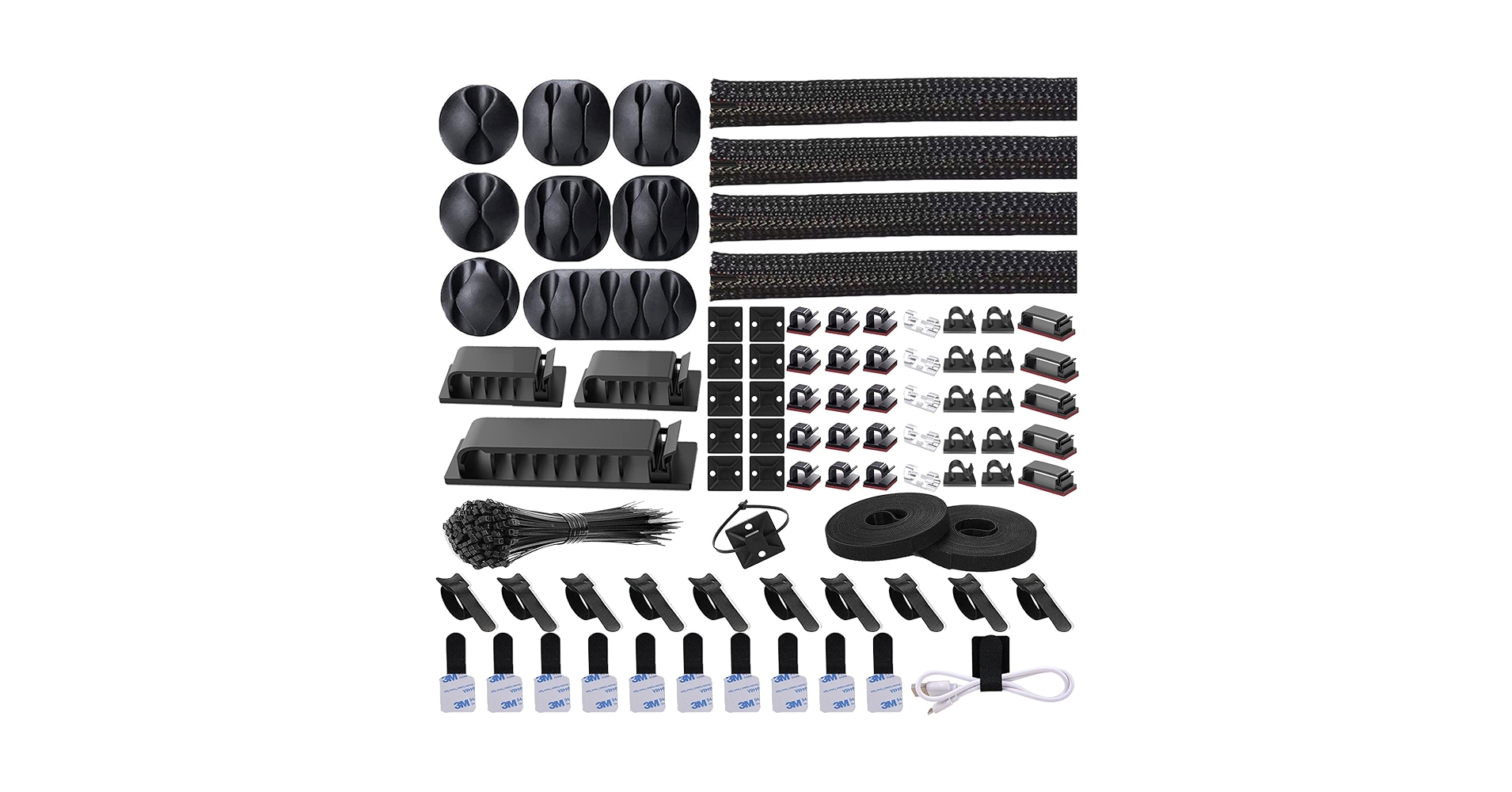
4. N NOROCME 192 PCS Cable Management Kit
Pros
- Incredible value with 192 pieces
- Includes both black and white components
- Allows for highly granular cable routing
Cons
- Can feel overwhelming (paradox of choice)
- Adhesive on smallest clips can be weak
The Breakdown: If the other options are surgical tools, the N NOROCME kit is a bulk-supply warehouse. With nearly 200 pieces, you have an endless supply of clips, ties, and mounts. This is ideal for someone wiring up not just a desk, but potentially an entire office or a complex AV setup with meticulous, cable-by-cable routing.
Key Specs:
- Installation Method: Adhesive
- Aesthetic Match: White and Black components included
- Component Count: 192 Pieces
- Material: Plastic
The Community Verdict: Owners are almost universally shocked by the sheer quantity of items for such a low price point. It’s viewed as the ultimate ‘bang-for-your-buck’ option for those willing to plan out their cable runs. A common piece of advice is to use the larger clips for heavier cable bundles, as the adhesive holds better.
Dealbreaker: Skip this if you want a simple, curated experience and don’t want to be left with 150 extra pieces after you’re done.
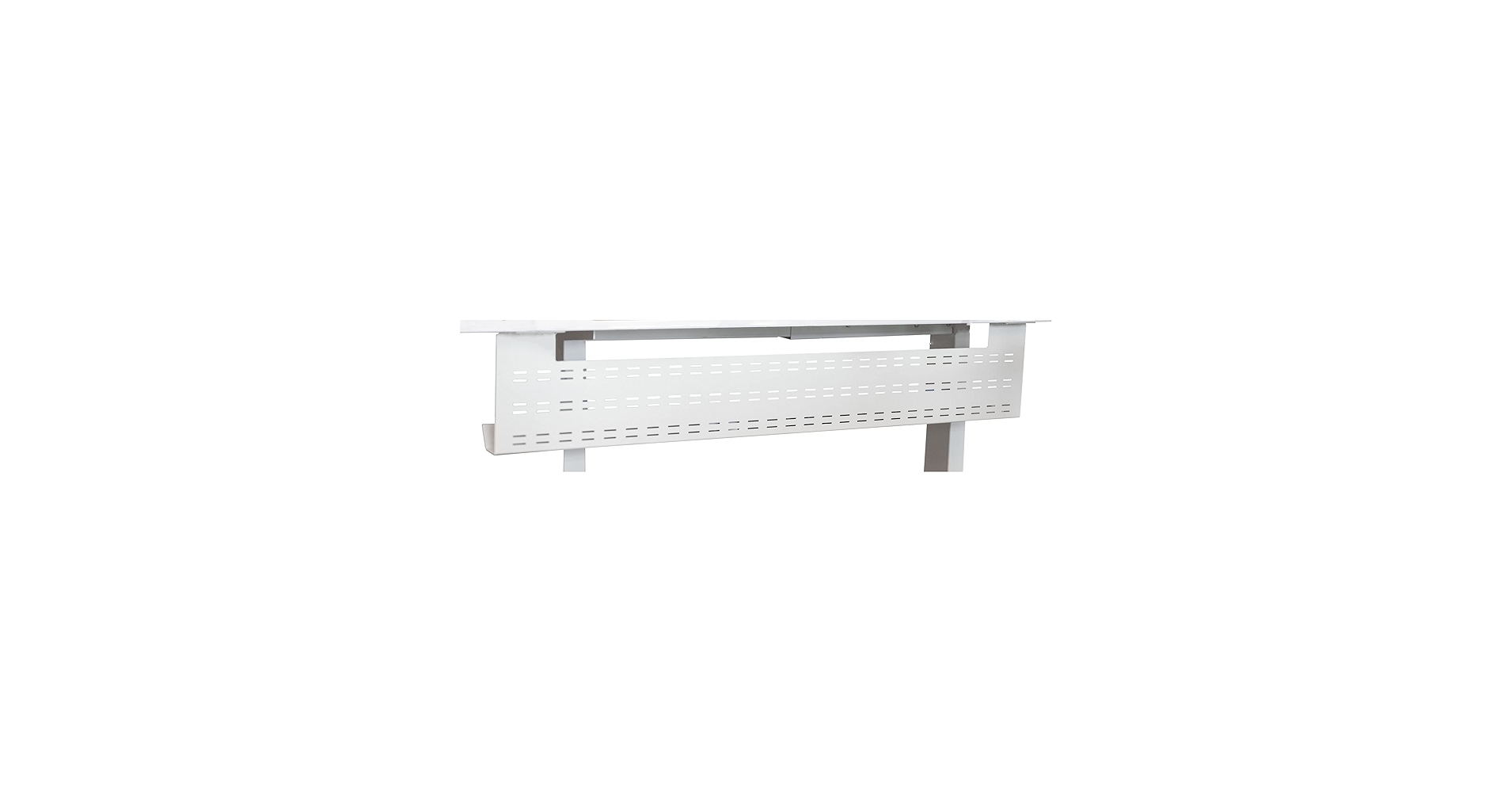
5. Stand Up Desk Store Under Desk Cable Management Tray
Pros
- Massive capacity for power bricks
- Extremely sturdy powder-coated steel
- Open design prevents adapter overheating
Cons
- Requires drilling to install
- Doesn’t manage individual cables, only hides bulk
The Breakdown: This isn’t a kit, it’s a cage. This heavy-duty steel tray is designed with one goal: to get your power strip and all its bulky adapters off the floor and tucked neatly under your desk. Its simple, robust design is far more effective for this specific task than any collection of small plastic clips could ever be.
Key Specs:
- Installation Method: Screw-in
- Aesthetic Match: Available in White, Black, or Gray
- Component Count: 1 Tray
- Material: Powder-Coated Steel
The Community Verdict: This product receives glowing reports for its durability and effectiveness. Users frequently call it a ‘game-changer’ for eliminating the ‘rat’s nest’ of cables at their feet. The sturdy metal construction is a commonly cited advantage over flimsier plastic alternatives.
Dealbreaker: Skip this if your main issue is routing thin peripheral cables neatly along desk edges, as this is purely for bulk storage.
Buying Guide: Choosing the Right Kit For Your White Desk
Selecting the perfect cable management kit goes beyond just picking the one with the most pieces. Consider these factors to ensure a clean, functional, and aesthetically pleasing result.
1. Installation: Drill vs. No-Drill
This is the most critical decision. If you own your desk and are comfortable with permanent fixtures, a screw-in tray or vertebrae offers maximum stability. However, if you’re renting, have a glass-top desk, or simply don’t want to leave holes, prioritize clamp-on models like the VIVO No-Drill Vertebrae or kits that rely entirely on high-quality 3M adhesive.
2. Scope: Comprehensive Kit vs. Specific Solution
Analyze your problem. Is it a general mess of many small cables? A comprehensive kit like the KHAMAL or N NOROCME options gives you the tools to tackle each wire individually. Is your main problem a giant power strip and several bulky adapters on the floor? A dedicated tray is a far superior solution. A perfect setup often involves both: a tray to hold the power strip, and a kit or vertebrae to route the cables neatly from the tray to your devices. A proper tray is especially important if you plan on using a powerful desk clamp power strip with USB C to consolidate your charging.
3. Aesthetic and Material
For a white desk, the goal is to make the management solution disappear. Look for kits that offer a pure, matte white finish rather than an off-white or glossy one, which can catch the light and draw attention. While most kits are plastic, a steel tray offers a more industrial and durable feel if it’s going to hold significant weight. Remember, effective cable management is one of the 5 must-have gadgets for a productive desk setup because it directly reduces visual noise and distraction.
Frequently Asked Questions
1. Do adhesive cable clips damage a wooden desk?
Most modern kits use adhesives (like 3M Command) designed to be removed cleanly. However, on delicate surfaces like untreated wood, veneer, or some painted finishes, there is a risk of peeling or residue. To remove, gently warm the clip with a hairdryer to soften the glue, then peel it off slowly. Any residue can typically be removed with a bit of rubbing alcohol on a cloth.
2. How do I manage cables for a standing desk?
A flexible cable spine (or vertebrae) is essential. It gathers all your cables into a single channel that can expand and contract as the desk moves up and down, preventing snags and protecting your ports. Combine this with an under-desk tray that moves with the desk to keep your power strip and adapters contained.
3. Is a cable tray or a cable raceway better?
They solve different problems. A tray is an open basket, best for holding bulky items like power strips and adapters, allowing for heat dissipation. A raceway (or J-channel) is an enclosed channel, best for routing a bundle of cables horizontally along a path and hiding them completely from view. Many advanced setups use a tray to hold the power source and raceways to route cables from the tray to the peripherals.
Read More on TechForDesk
- Best Under Desk Laptop Mount with Cable Tray for 2026
- The 5 Best Weighted Cable Holder for Desk Setups in 2026
- The 5 Best Neoprene Cable Sleeve with Zipper Models of 2026
- The 5 Best J Channel Cable Raceway White Options for a Minimalist Desk in 2026
- The Best Minimalist Cable Organizer for an Aesthetic Desk in 2026




