
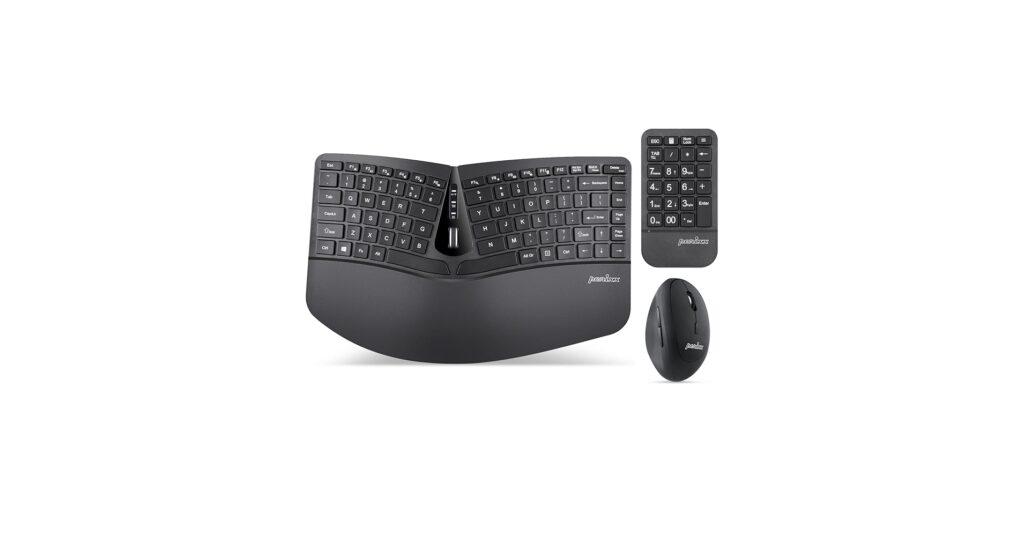
Finding the right compact ergonomic keyboard is more than a simple peripheral upgrade; it’s a strategic investment in your daily comfort and long-term health. As our desks shrink and our work becomes more mobile, the demand for a keyboard that saves space without sacrificing wrist and shoulder alignment has skyrocketed. This guide analyzes the top contenders, focusing on the critical balance between a minimalist footprint and true ergonomic design, making it essential for anyone looking to optimize their workspace for both productivity and well-being.
🚀 Quick Verdict / Top Pick
Perixx PERIDUO-606A
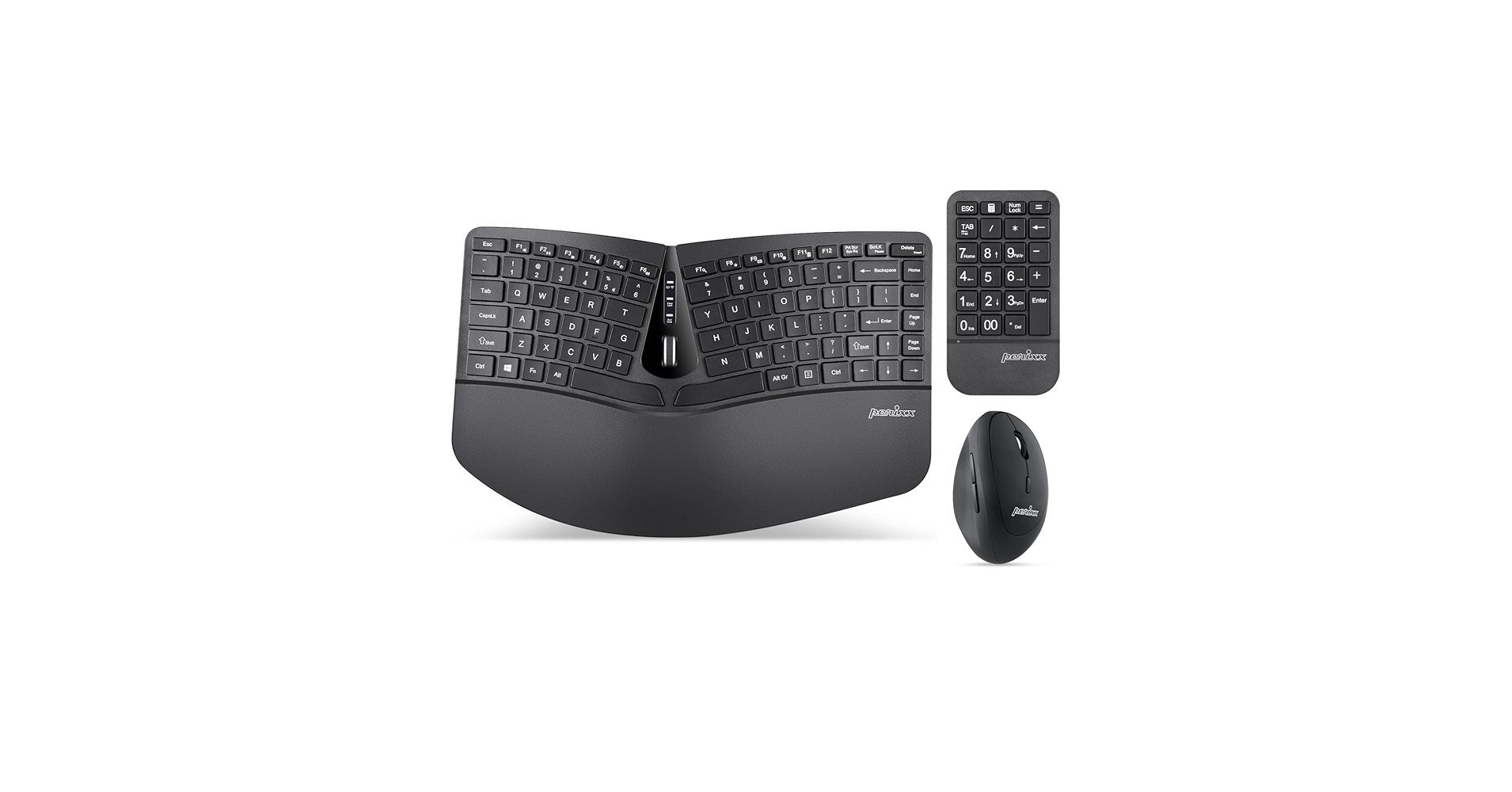
The PERIDUO-606A wins by offering a true wireless split-key design in a tenkeyless format, providing the best combination of portability and genuine ergonomic benefit on this list.
Compact Ergonomic Keyboard Comparison
| Product | Connectivity | Layout/Design | Best For |
|---|---|---|---|
| Perixx PERIDUO-606A | Wireless (2.4GHz + BT) | Split-Key, Tented | Mobile Professionals |
| Perixx PERIDUO-406A | Wired (USB-A) | Split-Key, Tented | Permanent Desks |
| Perixx PERIDUO-813B | Wireless (2.4GHz + BT) | Curved Unibody | Ergo Beginners |
| ProtoArc Keyboard Mouse | Wireless (2.4GHz + BT) | Split-Key, Tented | All-in-One Value |
| M MC Saite MCSaite | Wired (USB-A) | Mini Unibody | Extreme Portability |
Detailed Product Reviews
1. Perixx PERIDUO-606A Wireless Compact
Pros
- True split-key design promotes natural wrist posture
- Dual wireless (2.4GHz + Bluetooth) connectivity
- Compact tenkeyless (TKL) footprint
Cons
- Membrane keys lack tactile feedback of mechanical switches
- Requires AAA batteries (not rechargeable)
The Breakdown: The PERIDUO-606A is a standout in the compact ergo keyboard space for its commitment to a genuine split-key layout. It provides a more natural angle for your wrists and shoulders, which is the primary goal of an ergonomic device. The dual wireless connectivity makes it incredibly versatile, easily switching between a laptop via Bluetooth and a desktop with the 2.4GHz dongle.
Key Specs:
- Connectivity: Wireless (2.4GHz, Bluetooth 5.1)
- Layout/Design: Split-Key, Tented, TKL (87 keys)
- Portability (Dimensions): 34.7 x 22.8 x 6.5 cm
- Switches: Membrane
- Power: 2x AAA Batteries
The Community Verdict: Users consistently praise its immediate comfort improvement over standard keyboards, highlighting the benefits for long typing sessions. The primary critique revolves around the membrane switches, which feel soft to those accustomed to mechanical keys. Some also note the noticeable split keyboard learning curve, especially with the ‘B’ key placement, but most agree it’s a worthwhile adjustment for the ergonomic gains.
Dealbreaker: Skip this if you need a built-in rechargeable battery or demand the crisp, tactile feel of mechanical switches.
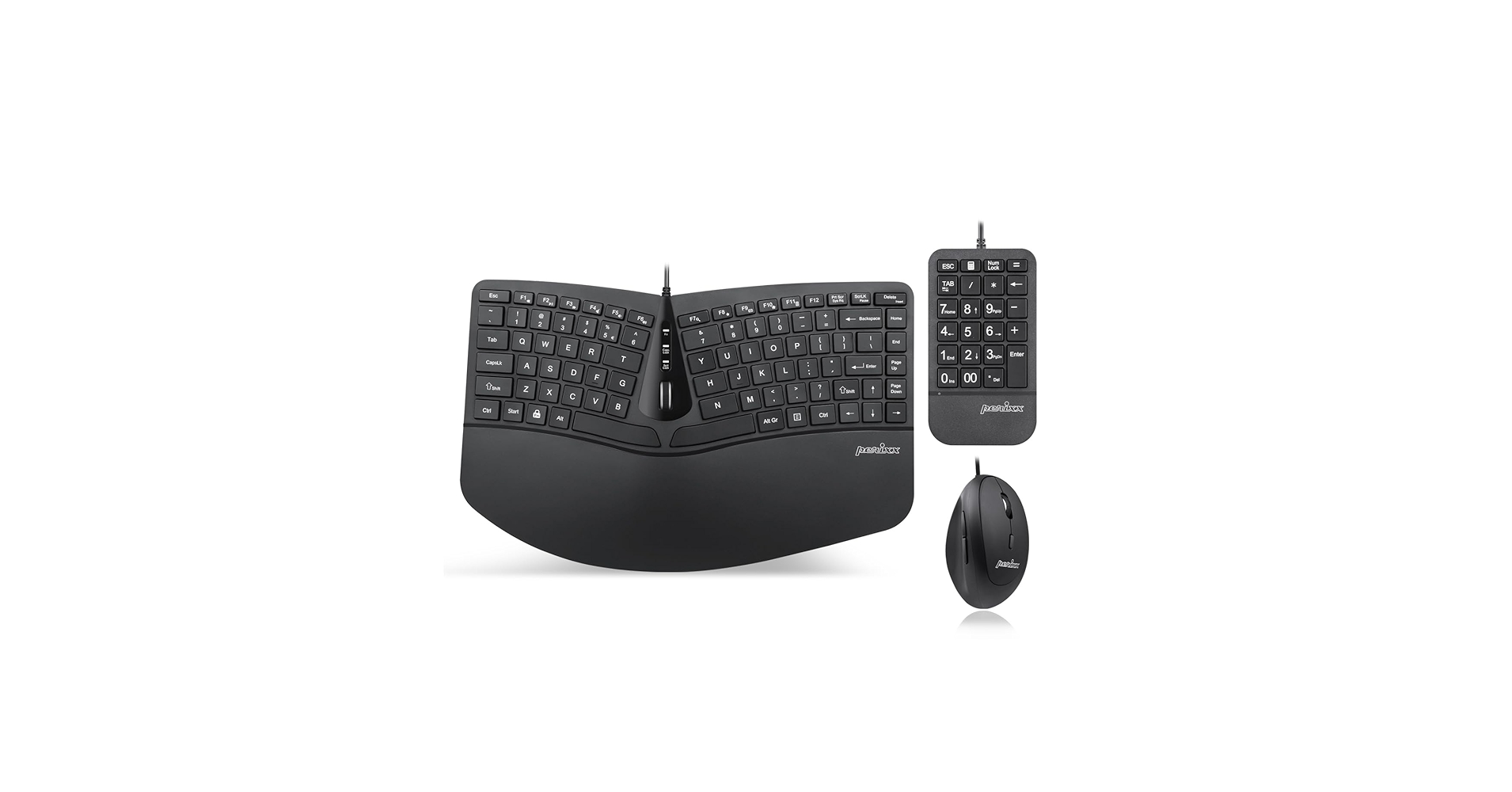
2. Perixx PERIDUO-406A Wired Compact
Pros
- Identical ergonomic design to the 606A model
- Zero-latency wired connection
- More affordable than its wireless counterpart
Cons
- USB-A cable is not ideal for modern laptops
- Not suitable for travel or minimalist desk setups
The Breakdown: The PERIDUO-406A is the no-frills, wired twin of our top pick. It delivers the exact same compact, split-key ergonomic experience but tethers you to your desk with a USB cable. This makes it a reliable workhorse for a fixed office setup where portability is not a concern.
Key Specs:
- Connectivity: Wired (USB-A)
- Layout/Design: Split-Key, Tented, TKL (87 keys)
- Portability (Dimensions): 35.3 x 22.8 x 6.5 cm
- Switches: Membrane
- Cable Length: 1.8m
The Community Verdict: Consensus is that this is a fantastic entry point into split keyboards due to its price and reliability. Owners appreciate not having to deal with batteries or potential connection drops. The main drawback cited is the lack of flexibility; a discussion of wired vs wireless ergonomic keyboard performance usually concludes that for static desks, wired is fine, but it immediately feels dated when you want to move around.
Dealbreaker: Skip this if your desk setup aims for a clean, wire-free aesthetic or if you need to connect to devices without USB-A ports like tablets or modern ultrabooks.
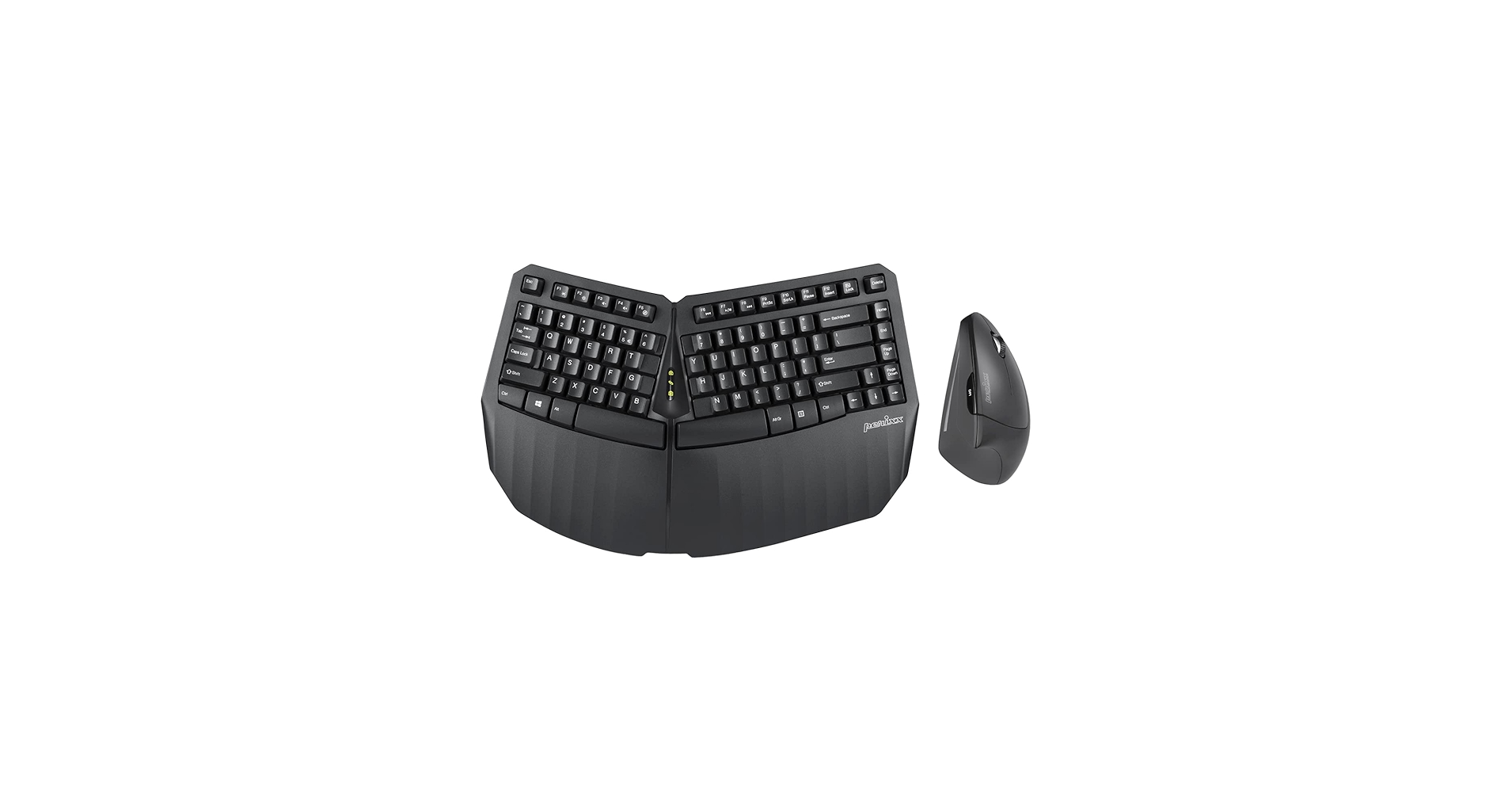
3. Perixx PERIDUO-813B Wireless Ergonomic
Pros
- Gentle curved design is easy to adapt to
- Integrated wrist rest for added support
- Ultra-compact 60% layout saves maximum space
Cons
- Not a true split design; less ergonomic benefit
- Lack of dedicated function and arrow keys
The Breakdown: The PERIDUO-813B offers a middle ground, providing a gentle ergonomic curve in a unibody frame. This design is much less daunting for first-time ergo users and requires virtually no time to get used to. Its super-compact size and built-in wrist support make it a comfortable, space-saving option for those who don’t need the full shoulder-width separation of a split keyboard.
Key Specs:
- Connectivity: Wireless (2.4GHz, Bluetooth 5.1)
- Layout/Design: Curved Unibody, 60% Layout
- Portability (Dimensions): 30.5 x 20.9 x 3.3 cm
- Switches: Scissor-Switch
- Power: Built-in Rechargeable Battery
The Community Verdict: Market research indicates that users love this as a ‘gateway’ ergonomic keyboard. The inclusion of a Perixx keyboard wrist rest is a frequently mentioned positive, adding significant value. However, power users lament the lack of dedicated arrow and function keys, which are relegated to a secondary FN layer.
Dealbreaker: Skip this if you are a developer, spreadsheet user, or anyone who relies heavily on arrow keys, function keys, or a number pad.
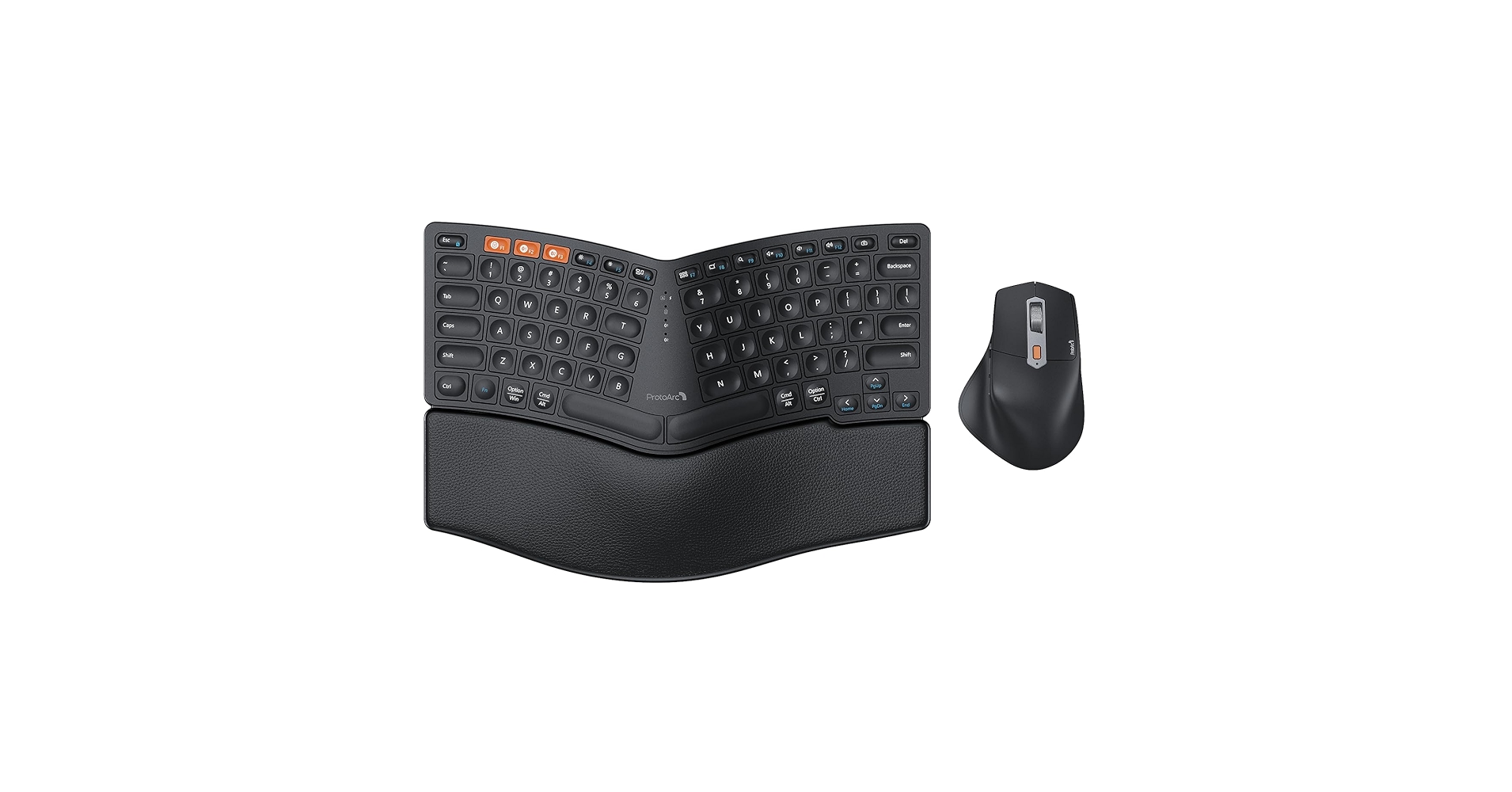
4. ProtoArc Bluetooth Ergonomic Keyboard Mouse
Pros
- Excellent value with included ergonomic mouse
- Split-key design with built-in wrist rest
- Multi-device connectivity (1x 2.4GHz, 2x Bluetooth)
Cons
- Larger footprint than other compact options
- Mouse ergonomics may not fit all hand sizes
The Breakdown: The ProtoArc combo is an aggressive value play, offering a complete ergonomic input solution in one box. The keyboard features a split layout and integrated wrist rest, similar to premium models, and the ability to connect to three devices is a huge plus for multi-taskers. The inclusion of a vertical ergonomic mouse makes this a one-stop-shop for a comfortable desk setup.
Key Specs:
- Connectivity: Wireless (2.4GHz, 2x Bluetooth)
- Layout/Design: Split-Key, Tented, Full-size with Numpad
- Portability (Dimensions): 46 x 22.8 x 4.8 cm
- Switches: Scissor-Switch
- Power: Built-in Rechargeable Battery
The Community Verdict: Owners report that the value is undeniable, and the typing experience is surprisingly pleasant with its quiet ergonomic keys. The multi-device switching is lauded as seamless and effective. However, some users note occasional ProtoArc keyboard lag when using Bluetooth, recommending the 2.4GHz dongle for critical work, and its larger size pushes the definition of ‘compact’.
Dealbreaker: Skip this if you need a truly portable or tenkeyless keyboard; this is a full-size board designed to save your wrists, not your desk space.
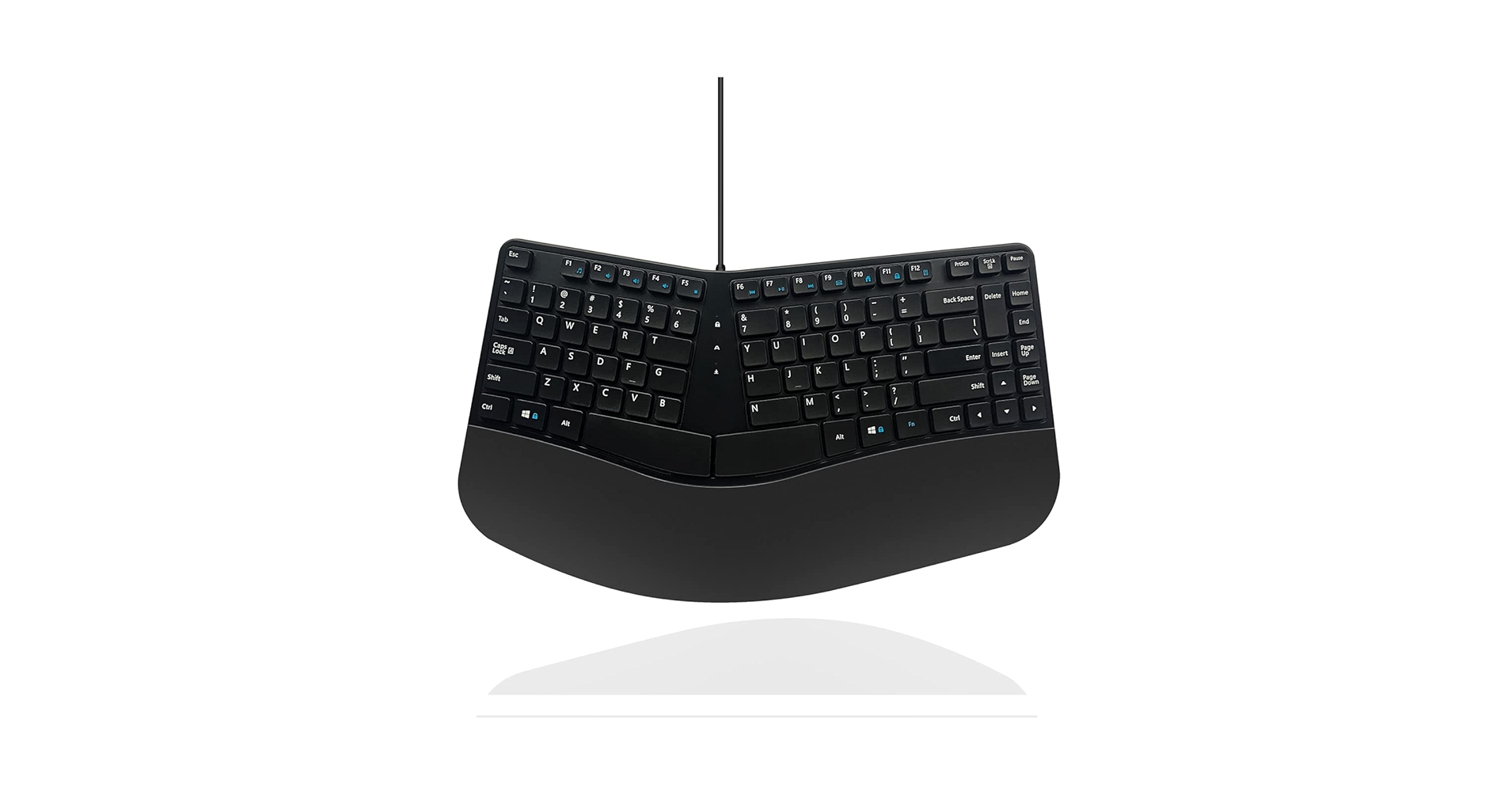
5. M MC Saite MCSaite Wired USB Compact Ergonomic
Pros
- Extremely compact and lightweight
- Incredibly low price point
- Slightly curved layout is better than a standard mini keyboard
Cons
- Minimal ergonomic benefit compared to others
- Build quality reflects the low price
The Breakdown: This MCSaite keyboard is the definition of a budget utility device. It prioritizes size above all else, offering a miniscule footprint that can fit in any bag. While marketed as ergonomic, the benefit comes from a very subtle ‘V’ shape rather than a true split, offering a marginal improvement over a standard flat keyboard.
Key Specs:
- Connectivity: Wired (USB-A)
- Layout/Design: Curved Unibody, Mini Layout (78 keys)
- Portability (Dimensions): 28.5 x 12.2 x 2.2 cm
- Switches: Membrane
- Cable Length: 1.5m
The Community Verdict: Feedback confirms this is a solid choice for its intended purpose: a cheap, tiny, and reliable wired keyboard. It’s often purchased as a lightweight keyboard for travel or for use with servers and media centers. No one buys this for a premium typing experience, but nearly everyone agrees it gets the job done for a rock-bottom price.
Dealbreaker: Skip this if you are looking for a significant, noticeable improvement in your daily typing comfort or wrist health.
Buying Guide: How to Choose a Compact Ergo Keyboard
Selecting the right compact ergo keyboard hinges on understanding the trade-offs between size, ergonomics, and features. Here’s what to consider:
1. Layout: Split vs. Curved Unibody
The most important decision is the style of the ergonomic layout. A split vs unibody ergonomic design offers different levels of comfort. A split-key design (like the Perixx 606A) allows your hands and shoulders to rest at a natural width, significantly reducing strain. A curved unibody (like the Perixx 813B) is less aggressive, easier to adapt to, but provides a more subtle ergonomic benefit. If you have significant wrist or shoulder pain, a split design is the superior choice.
2. Connectivity and Portability
Your workspace dictates your connectivity needs. Wireless (Bluetooth/2.4GHz) keyboards offer a clean, minimalist setup and are essential for travel. Wired keyboards are reliable, never need charging, and are often more affordable, but they add clutter. The best travel keyboards for small desks are almost always wireless and tenkeyless (or smaller) to maximize portability and space.
3. Creating a Holistic Ergonomic Setup
A keyboard is only one part of the ergonomic puzzle. To truly optimize your workspace, consider how it integrates with your other gear. For a mobile setup, pairing your keyboard with a portable monitor riser for your laptop ensures your screen is at eye level. For a home office, you can enhance overall posture and comfort with simple additions like an under desk hammock for your feet. And if you’re a Mac user seeking more advanced options, exploring a dedicated wireless split keyboard for Mac can offer even greater customization.
Frequently Asked Questions (FAQ)
1. Is a compact ergonomic keyboard worth it?
Absolutely. For anyone who spends hours typing, especially on a small desk or while traveling, a compact ergonomic keyboard can significantly reduce wrist strain, improve posture, and prevent repetitive strain injuries (RSI). The combined benefits for health and spatial efficiency make it a worthwhile investment.
2. How long does it take to get used to a split keyboard?
The adjustment period varies, but user reports suggest it can take anywhere from a few days to two weeks to regain full typing speed. The biggest challenge is re-learning key positions that you may have previously hit with the ‘wrong’ hand (like ‘B’ or ‘Y’). The long-term comfort benefits, however, almost always outweigh the short-term learning curve.
3. What is the best compact keyboard for carpal tunnel?
While we cannot give medical advice, keyboards that promote a neutral wrist position (not bent up, down, or to the sides) are generally recommended. Split-key designs like the Perixx PERIDUO-606A or ProtoArc are often preferred because they allow your wrists to remain straight, directly addressing the ulnar deviation that can aggravate carpal tunnel symptoms. Always consult a healthcare professional for personalized advice.




