

The search for the perfect desk setup in 2026 is about more than just function; it’s about feel and aesthetic. The rise of the creamy mechanical keyboard is a testament to this, offering a typing experience that is as satisfying to the ears as it is to the fingertips. Characterized by a smooth, deep, and muted sound profile—often described as “thocky”—these keyboards blend high-performance internals with minimalist design. Market research indicates a massive shift towards pre-built models that deliver a custom feel without the complexity. Here are the top 5 models that define the market today.
🚀 Quick Verdict / Top Pick
RK ROYAL KLUDGE R98 Pro Creamy Mechanical
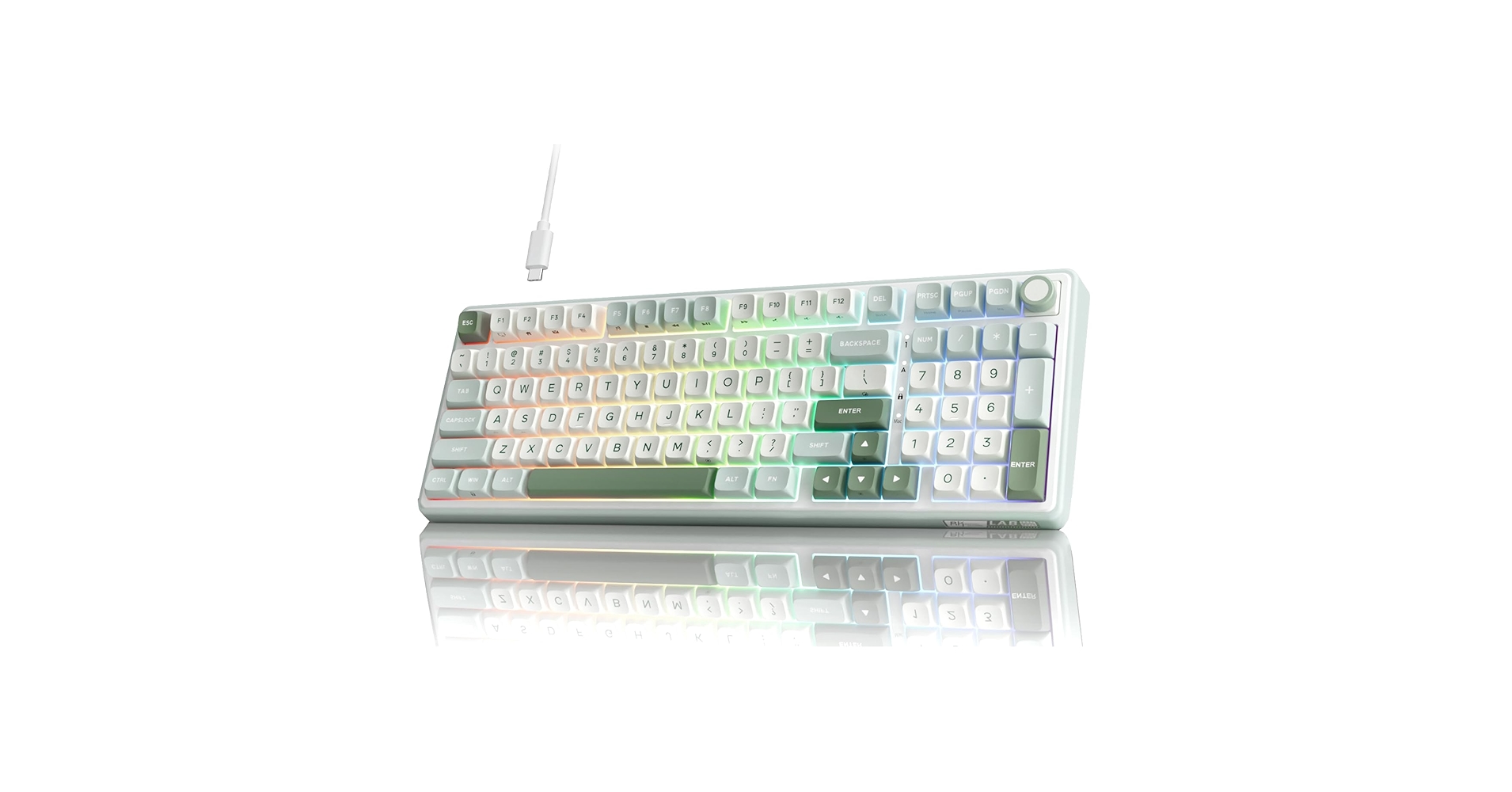
It masterfully combines premium features like a gasket-mounted design and tri-mode connectivity with a ready-to-use creamy sound profile, making it the best overall value for enthusiasts and newcomers alike.
Creamy Mechanical Keyboard Comparison 2026
| Product | Switch Type | Keycaps | Connectivity | Best For |
|---|---|---|---|---|
| RK ROYAL KLUDGE R98 Pro | Custom Linear | PBT Double-Shot | Tri-Mode Wireless | All-Around Performance |
| FL ESPORTS 75% Keyboard | Custom Linear (Kailh) | PBT Dye-Sub | Tri-Mode Wireless | Compact Gaming |
| AULA 99 Key Keyboard | AULA Custom Linear | PBT Double-Shot | Tri-Mode Wireless | Productivity & Numpad Users |
| HUO JI E-Yooso Wired | Outemu Linear Red | ABS Double-Shot | Wired (USB-C) | Ultimate Budget Pick |
| Fogruaden Green Matcha | Outemu Linear Red | PBT Dye-Sub | Wired (USB-C) | Aesthetic-First Design |
Detailed Product Reviews 2026
1. RK ROYAL KLUDGE R98 Pro Creamy Mechanical
Pros
- Gasket-mounted structure for a softer, deeper sound
- Full tri-mode (Bluetooth, 2.4GHz, Wired) connectivity
Cons
- Proprietary software can be unintuitive
- 98% layout is large for minimalist desks
The Breakdown: The RK R98 Pro stands out by packing features once reserved for high-end custom builds into an accessible, pre-built package. Its gasket-mounted plate provides a cushioned, flexy typing feel that is central to its creamy acoustics. Combined with pre-lubed custom switches and PBT keycaps, it delivers an impressive sound profile right out of the box.
Key Specs:
- Layout: 98% (98 keys)
- Connectivity: Tri-Mode (Bluetooth 5.0, 2.4GHz, USB-C)
- Switches: RK Custom Linear Switches (Hot-swappable)
- Keycaps: Double-Shot PBT, Cherry Profile
- Mounting Style: Gasket Mount
The Community Verdict: Users consistently praise the R98 Pro for its exceptional out-of-the-box experience, noting its deep sound and solid build quality as major wins for the price point. The primary critique revolves around the software, which some find difficult to navigate for RGB and macro customization. However, the hardware itself receives nearly universal acclaim.
Dealbreaker: Skip this if you require a compact keyboard for a small desk or rely heavily on intuitive, powerful software for complex macros.
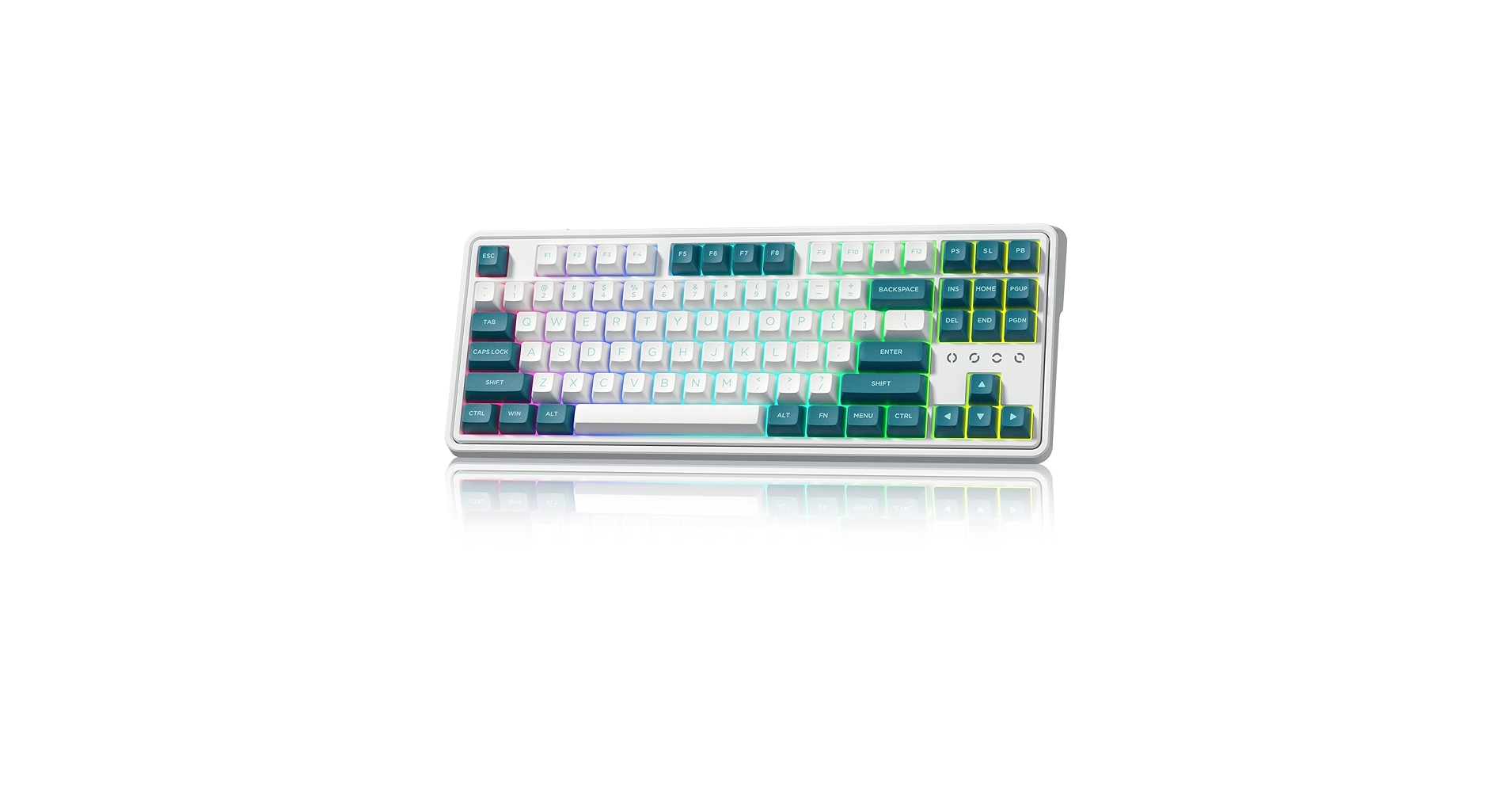
2. FL ESPORTS 75% Keyboard, Wireless Gaming
Pros
- Premium build with high-end custom switches
- Compact 75% layout saves significant desk space
Cons
- Premium price point for a pre-built
- 75% layout can be an adjustment for some users
The Breakdown: FL ESPORTS has carved out a niche by blurring the lines between pre-built and custom keyboards. This 75% model is a prime example, often featuring sought-after components like Kailh Box switches and thick PBT keycaps. The focus here is on a refined, high-quality typing experience in a form factor that is both aesthetically pleasing and efficient.
Key Specs:
- Layout: 75% (82 keys)
- Connectivity: Tri-Mode (Bluetooth, 2.4GHz, USB-C)
- Switches: Kailh Box or FL CMMK Custom Switches (Hot-swappable)
- Keycaps: Dye-Sublimated PBT, Unique profiles (e.g., FSA)
- Mounting Style: Tray Mount with Silicone Dampening
The Community Verdict: The consensus is that FL ESPORTS keyboards provide a typing feel and sound that punches well above their price class, often rivaling entry-level custom builds. Owners report a satisfyingly deep and clean sound profile. The compact layout is celebrated by gamers and minimalists, though some productivity users miss the dedicated navigation cluster of a TKL.
Dealbreaker: Skip this if you need a dedicated number pad for data entry or if your budget doesn’t accommodate a premium pre-built model.
3. AULA 99 Key Keyboard, Tri-Mode Bluetooth/2.4GHz

Pros
- Space-efficient layout with a full numpad
- Flexible tri-mode wireless options
Cons
- Stock stabilizers can have some rattle
- Proprietary switches can limit customization
The Breakdown: The AULA 99-key keyboard is a masterclass in efficiency, providing nearly all the functionality of a full-size board in a footprint closer to a TKL. It achieves this by condensing the navigation cluster and eliminating unused space. For productivity users who can’t part with a numpad but crave a cleaner desk, this layout is an ideal compromise.
Key Specs:
- Layout: 96% / 1800-compact (99 keys)
- Connectivity: Tri-Mode (Bluetooth, 2.4GHz, USB-C)
- Switches: AULA Custom Linear Switches (Hot-swappable)
- Keycaps: Double-Shot PBT, OEM Profile
- Mounting Style: Gasket Mount
The Community Verdict: Owners report that the AULA 99 is an excellent productivity board with a surprisingly pleasant, creamy sound out of the box. While the stock experience is solid, many suggest that simple mods like tuning the stabilizers can elevate it to a much higher tier. The layout is almost universally praised as a smart solution for modern desk setups.
Dealbreaker: Skip this if you’re an enthusiast who plans to experiment with a wide variety of non-AULA switch brands, as compatibility can be an issue.
4. HUO JI E-Yooso Creamy Mechanical Keyboard Wired

Pros
- Extremely affordable entry point into the hobby
- Hot-swappable PCB allows for easy switch upgrades
Cons
- Wired connection only
- Basic plastic construction and ABS keycaps
The Breakdown: The E-Yooso keyboard from HUO JI represents the democratization of the mechanical keyboard hobby. It offers the core features—a satisfying linear switch feel and a hot-swappable board—at an almost unbeatable price. While it lacks the premium materials and wireless features of its competitors, it provides a fantastic, mod-friendly platform for anyone curious about the ‘creamy’ typing trend.
Key Specs:
- Layout: TKL (87 keys) or 60%
- Connectivity: Wired (USB-C)
- Switches: Outemu Red Linear (Hot-swappable)
- Keycaps: Double-Shot ABS, OEM Profile
- Mounting Style: Tray Mount
The Community Verdict: Users are consistently shocked by the value proposition, calling it the definitive ‘starter’ mechanical keyboard. The consensus is that while the stock sound is merely good, its true potential is unlocked with simple, inexpensive mods like new keycaps or different switches, made possible by the hot-swap sockets.
Dealbreaker: Skip this if you need wireless connectivity or demand a premium, heavy-feeling keyboard right out of the box.
5. Fogruaden Wired Green Matcha Creamy Mechanical

Pros
- Fully realized Matcha green theme
- Often includes higher-quality PBT keycaps
Cons
- Wired only, limiting desk arrangement
- Internal components are very basic
The Breakdown: The Fogruaden Matcha keyboard is an aesthetic statement piece. It leans heavily into its theme with color-matched case, keycaps, and even a custom spacebar. While it uses budget-friendly Outemu Red switches, the inclusion of PBT keycaps gives it a more substantial feel and deeper sound than other boards in its price range.
Key Specs:
- Layout: 65% or TKL
- Connectivity: Wired (USB-C)
- Switches: Outemu Red Linear
- Keycaps: Dye-Sublimated PBT, OEM Profile
- Mounting Style: Tray Mount
The Community Verdict: Market research indicates this model is an impulse buy driven by its visual appeal. Buyers are generally pleased, acknowledging that they chose it for the Matcha theme and finding the typing experience to be a pleasant surprise for the cost. It is viewed as an excellent decorative yet functional piece for a themed desk setup.
Dealbreaker: Skip this if you prioritize performance features, wireless connectivity, or a neutral color palette.
Buying Guide: How to Choose Your Perfect Creamy Mechanical Keyboard
Navigating the world of creamy keyboards can be simple if you focus on a few key areas.
Sound & Feel: Switches and Mount
The core of the “creamy” experience comes from linear switches (no tactile bump or click) that are lubricated from the factory to ensure smooth travel. Look for models advertising custom linear switches like RK’s or Kailh’s. Additionally, a “gasket mount” design, found in our top picks, isolates the keyboard plate with rubber gaskets, resulting in a softer, deeper, and more consistent sound.
Aesthetics & Quality: Keycaps
The keycaps are what you see and touch. The material is critical for both feel and sound. Most high-quality creamy keyboards use PBT plastic, which is denser and more textured than standard ABS, producing a deeper sound and resisting the shine that develops from finger oils over time. To learn more about the specifics, our guide on ABS vs PBT keycaps breaks down all the differences.
Desk Setup & Layout
Your keyboard’s footprint dramatically impacts your desk’s aesthetic. A compact 75% model saves space and looks clean, while a 98% or 99-key layout retains the crucial number pad without the bulk of a traditional full-size board. For a truly minimalist setup, pairing a compact keyboard with a desk shelf with keyboard storage underneath creates a clean and organized workspace.
Connectivity
Consider how you’ll use your keyboard. A simple wired (USB-C) connection is reliable and lag-free. However, tri-mode (Wired, 2.4GHz wireless, Bluetooth) offers maximum flexibility, allowing you to switch between a gaming PC, a laptop, and a tablet with ease, all while maintaining a cable-free desk.
Frequently Asked Questions (FAQ)
1. What actually makes a keyboard “creamy”?
A “creamy” sound and feel is a combination of several factors: smooth linear switches (often factory-lubed), dense PBT keycaps that produce a lower-pitched sound, internal case foam or silicone to absorb high-frequency noise, and often a gasket-mounted plate for a softer bottom-out.
2. Are creamy mechanical keyboards good for gaming?
Yes, they are excellent for gaming. The linear switches they use have no tactile bump, allowing for smooth, rapid, and consistent key presses. This can be advantageous in fast-paced games where quick actuation is key.
3. Do I need to build a custom keyboard to get this sound?
Not in 2026. While the trend was popularized by the custom-building community, manufacturers have responded. Pre-built models like the RK R98 Pro and FL ESPORTS 75% are specifically engineered to provide that sought-after creamy experience directly out of the box, no assembly required.
Read More on TechForDesk
- The 5 Best Adjustable Height Desk Shelf for iMac in 2026
- The 5 Best Monitor Riser with Laptop Tray Options for Peak Productivity in 2026
- The 5 Best Desk Shelf with Keyboard Storage Underneath Options (2026)
- The 5 Best Monitor Stand with USB C Hubs in 2026
- The 5 Best Desk Shelf with Built-in Wireless Charging for 2026




