
🚀 Quick Verdict / Top Pick
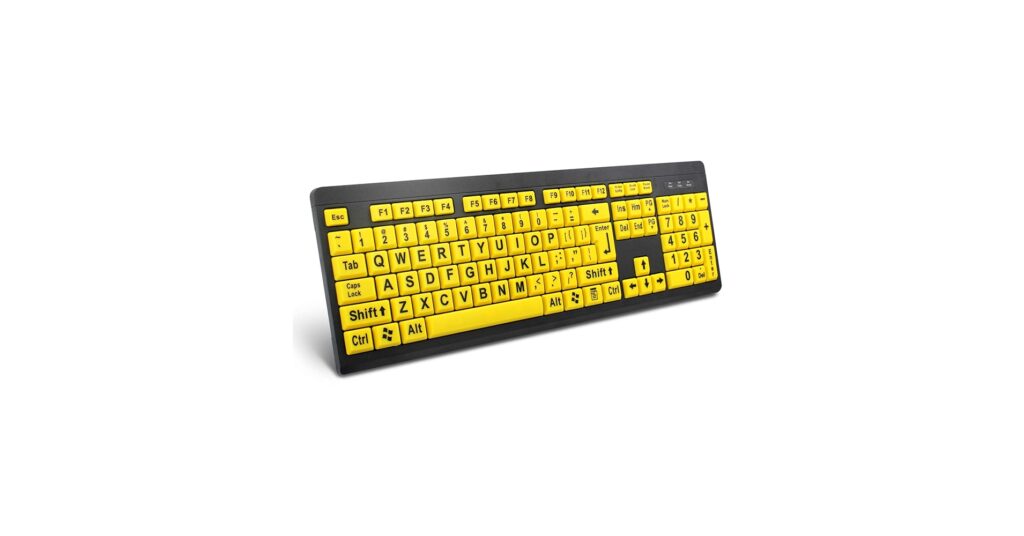
BOOGIIO Large Print Computer Keyboard

The BOOGIIO stands out for its no-nonsense, reliable design, combining ultra-bold letters with a standard layout and a stable wired connection that simply works.
Finding the right keyboard for visually impaired users is about maximizing clarity and minimizing frustration. In 2026, the market offers a range of solutions, from high-contrast, large-print models for those with low vision to sophisticated Braille interfaces for touch typists. This guide cuts through the noise to highlight the most effective and user-approved options available, focusing on readability, ease of use, and overall build quality.
Comparison of Top Keyboards for Visually Impaired
| Product | Visibility Feature | Connectivity | Best For |
|---|---|---|---|
| BOOGIIO Large Print Keyboard | Large Print (Yellow/Black) | Wired USB | Overall Reliability |
| Nuklz N Large Print Keyboard | Large Print (White/Black) | Wired USB | Classic Aesthetics |
| Full Size Large Print Wireless | Large Print | 2.4gHz Wireless | Cord-Free Desks |
| HXMJ-Wireless Keyboard and Mouse Set | Large Print | 2.4gHz Wireless | All-in-One Setup |
| Hable One Portable Braille Keyboard | Braille Input | Bluetooth | Mobile Braille Users |
Detailed Product Reviews 2026
1. BOOGIIO Large Print Computer Keyboard
Pros
- Extremely high-contrast yellow keys for maximum visibility
- Standard full-size layout requires no re-learning
Cons
- Wired connection limits portability
- Lacks backlighting for night use
The Breakdown: The BOOGIIO keyboard is built on a simple premise: make the keys as easy to see as possible. It achieves this with a high-contrast yellow-on-black color scheme, which market research indicates is one of the most effective for individuals with macular degeneration. Its construction is basic but durable, focusing on function over form.
Key Specs:
- Visibility Feature: Large Print on High-Contrast Yellow Keys
- Connectivity: Wired USB
- Backlighting: No
- Layout: Full-size 104-key
The Community Verdict: Users consistently praise the immediate improvement in typing accuracy and speed. The primary positive is the sheer legibility of the keys under normal lighting conditions. Some users note the keypress feel is standard for a membrane keyboard—functional but not exceptional.
Dealbreaker: Skip this if you need a wireless setup or frequently work in low-light environments where backlighting is essential.
2. Nuklz N Large Print Computer Keyboard

Pros
- Classic white-on-black high-contrast design
- Spill-resistant feature adds durability
Cons
- Wired connection may create desk clutter
- Font may not be as bold as the BOOGIIO model
The Breakdown: The Nuklz N offers a more understated take on the large print keyboard. It uses a crisp white font on black keys, which is highly effective for visibility while blending into a standard office environment more seamlessly than yellow-keyed models. Its design ethos is purely functional, providing a dependable tool for daily use.
Key Specs:
- Visibility Feature: Large Print on High-Contrast White/Black Keys
- Connectivity: Wired USB
- Backlighting: No
- Layout: Full-size with number pad
The Community Verdict: The consensus is that the Nuklz keyboard is a solid, reliable workhorse. Owners report that the letters are clear and have held up well to daily use without fading. A minority of users mention that the keys can feel slightly stiff initially.
Dealbreaker: If you find a yellow-on-black scheme easier to read, the BOOGIIO is likely a better fit.
3. Full Size Large Print 2.4g Wireless Keyboard
Pros
- 2.4gHz wireless for a clutter-free workspace
- Lightweight and easy to reposition
Cons
- Requires batteries (typically AA or AAA)
- Potential for signal interference in crowded areas
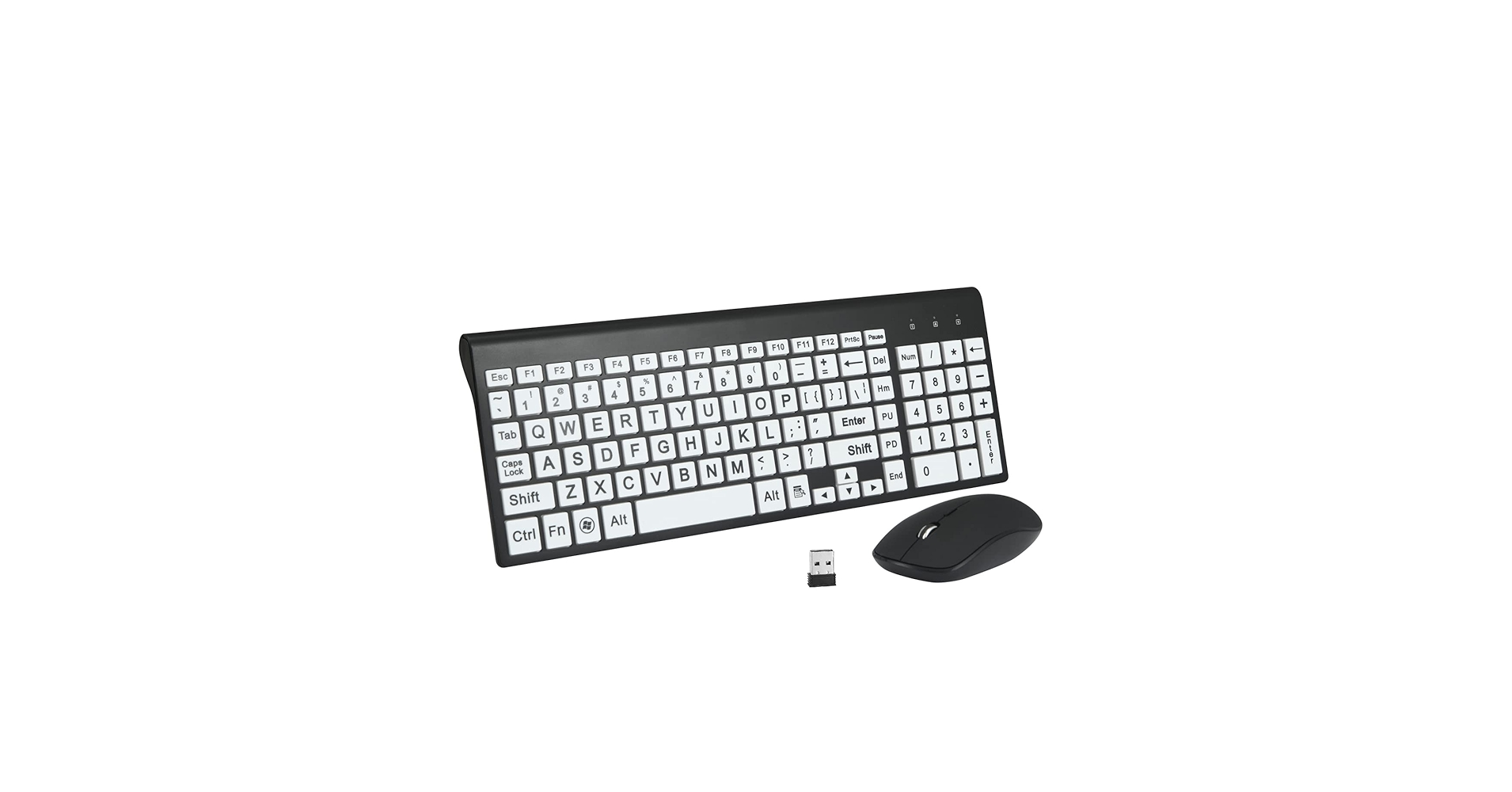
The Breakdown: This keyboard delivers the core benefit of large, clear letters while cutting the cord. It uses a standard 2.4gHz USB dongle for a simple wireless connection that is broadly compatible. This model is ideal for users who want flexibility in their workspace or use their keyboard with a laptop or media center.
Key Specs:
- Visibility Feature: Large Print White/Black Keys
- Connectivity: 2.4gHz Wireless (USB-A Dongle)
- Backlighting: No
- Layout: Full-size
The Community Verdict: Positive feedback centers on the convenience of the wireless design. Owners appreciate the easy setup and the freedom it provides. The main critique revolves around battery life, which is a standard consideration for any wireless peripheral.
Dealbreaker: If you dislike managing batteries or worry about connection stability, a wired model is a safer choice.
4. HXMJ-Wireless Large Print Keyboard and Mouse Set
Pros
- Includes a matching ergonomic mouse
- Single USB dongle for both devices
Cons
- The included mouse is functional but basic
- Requires batteries for both keyboard and mouse
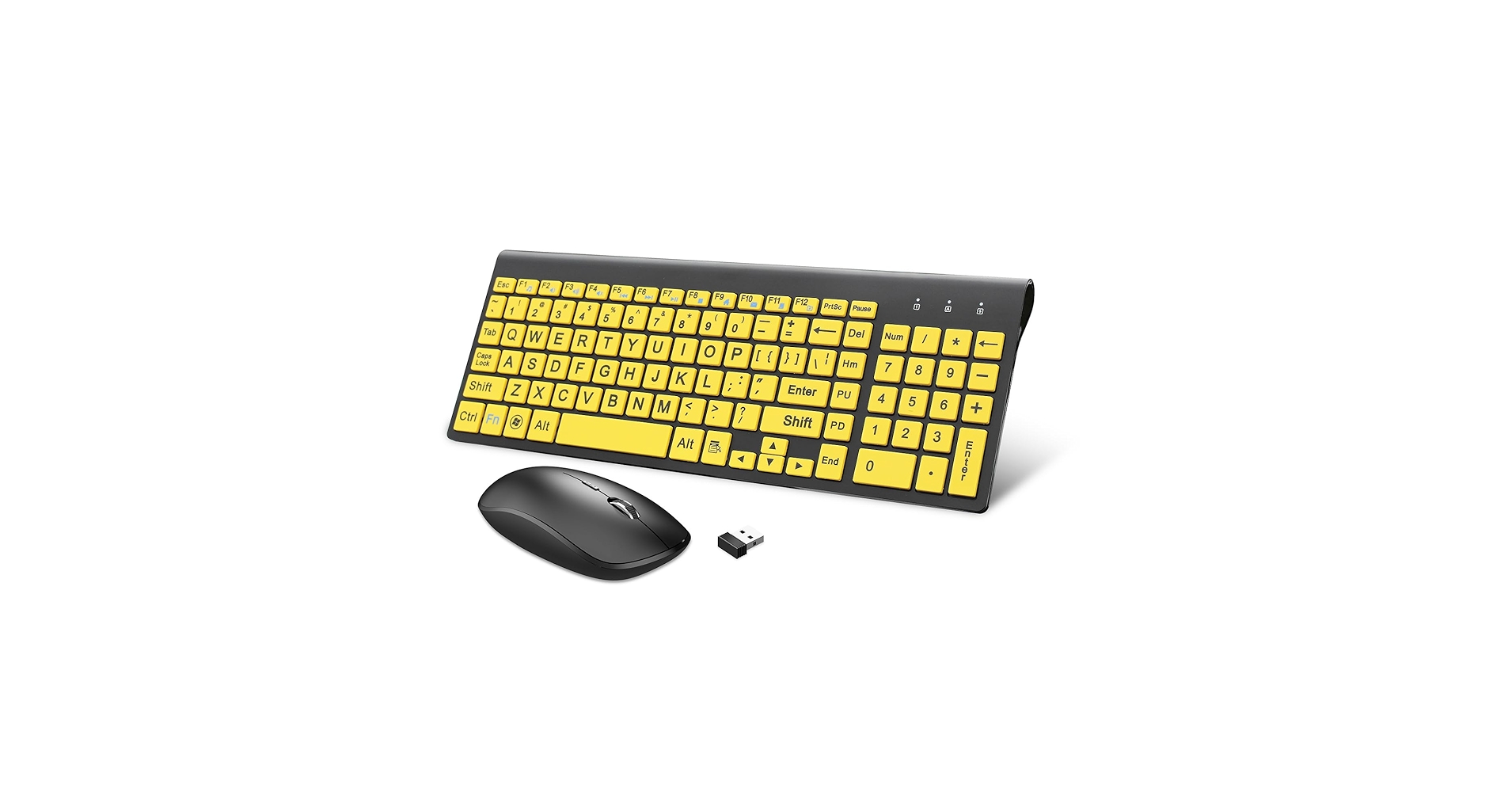
The Breakdown: The HXMJ set is all about value and convenience. It pairs a standard large-print wireless keyboard with a simple wireless mouse, both of which connect via a single USB receiver. This approach simplifies setup and provides a cohesive aesthetic for the entire desk.
Key Specs:
- Visibility Feature: Large Print White/Black Keys
- Connectivity: 2.4gHz Wireless (Shared Dongle)
- Backlighting: No
- Included: Keyboard and Mouse
The Community Verdict: Owners often cite the convenience of the bundle as a major plus. The plug-and-play nature is highly rated, especially by users who are less tech-savvy. Some advanced users note they would prefer a more feature-rich mouse, but agree it’s perfectly adequate for general use.
Dealbreaker: If you already have a preferred ergonomic mouse, buying this combo set is redundant.
5. Hable One Portable Braille Keyboard
Pros
- Ultra-portable and lightweight design
- Intuitive Braille-based text entry
Cons
- Requires knowledge of Braille
- Premium price point
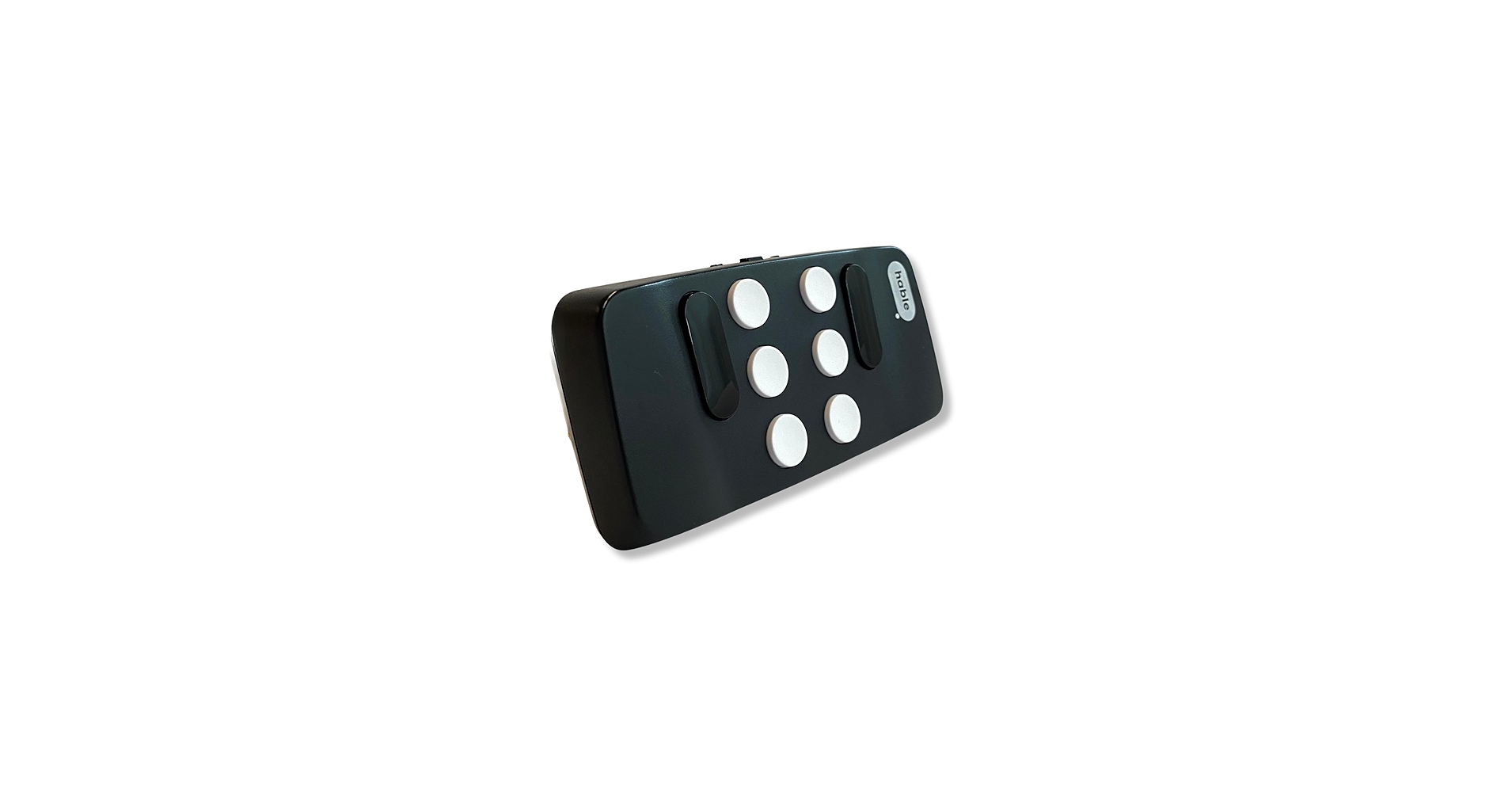
The Breakdown: The Hable One is not a traditional keyboard; it’s a specialized assistive device. It allows users to type and navigate their smartphone or tablet using a combination of six Braille keys. This device is designed for ultimate portability and screen-free control of mobile devices through voiceover and talkback features.
Key Specs:
- Visibility Feature: Braille Tactile Input
- Connectivity: Bluetooth
- Backlighting: N/A
- Compatibility: iOS and Android
The Community Verdict: The Hable One receives exceptionally positive reviews from its target audience. Users report it’s a life-changing device for mobile independence, allowing for fast, private communication on the go. The primary barrier to entry is the price and the prerequisite of Braille proficiency.
Dealbreaker: If you are not a Braille user or primarily use a desktop computer, this is not the product for you.
Buying Guide: How to Choose the Right Keyboard
Selecting the correct keyboard involves more than just picking the biggest letters. Consider these factors to find the perfect match for your needs and workspace.
Print Size vs. High Contrast
While all keyboards on this list feature large print, the color scheme is equally important. A yellow-on-black design, like the BOOGIIO, is often cited as optimal for those with macular degeneration. A classic white-on-black style, seen on the Nuklz, offers high contrast that is less jarring for some users and fits a more traditional desk aesthetic.
Wired vs. Wireless
A wired USB keyboard offers a stable, lag-free connection that never needs batteries. This is the most reliable option for a permanent desk setup. A wireless model provides a cleaner, cable-free look and the flexibility to type from a distance, but introduces the need to manage batteries or recharge the device.
Ergonomics and Your Workspace
Accessibility extends to physical comfort. A standard layout is often best as it doesn’t require relearning key positions. To create a truly comfortable station, consider pairing your keyboard with an ergonomic wrist rest for mouse to reduce strain. Furthermore, keeping your area tidy with some of the top 5 stackable desk organizers ensures essential items are always within easy reach, and using a portable monitor riser for laptop can help position your screen at the optimal height to reduce neck strain.
Frequently Asked Questions (FAQ)
Are large print keyboards better than keyboard stickers?
Yes, in almost all cases. Integrated large print keyboards have characters that are permanently part of the keycap, meaning they won’t peel, fade, or shift like stickers. They also provide a more uniform feel and are compatible with any built-in features like spill resistance.
Do these keyboards work with Mac and Windows computers?
The vast majority of USB and 2.4gHz wireless keyboards are plug-and-play compatible with both Windows and macOS. However, some media or function keys may be mapped specifically for Windows. Mac users can typically remap these keys in system settings if needed, but it’s something to be aware of.
What’s the main benefit of a Braille keyboard like the Hable One?
A Braille keyboard is for users who are blind and fluent in Braille. It allows for text input and device navigation entirely by touch, which is faster and more private than relying solely on voice commands and screen readers in public spaces. It’s a tool for power users who prioritize mobile efficiency.
Read More on TechForDesk
- The 5 Best Adjustable Height Desk Shelf for iMac in 2026
- The 5 Best Monitor Riser with Laptop Tray Options for Peak Productivity in 2026
- The 5 Best Desk Shelf with Keyboard Storage Underneath Options (2026)
- The 5 Best Monitor Stand with USB C Hubs in 2026
- The 5 Best Desk Shelf with Built-in Wireless Charging for 2026




