
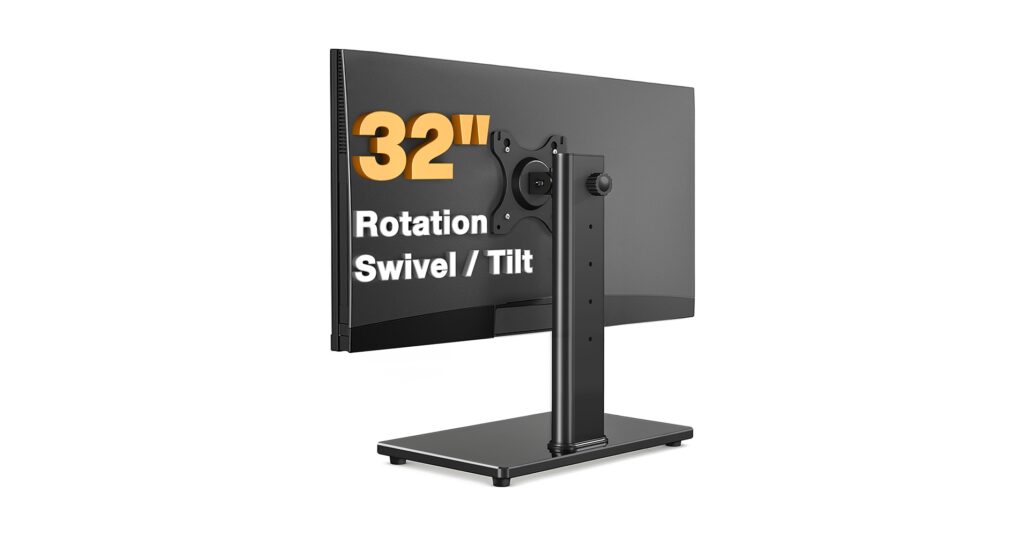
Upgrading to a 32-inch monitor is a game-changer for productivity, but it often leaves your screen sitting too low, leading to neck strain and a cluttered workspace. The solution is a dedicated monitor riser for 32 inch screen setups—specifically, a VESA mount arm that clamps to your desk. These stands reclaim valuable desk real estate and provide the ergonomic adjustability needed for long hours of focused work. Based on market analysis and user consensus, we’ve curated the top VESA-compatible mounts for 2026 that deliver stability, flexibility, and a minimalist aesthetic.
🚀 Quick Verdict / Top Pick
Gas Spring Monitor Arm 32 Inch, Adjustable Single
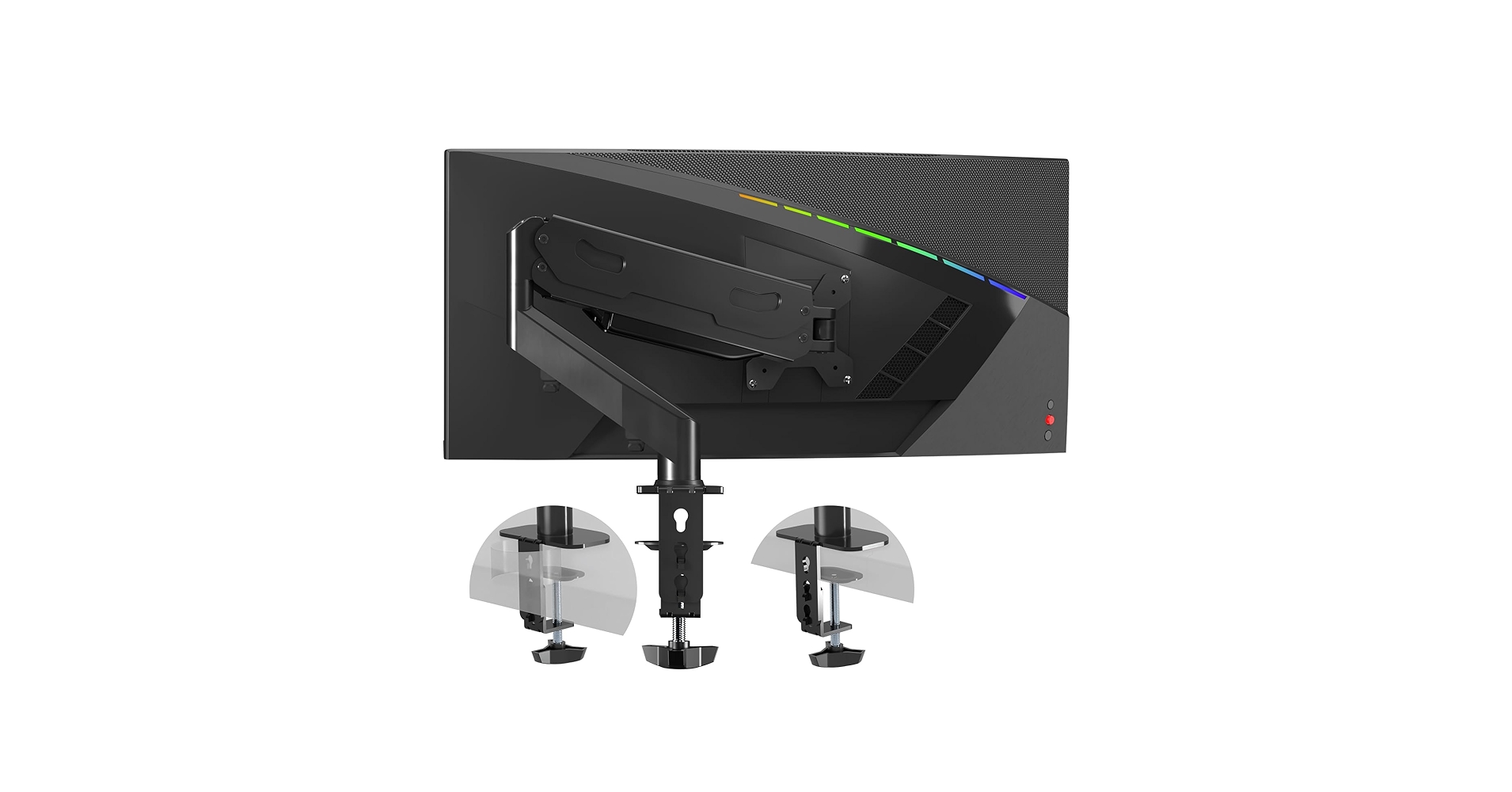
It outshines competitors with its fluid gas spring mechanism, offering superior, one-touch ergonomic adjustment and a minimalist footprint for an impeccably clean setup.
2026 Monitor Riser Comparison
| Product | Max Weight Capacity | Adjustability | Best For |
|---|---|---|---|
| Single Monitor Stand VESA Mount | 22 lbs | Static Pole Mount | Set-and-Forget Stability |
| MOUNTUP Single Monitor Desk Mount | 17.6 lbs | Full Articulation (Manual) | Budget Flexibility |
| Gas Spring Monitor Arm 32 Inch | 19.8 lbs | Gas Spring (Effortless) | Ultimate Ergonomics |
| Dual Monitor Stand – Vertical Stack | 22 lbs (per screen) | Vertical Stacking | Maximized Vertical Space |
| HUANUO Triple Monitor Mount | 17.6 lbs (per screen) | Triple Articulation | Power-User Command Centers |
1. Single Monitor Stand VESA Mount for 13-32 Inch
Pros
- Rock-solid steel construction
- Generous 22 lb weight capacity
- Integrated cable management clips
Cons
- Height adjustment is manual (set screw)
- Limited depth adjustment
The Breakdown
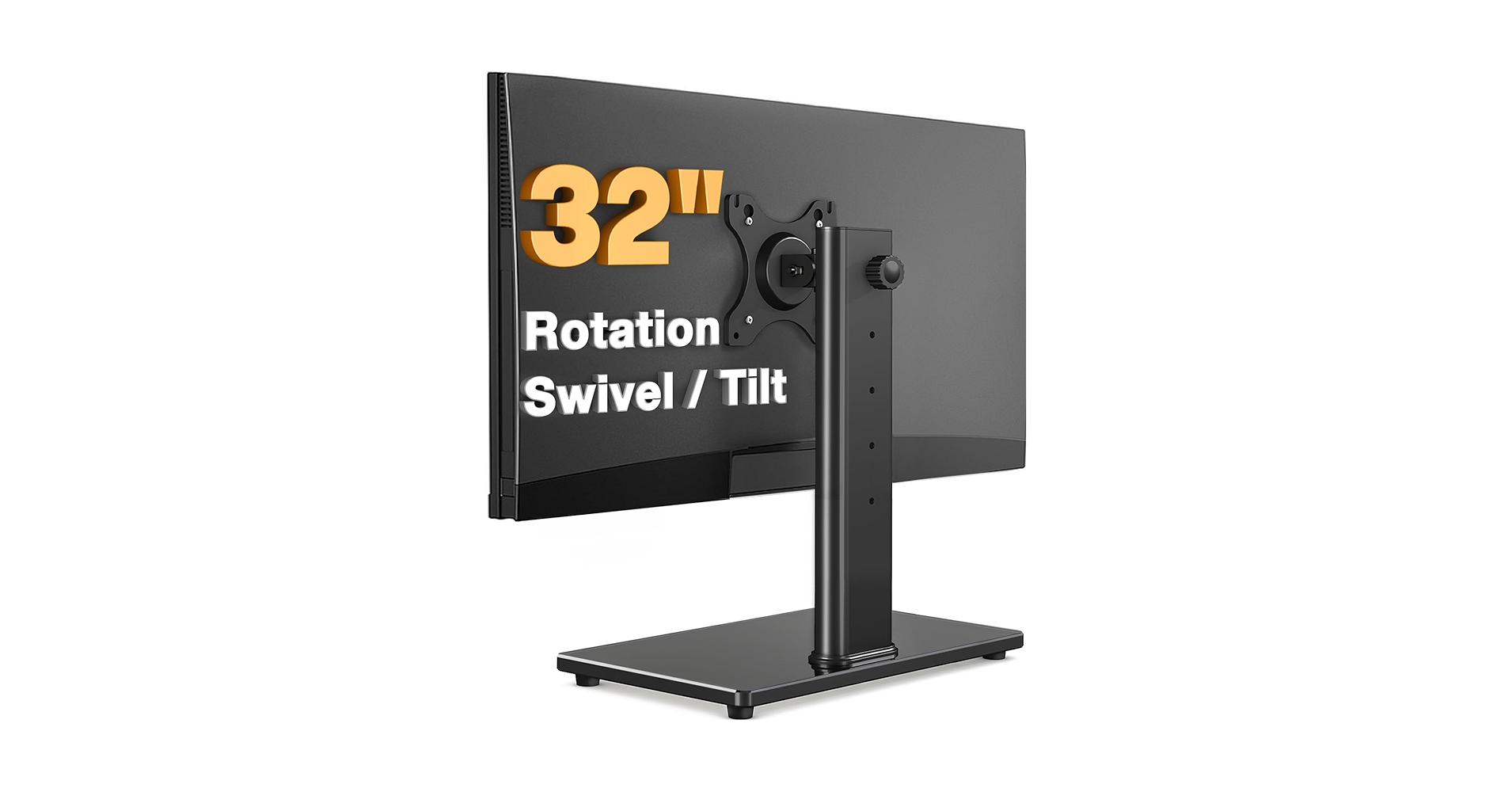
This stand is built for stability above all else. Its heavy-duty steel pole and C-clamp/grommet system provide a secure foundation for even a hefty 32-inch screen. While it offers basic tilt, swivel, and rotation, its primary function is to lock your monitor at the correct height and hold it there indefinitely.
Key Specs
- Mounting Type: C-Clamp or Grommet
- Weight Capacity: 22 lbs
- Adjustability: Manual height adjust on pole, +45°/-45° Tilt, +90°/-90° Swivel, 360° Rotation
- VESA Compatibility: 75x75mm, 100x100mm
The Community Verdict
Users consistently report that this mount is incredibly sturdy and easy to assemble. The consensus is that it’s a perfect ‘set-it-and-forget-it’ solution. The main criticism is the lack of on-the-fly adjustability; changing the height requires loosening a screw on the pole.
Dealbreaker?
Skip this if you collaborate often and need to swing your monitor around to show colleagues, or if you switch between sitting and standing.
2. MOUNTUP Single Monitor Desk Mount
Pros
- Excellent range of motion for the price
- Dual mounting options included
Cons
- Lower weight capacity at 17.6 lbs
- Adjustments are less fluid than gas spring models
The Breakdown
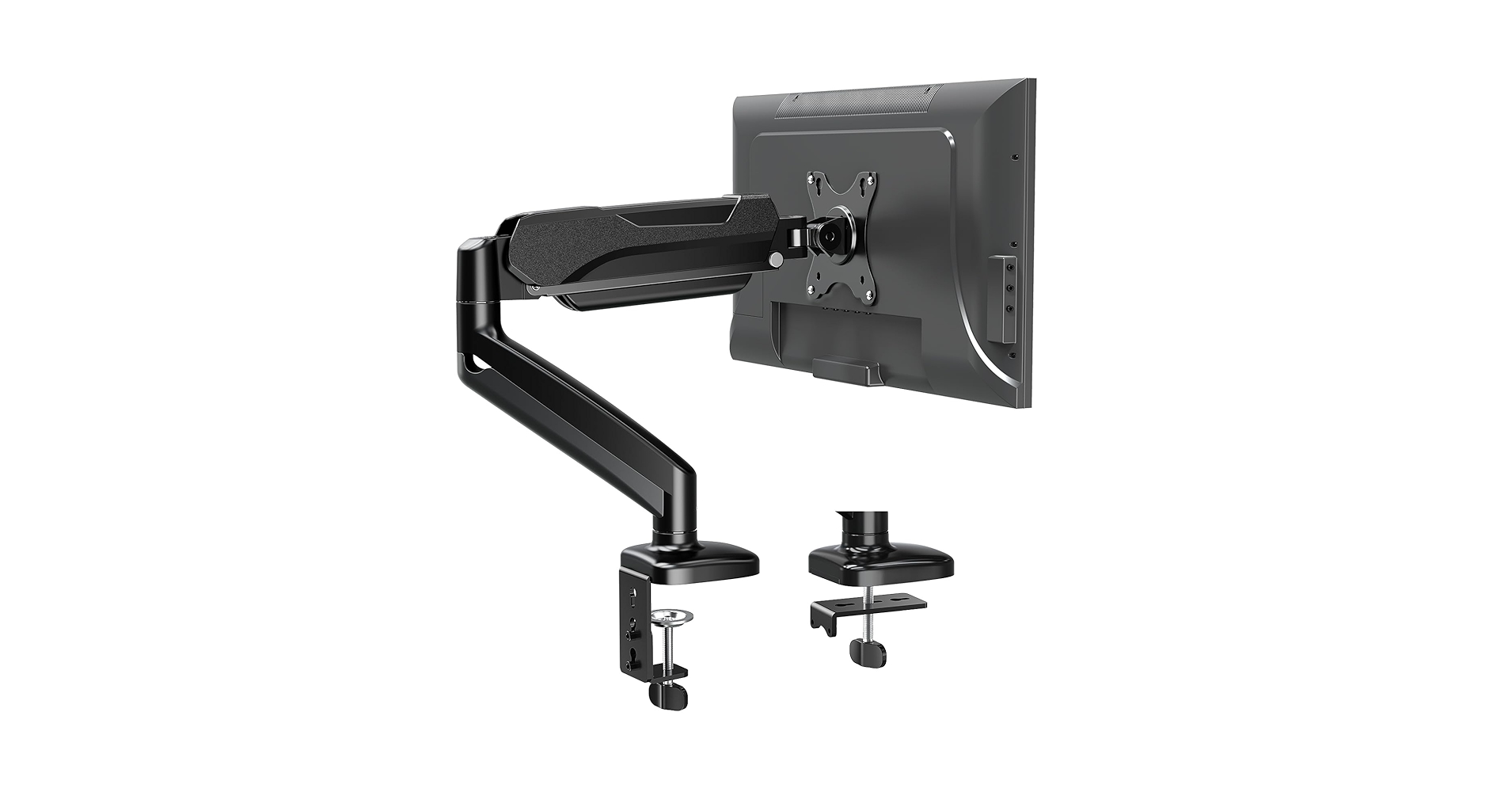
The MOUNTUP arm represents the sweet spot for many users, offering full freedom of movement without the premium cost of a gas spring system. It uses tensioned joints that can be tightened or loosened to hold your screen in place. This provides great flexibility for positioning your monitor exactly where you need it.
Key Specs
- Mounting Type: C-Clamp or Grommet
- Weight Capacity: 17.6 lbs
- Adjustability: Full Motion Articulation, +90°/-90° Tilt, +90°/-90° Swivel, 360° Rotation
- VESA Compatibility: 75x75mm, 100x100mm
The Community Verdict
Market research indicates that users are impressed by the range of motion at this price point. A common piece of feedback is that dialing in the tension for each joint can take some trial and error. Once set, however, it’s reported to hold its position reliably.
Dealbreaker?
Skip this if your 32-inch monitor is on the heavier side (over 17.6 lbs) or if you want the ability to make frequent, effortless height adjustments with a single touch.
3. Gas Spring Monitor Arm 32 Inch, Adjustable Single
Pros
- Silky-smooth gas spring mechanism
- Premium build quality and aesthetic
- Effortless, finger-tip adjustments
Cons
- Higher price point
- Initial gas spring tension setup is crucial
The Breakdown
This is the peak of single monitor arm technology. The internal gas spring counterbalances the weight of your monitor, allowing you to move it up, down, forward, and back with almost no effort. For those who use standing desk converters or frequently change their posture, this level of fluid motion is a non-negotiable ergonomic upgrade.
Key Specs
- Mounting Type: C-Clamp or Grommet
- Weight Capacity: 19.8 lbs
- Adjustability: Gas Spring Full Motion, +90°/-45° Tilt, +90°/-90° Swivel, 360° Rotation
- VESA Compatibility: 75x75mm, 100x100mm
The Community Verdict
Owners consistently report a transformative experience in desk ergonomics and ease of use. The primary learning curve mentioned is the initial setup, which requires adjusting the gas spring tension to perfectly match the monitor’s weight. Once calibrated, users praise it as a ‘floating monitor’ experience.
Dealbreaker?
Skip this if you’re on a strict budget and your monitor stays in one position all day, every day.
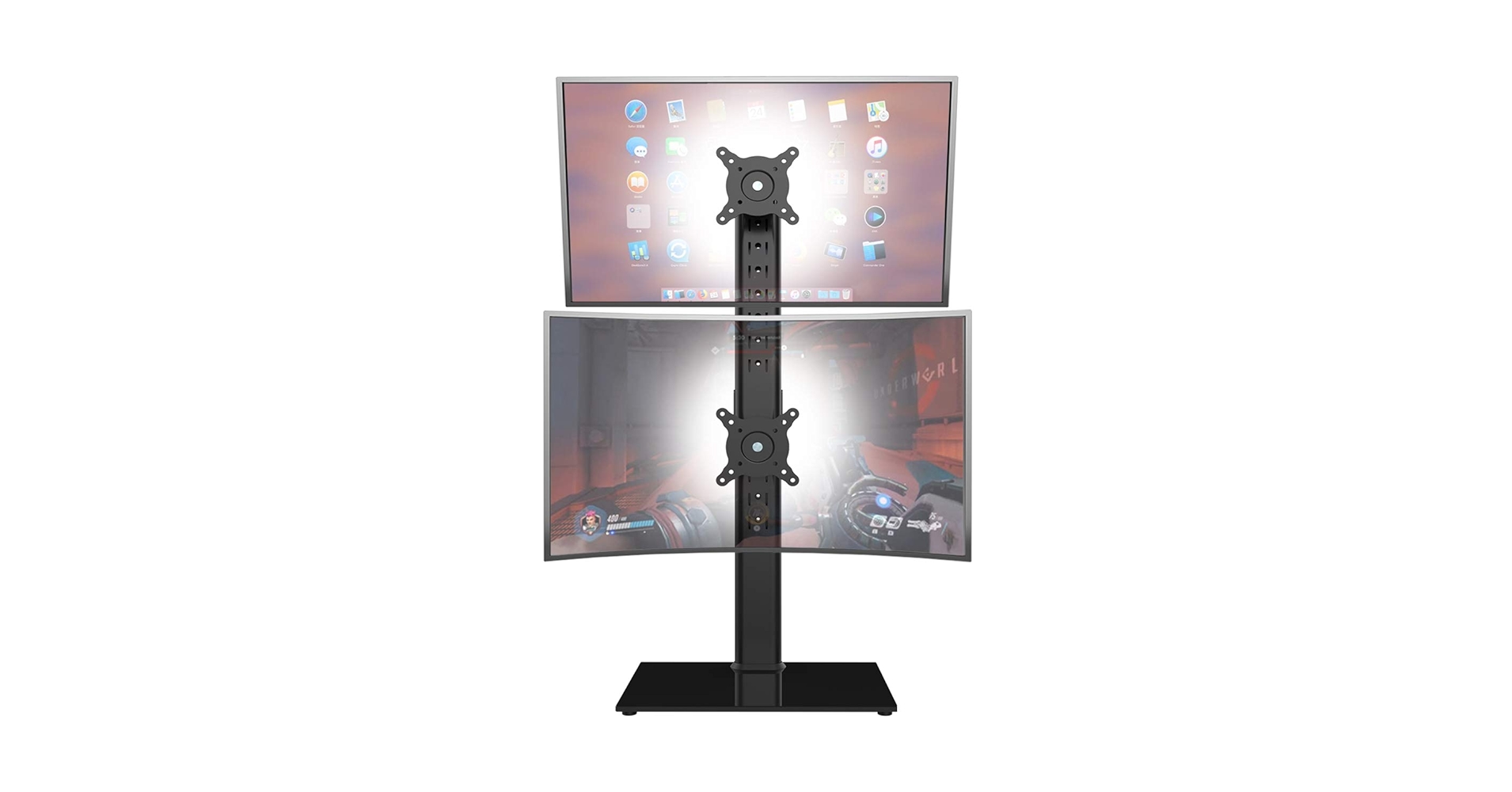
4. Dual Monitor Stand – Vertical Stack Screen Free
Pros
- Saves immense horizontal desk space
- Heavy-duty pole supports two large screens
- Individually articulating mounts
Cons
- Highly specific use-case
- Top monitor can be ergonomically challenging
The Breakdown
This stand addresses a specific need: stacking two monitors, including large 32-inch models, one above the other. This configuration is ideal for workflows that benefit from vertical information, like coding, document editing, or monitoring live feeds. The tall, sturdy pole ensures stability even when fully loaded.
Key Specs
- Mounting Type: C-Clamp or Grommet
- Weight Capacity: 22 lbs per screen
- Adjustability: Vertical stacking on pole, full articulation per mount
- VESA Compatibility: 75x75mm, 100x100mm
The Community Verdict
Users who need this specific layout love the stability and space-saving design. The ability to individually tilt and swivel each screen is a frequently praised feature. A common piece of advice is to ensure your main work is on the bottom screen at eye level, using the top screen for secondary information to avoid neck strain.
Dealbreaker?
Skip this if you need a traditional side-by-side dual monitor setup.
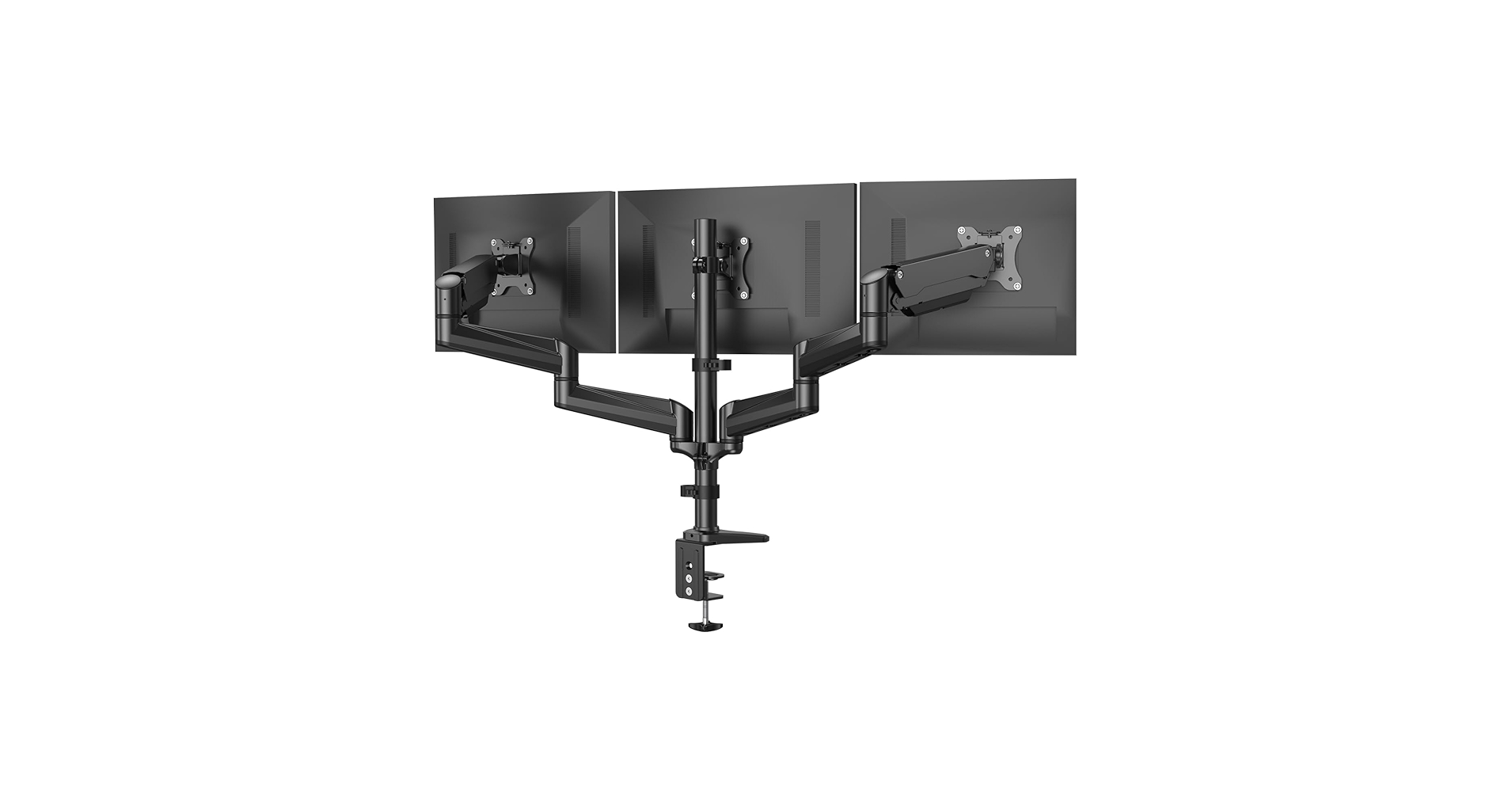
5. HUANUO Triple Monitor Mount for 17 to 32 inch Screens
Pros
- Supports three monitors up to 32 inches
- Gas springs on outer arms for easy adjustment
- Incredibly robust mounting hardware
Cons
- Requires a very sturdy, thick desk
- Complex assembly and alignment process
The Breakdown
For the ultimate multi-tasker, this HUANUO mount is an absolute unit. It’s engineered to handle the immense weight and leverage of three large monitors, turning your desk into a true command center. The outer two arms feature gas springs for easy adjustment, while the center monitor is fixed for stability.
Key Specs
- Mounting Type: C-Clamp or Grommet
- Weight Capacity: 17.6 lbs per screen
- Adjustability: Gas spring on outer arms, manual center mount
- VESA Compatibility: 75x75mm, 100x100mm
The Community Verdict
Market research indicates this is considered a robust solution for complex setups. Users stress the absolute necessity of a solid desk (at least 1-inch thick solid wood is recommended). The assembly is a two-person job, but the end result is a remarkably clean and organized triple-monitor workspace.
Dealbreaker?
Skip this if your desk is made of particleboard, glass, or is anything less than exceptionally sturdy. The combined weight is no joke.
Buying Guide: Choosing the Right Monitor Riser
Navigating the world of monitor mounts can be tricky. Here’s what to focus on to ensure you get the right fit for your 32-inch screen and your workflow.
Adjustability: Static vs. Gas Spring
The biggest differentiator is how the arm adjusts. A static or mechanical arm requires you to loosen and tighten joints to reposition it. A gas spring arm works like a high-end office chair, allowing you to move the monitor with a light touch. If you frequently change posture or use a standing desk, a gas spring is a worthwhile investment. Achieving the perfect screen height is critical, much like finding a laptop stand for eye level, as it directly impacts neck and shoulder strain.
Weight Capacity & VESA Compliance
Always check your monitor’s weight (without its stand) and ensure it’s well below the arm’s maximum rated capacity. VESA is the standardized mounting hole pattern on the back of your screen (usually 75x75mm or 100x100mm). Every mount on this list is VESA compliant, but it’s a crucial spec to confirm before any purchase.
Desk Compatibility & Mounting Type
Most mounts offer a C-clamp (grips the back edge of your desk) and a grommet mount (bolts through a hole in the desk). Measure your desk’s thickness to ensure the C-clamp will fit. A monitor arm is a cornerstone of an ergonomic workspace, but it’s most effective when combined with other supportive gear, such as a proper lumbar support pillow for your office chair to maintain good posture throughout the day.
Frequently Asked Questions
1. Will a riser for a 32-inch monitor hold a smaller screen?
Yes, absolutely. The ‘up to 32 inch’ rating is about maximum size and weight. Any smaller monitor will work perfectly, as long as it has the correct VESA mounting pattern (usually 75×75 or 100×100) and meets the minimum weight requirement for gas spring models.
2. What is VESA and why does it matter?
VESA is a standard created by the Video Electronics Standards Association that defines the distance in millimeters between the four mounting holes on the back of a monitor. This standard ensures that a VESA-compliant mount will physically attach to a VESA-compliant screen. It’s the universal language between screens and mounts.
3. Is a C-clamp or grommet mount better?
Neither is inherently ‘better,’ but they suit different desks. A C-clamp is less permanent and grips the edge of your desk. A grommet mount requires a hole in your desk but provides a slightly cleaner look and can be placed further from the edge. For heavy multi-monitor setups, a grommet mount often provides superior stability.
Read More on TechForDesk
- The 5 Best Clamp On Desk Shelf For Monitors in 2026
- The 5 Best Portable Monitor Riser for Laptops in 2026 (Travel Edition)
- The 5 Best Monitor Stand for College Dorm Desks (2026 Budget Picks)
- The 5 Best Monitor Riser for Neck Pain in 2026: An Ergonomic Guide
- The Best Cable Raceway for Baseboards in 2026: An Aesthetic Guide




