
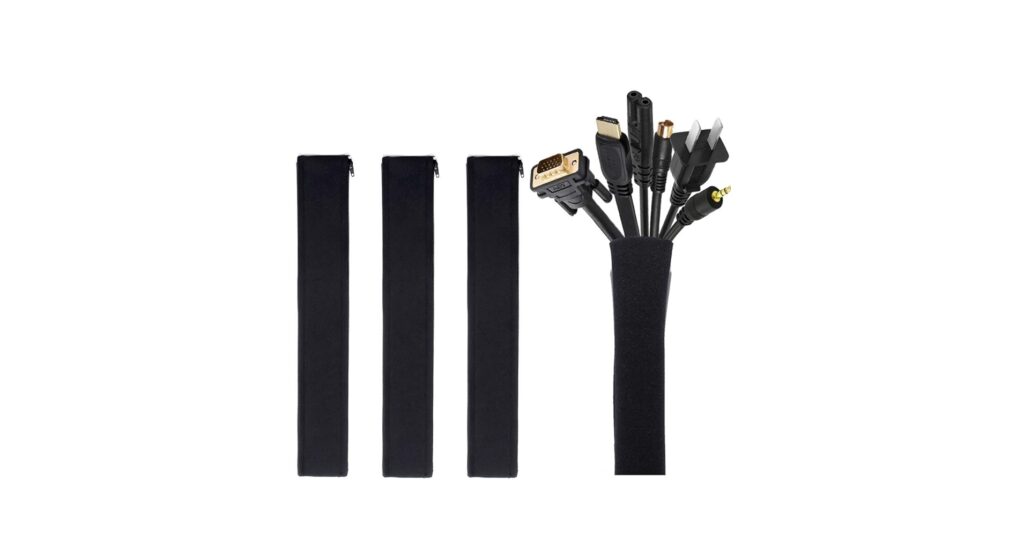
In the pursuit of a minimalist, high-tech workspace, few things are more disruptive than a tangled mess of cables. A clean desk is a clean mind, and for 2026, the most elegant solution remains the neoprene cable sleeve with zipper. This simple tool bundles your power cords, HDMI cables, and USB wires into a single, sleek tube, instantly transforming chaos into order. Unlike rigid plastic conduits or single-use zip ties, these sleeves are flexible, reusable, and effortlessly stylish. Based on extensive market research and user feedback analysis, we’ve identified the top performers that deliver on durability, capacity, and aesthetics.
🚀 Quick Verdict / Top Pick
JOTO 4 Pack Cable Management Sleeve

It offers the best combination of value, flexibility, and total coverage, making it the most versatile solution for nearly any desk setup.
2026 Neoprene Cable Sleeve Comparison
| Product | Total Coverage | Max Diameter | Best For |
|---|---|---|---|
| JOTO 4 Pack Sleeve | ~80 inches | ~1.5 inches | Overall Value & Flexibility |
| StarTech.com 40″ Sleeve | 40 inches | ~1.0 inch | Long, Uninterrupted Runs |
| Electiduct 1″ Easy Wrap | 36 inches | 1.0 inch | Precisely Sized Bundles |
| Wrap-It Storage 36″ Sleeve | 36 inches | ~1.3 inches | Heavy-Duty, Wide Bundles |
| CableCreation 4 Pack Sleeve | ~78 inches | ~1.5 inches | Top JOTO Alternative |
Detailed Product Reviews 2026
1. JOTO 4 Pack Cable Management Sleeve
Pros
- Exceptional value with four 20-inch sleeves
- Reversible black/white design for aesthetic flexibility
Cons
- Not ideal for single, long cable runs
- Zipper durability can be inconsistent, according to some user reports
The Breakdown: The JOTO pack has dominated the market for years due to a simple, effective formula: value and versatility. You get four separate sleeves, which is perfect for tackling the cable clutter behind your monitor, under your desk, and at your entertainment center in one purchase. The neoprene is flexible, allowing you to cut custom holes for cables to exit at any point.
Key Specs:
- Quantity: 4 Sleeves
- Length: 19-20 inches per sleeve
- Material: Flexible Neoprene
- Features: Reversible (Black/White), Cuttable
The Community Verdict: Users consistently praise the JOTO sleeves for their ease of use and the immediate visual improvement they bring to a workspace. The consensus is that while the zipper isn’t mil-spec, it’s more than adequate for typical home and office use. The ability to reverse the sleeve from black to white is a frequently cited benefit for matching different decor styles.
Dealbreaker: Skip this if you need to manage a single, continuous cable run longer than 20 inches, such as the main cable line for a standing desk.
2. StarTech.com 40in (1m) Neoprene Cable Management

Pros
- One continuous 40-inch length for a seamless look
- Market research indicates high-quality, durable material from a reputable brand
Cons
- Higher cost-per-foot compared to multi-packs
- Less versatile for multiple, smaller cable clusters
The Breakdown: StarTech.com brings its reputation for reliable IT accessories to the cable management space. This sleeve is purpose-built for creating a single, uninterrupted cable ‘spine’. It’s an ideal choice for the main cable run from a PC to a monitor, or for tidying the cables that trail from a sit-stand desk to the wall outlet.
Key Specs:
- Quantity: 1 Sleeve
- Length: 40 inches (1 meter)
- Material: Durable Neoprene
- Features: Single-piece construction
The Community Verdict: Owners report that the StarTech.com sleeve feels substantial and well-made. The zipper is often described as more robust than those on cheaper, multi-pack alternatives. The primary appeal is its length, which users find perfect for creating a clean, professional look without the visual break of connecting multiple shorter sleeves.
Dealbreaker: If your cable management needs are spread out across multiple locations, a multi-pack offers far better value and flexibility.
3. Electiduct 1in Neoprene Easy Cable Wrap with Zipper
Pros
- Precise 1-inch diameter ensures a tight, clean wrap
- Simple, effective design with a reportedly smooth zipper
Cons
- Limited capacity is unforgiving if you add new cables
- Less established brand compared to others on the list
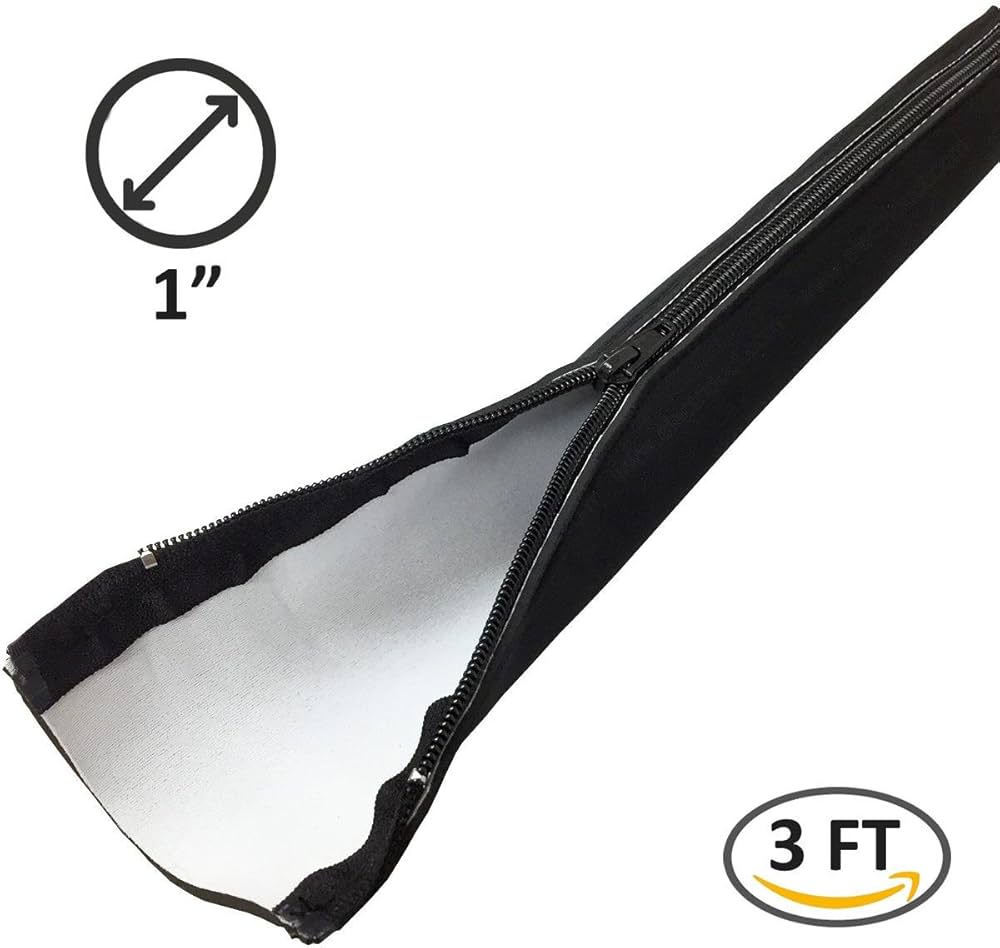
The Breakdown: The Electiduct sleeve focuses on one thing: providing a snug, 1-inch diameter wrap. This is for the meticulous planner who knows exactly how many cables they need to bundle. Its form-fitting nature prevents the saggy or loose look that can occur when using a wider sleeve for a smaller number of cables.
Key Specs:
- Quantity: 1 Sleeve
- Length: 36 inches (Varies by purchase)
- Material: Standard Neoprene
- Features: Fixed 1-inch diameter
The Community Verdict: Feedback suggests that this product delivers exactly what it promises: a tight, clean cable wrap. Users who measured their cable bundle beforehand report high satisfaction. The main critique is its lack of flexibility; it’s not a one-size-fits-all solution and is poorly suited for bundles that may grow over time.
Dealbreaker: If you frequently add or remove peripherals from your setup, choose a sleeve with a more generous and flexible diameter.
4. Zipper Cable Sleeve by Wrap-It Storage
Pros
- Generous 4-inch flat width (~1.3″ diameter) holds large bundles
- Material and zipper are consistently reported as heavy-duty and durable
Cons
- Can have prominent branding
- Single sleeve configuration lacks versatility
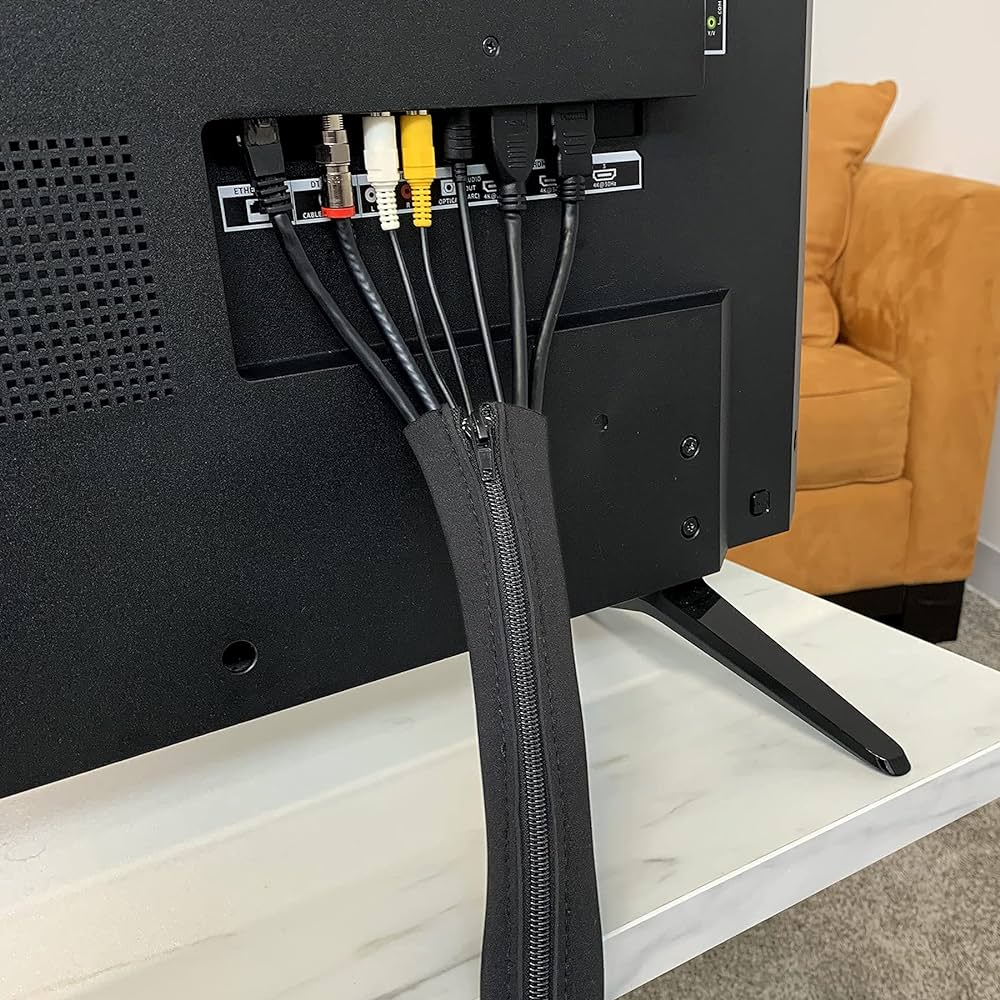
The Breakdown: From a brand that specializes in organization, the Wrap-It Storage sleeve is built for capacity and durability. Its 4-inch flat width provides ample room for multiple thick power cords and video cables, making it a favorite for complex gaming or video editing setups. Market research indicates that the build quality is a step above many budget competitors.
Key Specs:
- Quantity: 1 Sleeve
- Length: 36 inches
- Material: Heavy-duty Neoprene
- Features: 4-inch flat width for large capacity
The Community Verdict: The consensus is that this is a robust, no-nonsense sleeve that can handle nearly any cable bundle you throw at it. Users appreciate the sturdy zipper and thick material, which gives a sense of security and longevity. The only consistent minor gripe is the visibility of the brand logo, which may detract from a pure minimalist aesthetic.
Dealbreaker: If you only have a few thin cables to manage, this sleeve will likely be overkill and may not look as tidy as a smaller diameter option.
5. CableCreation Cable Management Sleeve

Pros
- Excellent value, often priced competitively
- Reversible and cuttable for maximum customization
Cons
- Faces the same multi-sleeve limitations as JOTO
- Zipper quality control can be a gamble, based on a minority of reviews
The Breakdown: CableCreation offers a product that is functionally almost identical to the JOTO pack, often competing directly on price. It provides four reversible sleeves that are perfect for segmenting your cable management tasks. For the savvy shopper, this is a product to watch, as it can sometimes offer better value depending on current sales and promotions.
Key Specs:
- Quantity: 4 Sleeves
- Length: 19.5 inches per sleeve
- Material: Flexible Neoprene
- Features: Reversible (Black/White), Cuttable
The Community Verdict: Much like its main competitor, the CableCreation pack is lauded for its value and effectiveness. Users find it to be a simple and immediate upgrade to their workspace. Some anecdotal reports suggest the neoprene material feels slightly thinner than the JOTO’s, but the functional difference is negligible for most applications.
Dealbreaker: If you prefer to buy from the most established and widely-reviewed brand in this category, the JOTO pack is the safer bet.
Buying Guide: How to Choose the Right Neoprene Cable Sleeve in 2026
Choosing the right neoprene sleeve is simple once you know what to look for. Focus on these three factors to ensure you get the perfect fit for your high-tech desk.
1. Length & Quantity: Single Spine vs. Multi-Zone
First, assess your needs. Do you have one primary ‘artery’ of cables, like those running down the leg of a standing desk? If so, a single, long sleeve like the StarTech.com 40″ is your best bet for a clean, uninterrupted line. Conversely, if you have multiple, separate clusters of cables (e.g., behind your monitor, by the power brick, and around your PC), a multi-pack like the JOTO 4 Pack offers superior value and flexibility.
2. Diameter & Capacity
Don’t underestimate how many cables you have. A good rule of thumb is to gather your cables loosely in your hand and estimate the diameter. For 3-5 standard cables (USB, power), a 1-inch diameter sleeve like the Electiduct is sufficient. For 8-10+ cables, especially thick ones like HDMI 2.1 or braided power cords, you’ll need the larger capacity of a sleeve like the Wrap-It Storage model. The number of cables you need to manage often depends on your peripherals. For instance, a complex mechanical keyboard setup, which you can learn about in our ultimate guide to buying the perfect keyboard, might have separate data and power cables that need taming.
3. Features & Aesthetics
Most neoprene sleeves are functionally similar, but small features can make a difference. Reversibility (black/white) is a common feature that adds versatility to match your setup. The ability to cut the neoprene without it fraying is crucial for creating custom exit points for your cables. Once your main cables are bundled, you might find you still need better power access. A high-quality desk clamp power strip with USB C can consolidate your charging bricks and plugs, creating an even cleaner look.
Frequently Asked Questions (FAQ)
Can you cut a neoprene cable sleeve with a zipper?
Yes, the neoprene material on most of these sleeves can be easily cut with standard scissors to create holes for cables to exit at any point along the length. You can also cut the sleeves to a shorter length if needed, though you should be careful not to cut through the zipper track itself.
How many cables can a sleeve hold?
This depends entirely on the sleeve’s diameter and the thickness of your cables. A standard 1-inch to 1.5-inch diameter sleeve can typically hold between 8-12 average-sized cables (like USB, Ethernet, and thin power cords). For larger bundles with thick HDMI or power supply cables, look for wider sleeves.
Are neoprene sleeves better than plastic conduits or velcro wraps?
For most home and office desk setups, yes. Neoprene sleeves offer a ‘softer’ and more flexible solution than rigid plastic conduits. Compared to velcro wraps, zippered sleeves provide a more complete and enclosed look, preventing individual cables from poking out and offering better dust protection.




