
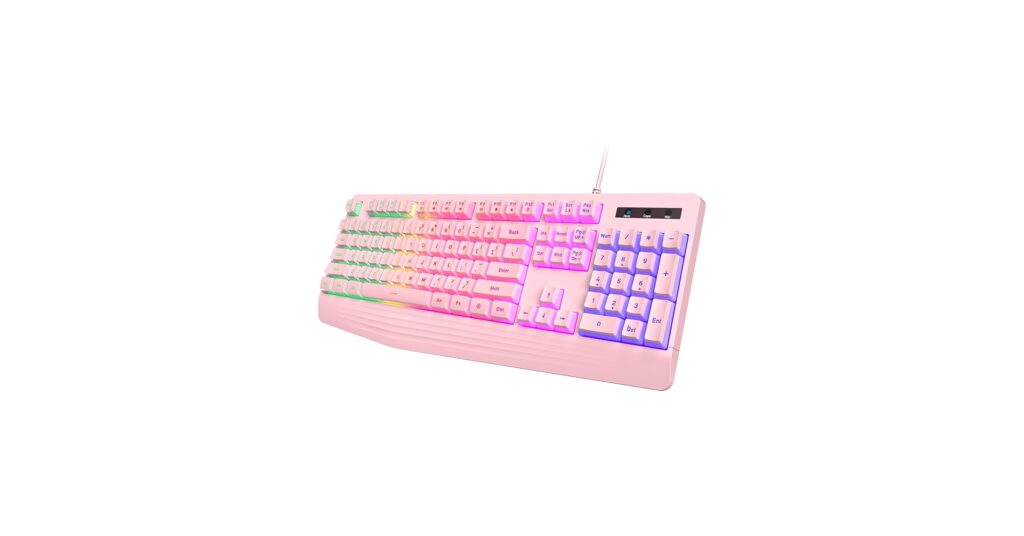
The right keyboard does more than just register keystrokes; it defines the entire vibe of your desk. For those curating a specific look, pink gaming keyboards have become the centerpiece of countless aesthetic-focused setups. They blend high-performance gaming features with a soft, vibrant style that stands out. Our market research dives into the top options available, focusing on the keyboards that deliver both on visuals and functionality, ensuring your setup is as powerful as it is pretty.
🚀 Quick Verdict / Top Pick
YUNZII B75 PRO Wireless Mechanical Keyboard
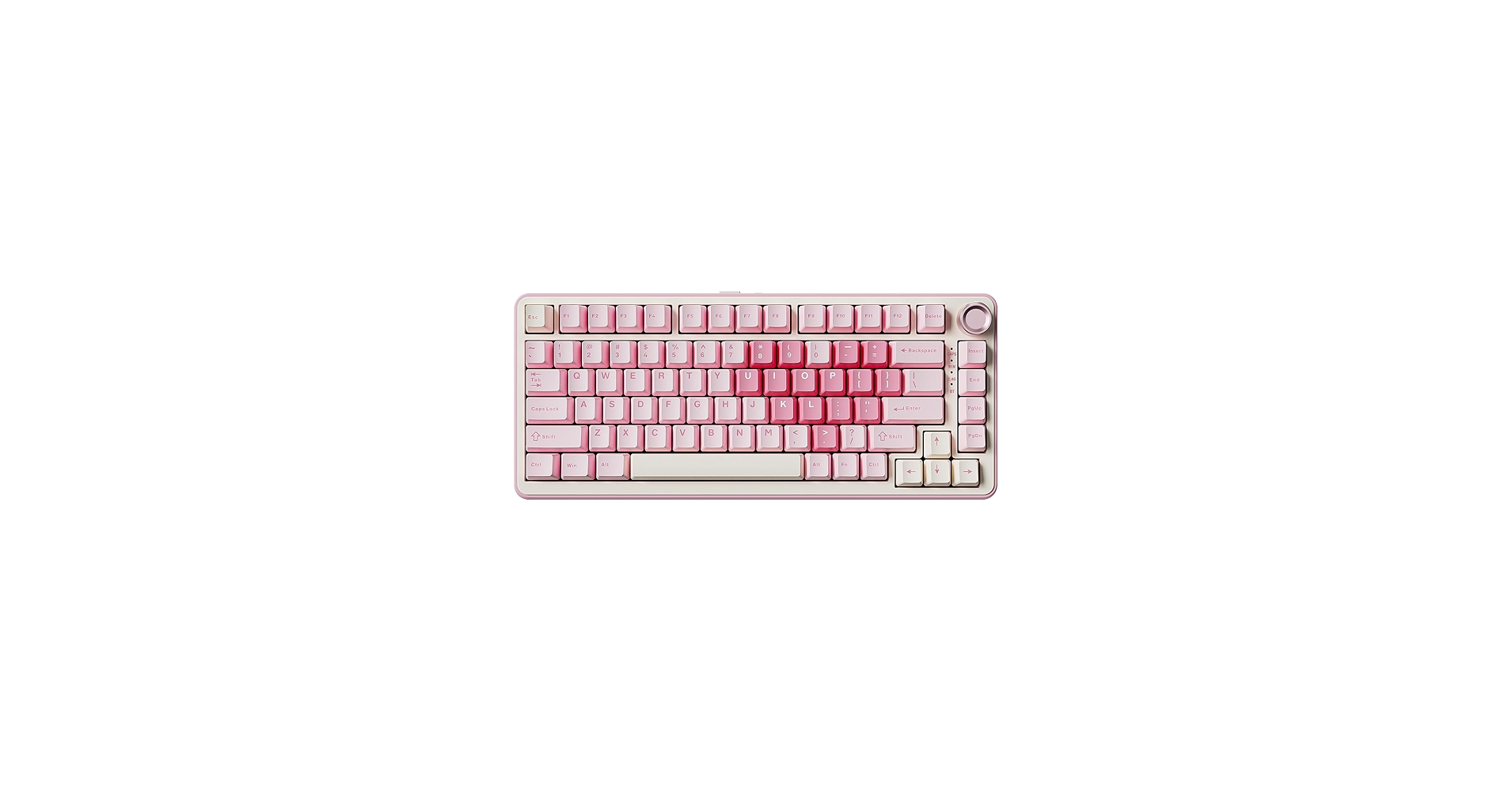
The YUNZII B75 PRO offers a premium mechanical experience with versatile wireless connectivity and a compact layout, making it the best overall choice for serious gamers who refuse to compromise on aesthetics.
Pink Gaming Keyboard Comparison
| Product | Switch Type | Form Factor | Best For |
|---|---|---|---|
| YUNZII B75 PRO Wireless | Mechanical (Hot-swappable) | 75% Compact | Premium Performance & Aesthetics |
| yesbeaut Pink Creamy Keyboard | Membrane | Full-size (104-key) | Maximum Visual Impact |
| CHONCHOW Keyboard and Mouse | Membrane | Full-size (104-key) | Budget-Friendly Combo Sets |
| AULA 99 Key Wireless Keyboard | Mechanical (Linear) | 96% Compact (99-key) | Wireless Freedom & Functionality |
| MageGee Pink USB Wired | Membrane | Compact (87-key TKL) | Minimalist & Space-Saving Setups |
Detailed Product Reviews
YUNZII B75 PRO Wireless Mechanical Keyboard
Pros
- Tri-mode connectivity (Wired, Bluetooth, 2.4GHz)
- Hot-swappable switches for full customization
- Gasket-mounted for a soft, premium typing feel
Cons
- Premium price point
- Software can be less intuitive than mainstream brands
The Breakdown: The YUNZII B75 PRO is a standout choice for those who want a truly cute mechanical keyboard without sacrificing pro-grade features. Its compact 75% layout includes function keys and arrows, making it highly functional for both gaming and productivity. The gasket-mounted design and pre-lubed stabilizers provide a typing experience that is far superior to most off-the-shelf options.
Key Specs:
- Switches: Mechanical, Hot-swappable
- Connectivity: USB-C, Bluetooth 5.0, 2.4GHz Wireless
- Layout: 75% Compact (82 keys + 1 knob)
- Lighting: South-facing RGB
The Community Verdict: Users widely praise the YUNZII B75’s exceptional out-of-the-box sound and feel, often comparing it to more expensive custom builds. The volume knob is a frequently highlighted convenience feature. Some reviews mention that initial Bluetooth pairing can be tricky, but the 2.4GHz dongle provides a flawless connection for gaming.
Dealbreaker: If you require a full number pad or prefer the simplicity of a single wired connection, the feature set and price of the B75 PRO might be overkill for your needs.
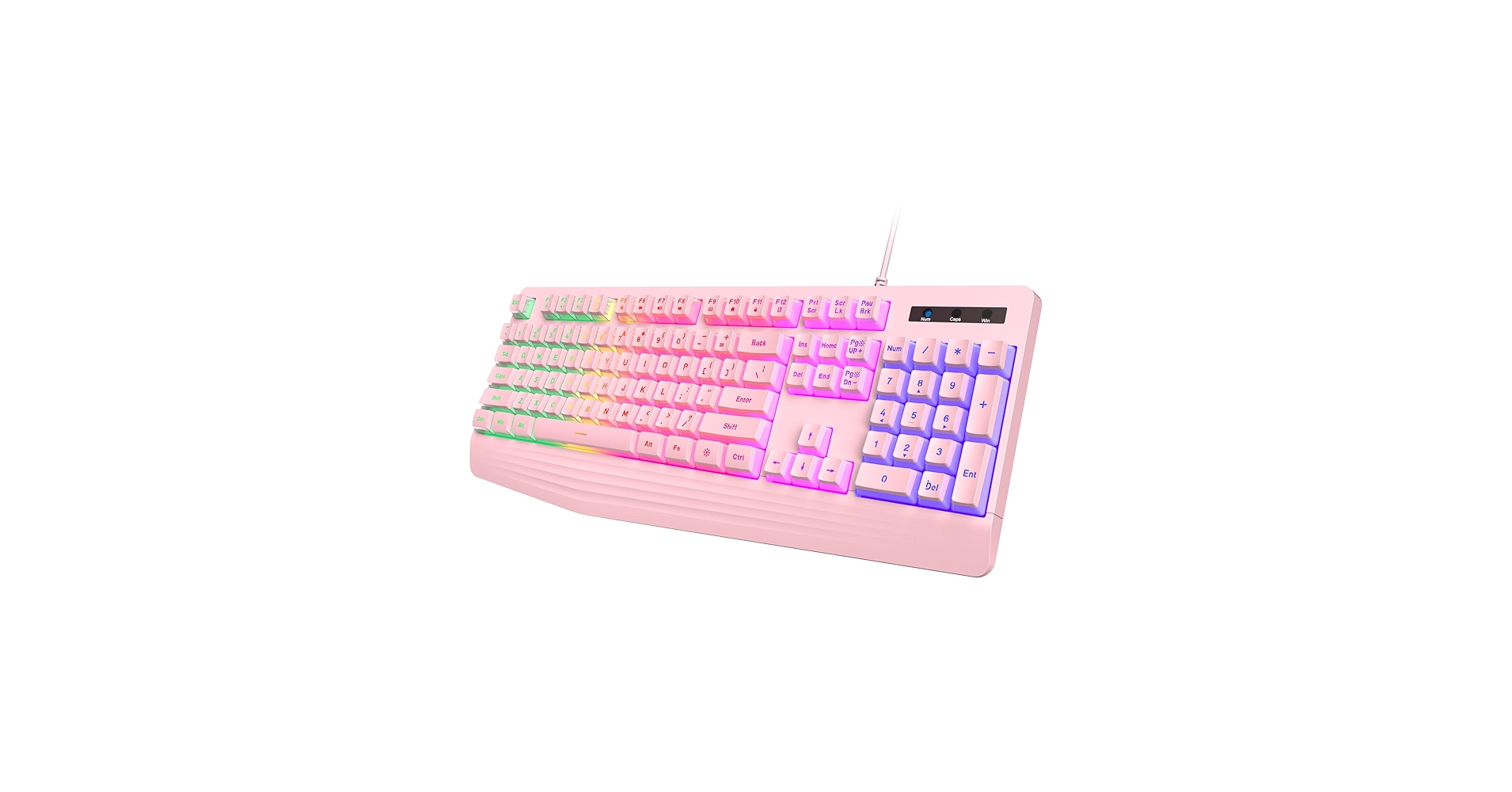
yesbeaut Pink Creamy Keyboard, Rainbow LED
Pros
- Unique creamy, rounded keycap design
- Bright and vibrant rainbow backlighting
- Includes a full number pad
Cons
- Membrane switches lack tactical feedback
- Wired connection only
The Breakdown: The yesbeaut keyboard prioritizes looks above all else, with its soft pink and white colorway and rounded, typewriter-style keys. The vibrant RGB lighting effects are a major draw, providing a dynamic look that many competitors lack at this price point. The membrane vs mechanical feel is evident here; it offers a softer, quieter press ideal for casual use and office environments.
Key Specs:
- Switches: Membrane
- Connectivity: USB-A Wired
- Layout: Full-size (104-key)
- Lighting: Rainbow LED Backlight
The Community Verdict: Customer reviews frequently celebrate this keyboard’s unique aesthetic, stating it’s the perfect finishing touch for a cute desk setup. The lighting is consistently rated as bright and easy to control. The primary critique is the membrane feel, which dedicated gamers and typists may find unsatisfying for long sessions.
Dealbreaker: If you demand the precision, speed, and tactile feedback of mechanical switches for competitive gaming, the softer membrane design of this keyboard will be a significant limitation.
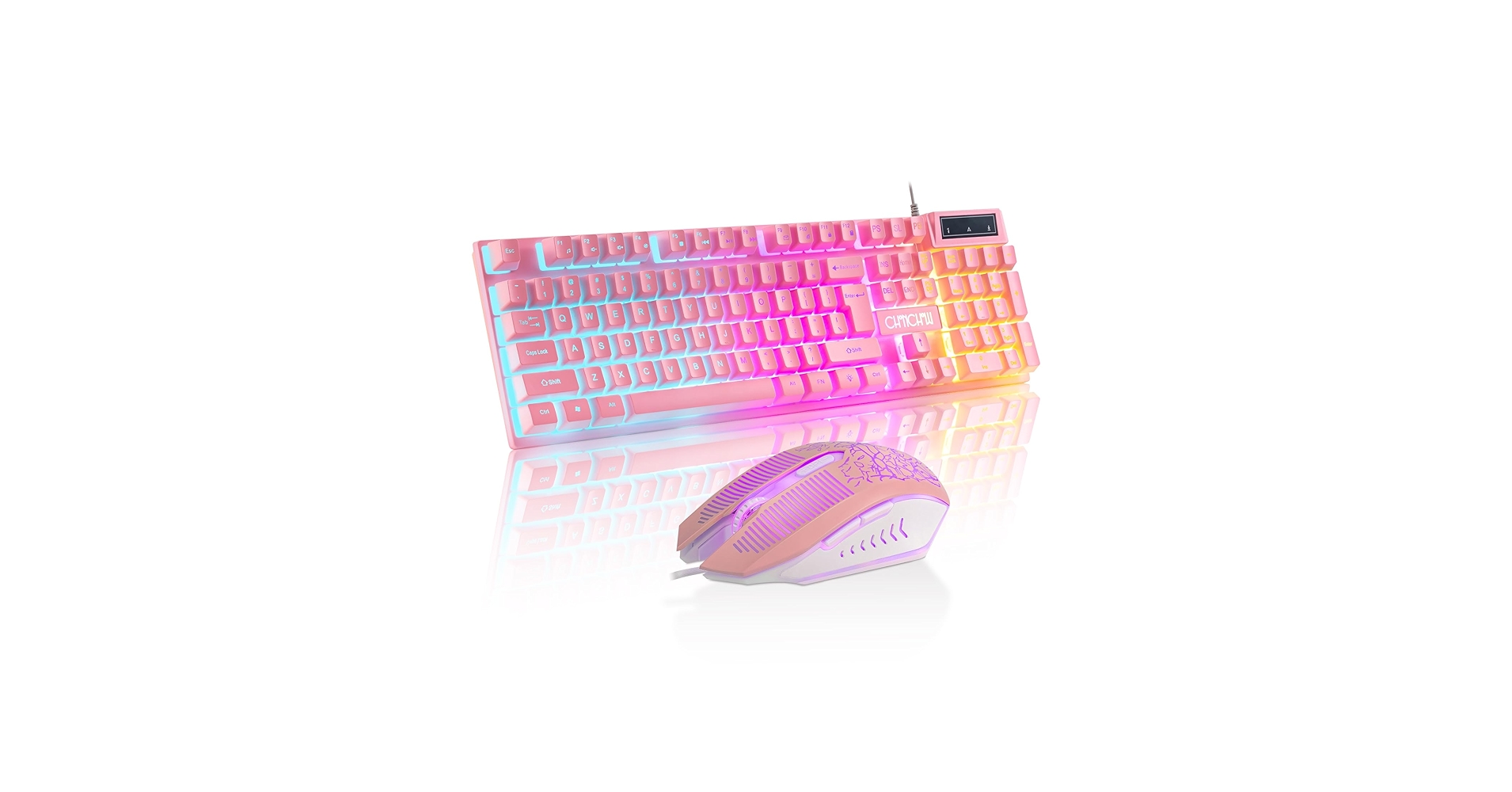
CHONCHOW Pink Gaming Keyboard and Mouse
Pros
- Excellent value with included matching mouse
- Simple plug-and-play setup
- Dedicated media keys for convenience
Cons
- Basic membrane switch feel
- Mouse sensor is entry-level for gaming
The Breakdown: The CHONCHOW combo is a pragmatic entry into the world of pink peripherals. It provides both a keyboard and mouse in a matching style at a price that’s hard to beat. While the performance won’t rival premium gear, it’s a significant visual upgrade over standard office equipment and perfectly functional for casual gaming.
Key Specs:
- Switches: Membrane
- Connectivity: USB-A Wired
- Layout: Full-size (104-key)
- Lighting: Static Rainbow Backlight
The Community Verdict: Buyers are generally satisfied with the value proposition, highlighting that it’s a great starter kit for kids, teens, or anyone building a setup on a tight budget. The plug-and-play nature is a plus. Criticisms often focus on the mushy typing feel and the mouse being a bit too lightweight for serious gamers.
Dealbreaker: The build quality is reflective of its price point. Users looking for durability, premium materials, and high-performance components for competitive play should invest in a more specialized product.
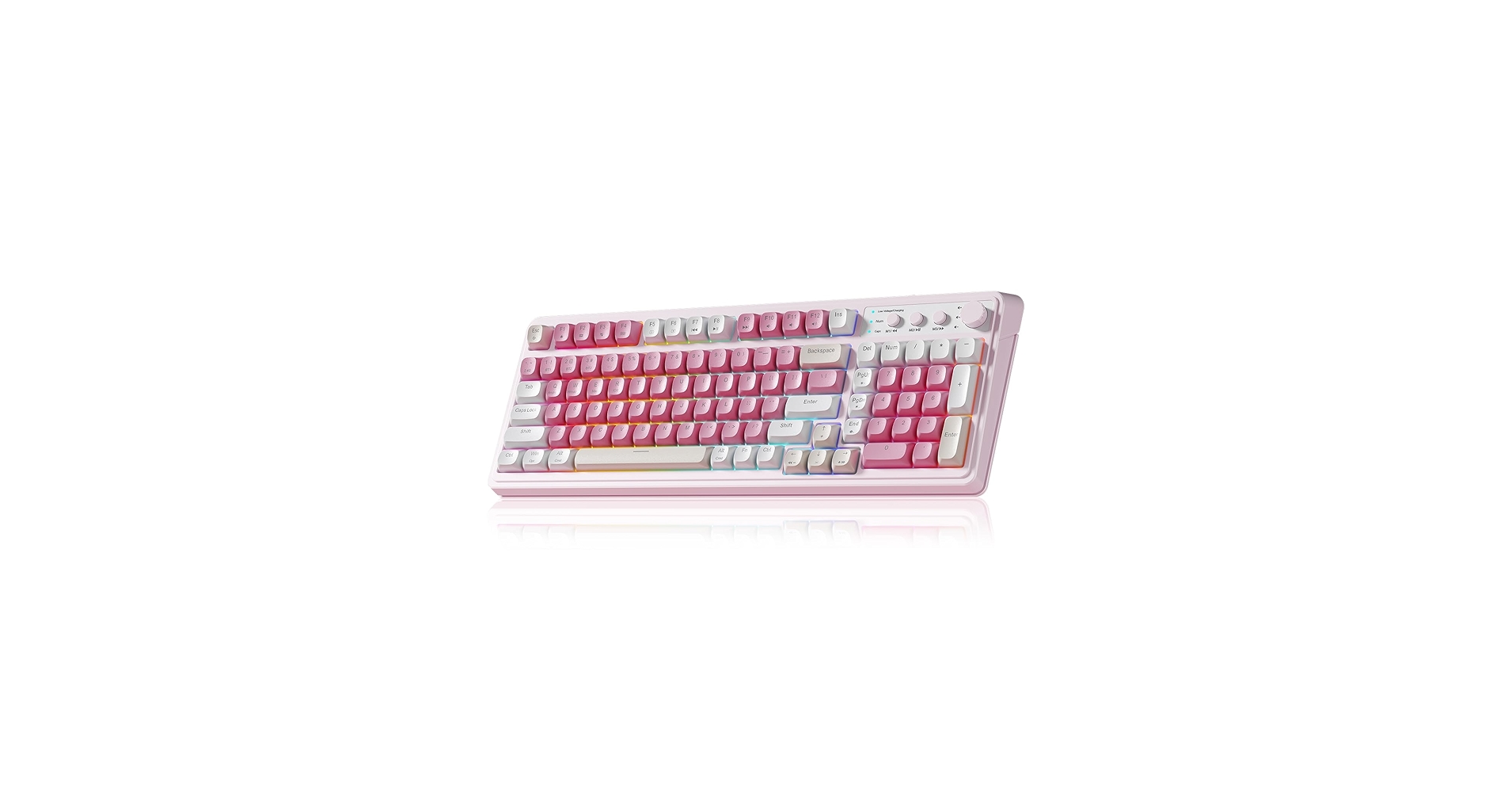
AULA 99 Key Keyboard, Wireless Gaming Keyboard
Pros
- Space-efficient 99-key layout keeps the numpad
- Wireless and wired connectivity options
- Smooth linear mechanical switches
Cons
- Unconventional layout can take getting used to
- Backlighting is single-color, not full RGB
The Breakdown: The AULA 99-key keyboard offers a clever compromise between a TKL and a full-size board. This layout is excellent for users who need a numpad for work or macros but want to reclaim some desk space. The inclusion of reliable 2.4GHz wireless connectivity is a significant advantage in this price range, reducing cable clutter for a cleaner look.
Key Specs:
- Switches: Mechanical (Linear Red)
- Connectivity: USB-C, 2.4GHz Wireless
- Layout: 96% Compact (99-key)
- Lighting: Single Color (Pink) Backlight
The Community Verdict: Many users find the 99-key layout to be the perfect middle ground for a hybrid work-and-play setup. The battery life is often reported as solid, especially with the backlighting dimmed. Some report occasional wireless connectivity issues when the dongle is far from the keyboard, a common issue solved by using a front USB port or hub.
Dealbreaker: If you love vibrant, customizable RGB lighting, the single-color pink backlight on this model might feel limiting and less dynamic than other options.
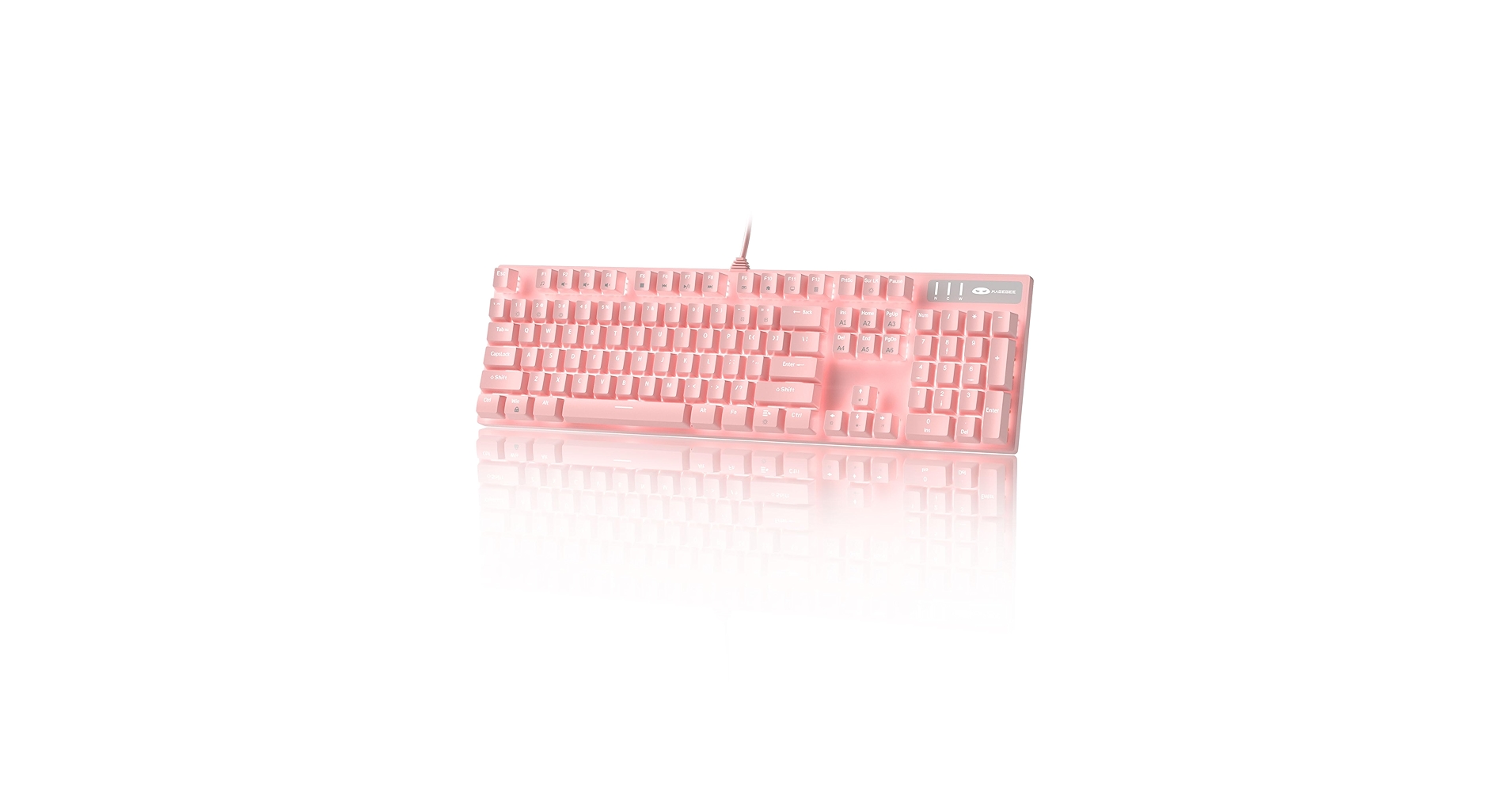
MageGee Pink Gaming Keyboard USB Wired
Pros
- Tenkeyless (TKL) layout saves significant desk space
- Very affordable price point
- Simple, reliable wired connection
Cons
- Membrane switches offer a soft typing feel
- Build is lightweight and plastic-heavy
The Breakdown: The MageGee TKL keyboard is the definition of a simple, effective solution. By removing the number pad, it provides much more room for wide mouse movements, a critical factor for many gamers. Its affordability and straightforward design make it an excellent choice for a secondary keyboard or for anyone building a pink-themed setup on a strict budget.
Key Specs:
- Switches: Membrane
- Connectivity: USB-A Wired
- Layout: TKL (87-key)
- Lighting: Rainbow LED Backlight
The Community Verdict: This model is well-regarded for its value and compact size. Many users purchase it for its aesthetic and are pleasantly surprised by its functionality for daily tasks and casual gaming. The most common critique is the loud typing sound for a membrane board, which might be disruptive in a shared space.
Dealbreaker: The lack of a number pad is a non-starter for anyone who relies on it for data entry, and the basic membrane switches won’t satisfy users looking for a responsive, mechanical feel.
Frequently Asked Questions
Are pink keyboards good for gaming?
Absolutely. The color of a keyboard has no impact on its performance. Pink gaming keyboards are available with the same high-performance mechanical switches, low-latency connections, and durable build quality as their counterparts in any other color. The choice is purely about aesthetics.
How to clean a pink keyboard?
To clean a pink keyboard, first unplug it. Use a keycap puller to remove the keycaps and wash them in warm, soapy water. While they dry, use compressed air to blow out debris from the keyboard frame and wipe the surface with a microfiber cloth lightly dampened with isopropyl alcohol. Ensure everything is completely dry before reassembling.
What is a hot-swappable keyboard?
A hot-swappable keyboard allows you to change the mechanical switches without any soldering. This makes it easy to customize the typing feel of your keyboard or replace a faulty switch. It’s a highly desirable feature for enthusiasts who like to experiment with different switch types (e.g., linear, tactile, or clicky).




