
Your keyboard is the central hub of your desk setup. Whether it’s a high-end mechanical board or a slim, portable companion, keeping it free from dust, spills, and travel damage is essential. A dedicated sleeve for keyboard protection is one of the smartest, most minimalist accessories you can invest in. It’s not just about safety; it’s about maintaining the integrity and longevity of your most-used tool. This guide breaks down the best options on the market to help you find the perfect match for your setup and style.
🚀 Quick Verdict / Top Pick
Geekria Full Size Slim Keyboard Sleeve Case
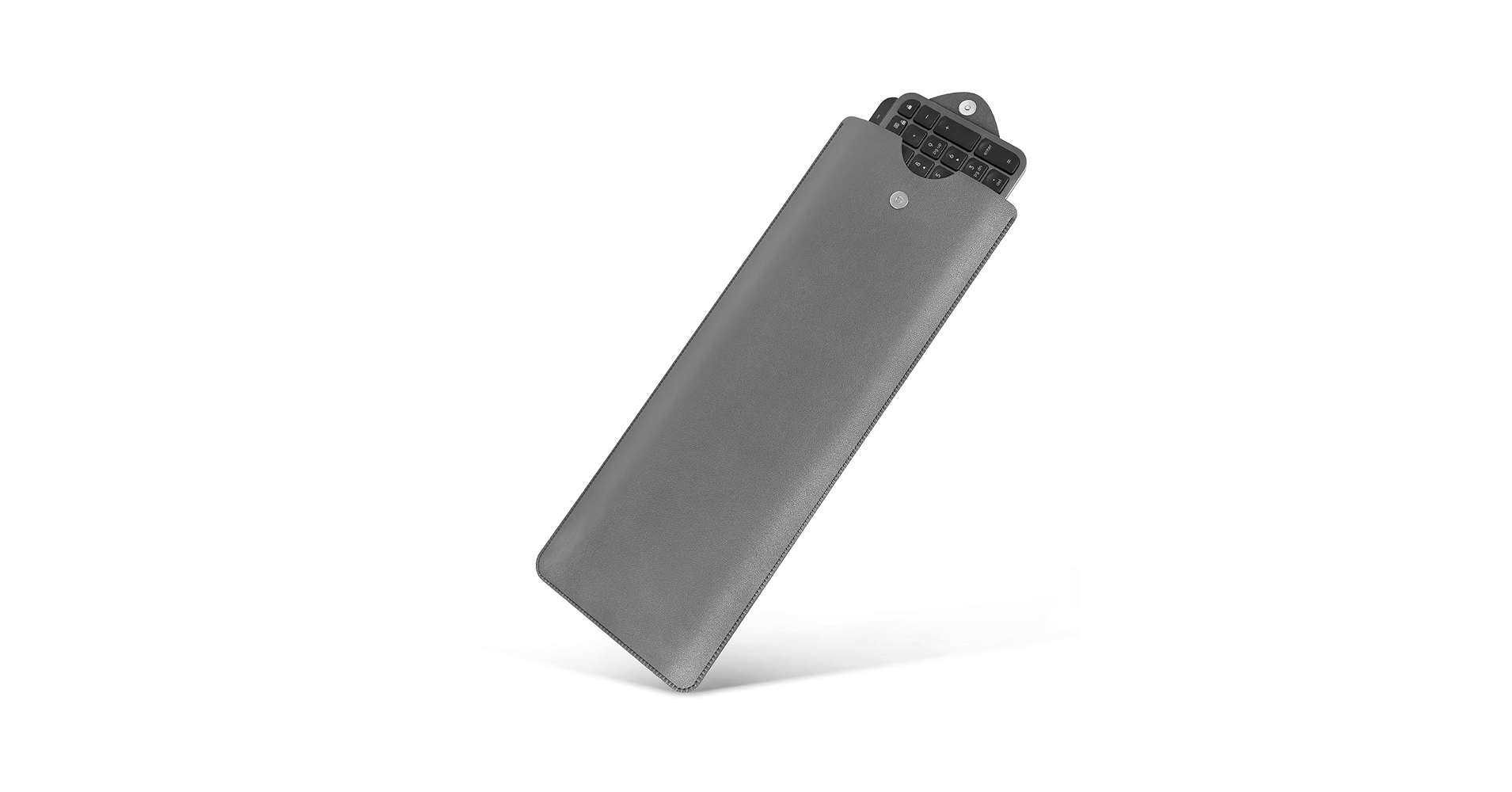
This sleeve wins for its unmatched versatility, premium vegan leather construction, and broad compatibility that fits everything from full-size to 75% keyboards with ease.
Keyboard Sleeve Comparison
| Product | Material | Size Compatibility | Best For |
|---|---|---|---|
| KuRoKo Neoprene Sleeve | Neoprene | Up to Full-Size (18″) | Maximum Size & Water Resistance |
| PU Leather Sleeve for Logitech MX | PU Leather | Logitech MX Keys/Mini | Logitech MX Users |
| Protective Sleeve for Logitech MX | EVA & Fabric | Logitech MX Keys/Mechanical | Enhanced Impact Protection |
| Lofree Low-Profile Sleeve | PU Leather | Low-Profile 68/75% Keyboards | Minimalist Mechanical Setups |
| Geekria Full Size Sleeve | Vegan Leather | Full-Size, TKL, 75% | Overall Versatility & Style |
Detailed Product Reviews
1. KuRoKo Keyboard Neoprene Sleeve Case
Pros
- Generous sizing fits up to 18-inch keyboards
- Water-resistant neoprene material
Cons
- Basic, utilitarian aesthetic
- Can be too large for smaller TKL or 65% boards
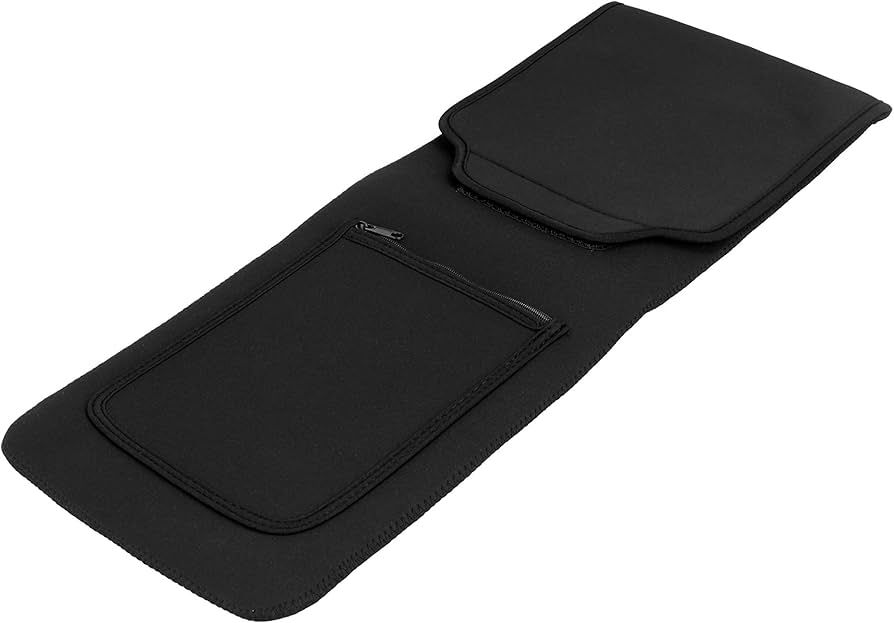
The Breakdown: The KuRoKo sleeve is a workhorse, designed with a no-frills approach to protection. Its primary advantage is its sheer size, easily accommodating large mechanical and gaming keyboards that other sleeves won’t fit. The neoprene material provides a soft, cushioned interior and a helpful degree of water resistance against accidental spills.
Key Specs:
- Material: Neoprene
- Size Compatibility: Up to 18 x 7 inches
- Closure Type: Zipper
- Extra Features: Water-resistant fabric
The Community Verdict: Owners consistently praise its straightforward functionality and spacious interior. The consensus is that it’s a perfect fit for bulky keyboards from brands like Corsair and Razer. Some users note a slight initial chemical smell from the neoprene, which typically dissipates after a few days.
Dealbreaker: Skip this if you have a compact (60%-75%) or low-profile keyboard, as the excess material will feel sloppy and cumbersome.
2. PU Leather Keyboard Sleeve Case for Logitech MX
Pros
- Sleek, professional PU leather look
- Custom-fit for popular Logitech models
Cons
- Not compatible with other keyboard brands
- Minimal padding against drops
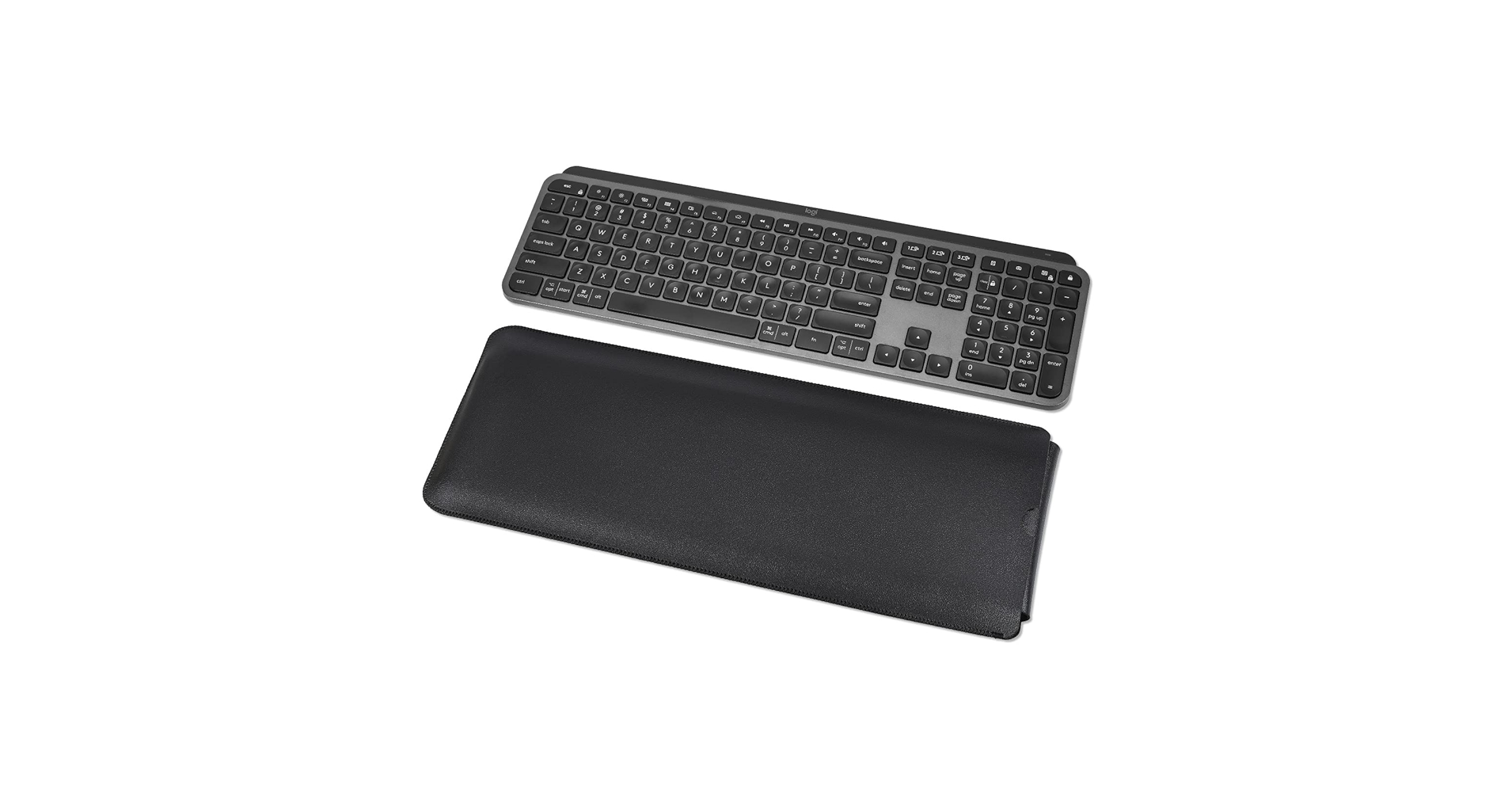
The Breakdown: This sleeve is all about form-fitting elegance for the Logitech ecosystem. Made from PU leather, it offers a sophisticated way to protect your MX Keys from scratches and dust in a briefcase or backpack. The magnetic closure is a nice touch, providing secure yet easy access.
Key Specs:
- Material: PU Leather
- Size Compatibility: Logitech MX Keys, MX Keys Mini
- Closure Type: Magnetic Flap
- Extra Features: Soft microfiber interior lining
The Community Verdict: Users report that the fit for the intended Logitech keyboards is absolutely perfect, with no wasted space. The quality of the stitching and the strength of the magnetic clasp are frequently highlighted as positives. A common critique is the lack of any significant padding for impact protection.
Dealbreaker: Skip this if you own any keyboard other than a Logitech MX Keys or MX Keys Mini; it simply will not fit.
3. Protective Keyboard Sleeve Case for Logitech MX
Pros
- Semi-hard shell offers superior protection
- Models available for multiple Logitech keyboards
Cons
- Bulkier than soft sleeves
- Zipper closure can be less convenient than a flap
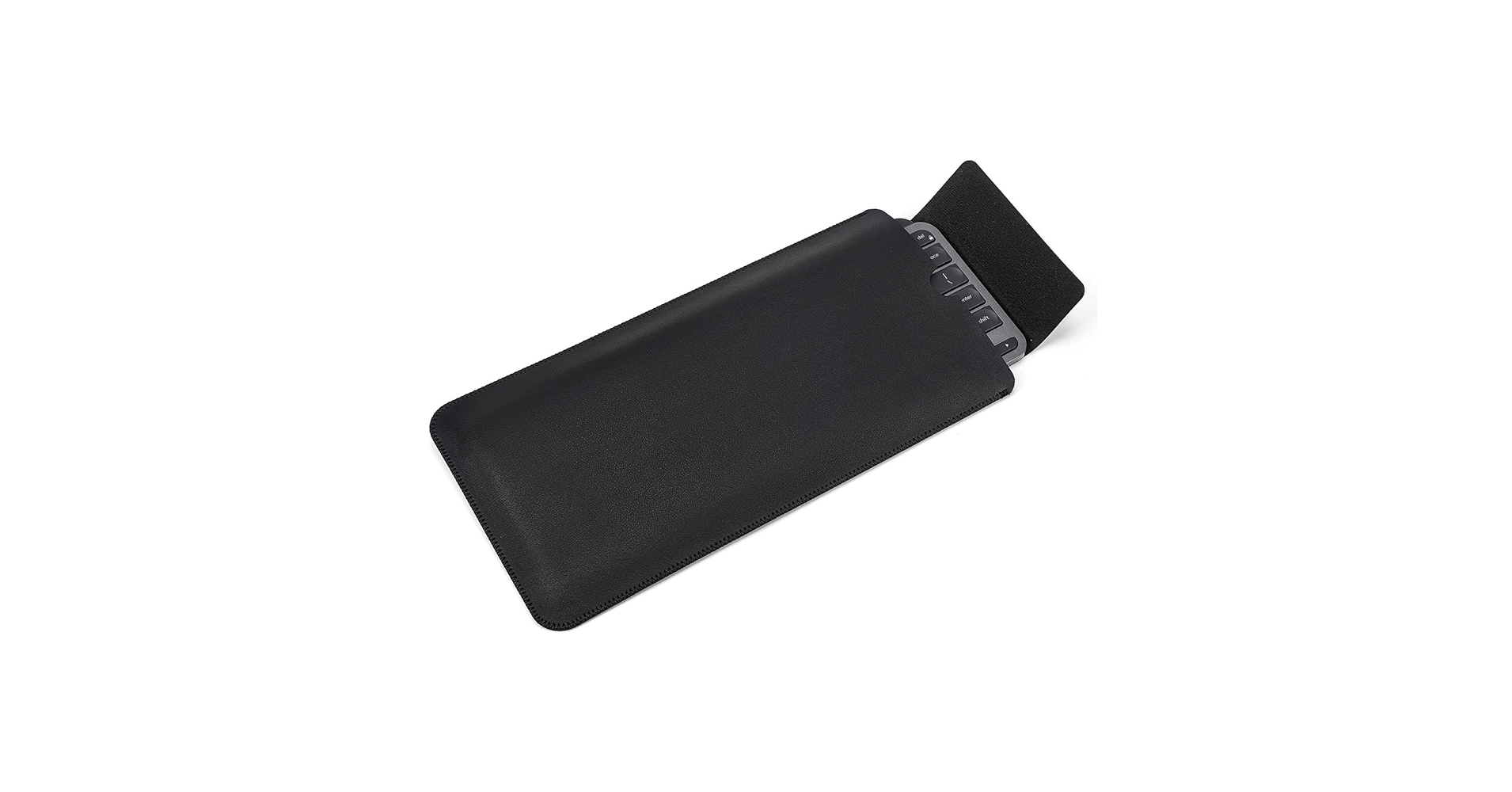
The Breakdown: Where the previous sleeve focuses on style, this one focuses on substance. It’s a more structured, semi-rigid case designed to shield your Logitech keyboard from the bumps and knocks of daily travel. The molded interior ensures a snug fit, preventing the keyboard from sliding around during transit.
Key Specs:
- Material: EVA Shell with Fabric Exterior
- Size Compatibility: Logitech MX Keys, MX Mechanical, and other similar models
- Closure Type: Zipper
- Extra Features: Hard shell for impact resistance
The Community Verdict: Market research indicates that users who travel often choose this model for peace of mind. They report that it provides excellent protection without being overly heavy. Some find the zipper track to be a bit stiff initially, but it tends to loosen up with use.
Dealbreaker: Skip this if you’re looking for a slim, minimalist sleeve to just protect from dust on your desk; its bulk is unnecessary for that use case.
4. Lofree Low-Profile Mechanical Keyboard Sleeve

Pros
- High-quality, stylish PU leather
- Perfectly sized for 68-75% low-profile boards
Cons
- Too small for TKL or full-size keyboards
- Premium price point for a sleeve
The Breakdown: Lofree’s sleeve is a premium accessory designed to complement the aesthetics of modern, minimalist mechanical keyboards. It’s crafted from a durable PU leather that looks and feels high-end, with a soft interior to prevent scuffs. The design is intentionally snug to prevent movement, targeting the popular 75% low-profile layout.
Key Specs:
- Material: PU Leather
- Size Compatibility: Lofree Flow, Keychron K3/K7, NuPhy Air75, and similar
- Closure Type: Flap
- Extra Features: Embossed branding, slim profile
The Community Verdict: Users report that this sleeve is a perfect companion for the niche but growing market of low-profile mechanical keyboards. The quality is said to be excellent, justifying the price for those who value aesthetics. The main point of feedback is to double-check dimensions, as it will not fit standard-profile mechanical keyboards of the same layout.
Dealbreaker: Skip this if you have a standard height mechanical keyboard or anything larger than a 75% layout.
5. Geekria Full Size Slim Keyboard Sleeve Case
Pros
- Highly versatile; fits full-size, TKL, and more
- Stylish and durable vegan leather material
Cons
- Not a custom, snug fit for smaller boards
- Flap closure may be less secure than a zipper
The Breakdown: The Geekria sleeve is our top pick because it masters the art of compromise. It’s spacious enough for most full-size keyboards (including the Apple Magic Keyboard with Numeric Keypad) yet slim enough not to feel ridiculous with a TKL. The vegan leather offers a professional look and feel while being easy to clean, and the simple flap design makes access quick and painless.
Key Specs:
- Material: Vegan Leather
- Size Compatibility: Full-Size, TKL, 75% (up to 17.2″)
- Closure Type: Flap
- Extra Features: Splash-proof exterior, soft inner lining
The Community Verdict: Owners frequently call this their “do-it-all” sleeve. Reports confirm it’s a great choice for a range of boards, from a standard Dell office keyboard to a custom TKL. This versatility also makes it an excellent magic keyboard sleeve for those who want to carry the full-size version safely. The main critique is that if you *only* use a 65% or 75% board, there will be some extra room inside.
Dealbreaker: Skip this if you require a hard case for maximum impact protection or a perfectly snug, custom-molded fit for a specific model.
Buying Guide: How to Choose a Sleeve for Your Keyboard
Finding the right keyboard sleeve involves more than just picking one that looks good. Consider these factors to ensure you get the perfect protection for your specific needs.
1. Material: Aesthetics vs. Protection
The material dictates the sleeve’s look, feel, and protective capabilities. Neoprene (like the KuRoKo) is soft, padded, and often water-resistant, making it great for cushioning. PU or Vegan Leather (like the Geekria and Lofree) offers a more professional, premium aesthetic that’s excellent for scratch resistance and dust protection but typically offers less padding.
2. Size & Compatibility
This is the most critical factor. Before you buy a sleeve, keyboard dimensions must be checked. Keyboard sizes are not standardized: a 75% board from one brand can be wider than another. Measure your keyboard’s length, width, and height. If you’re into unique layouts, like a split mechanical keyboard with arrow keys, you may need to look for two smaller sleeves or a custom solution.
3. Use Case: Desk Duty or Travel Warrior?
How you use your keyboard determines the level of protection you need. For simply keeping dust off at night on a tidy desk with a clamp on desk shelf, a simple leather pouch is sufficient. If you’re a digital nomad, pairing your gear with a portable monitor stand for travel, a semi-hard case like the Protective Sleeve for Logitech is a much safer bet to guard against the hazards of a packed bag.
Frequently Asked Questions (FAQ)
What are the benefits of using keyboard sleeves?
Keyboard sleeves offer three primary benefits: protection from dust and debris which can damage switches, prevention of scratches and scuffs during transport, and resistance to minor spills. They prolong the life and maintain the cosmetic condition of your keyboard, which is especially important for expensive custom or mechanical models.
Can I use a laptop sleeve for my keyboard?
While you can, it’s often not an ideal fit. A 13-inch laptop sleeve might fit a 65% or 75% keyboard, but it will be far too deep, causing the keyboard to slide around. A dedicated keyboard sleeve is designed with the correct length-to-width ratio for a much more secure and protective fit.
How do I clean my keyboard sleeve?
It depends on the material. For neoprene sleeves, you can typically spot clean with mild soap and water. For PU or vegan leather, simply wiping it down with a damp cloth is usually sufficient to remove dust and minor stains.




