
🚀 Quick Verdict / Top Pick
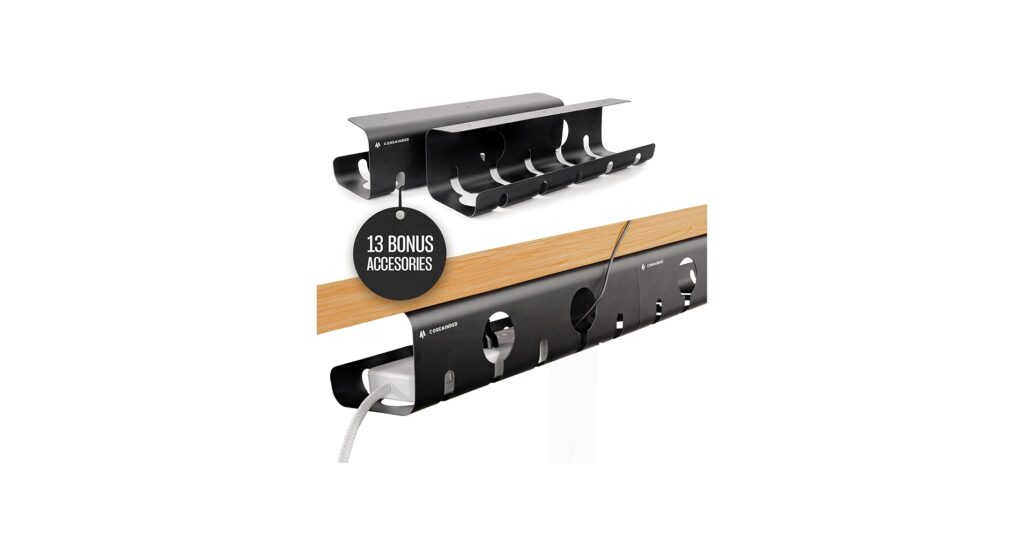
No-Drill Under Desk Cable Management Tray – 2 Pack
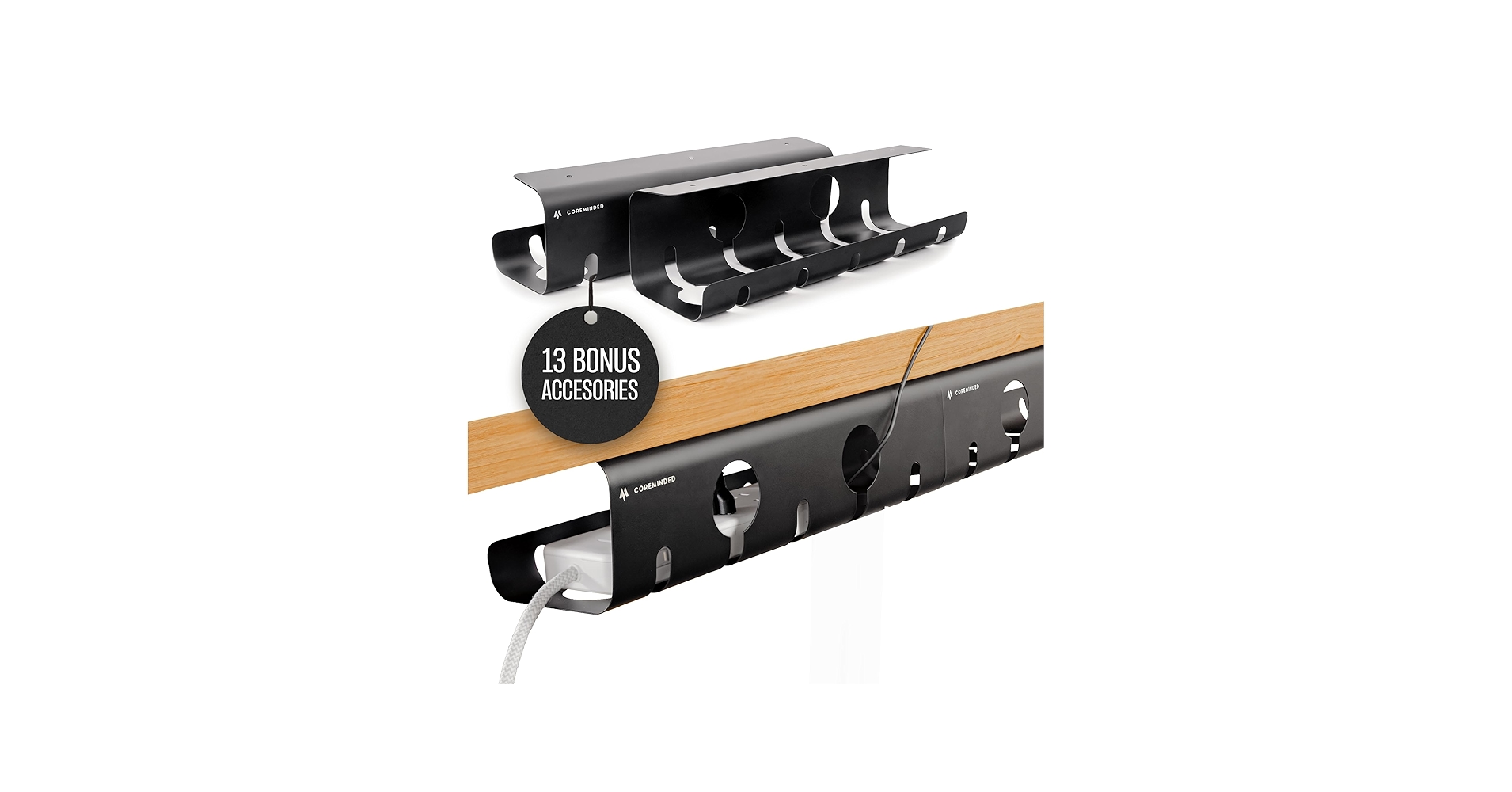
Offering both ultra-strong adhesive and screw-in options, plus a special size for bulky MacBook chargers, this versatile 2-pack provides the most robust and flexible solution for any setup.
A standing desk offers incredible benefits for your posture and productivity, but it introduces a unique challenge: managing a moving bundle of wires. Proper standing desk cable management isn’t just about aesthetics; it’s about preventing snags, protecting your gear, and maintaining a minimalist, functional workspace. We’ve analyzed the market to find the best trays and organizers that hide your power strips, adapters, and cables, transforming your desk from a tangled mess into a clean, high-tech command center.
Product Comparison
| Product | Installation Method | Load Capacity | Best For |
|---|---|---|---|
| No-Drill Tray (2-Pack) | Adhesive or Screws | 11 lbs (Adhesive) | Overall Versatility |
| Metal Clamp-On Tray | Clamps | 15 lbs | Damage-Free Installation |
| Stand Up Desk Store Tray | Screws | High | Privacy & Organization |
| Vari Cable Management Tray | Screws | High | Vari Desk Owners |
| Mzmaxy 25” Tray | Clamps | 15 lbs | Maximum Length |
Detailed Product Reviews
No-Drill Under Desk Cable Management Tray – 2 Pack
Pros
- Powerful 3M VHB tape holds up to 11 lbs
- Dual installation: use adhesive or included screws
- Comes as a set of two for flexible placement
- Large tray option is perfect for bulky power adapters
Cons
- Adhesive requires a clean, smooth surface to work effectively
- Two smaller trays might not be ideal for a single, long power strip
The Breakdown: This solution stands out for its sheer versatility. Constructed from 1mm thick carbon steel, it feels durable and looks sleek with its powder coating. The choice between an impressively strong adhesive and traditional screws caters to both renters and homeowners, while the included accessory kit provides a complete organizational system out of the box.
Key Specs:
- Material: Powder-Coated Carbon Steel
- Installation: 3M VHB Adhesive Tape or Screws
- Capacity: 11 lbs (Adhesive)
- Kit: 2 Trays + Cable Management Accessories
The Community Verdict: Market research shows a strong preference for no-drill solutions that don’t damage expensive desktops. Users frequently praise systems that are easy to install yet robust enough to hold a power strip and multiple adapters. The consensus is that having the option to use screws for a more permanent fix is a significant bonus.
Dealbreaker: If your desk has a highly textured, porous, or uneven underside, the adhesive tape may not achieve its maximum holding strength, making the screw-in option necessary.
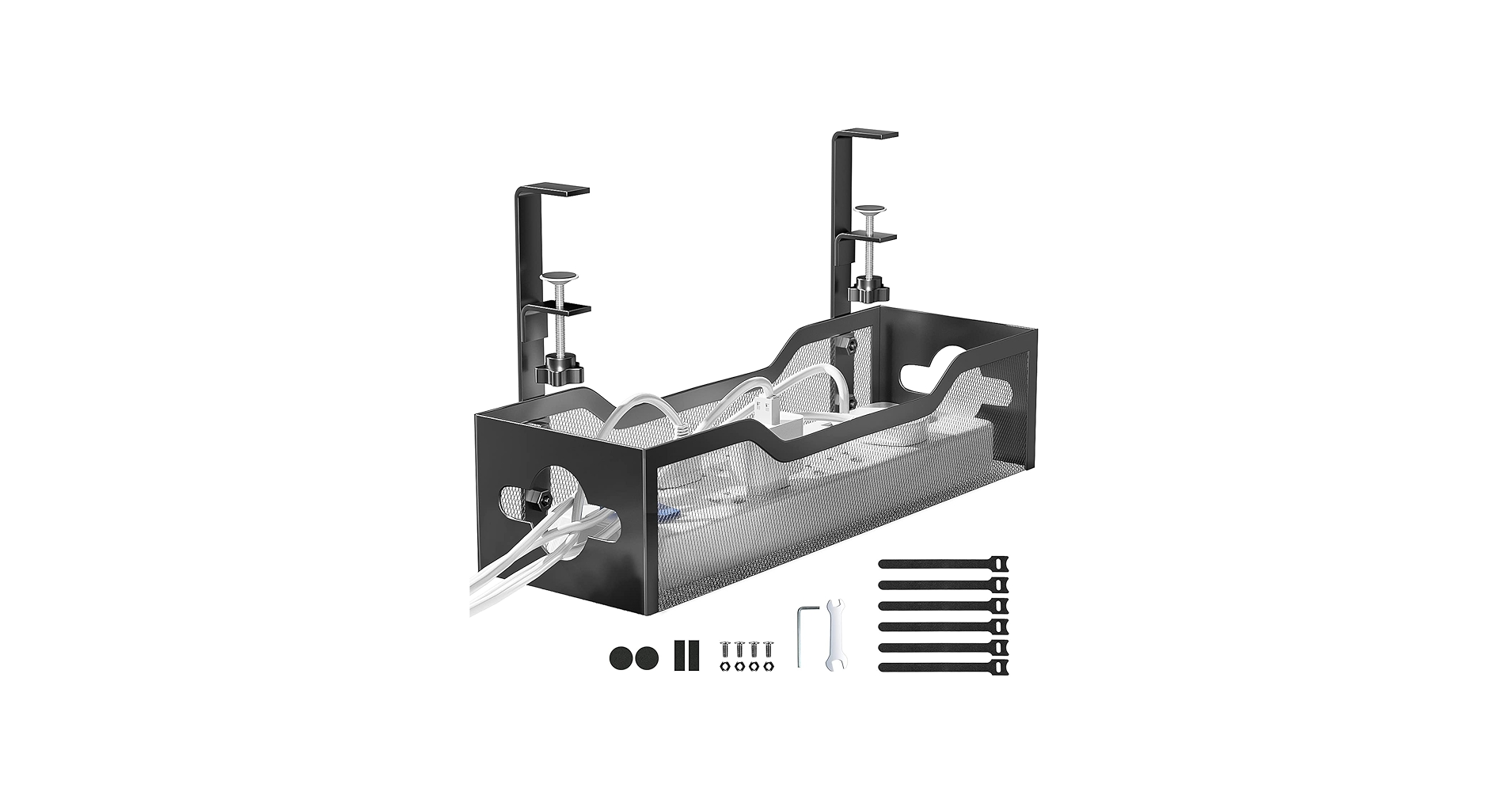
Under Desk Cable Management Tray No Drill, Metal
Pros
- 100% no-drill, damage-free clamp installation
- Soft rubber pads on clamps protect the desk
- High 15 lbs weight capacity
- Fits a wide range of desk thicknesses (0.4″ to 2″)
Cons
- Clamps are visible on the edge of the desk
- May not fit desks with beveled edges
The Breakdown: This tray is the epitome of simple, effective design. Its clamp-on system allows for installation in minutes without any tools or permanent modifications to your desk. The high-quality carbon steel construction feels solid, and the thoughtful inclusion of rubber pads shows an attention to detail that protects your investment.
Key Specs:
- Material: Carbon Steel
- Installation: Clamp-On
- Capacity: 15 lbs
- Desk Compatibility: 0.4″ to 2″ Thickness
The Community Verdict: Across forums, users repeatedly highlight the value of clamp-based systems. The ability to easily attach, detach, and reposition the tray without leaving a trace is a huge selling point. Feedback indicates these are particularly popular for apartment dwellers or those with high-end wood desktops they wish to preserve.
Dealbreaker: The clamp design requires a flat, accessible desk edge. If your desk has a thick frame, a significant bevel, or a lip right at the edge, the clamps may not be able to get a secure grip.
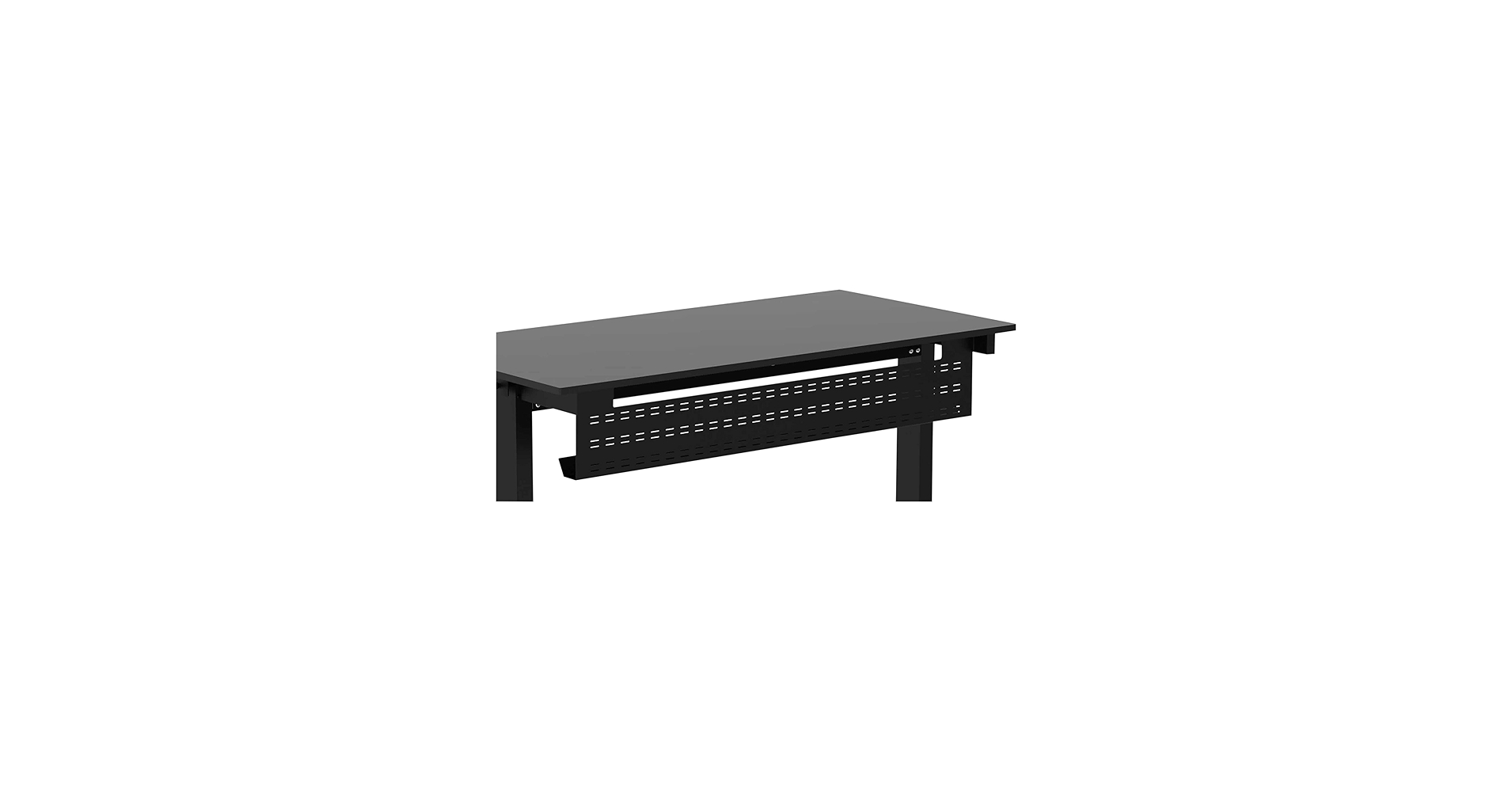
Stand Up Desk Store Under Desk Cable Management
Pros
- Doubles as a modesty panel to block the view under the desk
- Massive 51″ width is ideal for large setups
- Durable steel construction with a limited lifetime warranty
Cons
- Requires drilling for installation
- Sized specifically for 60″ desks, making it less versatile
The Breakdown: This is more than just a cable tray; it’s a piece of desk architecture. By combining a J-channel style raceway with a solid front panel, it completely hides your cable mess from view. For open-plan offices or front-facing desks, this dual functionality is a game-changer for maintaining a professional, uncluttered look.
Key Specs:
- Material: Powder-Coated Steel
- Installation: Screws
- Dimensions: 51″ W x 9.25″ H
- Special Feature: Acts as a modesty panel
The Community Verdict: While many users prefer no-drill options, there’s a significant group that values the absolute stability and integrated look of a screw-in solution. The modesty panel aspect is often cited as a key benefit, especially by those looking for a ‘low-profile’ solution that is not visible when the desk is in standing mode.
Dealbreaker: The permanent, drill-in installation is a firm no for many potential buyers. Its large size is also specifically tailored for 60-inch desks, so it won’t work for smaller setups.
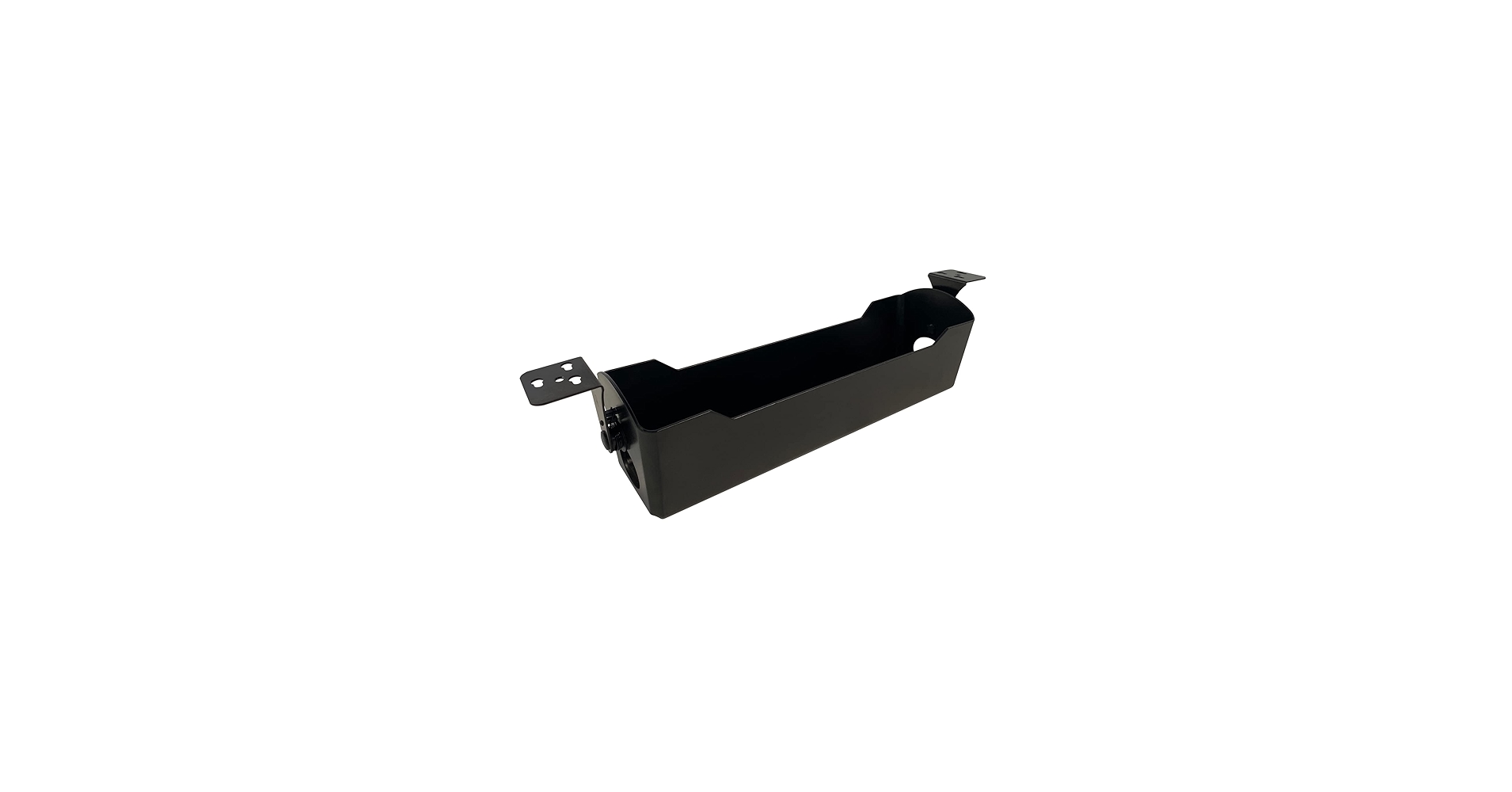
Vari Cable Management Tray – Under Desk Cord
Pros
- High-quality build from a leading standing desk brand
- Designed for perfect compatibility with most Vari electric desks
- Sleek, professional aesthetic
Cons
- Limited compatibility outside the Vari ecosystem
- Requires screw-in installation
The Breakdown: For those invested in the Vari ecosystem, this tray is the logical choice. It’s engineered to fit perfectly with their desks, ensuring mounting holes align and the aesthetic is consistent. This tray offers peace of mind and a premium feel, removing the guesswork of finding a compatible third-party solution.
Key Specs:
- Material: Steel
- Installation: Screws
- Compatibility: Specific Vari Desk Models
- Design: Open-top basket for easy access
The Community Verdict: User feedback often shows a desire for first-party accessories when available. People who buy premium desks like Vari are typically willing to invest in matching components for a cohesive and reliable setup. The main point of discussion is usually confirming compatibility with their specific desk model before purchase.
Dealbreaker: This is not a universal product. If you don’t own one of the specified Vari electric standing desks, this tray is unlikely to be a good fit for you.
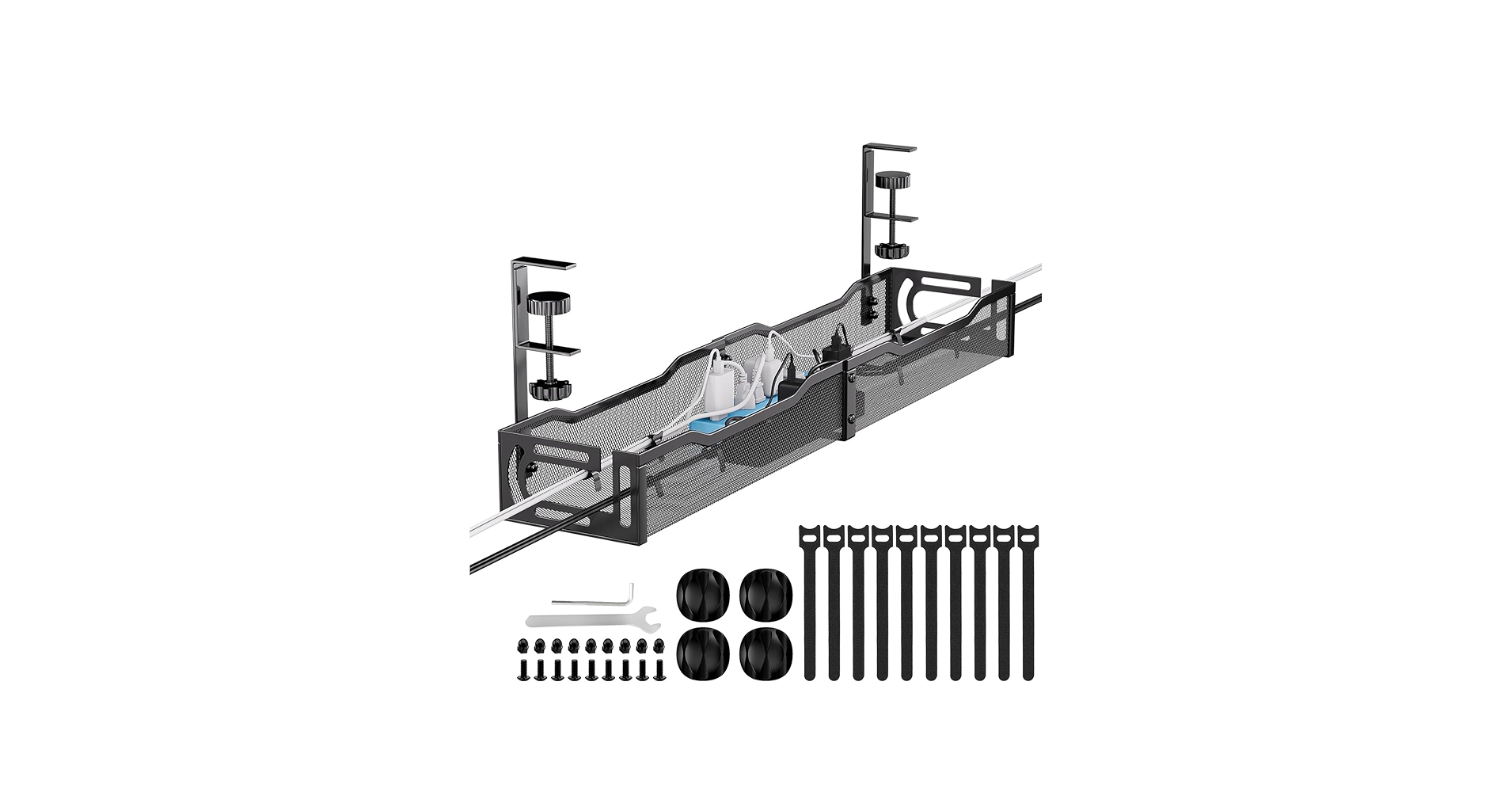
Mzmaxy Cable Management, 25” Cable Management
Pros
- Generous 25-inch length provides ample space
- No-drill clamp installation is quick and damage-free
- Strong 15 lbs weight capacity
- Mesh design prevents dust buildup and helps with ventilation
Cons
- Comes in two pieces that require assembly
- May be too large for smaller desk setups
The Breakdown: For power users with multiple monitors, docks, and peripherals, smaller trays just don’t cut it. This 25-inch Mzmaxy tray provides the real estate needed to house long surge protectors and numerous power bricks comfortably. Its easy clamp-on design makes it a practical choice for large, heavy-duty setups without requiring permanent modification.
Key Specs:
- Material: Metal
- Installation: Clamp-On
- Capacity: 15 lbs
- Dimensions: 25″ Length
The Community Verdict: Positive feedback centers on the sheer size of this tray. Users confirm it effectively manages messy wires and large power adapters, helping them regain valuable floor and desk space. The simplicity of the clamp mechanism is frequently cited as a major plus for such a large unit.
Dealbreaker: The tray ships in two sections that must be screwed together. While the assembly is straightforward, it’s an extra step that single-piece trays don’t require.
Best adjustable desk with cable management
For those starting from scratch, an adjustable desk that comes with integrated cable management offers a seamless, all-in-one solution. These desks are designed with organization in mind, often featuring built-in trays, grommets, or channels. This approach ensures a perfect fit and a cohesive aesthetic right out of the box.

SIAGO Electric Standing Desk Adjustable – 48 x 24
Cons: Assembly required
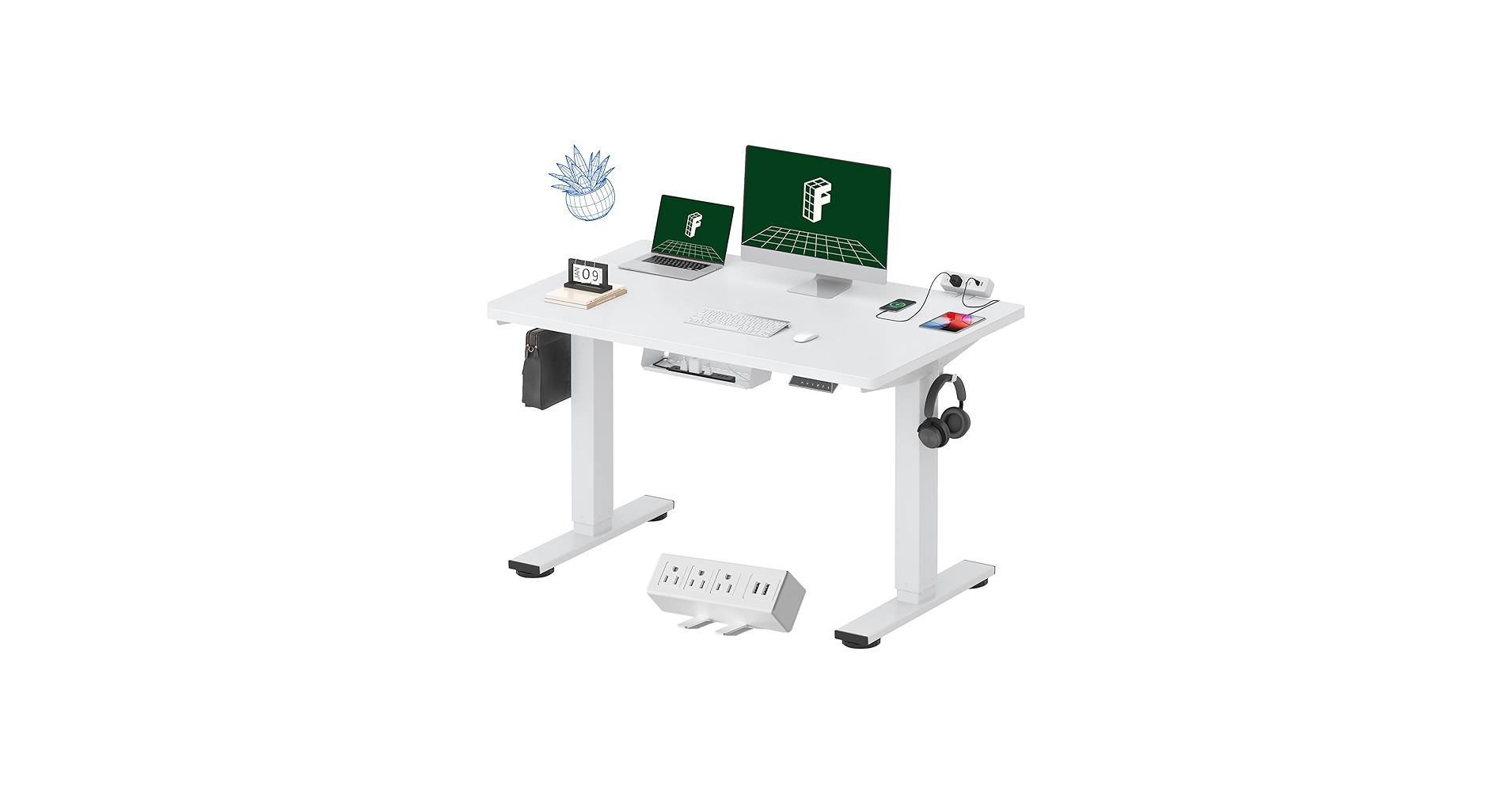
FLEXISPOT EN2 Whole-Piece Standing Desk with
Cons: Power strip is removable, not fully integrated
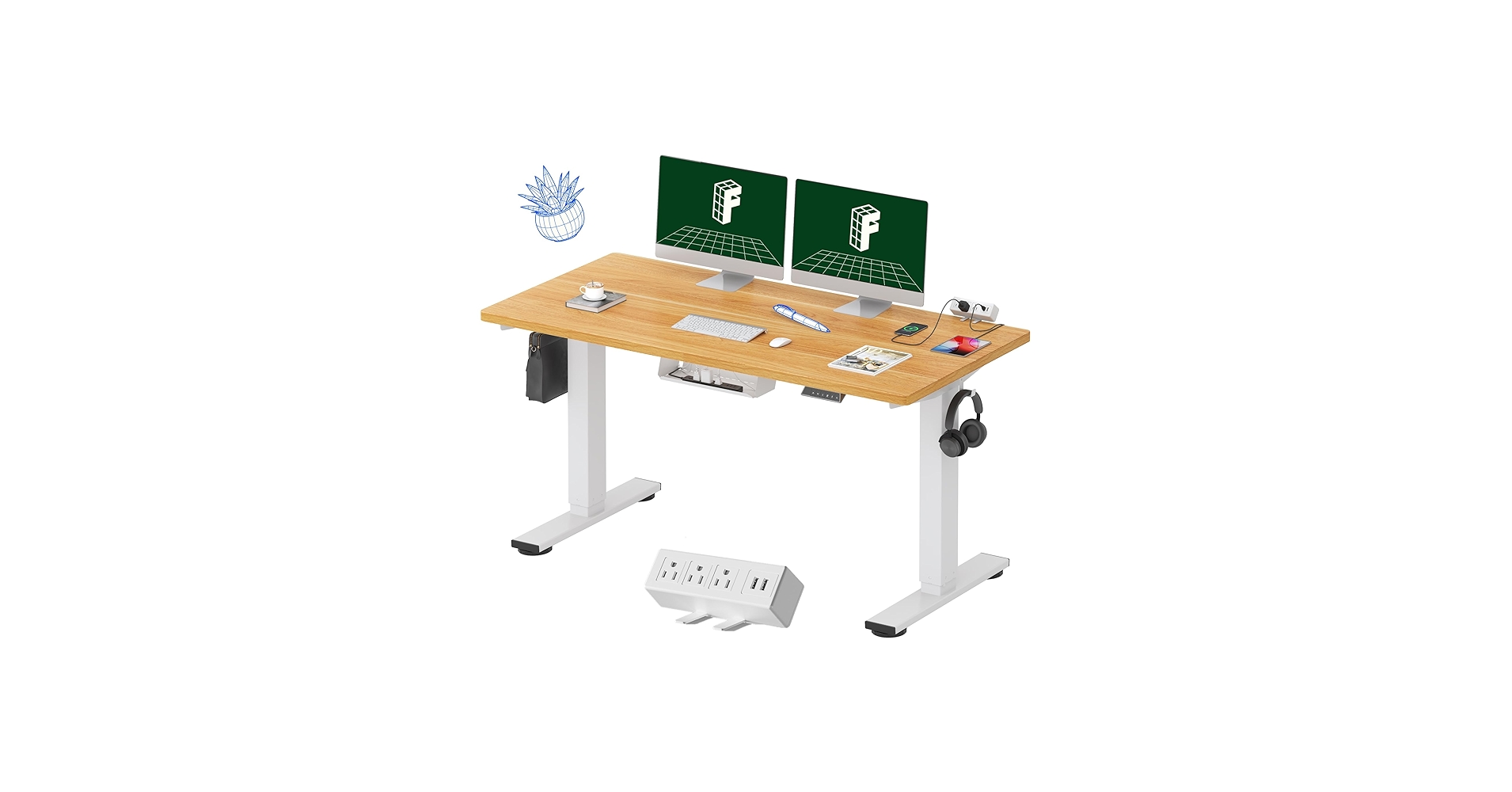
FLEXISPOT EN2 Whole-Piece Standing Desk with
Cons: Power solution is an add-on clip, not built-in
Best cable management box for standing desk
A cable management box or tray is the foundation of any clean setup. These under-desk solutions are designed to hold bulky power strips, adapters, and excess cable length securely out of sight. Look for options that offer easy installation and enough capacity for all your gear.
No-Drill Under Desk Cable Management Tray – 2
Cons: Adhesive requires a smooth surface
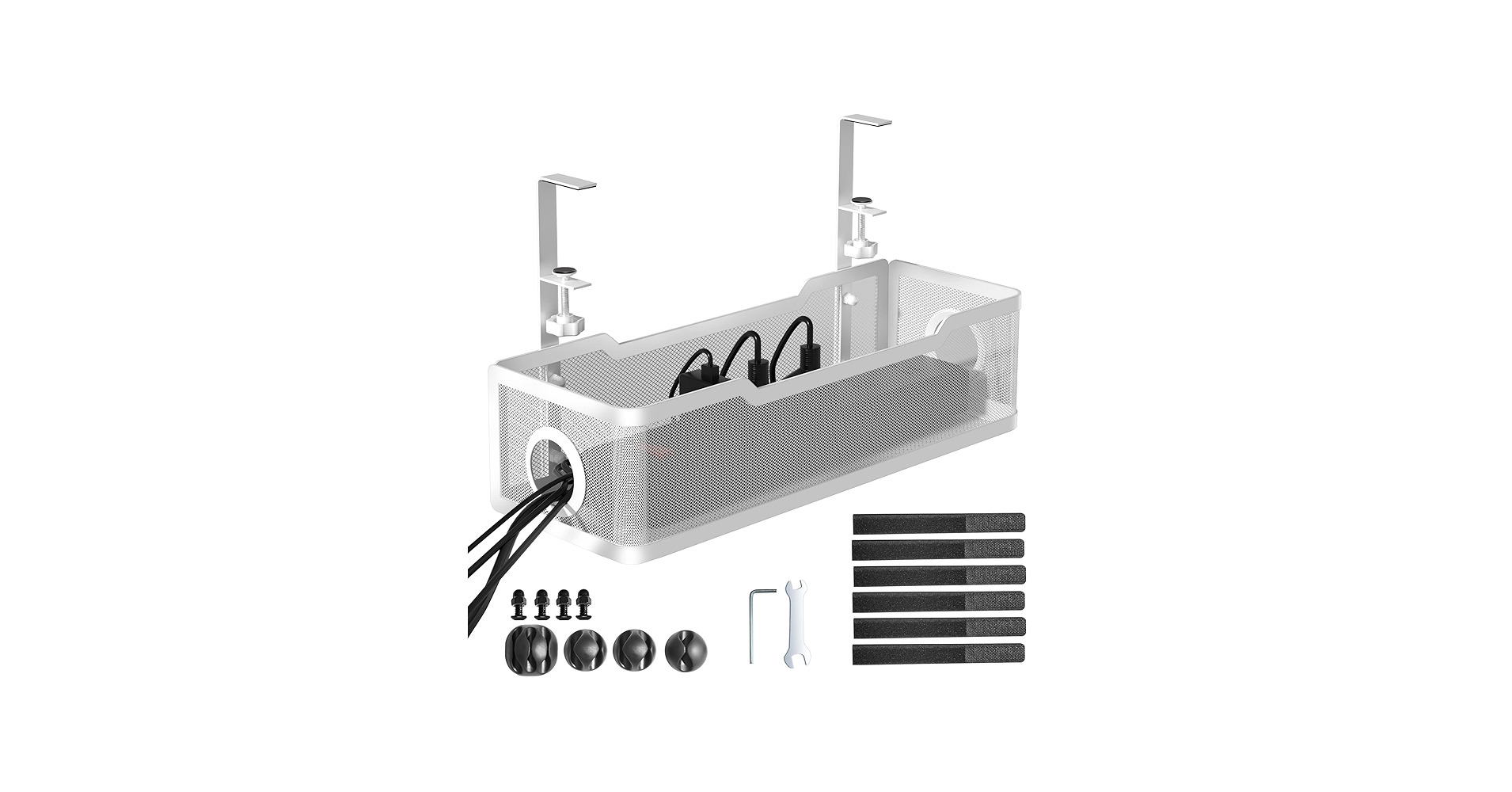
Under Desk Cable Management Tray White, Cinati
Cons: May not fit all frame designs
Under Desk Cable Management Tray No Drill, Metal
Cons: Clamps are visible on desk edge
Best height adjustable desk with cable management
The dynamic movement of a height-adjustable desk makes cable management absolutely essential. The best desks in this category offer robust solutions to keep wires contained and safe through the full range of motion. Look for deep cable trays, sturdy frames, and integrated power options.
SIAGO Electric Standing Desk Adjustable – 48 x 24
Cons: Cable management is not explicitly built-in
FLEXISPOT EN2 Whole-Piece Standing Desk with
Cons: Requires separate purchase of cable tray
FLEXISPOT EN2 Whole-Piece Standing Desk with
Cons: Cable tray often sold separately
Best standing desk cable organizer
A great standing desk cable organizer provides a comprehensive system for taming wires. This goes beyond a simple tray, often including accessories like cable clips, ties, and sleeves. The goal is a complete solution that routes and secures every cable from your device to the power source.
No-Drill Under Desk Cable Management Tray – 2
Cons: Adhesive strength is surface-dependent
Under Desk Cable Management Tray No Drill, Metal
Cons: Does not include smaller clips or ties
Mzmaxy Cable Management, 25” Cable Management
Cons: Requires minor assembly
Best standing desk with cable tray
Buying a standing desk that includes a purpose-built cable tray is the most direct path to an organized workspace. These bundles ensure that the tray is perfectly sized and styled to match the desk. This eliminates compatibility guesswork and provides a clean, factory-finish look from day one.
SIAGO Electric Standing Desk Adjustable – 48 x 24
Cons: Cable tray must be added separately
Vari Cable Management Tray – Under Desk Cord
Cons: Not compatible with non-Vari desks
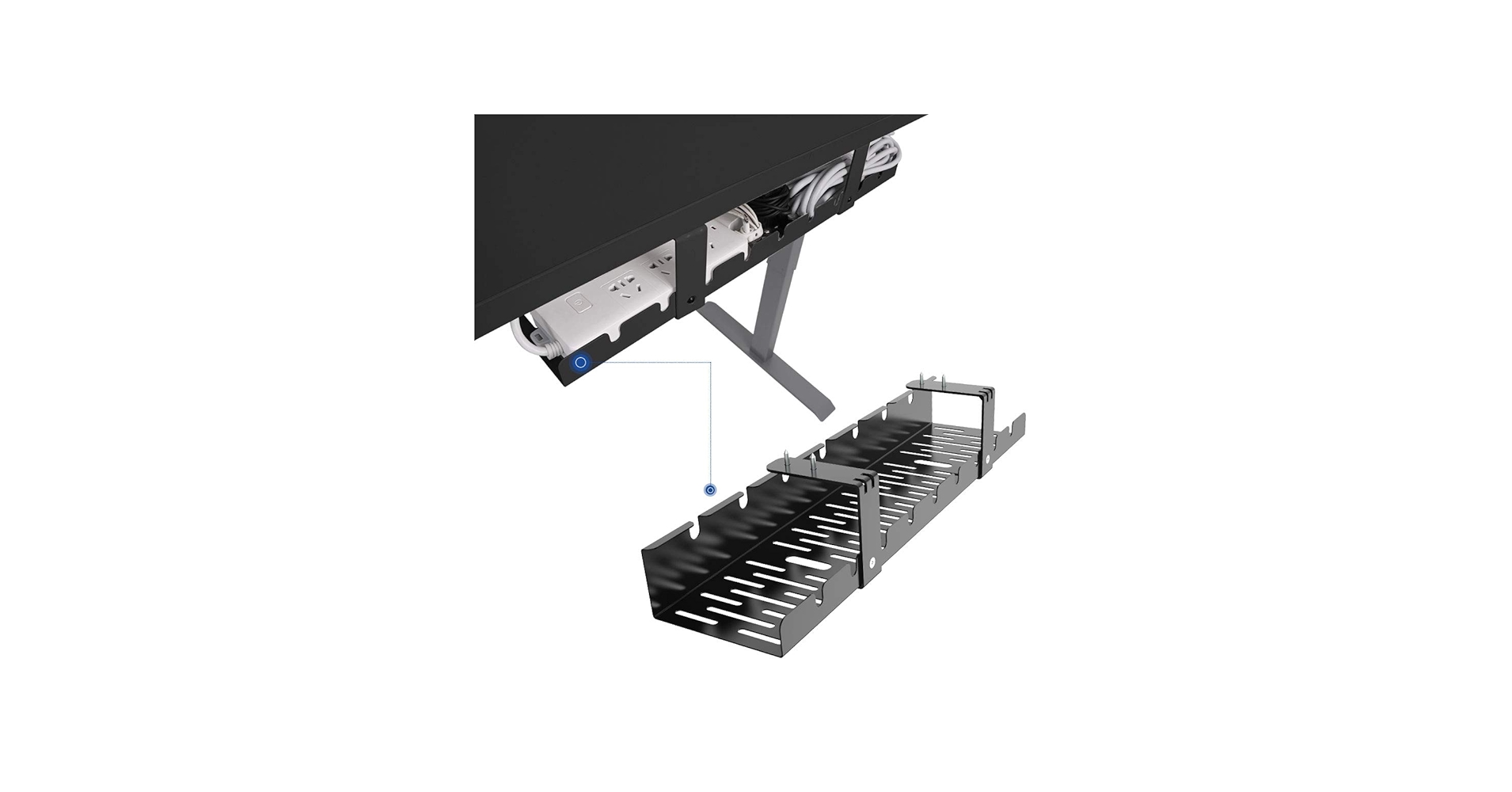
FLEXISPOT Under Desk Cable Management Tray
Cons: Requires drilling installation
Buying Guide: How to Choose the Best Cable Management for Your Standing Desk
Finding the best cable management for standing desk setups involves more than just picking a tray. Proper sit stand desk cable management needs to account for movement, capacity, and your desk’s material. Here’s what to consider for perfect standing desk cord management.
Installation Method: This is the biggest decision. No-drill options (clamps or adhesives) are perfect for preserving your desk surface and for renters. Screw-in options offer the most permanent and secure hold, ideal if you have very heavy power bricks and don’t mind making permanent modifications.
Size and Capacity: Before you buy, gather everything you plan to hide: your power strip, laptop charger, monitor adapters, and USB hubs. Measure the length of your power strip and estimate the total weight. Choose a tray that offers ample room and a weight capacity that comfortably exceeds your needs. Effective standing desk wire management starts with having enough space.
Material and Airflow: Most quality trays are made of powder-coated steel, which is durable and looks clean. Opt for a mesh or ventilated design. Power adapters can get warm, and good airflow helps dissipate heat, prolonging the life of your electronics. For smaller cables on your desktop, consider a weighted cable holder to keep them in place, and use the best cable clips for thick cables to route them neatly to the tray.
Frequently Asked Questions
How do I hide the cords on my standing desk?
The best method is a multi-step approach. First, mount a power strip inside an under-desk cable management tray. Second, plug all your desk-based electronics (monitors, chargers, etc.) into this power strip, coiling excess cable length inside the tray. Finally, run only the single power strip cable to the wall outlet, using a cable sleeve or clips along the desk leg to keep it neat.
Are cable management trays necessary for a standing desk?
While not strictly necessary, they are highly recommended. Without one, you risk cables getting snagged, unplugged, or damaged as the desk moves up and down. A tray ensures all your cables and power bricks move as a single, tidy unit with the desktop, preventing accidents and creating a much cleaner look.
Drill vs. No-Drill: Which is better for cable trays?
‘Better’ depends on your needs. No-drill (clamps or strong adhesive) is superior for those who want to avoid damaging their desk, are renting, or may want to reposition the tray later. Drill-in solutions provide a more permanent, heavy-duty hold that you can trust with your most expensive equipment, but they require a permanent modification to your desk.




