
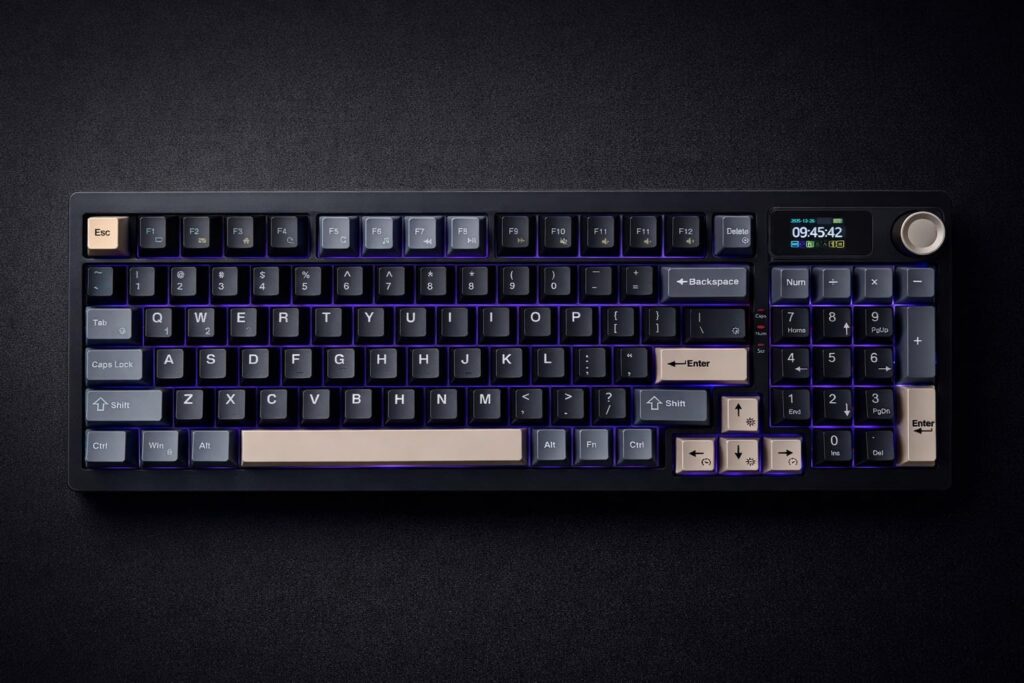
In the world of mechanical keyboards, it’s rare to find a board that stops you in your tracks. We’re constantly searching for that perfect blend of aesthetics, functionality, and value. When I first saw the RedThunder K95, I thought I might have found it. With its unique layout, integrated screen, and stunning keycaps, it promises a premium experience without the boutique price tag. But as I’ve learned time and again, looks aren’t everything. After spending considerable time with this RedThunder K95 keyboard, I’ve discovered a device that is as frustrating as it is beautiful.
The RedThunder K95 is a visually stunning keyboard with a satisfying sound, but its unreliable wireless connection and frustrating software quirks make it a risky choice for serious users.
| ⚙️ Technical Specifications | |
|---|---|
| Layout | 96% (98-Key) |
| Connectivity | 2.4GHz Wireless, Bluetooth 5.0, USB-C |
| Switches | Custom Linear Switches (Hot-swappable) |
| Keycaps | PBT, Side-Print (Shine-through) |
| Special Features | TFT Color Screen, Programmable Rotary Knob |
| Backlighting | Per-key RGB + RGB Sidelights |
| Case Material | Plastic |
🏆 The TechForDesk Verdict
When I first set up the K95, I was blown away by its appearance and sound profile. However, persistent connection drops and severe input lag during my testing sessions turned that initial excitement into deep frustration, making it hard to recommend for anything beyond casual use.
3/10
+ Looks fantastic in a gaming setup. | – Crippling input lag and connection drops make it unusable for competitive play.
7/10
+ Stock switches feel and sound surprisingly pleasant and muted. | – Inconsistent keycap legends are distracting.
4/10
+ 96% layout retains a full numpad in a smaller footprint. | – Constant wireless disconnects will destroy your workflow.
5/10
+ Dedicated function row is a plus. | – Awkward lettering on keycaps can be annoying when searching for symbols.
8/10
+ One of its best features; the sound is muted, bright, and relaxing. | – Some minor case hollowness could be improved with mods.
6/10
+ Tri-mode connectivity offers options for various devices. | – Software issues and lack of a Mac-specific mode hinder the experience.
Unboxing & First Impressions
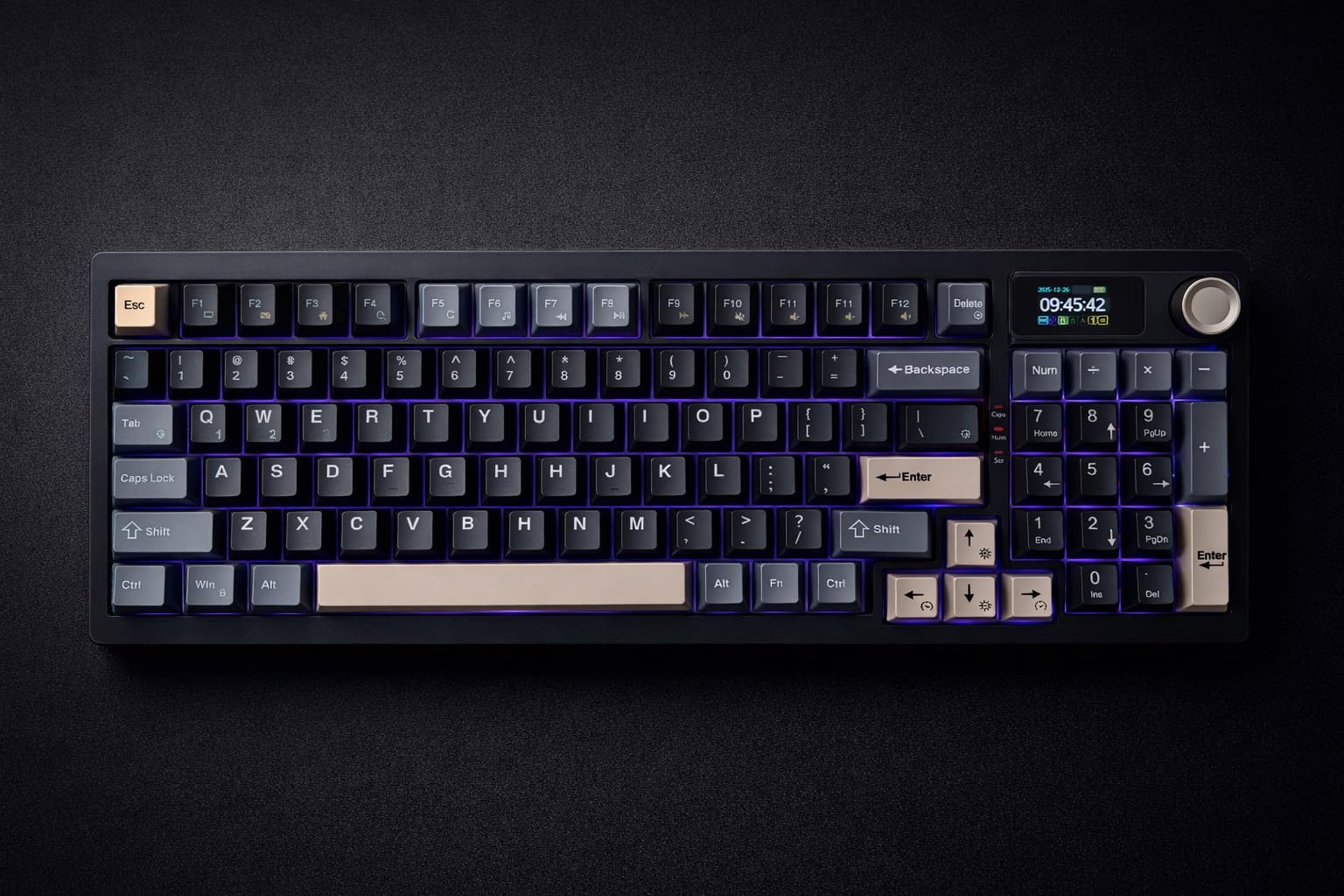
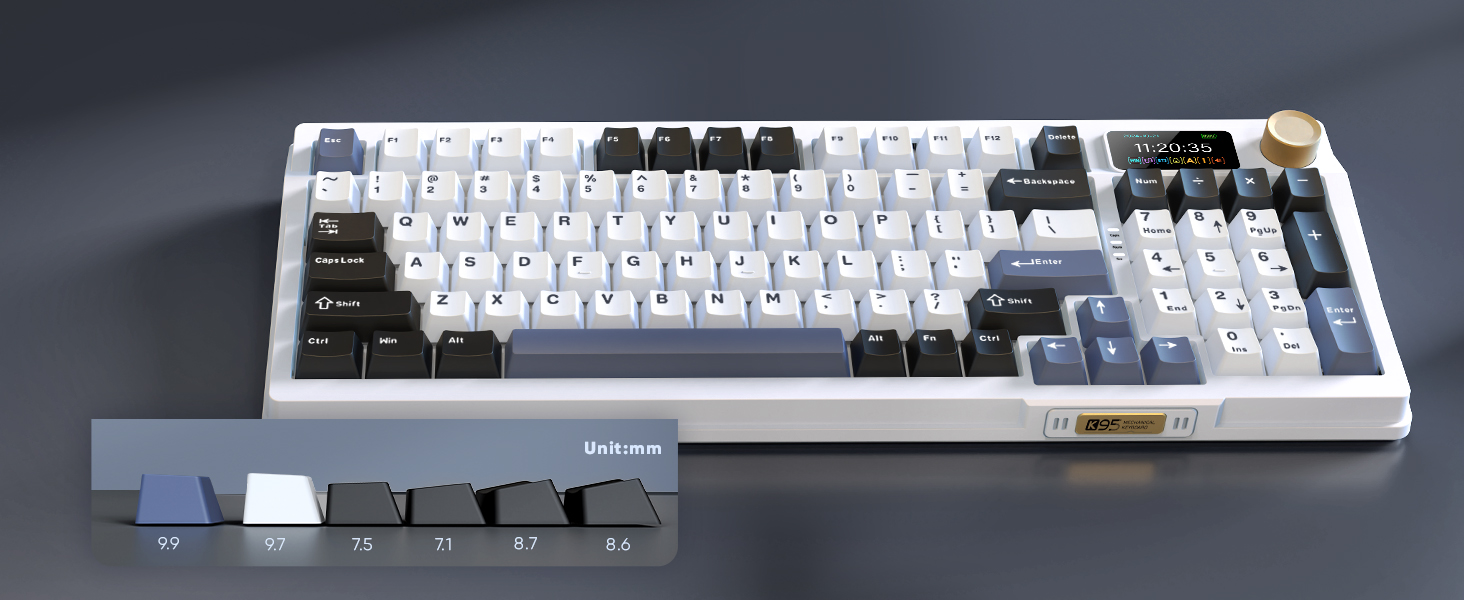
Right out of the gate, I have to admit, this board is an absolute stunner. The packaging is standard, but the keyboard itself feels substantial. Lifting it from the box, I was immediately struck by the ombre keycap design and the vibrant little TFT screen in the top-right corner. It felt like a product that should cost significantly more. My initial plan was just to get it set up on my desk, which I had just organized with a new monitor riser for two 27 inch monitors, but I ended up just admiring the design for a good ten minutes. The first impression is a solid 10/10 on looks alone.
Build Quality & Aesthetics
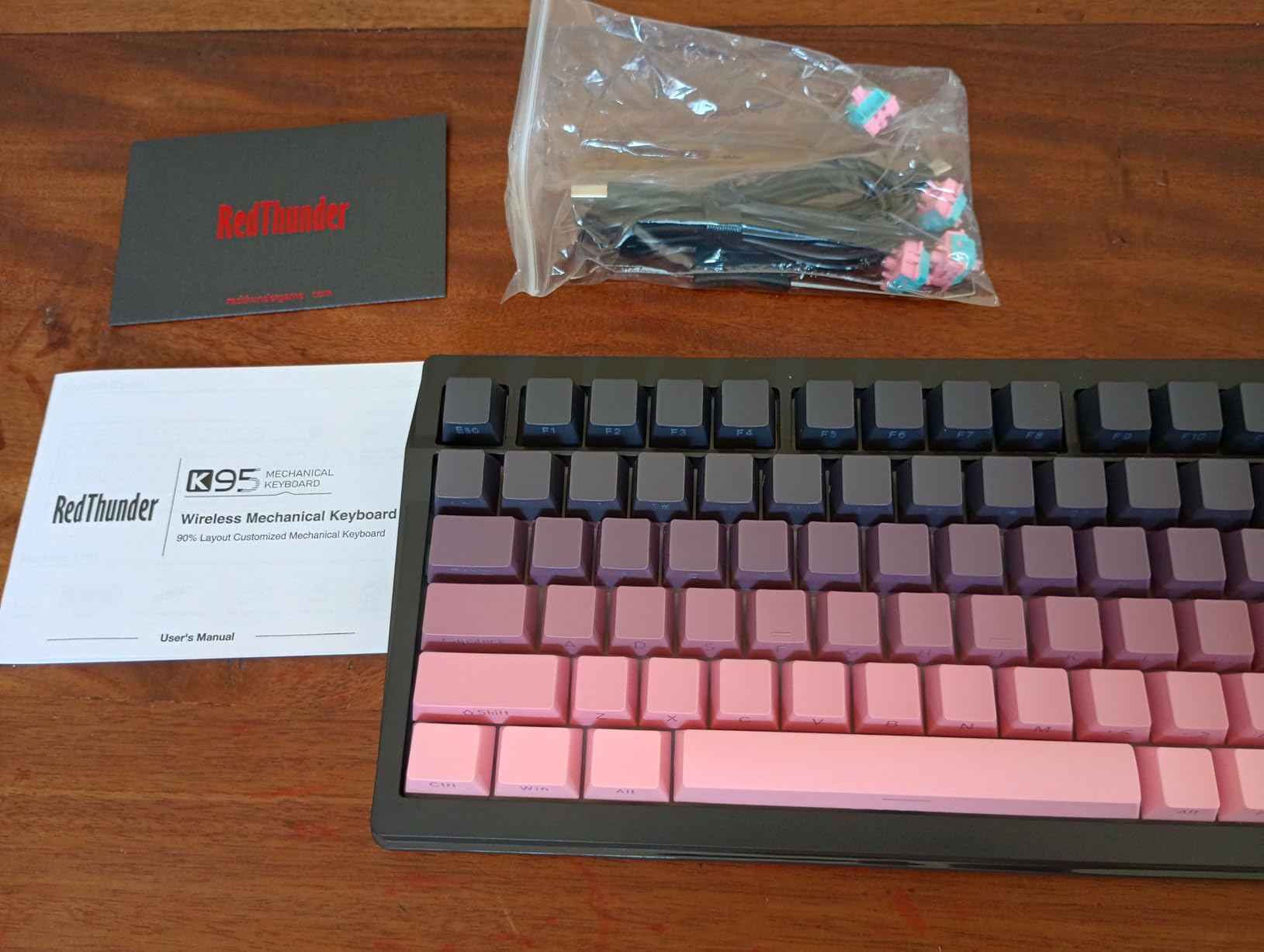
Aesthetically, the K95 is a home run for any content creator or user who values a photogenic setup. The plastic case is a bit chunky, which is average for a pre-built mechanical board, but it feels solid enough at first touch. The real star is the combination of the side-lit RGB strips and the ombre keycaps. However, my positive feelings about the build didn’t last. I noticed that the plastic body feels somewhat fragile under pressure, and I’ve seen alarming reports of it failing after just a few months of moderate use. It seems the premium look doesn’t translate to premium, long-lasting materials, which is a massive disappointment.
Keycaps & Switch Feel
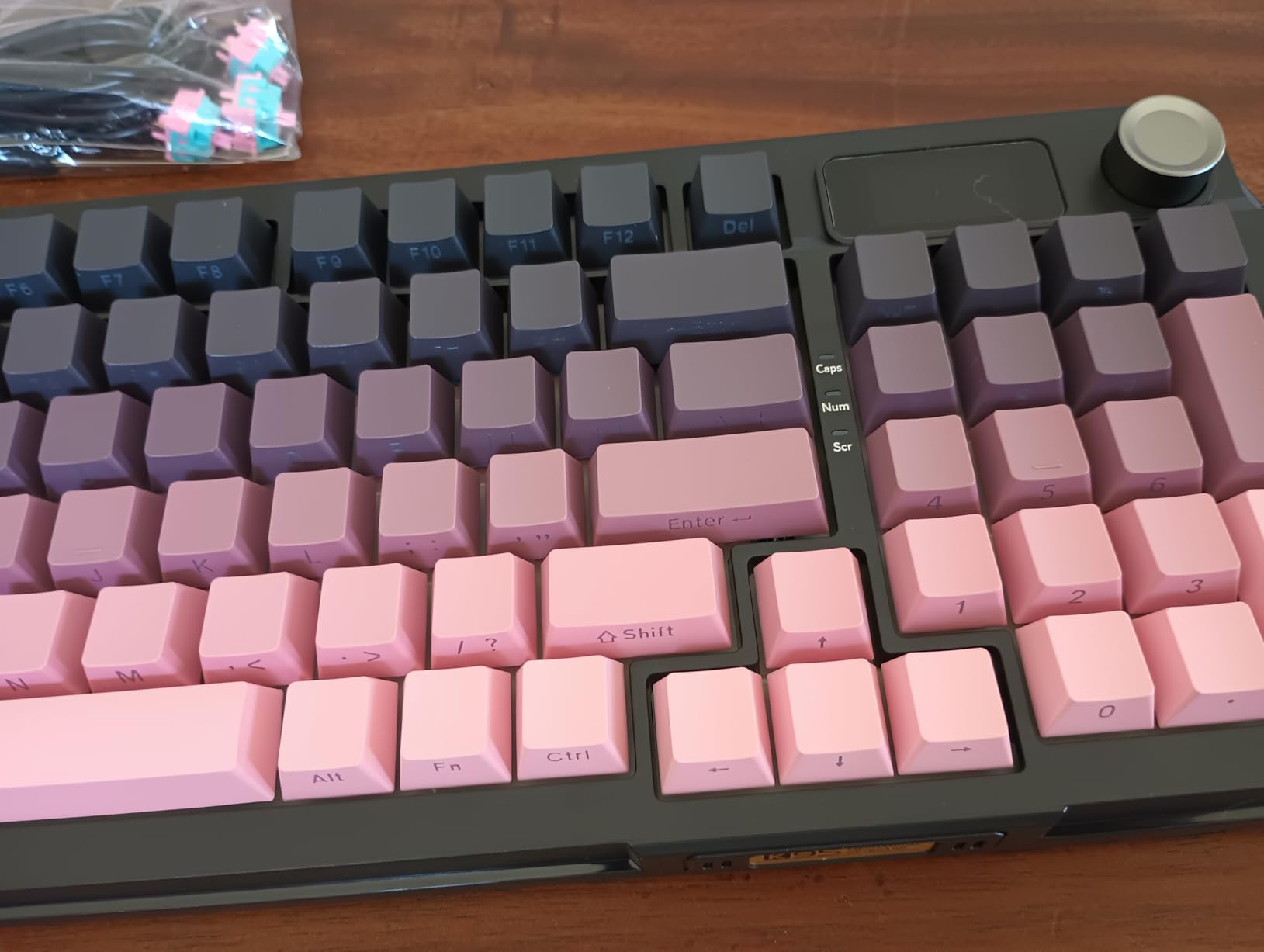
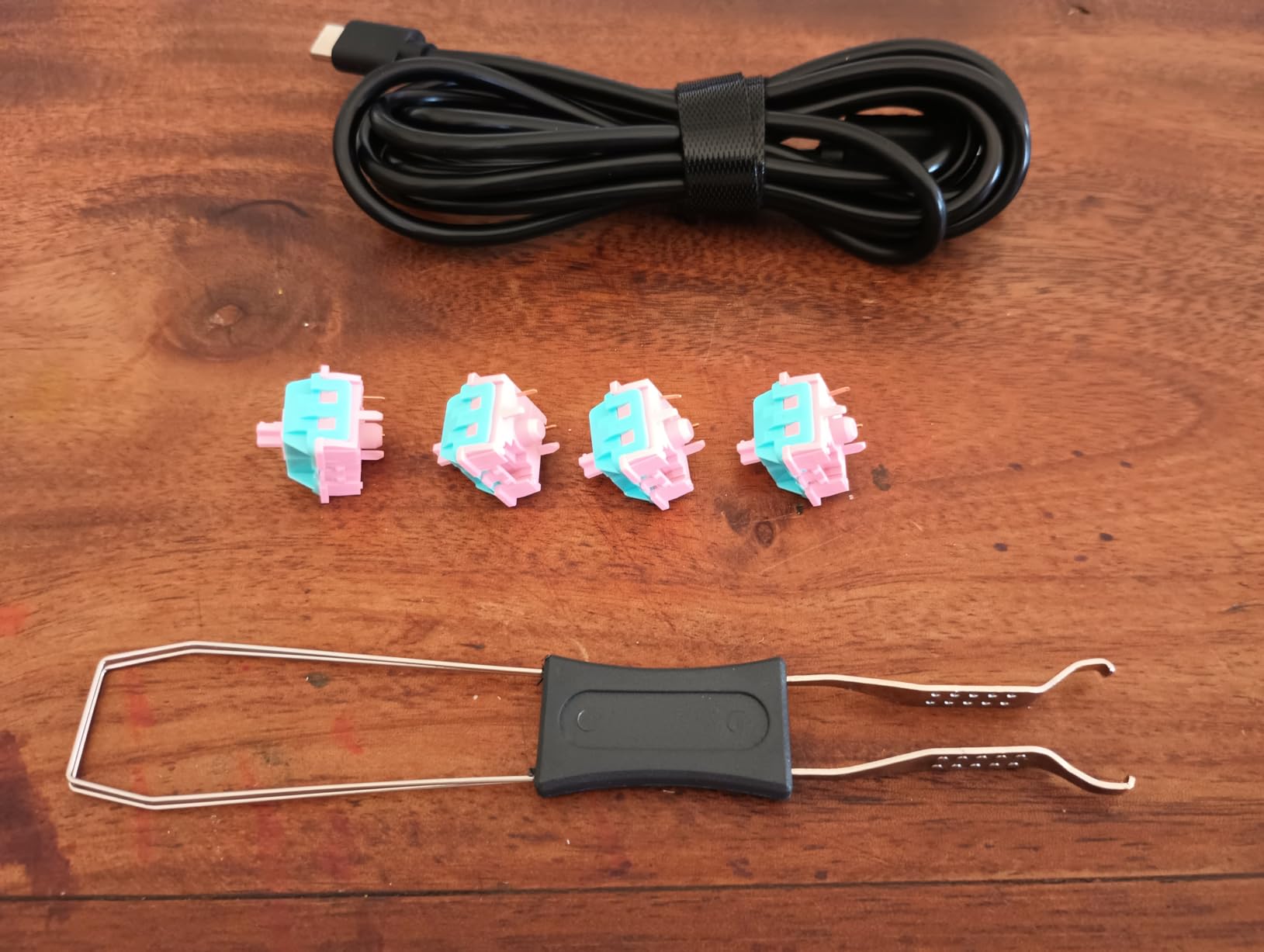
This is another area where the K95 shines and falters simultaneously. The keycaps are PBT, and the side-print legends are a brilliant touch, maximizing the clean, aesthetic look of the ombre gradient without sacrificing usability. I love that I can see the legends from my typing position, but the top of the keycap remains a clean, unbroken field of color. The stock linear switches are also surprisingly good, providing a smooth and satisfying feel right out of the box. The major downside? The legends themselves are not uniform. The printing quality varies, with some letters appearing awkward or inconsistently styled. Furthermore, the fact that the switches are hot-swappable is a huge saving grace. When I stop enjoying the stock feel, I know I can easily swap them out for something else.
Typing Experience & Sound Test
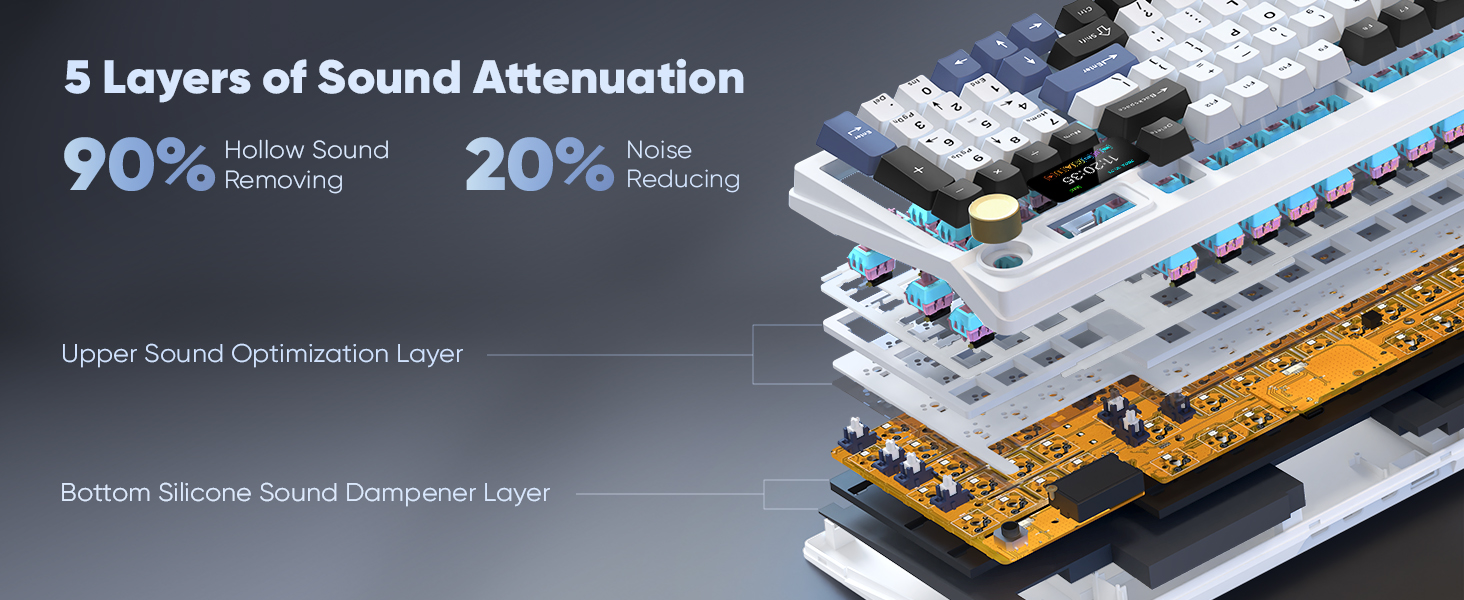
The feel and sound are probably my favorite parts of this keyboard. When it works, typing on the K95 is a genuine pleasure. The sound profile is unique—it’s what I would describe as bright and chirpy, but also nicely muted. It’s not a loud, clacky board, but it has an outgoing resonance that is incredibly relaxing to listen to during a long work session. The internal dampening does a decent job of eliminating a lot of the hollow plastic sound I expected. For sound and pure typing feel, it’s one of the better stock experiences I’ve had in this price bracket.
Connectivity & Battery Life
Here’s where everything falls apart. For a product marketed as a RedThunder K95 wireless mechanical gaming keyboard, the wireless performance is abysmal. When using the 2.4GHz dongle, I experienced insane spikes of input delay that made gaming impossible and typing a chore. Even worse, the keyboard frequently fails to connect on PC startup, forcing me to unplug and reconnect the dongle every single time. To make matters worse, I discovered there’s no physical “off” switch. The keyboard is always on, constantly draining its battery unless it’s plugged in. It’s so unreliable that I’ve taken to keeping the USB-C cable within easy reach—something made easier by my under desk laptop mount with cable tray—but that defeats the entire purpose of a wireless keyboard.
Software & Customization
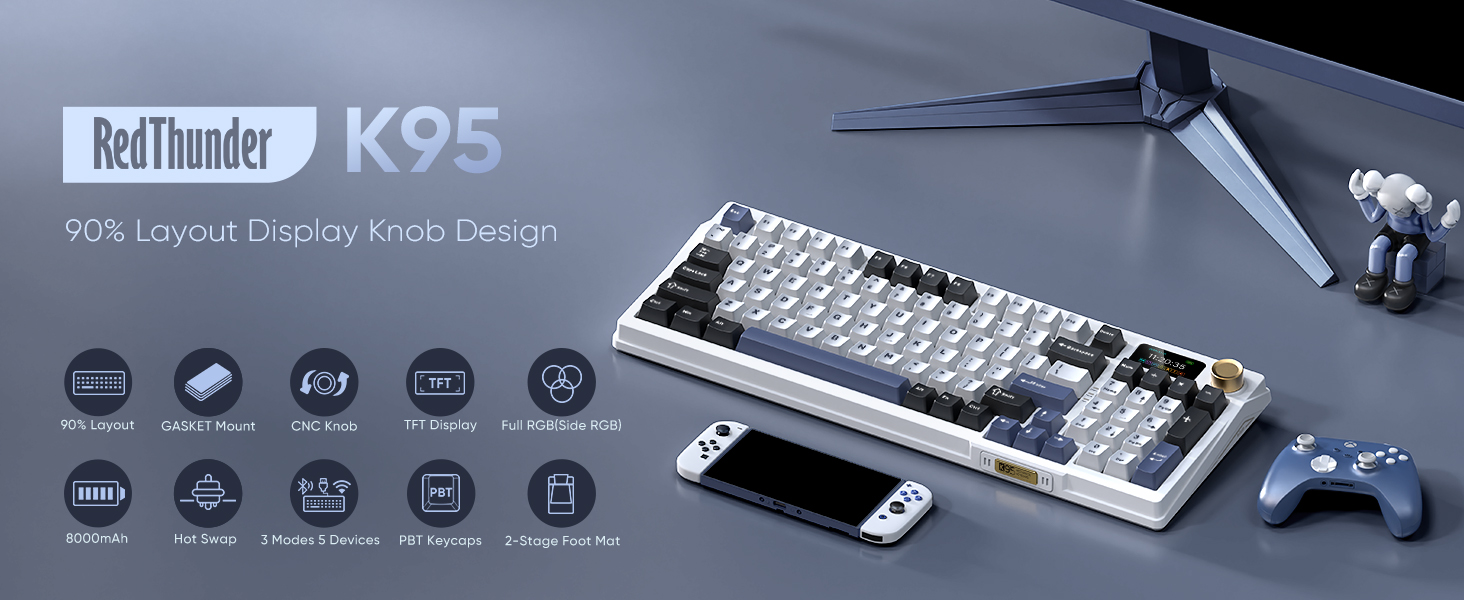
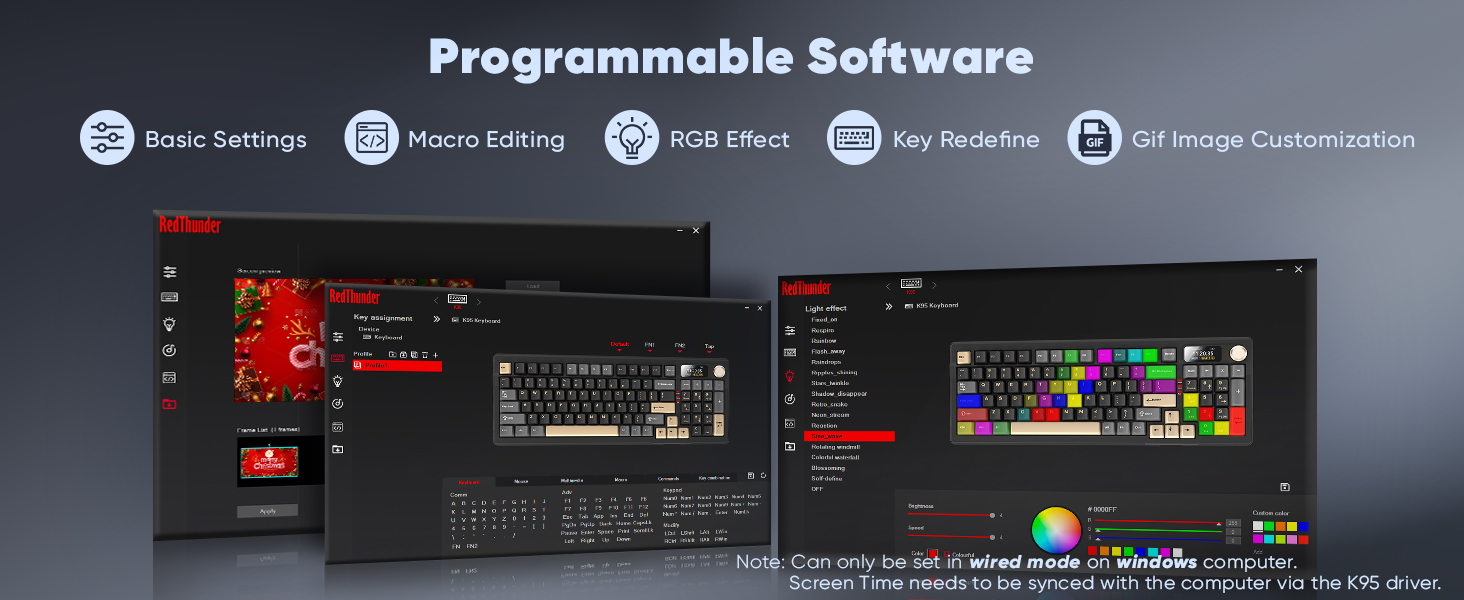
The small TFT screen is an innovative idea that I absolutely love in theory. It allows you to change RGB lighting and other settings directly on the board, seemingly eliminating the need for bloated third-party software. The RedThunder K95 software does exist for more granular control, but the whole experience is riddled with problems. I could not, for the life of me, figure out how to change the date and time on the screen, as there are zero instructions. The volume knob, a key feature, doesn’t sync properly with the system volume. And the lighting itself is inconsistent; the side-light LEDs are true RGB, but the main key backlights produce a washed-out, limited color palette. This keyboard could have been a customization king, but it’s held back by poor planning and half-baked execution.
Ergonomics & Comfort
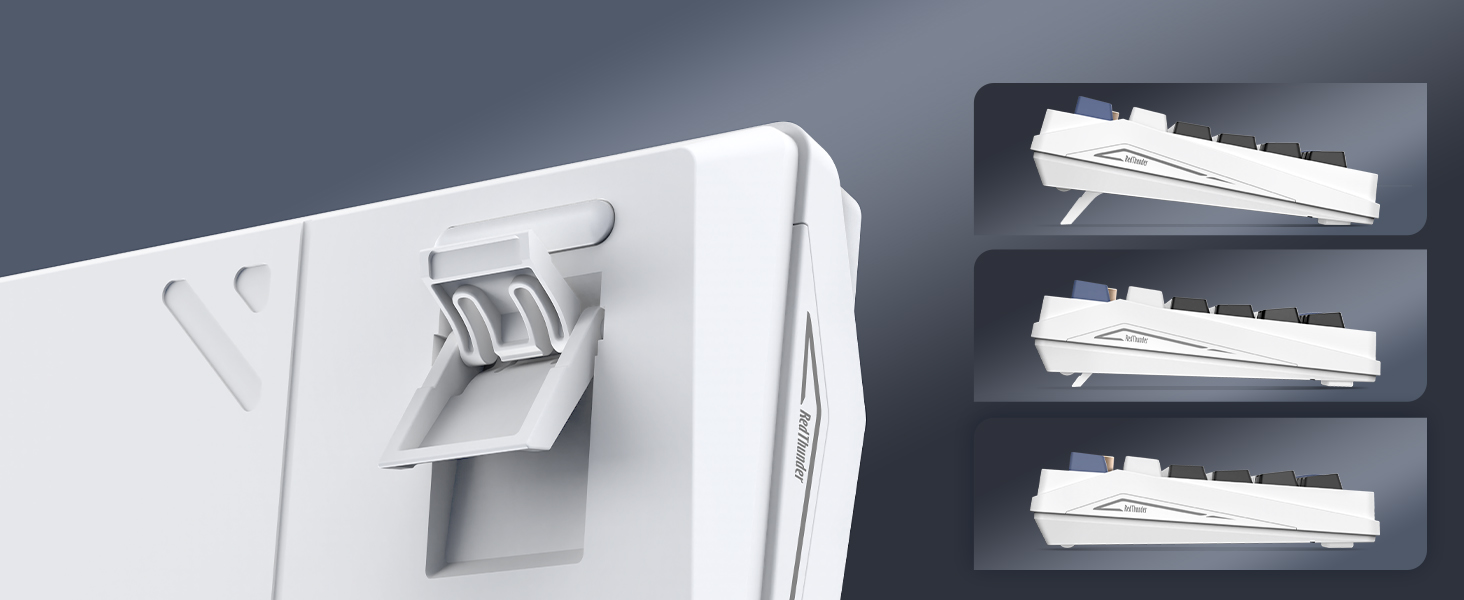
The K95 features a standard typing angle with two sets of flip-out feet for adjustment. The 96% layout is a fantastic compromise, giving you a nearly full-size feature set in a more compact form factor that frees up desk space. It’s a wonderful downgrade from a massive 104-key board without sacrificing the numpad or function row. However, it’s a high-profile board, and after long sessions, I did feel some strain. For anyone with sensitivity, I’d strongly recommend a wrist rest. If you’re concerned about long-term comfort, it might be worth investigating a dedicated orthopedic keyboard for wrist pain instead.
Teardown & Modding Potential
The single greatest strength of the RedThunder K95 is its modding potential. The fact that the switches are 5-pin hot-swappable is its saving grace. This means you can easily open up the board and replace the stock switches with anything you prefer—Clicky, Tactile, or different Linears—without any soldering. For enthusiasts, this is a huge plus. Many users will likely buy this board with the express intention of modding it. You can add foam, lube the switches and stabilizers, and swap the keycaps to transform the feel and sound. In a way, the K95 feels less like a finished product and more like a beautiful, feature-rich starter kit for your first keyboard modding project.
| Feature | RedThunder K95 | AULA F108 PRO | EPOMAKER TH108 PRO | AJAZZ AK980 |
|---|---|---|---|---|
| Layout | 96% (98-Key) | 100% (108-Key) | 100% (108-Key) | 96% (98-Key) |
| Special Feature | TFT Screen & Knob | Multimedia Knob | Multimedia Knob | Volume Knob |
| Build Material | Plastic | Plastic | Plastic | Plastic |
| Connectivity | Tri-Mode Wireless | Tri-Mode Wireless | Tri-Mode Wireless | Tri-Mode Wireless |
| Check Price | Check Price | Check Price | Check Price | Check Price |
Frequently Asked Questions
Is the RedThunder K95 good for gaming?
Unfortunately, I cannot recommend the RedThunder K95 for gaming. During my tests, I experienced significant input lag and frequent connection drops when using the 2.4GHz wireless mode, which are deal-breakers for any type of gaming, especially competitive titles.
What are the main problems with the RedThunder K95?
The primary issues are its unreliable wireless connectivity, frustrating software (e.g., volume knob not syncing, inability to set the time), inconsistent keycap legend printing, a lack of an off switch leading to battery drain, and questionable long-term build quality.
Are the switches on the RedThunder K95 hot-swappable?
Yes, one of the best features of the K95 is its 5-pin hot-swappable PCB. This allows you to easily change the mechanical switches without needing to solder, making it a good base for customization and modding.
After this RedThunder K95 review, should I buy it?
You should only buy this keyboard if you prioritize aesthetics above all else and are willing to tolerate significant functional flaws. If you need a reliable keyboard for gaming, productivity, or daily use, I would strongly recommend looking at alternatives from more established brands like EPOMAKER or AJAZZ.
Final Thoughts
The RedThunder K95 is a case of a fantastic concept with flawed execution. It’s a keyboard I desperately wanted to love. The visual design is a 10/10, the stock sound and feel are surprisingly pleasant, and the feature set with a screen and hot-swappable switches is impressive on paper. However, the fundamental experience of using it as a reliable input device is completely undermined by its poor wireless performance and litany of software and quality control issues.
If you’re a modder looking for a gorgeous, feature-packed chassis to gut and rebuild, this might be an interesting project. But for the average gamer, content creator, or productivity user looking for a dependable daily driver, the K95 is a beautiful trap. My advice is to admire it from afar and invest your money in a more reliable option from a competitor.




